


Tired of Remini’s annoying paywalls, nonstop pop-up ads, and overly smoothed fake skin that makes your precious photos look stiff and artificial? Remini first made mobile AI photo enhancement mainstream, but countless creators, artists, photographers and everyday users are now hunting for better tools, ones that deliver sharper, more natural results, work faster, and restore faces authentically without ruining your original photos.
If you’ve ever browsed Reddit and other communities looking for trustworthy Remini alternatives, you know how frustrating it is to try dozens of hyped apps, only to run into hidden charges, annoying watermarks, or weird distorted facial details in your edited pictures.
Start your art journey with a1.art.
Luckily, AI image upscaling and restoration tech has come a long way by 2026. The latest advanced AI tools can fix blurry photos, restore tiny facial details, and upscale images all the way to 8K resolution,all while keeping people’s natural expressions intact and preserving every important detail in your shots. In this full comparison guide, we’ve rounded up the best Remini alternatives, testing and ranking them by speed, picture sharpness, naturalness of the final output, and overall value, to help you pick the perfect tool for all your photo editing needs.
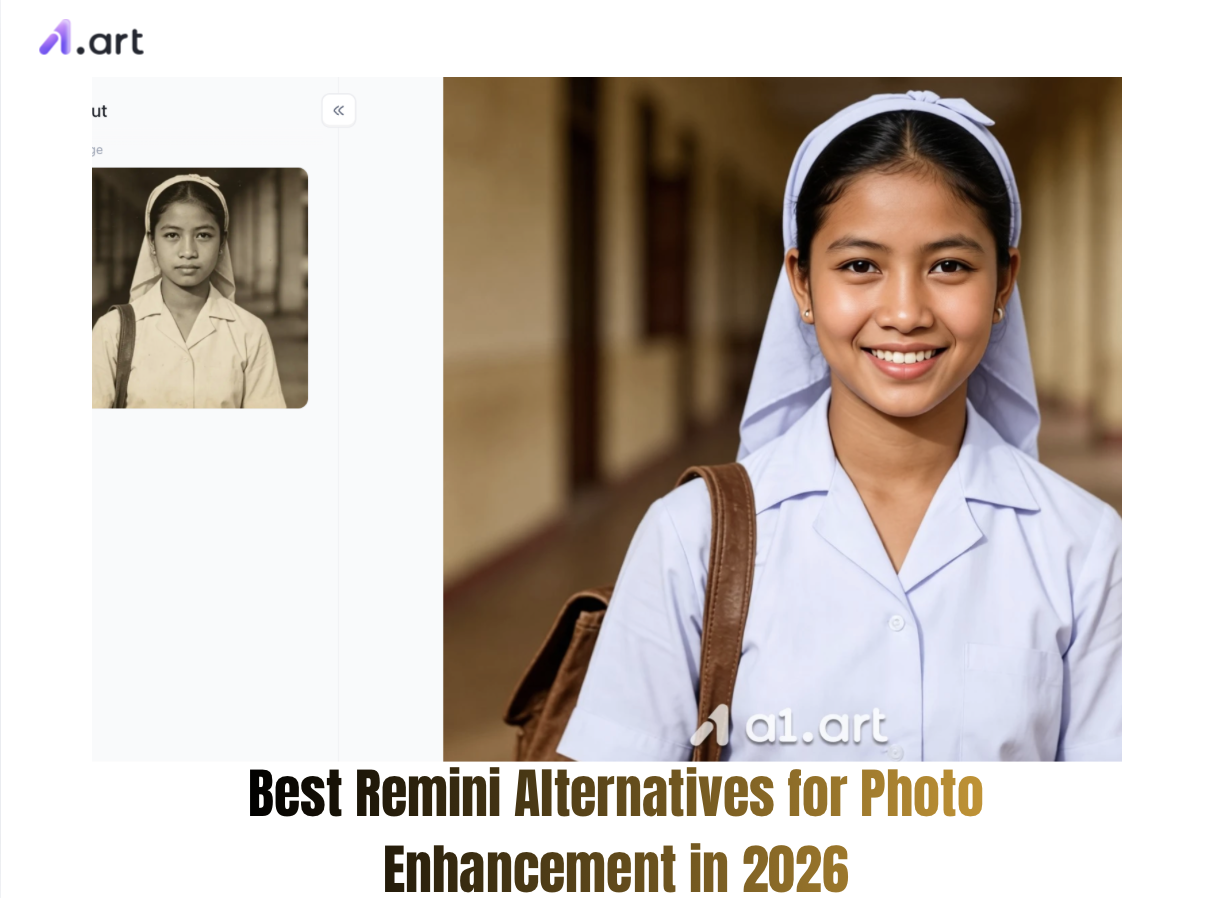
Why Look for Remini Alternatives in 2026?
Remini once led the market for mobile AI photo enhancement, but it’s left tons of designers and photographers disappointed in recent years. Scrolling through recent Reddit threads about Remini alternatives, it’s clear three major flaws are pushing users to switch to other tools:
-
Unnatural, overdone AI retouching:Remini often replaces people’s unique facial features with generic AI-generated templates. This leaves skin looking unnaturally smooth and waxy, warps eye shapes, and creates stiff, fake-looking smiles that ruin the original vibe of your photos.
-
Annoying ads and expensive paid plans:Free users have to sit through tedious 30-second ads every time they process a single photo. On top of that, Remini’s monthly and yearly subscription fees are far too pricey for what it offers.
-
No manual control + excessive smoothing: There are zero adjustable settings to preserve original photo details. The app automatically over-smooths every image, wiping out natural skin texture, film grain, and subtle marks like freckles that make portraits look real and unique.
Today’s creators want photo tools that are fast, accurate, and true to life. A 2025 digital imaging industry study shows that 78% of online content creators favor AI upscalers that keep people’s original facial features intact, rather than tools that apply heavy, artificial filtering.
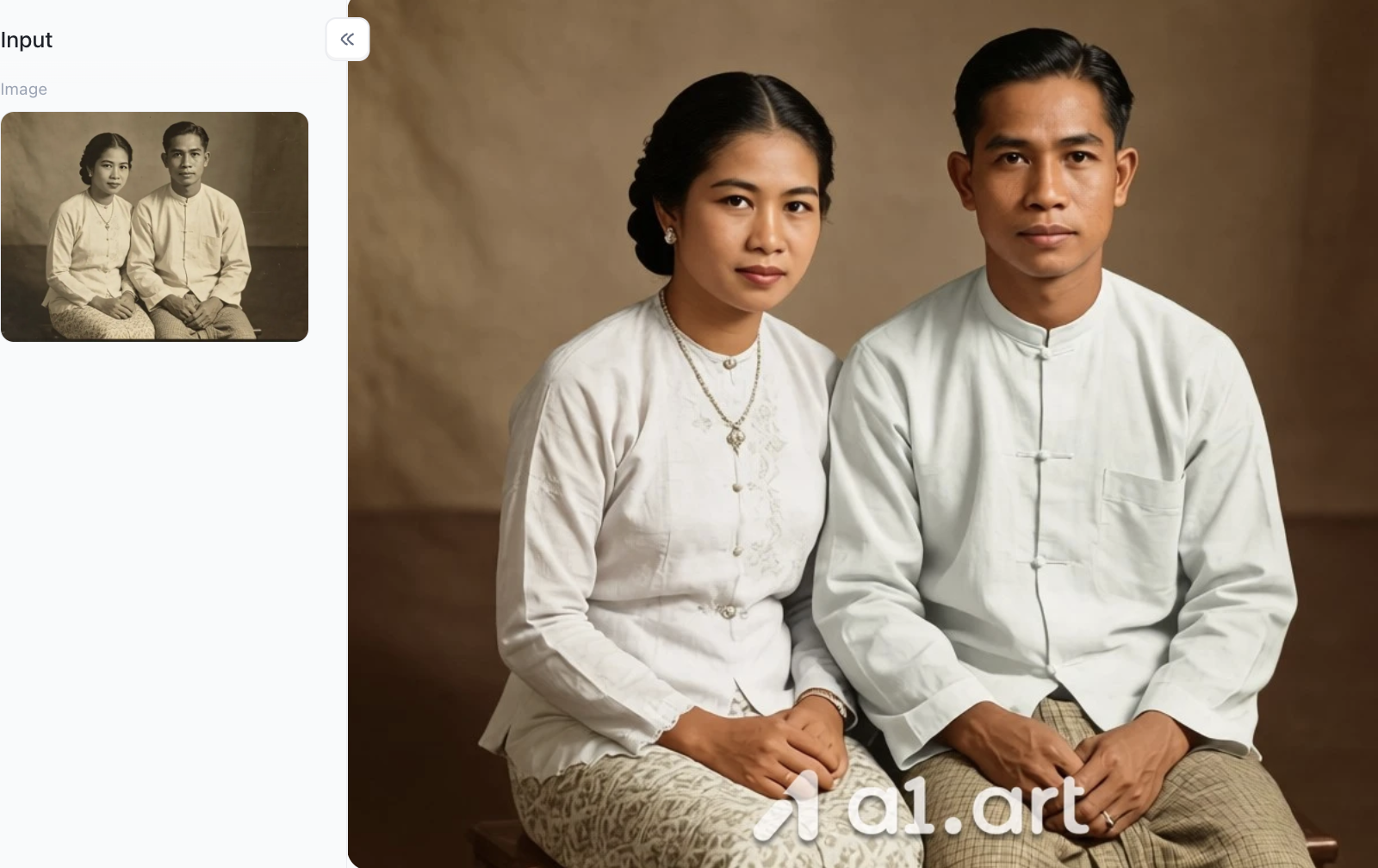
Click the image to instantly restore your old photos⬇️
Detailed Review of the Best Remini Alternatives
a1.art:The Ultimate AI Photo Enhancer & Portrait Generator
Among all Remini alternatives right now, a1.art is a standout next‑gen tool. It works great for regular folks fixing old family photos as well as pros making eye‑catching content. Powered by advanced generative neural networks and sub‑pixel reconstruction, it sharpens images impressively while keeping people’s original looks completely intact.
Key Features & Tech Highlights
-
Natural facial detail restoration: Brings back iris reflections, individual eyelashes and real‑world skin texture ,no fake waxy‑looking beauty filters.
-
Blazing‑fast processing: Thanks to optimized cloud GPU power, it turns out crisp 4K enhanced photos in under three seconds per picture.
-
No blocked content, no face warping: Smart geometry algorithms keep eye, mouth proportions and facial symmetry perfectly true to the original.
-
Multi‑mode AI engine: Easily toggle between realistic photo repairs, cinematic color tweaks, anime looks, and creative portrait styles.
Let me show you just how well a1.art restores old photos
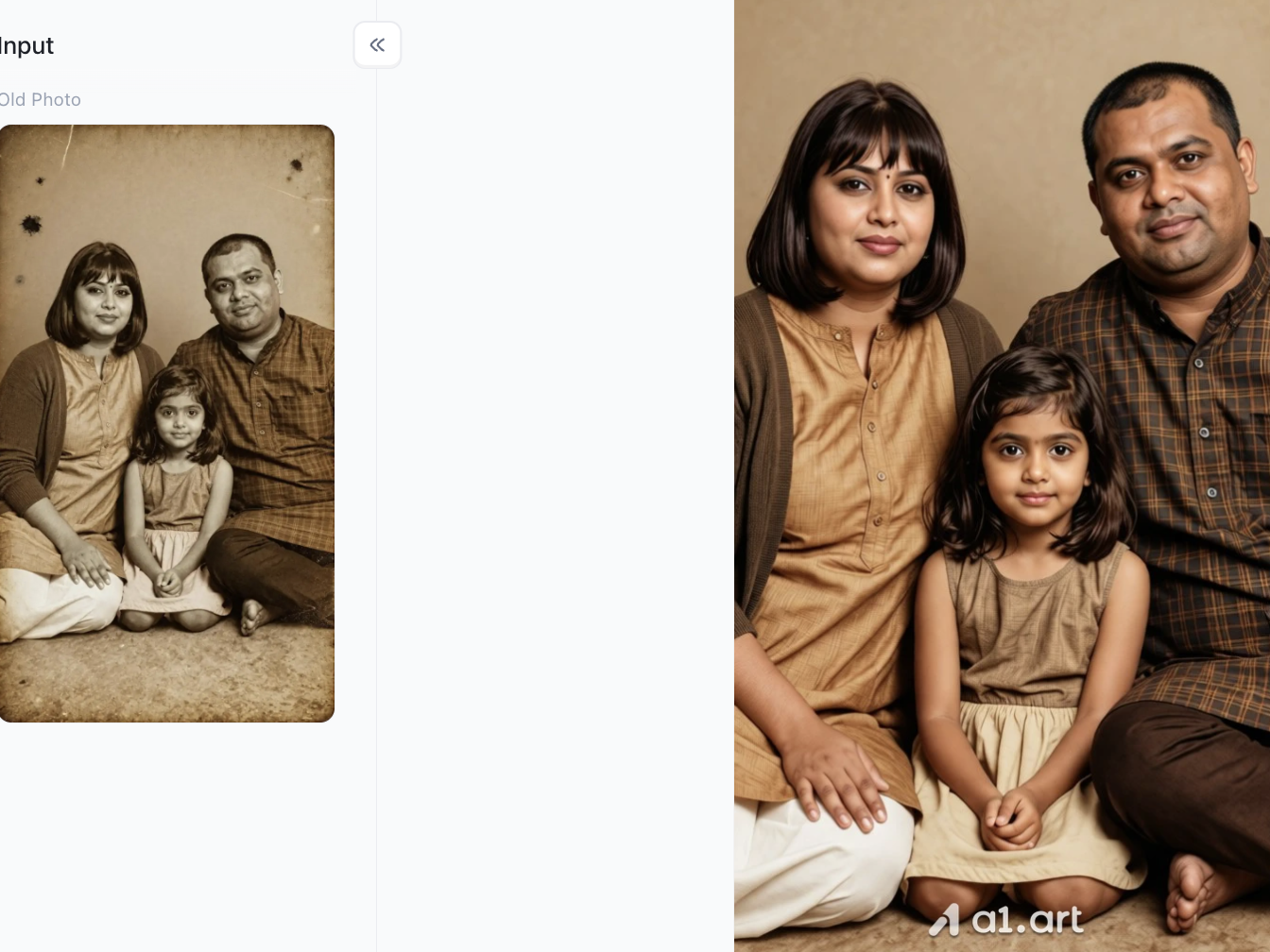
AI Restore Old Photo
-
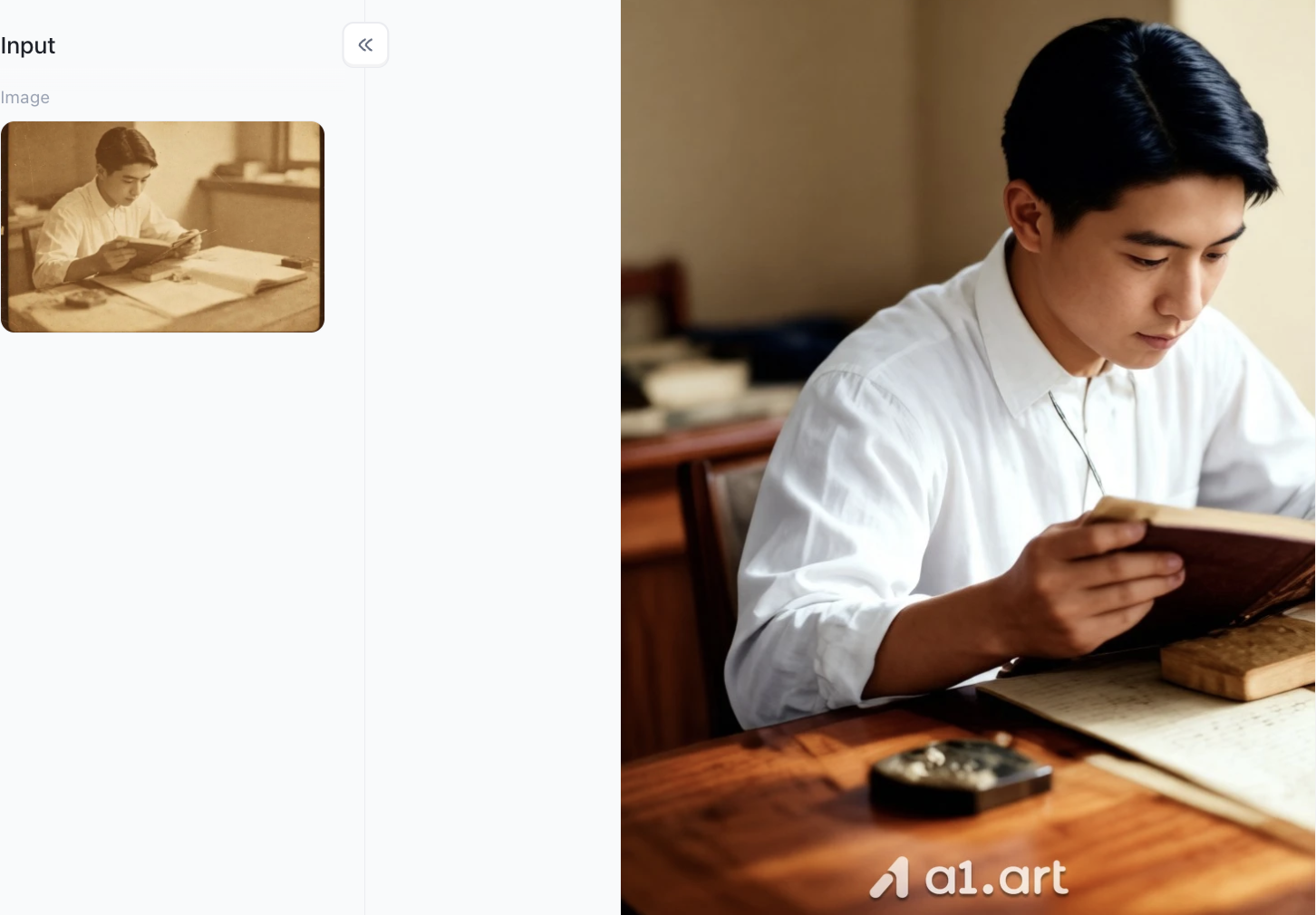
Restoration of Aged and Damaged Photos: Flawlessly removes age-related stains, creases, and noise, instantly restoring tattered or blurry vintage photos to a pristine, smooth state.
-
Natural Color Restoration: Intelligently transforms monotonous sepia tones into rich, authentic, full-color images, ensuring natural transitions in skin tones and clothing colors.
-
Ultra-HD Detail Reconstruction: Dramatically enhances the clarity of facial features, eyes, hair strands, and fabric textures, revealing even the finest details with precision.
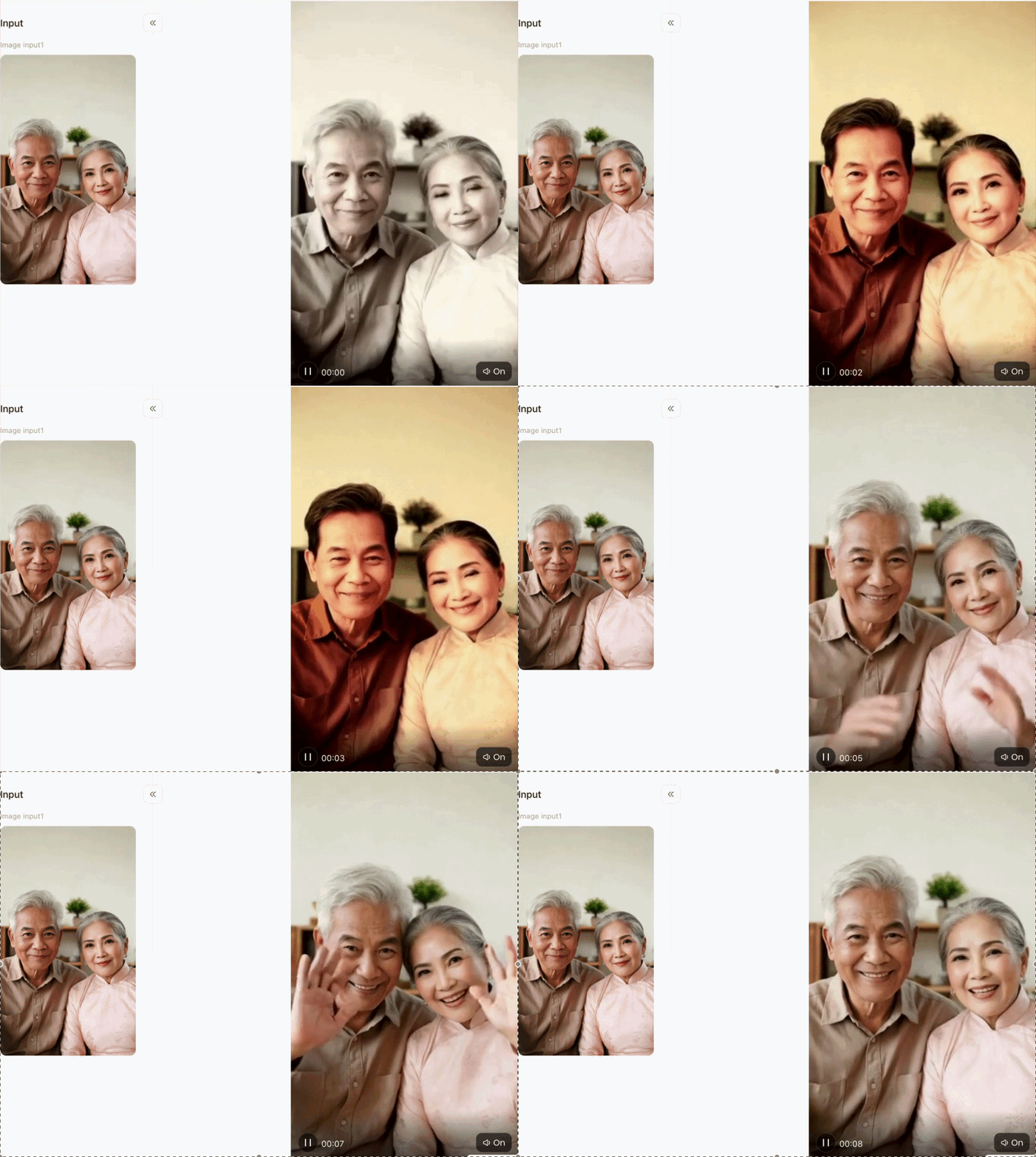
Restoring Old Photographs
-
Restoring Youth: Beyond mere de-blurring, this feature offers a true "rejuvenation" effect. It intelligently erases the marks of time,naturally restoring gray or white hair to its original dark shade and smoothing out wrinkles,to bring back a youthful appearance.
-
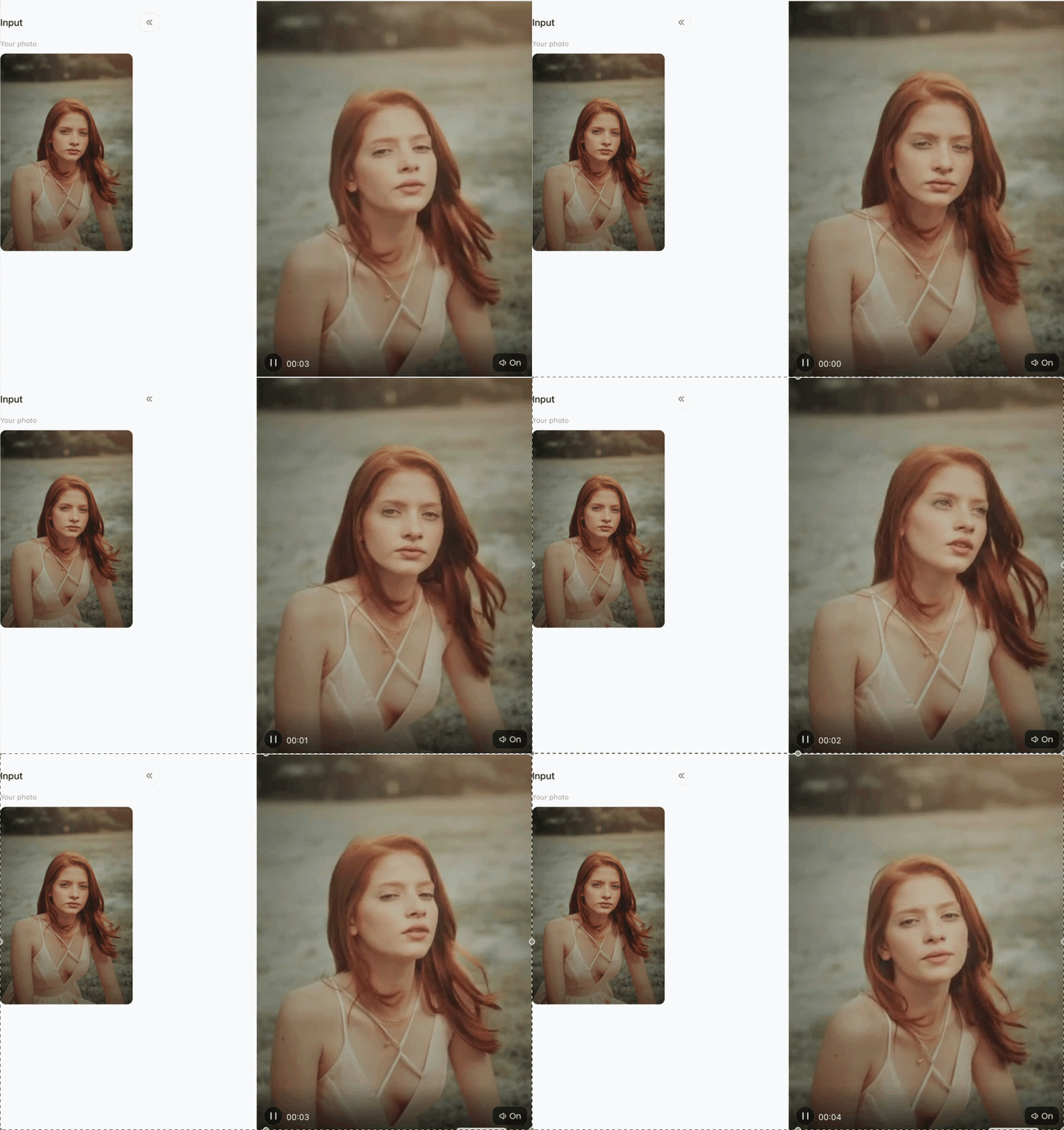
Dynamic Animation: Moving beyond traditional static restoration, this feature transforms a still photo into a dynamic video,complete with natural micro-expressions, lively eyes, and subtle movement (as shown in the playback bar on the right),making memories truly come alive.
-
Ultra-Clear Reconstruction: It powerfully eliminates the blur, grain, and noise found in old, low-resolution photos, deeply restoring facial features, strands of hair, and clothing textures to meet modern high-definition standards.
Bring old photos to life
-
Static photos instantly become "alive": a single old static photo of a person can be directly converted into a dynamic video, giving the character natural micro-movements such as turning his head and moving his eyes.
-
Emotions and postures are smooth and excessive: not only simple facial shaking, but also the slight body shaking and posture changes of the real human body can be simulated, making it appear very vivid.
-
Intelligent perspective enlargement and cropping: When generating, the characters will automatically be softly advanced in close-up and composition fine-tuning, allowing readers to focus more on the characters' expressions.
Topaz Photo AI
For desktop users seeking heavy-duty local image processing, Topaz Photo AI serves as a powerful professional alternative. It specializes in camera noise reduction, lens blur correction, and RAW image sharpening.
-
Pros: Exceptional noise reduction algorithms and manual adjustment sliders.
-
Cons: Requires a dedicated desktop GPU, carries a high upfront license cost, and lacks instant mobile web access.
-
Users browsing remini alternative free reddit threads often see Topaz praised for raw photography, though its lack of a free cloud workflow makes it less ideal for quick daily edits.
VanceAI
VanceAI offers a suite of browser-based tools designed for standard image enlargement and automated face sharpening.
-
Pros: Convenient web interface with batch processing capabilities for e-commerce store owners.
-
Cons: Can produce halo artifacts around intricate hair edges; free preview credits are highly restrictive.
-
A functional option for users searching remini alternatives free trial options for standard web upscaling tasks.
Pixelcut AI Image Upscaler
Targeted primarily at social media sellers and online entrepreneurs, Pixelcut integrates basic AI image resolution boosting into a simplified graphic design suite.
-
Pros: Intuitive mobile interface and instant background removal.
-
Cons: Facial reconstruction depth is limited compared to dedicated generative face-restoration engines like a1.art.
Deep Dive: Why Our Platform (a1.art) Outperforms Remini
When examining why users are transitioning from traditional apps to modern AI visual suites, the difference comes down to verifiable performance benchmarks and superior user experience:
Superior Image Clarity & Depth
Legacy apps frequently blur non-facial elements to hide processing flaws. a1.art evaluates the entire composition, simultaneously sharpening facial features, hair strands, fabric weaves, and background elements for uniform clarity.
Natural & Authentic Face Restoration
Over-smoothed, synthetic skin is the single most common complaint in remini app alternatives reviews. a1.art utilizes advanced facial detail recovery algorithms that reconstruct micro-textures and natural ambient lighting without pasting artificial overlay masks over subjects.
Zero Facial Distortion
Many AI apps alter jawlines, eye positions, or dental structure, rendering individuals unrecognizable. a1.art enforces strict keypoint structural constraints, guaranteeing 100% identity preservation.
Unobstructed Visual Content
Our system guarantees that primary subjects are never obscured by intrusive watermarks, heavy UI frames, or unwanted synthetic blur, preserving complete composition integrity.
Aligned with Modern Aesthetics
Instead of applying dated 2020-style high-contrast smoothing, a1.art's visual models are calibrated to modern aesthetic standards,delivering filmic tone mapping, rich color balance, and natural highlights.
Practical Tips for Achieving the Best Photo Enhancement Results
Upload your highest-quality original photo
The higher the resolution of your source image, the better the AI can read and preserve facial structure and fine details for precise, natural enhancements.
Avoid heavily compressed JPG files
Heavily compressed images from chat apps lose tons of detail. For sharper restorations, use clean PNG files or uncompressed originals whenever possible.
Pick the right AI mode for your needs
Stick with the face restoration mode for portrait fixes and photo recovery. Switch to the creative generation mode for custom social media avatars and digital art styles.
Check your results at 100% zoom
Always preview your finished image in full zoom to double-check fine details like eyelids, eyelashes, and hair edges, ensuring everything stays crisp and well-defined.
The higher the resolution of your source image, the better the AI can read and preserve facial structure and fine details for precise, natural enhancements.
Avoid heavily compressed JPG files
Heavily compressed images from chat apps lose tons of detail. For sharper restorations, use clean PNG files or uncompressed originals whenever possible.
Pick the right AI mode for your needs
Stick with the face restoration mode for portrait fixes and photo recovery. Switch to the creative generation mode for custom social media avatars and digital art styles.
Check your results at 100% zoom
Always preview your finished image in full zoom to double-check fine details like eyelids, eyelashes, and hair edges, ensuring everything stays crisp and well-defined.
Conclusion: Upgrading Your Photo Enhancement Workflow in 2026
Upgrading your photo enhancement tools in 2026 no longer means settling for frustrating ad walls, slow processing queues, or unnatural facial distortions. As generative AI technology advances, platforms like a1.art AI enhancer lead the industry by combining lightning-fast cloud execution with hyper-realistic, authentic face restoration.
Whether you want to unblur cherished family memories, elevate social media visual content, or craft eye-catching digital graphics, exploring modern Remini alternatives gives you complete creative freedom and unmatched output clarity. Experience the next generation of image enhancement today with a1.art and transform your low-res photos into stunning high-definition masterpieces in seconds.
FAQs
Are there completely free Remini alternatives available?
Absolutely. Many modern online AI photo tools offer free daily uses or trial credits. As widely recommended on Reddit, platforms like a1.art let new users access free enhancement credits, with no mandatory card sign-ups and no forced ads to sit through.
How is AI face restoration different from regular image sharpening?
Basic sharpening only boosts edge contrast, which often creates grainy noise and weird halo glows on photos. Premium AI tools like a1.art work completely differently: they study facial structure deeply and restore lost details like eye reflections and natural skin texture using trained real-image data, for far more natural results.
Can I fix blurry screenshots and old low-res camera photos?
Yes, you can. Modern AI enhancers automatically fix pixelation and compression flaws in old screenshots and vintage digital photos. They clean up noise and upscale low-quality shots smoothly all the way to 4K or 8K resolution.
Read more
- Secret Desires AI Review 2026: Is It Free, Safe and Worth It?
- How to Remove Glare from Glasses in Photos with AI
- How to Do the 80s AI Photo Trend with Your Own Photo
- How to Create Teachers Day Photos with AI?
- How to Create Hot Photos? A Step-By-Step Guide For Beginners
- 1980s Photo Prompt: How to Create the Viral ChatGPT 80s Look
- GPT Image 2.5 vs GPT Image 2: The Complete Comparison
- GPT Image 2.5: New Features and Alternatives
- Best Hot AI Video Generator Apps to Create New Videos from Photos
- How to Create the Viral Radha Rani AI Photo Trend in 2026
Written by

a1.art
Published on
Sep 17, 2026
Share article


