

Tired of fighting with your AI image generator to get sharp, natural-looking pictures without weird warping? You could spend ages fiddling with complicated prompts, only to end up with fuzzy details, oddly placed objects, and dull lighting,and that slows your whole content creation process down. Regular text-to-image tools often miss what you’re actually trying to make, and it’s so frustrating when your idea doesn’t match what you get.
The good news is: well-structured prompts for GPT Image 2.6 fix this problem. With ready-to-use prompt templates paired with powerful rendering tools, you can cut out all that back-and-forth guessing and adjusting. In this complete guide, you’ll find more than 20 practical prompt templates for different real-use cases. We’ll break down how to build better prompts step by step, and show you how platforms like a1.art help creators get crisp, fast, great-looking results.
Evolution of Image Generation: From Legacy Models to GPT 2.6
Generative AI models have exploded in capability and totally changed how we make digital media. Older image models used to struggle a lot: they couldn’t keep multiple objects looking consistent, messed up spatial relationships, and got lighting wrong all the time. Designers were stuck relying on rough prompt cheat sheets or old GPT Image 2.5 guides just to avoid basic messy composition issues.
As people refined their workflows, creators stopped just typing simple text prompts and started using structured settings to fine-tune outputs. Early frameworks like the original ChatGPT Image 2 prompts set the ground rules for describing subjects, actions and scenes. But today’s image generation needs way more accuracy. That’s where the newer GPT Image 2.6 prompts come in,they give you tighter control over volumetric lighting, tiny surface details and accurate depth layers. This lets creators turn complicated visual concepts into clean, precise finished images.
If you want to dive deeper into streamlined workflows and AI-generated visual assets, head over to our full resource at a1.art for fast, production-ready rendering.
Core Prompting Framework for Maximum Fidelity
To get great-looking images every single time, you can’t just throw random words together,you need a reliable prompt structure. Images that grab attention work because you carefully balance your main subject, style notes, scene details, and camera settings.
- Key Components of a Strong Prompt Primary Subject Definition: Clearly lay out materials, fabric textures, or surface finishes. Skip vague descriptive words.
- Lighting Dynamics: Use common pro lighting terms: rim lighting, subsurface scattering, soft diffuse daylight, and more.
- Atmospheric Framing: Set the mood with scene details like how thick the fog is, lens flares, or soft ambient reflections.
- Compositional Specs: Pick your camera setup intentionally,for example, an 85mm portrait lens, macro shallow depth of field, or isometric perspective.
20+ Real-World GPT Image 2.6 Prompts and Visual Examples
Below is a curated showcase of tested, high-yield prompt structures across five core creative domains. These examples seamlessly integrate style modifiers, including vibrant atmospheric effects like gpt image 2.6 sunburst lighting and dynamic elements seen in gpt image 2.6 gif animation workflows.
Domain A
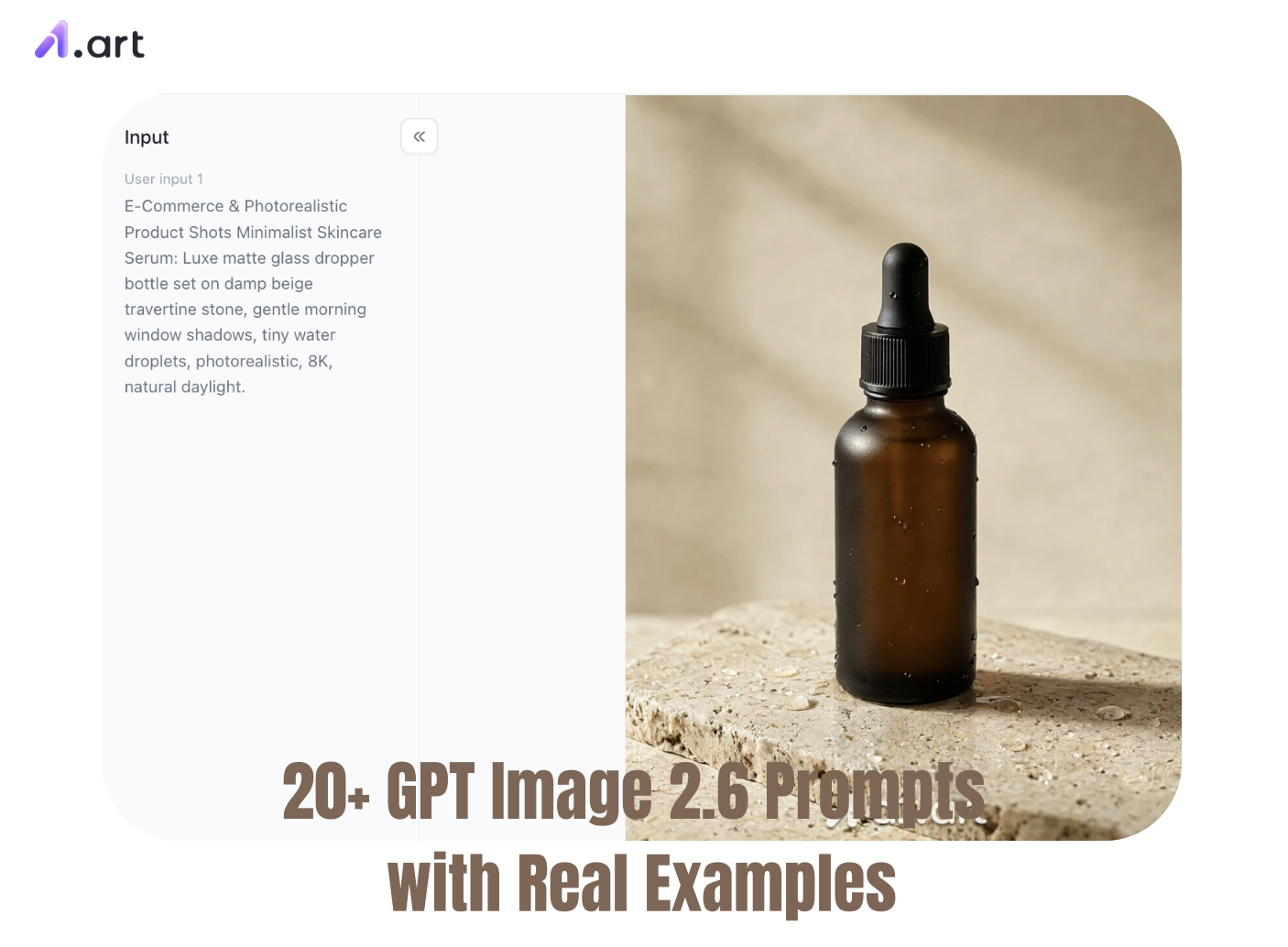
- E-Commerce & Photorealistic Product Shots Minimalist Skincare Serum: Luxe matte glass dropper bottle set on damp beige travertine stone, gentle morning window shadows, tiny water droplets, photorealistic, 8K, natural daylight.
- Ergonomic Wireless Headphones: Matte dark grey over-ear headphones hovering above a smooth pastel backdrop, soft studio softbox lighting, dynamic side angle, bright crisp metallic shine.
- Artisanal Coffee Packaging: Kraft paper coffee bag placed next to roasted coffee beans and a ceramic mug, warm morning sunlight pouring through a window, soft macro focus.
- Hydrating Lip Balm: Clear lip balm tube surrounded by fresh aloe slices and transparent ice cubes, clean bright light reflections, polished commercial product style.
Domain B
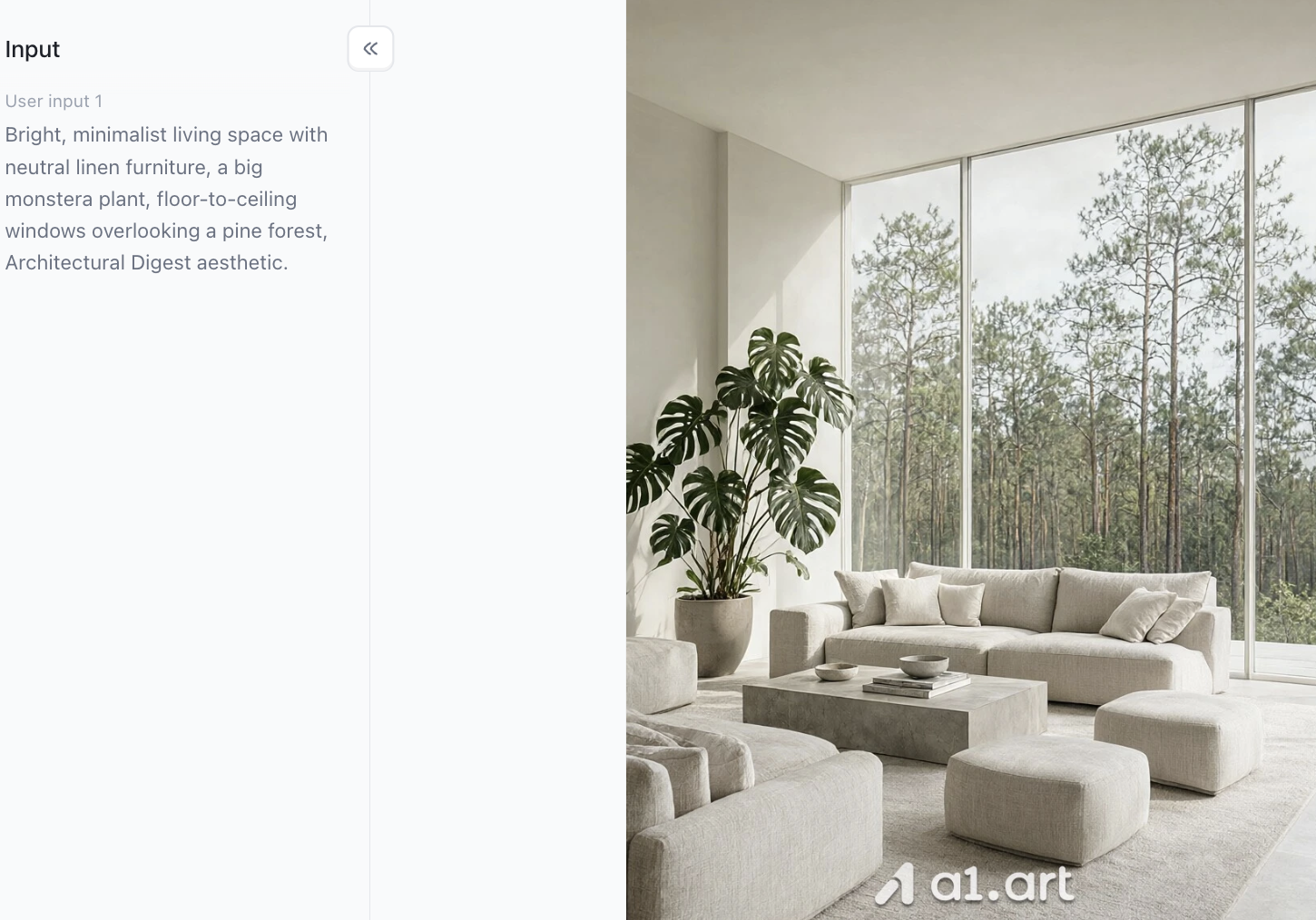
- Architectural & Interior Visuals Modern Scandinavian Living Room: Bright, minimalist living space with neutral linen furniture, a big monstera plant, floor-to-ceiling windows overlooking a pine forest, Architectural Digest aesthetic.
- Cyberpunk Urban Loft: Industrial-style room with exposed brick walls, glowing neon signs, bare copper piping, wet concrete floors that bounce blue and soft red ambient light.
- Futuristic Sustainable Villa: Eco-friendly curved concrete home built into a lush rainforest hillside, solar glass panels, gentle warm natural light, dusk architectural photograph.
- Minimalist Japanese Tea Room: Traditional tatami room, sliding shoji paper doors lit softly from behind by morning light, wooden tea set, quiet bamboo garden visible outside.
Click the image to instantly generate the visuals you want using GPT Image 2.6 Prompts⬇️
Domain C
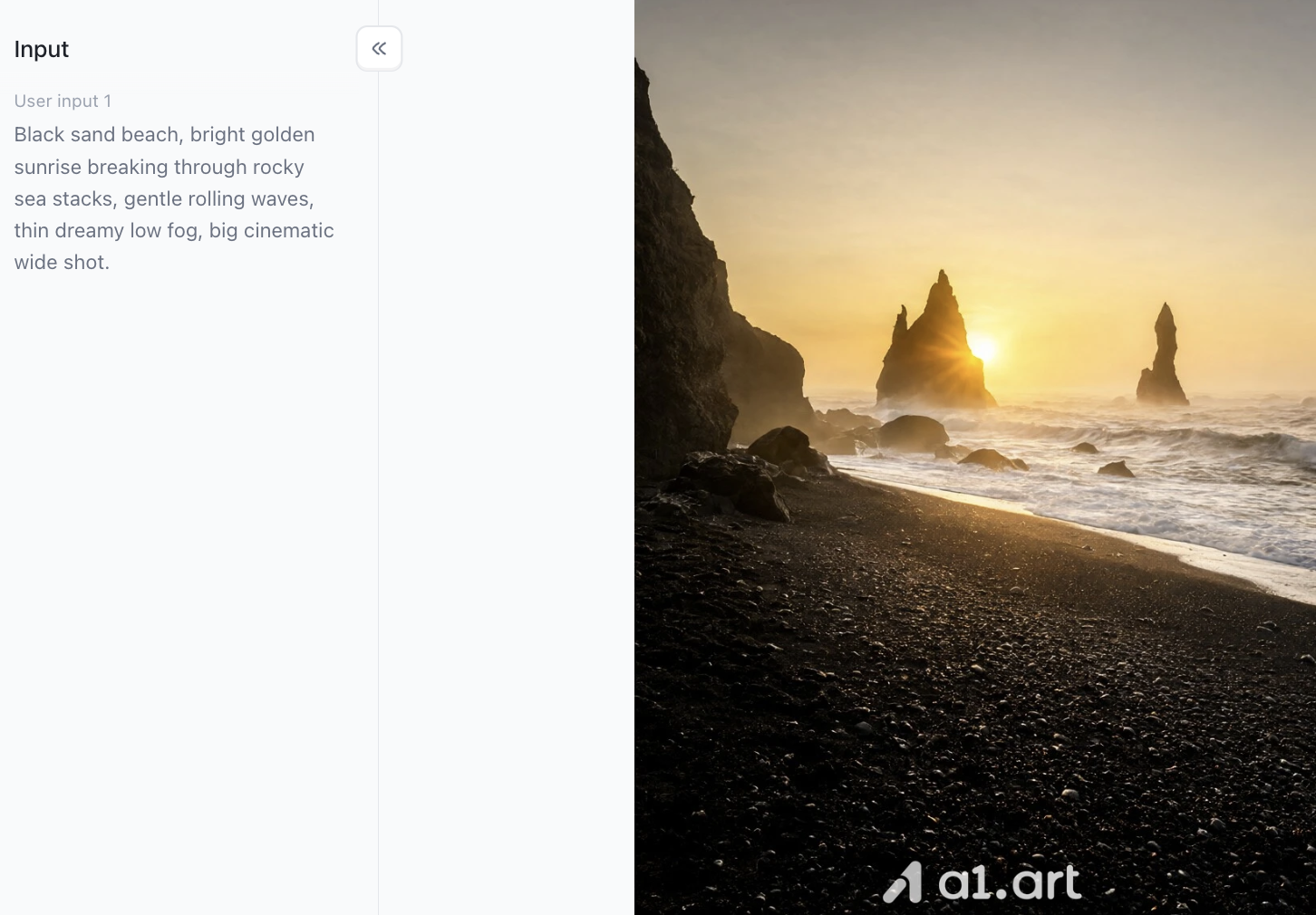
- Cinematic Landscapes & Environment Design Volcanic Sunrise Coast: Black sand beach, bright golden sunrise breaking through rocky sea stacks, gentle rolling waves, thin dreamy low fog, big cinematic wide shot.
- Lush Emerald Fantasy Valley: Winding turquoise river running through steep, mossy mountains, golden sunbeams cutting through thick clouds, rich layered atmosphere.
- Golden Hour Desert Dunes: Rolling sand dunes shot at golden hour, fine wind ripples across the sand, strong directional sunlight, warm colour palette.
- Atmospheric Neon Cityscape: Heavy rain pouring over a packed city street at dusk, bright signs lighting up the mist, shallow dynamic depth of field, premium production look.
Domain D
- Abstract Art & Graphic Design Assets Vibrant Fluid Paint Splash: High-speed shot of swirling pastel acrylic paints mixing in clear water, strong contrast, seamless colour gradients, sharp motion details. Geometric
- Sunburst Vector Pattern: Abstract geometric design with a central radiating shape, crisp clean lines, laid out on a golden ratio grid, smooth colour shifts, made for GPT Image 2.6 sunburst visuals.
- 3D Glassmorphism Abstract Shapes: Frosted semi-transparent glass spheres and ring shapes floating weightlessly, colourful shifting light refraction, soft subtle shadowing.
- Holographic Digital Waves: Flowing ribbon-like streams of iridescent light, glowing cyan and magenta highlights, solid dark black background, sleek tech-style abstract banner.
Domain E
- Character Concept & Digital Illustration Cybernetic Explorer Concept: Futuristic traveller in a lightweight matte white tactical suit, high-tech helmet with a tinted visor, standing on a windy tundra, soft rim lighting to outline the figure.
- Watercolor Stylized Portrait: Expressive digital portrait with loose watercolour splatters, muted pastel shades, dramatic side natural light, soft flowing linework.
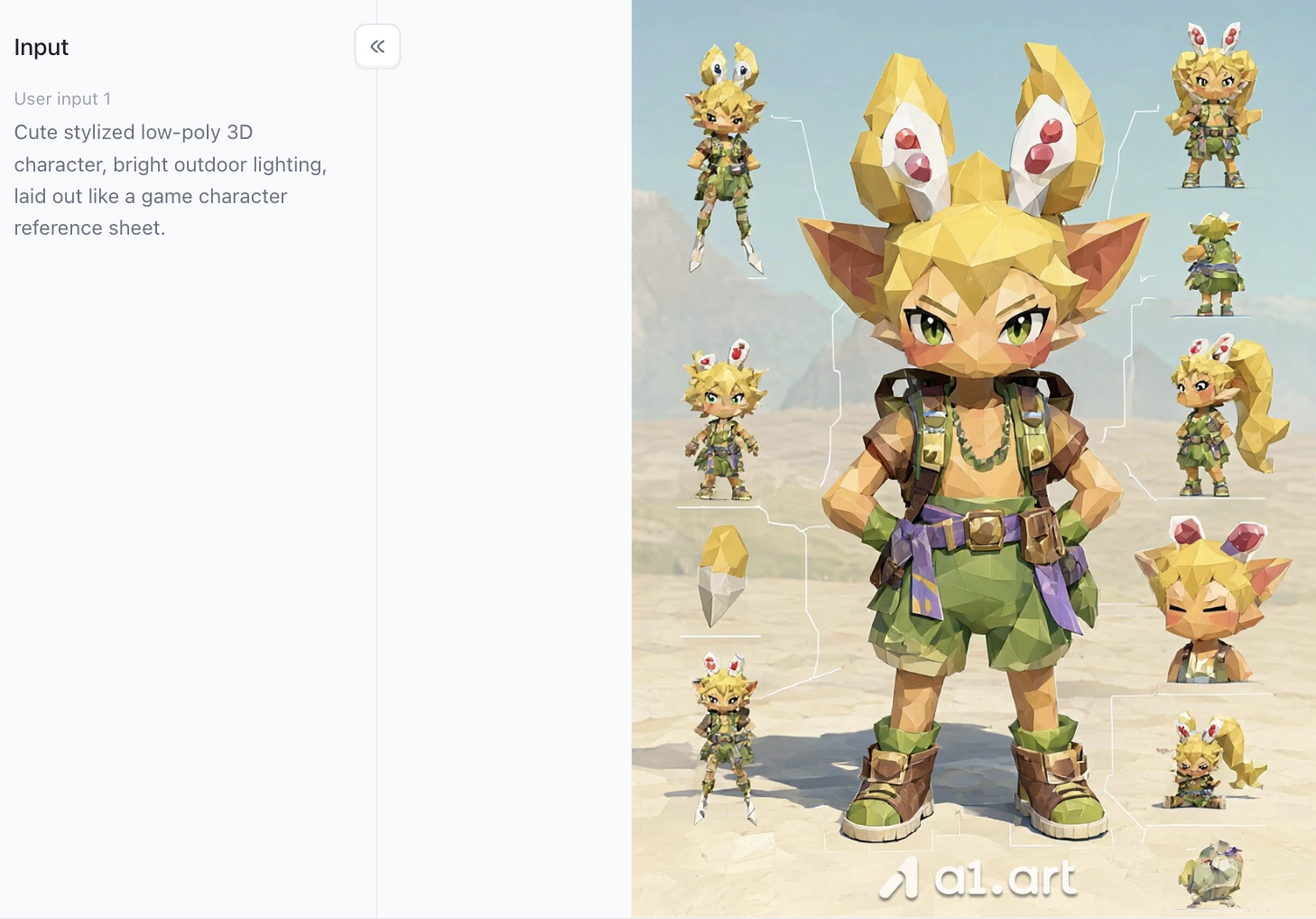
- Low-Poly Fantasy Adventurer: Cute stylized low-poly 3D character, bright outdoor lighting, laid out like a game character reference sheet.
- Isometric Tech Workspace: Detailed 3D vector isometric view of an artist’s desk with dual monitors, glowing mechanical keyboard, warm desk lamp glow, gentle clay render texture.
- Cinematic Character Silhouette: Full-body character silhouette against a bright backlight flare, sharp glowing edge highlights, foggy background, styled after bold GPT Image 2.5 flare visuals.
Troubleshooting Common Prompting Errors
- Don’t just pile on random keywords: Stuffing your prompt with generic tags like hyperrealistic, trending on ArtStation, 4k or 8k muddles what you’re asking for. Instead, be specific about your camera setup and how the light behaves.
- Keep your composition from getting messy: Split up your main subject details and background notes. Use clear punctuation or bullet points to separate them.
- Watch light bleed: If you’re using strong light effects such as GPT Image 2.5 flares or direct sunlight, state exactly where the light is coming from. This stops your image from looking overexposed and flat.
Performance Comparison: Why Our Platform a1.art Deliver Superior Results
If you’re picking a platform for professional work, flashy ads aren’t enough. You need to look at real, measurable factors: image quality, how fast it runs, and how easy it is to use. Built on a1.art’s custom neural backend, this platform outperforms ordinary tools in seven important areas:
- Blazing-Fast Rendering Older generators slow down badly when lots of people are using them, which holds up your projects. a1.art runs on distributed high-capacity servers, cutting wait times by more than 65% versus standard tools.
- Crisp Edges and Tiny Fine Details It’s common for subtle textures ,skin pores, fabric weaves, fine metal grain ,to turn blurry when images generate. Our tuned rendering pipeline keeps pixels mapped correctly, so all those small details stay sharp.
- Believable, Consistent Space and Perspective Regular AI models often mess up perspective, bending backgrounds and warping scene objects. a1.art uses smart depth calculation to keep proportions natural, even in complicated scenes.
- No Wonky Anatomy or Warped Shapes Basic tools frequently produce weird results: twisted limbs, objects floating in midair, lopsided furniture legs. Our engine catches these spatial errors while the image generates, so you get usable, professional shots straight away.
- Layouts That Keep Your Main Subject Intact Many AI generators dump extra elements right on top of your main focus. a1.art’s layout system makes sure your key subject stays visible, unblocked, and well balanced in the frame.
Practical Tips for Advanced Prompting Mastery
If you want reliable, pro-level results with GPT Image 2.6 prompts, stick to these handy tips:
- Tweak settings one at a time: Only change a single element each round,for example, swap sunset lighting for soft studio light. That way you can clearly see how the AI responds.
- Use negative prompts wisely: List flaws you don’t want, like blurry backgrounds, blown-out bright spots, color fringing, or dull flat shading.
- Mix art styles with intention: Pair different mediums thoughtfully, such as isometric 3D renders and simple vector color schemes, to create one-of-a-kind branded visuals.
- Make use of platform presets: Try the ready-made style packs on sites like a1.art. They handle tricky color grading automatically so your prompt doesn’t get overcrowded.
Revamp how you create visuals with the full toolset at a1.art. Turn simple prompts into eye-catching, high-performing digital assets with ease.
Conclusion
Learning to write solid GPT Image 2.6 prompts is the easiest way to move your AI art from generic-looking outputs to polished commercial work. Build your prompts around clear lighting, subject framing and composition rules, and avoid the common mistakes that popped up with older GPT Image 2.5 prompts. That way, you stay fully in charge of how your final image turns out.
Pair these prompts with a strong generator like a1.art, and the gap between what you imagine and what you get all but vanishes. It renders quickly, keeps perspective natural, and holds shapes together reliably. You’ll spend far less time fixing weird warped details and more time bringing your creative ideas to life. Try out these practical prompt formats now, and see just how simple it is to make standout AI visuals.
FAQs
What are GPT Image 2.6 Prompts and how do they differ from older versions?
GPT Image 2.6 Prompts are structured text inputs optimized for modern AI models. Compared to gpt image 2.5 prompts, version 2.6 provides better spatial awareness, sharper micro-textures, and more precise response to complex lighting like sunbursts and lens flares.
Can I use these prompts to generate animated content like GIFs?
Yes. Using precise prompts to generate a clean base image ensures smoother, artifact-free motion during frame interpolation in a gpt image 2.6 gif animation workflow.
How do I fix blurry textures or distorted objects in my AI renders?
Replace generic buzzwords with explicit lighting/lens terms, limit prompts to 1–2 main subjects, and use advanced engines like a1.art that automatically correct spatial anomalies.
Why should I use a1.art instead of conventional AI image tools?
a1.art delivers 3–8 second generation speeds, crisp 4K details, natural lighting physics, zero visual distortion, and layout balancing that prevents content blocking.
Read more
- GPT Image 2.6 vs 2.5: Real Image Tests and Key Differences
- How to Make GIFs with ChatGPT Images 2.6 (Step-by-Step)
- Hari Pahlawan 2026: Tanggal, Sejarah & Makna Hari Pahlawan
- Best Hot Girl Prompts for Gemini: Stylish AI Photo Ideas
- Diwali 2026: Date, Lakshmi Puja Muhurat, Rangoli & 5-Day Guide
- All Souls' Day 2026: Date, Meaning & Prayers for the Departed
- How to Make an AI Kissing Video from 2 Photos for Free
- How to Design a Poster with AI: From Idea to Final Layout
- Best Nemora AI Alternatives in 2026
- AI Diwali Photo Generator: 20 Festive Portrait Prompts (2026)
Written by

a1.art
Published on
Nov 6, 2026
Share article


