


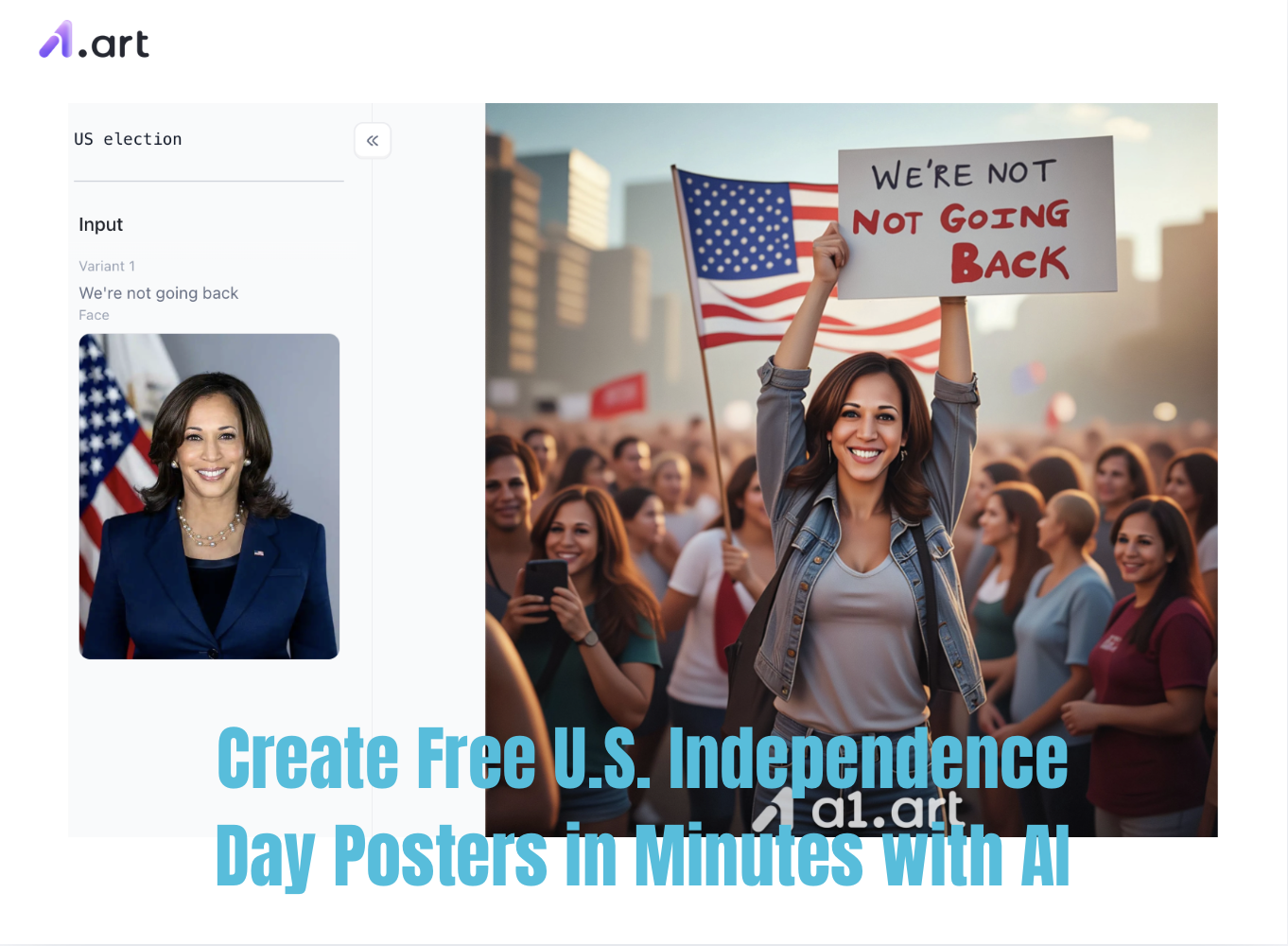
Yes, that’s right, U.S. Independence Day is just around the corner, and many creators are likely feeling the pressure. Are you struggling to design eye-catching visuals for the upcoming July 4th celebrations? Every summer, small business owners, community organizers, and content creators often hit a creative wall. Before the advent of AI image generation, creating patriotic marketing materials from scratch required expensive professional software, advanced technical skills, and tedious manual editing.
It is particularly exhausting when you are pressed for time,fiddling with the arrangement of stars, balancing deep navy blues with vibrant crimsons, and laying out patriotic typography can be a real hassle. Relying solely on generic stock photos often results in lackluster designs that fail to capture the true spirit and vibrant energy of freedom. But here’s the good news: today’s AI is incredibly powerful. By using an advanced, automated "U.S. Independence Day poster generator", simply by entering a brief text description or uploading a basic image, you can quickly create professional-grade, print-ready patriotic designs. Let’s take a look at exactly how it works.
Why Use an Automated U.S. Independence DayPoster Generator?
The traditional workflow for creating holiday promotional materials is often inefficient and costly. For instance, a recent survey of digital marketing professionals revealed that over 68% of content creators identify manual image production as a major bottleneck in launching seasonal marketing campaigns on schedule. An automated "Independence Day poster generator" offers a convenient and efficient solution to these operational challenges.
By using professional online generation tools, you gain free access to millions of exclusive design asset combinations. This not only eliminates the steep learning curve associated with traditional editing platforms but also ensures your brand image remains unique and dynamic, perfectly capturing the celebratory spirit of Independence Day.
Start your art journey with a1.art.
Introducing a1.art: The Ultimate Patriotic Poster Tool
If you are looking for the best platform to generate free U.S. Independence Day posters online, a1.art is a top-tier AI-driven design platform you shouldn't miss. As a versatile, all-in-one browser-based ecosystem, a1.art integrates text-to-image generation, advanced image stylization (image-to-image), and precise filter controls, effectively streamlining your visual content creation process.
Key Features and Core Capabilities
-
Massive Filter Library: The system boasts a resource library containing hundreds of thousands of style templates, with the creator community adding over 300 new filters daily.
-
Dual Processing Workflow: You can either generate filters to create specific posters or images from scratch, or upload a base image for high-fidelity "image to image" conversion.
-
Integrated Face-Swapping and Image Enhancement: Built-in advanced tools support seamless video face-swapping, while native ultra-HD enhancement features improve the clarity of blurry source photos.
Transparent Pricing Model
The a1.art ecosystem is user-friendly and offers accessible pricing:
-
Free Tier: Daily free credits are available (login required); you can use existing filters or generate your own image content on a1.art at no cost.
-
Paid Tiers: Please refer to the subscription plans below for details.
Why is our platform superior to traditional AI tools?
While standard text to image engines often produce distorted images or misaligned visual elements, our specialized graphics engine delivers a far superior creative experience backed by honest, transparent marketing.
Lightning-Fast Processing
During busy holiday seasons, time is your most valuable asset. Our platform runs on optimized cloud servers that significantly reduce rendering times. While competing platforms might leave you waiting up to two minutes in a congested generation queue, our engine generates complex, richly layered patriotic posters in roughly the same timeframe, ensuring efficiency without compromising quality.
Unmatched Clarity and Text Legibility
A major pain point with standard AI generators is their inability to render crisp typography, often resulting in illegible, garbled text. Our specialized poster template engine utilizes advanced layout node technology to separate text rendering from background composition. Whether you are creating designs for "Happy 4th of July" or "Freedom Celebration," a1.art ensures the text remains sharp, well-defined, and easy to read.
Realistic Structure, Zero Distortion
General-purpose models often struggle with structural proportions, frequently producing warped outlines, distorted American flag patterns, or asymmetrical stars. Our generation process employs strict spatial validation filters, ensuring the final output features crisp, sharp structural lines and perfectly balanced architectural details.
Perfectly Aligned with Modern Aesthetics
Many public models default to generating outdated, oversaturated, or cartoonish images that can undermine your brand's professional image. Our platform filters generated content through a modern aesthetic evaluation layer. It prioritizes sophisticated color palettes, harmonious lighting schemes, and elegant layouts, aligning perfectly with the design standards of modern professional marketing.
Step-by-Step Guide to Creating a July 4th Poster with a1.art?
To be honest, creating a U.S. Independence Day poster using a1.art is actually quite simple; just follow the steps I’ve outlined below.
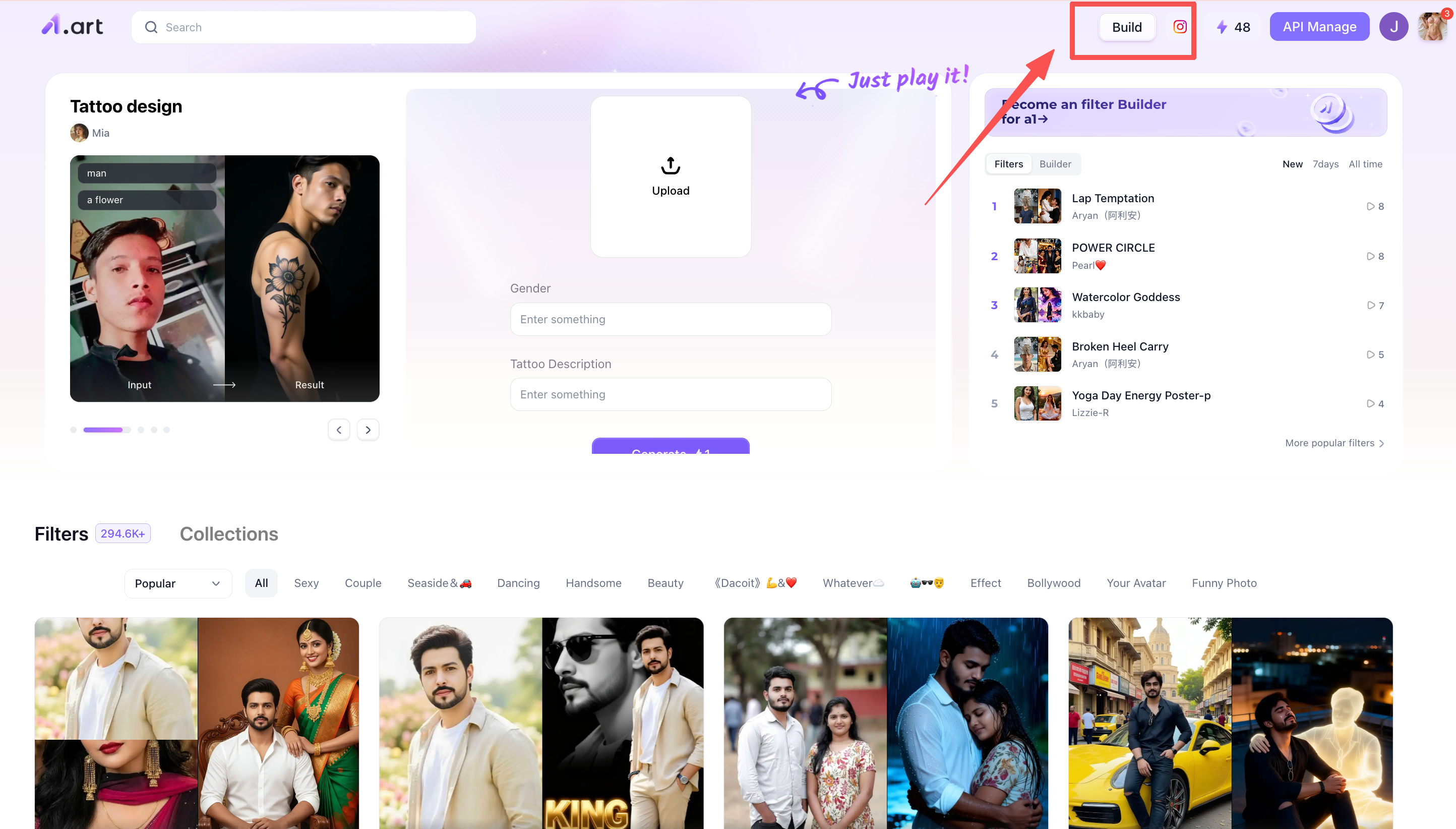
Step 1: Open a1.art
Open a1.art and click the "Create" button in the top-right corner; this is the entry point for creating filters.
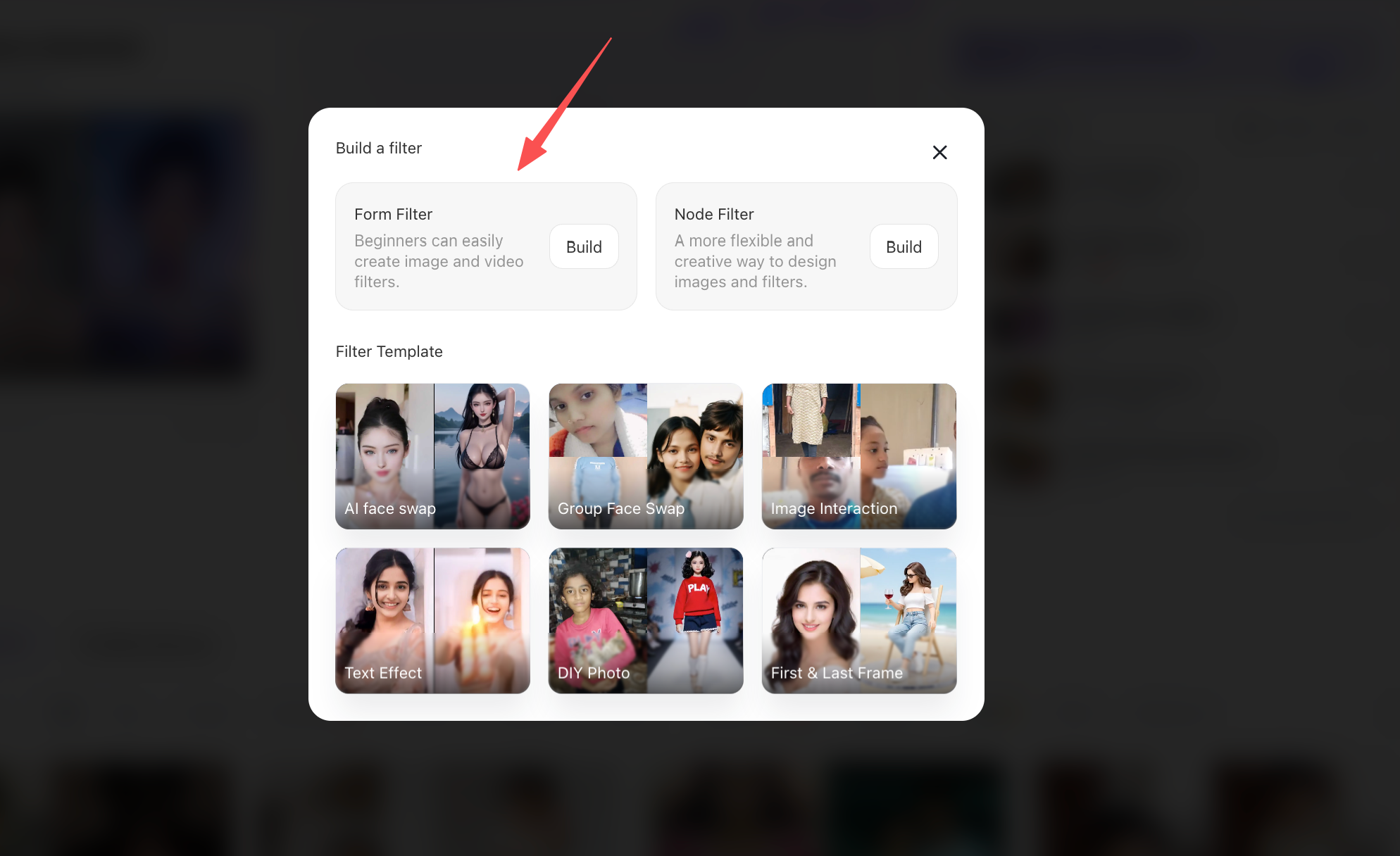
Step 2: Select a suitable model
At this stage, you will see two models; I recommend that beginners choose the first one on the left. Why? Because it is ideal for novices and very easy to use. You will also see a series of recommended filters below,feel free to try them out one by one later if you are interested.
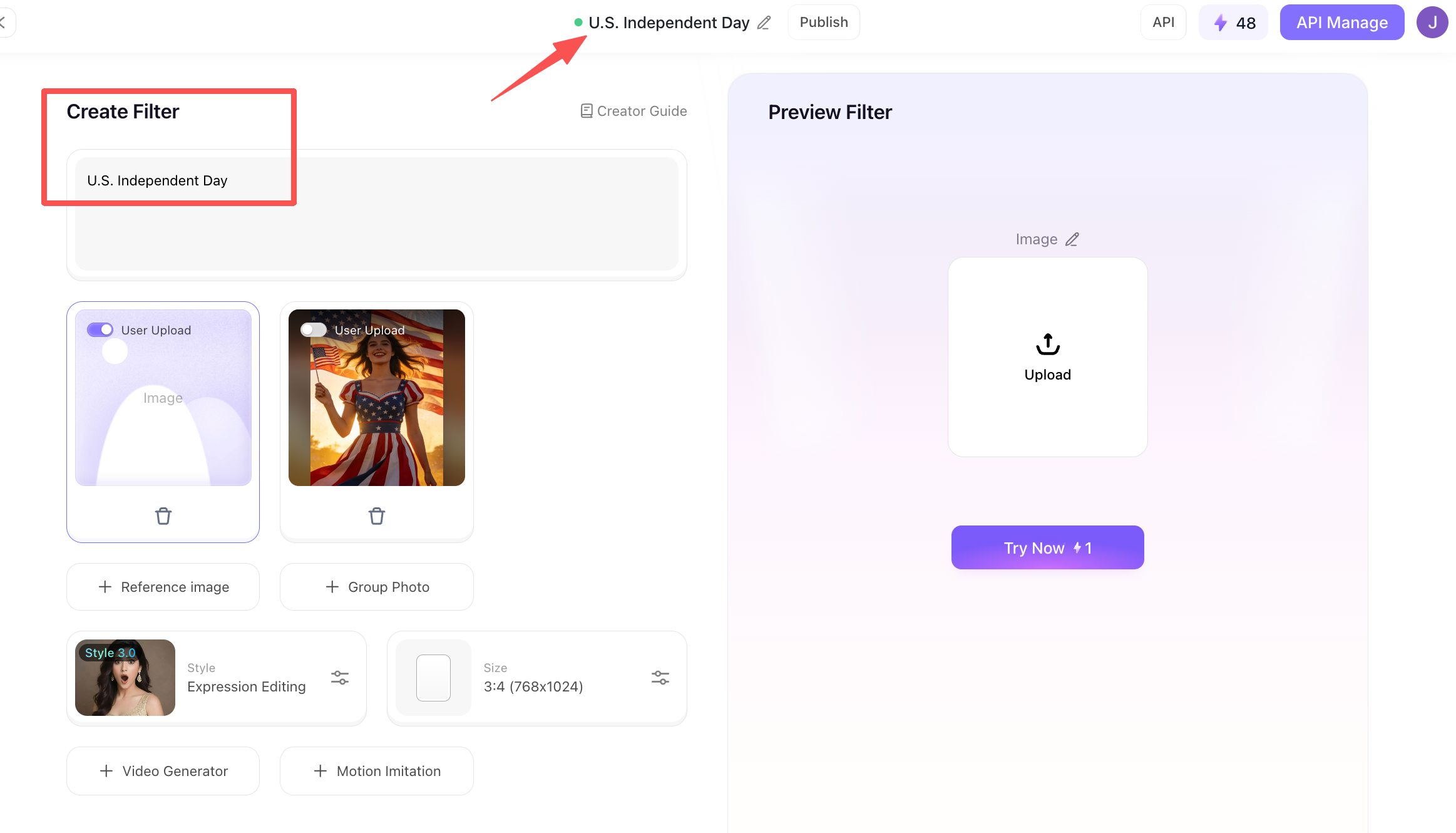
Step 3: Start creating the "U.S. Independence Day Poster" filter
Now, you can officially begin creating the "U.S. Independence Day Poster" filter. This page requires you to fill in quite a bit of information. At the very top, you need to name the filter. Ideally, the name should relate to your chosen theme. Moving to the section on the lower left, you will find the specific details regarding the filter's composition; the upper part allows you to write a brief description, giving other users a general idea of what the filter does when they click on it.
Step 4: Refine the details for the U.S. Independence Day poster filter
Once you have completed the previous steps, there are a few more things to do. For instance, you can upload a reference image that roughly represents the desired final result. Next, you need to select a generation model from the available options; the choice should align with your specific theme, though if you are unsure, it is best to experiment with a few different ones.
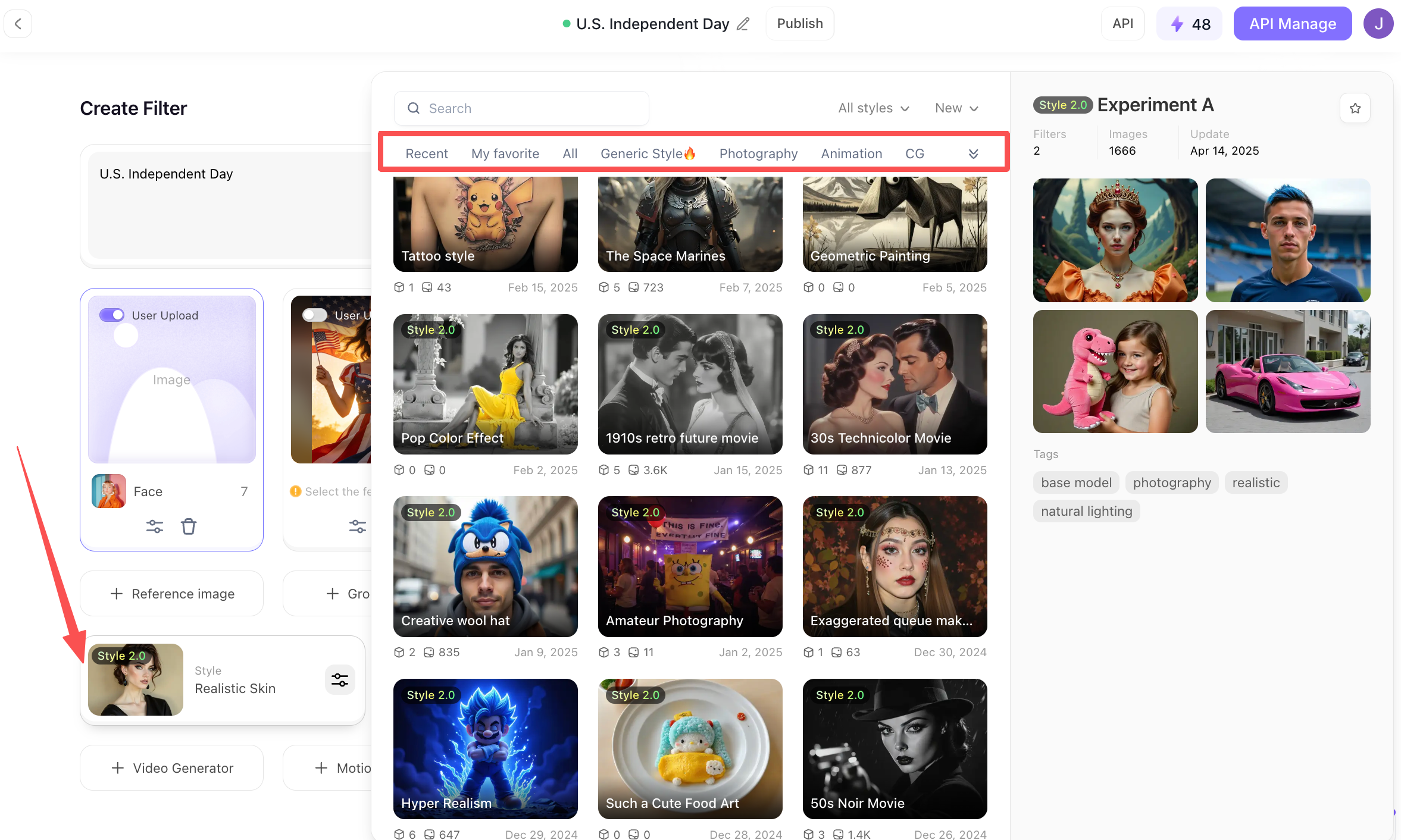
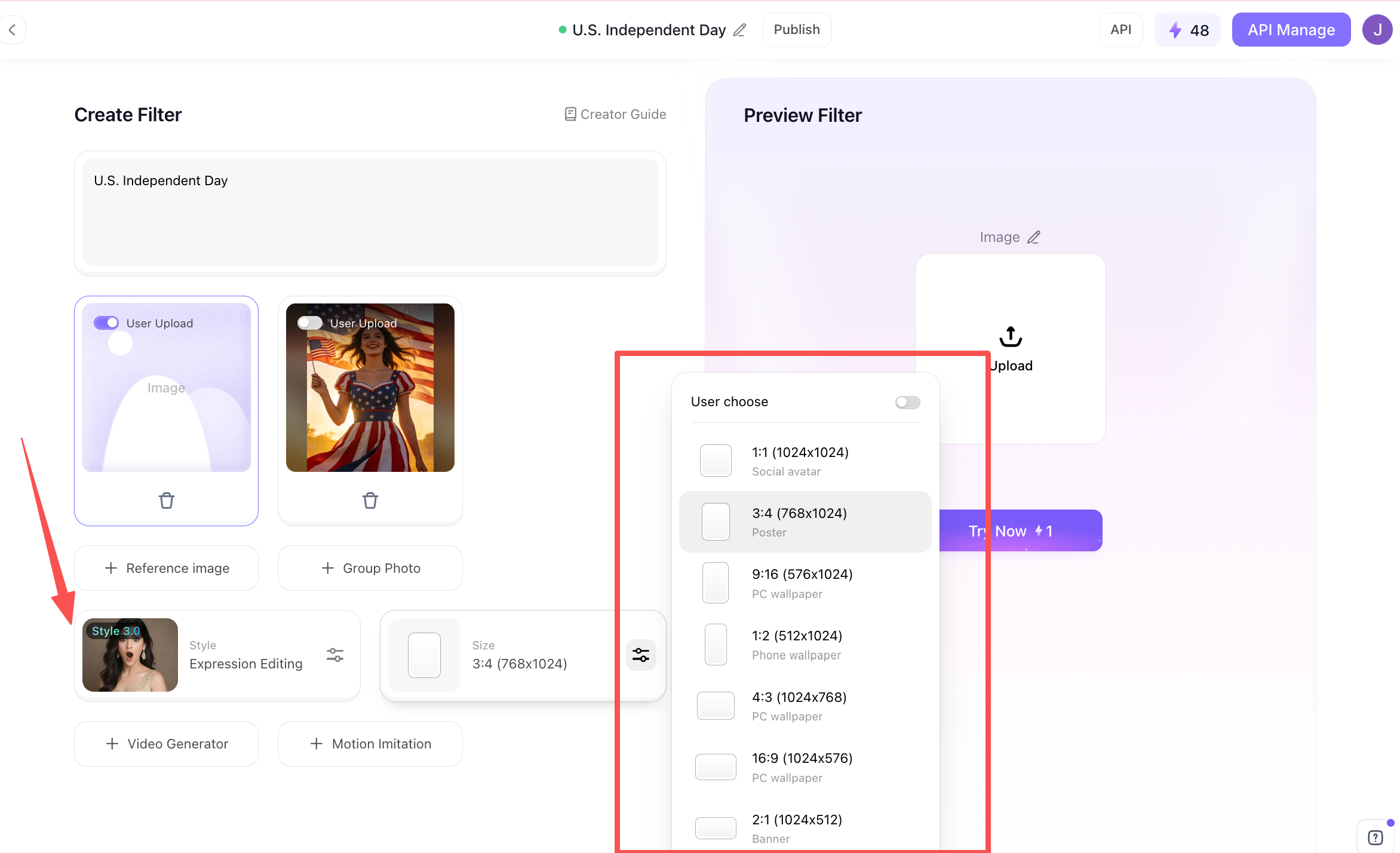
You also need to determine the dimensions for the generated filter; there are various options available for you to consider.
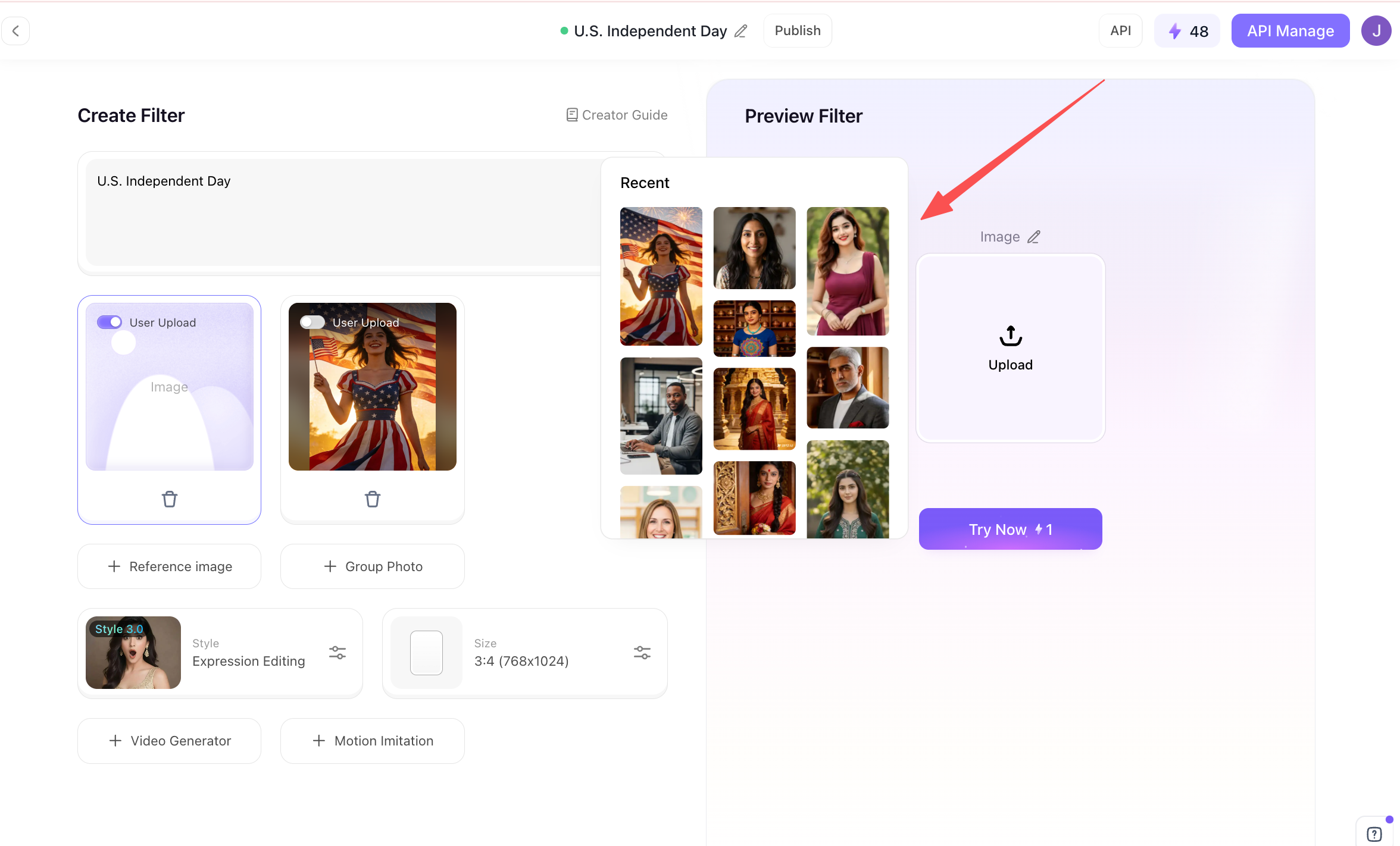
Step 5: Start generating the U.S. Independence Day poster filter
You need to upload a photo here; once uploaded, you can begin the generation process.
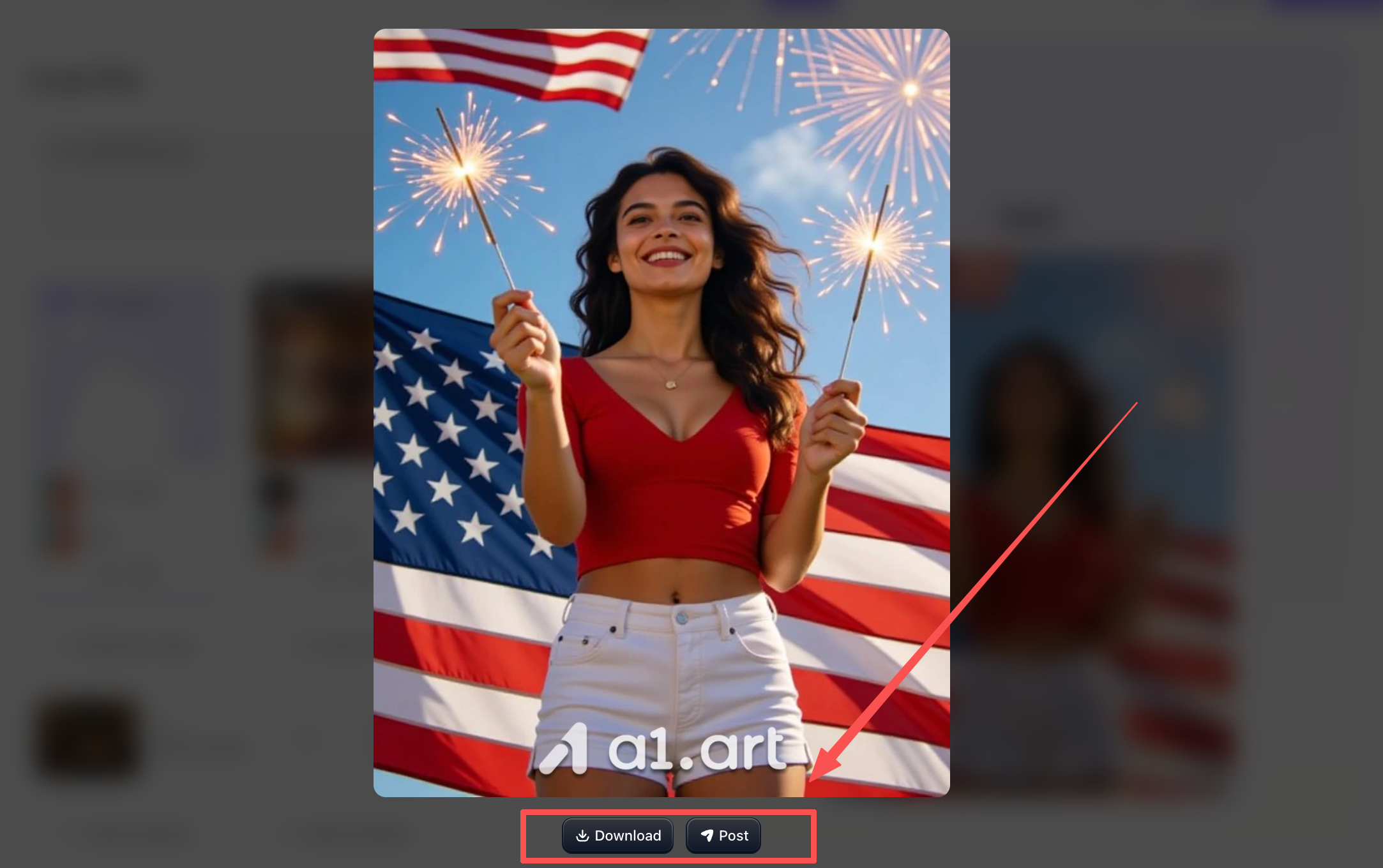
Once generated, it will look something like this; you can then click "Publish" or "Download" at the bottom, allowing other users to directly use the filter you've created.
Double-click the image to start creating your U.S. Independence Day poster immediately⬇️
Case Study: Boosting Engagement for an E-commerce Brand
To demonstrate the true power of an optimized Fourth of July poster campaign, let’s look at actual conversion data gathered during a recent summer promotion. A regional consumer goods distributor broke away from using generic stock imagery, opting instead for personalized holiday promotional assets generated by a1.art.
The marketing team leveraged a flexible online workflow for generating Fourth of July posters to rapidly conduct A/B testing across different ad groups. In just one afternoon, they produced over 40 distinct poster variations featuring patriotic themes infused with local community elements. This ability to quickly generate a large volume of assets drove a 220% increase in social media click-through rates (CTR) and a significant 35% reduction in customer acquisition costs,compelling proof that highly targeted AI-generated visual content can effectively boost measurable consumer engagement.
Expert Design Tips for High-Converting Holiday Promotional Assets
To maximize the effectiveness of your promotional materials across modern digital channels, consider following these key design principles:
-
Embrace visual authenticity: When creating lifestyle backgrounds, opt for a relatable, authentic "handheld" aesthetic rather than sterile, overly polished studio environments. This subtle visual cue helps lower the audience's psychological barriers and quickly builds trust.
-
Master your color palette: Avoid using overly saturated combinations of red, white, and blue, which can create visual clutter and a sense of overwhelm. Instead, use balanced tones,such as deep navy blue, creamy white, and soft deep red,to convey a sense of premium quality and sophistication.
-
Leave ample white space: Ensure your composition includes clean, uncluttered open areas to accommodate text elements like pricing, company logos, or event details.
Conclusion: Get Your Free Holiday Design Assets Today
Planning holiday marketing campaigns shouldn't be an operational burden or a source of creative burnout. With automated tools like the "Independence Day Poster Generator" from a1.art, you can effortlessly create stunning, high-quality holiday visuals.
Don't let complex design processes slow down your marketing momentum. Visit our online platform now to explore a wide range of customizable templates; generate free, print-ready, high-conversion holiday promotional materials in just seconds! Get started today!
FAQs
How to make a poster making for Independence Day?
You should include national flags, patriotic symbols, and images of freedom fighters for a compelling poster. While poster making for independence day, design with bold fonts, add slogans and vibrant colors to grab attention and evoke patriotic feelings.
Why is Independence Day on July 4 instead of July 2?
Independence Day is celebrated on July 4 instead of July 2 because July 2 was the day the Second Continental Congress voted to approve the separation from Great Britain, while July 4 was the day Congress officially adopted the written Declaration of Independence.
What is short for Independence Day?
Also called the Fourth of July, Independence Day marks the historic date in 1776 when the Declaration of Independence was approved by the Continental Congress.
What images symbolize Independence Day?
American flag, Statue of Liberty, Medal icon.
Which founding father was not born in America?
48 of the 56 signers were born in America. Two were born in England (Button Gwinnett, Robert Morris), two in Ireland (George Taylor, Matthew Thornton), two in Scotland (James Wilson, John Witherspoon), one in Northern Ireland (James Smith), and one in Wales (Francis Lewis).
Read more
- 10 Best Al Anime PFP Makers for Stunning Profile Pictures
- Best 10+ Undress Apps You Must Try for Free in 2026
- AI Porn Compilation Generator (Free, 100% Real & No Limits)
- 8 AI Alternatives for Creating Custom Eid Mubarak AI Videos
- 9 Best Ways to Generate Realistic AI Babes: Top 2026 Expert Guide
- From Prompt to Collectible: Testing Tripo's High-Detail Image-to-3D Workflow for Blind-Box Character Design
- How to Generate LGBTQ Pride Month AI Art with Rainbow Effects
- Top 10 AI MLP Generators to Create Your Own Pony Characters
- Partner Spotlight: VAST AI Research Introduces Project Eden
- How to Create Personalized AfroBull Style AI Art for Free? Your Step-by-Step Guide
Written by

a1.art
Published on
Jun 15, 2026
Share article


