


June arrives, and cities suddenly paint their streets with bright stripes. But capturing that loud, joyful energy online is tough. Standard stock photos look completely exhausted.
When you turn to AI for Pride Month help, it usually backfires. You cross your fingers, hit generate, and get a total mess. Instead of a fresh 2026 color palette, rainbows turn into muddy brown blobs. The faces look melted. And your message dies instantly.
This guide fixes that headache. I sat down and tested the best LGBTQ Pride Month filters on a1.art. I mapped out easy, step-by-step prompt strategies. You are going to learn exactly how to make beautiful, distortion-free visuals that truly celebrate Pride.
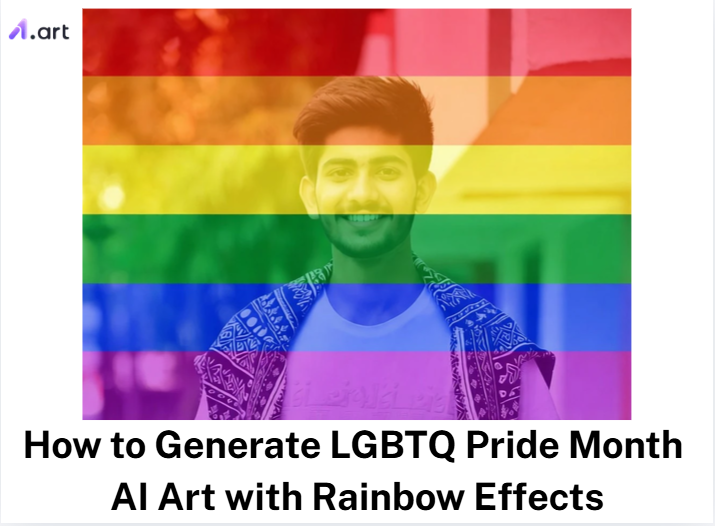
Start your art journey with a1.art.
What Is Pride Month
Pride Month isn’t just a corporate marketing event. It is a 30-day honoring of LGBTQ history, identity, and the long fight for equal rights. Everything traces back to the fierce 1969 Stonewall Uprising. The U.S. government finally caught up when President Clinton officially recognized it in 1999, and President Obama expanded it in 2011.
This is not a small, quiet tradition. Pew Research shows that 66% of LGBTQ adults have attended Pride events. The U.S. LGBTQ economy is also a massive powerhouse. We are talking about a USD 1.7 trillion annual impact on business. When you make Pride art or post rainbow graphics, you are taking part in a huge public story. You aren’t just making a pretty picture.
How to Use It, Just 3 Steps:
Using a1.art is incredibly simple. Here’s the full beginner-friendly guide:
Step1:
Open a1.art, choose the App that you are interested in, then click 「Run」
Click on the image to experience the same App👇
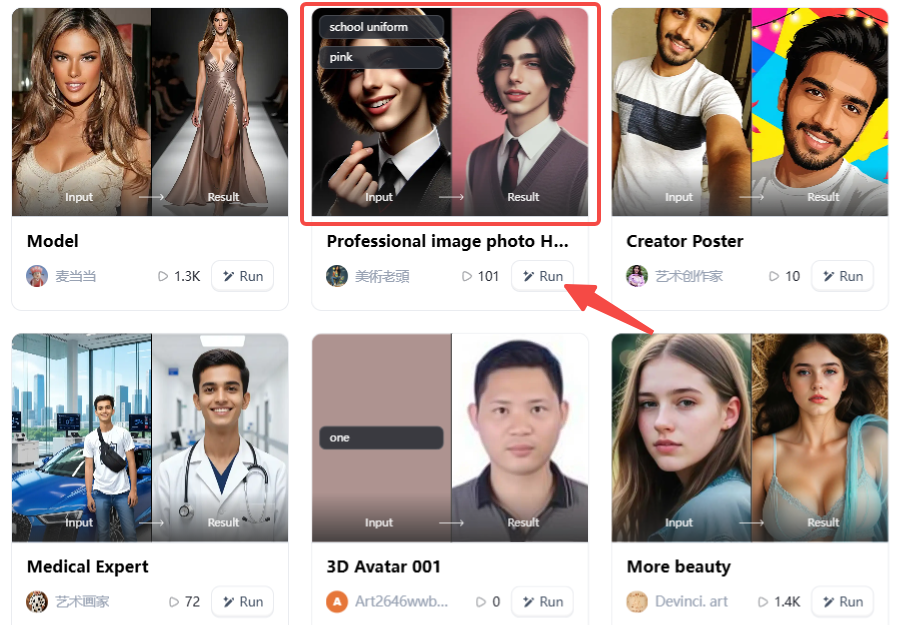
Step2:
Upload a photo/image
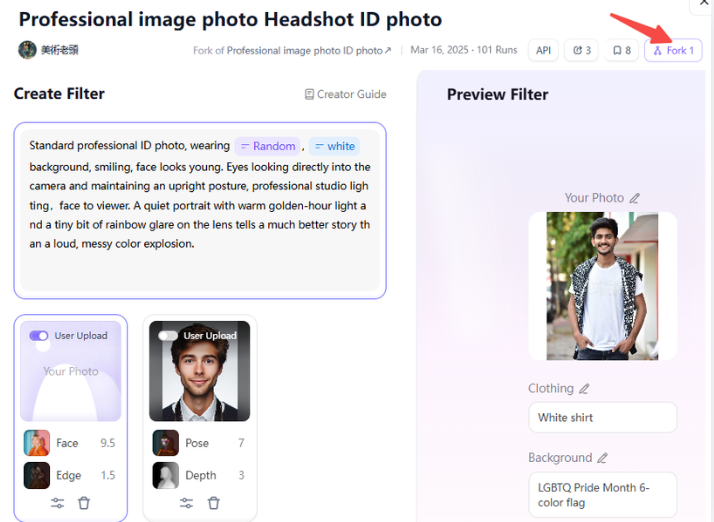
Step3:
Wait 3 seconds, you will get a wonderful result 👇
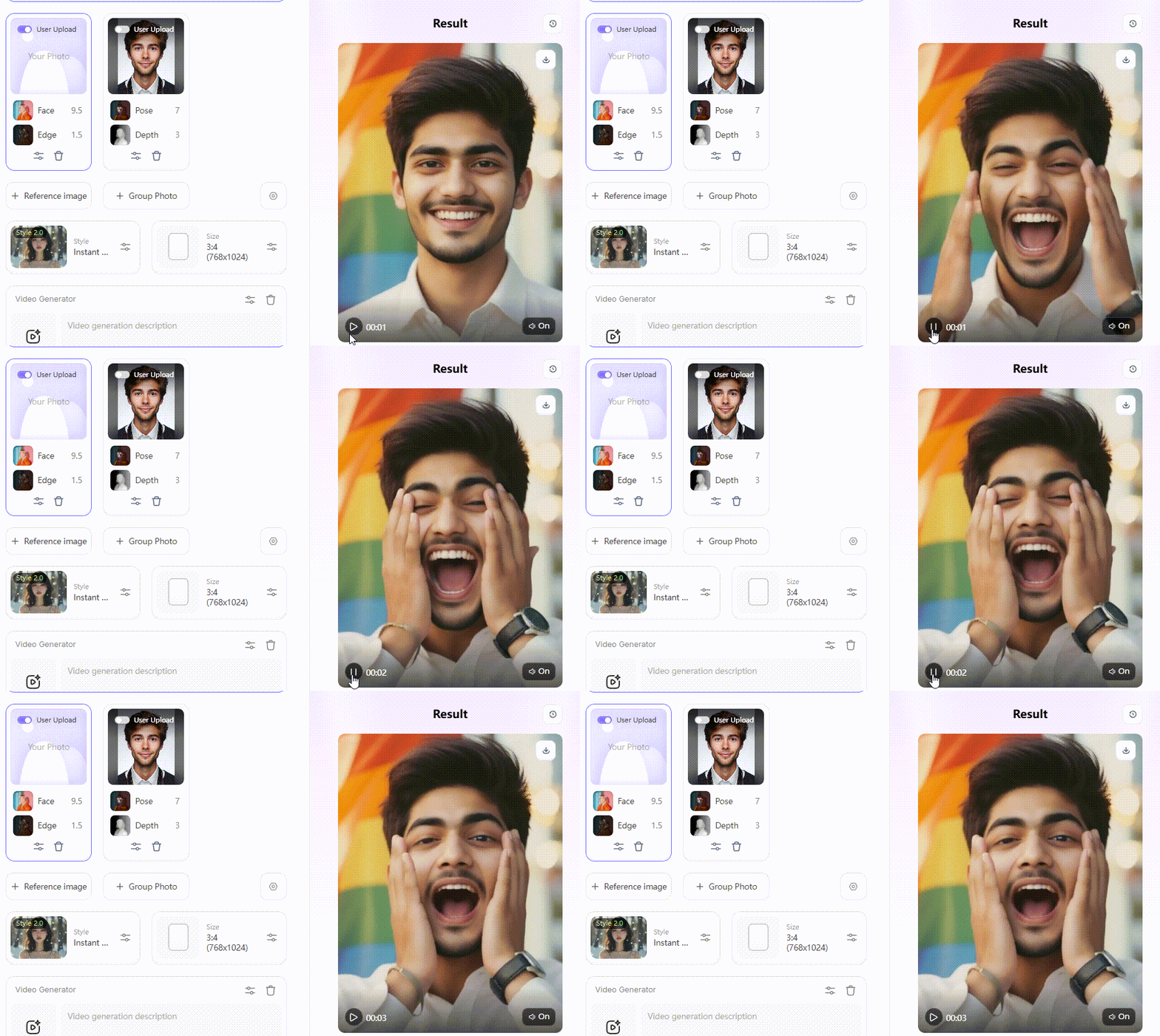
Key Elements of LGBTQ Pride Month Art That Actually Resonate
What makes a piece of digital art actually work? You know it the second you look at it. Great LGBTQ Pride Month art goes way beyond pasting a bright neon sticker over a boring stock photo. It takes real thought. If you understand what makes the style tick, you can write prompts that carry real emotion.
-
Color As Vocabulary: The original 6-color flag has deep meaning. Red stands for life. Orange is for healing. Yellow brings sunshine. Green means nature. Blue is harmony. Purple holds the spirit. Try naming these specific colors in your prompt instead of just typing “rainbow colors.”
-
Emotion Over Spectacle: The best Happy Pride art shows raw human connection like defiance, tenderness, and community. A quiet portrait with warm golden-hour light and a tiny bit of rainbow glare on the lens tells a much better story than a loud, messy color explosion.
-
Reflecting real people: In the real world, bodies, skin textures, and gender expressions vary widely. Basic image generators default to a weird, sanitized, perfect look. You have to force AI to show real life.
Platforms like a1.art can account for different face shapes and lighting conditions. They know the culture’s visual style, which helps you create portraits that look totally authentic and human.
Click the picture to generate your exclusive dopamine color effect with one click👇
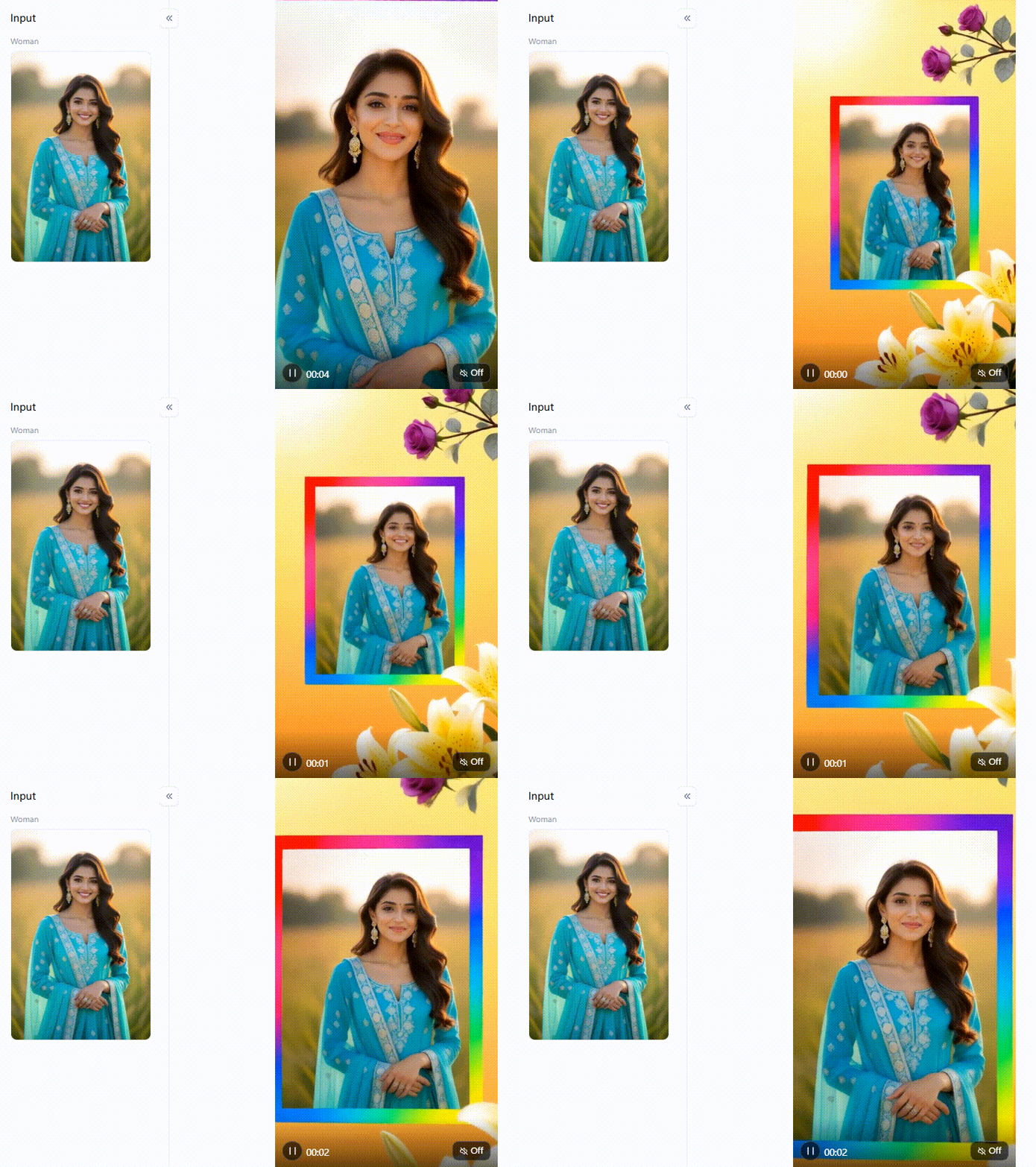
How to Generate Stunning Pride Month AI Art on a1.art
Instead of making you guess the perfect text command, a1.art gives you tools tuned specifically for LGBTQ and rainbow aesthetics:
Faces That Actually Look Human
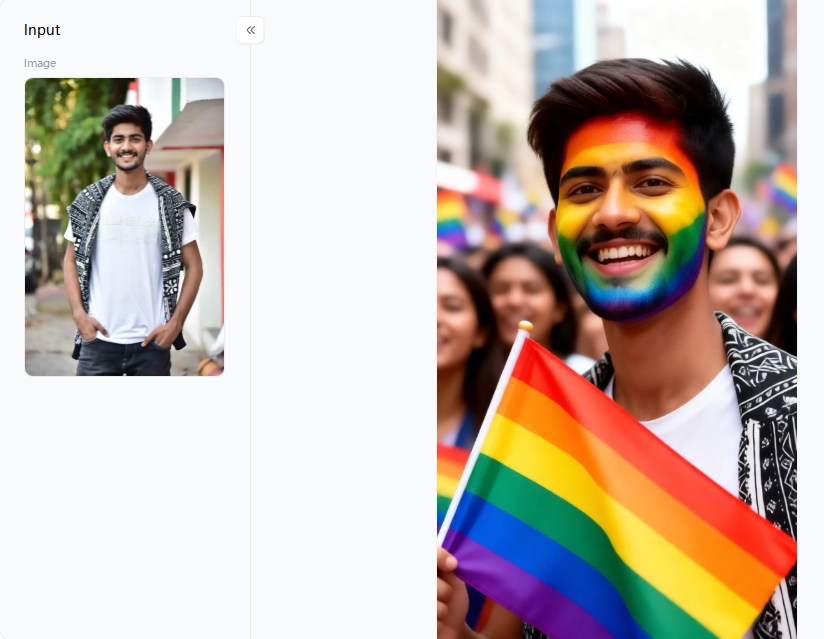
Most free image generators fail hard on human faces. Eyes warp. Teeth melt together into a plastic mess. If you need a new profile picture, use the LGBTQ filter or the Atmospheric Avatar tool. They map the light perfectly across real human skin. You get soft, natural shadows. Faces stay looking like real people. Need something for an Instagram story? The LGBTQ Video filter adds a soft breeze and gentle motion.
The trick here is starting simple. Upload a clear photo. Face the camera directly. Try one filter. If the person feels too rigid, do not bury the image in 10 different effects. Just adjust your prompt slightly. Type something like “soft daylight, calm smile, rainbow glow.” That tiny shift usually fixes the entire vibe.
Faking a Crowded Pride Parade
Artificial intelligence hates crowds. The moment you add a second or third person to a frame, things get weird. Trying to generate a crowded pride parade usually results in a chaotic disaster. The Street Celebration filter and the Group Photo tool solve this exact problem. They force the computer to understand personal space.
Keep your text incredibly short. Type: “joyful pride parade, warm summer light, diverse friends, rainbow confetti, soft background.” You will see the difference instantly.
Backgrounds and Quick Edits
Sometimes you want the environment to carry the color. The Rainbow Blossom Aura, Rainbow Sand Ride, and Field & Rainbow filters bake the color straight into the lighting. They do not look like cheap neon stickers pasted on top. The light shifts smoothly. This is a brilliant way to build cheap, high-quality banners or digital posters from a single image.
Want to test a bold look? Try the Rainbow-colored Hairstyle filter. It is a fast, fun trick that people love sharing. If you need to fix an outfit, the Change Color of Outfit filter hides a massive advantage. You can target just one piece of clothing. You change a shirt without redrawing the entire picture.
Keep It Simple for LGBTQ Month
Editing AI is a lot like painting a room. If you rush and slap all the colors on at once, you end up with a mess. The best advice is to change one thing at a time. Dye the hair first. Then fix the sunlight and swap the background. Taking it step by step keeps the engine from getting confused. It guarantees you pull the absolute best shot for LGBTQ Month without pulling your hair out.
Click the picture to generate your exclusive lgbtq with one click👇
Prompt Engineering for Viral Pride Month Art
Your prompt is the only thing standing between a boring picture and a viral hit. If you want to stand out during LGBTQ Pride Month, you need a better plan.
Here are the exact text formulas I use every day:
Build a Solid Foundation
Stop typing “Pride photo with rainbow.” It never works well.
Use this exact formula instead: Subject + Light Quality + Texture + Mood + Camera Style.
Try typing this: “Pride Month portrait, warm golden hour backlight, rainbow light refraction on skin, natural skin texture, joyful expression, shallow depth of field, 35mm film grain.”
The Layered Approach
Your text box is not a magic wand. Start with a portrait filter on a1.art. Get a clean, well-lit face first. Then layer your text commands with the "Fork” button. Add things like “chromatic rainbow aura, soft bokeh, floating light particles” to finish the vibe.
Negative Prompt Defense
Always build a wall against AI mistakes. Use the negative prompt box to ban bad habits. Type: “no distorted faces, no extra fingers, no flat lighting, no artificial-looking skin.” This one trick stops bad anatomy before it even renders.
The Video-to-Image Fork Trick
Run a video filter on your photo. Watch the short animation play. Video filters process lighting differently, making it bounce naturally across a face. Wait for the exact second where the lighting and smile look perfect.
Using these tricks saves your daily credits. More importantly, it puts you in total control. Your happy pride art will look completely real, totally natural, and ready to be shared by thousands.
Click the picture to generate your exclusive lgbtq video with one click👇
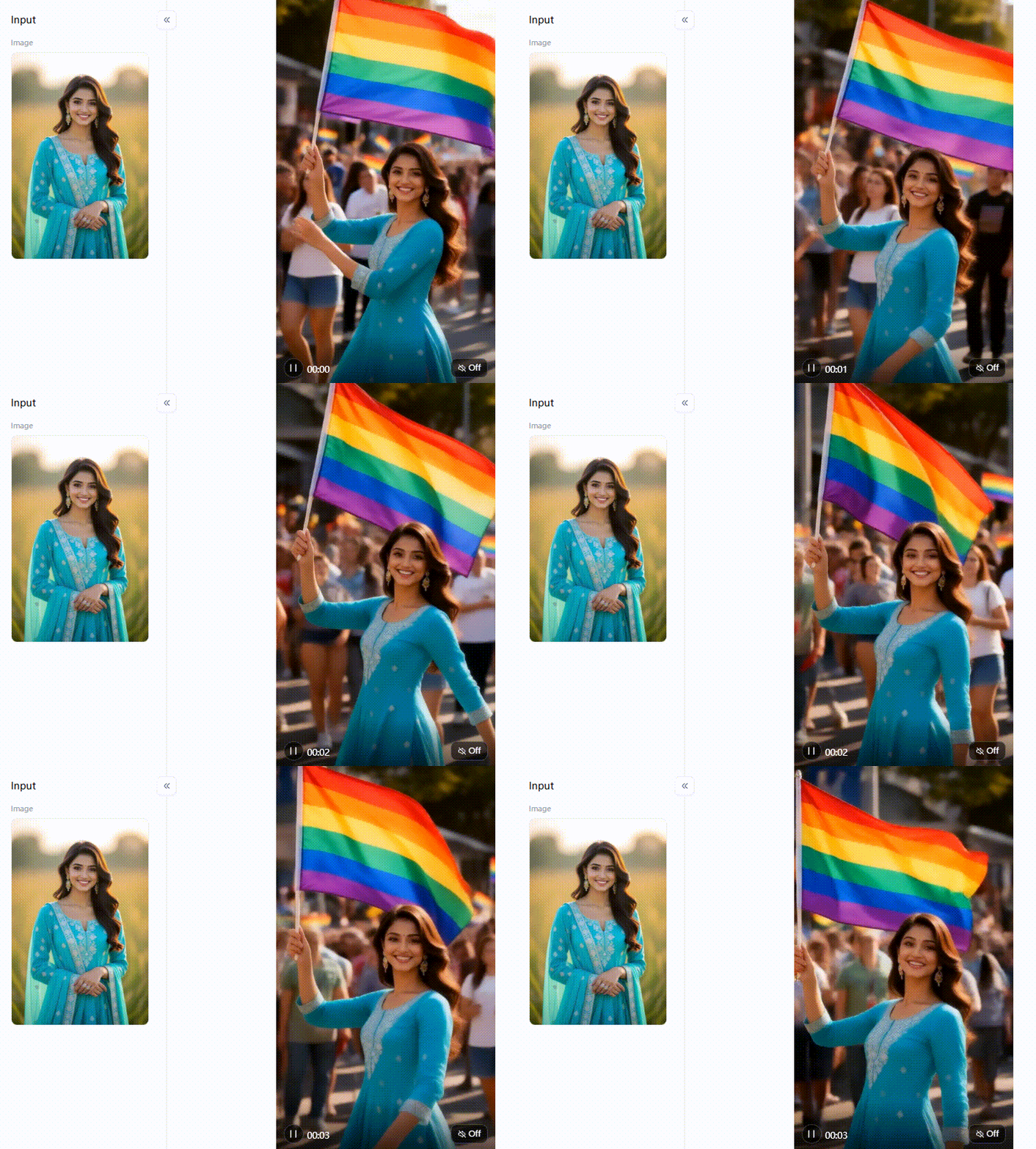
When and How to Celebrate Pride Month Online
When is Pride Month? It takes up the entire calendar every June. But on the internet, things move fast. Smart creators start posting in late May to build excitement. Real energy hits during the first 2 weekends. It finally peaks on 28 June, the actual anniversary of the Stonewall Uprising.
To get noticed in 2026, you need a plan. Throw away boring, recycled stock photos. Build your calendar around fun, original Pride Month activities:
-
Build Daily Portraits: Run a fresh photo series on TikTok or Instagram. Use the LGBTQ filter to make sure every face has flawless, natural lighting.
-
Animate and Extract: Use the LGBTQ Video filter to make short reels. Watch the video, find the best smile, and hit the “Fork” button. You get an amazing cover photo instantly.
-
Design Event Graphics: Are you advertising a local meetup? Use the Street Celebration tool. It draws big crowds perfectly without messing up the people standing in the background.
-
Layer Your Art: Build Pride Month memes that people actually want to share. Use double-exposure tools. Mix Pride Month fun facts with cool, artsy rainbow backgrounds instead of flat, boring colors.
People want realness. Recent Statista data shows that 44% of LGBTQ+ adults want brands to work directly with community creators. Posting your own custom art shows you actually care. It proves you are a real ally, not just a company looking for a quick buck.
Click the picture to generate your exclusive professional photo with one click👇
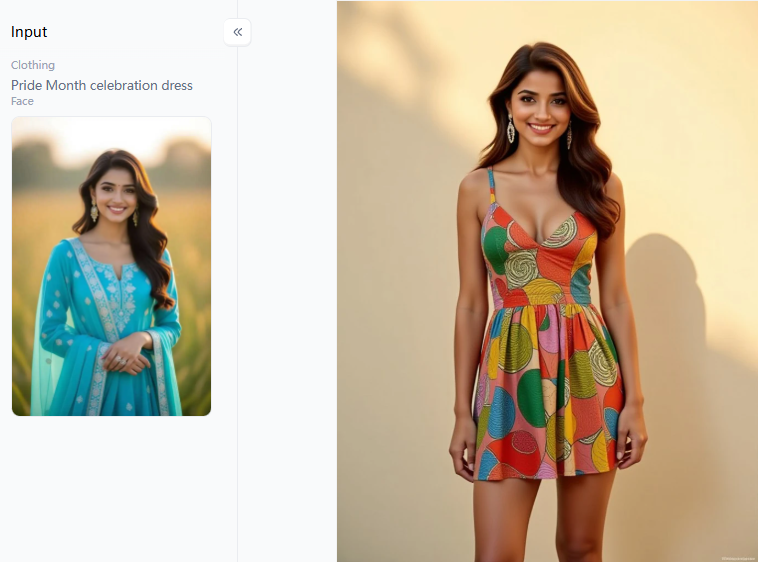
Your Pride Art Deserves to Be Seen
The tools are waiting, and the filters don’t cost a dime. Pride Month only comes once a year, but the art you make this June will stick around. Go to a1.art and pick a style that fits your idea of a happy pride. You will get sharper, brighter, and way more human results right away. Start with the powerful LGBTQ filter. Fork a great frame, and share your masterpiece with the world today.
FAQs
Q: How can I add a rainbow to a photo?
The quickest way is to upload your picture to the AI rainbow filter tool on the a1.art platform. It transforms your photo instantly. Want more control? Try specific prompts like “add rainbow light refraction on skin.” This trick creates a soft, natural glow rather than slapping a cheap digital sticker over your image.
Q: What are the 7 colors of the LGBT flag?
The original 1978 design actually featured eight stripes. Today, the classic flag uses six: red for life, orange for healing, yellow for sunlight, green for nature, blue for harmony, and purple for spirit. The updated 2018 Progress Pride Flag adds black, brown, and trans colors to celebrate true full inclusion.
Q: When is Pride Month, and how long does it last?
Pride Month runs for all of June in the United States. It honors the historic 1969 Stonewall Uprising and gained federal recognition in 1999. The biggest parties and pride parades usually take place during the last weekend of June. That gives you thirty full days to loudly and proudly celebrate pride.
Q: What makes a good Pride Month AI art prompt?
Great prompts blend specific subjects, physical lighting, and real emotion. Skip the boring words and name the exact flag colors. Always ask for “natural skin texture” so people don’t look like plastic dolls. Finally, use strict negative prompts, such as “no distorted faces,” to keep your LGBTQ Pride Month graphics looking sharp.
Q: Is it ethical to generate AI Pride Month art?
Yes, if you approach it with respect. Avoid lazy stereotypes. Instead, rely on community-built filters that highlight real, diverse people. Audiences clearly prefer true collaboration over fake corporate marketing. Creating highly personalized art to celebrate LGBTQ Month is always much better than just recycling cheap, boring templates from the internet.
Read more
- Top 10 AI MLP Generators to Create Your Own Pony Characters
- Partner Spotlight: VAST AI Research Introduces Project Eden
- How to Create Personalized AfroBull Style AI Art for Free? Your Step-by-Step Guide
- Top 5 AI 3D Model Generators in 2026: Which Tool Is Right for You?
- Best Komiko AI Alternatives for Smarter AI Generation in 2026
- How to Generate Realistic AI Robot Sex Images
- How to Create Intense AI Rough Sex Scenes?
- Best AI Kiss Generators for Steamy Couple Videos: 2026 Full Guide
- How to Use AI to Add Inflate Effects to Your Images: A Guide to Creating Viral 3D Art
- How to Turn 2D Photo to 3D Figures Online Free: Your Guide to Creating Models
Written by

a1.art
Published on
Jun 8, 2026
Share article


