


Have you ever looked at a photo and imagined it as an awesome 3D figure? You can picture the cool game character or cute anime model, but turning that flat photo to 3D figures feels impossible. Professional software is hard to learn, and hiring an artist is expensive. With the global market for 3D content creation soaring into hundreds of billions, it's frustrating to feel left behind.
But what if you could skip all that? AI is here to change everything! A powerful AI 3D model generator, like the a1.art design app, puts a creative studio in your pocket, for free. You can finally make your own character without any special skills. This guide will show you how you can make a 3D-style figure easily. Let's start creating!
The Magic Explained: How AI Turns Your Photos into 3D Art
So, how does an AI turn your photo into 3D figures? It feels like magic, but it's just very clever technology. Think of an AI 3D model generator as a super-smart digital artist. It's not making a technical file for a 3D printer; it's masterfully redrawing your picture in an amazing 3D style.
Here's a simple look at how this character builder brings your photos to life:
-
It Studies Your Picture: The AI studies your 2D image, finding the main subject and learning its unique shapes and shadows.
-
It Gives Your Photo Shape: The AI makes your flat subject pop by adding curves, making it look like a real toy.
-
It Adds Finishing Touches: The AI adds cool textures, like shiny plastic or fur, and realistic lighting to make it look real.
This technology is growing incredibly fast. What began with simple filters has become a powerful tool for character creation. The newest trend is AI, which can create short, animated videos, making your 3D image spring to life in a way you've never seen before!
Click the picture to generate your exclusive balloon with one click👇
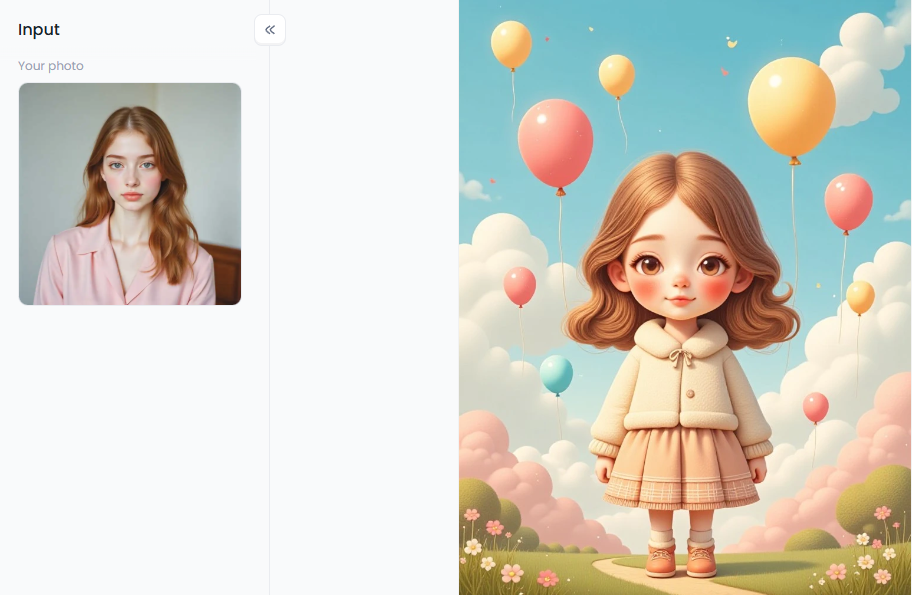
Start your art journey with a1.art.
From Selfies to Superheroes: Why Everyone Loves 3D Figures
Making 3D art from your photos has opened a new world of fun. It's a huge hit because it's free, easy, and anyone can get great results. The creative possibilities, from fun jokes to new brands, are endless.
Here are a few popular ways people use this amazing technology:
-
Awesome Avatars: Ditch the boring selfie! Turn your photo into a 3D object and become a cool 3D game character or a cartoon hero. It's the perfect way to make your social media or gaming profile stand out.
-
Unforgettable Gifts: Make a one-of-a-kind gift from the heart. Turn a pet photo into a cute anime model or a couple's picture into a royal pair for a memorable present.
-
A Playground for Ideas: This tool is a dream come true for writers and artists. This AI human 3D model generator brings your ideas to life in seconds, making it perfect for any creative project.
-
Eye-Catching Ads: Businesses use 3D AI to create fun social media posts that grab attention. A cool 3D picture helps them connect with customers freshly and excitingly.
As you can see, this design app is for more than just fun—it's a powerful tool for imagination. Now that you're inspired, let's dive into how to start creating.
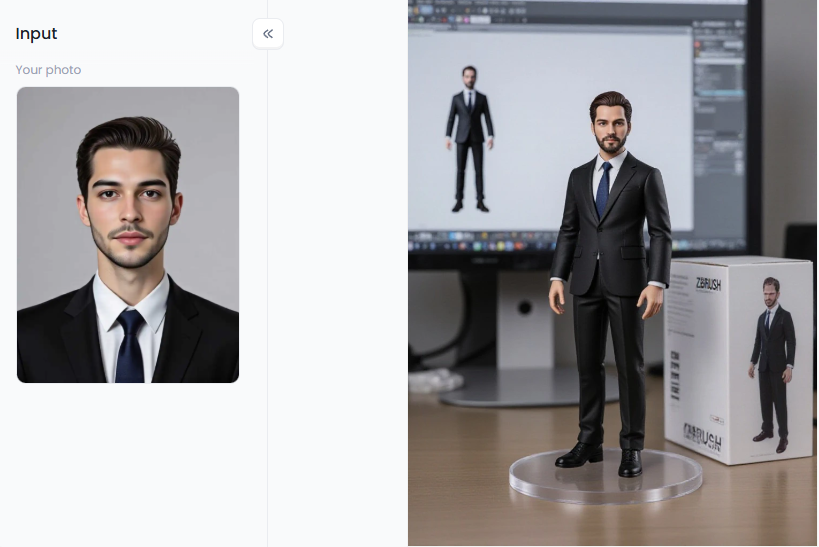
Click the picture to generate your exclusive 3d lego figure with one click👇
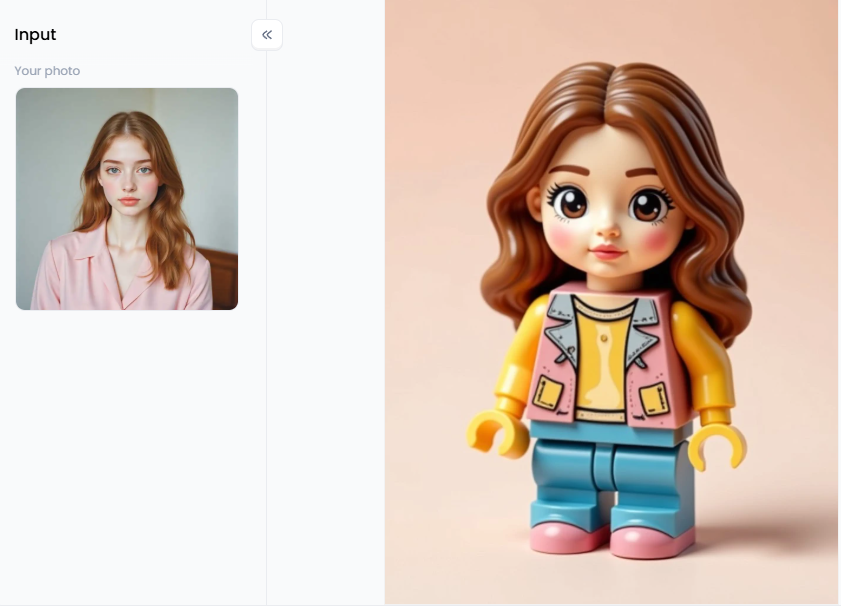
How to Use It, Just 3 Steps:
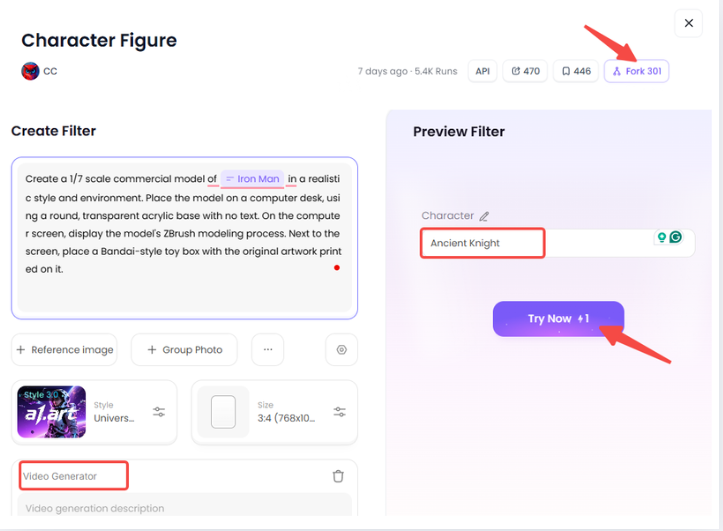
Step1:
Open a1.art, choose the App that you are interested in, then click 「Run」
Click on the image to experience the same App👇
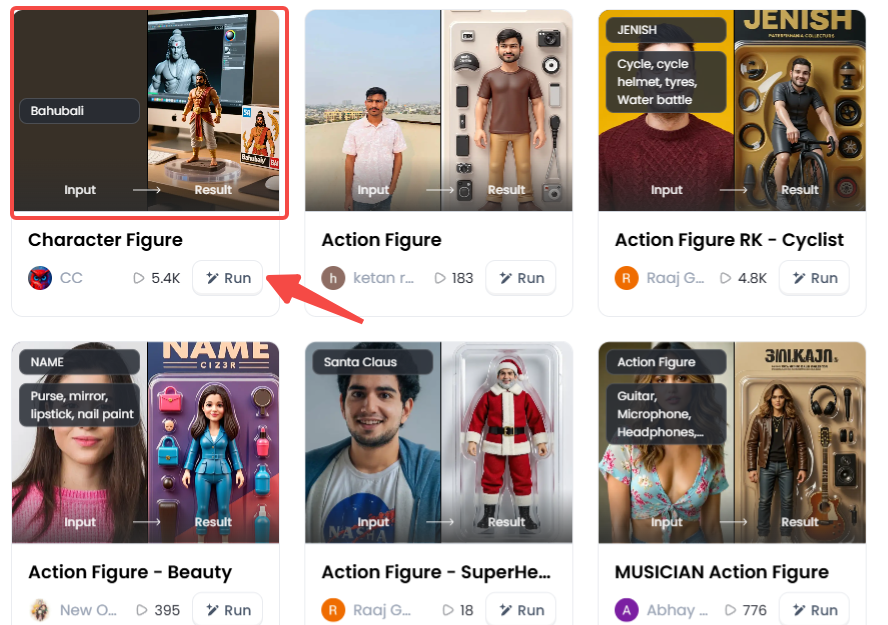
Step2:
Upload a photo/image
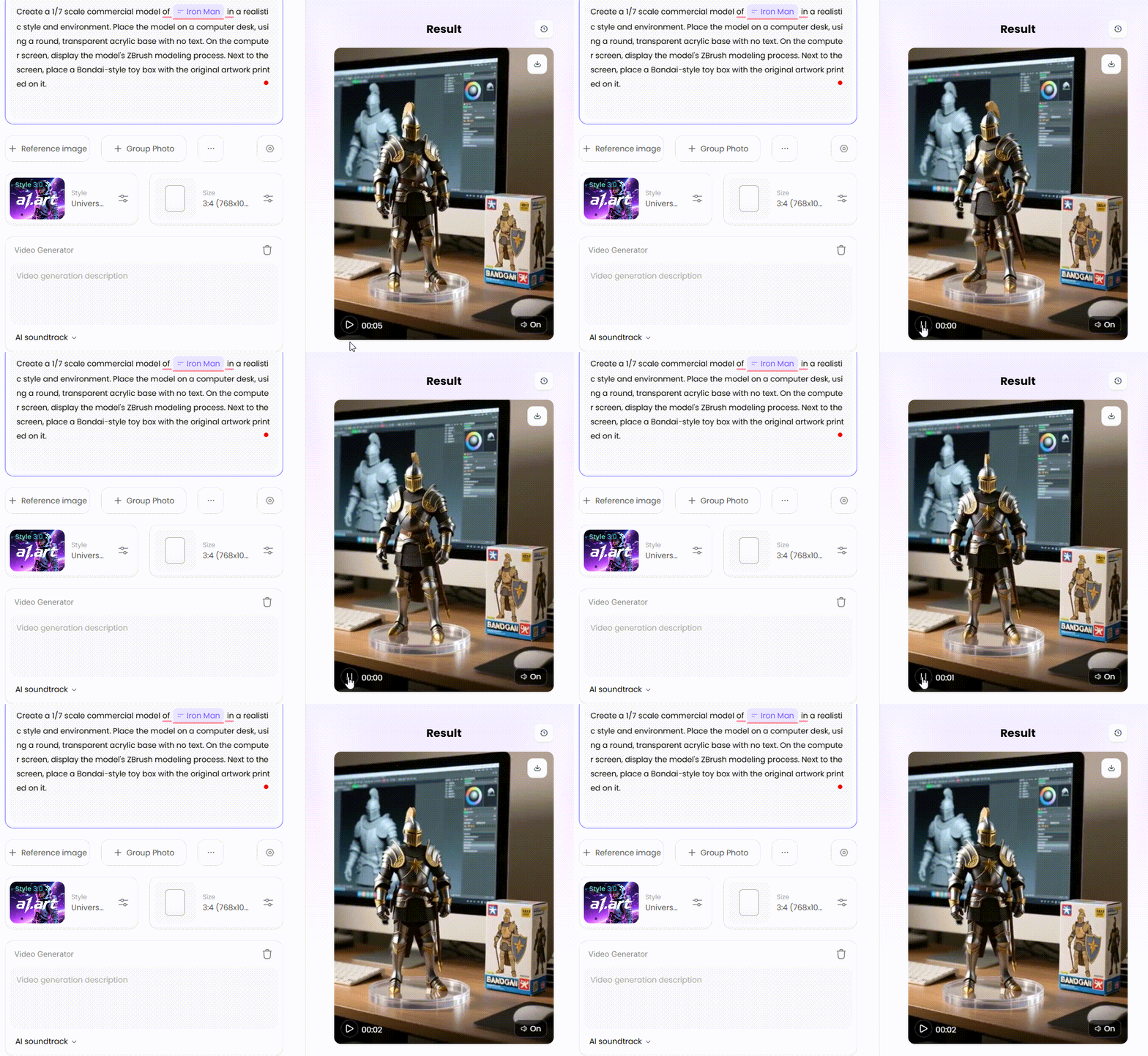
Step3:
Wait 3 seconds, you will get a wonderful result 👇
Your Creative Playbook: Tips for Stunning 2D to 3D Conversions
Are you prepared to jump in and make your own 3D figures? While 3D AI tools and an AI 3D model generator can simplify the process, a few pro tips can turn your good creations into truly breathtaking ones. Consider this your creative playbook, a how-to for creating a free online 3D figure from a 2D photo. These techniques will quickly allow you to create stunning artwork.
1. It All Starts with a Great Photo
A great starting photo is the most important ingredient for a fantastic 3D image. Think of it as giving AI the best possible building blocks to work with. A high-quality photo helps the AI understand exactly what you want to do, a 2D to 3D image converter transportation, leading to a much better final result.
-
Lighting is Key: Your best friend is good, clear light. Photos taken in natural daylight often work wonders. Avoid too dark pictures with harsh, distracting shadows across the main subject. The clearer the lighting, the easier it is for the AI to see all the important details it needs to build your 3D picture.
-
Focus on the Subject: Make sure the person, pet, or object you want to transform is sharp and in focus. A blurry photo can confuse the AI, creating a muddled or messy 3D photo. The sharper your subject, your final character will be more detailed and impressive.
-
Keep the Background Simple: A simple, uncluttered background is usually better than a busy one. The AI might get distracted if too much is happening behind your subject. A plain wall or a simple outdoor scene helps the AI focus on creating an amazing photo of a 3D object from your main subject.
2. Pick the Right Magic Wand
Not all design apps are created equal. Select a robust tool with a large library of filters, various entertaining styles, and an intuitive interface. Make sure it allows you greater control by using text prompts with your photo. a1.art is the ideal program because it is easy for novices to use and produces stunning, expert-looking artwork.
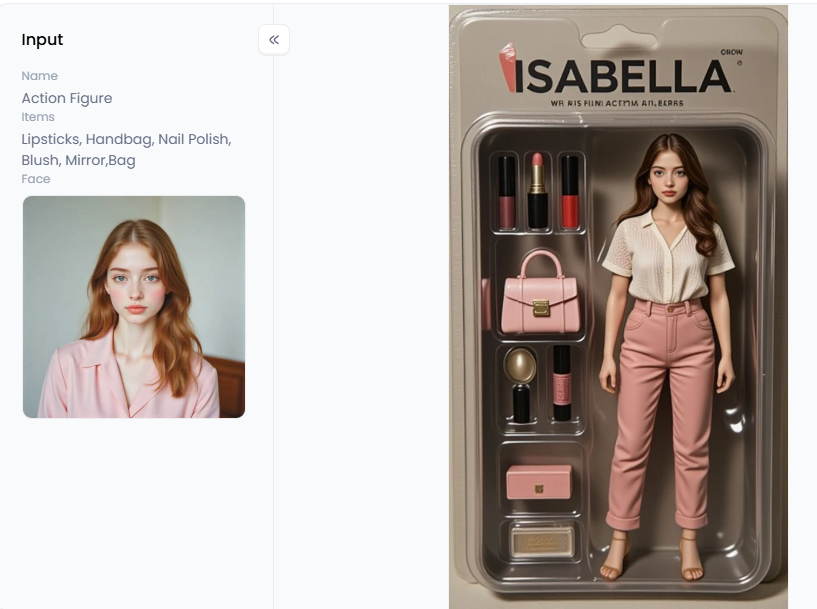
Click the picture to generate your exclusive beauty action figure with one click👇
3. Your Words are Your Superpower
Your text prompts are your magic wand. While you can often generate a great 3D-style image with just a photo and a filter, adding a detailed text prompt gives you ultimate control. Don't just upload your picture and hope for the best—be the director of your creation! Tell the AI exactly what you want to see to help it guide you.
-
Describe the Style: Be specific about the look you want. Instead of just saying "cartoon," try more descriptive phrases.
-
Examples: "In the style of a Pixar animation," "cute Funko Pop figure," "chibi anime model," "claymation character," "Lego minifigure."
-
-
Explain the Texture: How should your figure feel? Giving AI texture words helps it make your image look more realistic and touchable.
-
Examples: "Shiny plastic toy," "soft fluffy fur," "polished porcelain doll," "carved wooden figure," "gleaming chrome robot."
-
-
Add Cool Details: This is where you can really let your imagination run wild. Give your character accessories, special features, or a cool pose.
-
Examples: "With big expressive green eyes," "wearing futuristic silver armor," "holding a glowing magic sword," "with a superhero cape flowing in the wind."
-
4. Don't Be Afraid to Play!
The first result you get might not always be perfect, and that's part of the fun! Think of character design generator tools as a playground. Don't be afraid to experiment.
Run the same photo through several filters to see which you like best. Maybe the "3D game character" filter looks cooler than the "3D Pixar" one for your idea. Tweak your prompt and see what happens. Sometimes, changing just one word—like "happy" to "heroic"—can lead to a different and amazing outcome. There are no mistakes here, only happy accidents that can lead to your next masterpiece.
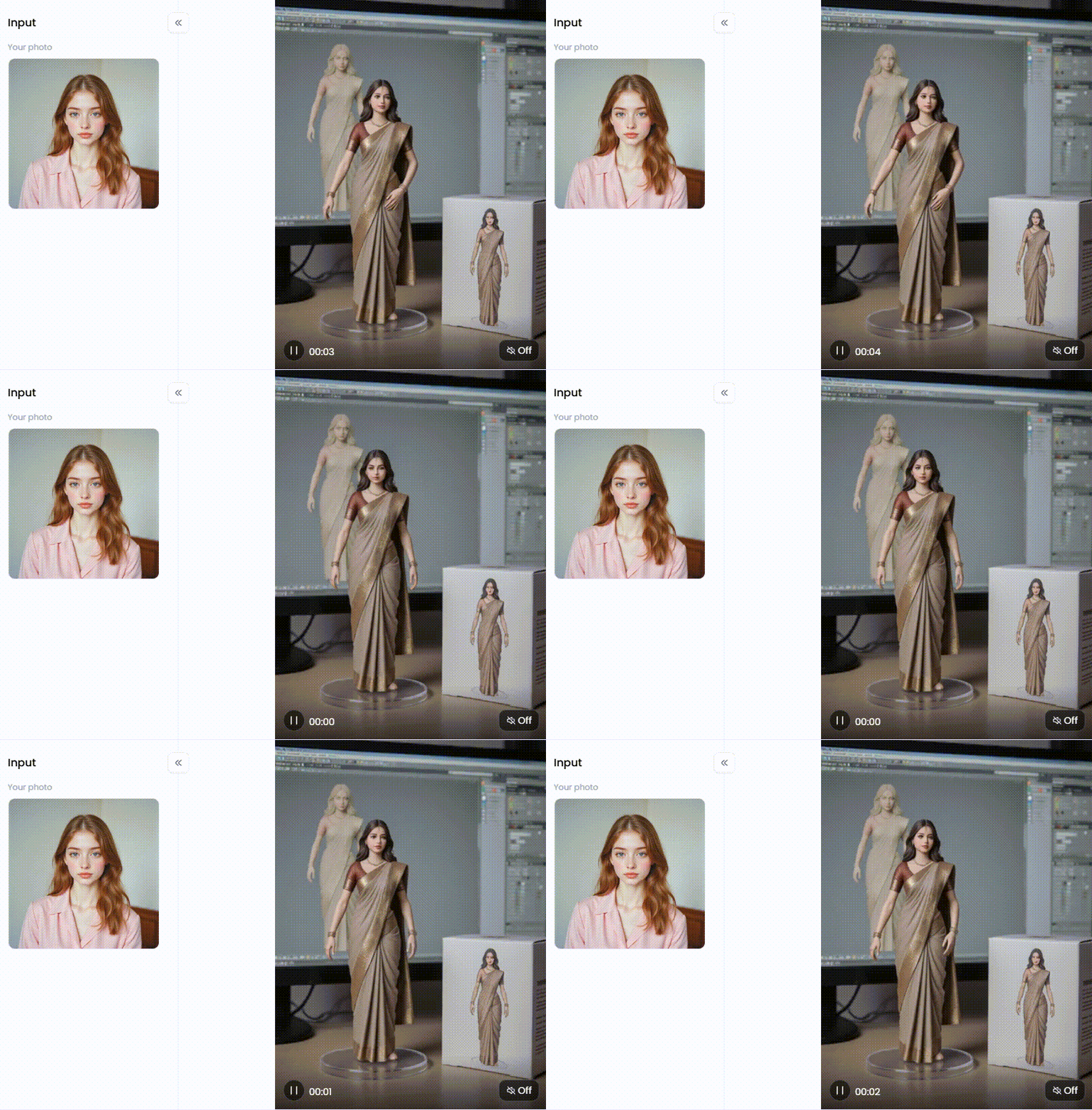
Click the picture to generate your exclusive desktop figure with one click👇
5. Add That Final Sparkle
Once your photo to convert to a 3D model has worked its magic and you have a 3D drawing you love, you can often make it even better with a final touch. Most good design apps have simple editing tools built right in.
Try adjusting the brightness to make your image lighter or darker. Play with the contrast to make the dark parts darker and the light parts lighter, which really makes your figure pop. You can also boost saturation to make the colors more vibrant. These small adjustments take only a few seconds but can take your creation from good to stunning.
6. Build a Whole Universe!
Why stop at just one character? Now that you know how to make your own character, you can create a whole team! This is how you go from making a single image to a 3D model style to becoming a world-builder.
Turn your whole family into a team of superheroes, each with a unique costume and powers. Transform your group of friends into the cast of your very own animated movie. You could even turn your pets into a team of fantasy adventurers! The possibilities are truly endless.
Now that you have the playbook, the only limit is your imagination. Go ahead and start creating!
Click the picture to generate your exclusive desktop figure with one click👇
Unleash Your Inner Artist: Creating 3D Figures with a1.art
Are you prepared to let your creative side loose? Now let's explore the a1.art design app. While many tools can create 3D models from photos, this platform/app is a creative powerhouse designed to be your fun and easy-to-use partner in art. It's packed with amazing features, making turning a photo into 3D figures an inspiring adventure.
One of its coolest tools is the "Fork" button—a real game-changer. Imagine you just made the perfect 3D figurine character. With a single click, the "Fork" button can turn that picture into a cool, moving video, bringing your character to life! Conversely, you can watch a fun video, pause it at the best moment, and grab that single frame as a beautiful, high-quality picture. This means one great idea can fuel a whole collection of art!
Mix your photos with creative text prompts and special filters for the best results. Here's how to delve into many artistic realms.
Create Your Own Toy Story
Transform your images into adorable toys and amazing collector figures to unleash your inner kid. These filters are ideal for producing lighthearted artwork that will bring you joy.
-
Filters to Try: "Desktop Figure," "Character Figure," and "3D Figurine Character" are perfect for that classic toy look. Try the "Crystal Ball Winter Doll" filter for a touch of magic.
-
Pro Prompt Idea: Upload a selfie and write, "A cute 3D vinyl toy figure of me, standing inside a collector's box, chibi style, hyper-detailed."
Design Epic Gaming and Fantasy Characters
Unleash your imagination and jump into a world of adventure. Whether you love sci-fi or fantasy, you can build the hero you've always dreamed of.
-
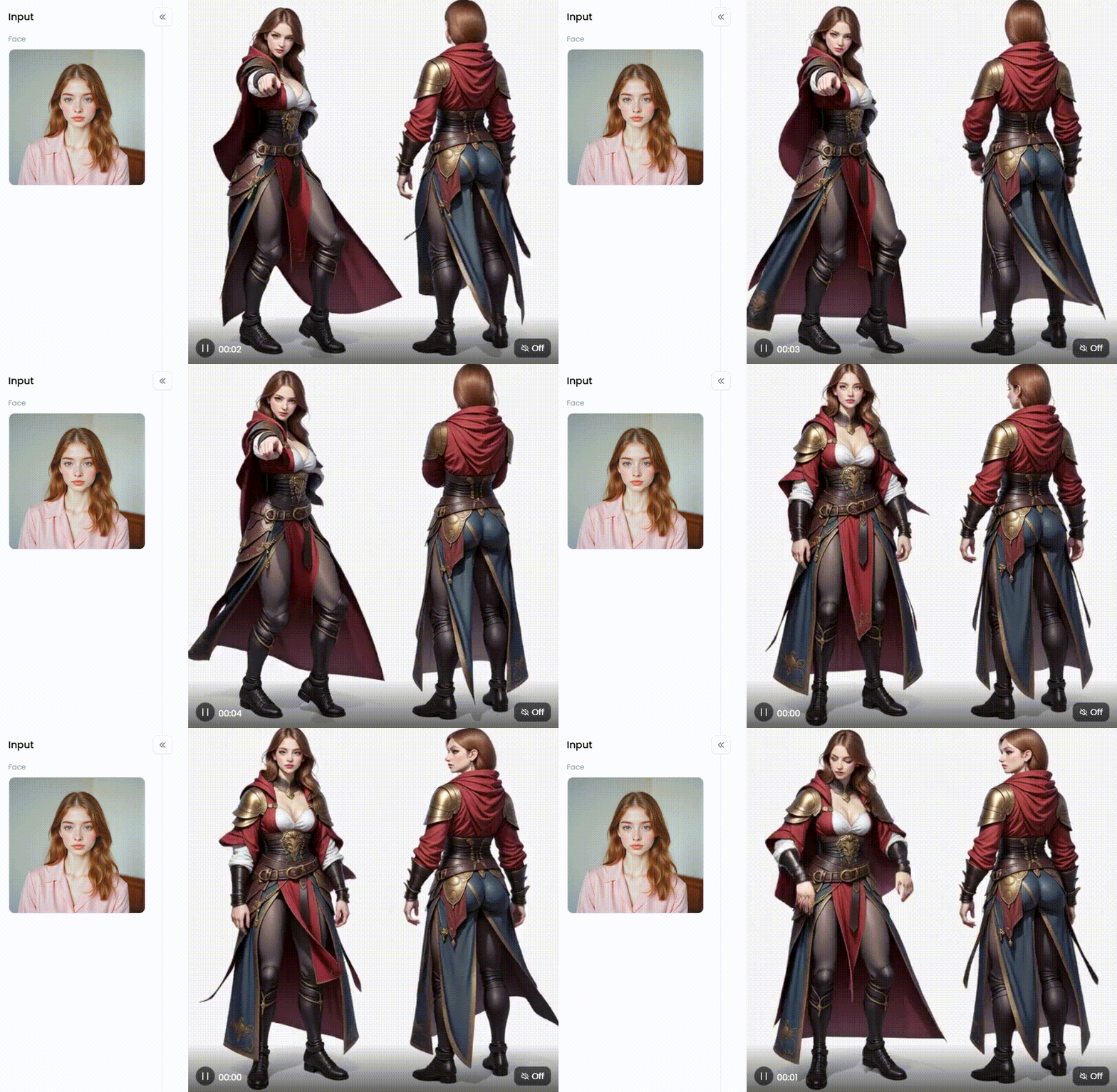
Filters to Try: The "3D Game Character" filter is your go-to for creating video game heroes. Use "Knight Character" for brave warriors or "Mech 3D" for futuristic champions.
-
Pro Prompt Idea: Use a friend's photo and write, "Convert photo to 3D game character model, an elven archer with glowing blue eyes, wearing ornate leather armor, cinematic lighting.
Click the picture to generate your exclusive character design with one click👇
Jump into a Cartoon World
Do you love the look of animated movies? These filters let you reimagine yourself, your family, and your pets in the style of famous animation studios.
-
Filters to Try: "3D Pixar" and "Cute 3D Filter" give you that heartwarming, animated look. For something extra adorable, try "3D Fluffy Character," which is perfect for turning pets into cartoon stars.
-
Pro Prompt Idea: Upload a picture of your dog and write, "A super cute 3D fluffy character of a happy puppy, inspired by Pixar movies, with big joyful eyes."
Craft Whimsical and Surreal Scenes
Why stick to reality? AI lets you create impossible and hilarious scenes that will get a laugh.
-
Filters to Try: The names say it all! Have a blast with filters like "Sitting on Top of a Giant Burger" or "Hold a Concert with Animals."
-
Pro Prompt Idea: Take a photo of yourself looking excited and write, "Me as a 3D character, happily sitting on top of a giant cheeseburger, whimsical and funny."
Combining these powerful filters with your creativity allows you to go from a simple idea to a breathtaking 3D photo in seconds.
Bring Your Imagination to Life in 3D Style
The world of 2D images to 3D models is no longer just for experts. The power to create amazing art is now in your hands; you only need a simple photo. An AI character builder like a1.art is your key to unlocking a new dimension of creativity.
You don't have to wish you had special skills anymore. You can finally design that cool anime model or create a powerful AI human blender 3D model for your profile. Don't just watch this new creative wave—become one of its creators!
Ready to bring your imagination to life? Dive into a1.art today and start turning your 2D world into stunning 3D figures for free!
Read more
- 12 Best Malva AI Alternatives for AI Image Generation
- Top 10 Best Femdom AI Generators 2026
- How to Generate AI Sus Pictures Free Online? Ultimate 2026 Meme Guide
- Best Pic to Porn AI Tools for Realistic Photos
- 8 Best AI Twerk Generator Tools 2026: Turn Photos into Viral Dances
- How to Use Dirty Talk AI for Realistic NSFW Conversations
- Best Alternatives to Create AI Shemale in 2026
- 10 Best Create AI Asian Alternatives 2026
- How to Generate Naked Anime Girl Images with AI(Real Output Examples)
- Top 10 Best AI Dance Video Generators 2026: Turn Photo Into a Viral Video in Minutes
Written by

a1.art
Published on
May 28, 2026
Share article


