


I once wasted three miserable hours tweaking a dance clip. The result? A twitchy, broken puppet. Doing it yourself eats your entire weekend. Hiring an animator drains your bank account. Cheap apps are even worse. They melt faces and stretch arms like rubber bands against warped walls.
This shared misery explains why the AI dance video generator space is growing so fast. Financial reports project a USD 3.35 billion market by 2034. Creators are simply tired of fighting bad software.
I wrote this to cure those headaches. After testing dozens of apps, I found a genuinely reliable free AI dance video generator. Here are the exact filters you actually need to grab attention.
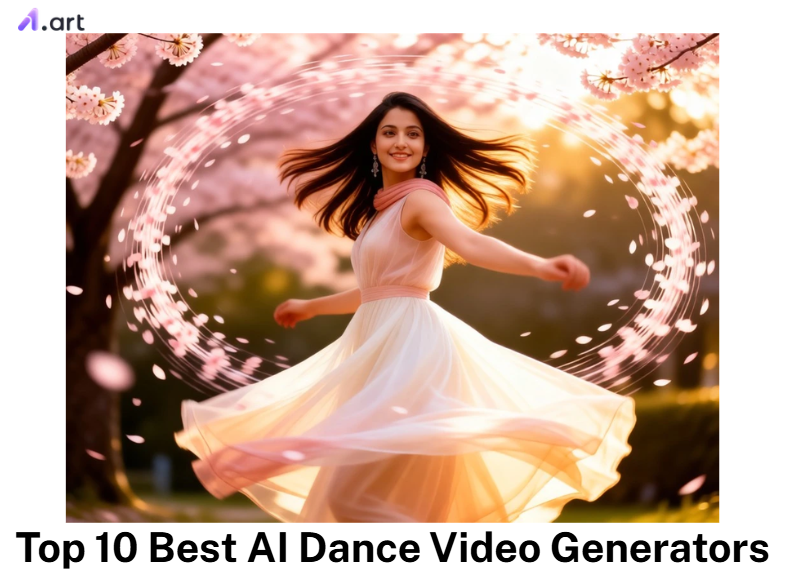
What Is an AI Dance Video Generator?
Forget the hype. An AI dance video generator isn’t magic. It’s just code. The software rips the skeletal framework from a real video. Then, it forces the pixels in your flat picture to mirror those exact movements. You completely bypass the misery of manual keyframe animation.
How does it actually work? Four smart systems handle the hard part:
-
AI Motion Control: The model extracts skeletal pose data from a reference dance clip, tracking 17+ body keypoints per frame, and projects that motion onto your uploaded image frame by frame.
-
Facial Locking: It keeps the eyes and mouth clear, preventing the creepy melting effect.
-
Beat Sync: It matches every jump perfectly to the music’s rhythm.
-
Smooth Rendering: It fills the visual gaps for a totally natural look.
Clean video demands strict rules. Fast hip-hop beats rip digital limbs apart without heavy frame tracking. Slow, elegant wedding dances pose a completely different threat. They melt the walls behind you. Always match the filter to the exact movement.
Start your art journey with a1.art.
How to Use It, Just 3 Steps:
Using a1.art is incredibly simple. Here’s the full beginner-friendly guide:
Step1:
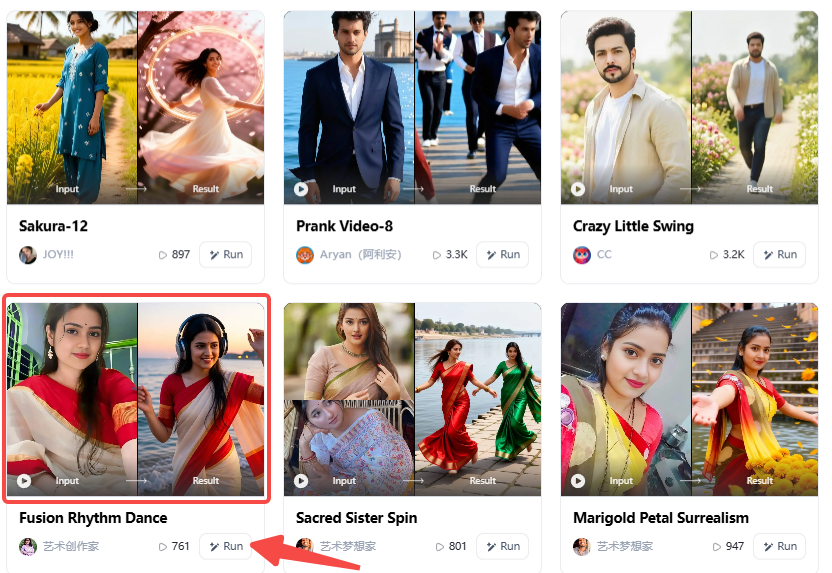
Open a1.art, choose the App that you are interested in, then click 「Run」
Click on the image to experience the same App👇
Step2:
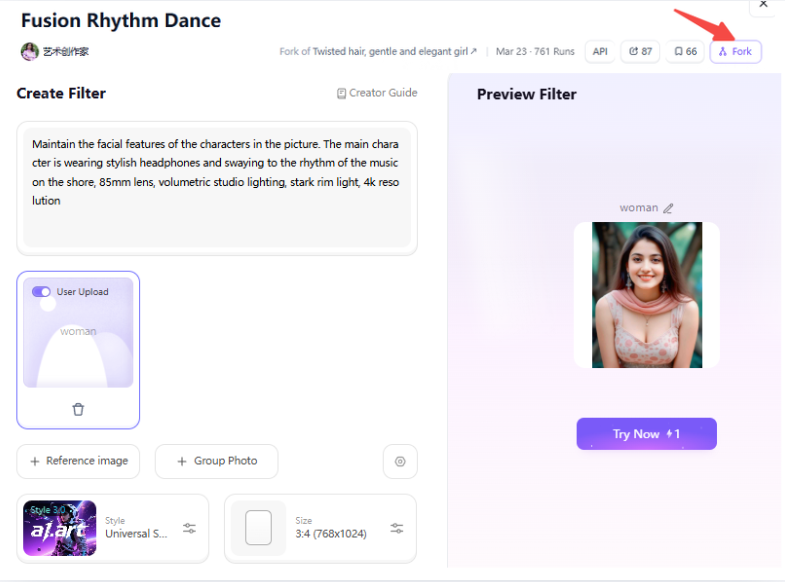
Upload a photo/image
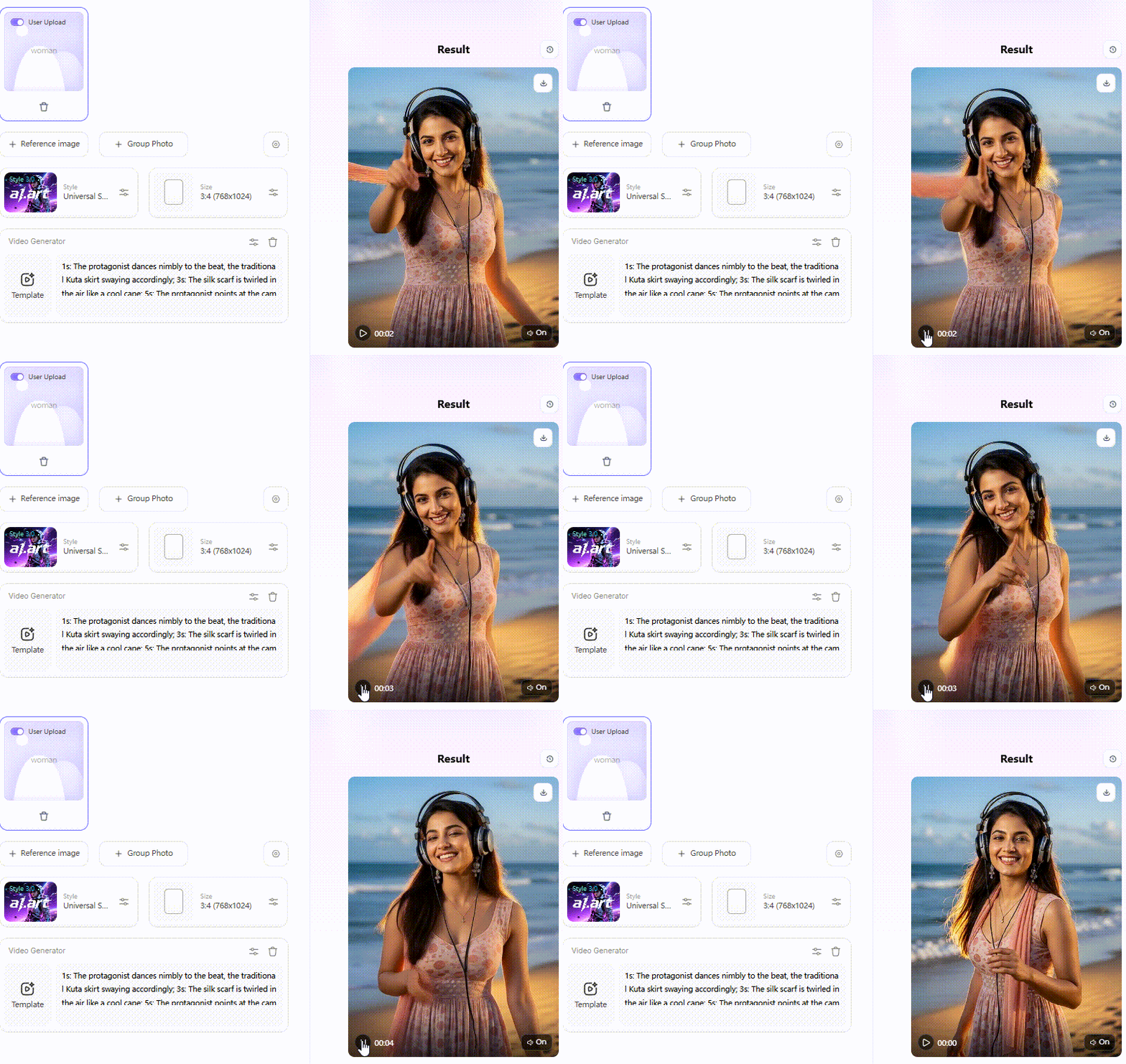
Step3:
Top 10 Best AI Dance Video Generators in 2026
Wading through broken AI dance video generators is exhausting. I spent weeks lurking in Discord servers and scouring Reddit. Creators want clean motion. They are sick of warped walls. After weeding out the absolute junk, here are the 10 platforms that actually survive a real-world test.
1. a1.art
Looking at 310,000 filters causes instant decision paralysis. But this AI photo-to-dance video generator actually respects the laws of physics. Competitors often blur faces into cheap plastic. This tool preserves real skin texture. It physically anchors the room behind you. The real cheat code is the Fork button. Stop burning credits guessing text prompts. Spot a flawless clip in the feed? Click Fork. You instantly clone the exact lighting, motion rules, and hidden settings.
2. Kling AI
Think of Kling as a strict film director. It excels at ten-second cinematic clips while keeping the background completely frozen. But that quality costs you. Render times crawl. The aggressive credit burn makes it financially impossible for high-volume social media creators.
3. Viggle AI
Viggle thrives on raw internet chaos. Built purely for meme velocity, its Pose Match engine rips movement fast. It ruthlessly sacrifices fidelity, though. Expect severe edge artifacts. Watch your resolution drop. Limbs turn into rubber bands in exchange for that raw speed.
4. PXZ.ai
Tired of the same look? PXZ.ai turns a flat photo into a moving 3D avatar. It catches the eye instantly. Paying USD 10 a month drops the annoying watermarks. Pull this out when your feed feels too crowded and boring.
5. DeepMotion
This is not a toy. It handles professional 3D animation pipelines straight from standard 2D video. You completely skip the expensive motion capture suits. Game developers live here to avoid weeks of manual keyframing.
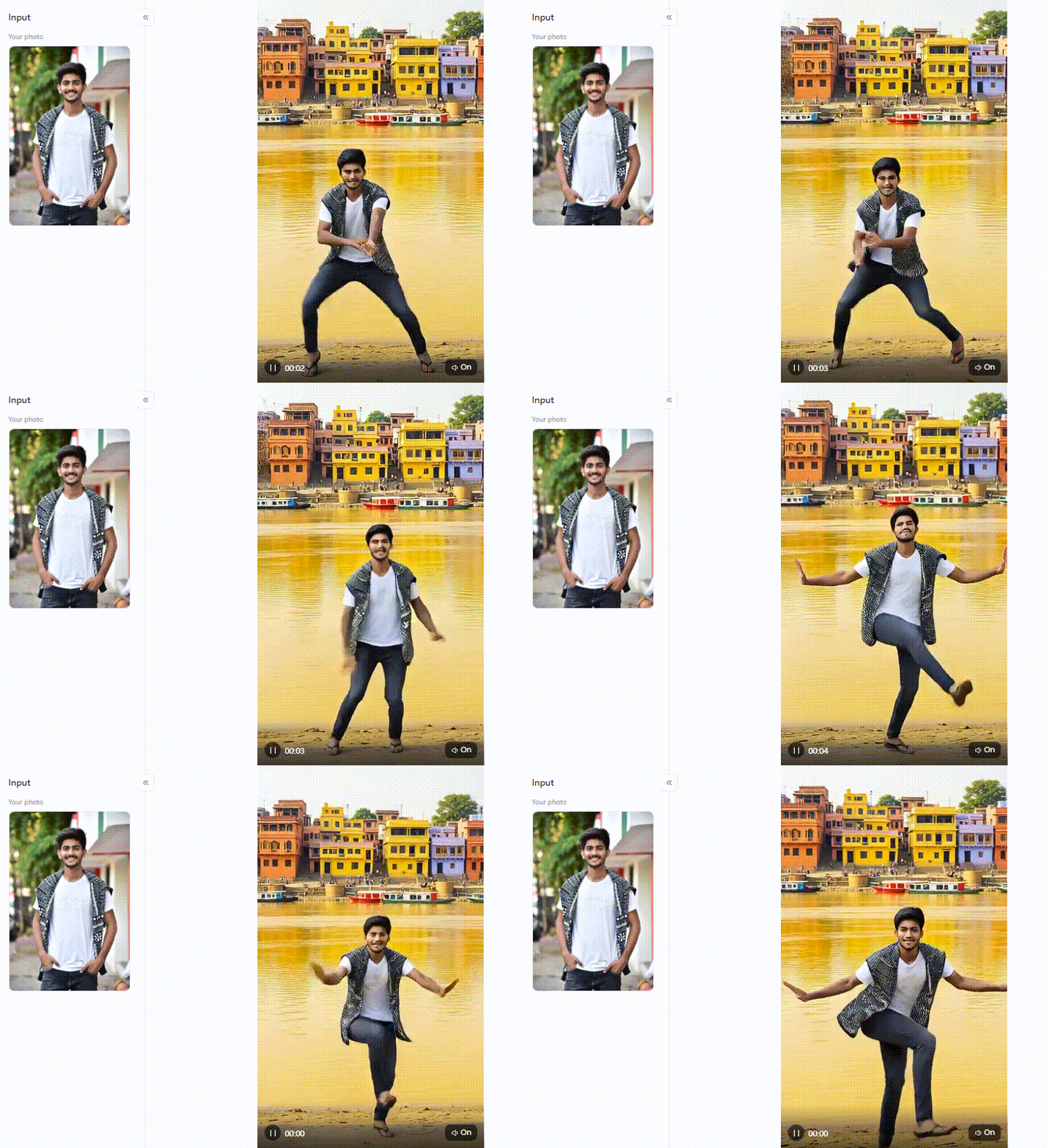
Click the picture to generate your exclusive ganges river foot shaking dance with one click👇
6. Kinetix
Want to learn animation safely? Kinetix offers a very clean, no-code workspace. The free tier acts as a low-risk playground. The template library runs small. Still, the entire interface is totally stress-free.
7. Overchat AI
Built for absolute speed. It runs on Kling 2.6 tech but focuses entirely on fast TikTok templates. You skip the sign-up completely. Upload a selfie or a pet photo, pick a loud trend, and post it instantly.
8. Vidnoz
Finding a genuinely free tool feels impossible. Vidnoz uses stable diffusion trained on 3D motion to animate faces. You get standard clips with zero watermarks. All it needs is a clear portrait. However, heavy posters will quickly exhaust the limited variety.
9. Move.ai
This is heavy-duty production software. Move.ai extracts broadcast-quality motion data. It pipes that track straight into game engines. It completely ignores casual social media creators.
10. ZMO.ai
Posting constantly drains your wallet. Starting at USD 6 per month, ZMO.ai is your best budget friend. It suits creators grinding out high-volume daily content. The catch? The lighting model stays noticeably flat.
Here is your quick decision table:
| Platform | Best For | Realism | Distortion Risk | Free Option |
| a1.art | All-round viral creation | Very High | Low | Daily credits |
| Kling AI | Cinematic quality | High | Low | Limited |
| Viggle AI | Memes & speed | Medium | Medium | Free |
| PXZ.ai | 3D dance effects | High | Low | Free (watermark) |
| DeepMotion | Pro 3D pipelines | Very High | Low | Trial only |
| Kinetix | No-code animation | Medium | Low | Free tier |
| Overchat AI | TikTok templates | Medium | Medium | No signup |
| Vidnoz | Fully free avatars | Medium | Medium | Fully free |
| Move.ai | Game/film motion data | High | Low | Trial only |
| ZMO.ai | Budget creators | Medium | Medium | Partial |
The era of spending three hours on a single clip is over. You no longer need expensive software or a college degree to make visual art.
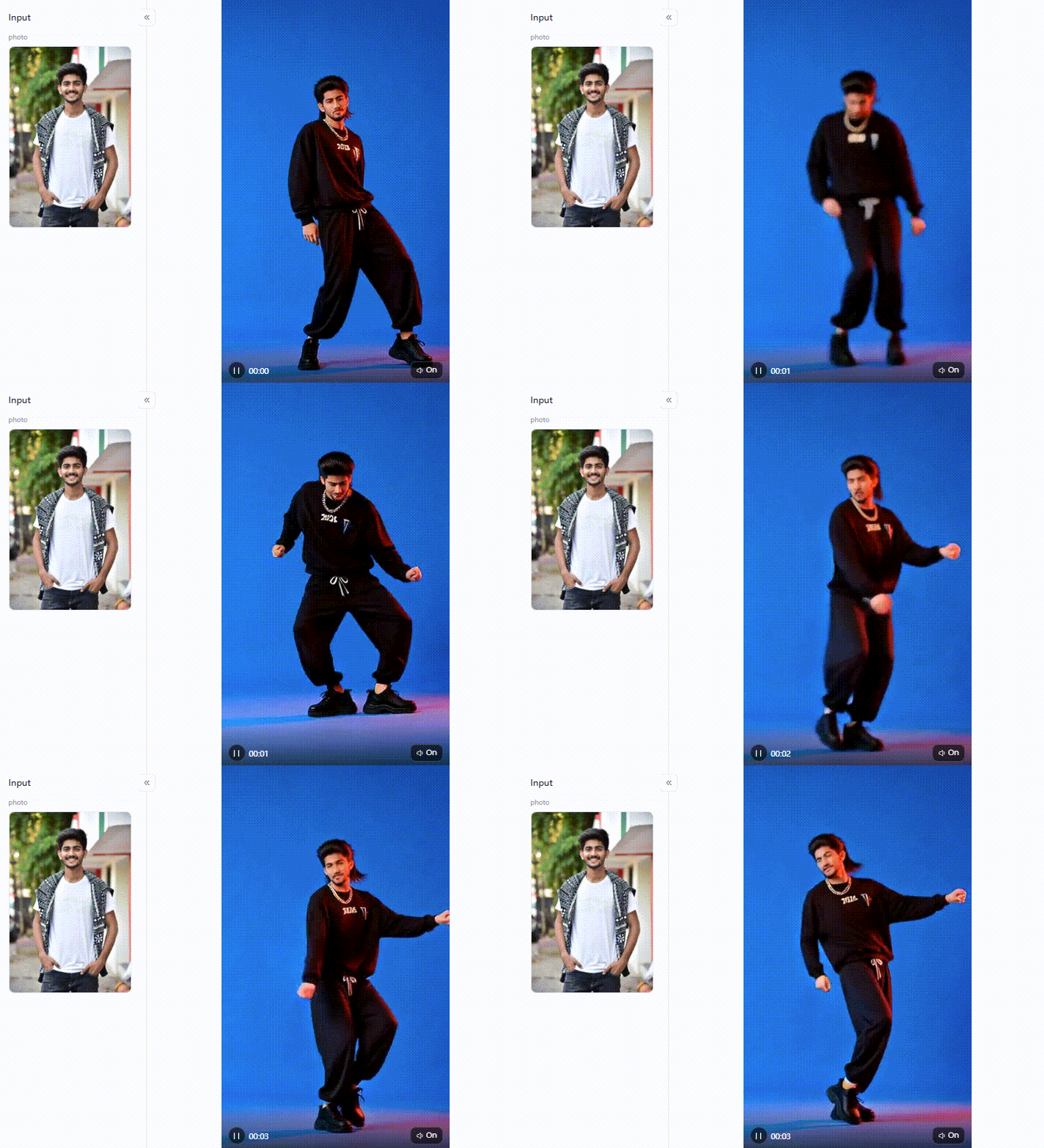
Click the picture to generate your exclusive american street style dance with one click👇
Turn Your Photos Into Viral AI Dance Videos with a1.art
Most AI image-to-dance video generators hand you a tool and walk away. However, a1.art offers a complete creative system. This makes it the ultimate AI dance generator for everyday creators. It easily outperforms the competition. Why? It actually fixes the common glitches that ruin visual art. Let’s explore how to use these highly cost-effective tools.
The Filters Dominating Feeds Right Now
You need the right filters to go viral. Each filter below is mapped to a specific content scenario and output characteristic. They guarantee stunning results without any editing skills.
-
Bollywood: Need rich, cinematic lighting? This filter maps out vivid, theatrical arm gestures perfectly.
-
Indian Beauty: Best for close-ups. It locks onto facial features and captures deep, expressive hand movements.
-
Dance of the Floral Garland: Want a beautiful wedding post? Use this for soft, flowing, graceful movement.
-
Innocent Beauty: Compare this to the others for portraits. It focuses purely on warm, lifelike skin tones and flawless lighting.
-
Dance: The universal starting point. It syncs flawlessly to any trendy music track.
-
Crazy Little Swing: A massive hit for upbeat comedy tracks. It handles fast spins without twisting the arms into a rubbery state.
-
Prank Video: If you want fast laughs, try this funny AI dance video generator. It adds exaggerated, funny reactions to flat photos.
-
Pole Dancing: A highly technical filter. It tracks vertical motion perfectly while keeping the background frozen solid.
Across all these choices, the benefits are obvious. You get flawless skin, perfect lighting, and backgrounds that never warp.
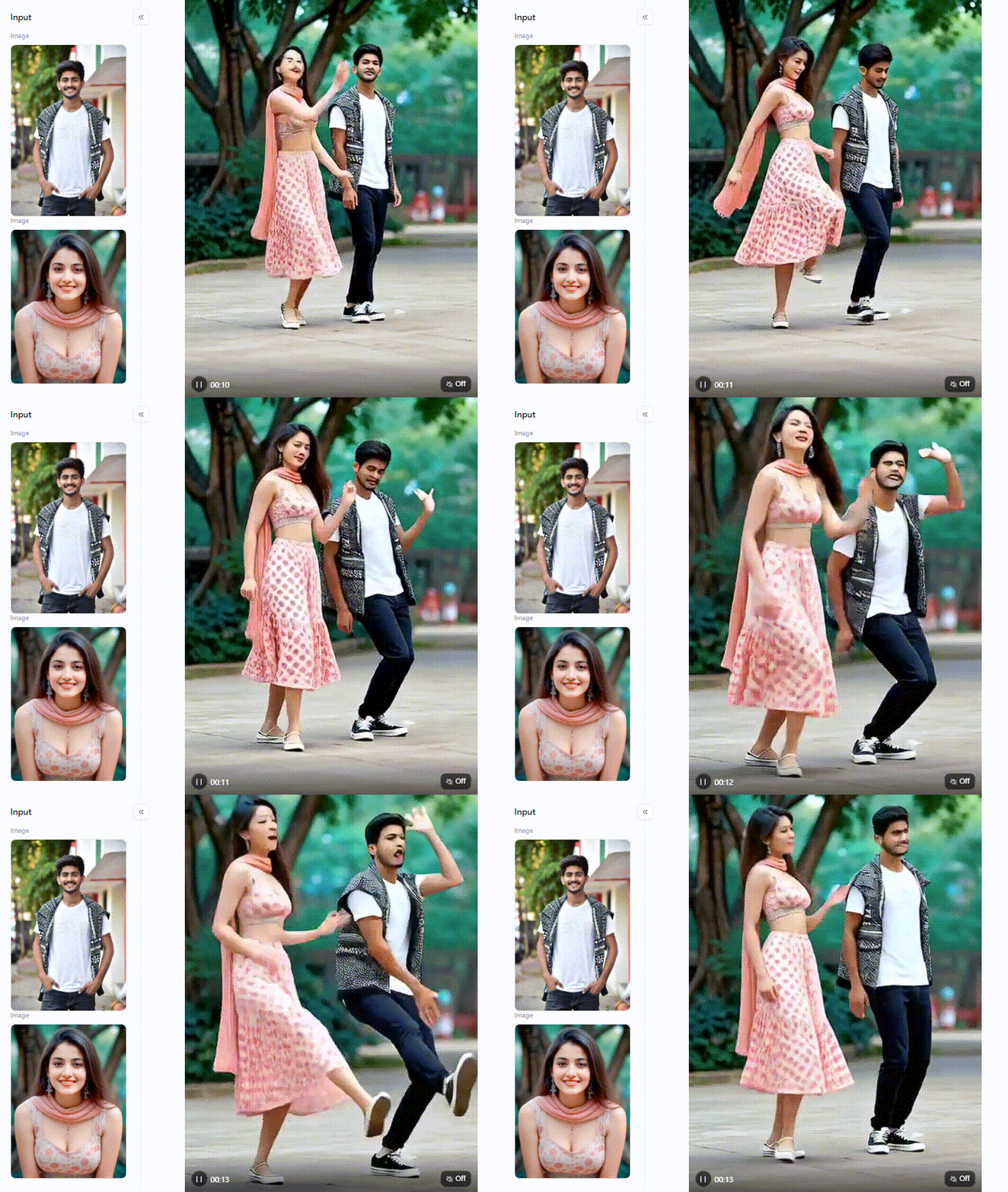
Click the picture to generate your exclusive couple dancing with one click👇
Three Prompt Rules That Measurably Improve Output Quality
Even with great AI dance generator video makers, your text prompts matter. Follow these practical rules to upgrade your art:
-
Enforce Volumetric Lighting: AI models default to flat, ambient lighting, which exposes the artificial nature of their generation. Force depth by explicitly commanding the engine: use strings like “85mm lens, volumetric studio lighting, stark rim light, 4k resolution.”
-
Anchor the Environment: Fast skeletal spins confuse diffusion models, causing background assets to melt into the foreground. Neutralize this by adding “fixed camera, static background, depth-of-field blur” to separate the subject from the room physically.
-
Feed it quality: The AI cannot fix bad inputs. Always upload a sharp, front-facing photo with bright light.
Creating viral content does not require a film degree. Start with a clear photo. Pick a fun filter. Steal a proven setup using the Fork tool. You will produce a stunning masterpiece in minutes!
Your Photos Deserve a Better Stage
The real bottleneck isn’t editing anymore. It is rendering stability. If you need clean, distortion-free videos without burning through credits, a1.art offers the path of least resistance. It easily stands as the best AI dance video generator right now. Why? It physically freezes the background and treats skin like actual skin.
Need a fast win? Grab the Bollywood filter for dramatic lighting, click the Fork button to steal the exact settings, and hit generate. Match the app to your actual posting habits, and the technical barriers completely disappear.
FAQs about AI Dance Video Generator
Q: Which AI is best for dance videos?
In 2026, a1.art takes the top spot based on pure realism and zero distortion. It gives you access to 310,000 filters and a clever Fork tool that lets you instantly copy proven settings. You even get daily free credits. If you need a cinematic, high-end short film instead, Kling AI is a brilliant, heavy-duty alternative.
Q: Can I add voice to my AI dance video?
Most AI dance generator apps strictly output music - fotor auto-syncs copyright-free beats, which is handy. However, for real control, first generate a silent video on a1.art. Then, pull that file into a free mobile app like CapCut. You can record your own voiceover and layer it perfectly over the final moving footage.
Q: What models are available for AI dance video creation?
The underlying tech varies wildly. DeepMotion relies on a 3D capture engine. Viggle tracks motion using a simple Pose Match system. The premium tools, however, run on stable diffusion and AI motion control. Used by platforms like a1.art, this framework beautifully bridges visual gaps. It delivers smooth, lifelike movement without tearing digital limbs.
Q: Can I use cartoon or anime characters with an AI dance generator?
Yes. You can easily animate your favorite flat illustrations. PXZ.ai handles 3D anime well. For premium results, use a1.art. Its aesthetic filters mix 2D drawings with rich, cinematic lighting. Just remember one rule. Always upload a clean, front-facing character. This keeps the ink lines sharp and stops the face from melting during fast spins.
Q: Is there a free AI dance video generator online?
Finding a reliable, free AI dance video generator is completely doable. Viggle AI offers 5 free daily clips. Vidnoz churns out unlimited avatar animations without annoying watermarks. The absolute best option? Claim the daily free login credits on a1.art. It gives you premium, watermark-free video generation without ever having to swipe a credit card.
Read more
- How to Make Viral AI Slingshot Bikini Images & Videos?
- How to Create Realistic AI Indian Nudes Look Real?
- Best AI Indian PornTube Generations for Free HD Videos
- Top 5 AI Baby Dance Generators 2026: Turn Still Photos into Viral Magic
- Best Madeira Flower Festival AI Photo & Video Ideas in 2026
- How to Create Córdoba Patio Festival Style AI Photos and Videos?
- How to Create Golden Buddha AI Art for Buddha Purnima 2026
- 10 Best Porn Text to Image AI Generators in 2026 (Uncensored)
- 10 Best AI Hentai Maker Tools for Uncensored Image Generation
- How to Have the Best Adult AI Chat Experience in 2026
Written by

a1.art
Published on
May 15, 2026
Share article


