


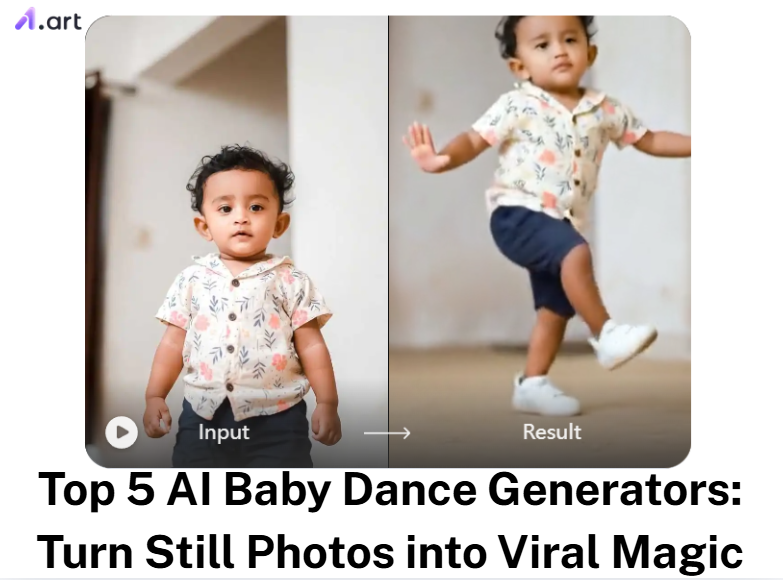
We all have cute baby photos on our phones. Do you wish you could bring them to life? Maybe you want your baby to do a trending TikTok dance. But, they can barely walk! Old animation apps are terrible. They waste your time. They also make creepy videos with robotic moves and distorted faces. Luckily, you can now use an AI baby dance generator.
The AI video generator market is booming right now. According to a 2026 report by Fortune Business Insights, this market will reach USD 3.3 billion by 2034. People want high-quality, moving art. An AI video baby-dance generator turns a single still image into a funny, shareable video. Read on for the best tools, steps, and tips to go viral.
Why AI Baby Dance is Taking Over Social Media
Scroll through TikTok right now. You can’t miss the AI baby dance trend. It taps into basic human nature. We naturally stare at cute faces. Throw it in a catchy, 5-second audio loop, and the algorithm pushes the video to everyone.
Yet, a quick look at Reddit shows how hard this is to pull off. You need a reliable AI video generator editor to stop the dreaded “melting face” glitch.
The best outputs share a few specific traits:
-
Clear skin texture, not a blurry, plastic look.
-
Lighting that stays consistent when the subject spins.
-
Smiles that hold their shape.
Start your art journey with a1.art.
A decent baby dance AI handles the heavy lifting behind the scenes. It merges lifelike motion with stable details. The result is a simple, engaging clip that feels entirely real.
How to Use It, Just 3 Steps:
Using a1.art is incredibly simple. Here’s the full beginner-friendly guide:
Step1:
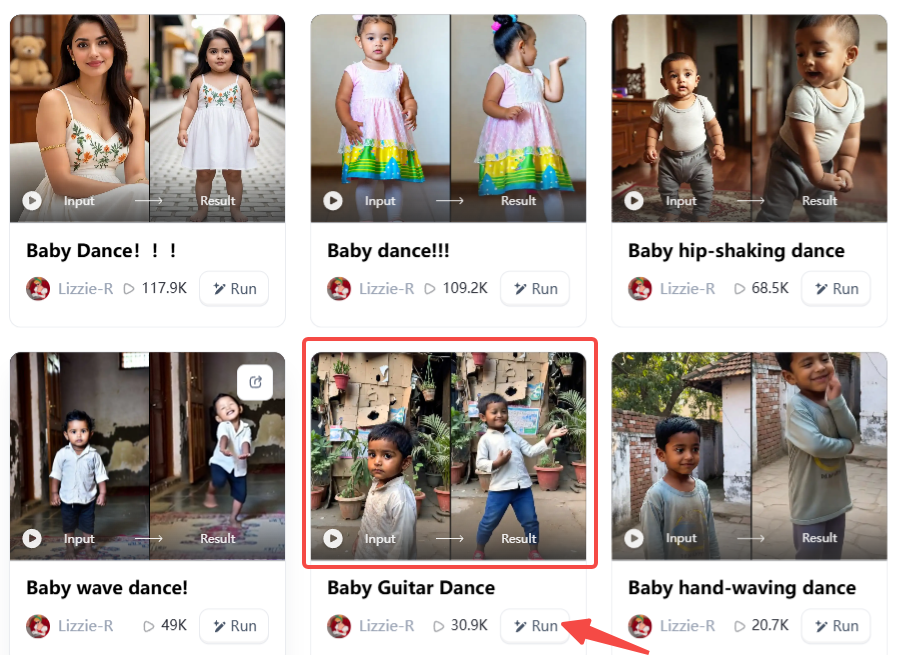
Open a1.art, choose the App that you are interested in, then click 「Run」
Click on the image to experience the same App👇
Step2:
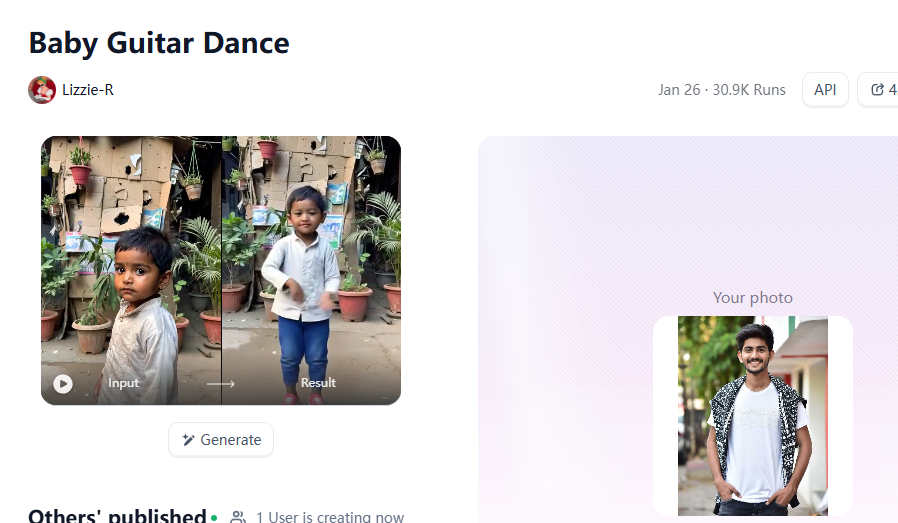
Upload a photo/image
Step3:
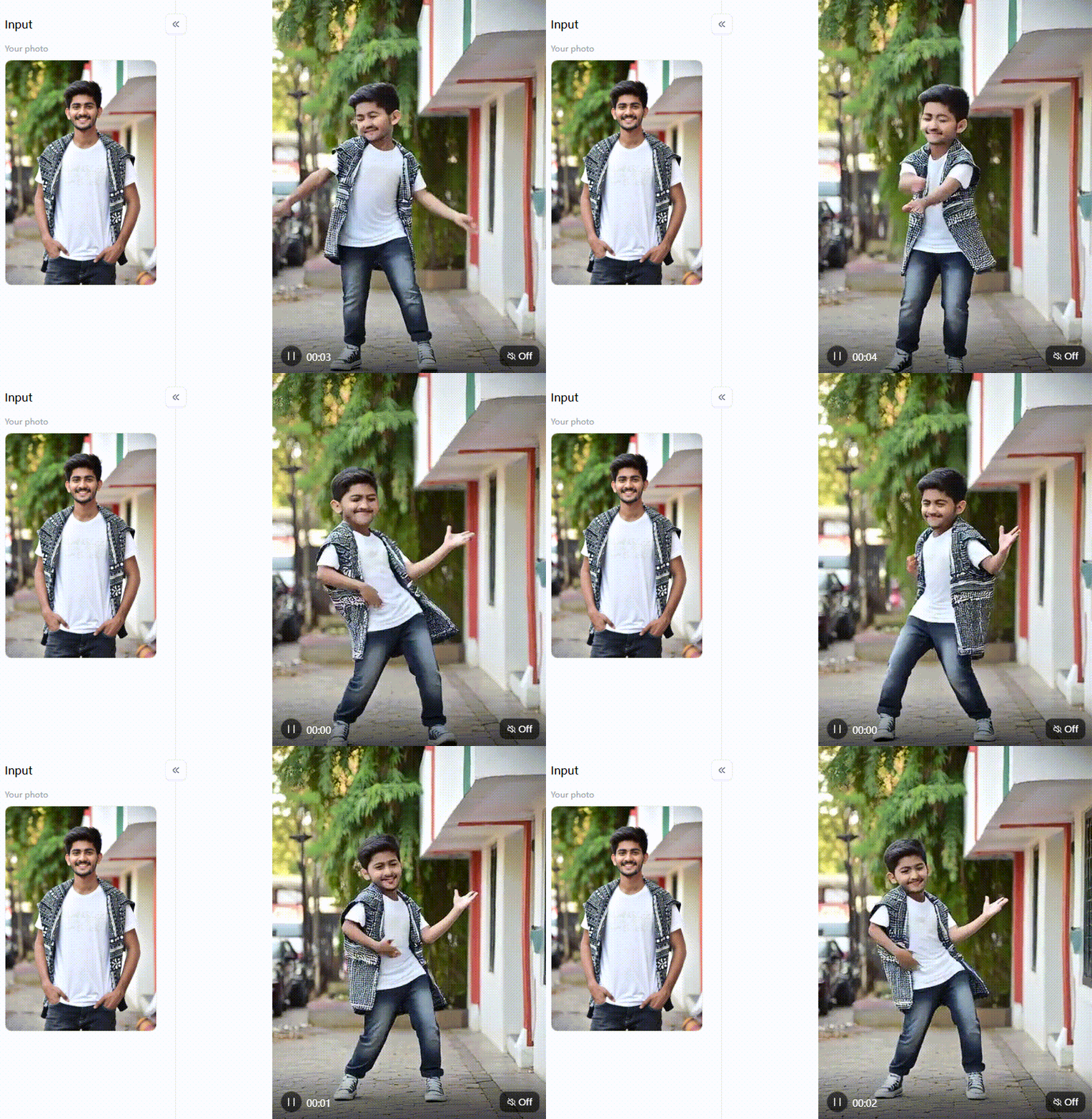
Wait 3 seconds, you will get a wonderful result 👇
What is an AI Baby Dance Generator?
Animation used to require hundreds of hours. You needed a complex timeline and great technical skills. Today, an AI baby dance generator bypasses that entire headache. You feed it a single picture. The software acts like a digital puppeteer, pulling invisible strings to create a moving, beat-matched clip.
How does a free AI baby dance generator actually pull this off? It relies on four specific internal engines:
-
Motion Tracking: The system studies a reference video. It maps that exact skeletal movement onto your flat photograph.
-
Facial Anchors: Spinning usually destroys digital faces. This engine pins the eyes and mouth to a rigid grid, preserving human expression.
-
Beat Syncing: It listens to the audio track. The software calculates the tempo and snaps every hip shake directly to the rhythm.
-
Frame Bridging: It fills the visual gaps. Using stable diffusion, the engine creates smooth transitions between sudden movements.
Your final video is only as good as your starting image. Shadows and strange angles confuse the system. Give a dedicated baby dance AI video maker or a standard AI video generator editor a bright, front-facing photograph. It takes clean data and hands you a flawless, natural-looking clip in under 2 minutes.
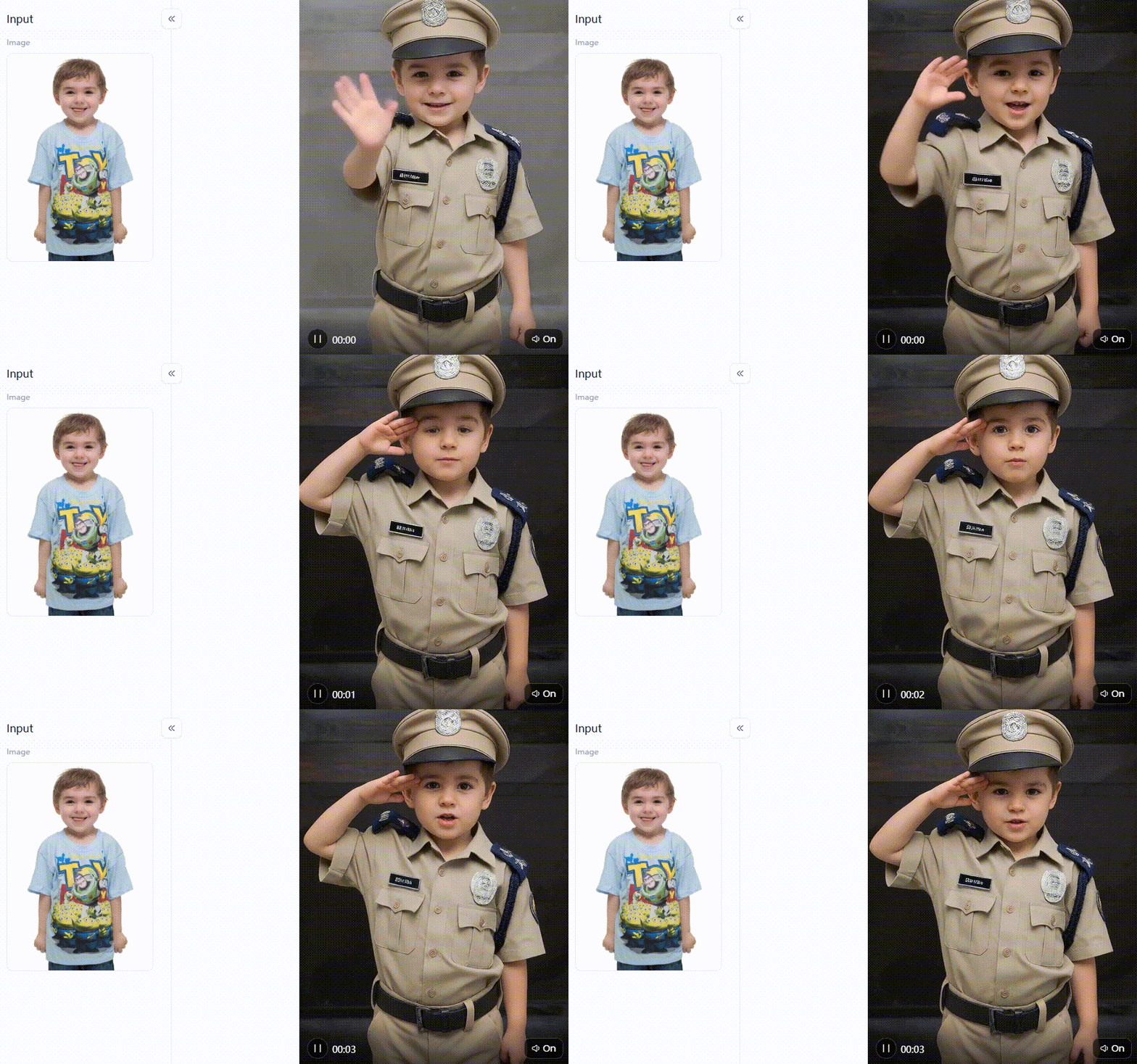
Click the picture to generate your exclusive police baby with one click👇
Top 5 AI Baby Dance Generators We Can Choose
I spent the last few weeks living on Discord and Reddit, testing every app I could get my hands on. The reality? Most of these tools are terrible. You end up with melting faces. Rubbery arms. Muddy, dark skin tones. But after running endless side-by-side comparisons, a few actually work. Here is my honest breakdown of the 5 platforms that won’t waste your time.
a1.art: Best for Realism and Creative Control
Think of a1.art as the heavy hitter for beginners. It houses over 310,000 style filters. What really caught my attention was the lighting. The skin actually looks soft and human. It also fixes the biggest headache in AI baby-dance creation: staring at a blank prompt box. Find a video on the feed that you like. Click the “Fork” button to grab all the hidden settings and prompts from that exact video.
Kling AI: Best for Cinematic Video Quality
Think of Kling AI as a strict film director. It refuses to cut corners. Using Kling 2.6 Motion Control, the engine renders wild choreography while keeping the background frozen solid. You get 10 unbroken seconds of footage. No warped walls. No glitching floors. The free tier offers very little room to play, though. It demands patience.
Viggle AI: Best for Wild and Complex Dance Moves
Viggle thrives on internet chaos. Forget pristine lighting or perfect skin. It acts like a manic digital puppeteer built purely for laughs. The Pose Match engine rips movement data straight from a reference clip, pasting it onto your character with shocking accuracy. Meme creators love this tool. If you need a fast, ridiculous visual for a group chat, it delivers.
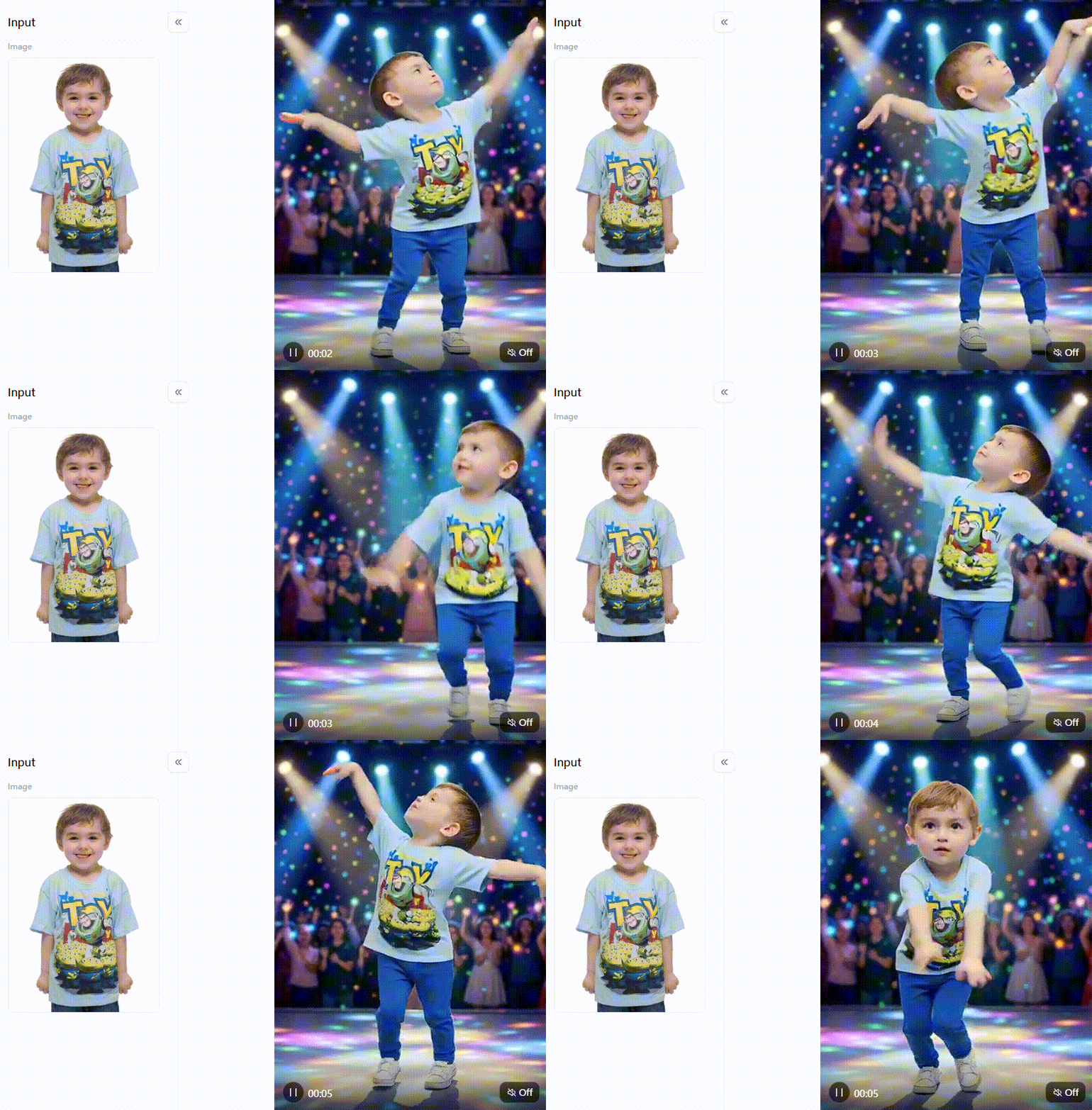
Click the picture to generate your exclusive birds swaying dance with one click👇
Fotor AI: Best for Built-in Audio Sync
Handing someone a silent dance clip feels like telling half a joke. Fotor actually fixes the audio problem. This browser-based baby dance AI tool automatically layers copyright-free music under your animation. You just hit generate and wait about 60 seconds. The final file drops into your lap finished. It is the easiest way to skip the video editing timeline altogether.
Media.io: Best for Quick and Beginner-Friendly Edits
Heavy software scares most people off before they even start. This platform runs straight in your browser, nothing to install, nothing to configure. The interface is stripped right down to the essentials, and it has a messy, cluttered photo. One click removes the background completely. Think of it as a pair of digital scissors that actually behaves.
Quick Feature Comparison
| Platform | Realism Level | Distortion Risk | Unique Feature |
| a1.art | Very High | Low | The "Fork" prompt copier |
| Kling AI | High | Low | 10-second native generation |
| Viggle AI | Medium | Medium | Pose Match AI |
| Fotor AI | High | Low | Built-in audio sync |
| Media.io | Medium | Low | Clean social templates |
For the most cost-effective results with minimal distortion and maximum creative freedom, a1.art is the clear first choice. The “Fork” feature alone removes every barrier that stops beginners from creating content they are actually proud to share.
Join the Viral AI Baby Dance Trends with a1.art
Most AI baby dance generator editor tools promise great results and quietly deliver melting faces and plastic-looking skin. a1.art is genuinely different. It keeps backgrounds locked, limbs natural, and skin textures soft in ways that other free tools cannot match consistently. If you have tried other platforms and walked away disappointed, this is worth another look.
Aesthetic Filters Worth Your Time
Think of these photo dance filters like paintbrushes. Each is built for a specific mood and audience. Picking the right one up front saves you multiple frustrating regenerations later.
-
Just Dance Lovely Baby: Handles classic, bouncy TikTok rhythms well; frame transitions stay smooth so the face never flickers mid-clip.
-
Baby Swing Dance: The go-to fix for the notorious “rubber limb” problem; arm movements during fast spins look genuinely fluid.
-
Baby Hip-shaking Dance: Maps the body’s center of gravity accurately, so hip moves read as natural rather than broken or floaty; works beautifully for Instagram Reels.
-
Baby Clenched Fist Dance: Punchy and bold; pairs perfectly with a hip-hop track and gets replayed for the comedic energy alone.
-
Become Baby and Dance: Upload any adult photo and watch it transform into a dancing baby character while keeping the original face perfectly intact; this one travels fast on social feeds.
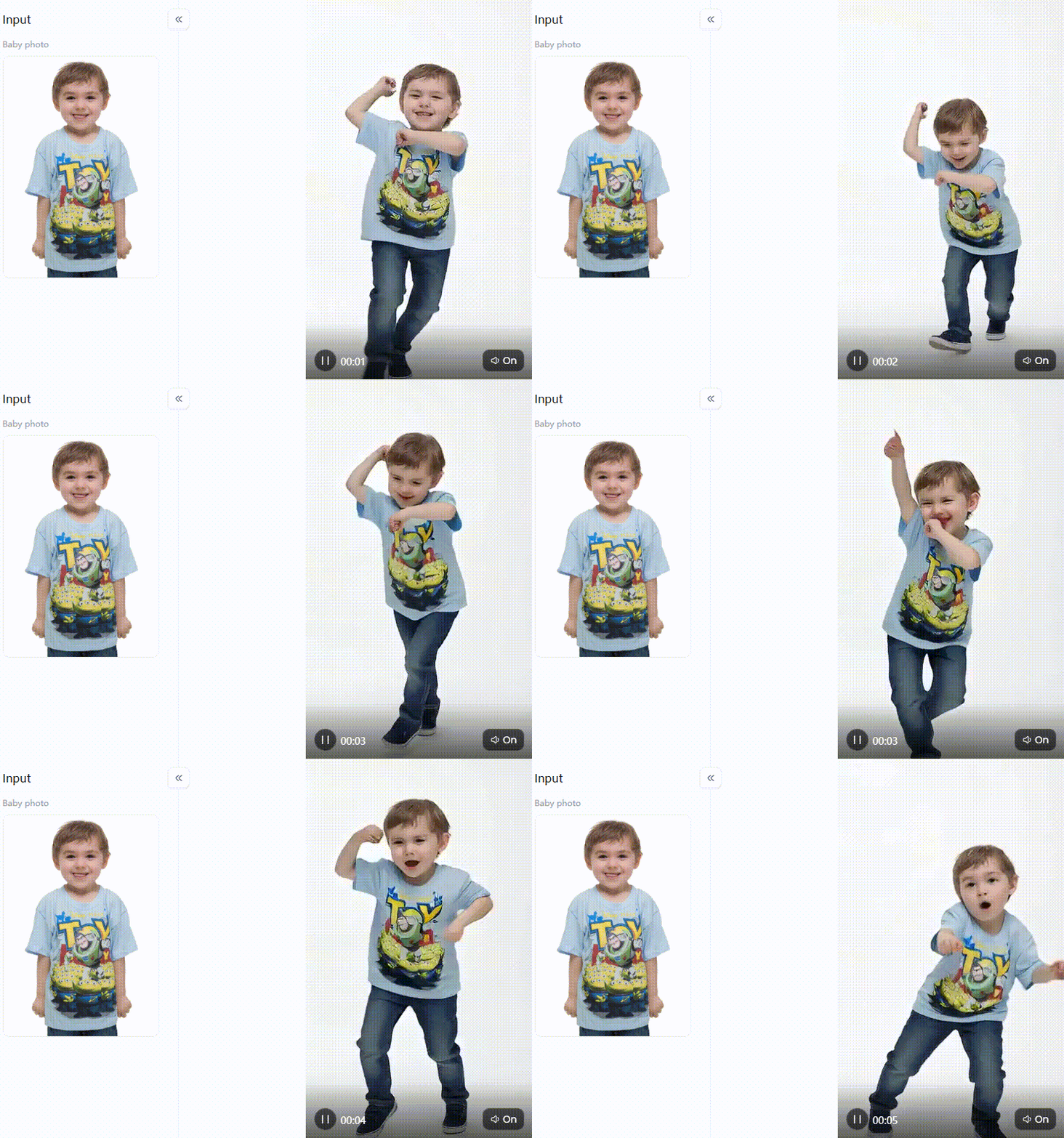
Click the picture to generate your exclusive cowboy dance with one click👇
Three Prompt Habits That Separate Good from Great
Filters do heavy lifting, but your prompt text still shapes the final polish. These three adjustments make a measurable difference:
-
Describe the Light Specifically: Typing “cinematic studio lighting, soft rim light, 4K resolution” gives the AI a clear visual target. Generic prompts produce flat, dim results every single time.
-
Anchor the Background: End every prompt with “fixed camera, static background.” Without it, even the furniture behind your subject can start to warp and swim during movement.
-
Start with a Clean Photo: No filter compensates for a blurry or poorly lit source image. A sharp, front-facing portrait with even light on the face gives the AI the raw material it needs to produce something worth sharing.
Pick a groove filter, use “Fork” to borrow proven settings, and apply these three prompt habits. Your first polished AI baby dance video is genuinely within reach.
Elevate Your Visual Art with Top Generators
Painful video editing is a thing of the past. A good AI baby dance generator now takes a single still photo and spins it into something people actually stop scrolling for. Tools like Fotor handle quick, no-fuss edits well enough. But for consistently lifelike results, a1.art sits in a different league entirely.
Spot a viral clip you love on the feed? Hit the “Fork” button, and every hidden setting is copied straight into your own workspace. Whether you are after a punchy hip-hop groove or a warm family keepsake, the right filter makes all the difference.
FAQs about AI Baby Dance Generator
Q: Is there a free AI baby dance generator?
Yes. You can easily find an AI baby dance generator free of charge. For example, Fotor makes fun 15-second clips with music in under two minutes. Also, my top pick, a1.art, gives you 5 daily login credits. These must-have credits let you test premium, cost-effective filters without spending a single dime.
Q: What is the best AI baby dance generator?
After testing dozens of AI baby dance generators, a1.art stands out as the most reliable. It keeps backgrounds entirely still and faces structurally intact. Instead of guessing complex prompts, you just hit the “Fork” button to copy exact settings from existing videos. It produces usable art rather than creepy glitches.
Q: How fast is the AI baby dance video generated?
Rendering times vary. A basic AI dance clip finishes in about a minute on lighter apps. However, a heavy-duty AI video generator editor that processes complex motion might take 3 to 5 minutes to process the data. That extra processing time usually yields much cleaner, more realistic motion without weird visual artifacts.
Q: Can I use any baby photo for AI dance generators?
No, photo quality matters. For a perfect photo dance, always upload a bright, front-facing picture. If you use a dark or blurry image, the AI cannot lock onto facial features. This causes a creepy melting effect. A clear photo ensures your must-have filters create a smooth, totally natural viral hit.
Q: Do I need video editing skills to make an AI baby dance video?
You skip the editing timeline entirely. A modern baby dance AI handles the heavy lifting, acting as an automated animator. You upload the image and pick a motion style. The software automatically tracks the joints and drops the animation perfectly in time with the beat. It requires absolutely no technical background.
Read more
- Best Madeira Flower Festival AI Photo & Video Ideas in 2026
- How to Create Córdoba Patio Festival Style AI Photos and Videos?
- How to Create Golden Buddha AI Art for Buddha Purnima 2026
- 10 Best Porn Text to Image AI Generators in 2026 (Uncensored)
- 10 Best AI Hentai Maker Tools for Uncensored Image Generation
- How to Have the Best Adult AI Chat Experience in 2026
- How to Create Realistic Styles AI Indian Girlfriend Images in 2026
- Top GPTGirlfriend AI Tools to Create NSFW Images in 2026
- 15+ Best NectarAI Alternatives in 2026 for Custom AI Companions
- Best GoLove AI Alternatives for NSFW AI Companions
Written by

a1.art
Published on
May 9, 2026
Share article


