


Artificial Intelligence is redefining creativity. Today, tools like Malva AI lead this massive shift. Whether you are a marketer or an artist, an image maker AI speeds up your workflow and unlocks new ideas. The growth is real. Grand View Research reports the global artificial intelligence market size reached USD 390.9 billion in 2026, with the visual generation software vertical expanding rapidly.
However, as powerful as a Malva AI app is, you might need more control over it. You may want an AI image generator free of strict limits or the absolute best AI image generator for flawless faces. In this guide, I will walk you through 12 top Malva AI alternatives. I will explore their strengths and show you how to pick the perfect tool to create AI image art today.
Key Takeaways
-
Move Beyond Automation: Malva AI works well for fast, faceless video channels. Yet, top alternatives offer better speed, lower prices, and true artistic freedom.
-
Explore the Best Tools: You have powerful options. Standouts include Canva AI, Adobe Firefly, Midjourney, Leonardo AI, and FLUX 2.
-
Fix Distortions Instantly: Forget complex text prompts. Tools like a1.art use one-click filters to fix weird eyes and “plastic skin.” This makes your portraits natural and highly realistic.
-
Create Viral Art: Smart strategies save you time. Combine basic prompt engineering with specific style filters to craft stunning visuals that stop the scroll.
How to Use It, Just 3 Steps:
Using a1.art is incredibly simple. Here’s the full beginner-friendly guide:
Step1:
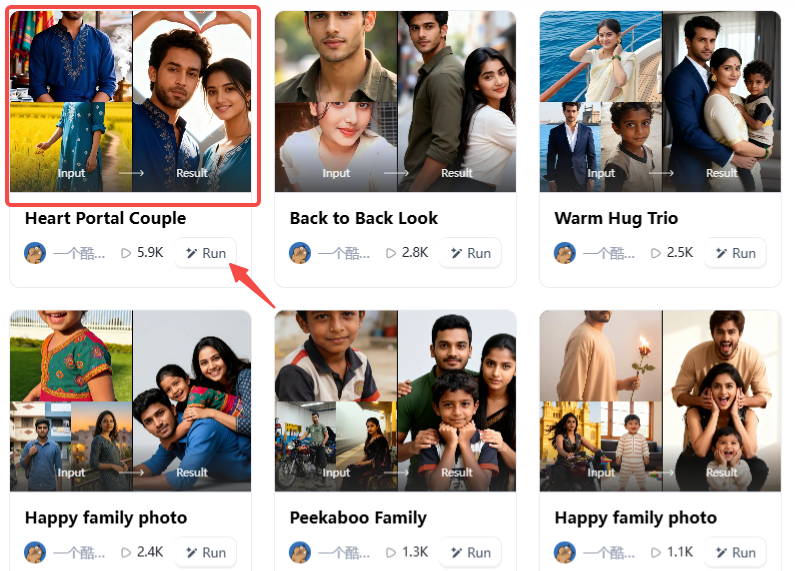
Open a1.art, choose the App that you are interested in, then click 「Run」
Click on the image to experience the same App👇
Step2:
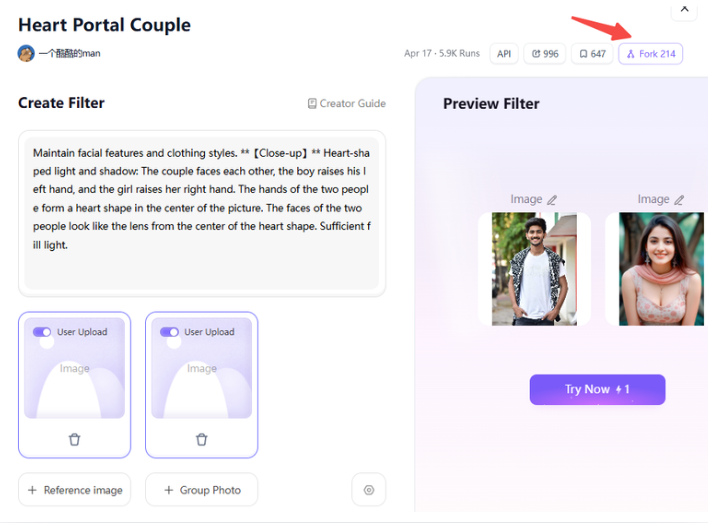
Upload a photo/image
Step3:
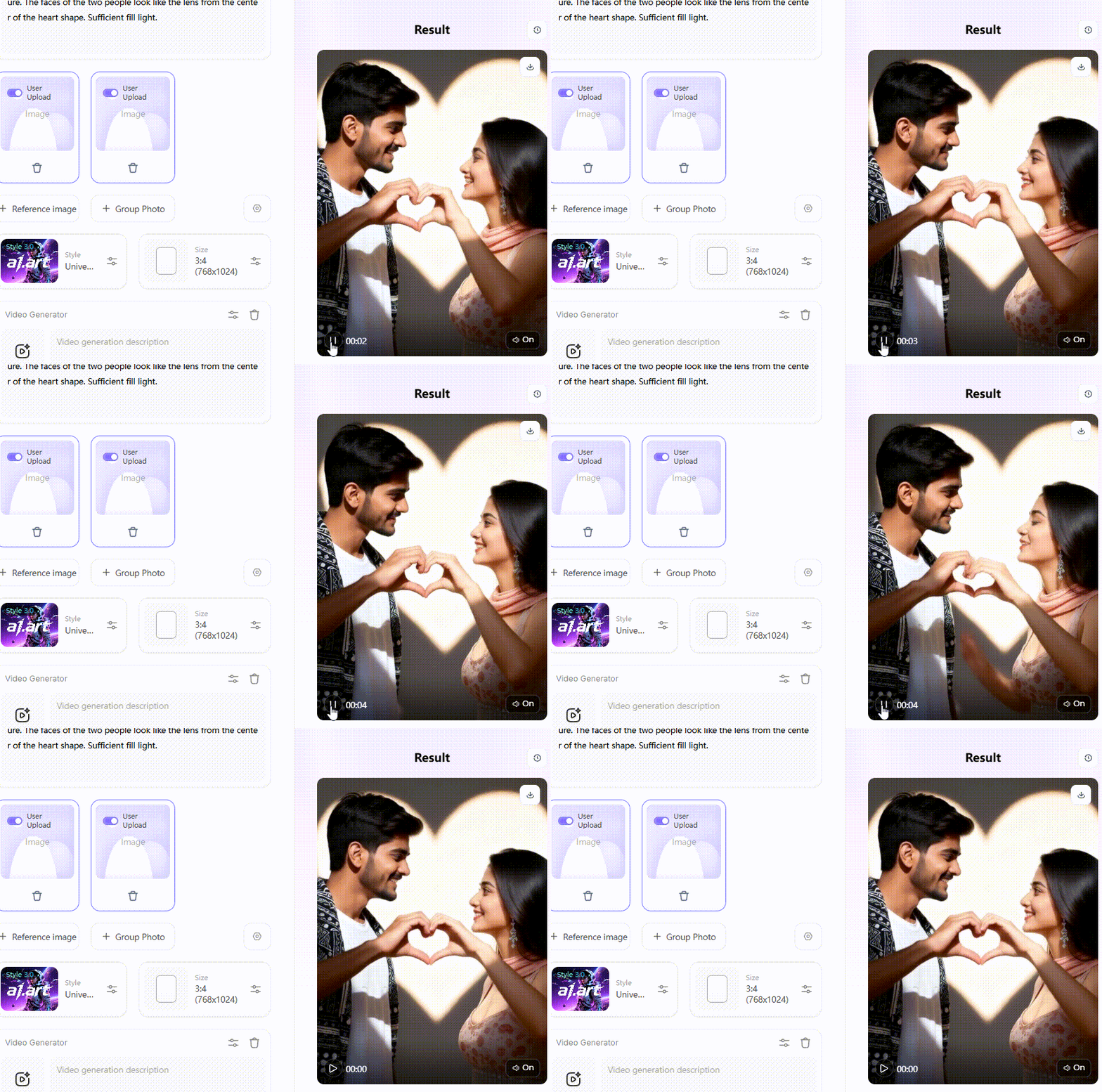
Wait 3 seconds, you will get a wonderful result 👇
Understanding Malva AI and Its True Purpose
Many people think Malva AI is an app that makes art. It is not. Instead, it is a smart content hub and review platform. It acts as your personal navigator. It evaluates over 25 free AI tools for video, image, and audio creation. It points you toward reliable options like Wan.video, Meta AI, Qwen AI, and Google ImageFX, comparing them side by side.
If you want free tools with no watermarks, it is a great starting point. Its real value lies in curation and education. It saves you hours of testing broken websites. However, it falls short in raw execution; Malva AI has no native generation capabilities. It does not host an internal model, and its shifting list means links break frequently.
Use this hub to discover trending Malva AI video generators. Then, pair it with a dedicated filter platform like a1.art. This combination gives you the knowledge to build a fast workflow and the direct power to generate flawless, distortion-free visuals yourself.
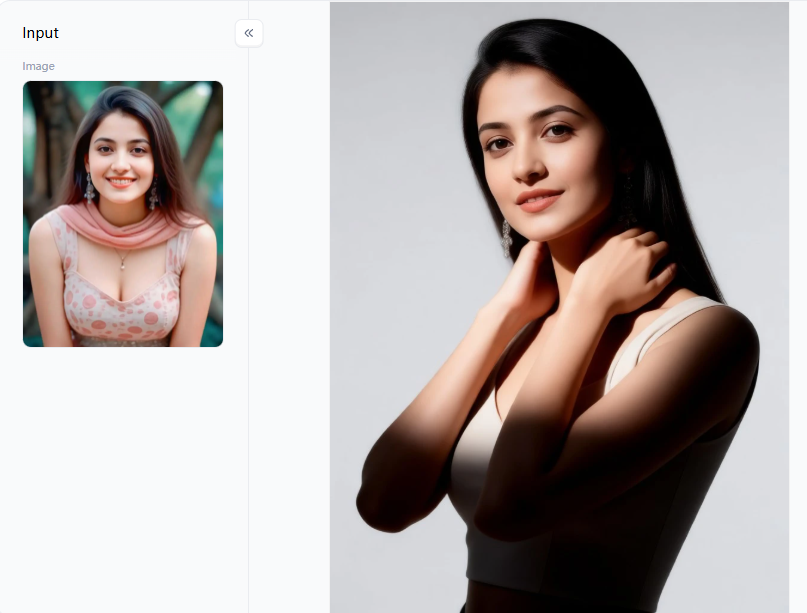
Click the picture to generate your exclusive fashion magazine photography with one click👇
Why Look for Malva AI Alternatives for Image Generation
Malva AI is a fantastic tool for finding tools. However, when you need absolute creative control, you must find a dedicated image maker AI. You need a system that handles custom filters, creates face-accurate portraits, and builds fast image-to-video pipelines without the hassle.
Creators across forums like Reddit share a universal frustration. They want a reliable AI image generator free of strict, frustrating limits. Currently, too many users are tired of:
-
Blocked Prompts: Overly aggressive guardrails automatically reject completely benign or safe, creative prompts.
-
Warped Visuals: Distorted faces and spaghetti hands ruining great concepts.
-
Hidden Costs: Surprise paywalls popping up after just 1 or 2 generations.
You deserve an alternative that gives you faster rendering, precise aesthetic control, and true freedom.
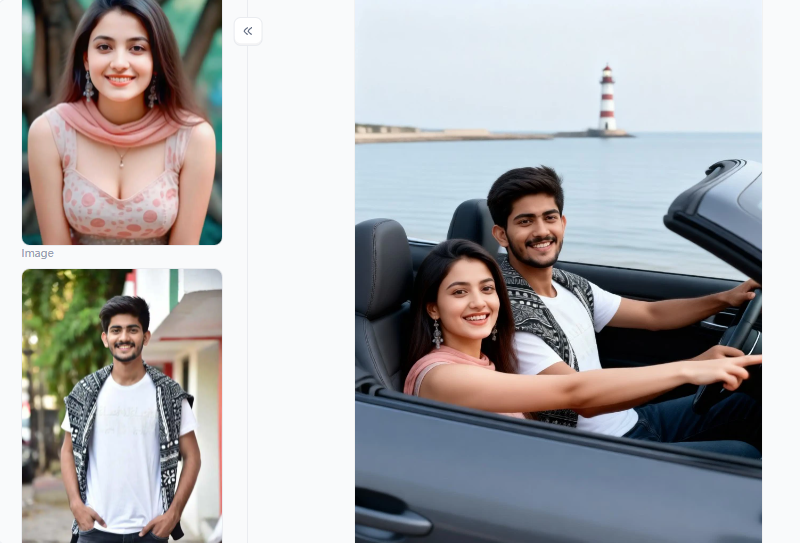
Click the picture to generate your exclusive taking your lover for a drive with one click👇
12 Best Malva AI Alternatives for AI Image Generation
Finding the right tool is the secret to great visuals. The Malva AI app shows you what exists, but these 12 platforms actually do the heavy lifting. I tested them all and found the most helpful tools for your creative needs:
1. a1.art
A web-native creator ecosystem integrating text-to-image and image-to-image engines with multi-modal frame interpolation. The “Fork” button breaks open the original creator’s prompt logic and lighting matrix, letting you instantly substitute your subject.
The platform’s massive library can feel disorganized, requiring a learning curve to navigate. However, it’s easy to search your targeted filters, such as the Group Photo filter.
2. Nano Banana Pro
Access point for Google’s Imagen 3 architecture via the Advanced Gemini ecosystem. Best for studio-grade commercial product rendering.
While it outputs exceptional texture fidelity, it locks users into a restrictive, sterile corporate environment. It entirely lacks a community aesthetic filter exchange, rendering it useless for stylized or abstract digital art workflows.
3. Canva AI
Embedded text-to-image extension operating within a vector design dashboard. Best for inline marketing asset generation.
Canva is highly convenient but severely lacks granular control over the generation process. Its outputs frequently exhibit a flat, corporate-stock-photography finish that fails to stand out in crowded social feeds.
4. Adobe Firefly
Proprietarily trained model bounded strictly by Adobe Stock datasets and public domain archives. Non-negotiable for enterprise-level corporate commercial campaigns.
Legal safety comes at a steep creative cost. Adobe Firefly’s overly protective content filters routinely flag and block completely harmless descriptive adjectives, disrupting prompt workflows.
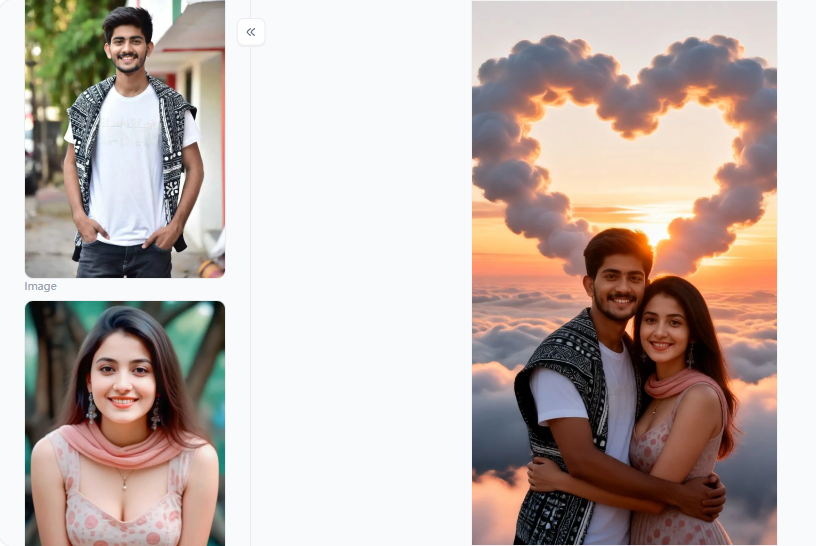
Click the picture to generate your exclusive cloud love with one click👇
5. Stable Diffusion
Locally deployable weights supporting deep environment manipulation via ControlNet, LoRA, and custom tensor scheduling. Best for technical developers demanding zero censorship.
Requires specialized, high-VRAM hardware infrastructure and localized script troubleshooting, making it entirely unviable for casual non-technical creators.
6. Midjourney
Closed-source, highly opinionated aesthetic engine run via specialized messaging APIs. The benchmark for high-end editorial and conceptual illustrations.
The platform creates significant workflow friction by hiding its primary interface in Discord chat rooms. This layout forces creators to pay a premium subscription fee while managing cluttered chat streams to retrieve assets.
7. NightCafe
Multi-engine wrapper cloud platform executing DALL-E 3, Stable Diffusion, and custom community checkpoints. Best for low-cost exploratory cross-rendering.
Because it serves as a generic wrapper interface, it lacks deep, fine-tuned optimization features. It fails to offer highly integrated style editing pipelines like a1.art’s seamless structural “Forking” mechanics.
8. Artbreeder
GAN (Generative Adversarial Network) style-mixing model controlled via explicit attribute slider inputs. Best for building early-stage visual character foundations.
The platform is functionally incapable of executing complex, multi-subject scenes or of precisely placing spatial objects. It forces users to switch to an external image-generation AI to handle complex background work.
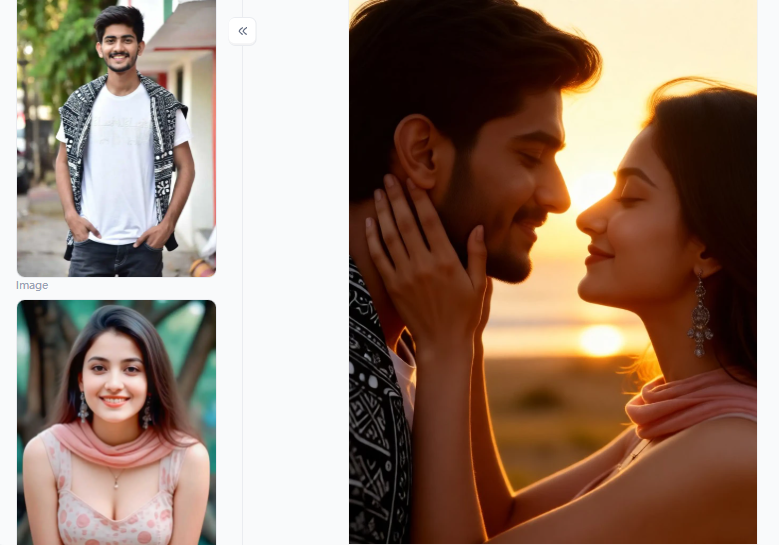
Click the picture to generate your exclusive dacoit with one click👇
9. Craiyon
Light, open-access transformer model offering unmetered browser-based generations. Best for zero-budget structural brainstorming sessions.
The out-of-the-box text adherence is incredibly poor. It routinely yields heavily warped faces, anatomical errors, and low-resolution artifacts that require extensive external editing to fix.
10. Runway
Advanced neural diffusion video engine featuring precise directional motion brush tracking. It’s the standard choice for professional AI B-roll animation clips.
Video rendering tokens burn out extremely quickly. High-volume content studios face massive monthly operational bills, making it an expensive option for solo creators.
11. Leonardo AI
Web dashboard for localized, stable diffusion fine-tuning using personal image datasets. Ideal for indie game developers building uniform asset libraries.
The sheer volume of sliders, custom parameters, and token checkout rules creates a highly cluttered workspace that slows down simple content generation.
12. FLUX 2
Next-generation rectified flow transformer model optimized for complex spatial prompt compliance. Best for exact commercial product packaging mockups.
It operates primarily as a back-end engine. To deploy it without steep developer API connection fees, users must rely on third-party cloud tools that often limit generation speed.
Click the picture to generate your exclusive clay couple vibes with one click👇
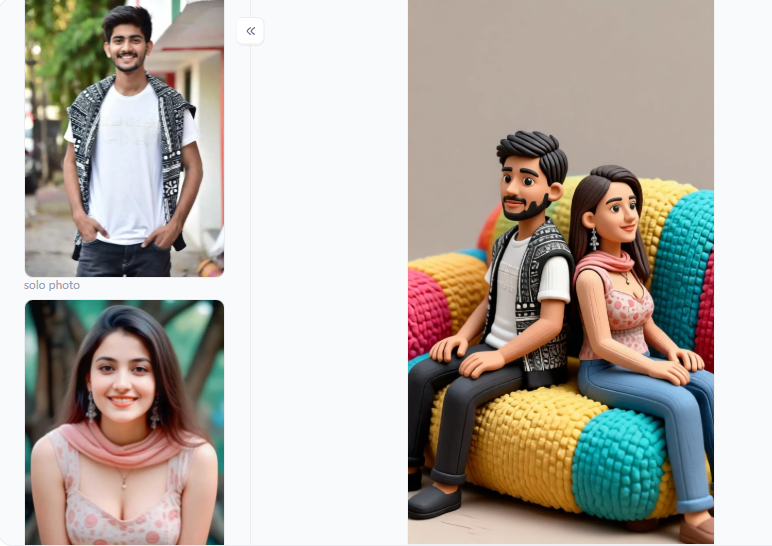
Which Malva AI Alternative Is Right for Your Needs
I do not guess when I recommend an image maker AI. My testing followed a strict, consistent method. I gave every tool the same prompt and aspect ratio. Then, I judged them based on realism, distortion, color accuracy, and speed.
Here is the practical breakdown to help you pick the best AI image generator for your specific scenario:
| Use Case | Best Tool | Why It Wins |
| Viral social media art | a1.art | Fastest filter pipeline; fresh community styles. |
| Photorealistic marketing | Nano Banana Pro / FLUX 2 | 4K detail with minimal distortion. |
| Commercial brand work | Adobe Firefly | Copyright-safe with deep Creative Cloud integration. |
| Cinematic video content | Runway | Smooth motion and reliable 1080p output. |
| Budget beginners | Canva AI / Craiyon | Generous free tiers and a zero-learning-curve |
| Open-source power users | Stable Diffusion | Full control with no content restrictions. |
| Artistic atmosphere | Midjourney | Unmatched creative punch for concept art. |
Trust these results. I ran every AI image generator free and paid tier through difficult portraits, landscapes, and high-fashion photography scenarios. Tools were penalized heavily if they produced distorted hands, muddy backgrounds, or unnatural skin tones, regardless of their brand reputation. Your goal is to create AI image assets that look flawless and authentic.
Click the picture to generate your exclusive era trend with one click👇
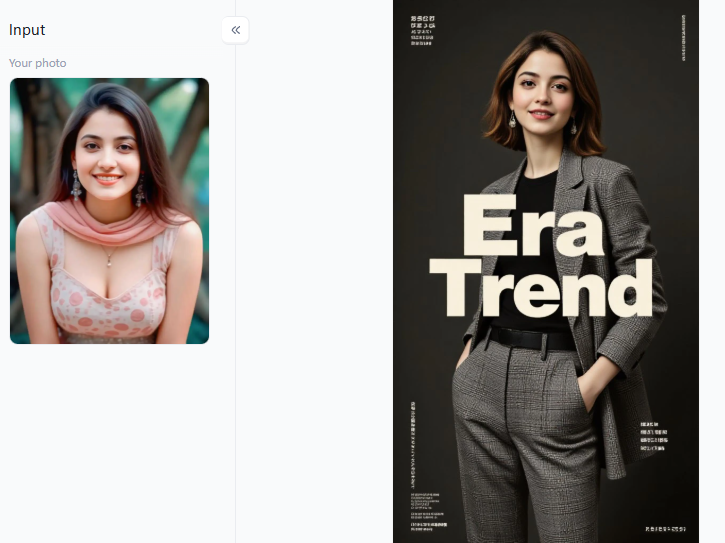
What Makes a1.art Stand Out for AI Image Generation
a1.art completely changes the game. Its real edge is its massive filter ecosystem. You get over millions of community posts ready in one click. Instead of staring at a blank screen, you get a powerful creative shortcut without losing quality.
Here is why these filters are the best AI for image editing for your workflow:
-
Flawless Portraits: Filters like Atmospheric Avatar and Black and White Portrait of a Couple instantly fix distorted faces. The lighting is pre-calibrated. Skin looks real, never plastic.
-
High Fashion: Use Fashion Runway Queen or Ivory Pure Luxury. They deliver crisp, magazine-quality scenes. Try adding a prompt like “soft golden hour light, sharp fabric texture” to stop the scroll.
-
Precise Color Control: Changing one color usually ruins AI images. Change the Sari Color You Like and Create Your Own Double Exposure Photo lets you enhance specific hues with surgical accuracy.
-
Perfect Group Shots: Multi-person pictures often look weird. The Group Photo and The Boy and His Mural filters fix awkward proportions, keeping every single face natural.
These cost-effective tools save you hours of frustration. They help you effortlessly create stunning, viral art while giving you total creative control.
Click the picture to generate your exclusive baby movie queen with one click👇
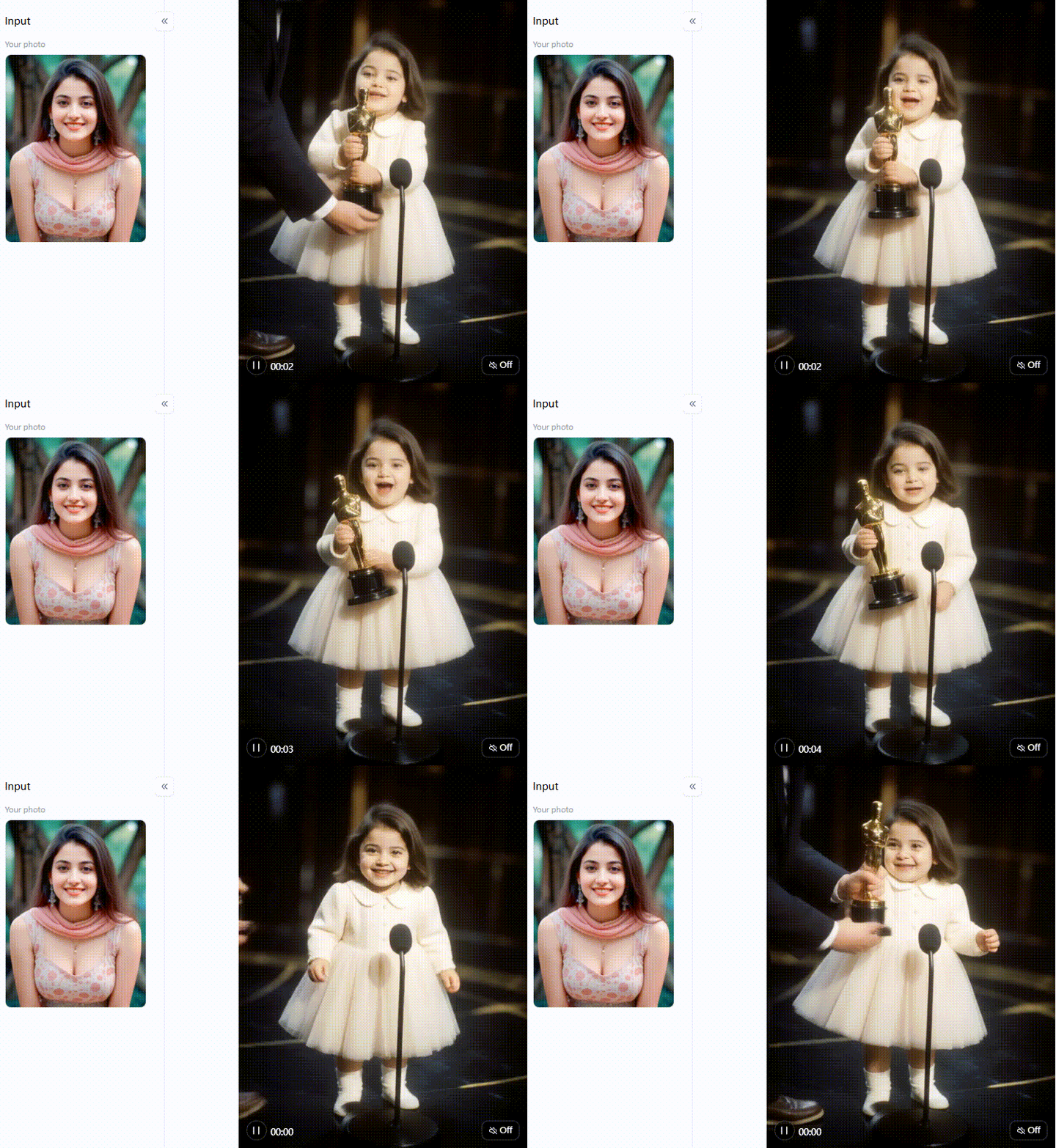
Your Next Move: The Right Tool Is One Click Away
The best Malva AI alternative image generator is not always the priciest. It is simply the one that fits your exact daily needs.
For most users, a1.art delivers the perfect mix of flawless filters and free access. Need pure, 4K photorealism? Pair it with Nano Banana Pro or FLUX 2. Do you need to protect your brand from copyright strikes? Adobe Firefly is your safest bet.
Stop overthinking your workflow. Pick a tool, fork a community filter, and generate your first stunning image today.
FAQs
Q: What’s the best AI to use for image generation in 2026?
For high-end creative artwork, Midjourney V7 remains the industry standard. For exact text alignment and product renders, FLUX 2 is unmatched. For fast, filter-driven workflows that eliminate prompt fatigue without costing a fortune, a1.art is the top recommendation. Industry benchmarks confirm Midjourney and FLUX variants handle over 80% of professional studio generation tasks.
Q: Is Malva AI a free AI image generator?
Not exactly. It functions more like a directory. The site points you toward free, watermark-less tools like Google ImageFX rather than rendering the pixels itself. It helps you navigate the market. For actual hands-on rendering, you need a dedicated image maker AI like Canva AI or a1.art to output files.
Q: Which AI image generator produces the least distortion?
For flawless faces and natural skin, the portrait filters on a1.art easily beat the competition. If you need sharp product edges, FLUX 2 is unmatched. Both wipe out basic tools like Craiyon. Pro tip: Always type negative prompts like “no weird eyes” to guarantee crystal-clear, realistic art every single time.
Q: Can I use AI-generated images commercially?
This completely depends on the platform. Adobe Firefly is the safest choice, trained solely on licensed work to block copyright strikes. Stable Diffusion offers total open-source freedom for your brands. Meanwhile, Midjourney allows commercial use only on paid plans. Always check the legal terms before launching any paid ad campaign.
Q: What is the best free AI image generator with no watermark?
Read more
- Top 10 Best Femdom AI Generators 2026
- How to Generate AI Sus Pictures Free Online? Ultimate 2026 Meme Guide
- Best Pic to Porn AI Tools for Realistic Photos
- 8 Best AI Twerk Generator Tools 2026: Turn Photos into Viral Dances
- How to Use Dirty Talk AI for Realistic NSFW Conversations
- Best Alternatives to Create AI Shemale in 2026
- 10 Best Create AI Asian Alternatives 2026
- How to Generate Naked Anime Girl Images with AI(Real Output Examples)
- Top 10 Best AI Dance Video Generators 2026: Turn Photo Into a Viral Video in Minutes
- How to Make Viral AI Slingshot Bikini Images & Videos?
Written by

a1.art
Published on
May 27, 2026
Share article


