


Diwali is full of light, color, and happy faces. Wouldn't it be fun to make your own festive pictures without being a photo expert? According to Pew Research Center's 2026 survey, 24% of U.S. adults say they have used AI chatbots to create or edit images or videos. You can use an ai diwali wishes generator with photo to turn a simple idea into a bright greeting. Maybe you want to create diwali wishes ai with photo for your family and friends. A diwali photo editor online makes it easy to add lamps, flowers, and sparkle. You can also try a diwali vibes prompt to get that warm holiday feeling in your picture. It is simple, fast, and made for everyone. Just type what you want, and watch your idea come to life. You do not need special skills. You only need a little imagination and a fun idea. So why not give it a try today?
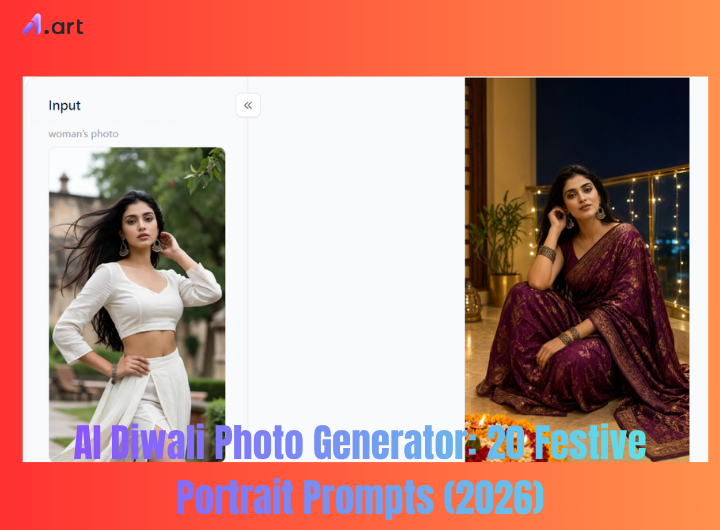
Why Use a1.art to Create AI Diwali Photos?
a1.art is a simple online tool that turns your ideas into pictures and short videos. You do not need design skills. You just pick a style, type a few words, and the tool does the rest. The tool is made for beginners and busy people who want fast results. For Diwali, that means you can make bright lamps, rangoli, and happy family portraits in minutes. It works like a happy diwali ai image generator for quick cards and posts.
Try the a1.art AI Diwali wishes generator with photo👇
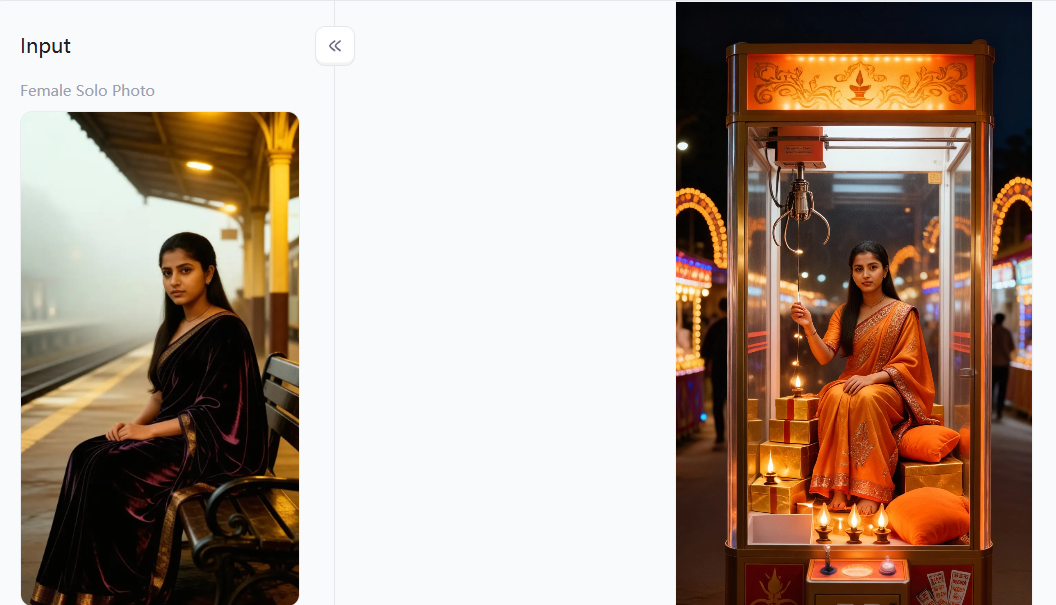
You can also use it as an ai diwali wishes generator with photo when you want a personal greeting. If you want to create diwali wishes ai with photo, a1.art gives you a fast start with ready filters and simple prompts. You can make many styles in one place.
Top 3 Diwali themed filters for instant festive looks
Filter 1: Diwali
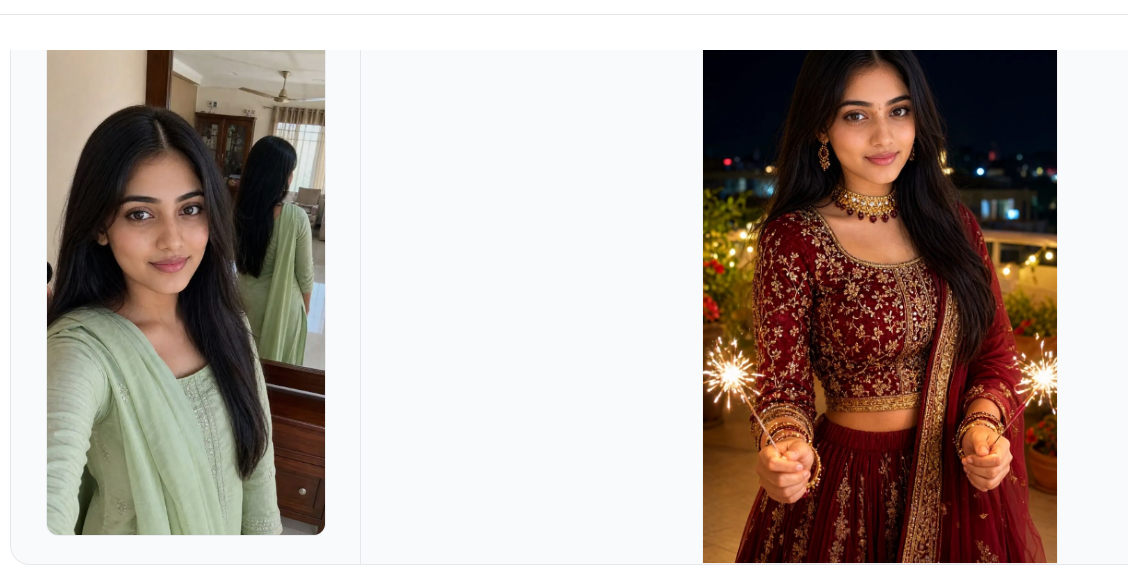
This filter adds lamps, gold light, and warm colors. It is great for quick greeting cards and social posts.
Filter 2: Diwali Portraits
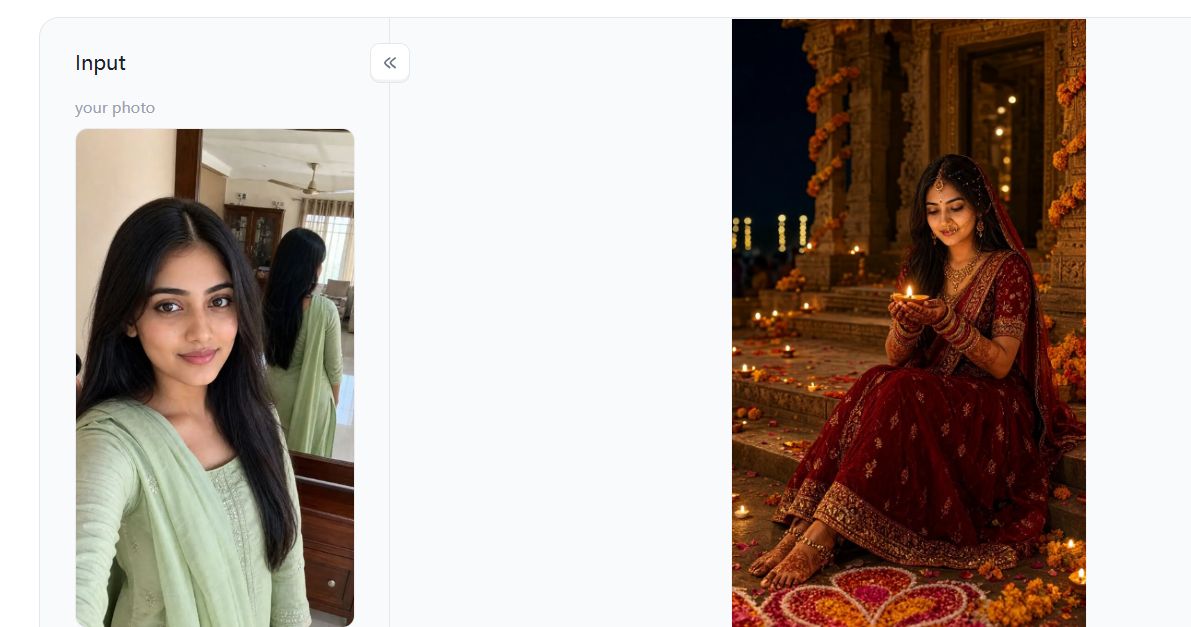
This filter gives people a festive look with soft light and simple holiday details. It works well for profile photos and personal messages.
Filter 3: Diwali Family
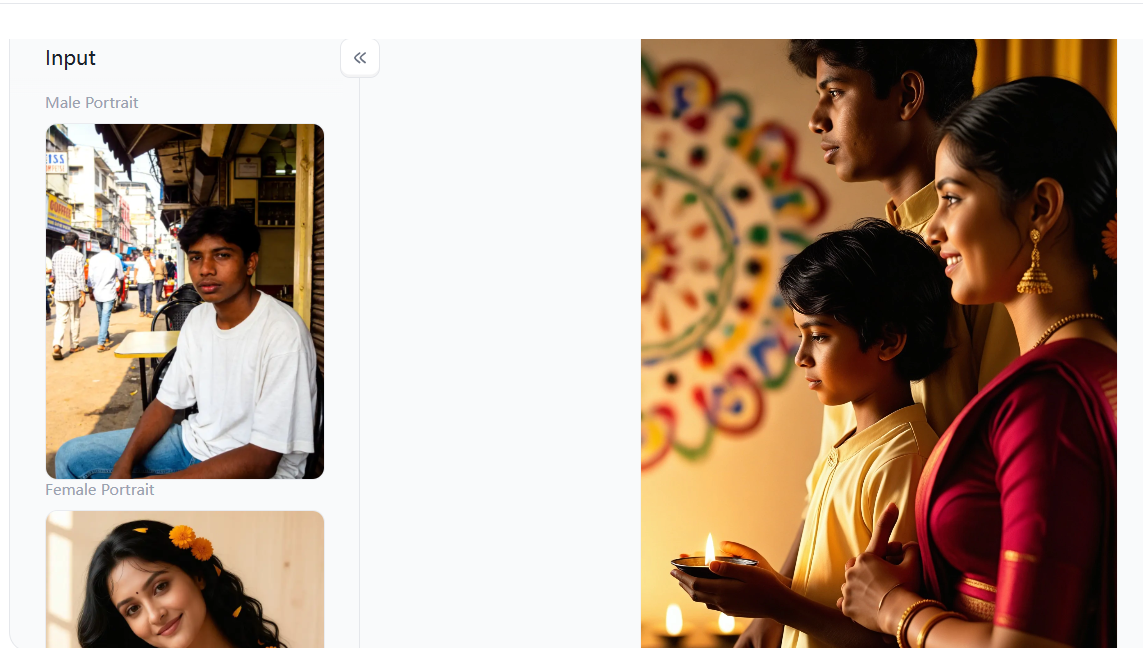
This filter helps you make a warm family picture with a holiday feel. It is good for sharing joy with relatives and friends.
a1.art keeps the process easy from start to finish. You choose a filter, add your idea, and get a festive image. Then you can share it or make a short video. It is a fun way to celebrate with light and color.
Start your art journey with a1.art.
20 AI Diwali Photo Prompts for Festive Portraits
Here are twenty simple prompts you can try for Diwali portraits. Each one gives the AI a clear idea and comes with a short title so you can find it fast. You can change small details to make the picture your own. These prompts work well for cards, posts, and family messages. Pick one, type it in, and see what comes back. You do not need long sentences. Short and clear works best. Now let us look at the list.
Prompt 1: Woman with Diya
AI Prompt: Create a warm Diwali portrait of a young woman in a red and gold sari, holding a small diya near her face. Soft lamp light, marigold flowers, and rangoli in the background. Calm smile, eye contact, gentle depth. Use this in an AI Diwali Photo Generator for a greeting card. Keep colors rich but natural. Add a few tiny lights in the back for a festive glow.
Best For: personal greeting cards
Prompt 2: Family with Sparklers
AI Prompt: Make a bright portrait of a smiling child holding a sparkler at night. Diyas on a wooden table, warm gold light on the face, soft bokeh behind. The scene should feel safe, happy, and full of light. Use a happy diwali ai image generator to get a clean and cheerful result. Keep the child’s face clear and the background soft.
Best For: family WhatsApp groups
Prompt 3: Mother and Daughter Diya
AI Prompt: Create a cozy indoor Diwali portrait of a couple sitting near a rangoli. Warm lamps, small candles, and marigold garlands around them. Soft smiles, simple traditional clothes, and a calm mood. A good diwali vibes prompt should feel warm and real, not too busy. Keep the light on their faces and let the room glow gently.
Best For: parent and child cards
Prompt 4: Grandfather and Grandson Sweets
AI Prompt: Make a close up portrait of an older woman in a green sari, lighting a diya with care. Soft gold light on her hands and face, soft focus background with lamps. Her expression should feel calm and proud. Add small flower details and warm shadows. Keep the image simple, respectful, and full of festive feeling for a family card.
Best For: memory keeping
Prompt 5: Couple Under Lanterns
AI Prompt: Create a Diwali portrait of a young man in a cream kurta, standing near a balcony with diyas and lights. Warm evening light, soft city glow behind, small rangoli at his feet. Use an ai diwali wishes generator with photo to make a clean greeting image. Keep the face natural and the mood bright. Add a few sparkles in the air.
Best For: couple announcements
Prompt 6: Friends with Sparklers
AI Prompt: Make a full body portrait of a woman in a purple lehenga, spinning near a circle of diyas. Marigold flowers on the floor, warm light on the fabric, soft motion in the skirt. Keep the face clear and happy. Add a few floating light dots for a festive touch. The scene should feel joyful and easy to share with family.
Best For: friend group posts
Prompt 7: Woman by Window
AI Prompt: Create a soft Diwali portrait of a young woman with a simple diwali look prompt for gemini. Red bindi, gold earrings, light makeup, and a calm smile. She holds a small lamp near her chin. Warm light, dark background, and a few soft lights behind. Keep the skin natural and the colors warm. The result should feel like a real holiday photo.
Best For: profile photos
Prompt 8: Man with Sweets
AI Prompt: Make a Diwali portrait of two sisters in matching yellow outfits, sitting with diyas and sweets. Warm lamp light on their faces, simple rangoli below, and marigold flowers on the side. Both should smile naturally. Keep the scene clean and bright. Add a soft glow around the lamps for a warm festive feel.
Best For: social media posts
Prompt 9: Rangoli Together
AI Prompt: Create a portrait of a man in a dark green kurta lighting a row of diyas on a table. Warm light on his face, soft shadows, and a simple home background. Use a diwali photo editor online later to add a short greeting. Keep the image sharp and natural. Add a few flower petals near the lamps for a simple festive detail.
Best For: craft and celebration posts
Prompt 10: Balcony Diyas at Dusk
AI Prompt: Make a warm Diwali portrait of a mother and daughter in matching red dresses, holding sparklers. Soft night light, diyas on a low table, and flowers behind them. Both should look happy and relaxed. Keep faces clear and bright. Add a gentle glow to the sparklers and a soft dark background for contrast.
Best For: evening family cards
Prompt 11: Bride and Groom Rangoli
AI Prompt: Create a Diwali portrait of a young woman in a blue sari with gold border, standing near a doorway with hanging lights. Warm light on her face, soft rangoli at the door, and a few diyas on the floor. Keep the pose simple and natural. Add a calm smile and soft eye contact. The scene should feel welcoming and festive.
Best For: wedding season greetings
Prompt 12: Child with Sparkler
AI Prompt: Make a cheerful Diwali portrait of a family of four in simple traditional clothes, sitting around a rangoli with diyas. Warm light, soft smiles, and a clean home background. Use this when you create diwali wishes ai with photo for relatives. Keep faces clear and the mood warm. Add small sweets and flowers on the table for a real holiday feel.
Best For: kids cards and posts
Prompt 13: Three Generations
AI Prompt: Create a portrait of a young boy in a white kurta holding a small box of sweets, with diyas and marigold flowers behind him. Warm light on his face, happy smile, and a soft festive background. Keep the image simple and bright. Add a gentle glow around the lamps. The result should feel like a sweet Diwali morning.
Best For: family heritage posts
Prompt 14: Sweet Exchange
AI Prompt: Make a Diwali portrait of a woman in a gold and maroon sari, standing near a window with lamps. Soft evening light on her face, light rangoli on the floor, and a few flowers on the sill. Keep the pose calm and the colors warm. Add a soft glow outside the window. The image should feel quiet, bright, and festive.
Best For: couple greetings
Prompt 15: Children Around Rangoli
AI Prompt: Create a clean Diwali portrait of a young man using a diwali look prompt for gemini. Cream kurta, simple watch, soft smile, and a diya in his hand. Warm light on the face, dark background, and a few small lights behind. Keep the skin natural and the mood calm. Add a small rangoli at the bottom for a festive touch.
Best For: school and community posts
Prompt 16: Woman with Lamp
AI Prompt: Make a Diwali portrait of three friends in bright clothes, laughing near a table of diyas and sweets. Warm light on their faces, soft background with flowers, and a happy mood. Keep the scene simple and real. Add a few sparkles in the back. The image should feel like a fun holiday get together with people you love.
Best For: elegant greeting cards
Prompt 17: Father and Son Diya
AI Prompt: Create a portrait of a grandmother and grandson lighting a diya together. Soft gold light on their hands and faces, warm home background, and a few flowers on the table. Both should look calm and happy. Keep the image gentle and clear. Add a soft glow around the lamp for a warm family moment.
Best For: dad and kid posts
Prompt 18: Elders with Sweets
AI Prompt: Make a Diwali portrait of a woman in a pink and gold outfit, standing with a plate of sweets and diyas. Warm light on her face, soft rangoli below, and marigold flowers on the side. Keep the pose simple and the smile natural. Add a few light dots to the air. The image should feel bright and ready to share.
Best For: extended family cards
Prompt 19: Woman at Doorway
AI Prompt: Create a portrait of a young couple in simple traditional clothes, sharing a small plate of sweets near a rangoli. Warm lamp light, soft smiles, and a calm home background. Keep the scene clean and natural. Add diyas around them and a few flowers in the back. The image should feel warm, close, and full of festive light.
Best For: quick profile updates
Prompt 20: Family on Sofa
AI Prompt: Make a bright Diwali portrait of a little girl in a red frock holding a small diya, with rangoli and flowers behind her. Warm light on her face, happy smile, and a soft festive background. Keep the scene simple and sweet. Add a gentle glow around the lamp. The image should feel like a happy Diwali moment for the family.
Best For: home celebration posts
These twenty prompts give you an easy start for Diwali portraits. Each title helps you find the idea you want. You can mix ideas, change clothes, or add more lights. The goal is to make a picture that feels warm and personal. Try one prompt, then try another. Small changes can make a big difference. Have fun with it and enjoy the festive light.
How to Create AI Diwali Photos with a1.art
Making Diwali photos with a1.art is easy and quick. You do not need any design skills. Just follow three simple steps and your festive picture is ready to share.
Step 1: Open a1.art and pick a filter
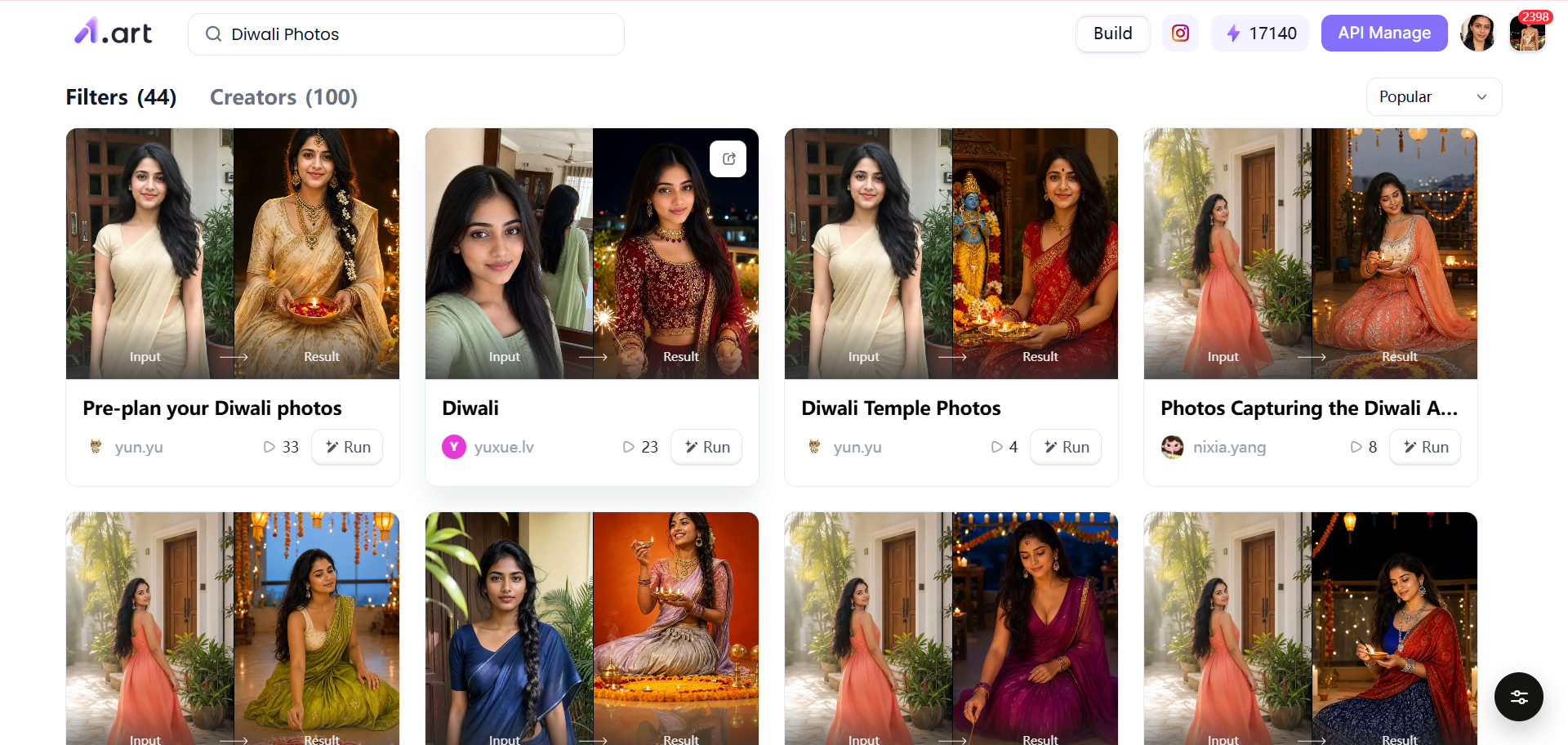
First, open a1.art and choose a filter that fits your Diwali idea. You can use it as a happy Diwali AI image generator for bright greeting cards.
Step 2: Upload your photo
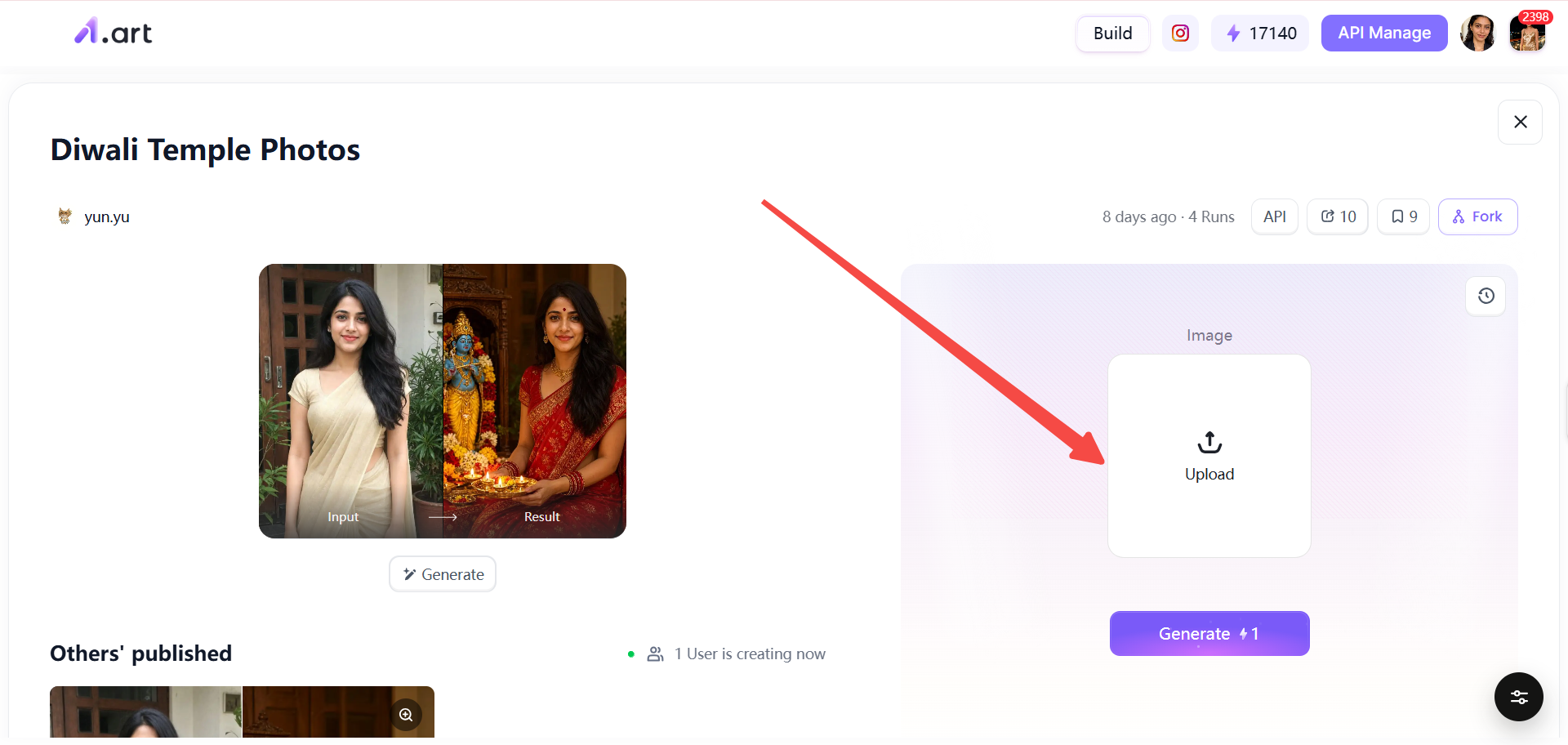
After you choose the filter, pick one photo from your device and upload it. A clear face works best for a warm festive portrait.
Step 3: Click Generate and Share
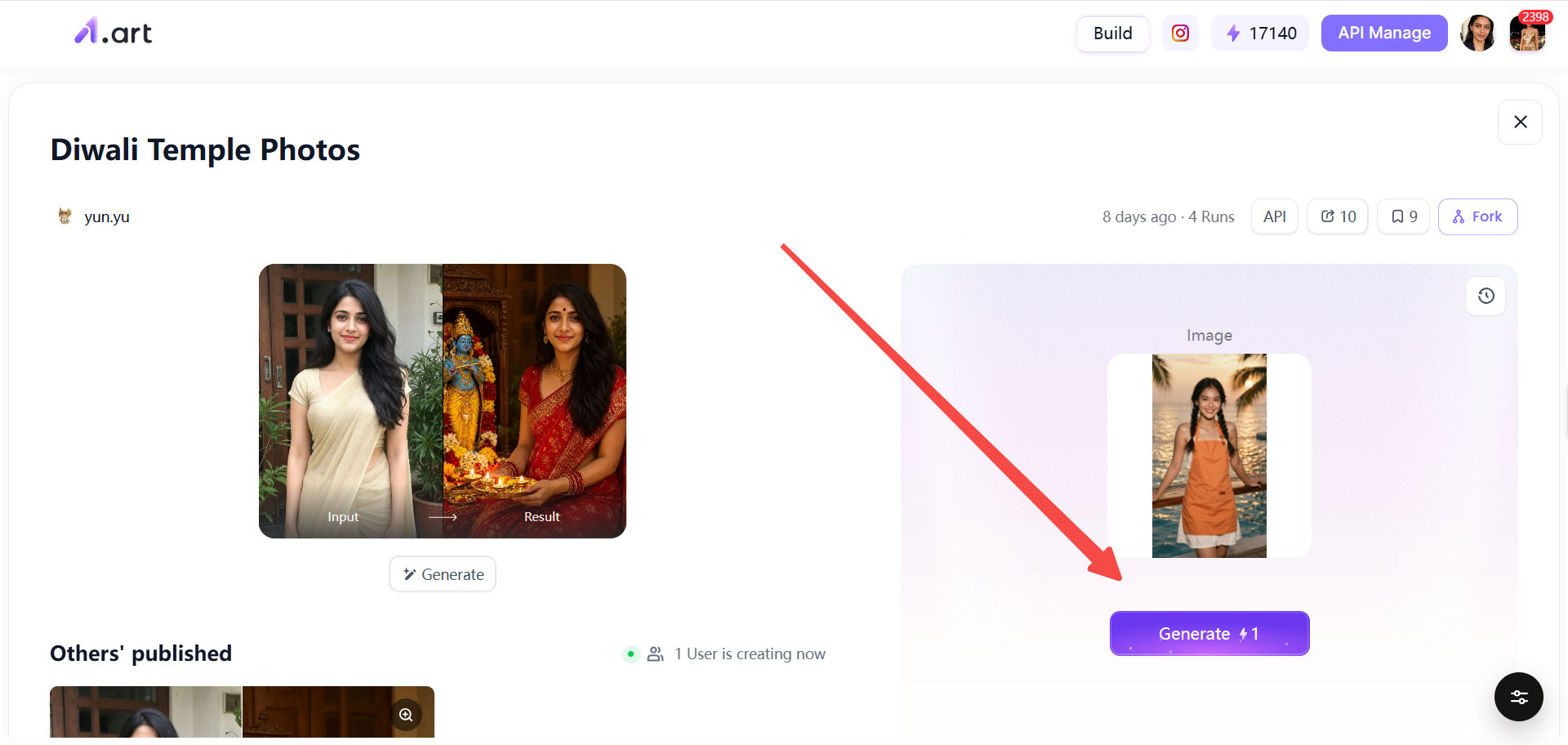
Then just click Generate, and the tool makes your picture in seconds. If you want to adjust colors or light, a diwali photo editor online can help you fine tune it. You can also try a diwali vibes prompt to get a warm holiday mood. When the image is ready, share it to community platforms with one click.
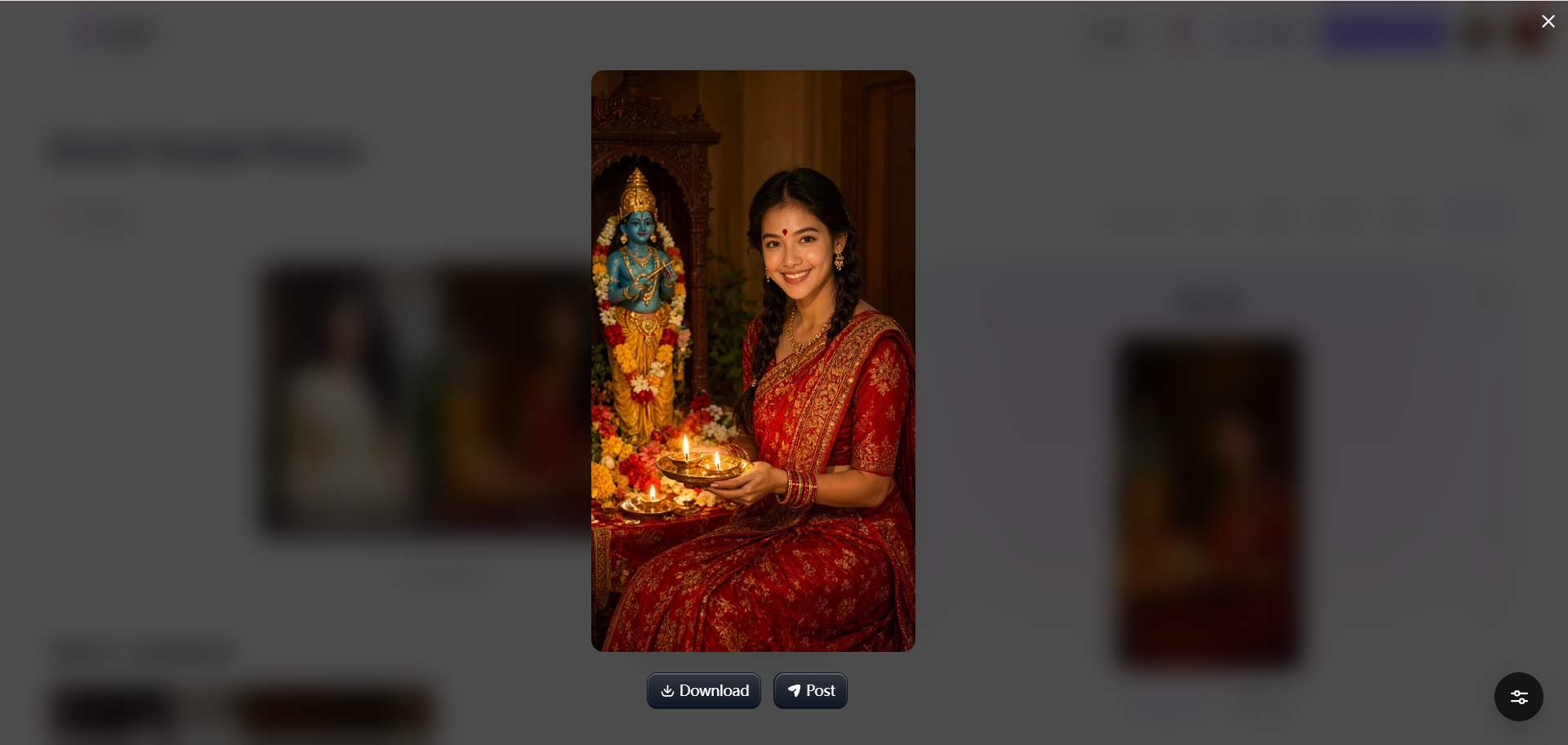
The whole process takes only a few minutes. It is simple, fast, and fun for everyone. Your festive picture is ready to share with family and friends.
Conclusion
Diwali photos should feel warm and personal. With the prompts above and a1.art, you can turn simple ideas into bright festive pictures. Whether you need an AI Diwali Photo Generator for cards or a happy diwali ai image generator for quick posts, the steps stay easy. You can even use an ai diwali wishes generator with photo to make greetings for family. Try a1.art today and share your light.
FAQ
What is the best AI Diwali Photo Generator for festive portraits?
a1.art is a strong choice because it offers ready filters and simple prompts for festive portraits. You can upload one clear photo and get a warm Diwali look in minutes. It also works well as an AI Diwali Photo Generator for cards, posts, and family greetings.
How can I create a Diwali photo using Gemini?
Start with a clear diwali look prompt for gemini that describes the person, clothes, diya light, flowers, and background. Keep the scene simple and ask for natural skin and soft warm light. Then use the result as a base and refine it in a diwali photo editor online if needed.
How do I create Diwali wishes AI with a personal photo?
Upload a clear front facing photo to a1.art and choose a Diwali portrait filter. Add a short diwali vibes prompt for warm lamps, marigold, and a calm smile. Then generate the image and share it as a personal greeting.
Can I use an online Diwali photo editor for free?
Yes, you can start with free basic filters and simple edits on many online tools. a1.art lets you try festive filters and generate images without design skills. Some advanced styles or higher quality options may need payment.
What is the best Diwali vibes prompt for realistic photos?
Use a prompt like warm diya light on the face, marigold flowers, soft rangoli, natural skin, calm candid smile, and gentle background bokeh. Keep the scene simple and avoid too many details. Ask for realistic light and natural colors for a true holiday photo feel.
How can I keep my original face in an AI Diwali photo?
Upload a clear photo with good light and a front facing pose. Choose a portrait filter that keeps facial features and avoids heavy stylization. Then check the result and adjust the light or color in a diwali photo editor online if the face looks too changed.
Read more
- When Is All Saints' Day 2026? Date, History & Meaning
- 15 Luxury Money Lifestyle AI Photo Editing Prompts (2026)
- Karwa Chauth 2026: Date, Moonrise Time, Vrat Vidhi & Katha
- 16 AI Travel Poster Prompts: Vintage, Cinematic & Collage
- Halloween 2026: Saturday, October 31 , Date, History & Traditions
- How to Make a Tesla Roadster AI Video: Prompts and Tips
- Dussehra 2026: Date, Puja Muhurat, Ravan Dahan & Significance
- Selira AI Alternatives: 10 Best Alternatives in 2026
- How to Make a Drake Burning Bridges AI Video from One Photo
- How to Make the Viral Hotel Lobby AI Video with Two Photos
Written by

a1.art
Published on
Oct 28, 2026
Share article


