


Imagine capturing the smooth aerodynamic lines, futuristic burst of speed, and jaw-dropping launch of this next-gen electric hypercar , before it even rolls out onto public roads. Car fans, content creators and marketers around the world hunt endlessly for great footage of these vehicles, but genuine clips are really hard to find.
If you’ve tried making cinematic videos with regular AI video tools, you’ve probably run into issues: warped car body panels, weird motion blur, or wheels spinning in unnatural ways that break the whole realistic vibe.
This guide shows you exactly how to make powerful AI-generated clips. With carefully written prompts and smart generation tricks, you can create photorealistic footage that looks just like a big-budget car ad. We’ll also cover how a1.art makes this whole workflow easier: it outputs videos quicker, with crisper details and top-tier image quality, minus the weird glitches you get on other platforms.
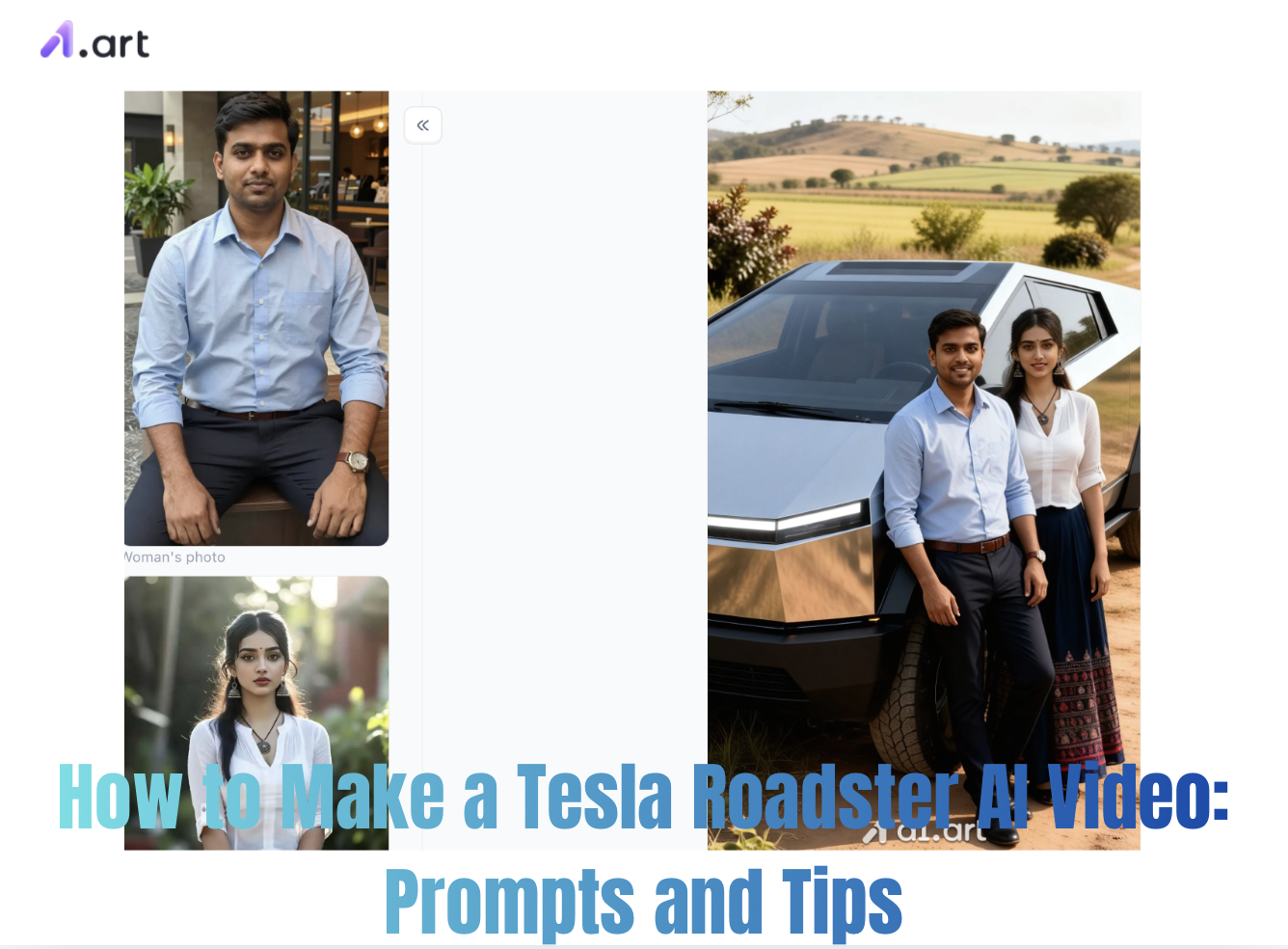
What Makes generating a Tesla Roadster AI Video So Compelling?
People are obsessed with next-gen electric hypercars, so social media is hungry for futuristic car content. On Reddit, creators chat nonstop in threads about making AI videos of the Tesla Roadster, swapping prompt settings, camera motion tips and lighting tricks to get that Hollywood-level look.
When crafting a compelling visual story, creators often look for real reference material , like the original Tesla Roadster clips and official driving footage. But generating your own cinematic videos lets you fully control everything: backgrounds, weather, lighting and dramatic camera shots.
Start your art journey with a1.art.
Core Prompts & Creative Scenarios for Tesla Roadster Video Generation
To get realistic physics, clean surface reflections and natural car movement, your prompts need to cover camera settings, vehicle design, environment textures and lighting.
Scenario 1: The Cyberpunk Neon Night Cruise Prompt: "Cinematic 8K video, metallic red electric hypercar cruising a neon futuristic city street on a rainy night. Wet road mirrors bright cyan and magenta neon lights. Low side tracking shot, hyper-realistic reflections, slow motion, sharp focus, cinematic color grading." Style Notes: Highlights how light hits the car exterior, builds strong contrast and immersive atmosphere.
Scenario 2: The High-Speed Desert Highway Sprint Prompt: "Dynamic tracking shot, white electric sports car speeding along an empty desert highway during golden hour sunset. Heat haze rippling behind the rear diffuser, dust particles lit up by sunlight, 35mm wide-angle lens motion, highly detailed carbon fiber parts, photorealistic physics." Style Notes: Great for capturing that thrilling sense of speed and hypercar power.
Scenario 3: Futuristic Launch Pad Studio Reveal Prompt: "Professional studio lighting, dramatic reveal of a dark matte grey hypercar. Camera glides smoothly around its sleek body, rim light tracing aerodynamic contours, gentle soft shadows, sharp 4K video, simple dark background." Style Notes: Works best for showcase renders and product-style ad clips.
Click the image to instantly generate the Tesla Roadster AI video you want⬇️
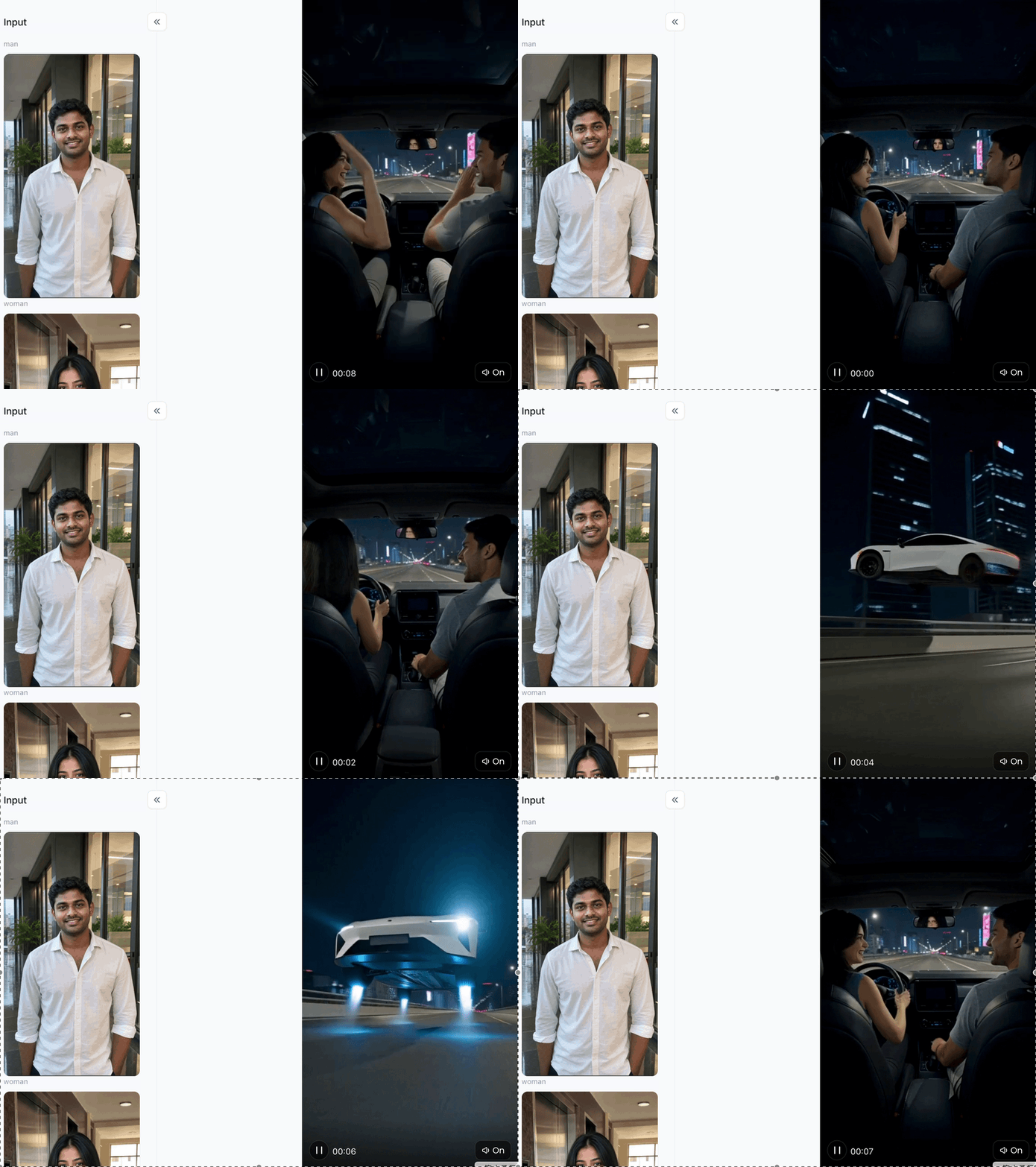
Comparing AI Video Generation Platforms: Why a1.art Delivers Superior Results
Not every AI visual tool handles intricate designs like modern hypercars well. Regular diffusion tools often mess up wheels, warp headlights and add annoying watermarks. a1.art has a streamlined workflow built for performance, accuracy and great visuals.
Why Our Platform Beats Alternatives Faster Processing Times?
Powered by optimized inference systems, it renders complex lighting and metallic reflections much quicker than most tools.
-
Sharper Resolution & Fine Detail: No blurry car logos, smeared brake calipers or warped windshields.
-
Natural Motion & Physics: The car body stays solid, while background motion blur and spinning wheels look authentic.
-
True-to-Life Aesthetic Quality: Natural highlights, accurate metallic tones and realistic film grain , no cheap plastic look.
-
Unobstructed Content Canvas: Outputs clean footage with no weird glitches or obstructive frame masks.
Step-by-Step Workflow: Crafting Your Hyper-Realistic Clip
Creating top-tier automotive visual content requires a systematic approach from initial prompt construction to post-processing adjustments.
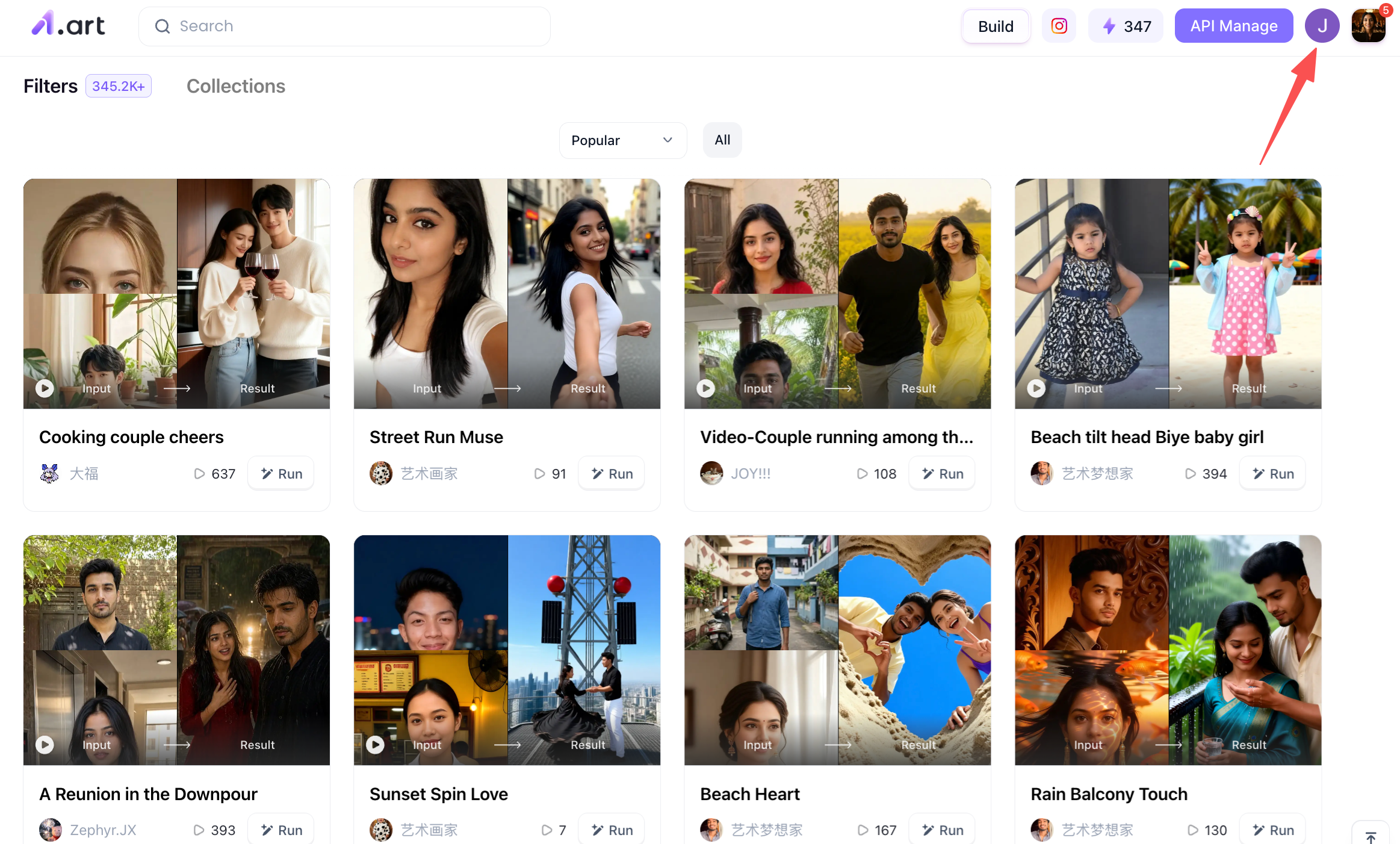
Step 1: You need to register your own a1.art account
Because this determines whether you can use a1.art normally to generate the Tesla Roadster AI Video you want. The steps are very simple. You need to open the homepage of a1.art, and then click on your profile picture in the upper right corner of the page. This is your registration entrance, and then you can follow the subsequent steps to register.
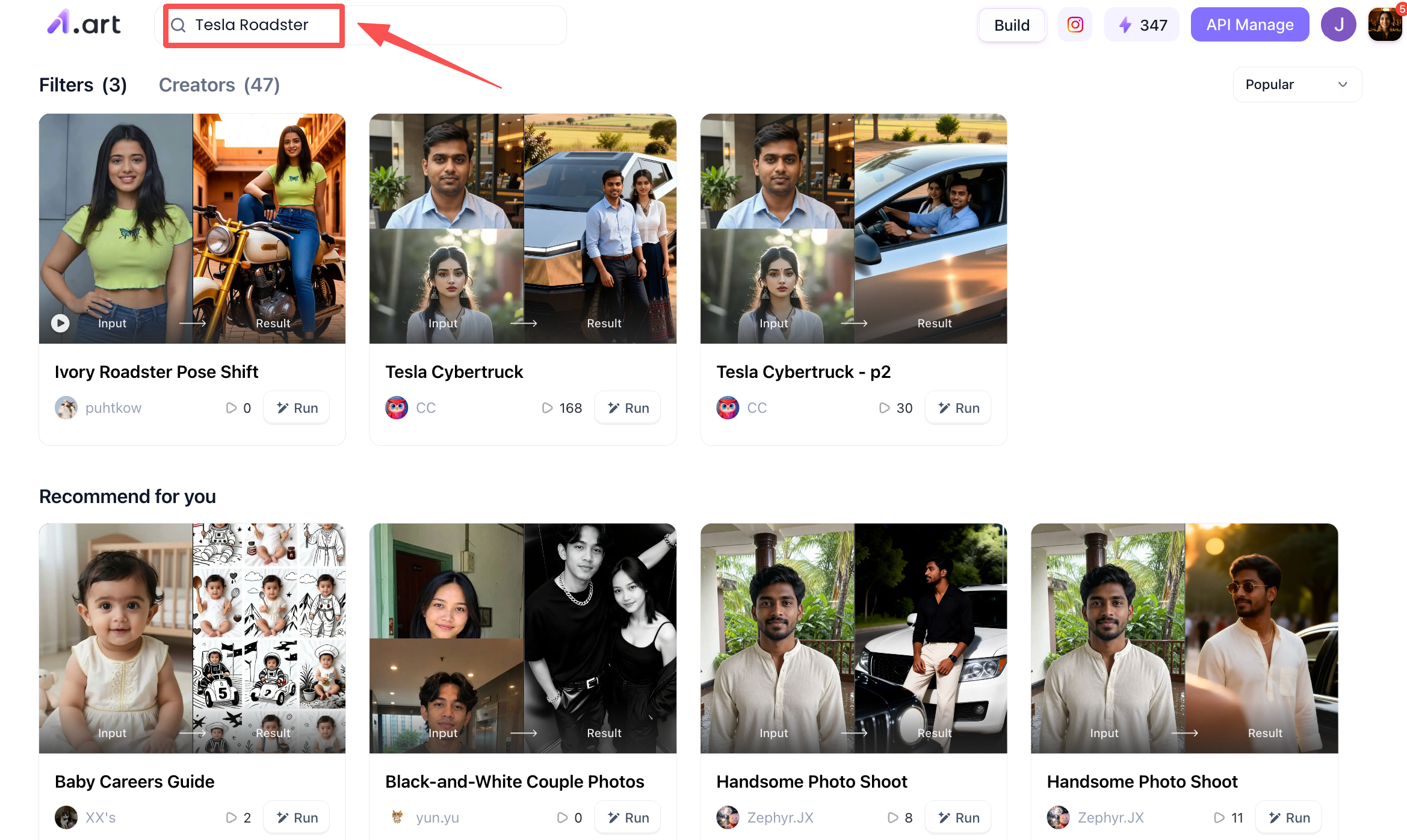
Step 2: Search for keywords related to the Tesla Roadster
Once you have registered your account, you can begin the preparatory work for creating an AI video of the Tesla Roadster. Simply enter keywords like "Tesla Roadster" into the search bar on the homepage, and the a1.art platform will display relevant filters. You can use these readily available filters to create your Tesla Roadster AI video,a feature that is exceptionally user-friendly for beginners.
Step 3: Start Creating Your Tesla Roadster AI Video
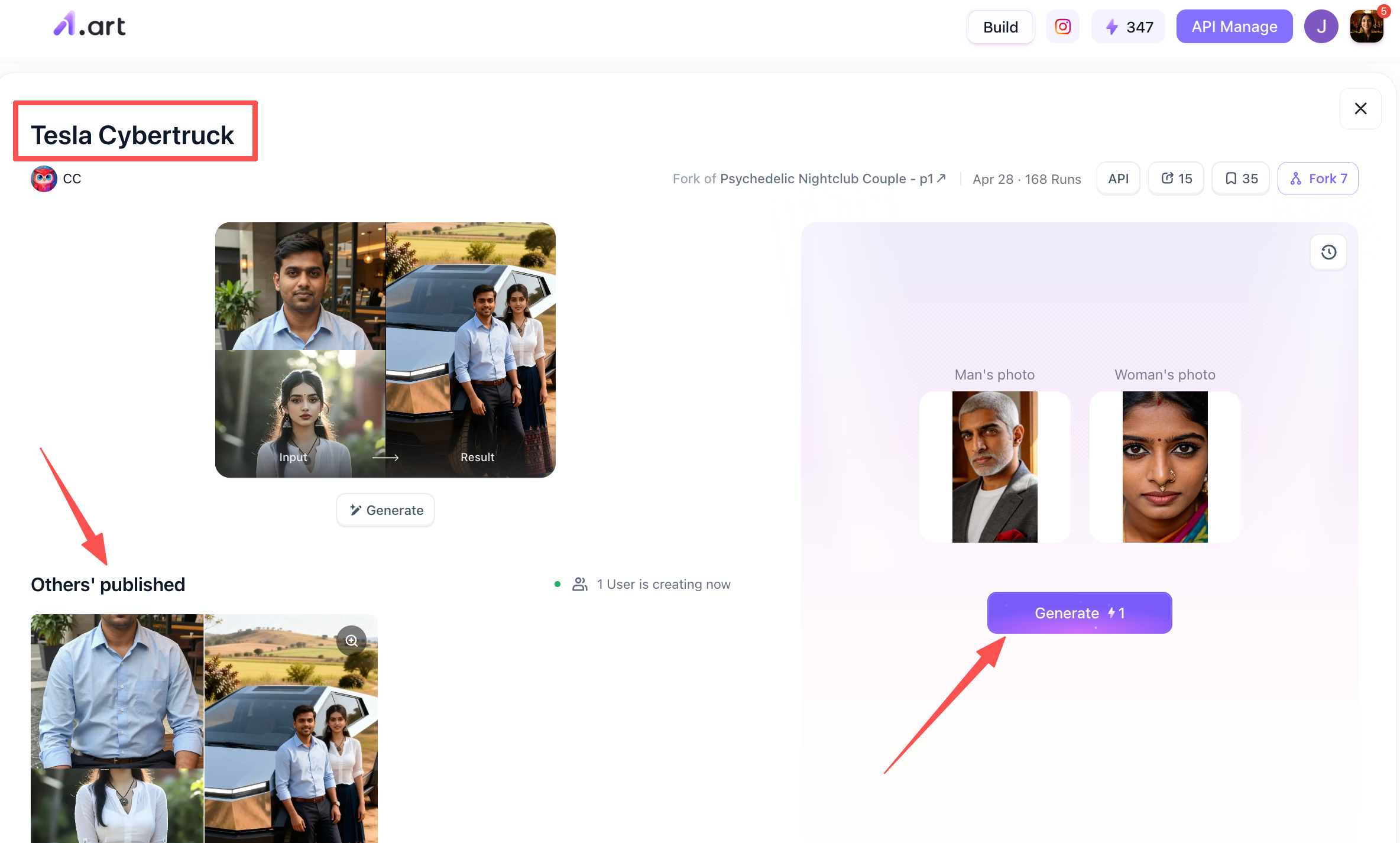
Once you have completed the previous step, you can begin creating your Tesla Roadster AI Video using the filter you found. For instance, let’s take the "Tesla Cybertruck" filter as an example; simply click on it to open it. Once inside, you will see the name of the filter in the top-left corner, while the bottom-left area displays Tesla Roadster AI Videos already created by other users. On the right side, you will find the section for uploading your photos. This particular filter supports the upload of two images. Simply upload clear, well-defined photos of faces, then click the "Generate" button below to proceed.
Step 4: Process your generated Tesla Roadster AI video
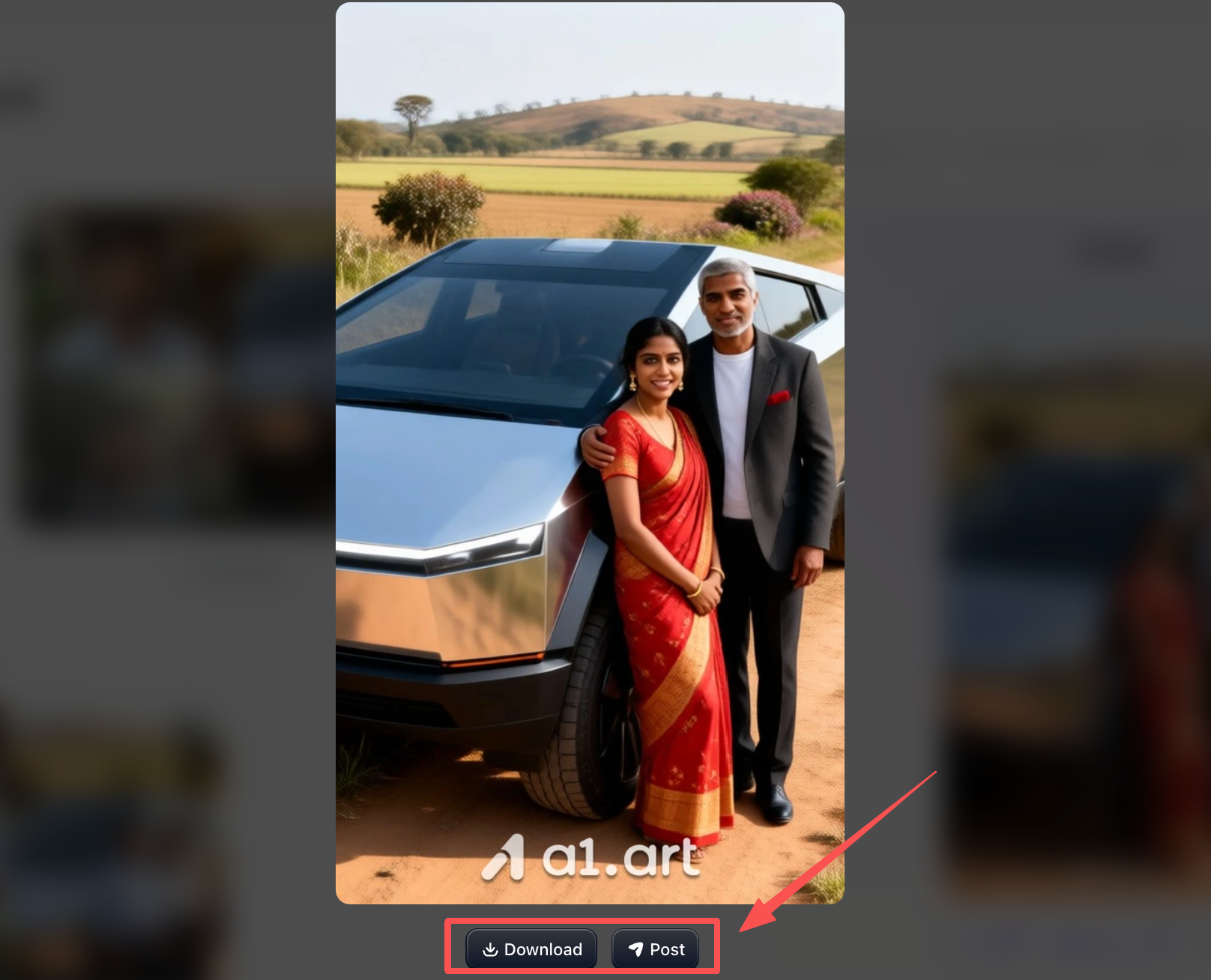
After clicking the generate button, wait a few minutes, and you will receive the full version of your Tesla Roadster AI video. You can then choose to download it or share it,for instance, by posting it to the filter’s community, just like other users have done. It’s entirely up to you how you’d like to handle it!
Pro Tips for Maximizing Tesla Roadster AI Video Visual Impact
-
Use Negative Prompting: Exclude terms like "warped wheels, duplicate headlights, low resolution, plastic texture, distorted body panels."
-
Control Environmental Contrast: High-contrast environments (such as dusk, wet city roads, or mountain passes) mask minor AI motion artifacts while highlighting glossy paint finishes.
-
Aspect Ratio Optimization: Render at 16:9 for landscape cinema or 9:16 for mobile vertical feeds.
Here are a few more Tesla Roadster-themed filters for you
Rocket Roadster Takeoff Tesla
-
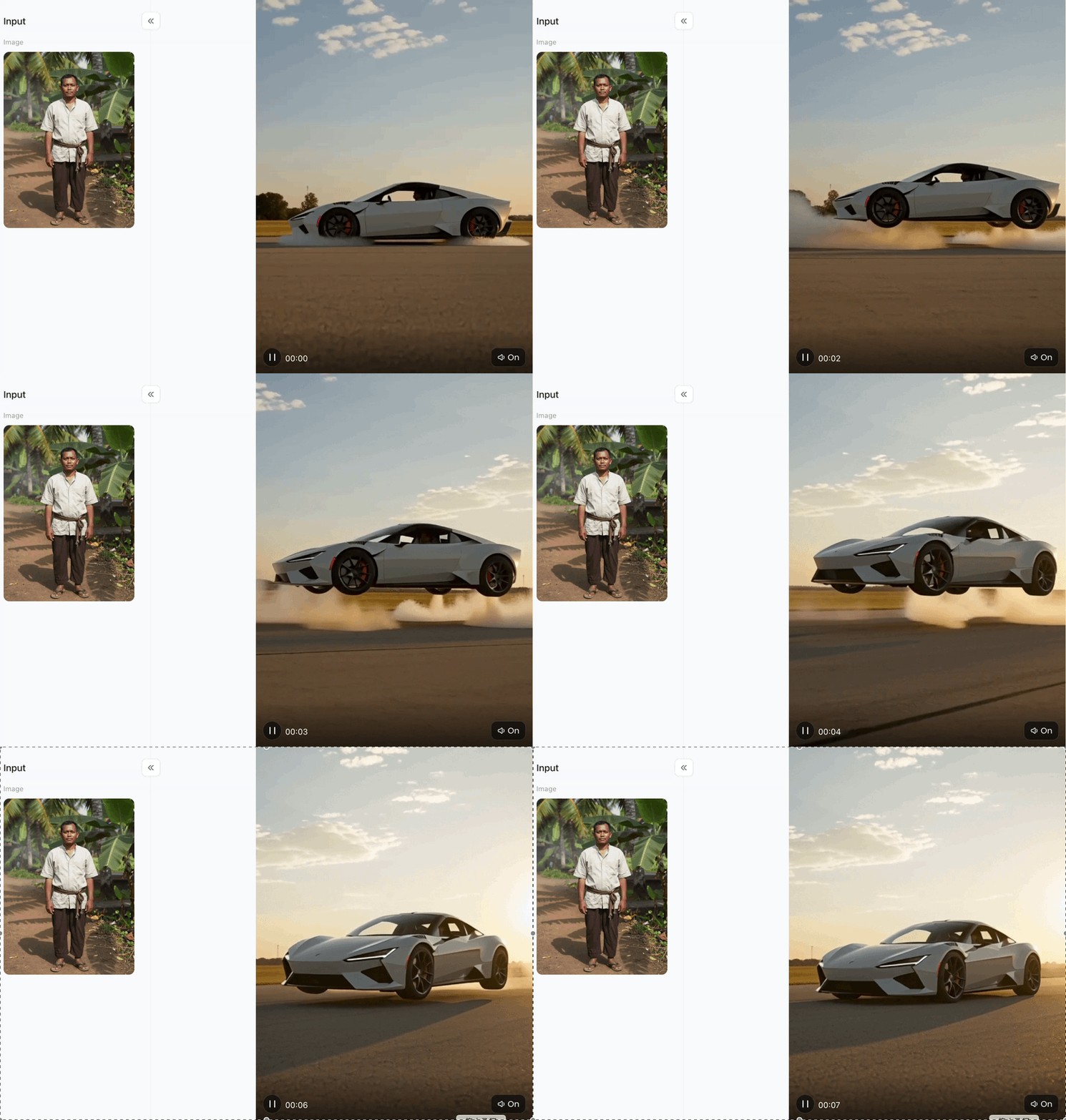
High-Impact Concept Replacement: Completely transforms standard portrait/input images into a dramatic, futuristic sci-fi scene featuring a flying Tesla Roadster.
-
Realistic Dynamic Motion & Smoke: Incorporates realistic thruster dust, smoke clouds, and airborne physics for a strong cinematic feel.
-
Cinematic Lighting & Color Grading: Features natural golden-hour ambient lighting and realistic reflections across the car's body.
-
High Contrast & Surreal Humor: Creates a striking contrast between everyday input portraits and ultra-futuristic, high-tech hypercar visuals.
Tesla Roadster Kickflip
-
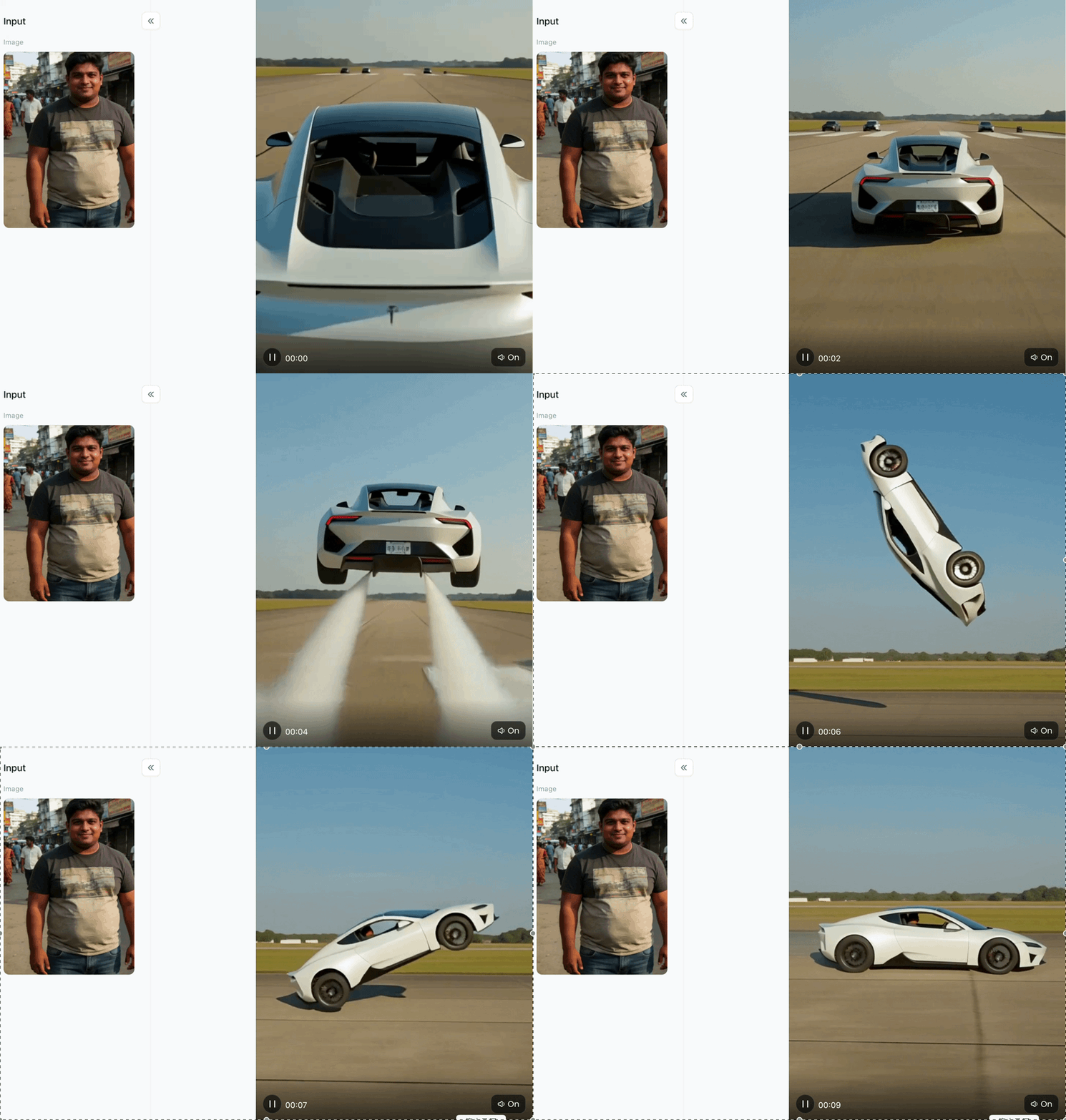
Dynamic Acrobatic Concept: Flips the car upside down mid-air in a stunt-like "kickflip" motion, turning ordinary photos into high-energy, action-packed visuals.
-
Ultra-Crisp Object Geometry: Renders the white hypercar's body lines, wheel vents, and brake calipers with razor-sharp precision and zero blurring.
-
Convincing Physical Inversion: Retains realistic structural details and consistent perspectives on the vehicle's underside despite the extreme $$180^\cir$$ aerial flip.
-
Clean & Distortion-Free Background: Keeps the environmental backdrop (runway and treeline) crisp, steady, and unobstructive to the main subject.
Tesla Roadster AI Video
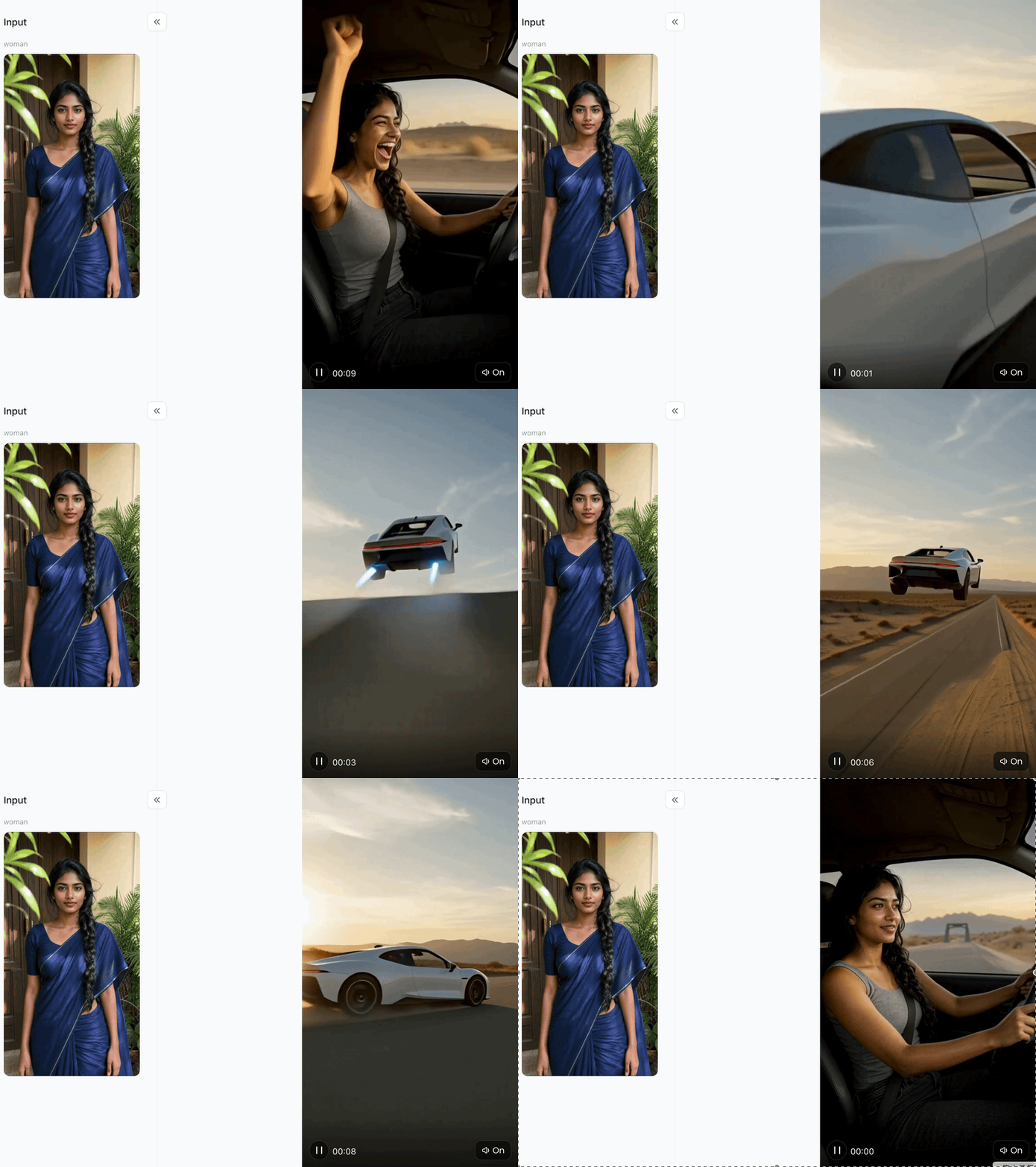
-
Futuristic Jet-Thruster FX: Features glowing cyan rear thruster flames, vividly bringing to life the sci-fi concept of a flying SpaceX-package Roadster.
-
Cinematic Mid-Air Elevation: Depicts the hypercar floating high above a vast desert landscape with realistic low-angle perspective and depth.
-
Vibrant Sunset Lighting: Seamlessly blends warm, golden-hour sky hues with cool blue thruster lights for striking visual contrast.
-
High-Impact Transformation: Delivers a dramatic contrast by replacing a static portrait input with a high-octane, futuristic flight scene.
Concluison
Mastering hypercar prompt engineering opens infinite creative possibilities for content marketers, automotive enthusiasts, and AI visual artists. By structuring prompts with clear camera directions, realistic lighting conditions, and precise vehicle specifications, you can generate stunning footage in minutes.
Using advanced generation platforms like a1.art ensures your videos achieve crisp clarity, realistic physics, and swift rendering speeds without content obstruction or structural distortion. Start experimenting with these prompts and techniques today to turn visionary automotive concepts into commercial-grade video content.
FAQs
Q: What is the Tesla Roadster AI Video Generator on a1.art?
A: It is an AI tool that transforms photos into realistic, high-speed, or flying Tesla Roadster videos in seconds.
Q: Do I need video editing skills to create these clips?
A: No. Simply upload an image, select a template or filter, and the AI generates the complete video automatically.
Q: Why choose a1.art over other AI generators?
A: a1.art provides faster rendering, crisp 4K resolution, natural physics, and zero body distortion or watermarks.
Q: Can I customize the prompts and visual styles?
A: Yes. You can use custom text prompts to adjust lighting, environments, camera angles, and special effects like rocket thrusters.
Read more
- Dussehra 2026: Date, Puja Muhurat, Ravan Dahan & Significance
- Selira AI Alternatives: 10 Best Alternatives in 2026
- How to Make a Drake Burning Bridges AI Video from One Photo
- How to Make the Viral Hotel Lobby AI Video with Two Photos
- Free AI-Generated Porn Videos & Images? Explore Sultry AI Looks
- PixVerse AI Nude: Free Credits & a1.art Style Guide
- 15 ChatGPT GTA 6 Style Poster Prompts for Photos (2026)
- DMK Prompt for Gemini AI: 20 Political Poster Ideas (2026)
- Top 10 Free Undress AI Generators You Should Try Right Now
- Free Make Hot Clothes Remove Video Online Now
Written by

a1.art
Published on
Oct 20, 2026
Share article


