


An adult portrait in soft evening light can suggest a whole story. Add a slow turn, a flicker of eye contact or a dress moving in the breeze, and the scene feels alive. If you are curious about free AI-generated porn videos and images, the most compelling results often begin with that kind of tension. Before uploading a photo, it helps to know whether you are choosing a still-image filter, a video tool or simply a preview.
On a1.art, you can explore suggestive, non-explicit styles with daily free credits, hundreds of thousands of filters and fast generation. Settings and credit costs vary by app. Check whether the selected app asks you to sign in before generating or downloading. The platform's published rules prohibit pornographic content. This guide covers the creative options, the price questions and the privacy checks that matter when working with portraits of adults.
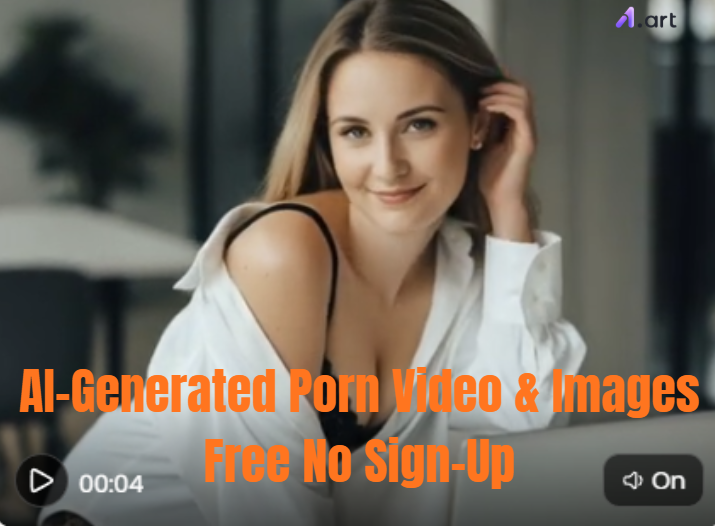
What can AI-generated images and video actually do?
An image filter can change lighting, styling, background or the overall mood of a portrait. Image-to-video tools take a still frame and synthesize movement, such as a slow turn, a change in expression or a gentle camera move. A GIF may loop a short sequence, while a video tool may offer a different length or format. Those are separate outputs; the same filter will not necessarily produce all three.
The appeal is easy to see. A low-lit portrait can feel intimate without showing anything explicit. A couple in a black-and-white frame can tell a story through distance, posture and eye contact. A dress caught in the wind can add motion to an otherwise static scene. These effects are synthetic interpretations, not evidence of what a real person did or what is hidden beneath their clothes.
From an idea to a moving preview in three steps
1. Choose the app and the look
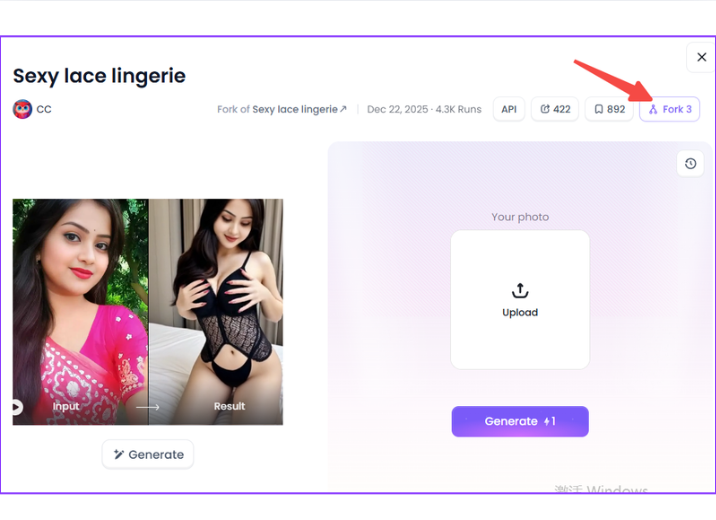
The first screen shows a lace lingerie style app with sample portraits, a photo upload panel and a Generate button. Use the examples to judge the framing and clothing style, then check the selected app's current rules, credit price and output format. Some apps make a still image; others offer motion. The presence of a preview does not mean that every upload will produce the same look.
2. Upload a photo you can use
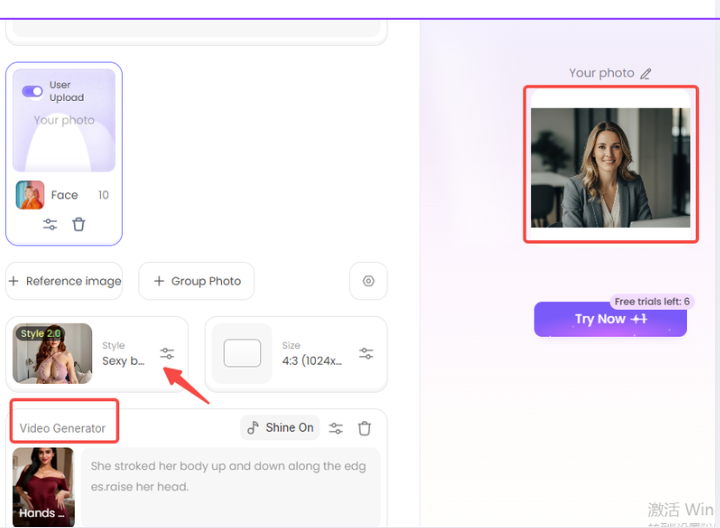
The next screen shows the upload controls with a selected portrait on the right, a style panel and a Video Generator option. Choose your own photo or one you have permission to edit, and make sure any recognizable person has agreed to this use. A clear adult portrait with visible shoulders and an uncluttered background gives the app a better starting point. Check the crop and selected style before you run it.
3. Generate and review the result
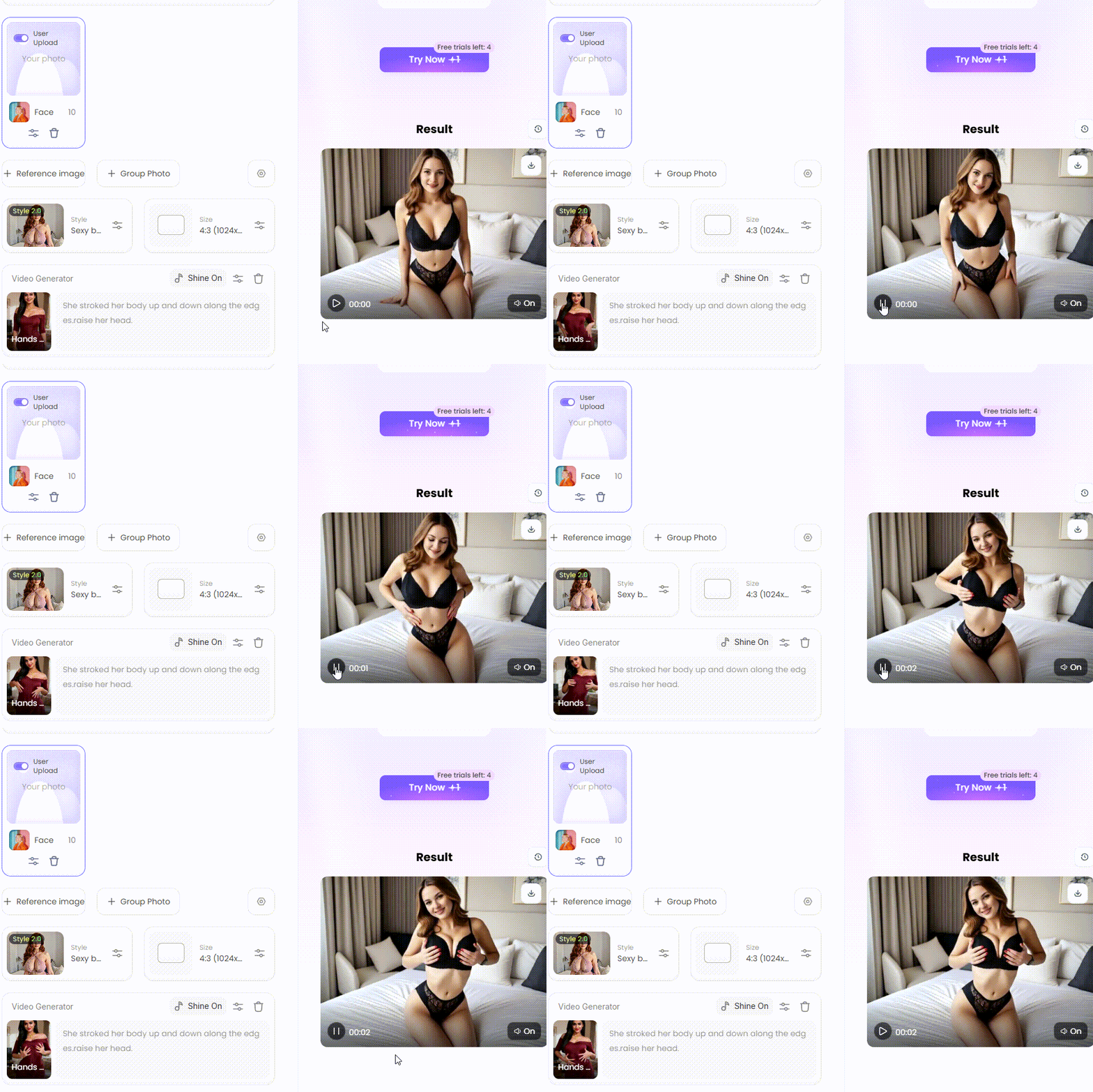
The third screen shows a playable result preview with a black lingerie look. Watch the whole sequence before saving it. Faces, hands, jewelry and clothing edges can change between frames, even when the thumbnail looks polished. a1.art generates quickly, but the wait depends on the app and current load; the preview does not promise a fixed three-second turnaround. If the movement looks unnatural, try a cleaner source or request a smaller change.
Free credits, sign-up and the real cost of a result
Free access rarely tells the whole price story. a1.art offers daily free credits, but a particular filter may use a different number of credits from another filter. Video, additional variations, higher resolution or export options may also have separate terms. Check the balance and the price shown in the app before each run. That matters more than a broad claim about unlimited free generation.
Wondering whether you can try it without signing up? Opening a page without an account does not necessarily mean you can generate, save and download without signing in. Check the actual account prompt at the step you want to use. If privacy is the reason you want fewer account details, also read how uploads and generated files are stored and deleted. An anonymous-looking interface is not a privacy guarantee.
After the first test, review the result at full size before spending more credits on variations. Make one change per run so you can tell whether a different style, crop or motion improved the scene. If an app only exports a still image, do not assume that a video tool is included in the same price.
From a still portrait to a scene with motion
The camera should support the mood of the still image. A slow push toward the face draws attention to an expression; a gentle sideways move reveals more of the setting; a light breeze gives fabric and hair room to move. For two people, even a small shift in eye contact can carry the scene. Choose one action that suits the composition instead of asking for a chain of gestures.
Keep the light and location consistent from the first frame to the last. Changing the room, clothing and pose at once gives the model too many competing directions. If a clip feels unstable, keep the same source image and change only the motion request. That makes it easier to see which instruction actually improved the result.
Decide on the output before you spend credits. A looping GIF, a short video and a still image may each have different controls and limits. Check the available duration and file format on the selected app page, then judge the exported file rather than relying on the preview alone.
Looks with a little tension
There is more than one way to make a portrait feel alluring. A Girl Next Door style leans on familiarity: natural light, relaxed posture and an expression that feels unposed. A second Girl Next Door variation offers another visual starting point. Inspect the destination's current settings before using either one.
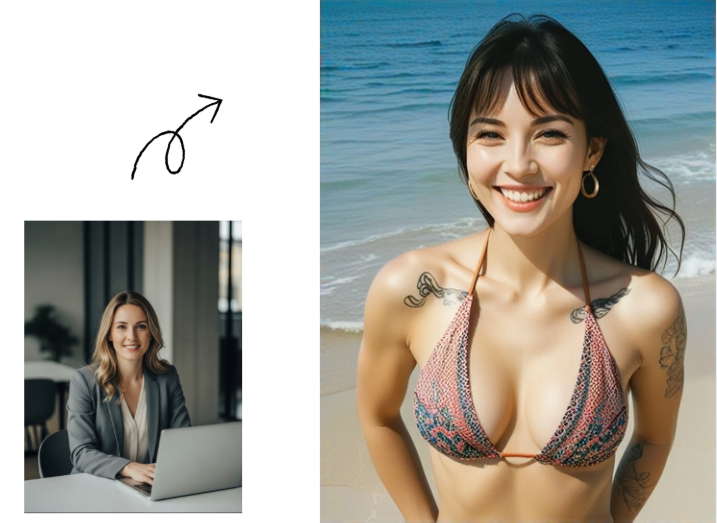
For a bolder look, the tattooed beachwear portrait below turns an everyday photo into a sunny seaside image. The swimwear, visible ink and beach backdrop carry the mood. Compare the face and proportions in the two frames before using a similar transformation on a photo of your own.
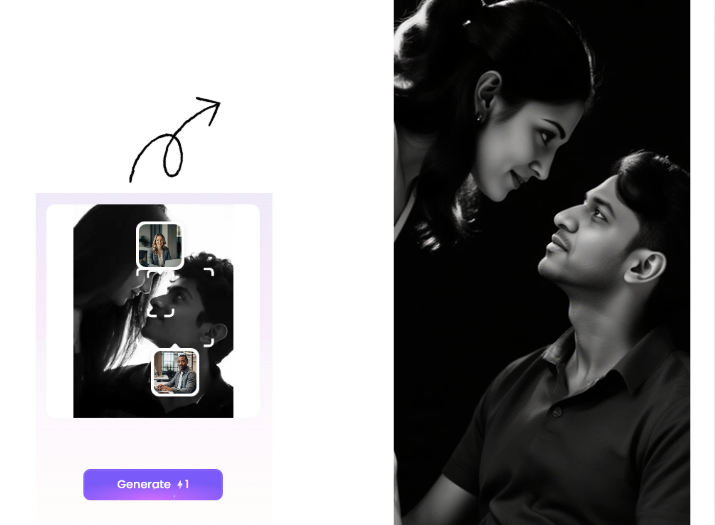
Romance can be quieter. The black-and-white couple portrait points toward closeness, contrast and expression rather than a crowded scene. Keep the two people visually distinct when working from your own authorized images. A simple background makes it easier to spot doubled faces, extra fingers or a change in clothing between frames.
Use each example as a starting point. The result you can generate depends on the specific app, your input and its current rules. A filter name also says little about the rights needed to upload or publish an image of a real person.
How to make a sultry scene feel less artificial
Begin with one clear visual sentence: adult fashion portrait, evening window light, black satin jacket, subtle smile, shallow depth of field. For motion, add one small action: the subject turns slightly toward the camera. This gives the model a coherent direction. Long strings of quality labels and contradictory moods often make the scene harder to control.
Look for natural skin texture, consistent eye lines and believable fabric folds. Hands deserve a separate check, especially when they cross the body or hold an object. In a short clip, inspect several frames rather than judging only the thumbnail. When an error appears, change one variable at a time so you can tell whether the source image, style or motion caused it.
Movement can supply the edge that a still image lacks. A Twirl Legs example suggests pose and rhythm; an Attractive Beauty Hot Girl style suggests a more direct glamour look. These are separate examples, each with its own preview and controls.
The wind-themed outfit preview below shows a purple top changing into a lingerie look. Check whether that degree of change fits your project and the person's consent. The filter name does not guarantee flawless anatomy or a particular output format.
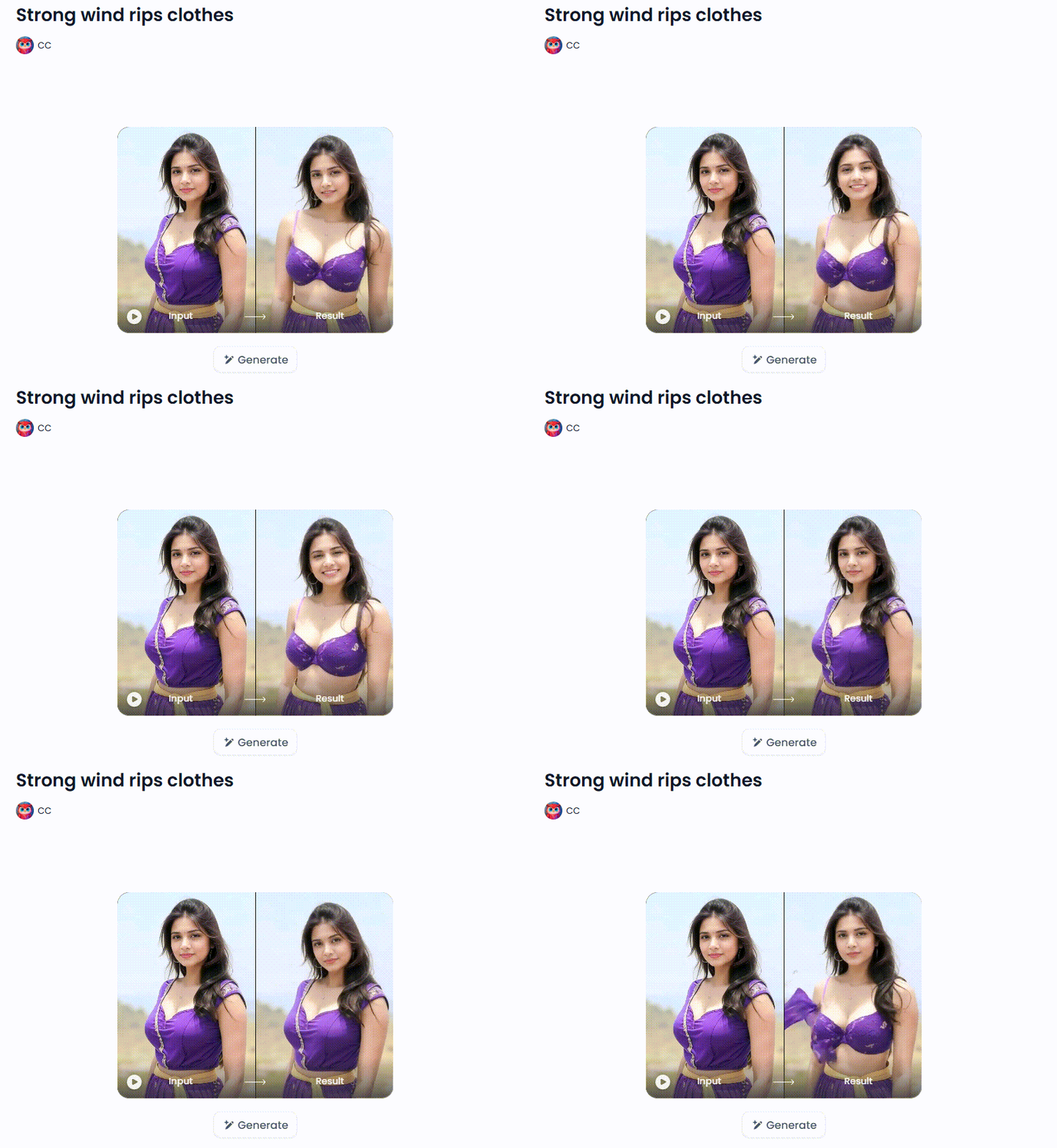
The same principle applies to wind, fabric and camera movement. Keep clothing and the person's identity consistent if you want a believable fashion scene. If a result introduces unwanted exposure or changes a real person's appearance in an intimate way, do not publish it. Adjust the concept or choose a different filter.
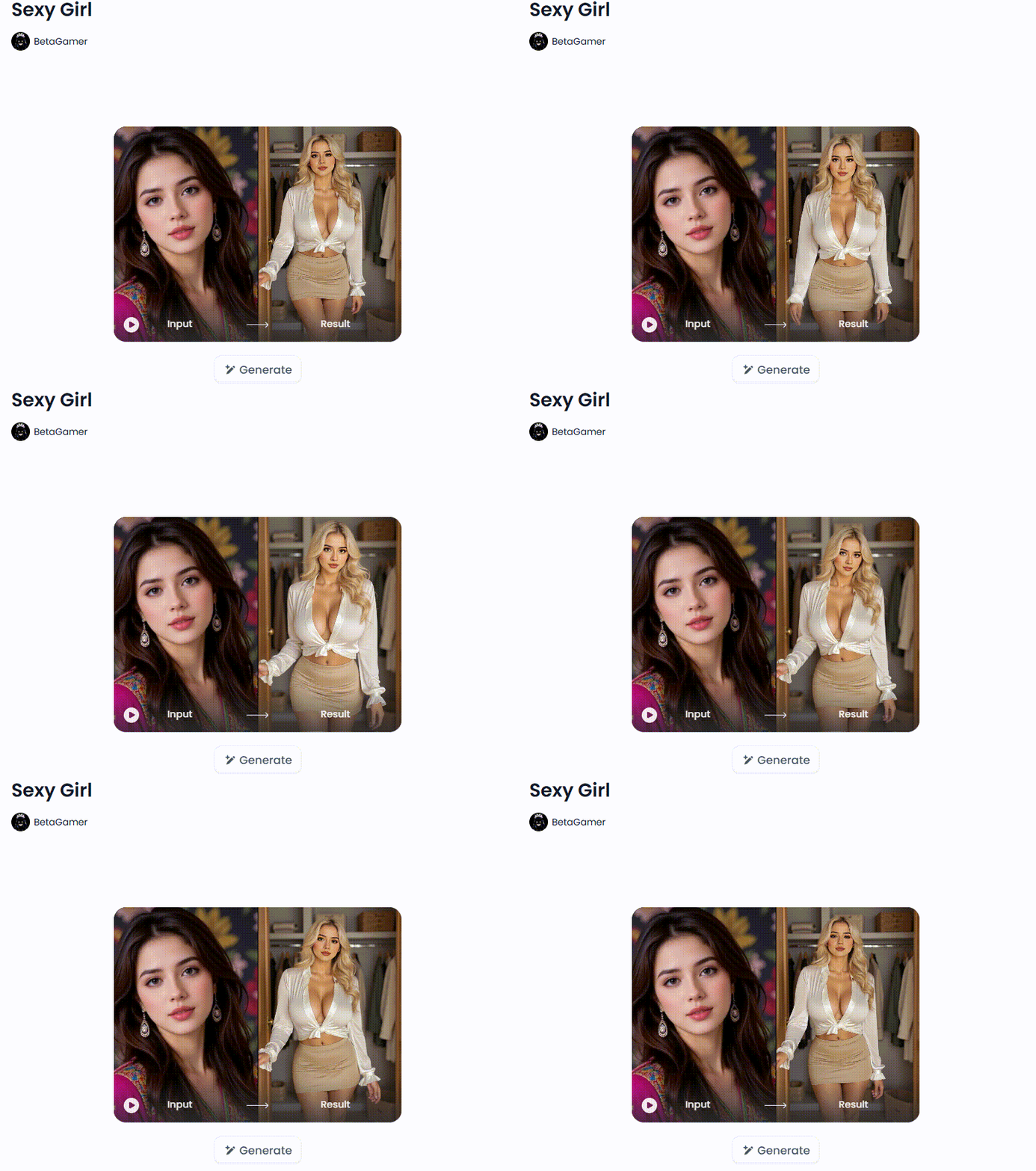
The final glamour preview shows another wardrobe change: a portrait becomes a white blouse and tan skirt look. Compare the face, proportions and outfit with the source instead of judging only the styling. A dramatic result can still be the wrong one if the person's likeness shifts or the new scene goes beyond what they agreed to.
Before uploading a photo of a real person
A public profile picture is not an invitation to remake someone's body or place them in a suggestive scene. Use photos you own or have permission to edit, and get clear consent from any recognizable person for the specific use. Consent to a portrait session does not automatically cover a synthetic intimate depiction or public distribution.
Read the app's current privacy information before uploading sensitive images. Look for details about retention, visibility, deletion and whether a generated result appears in a public gallery. Avoid private files in casual tests. Cropping a face can reduce exposure, but it does not resolve every copyright or consent issue when the person remains identifiable by other details.
For fictional characters, keep them clearly adult. Do not create sexualized material involving minors. If an image or clip resembles a real person unexpectedly, review it before sharing. The most effective creative choice is often also the simpler one: an original adult character, a controlled setting and a style that implies a story without pretending to reveal a real person's private life.
Questions people ask about free AI video and images
Can I make an AI-generated porn video for free on a1.art?
a1.art provides daily free credits for supported creative features, but its published rules prohibit pornographic content. You can explore suggestive, non-explicit images and motion within the rules of the selected app. Check the displayed credit cost and output options before starting.
Do I need to sign up before generating or downloading?
That depends on the current app and the action you want to take. A page may be visible without an account while generation, saving or downloading asks you to sign in. Check the live interface before uploading a photo or paying for a feature.
Can any image become a video?
No. Use a tool that explicitly supports image-to-video output. The source image also matters: clean composition and a clear subject usually make it easier to request restrained motion. A photo you found online is not automatically yours to upload or animate.
Why do faces, hands or clothes change between frames?
Each frame is generated, so fine details can drift when the model interprets motion. Keep the requested movement modest, start with a well-lit source and inspect the whole clip. No setting can promise perfect anatomy in every result.
Can I share a sultry AI portrait or clip?
Check the app's content rules, the rights to the source material and the consent of any real person depicted. If the work is commercial, confirm the applicable license as well. A free credit or paid export does not settle those questions by itself.
Choose the look, then check the limits
Sultry AI art is most compelling when the styling feels deliberate: one strong portrait, a believable mood and motion that adds to the scene. a1.art's daily free credits, large filter library and fast generation make it easy to try ideas, while each app's cost and permissions deserve a fresh look. Start with images you have permission to use, keep the result non-explicit and judge the full image or clip before sharing it.
🔞 Content Publication Policy
All users must follow these rules and take full responsibility for the content they publish:
- Illegal content: Creating or distributing illegal content of any kind is strictly prohibited.
- CSAM (child sexual abuse material): Sexual content involving minors is prohibited without exception. There is zero tolerance, and such material can carry serious criminal penalties.
- Deepfakes and consent: Creating or sharing intimate depictions of a real person without their explicit consent is strictly prohibited.
- User responsibility: Users are responsible for ensuring that all content they create complies with copyright, privacy rights and all applicable laws.
- PixVerse AI Nude: Free Credits & a1.art Style Guide
- 15 ChatGPT GTA 6 Style Poster Prompts for Photos (2026)
- DMK Prompt for Gemini AI: 20 Political Poster Ideas (2026)
- Top 10 Free Undress AI Generators You Should Try Right Now
- Free Make Hot Clothes Remove Video Online Now
- How to Create Indian Actress AI Porn Videos Free?
- 16 Latest Viral AI Image Prompts to Copy and Try in 2026
- AI Image to Video NSFW Generator: The Best Tools for Animating Adult Images
- Diwali Greeting Card Maker: Create Personalized AI Cards
- Casa Tupka Anthemo AI Video Prompt for the Viral Car Reel

a1.art
Oct 12, 2026


