


A sultry portrait, a sunlit bikini look, or a romantic couple scene: PixVerse AI nude searches often begin with a visual idea. For adult subjects, pose, fabric, lighting, and framing can give an image a sensual mood. a1.art's filter collection offers starting points for exploring these looks, while PixVerse provides image and video tools, including image-to-video animation.
This guide explains the tools' actual capabilities, daily free credits, and a practical route from an a1.art styled image to a PixVerse video. You'll also find filter examples, prompt ideas, and quality checks for creating a polished result. Each service uses its own interface and credit balance.
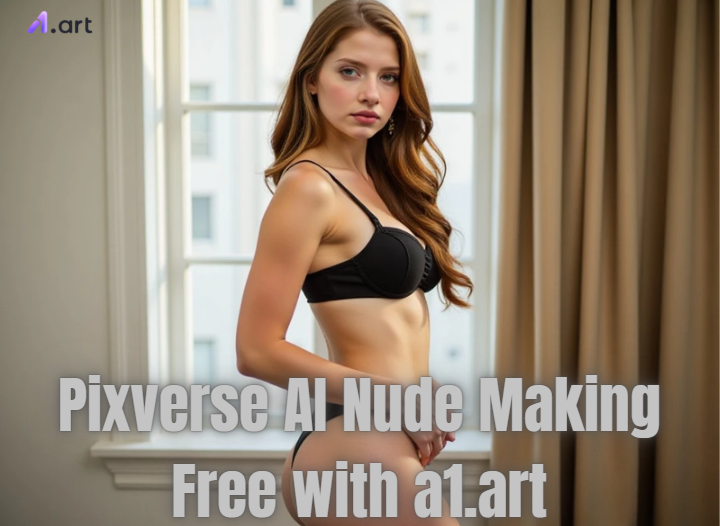
What does “PixVerse AI nude” actually mean?
The phrase covers different interests: sensual portraits, swimwear styling, classical figure art, and animation of an existing image. A beachwear image, a romantic composition, and an explicit nude request have different requirements. Start by deciding which visual effect you want and whether the finished result should be a still image or a video.
The official PixVerse website describes image and video creation, including text-to-video and image-to-video. It does not establish a dedicated feature named “PixVerse AI nude.” AI photo editing creates a synthetic interpretation of the input; it cannot reveal a person's actual appearance beneath clothing.
Can PixVerse generate nude images or videos?
PixVerse's Community Guidelines prohibit graphic sexual content and inappropriate adult material, while a1.art's Terms of Service prohibit pornographic and obscene content. Check the selected app's current rules when choosing a style. The workflows below focus on adult glamour, beachwear, romantic scenes, and eligible video animation.
To work with both services, export an eligible image from a1.art and upload it through PixVerse's own interface. This gives you a still-image stage for developing the look and a separate video stage for adding movement.
PixVerse and a1.art: choose the workflow for your goal
Decide whether you need a finished still image, movement from a reference image, or an entirely new video scene. That choice determines what to prepare and which controls matter.
| Your goal | Useful starting route | What to check |
|---|---|---|
| Explore a sultry portrait, beachwear look, or romantic scene | Browse a1.art's filter and app collection. | Preview images, required inputs, and whether the app produces an image or video. |
| Animate a finished visual reference | Use PixVerse image-to-video with an eligible source image. | Source clarity, intended movement, framing, duration, and the displayed credit cost. |
| Create a video scene from a description | Use PixVerse text-to-video. | Subject, setting, action, camera direction, and the selected model's options. |
| Compare looks before committing to motion | Develop a still image first, then move the selected export into a video workflow. | Face and clothing details in the still; visual consistency across the video. |
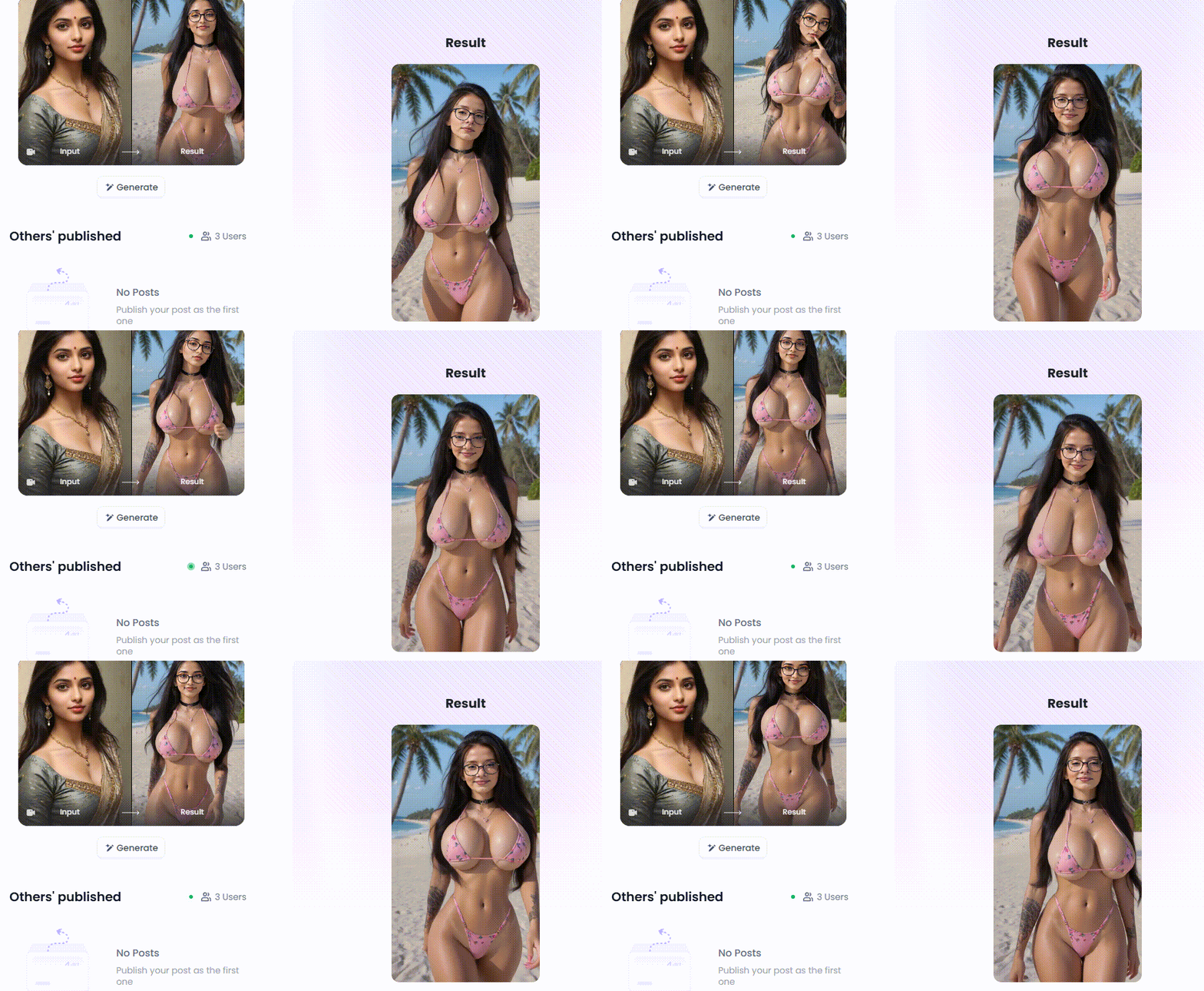
a1.art includes both still-image and video apps. Read each entry's current description and input requirements. The Seductive Elegance example below shows how a portrait app interprets the source image's face, pose, outfit, and setting. Compare those details with the look you want to create.
What can you try for free?
a1.art: daily credits, a large filter library, and fast generation
a1.art provides daily free credits, hundreds of thousands of filters, and fast generation. These benefits make it practical to explore different visual directions without building a complicated editing setup.
Use the filter library to narrow your choice to a few relevant styles. Daily credits give you a way to return to an idea and refine it, while fast generation makes it easier to compare alternatives. For example, test one portrait with two lighting approaches, then spend further credits on the direction that best matches your brief.
Check the available balance and the generation cost shown for your chosen app before running it. The number of generations available with your daily credits depends on the selected app and output settings. Keep the strongest result and give each new attempt a specific improvement to test.
PixVerse: check its separate free-credit allowance
PixVerse's official free-video guide describes a free starting path for registered accounts with daily free credits. The balance, bonuses, and eligible models can vary by account, region, and product route. Check the balance and cost in PixVerse before generating; an a1.art credit balance does not establish your PixVerse allowance.
For a first video test, use a short clip and simple movement. Confirm the settings available to your account, including resolution, duration, sound, and export options. Assess one result before increasing the scope of the next generation.
Choose an a1.art filter for a sensual visual style
A compelling adult glamour image depends on more than revealing clothing. Warm light, a confident pose, fabric texture, and a well-chosen setting can carry the mood. Browse these a1.art apps by the effect you want, then compare their current previews and required inputs.
- Soft portraits and romantic couples: Morning Beauty, Deep Love Scene, Love Birds, and When Love Is Not Optional.
- Sunlit beachwear and coastal scenes: Palm Beach and Surfer Girl.
- Outfits, cutouts, and hair styling: Bathrobe, Cocktail Dress with Cutouts, and Wet Look (hairstyle).
- Relaxed indoor settings: Bubble Bath, Meowing Bathtub, and Sexy Sleep.
Before choosing, compare how much the example changes the face, hairstyle, clothing, and background. For a glamour portrait, look at the silhouette, neckline, fabric folds, and shadows as well as the face. For a romantic couple composition, assess how naturally the two subjects fit together and how many reference photos the app asks for. Prioritise examples that retain the details your brief depends on.
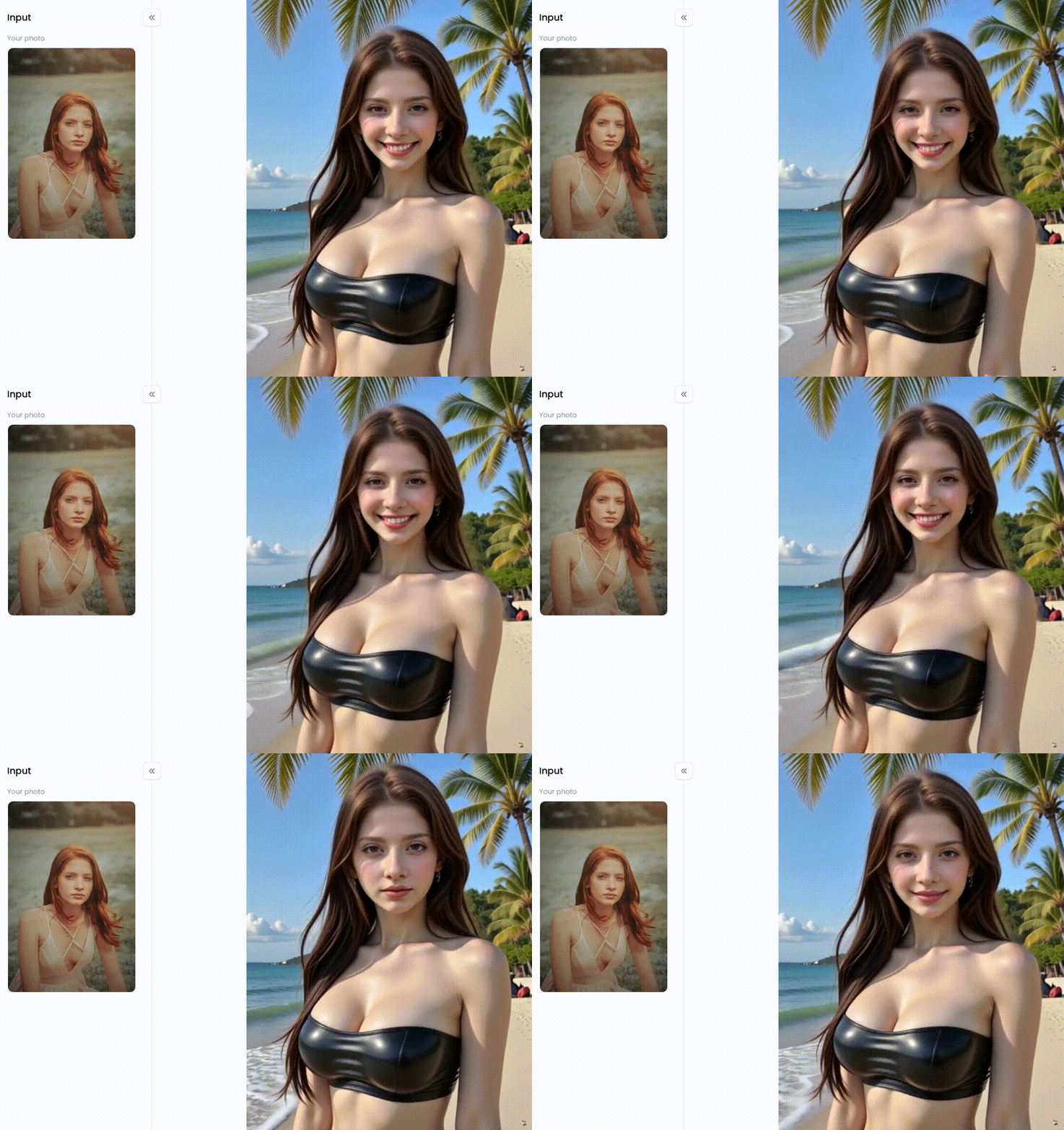
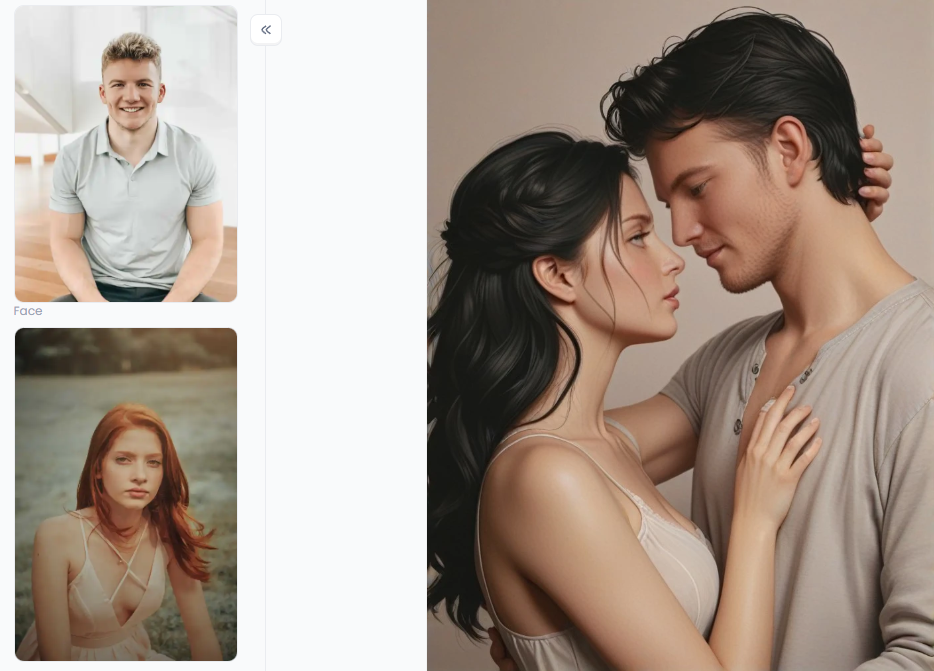
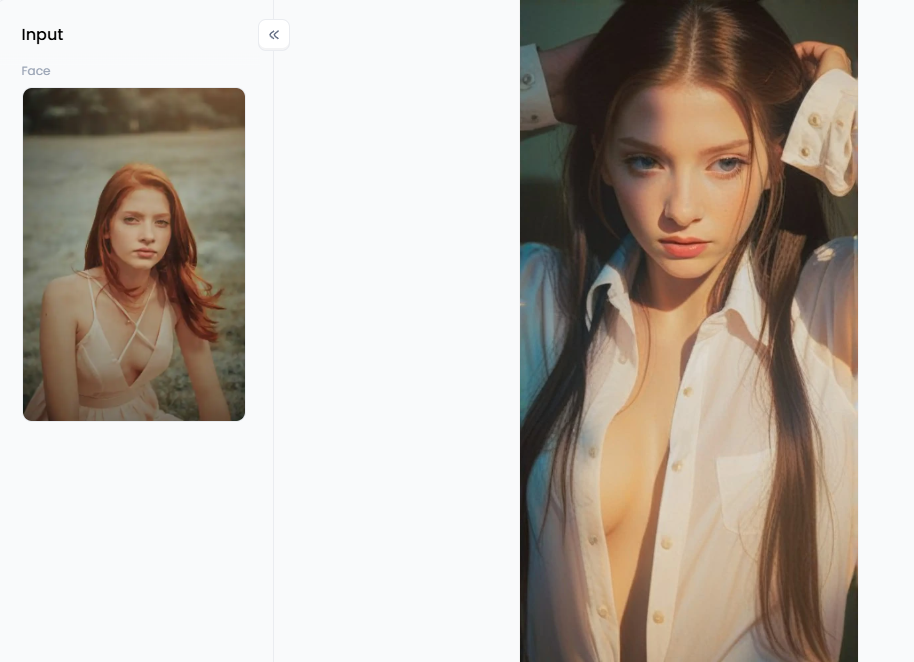
Palm Beach offers a coastal visual direction, Deep Love Scene illustrates a romantic couple composition, and Morning Beauty shows a styled portrait. Compare their mood, lighting, and composition; the examples use different source images and settings.
How to create a glamour or beachwear image in a1.art: three steps
1. Open a1.art and choose the app
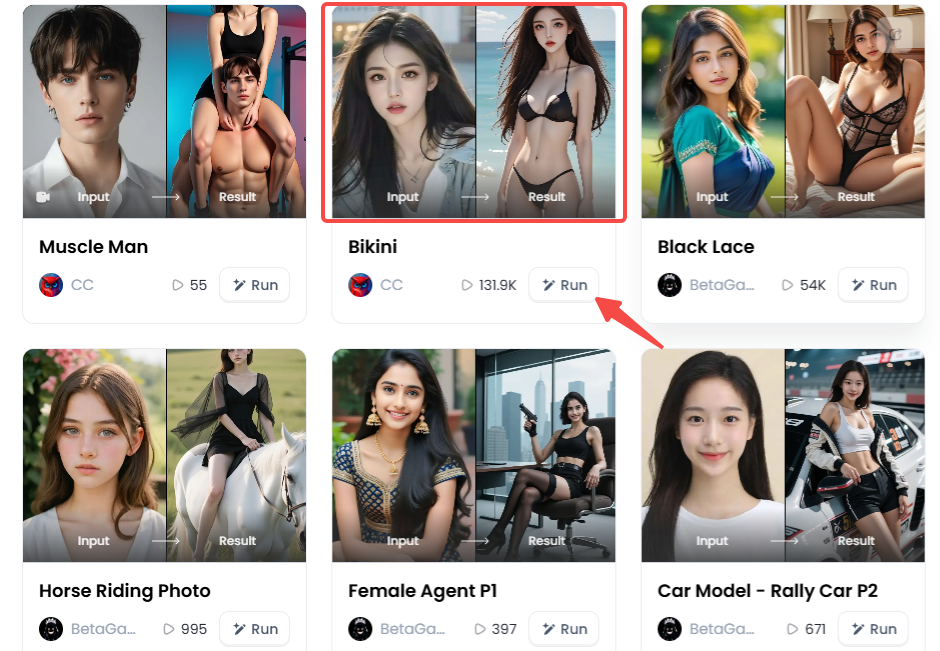
Visit a1.art or open the a1.art workspace, then sign in to use your credits. Choose a filter whose preview matches your goal. The catalog may show a Run entry point, while the app page provides the generation controls.
The catalog screenshot below highlights the Bikini app among other style options. Open the selected app to inspect its current output type, preview, and input fields.
2. Supply the input the app requires
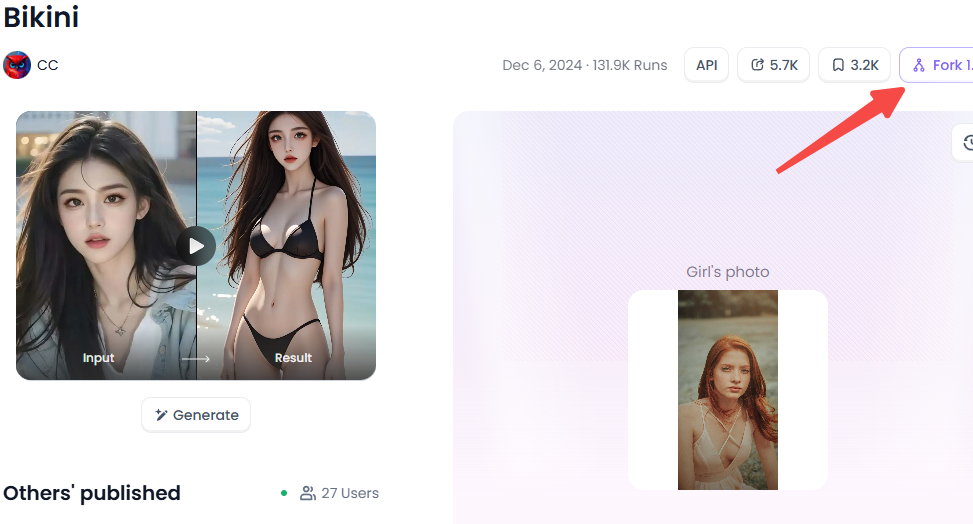
Upload an image you own or have permission to edit. Choose a clear photograph with usable lighting, an unobstructed face, and enough space around the subject for the intended composition. Heavy compression, extreme cropping, and overlapping people can make the result harder to control.
If the app accepts text, describe the desired outfit, pose, scene, lighting, and framing. A fitted dress with elegant cutouts and a bikini portrait call for different styling choices, so choose one clear direction. If the app only accepts a photo, follow that input format. Start with one suitable reference instead of trying to solve several unrelated edits in a single generation.
3. Generate, inspect, and save the result
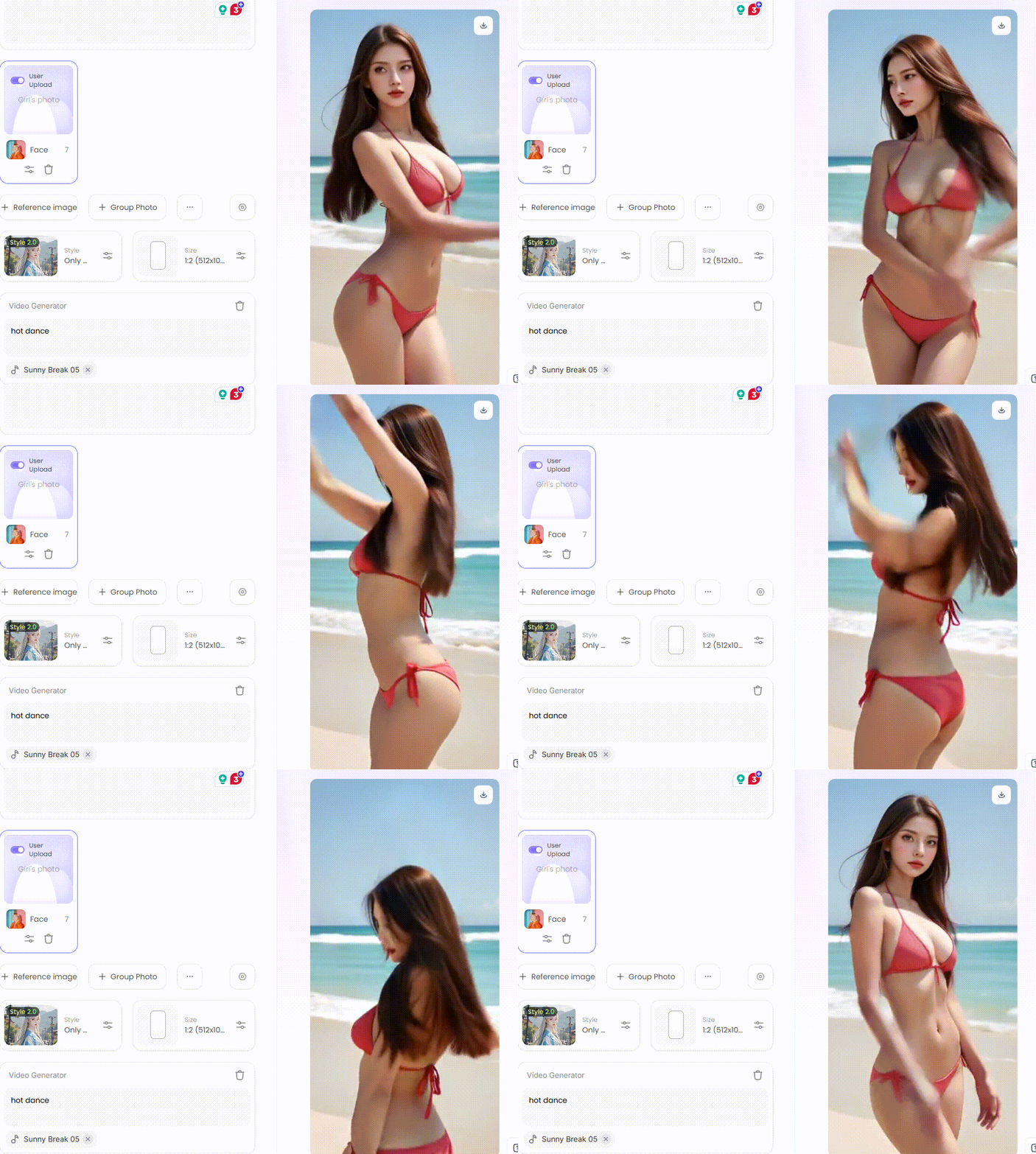
Review the displayed credit cost and select Generate. a1.art offers fast generation, although the exact wait depends on the selected app and task. Inspect the completed result before spending credits on another version.
Look at the face, hands, clothing edges, background, and overall composition. Save the strongest image, then change one input or setting if a specific detail needs improvement. The result screenshot below shows a generated beachwear variation. Review how closely its pose, proportions, and scene match your brief.
How to prepare an image-to-video project in PixVerse
Once you have an eligible still image, open PixVerse's image-to-video workflow. Its official guide describes three stages: upload the visual starting point, add movement intent, and compare outputs to refine the result.
- Upload the selected export. Use a source with a clear subject and a composition that leaves room for movement. Check the current upload requirements and choose the framing for your final video.
- Describe the motion. Begin with one subject action and one camera direction. Small movements are easier to assess than a sequence combining several actions, rapid camera changes, and a scene transition.
- Review the entire clip. Watch the beginning, middle, and end. Check whether the face, clothing, and background remain coherent as the subject moves, then adjust the motion description or source image for the next attempt.
Prompt examples for glamour, beachwear, and romantic scenes
Where a tool accepts prompts, describe the look you want through clothing, light, pose, and setting. These examples keep the sensual mood in the visual styling:
- Glamour portrait: “Adult editorial portrait in a fitted evening dress with elegant cutouts, three-quarter pose, soft rim lighting, dark studio background, natural proportions.”
- Beachwear image: “Adult subject in a red bikini, palm-tree background, golden-hour light, relaxed standing pose, clean composition, natural skin texture.”
- Romantic couple image: “Two adults in elegant evening clothing, standing close on a balcony at dusk, warm cinematic light, soft background, natural expressions.”
- Motion for an eligible portrait: “The subject turns slightly toward the camera while the palm leaves move in a light breeze. Slow camera push-in, steady framing, consistent lighting.”
Use the image prompt in a tool that supports text input and the motion prompt in a video workflow. Refining each stage separately makes it easier to identify whether a problem comes from the reference image or the requested animation.
Improve quality without wasting credits
A useful result should match your brief at the intended viewing size. Check the composition first, then zoom in on details. For video, play the full clip instead of judging only the opening frame.
| Problem | What to inspect | Next adjustment |
|---|---|---|
| The face changes too much | Source clarity, face angle, obstructions, and how strongly the preview changes identity. | Try a clearer reference or a style closer to the intended portrait. |
| Hands or clothing edges look distorted | Overlapping shapes, tight cropping, and a complicated pose. | Simplify the composition or choose a better source image. |
| The scene feels inconsistent | Conflicting lighting, perspective, or too many requested details. | Keep one setting and one lighting direction in the next brief. |
| A video changes appearance between frames | The reference image and the amount of movement requested. | Test a shorter, simpler action with steady framing. |
| The request is rejected | The service's current input requirements and content rules. | Choose a supported portrait, fashion, or scene brief that meets those requirements. |
| Generation or export is unavailable | Credit balance, selected model, account access, and output settings. | Use an available option or return when credits are available; check the actual cost before retrying. |
Change one variable per attempt: the source photo, style, lighting, framing, or motion. Keep a short note of what changed and compare the results side by side. That gives each generation a purpose and helps you spend daily credits on useful experiments.
Check photo privacy and sharing rights
Before uploading personal photos, review the selected service's handling of uploads and public posts. In a1.art, the Privacy Policy describes protections for specific face-related services; those provisions should not be generalised to every upload or app. Check whether publishing will make the input or result visible to others.
For PixVerse outputs, review the current Terms of Service before using a clip commercially. The consumer terms limit output use to non-commercial purposes unless separate authorisation or an appropriate commercial-use licence applies. Free access, download access, and permission to use a result commercially are separate questions.
PixVerse AI nude and a1.art: frequently asked questions
Is “PixVerse AI nude” an official feature name?
The official sources cited here describe image and video tools, not a verified dedicated nude-making mode. Check the actual model or app description and the current content rules when evaluating a search result.
Can I try PixVerse and a1.art for free?
Both offer a free-credit starting route. a1.art provides daily free credits, while PixVerse documents daily free credits for registered accounts with varying availability and balances. Check each service's balance and the cost of the selected task.
Can I use PixVerse directly inside a1.art?
The linked official product information does not establish a built-in integration. To use both services, create and export an eligible image in a1.art, then upload it through PixVerse's image-to-video interface.
Can I turn an a1.art image into a PixVerse video?
PixVerse supports image-to-video. An exported image can serve as the visual reference when it meets PixVerse's upload requirements and content rules. Start with simple motion and assess visual consistency throughout the clip.
Why does AI photo editing change the person's appearance?
A generative filter creates a new interpretation of the input. It may change facial details, proportions, clothing, or the scene. Compare the result with your intended brief; a realistic-looking output does not prove real-world accuracy.
How long does generation take?
a1.art offers fast generation. The exact time varies with the app and task, so check the progress shown in the interface. Evaluate the finished output before deciding whether another generation would improve it.
Product information checked against the linked official pages on October 13, 2026. Screenshots illustrate the workflow; current interfaces and available options may differ.
🔞 Content Publication Policy
All users must strictly adhere to the following rules and bear full responsibility for the content they publish:
- Illegal Content: The generation or distribution of any form of illegal content is strictly prohibited.
- CSAM (Child Sexual Abuse Material): Any sexual content involving minors is considered a severe felony worldwide, with zero tolerance.
- Deepfakes (Non-consensual Intimate Images): The creation or dissemination of intimate images of any real person without their explicit consent is strictly forbidden.
- User Responsibility: Users are solely responsible for ensuring all generated content complies with copyright, privacy, and all applicable laws.
- 15 ChatGPT GTA 6 Style Poster Prompts for Photos (2026)
- DMK Prompt for Gemini AI: 20 Political Poster Ideas (2026)
- Top 10 Free Undress AI Generators You Should Try Right Now
- Free Make Hot Clothes Remove Video Online Now
- How to Create Indian Actress AI Porn Videos Free?
- 16 Latest Viral AI Image Prompts to Copy and Try in 2026
- AI Image to Video NSFW Generator: The Best Tools for Animating Adult Images
- Diwali Greeting Card Maker: Create Personalized AI Cards
- Casa Tupka Anthemo AI Video Prompt for the Viral Car Reel
- 9 Best Porn Face Swap Tools Online Free 2026

a1.art
Oct 12, 2026


