


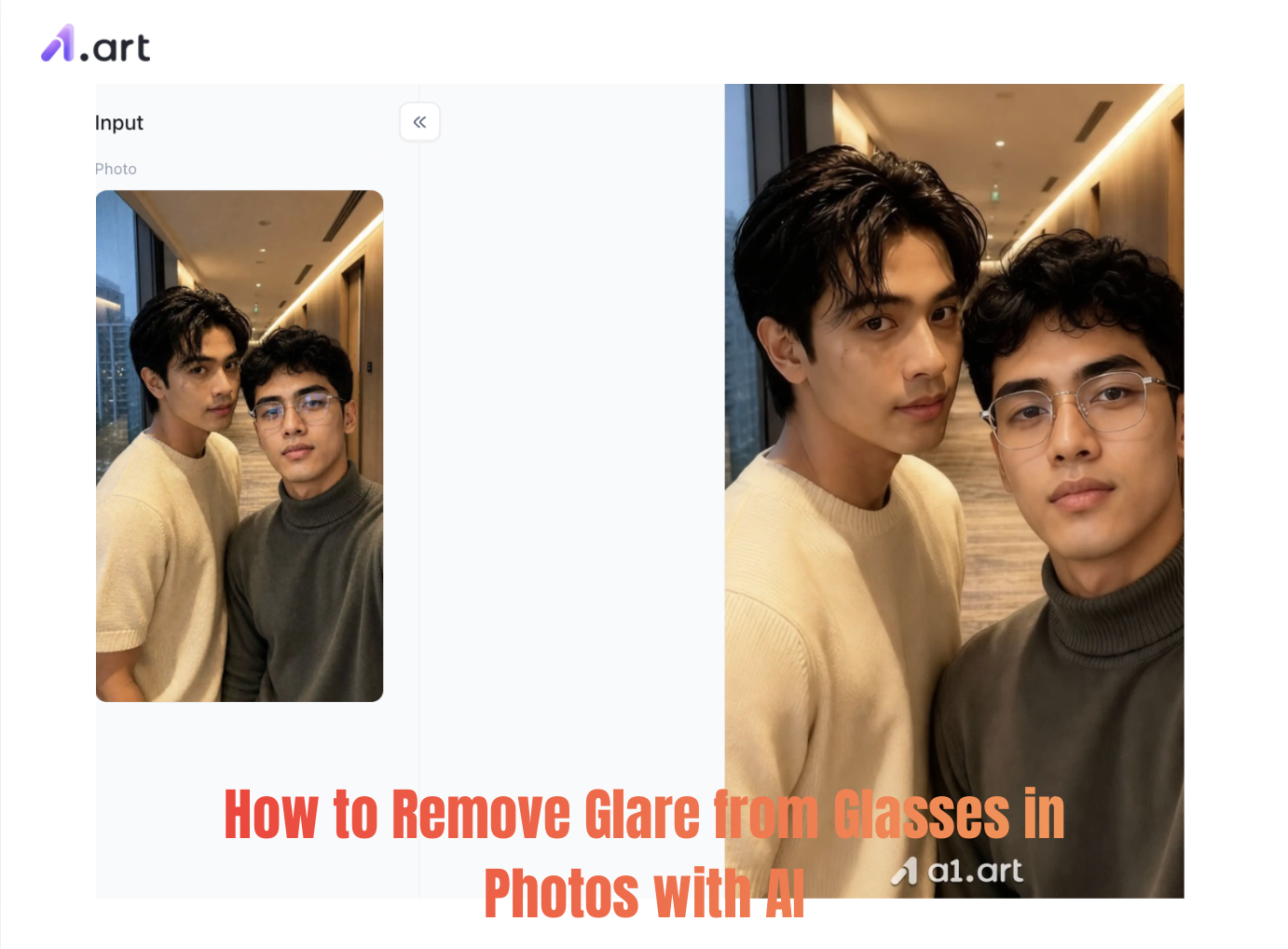
Few things spoil a great portrait like harsh glare on eyeglasses. You’ve nailed the expression, natural light and sharp focus, only for white streaks or colourful light flares to cover the subject’s eyes. Whether it’s professional headshots, casual social snaps or e‑commerce shots, glasses glare creates a barrier between viewers and the person in the photo.
Removing these reflections once meant advanced retouching skills, hours of careful masking and costly desktop software. Modern AI has simplified this whole process. This guide covers what causes glass reflections, compares manual and automated fixes, and walks you through quickly clearing glasses glare with AI , bringing back natural eyes while keeping all original photo details intact.
Why Glass Reflection Ruins Great Portraits
Eye contact carries emotion in every photo. Lights such as ring lights, softboxes or direct sunlight often bounce off glasses and create unwanted bright spots.
-
Loss of Emotional Connection:Strong reflections cover pupils, iris colour and subtle facial cues, making people look distant and unnatural.
-
Damaged Professional Look: Heavy glare makes corporate headshots, resume photos and marketing shots appear unpolished and amateur.
-
Tricky Retouching Work: Unlike removing minor skin flaws, fixing glare means rebuilding hidden details including skin texture, eyelids, eyelashes and iris patterns underneath the reflection.
Start your art journey with a1.art.
How AI Magically Erases Glare from Eyeglasses
Unlike basic object removal tools that simply blend adjacent skin pixels together, advanced generative artificial intelligence performs context-aware reconstruction.
When an AI engine processes a photo to remove glare from glasses, it executes three simultaneous steps:
-
Semantic Segmentation: The model identifies frame boundaries, lens edges, iris position, and glare geometry.
-
Detail Synthesis: Generative algorithms reference millions of anatomical facial data points to recreate accurate pupil shape, eyelash texture, and natural shadow gradient beneath the frame.
-
Lighting & Tone Matching: The system dynamically calculates ambient light, ensuring skin tones inside the lens area match surrounding cheek and forehead lighting seamlessly.
Click the image to instantly generate the "remove glare from glasses" image you want⬇️

Step-by-Step Guide: How to Remove Glare from Glasses with a1.art
If you want a fast, cloud-based solution that doesn't require complex software installation, a1.art provides dedicated generative image restoration engines. You can easily test these features to remove glare from glasses in photo online free directly inside your web browser.
Step 1: Open a1.art and familiarize yourself with the interface and filters
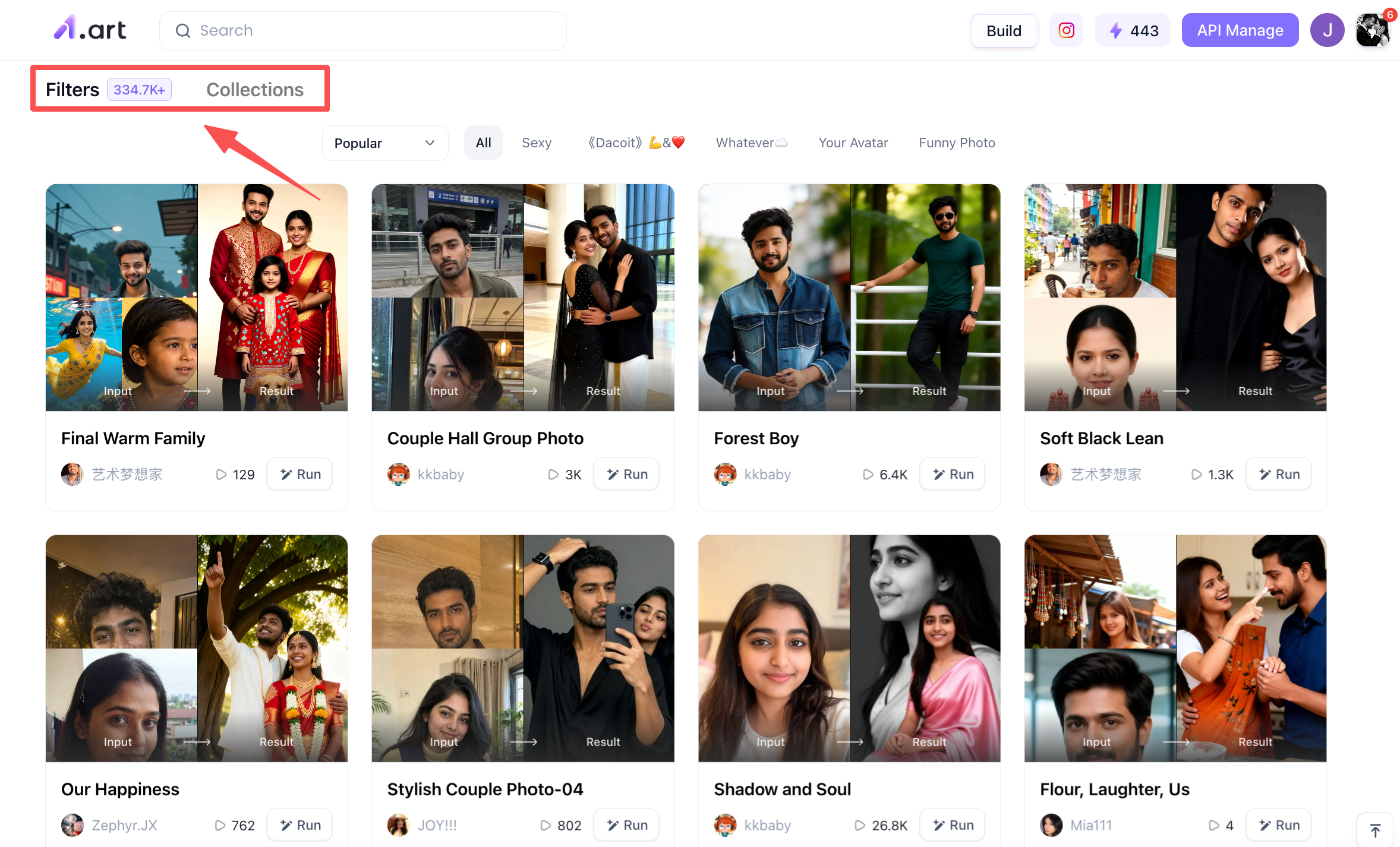
Upon opening the web version of a1.art, you are immediately greeted by hundreds of thousands of filters spanning diverse styles. If you have the time, it is worth exploring them a bit, as the variety of types and styles is vast; this will give you a general idea of how they work.
Step 2: Search for the filter you want
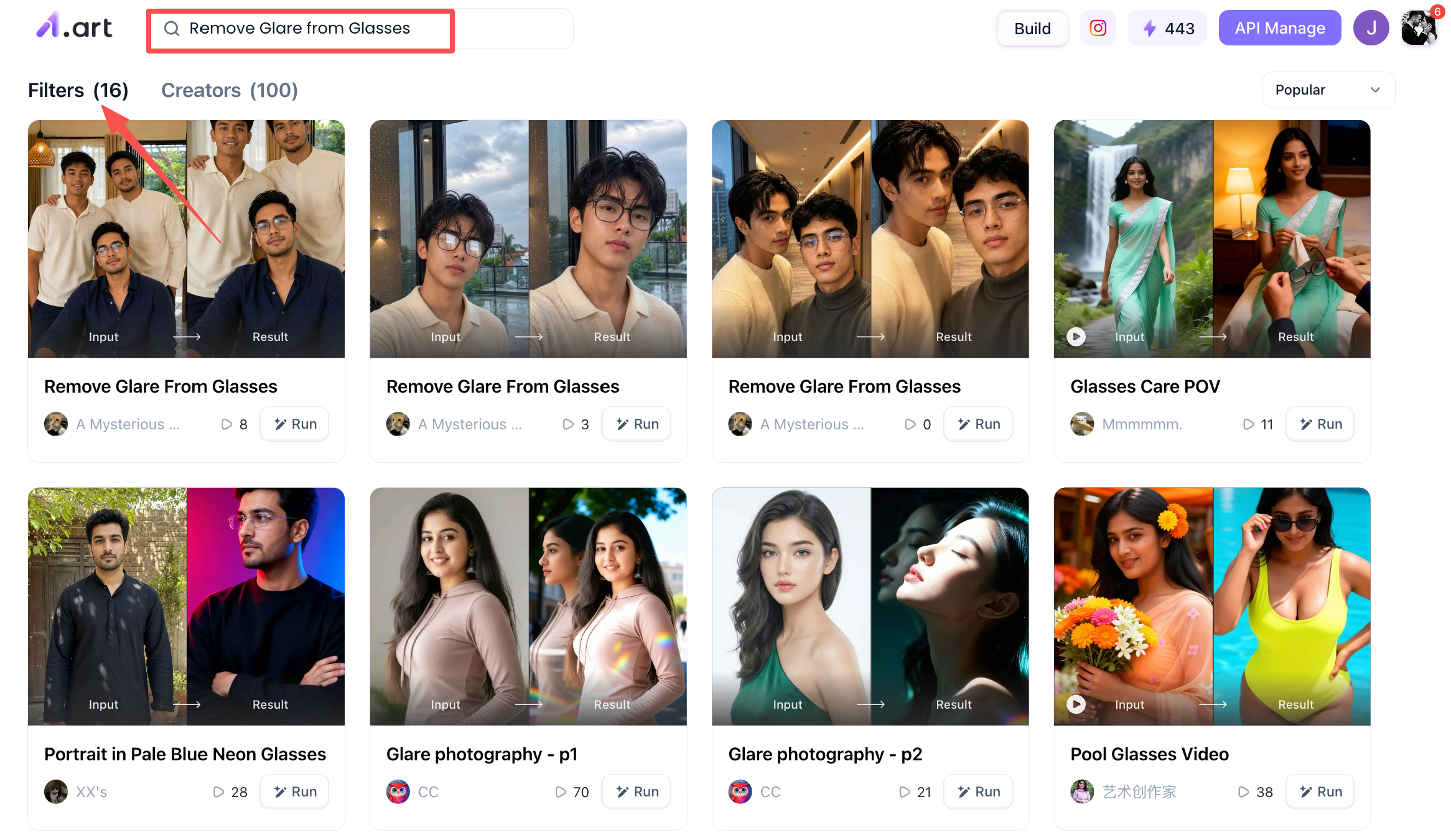
Since our theme is "Remove Glare from Glasses," you can simply enter the corresponding keywords into the search box. The system will then suggest a selection of relevant filters, allowing you to create your image using the "Remove Glare from Glasses" options provided.
Step 3: Start creating the image for the "Remove Glare from Glasses" theme
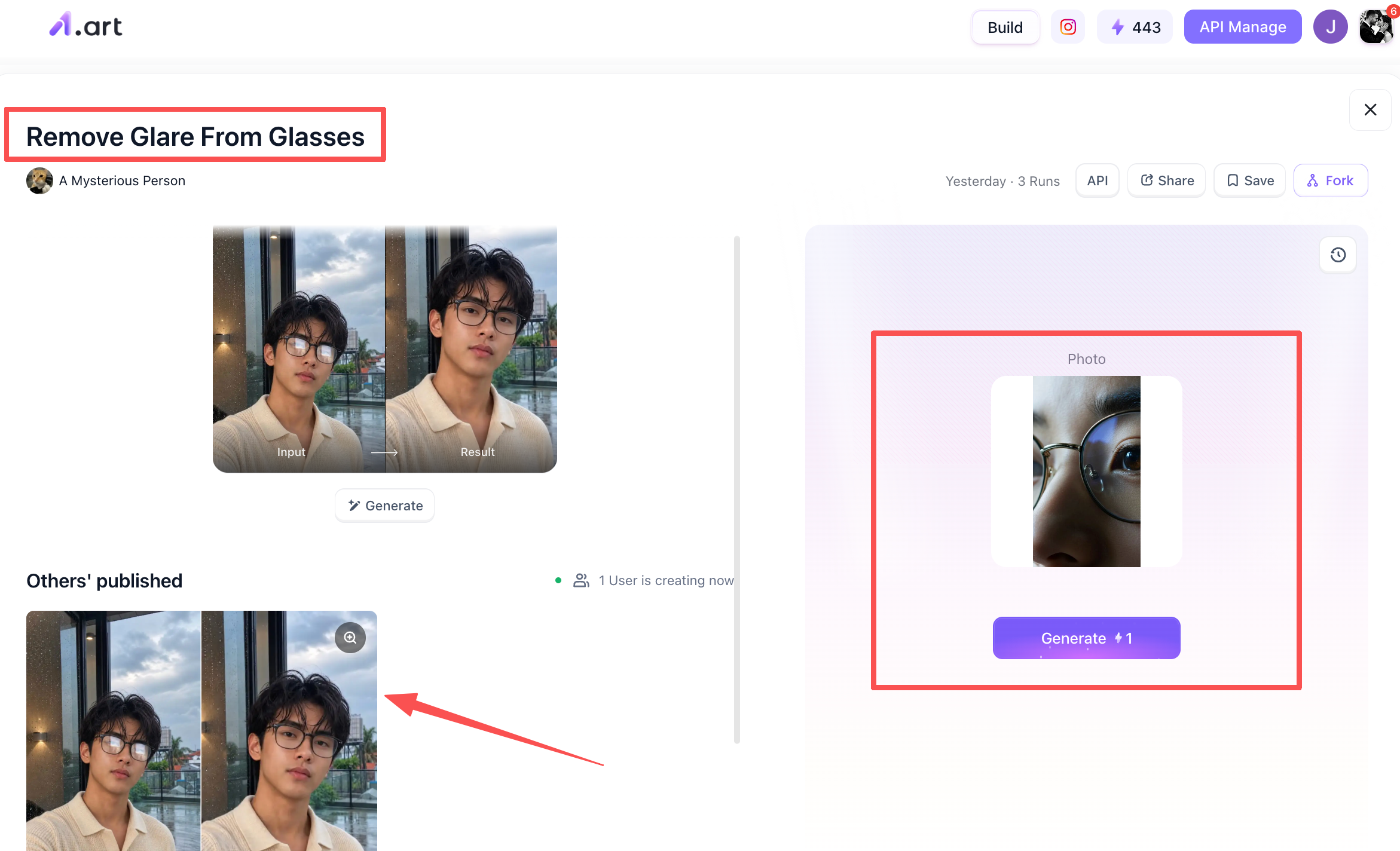
Now, let's begin the actual image creation process. Using the "Remove Glare from Glasses" filter as an example: when you click on it, you will see specific details on the page. At the top, the filter's name and an example image are displayed; the bottom-left section shows posts from other users who have used this filter; and the right side is where you can upload your own version. Simply click through to access the interface and press the "Generate" button to start creating your image.
Step 4: Process the Remove Glare from Glasses image you generated
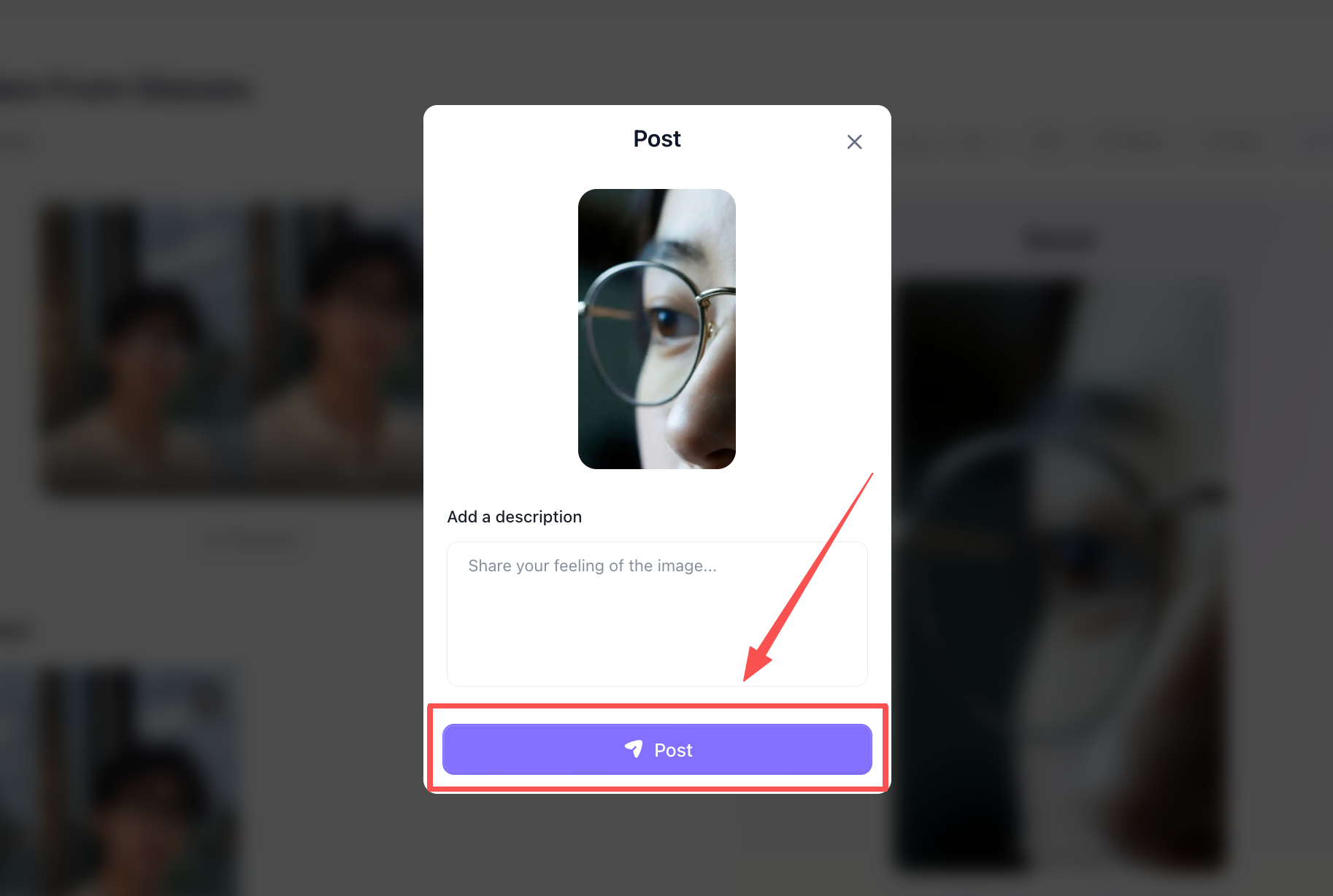
After about two or three minutes, you can do whatever you like with the image,such as posting it to the a1.art community or downloading it,depending on your preference and mood.
Why Choose a1.art for Portrait Enhancements
Lots of online tools say they can fix glasses‑lens glare, yet most just blur the area, leaving eyes muddled and warped. a1.art is built to create true‑to‑life visuals that stay consistent with your original photo.
Real‑user benchmark tests show why a1.art outperforms other options:
-
Faster Processing Speeds: Exports finished high‑resolution images in under 2-3mins. Batch work runs four times quicker than common desktop plugins.
-
Sharper Eye Clarity: Rebuilds fine pupil and eyelash details instead of over‑smoothing everything with generic filters.
-
Natural Anatomy & Lighting: Matches light direction, reflection angles and authentic eye highlights, with no weird digital glitches.
-
Zero Lens Distortion: Keeps the original glasses shape, glass thickness and background lines — no warped straight edges.
-
Unobstructed Content: Recovers lost eye details evenly, avoiding harsh shadows, colour tints or foggy artefacts near glasses frames.
-
Aesthetic Consistency: Preserves the person’s likeness, facial structure and skin tone, so results look like genuine photographs.
Conclusion
Glare on glasses no longer means throwing away a great portrait. You can fix lens reflections either with classic tools such as Photoshop or cloud platforms like a1.art. Today’s solutions deliver fast, precise and natural results.
With basic lighting awareness and smart inpainting, you can create crisp portrait shots that keep all attention on the subject’s eyes.
FAQs
Can AI restore realistic iris color under heavy white glare?
Yes. Generative models evaluate ambient lighting, skin tones, and visible iris fragments from the un-glared portion of the eye to synthesize an anatomically accurate iris pattern.
Is it better to edit glasses glare online or in desktop software?
If you process hundreds of images weekly or need rapid social media turnarounds, cloud-based AI tools like a1.art offer the fastest solution. For complex multi-layered studio composites, desktop tools like Photoshop offer granular manual control.
Will removing glare alter my frame shape or frame color?
No. Modern AI inpainting isolates the glare inside the glass area, keeping frame borders, temple lines, and overall frame geometry untouched.
Read more
- How to Do the 80s AI Photo Trend with Your Own Photo
- How to Create Teachers Day Photos with AI?
- How to Create Hot Photos? A Step-By-Step Guide For Beginners
- 1980s Photo Prompt: How to Create the Viral ChatGPT 80s Look
- GPT Image 2.5 vs GPT Image 2: The Complete Comparison
- GPT Image 2.5: New Features and Alternatives
- Best Hot AI Video Generator Apps to Create New Videos from Photos
- How to Create the Viral Radha Rani AI Photo Trend in 2026
- 15+ Ganesha AI Video Prompts for Ganesh Chaturthi Reels in 2026
- How to Get AI Photos of Yourself: An Easy Step-by-Step Guide
Written by

a1.art
Published on
Sep 15, 2026
Share article


