


Need fresh profile pictures but lack the budget for a real photoshoot? Many creators feel stuck with dark, blurry selfies. Fortunately, an AI image generator can turn selfies into pro portraits.
MarketsandMarkets expects this industry to hit USD 60.8 billion by 2030. This technology is transforming the way content is created on different media platforms. This guide teaches you how to get AI photos with natural skin, while avoiding common complaints.
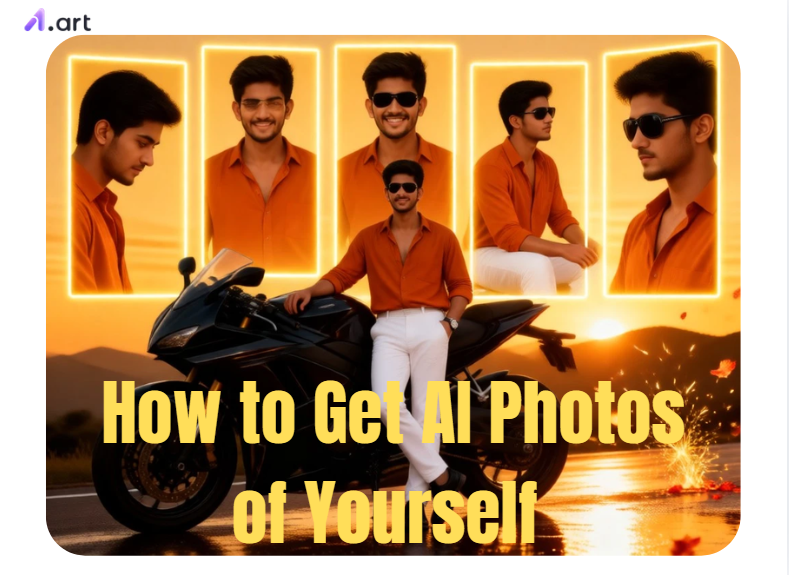
Key Takeaways
-
Take a bright, clear selfie next to a window.
-
Use an AI image generator from an image if you want the picture to look like you.
-
For a brand-new scene or character, choose text-to-image AI instead.
-
Keep the image realistic by describing textures in your prompt, like soft lighting or a thick wool sweater.
-
When the AI messes up hands or hair, fix those small spots rather than starting a new picture.
-
Try a1.art filters for a quick style choice, then adjust the settings to match your vision.
Start your art journey with a1.art.
How to Use It, Just 3 Steps:
Using a1.art is incredibly simple. Here’s the full beginner-friendly guide:
Step1:
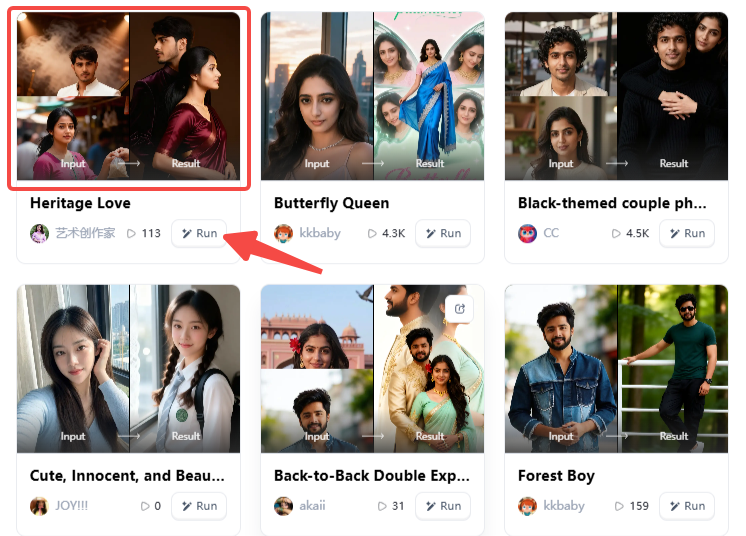
Open a1.art, choose the App that you are interested in, then click 「Run」
Click on the image to experience the same App👇
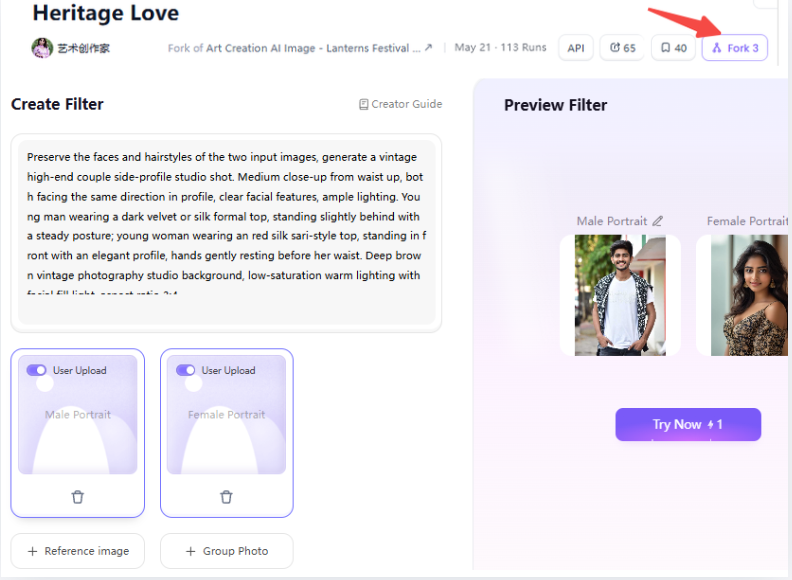
Step2:
Upload a photo/image
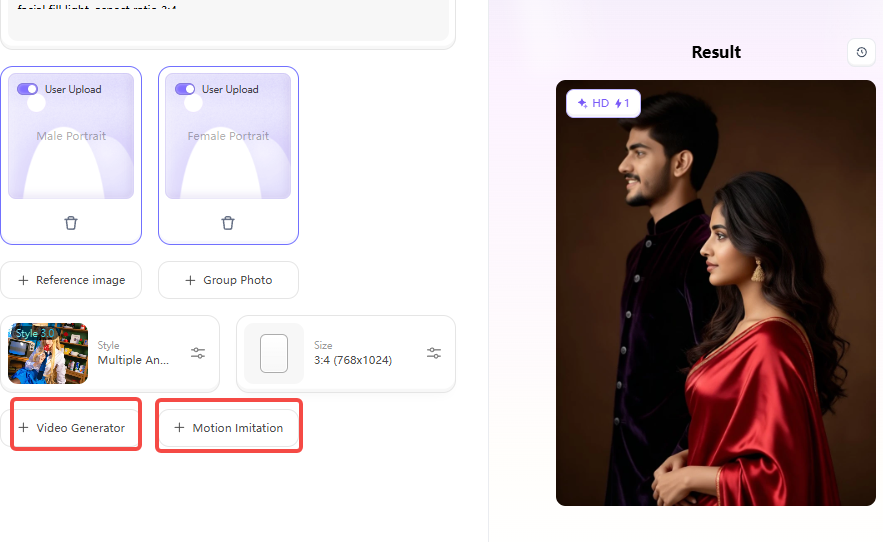
Step3:
Wait 3 seconds, you will get a wonderful result 👇
How Do AI Image Generators Create Photos?
AI image generators build pictures by studying patterns in millions of images. When you type a prompt or upload a reference photo, the software arranges pixels to match your words.
AI Photos vs Traditional Photos
Cameras capture real light bouncing off physical objects, while AI generates new digital pixels from visual data.
| Feature | AI Photos | Traditional Photos |
| Creation Source | Text prompts or uploaded images | Camera lens and live light |
| Production Speed | A few seconds to minutes | Hours of staging, shooting, and editing |
| Scene Control | Flexible backgrounds and lighting | Limited by weather and physical space |
| Best Application | Social posts, mood boards, concept art | Legal passports, official IDs, live events |
How Text-to-Image AI Works
An AI image generator from text creates brand-new scenes from written descriptions.
To get clear results, describe the setting and subject in layers:
-
Subject: A designer of a tailored cotton jacket.
-
Setting: A quiet Central Hong Kong cafe with afternoon window shadows.
-
Framing & Light: Crisp 35mm street photography with soft natural daylight.
-
Exclusions: No blurred hands, extra fingers, or unreadable background text.
This method gives you creative freedom, but it cannot guarantee your face without a source picture.
How an AI Image Generator From Image Works
An AI image-to-image generator scans your uploaded portrait to lock in your face shape, eye spacing, and skin tone.
To keep your likeness sharp, follow these steps:
-
Upload a selfie without beauty filters or sunglasses.
-
Ask the tool to preserve your natural facial structure, jawline, and skin texture.
-
Change 1 or 2 elements per test, such as swapping your casual t-shirt for a blazer.
By giving the AI one clear job at a time, you get believable portraits that look like you.
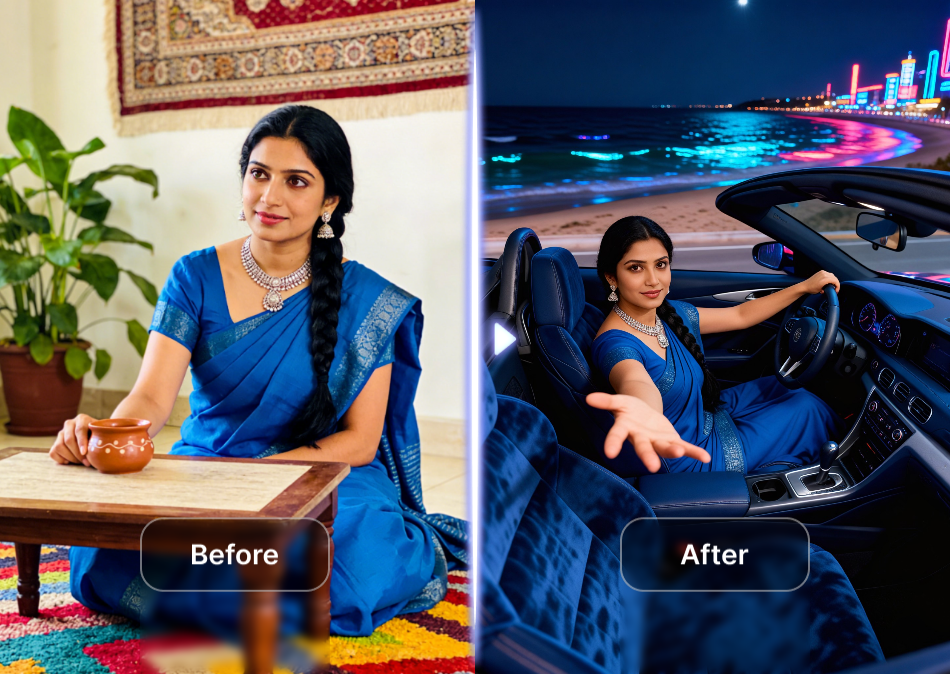
Click the picture to generate your exclusive come get in the car with one click👇
How to Make AI Photos of Yourself for Everyday Uses
You can use an AI image gen to create photos for work, social media, art, and travel.
Knowing the right steps saves you time and prevents bad edits:
Professional Profile Photos
A clean business portrait builds trust. Keep your clothing simple and your background neutral, so your face stays the main focus.
Easy steps to create a professional headshot:
-
Select an AI image editor tool.
-
Upload a bright, front-facing selfie taken in soft daylight.
-
Add instructions that protect your natural features and skin texture.
-
Crop to a chest-up square or 4:5 vertical frame.
Prompt: Preserve my facial identity and natural skin texture. Create a professional portrait with a calm expression, soft window light, warm-grey background, navy blazer, and a clean shirt. Use realistic 85mm portrait photography. Keep both eyes sharp. Avoid plastic skin, warped glasses, extra fingers, fake text, and heavy beauty filtering.
Social Media Photos
Social feeds on Instagram, Xiaohongshu, and TikTok need strong contrast and natural lighting to catch people's attention.
Easy steps for social posts:
-
Pick a high-resolution reference photo with a natural facial expression.
-
Set your aspect ratio to 4:5 for feed posts or 9:16 for vertical reels.
-
Include specific local scenery, such as light rain on city streets.
-
Leave space near the top of the frame for text titles.
Prompt: Preserve my identity. Create a candid vertical portrait walking through a rainy Hong Kong street at blue hour, wearing a black linen shirt. Add soft neon reflections to the pavement. Use realistic skin texture and a 35mm street photography style. Apply a vertical 9:16 crop and leave clean space above the head for text.
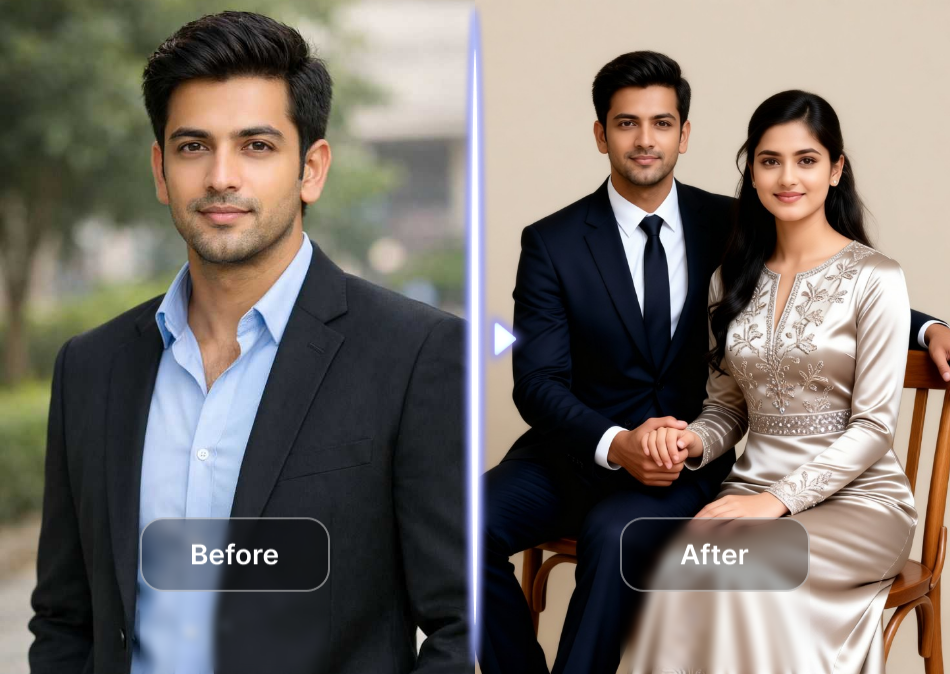
Click the picture to generate your exclusive modern studio love with one click👇
Art and Creative Projects
Creative projects let you explore stylized concepts while keeping your likeness recognizable. Platforms like a1.art make it easy to test these unique styles.
Easy steps for creative artwork:
-
Choose a reference photo with distinct light and shadow edges.
-
Use artistic filters to show a split view of your photo and a drawing.
-
Try Portrait Review or Fence Portrait to add geometric framing lines around your face.
-
Export the high-resolution image for your personal portfolio.
Prompt: Preserve my facial features. Create an editorial fine-art portrait in a botanical glasshouse, textured ivory clothing, soft mist, elegant side lighting, 4:5 vertical composition. Keep hands natural and relaxed.
Travel and Lifestyle Concepts
Travel mockups help creators storyboard visual ideas before visiting physical locations.
Easy steps for lifestyle scenes:
-
Upload a clear portrait showing your face and shoulders.
-
Describe natural weather conditions and soft directional daylight.
-
Position your subject off-center for balanced composition.
-
Label generated scenes clearly if you share them with client audiences.
Prompt: Preserve my facial identity. Create an editorial travel portrait on a harbour promenade at sunrise. Add a soft wind moving the jacket and warm natural backlight. Maintain realistic skin and fabric texture. Use a 4:5 vertical composition with natural hands and no unreadable signs.
Matching your prompt and image settings to your goal helps you create convincing portraits every time.
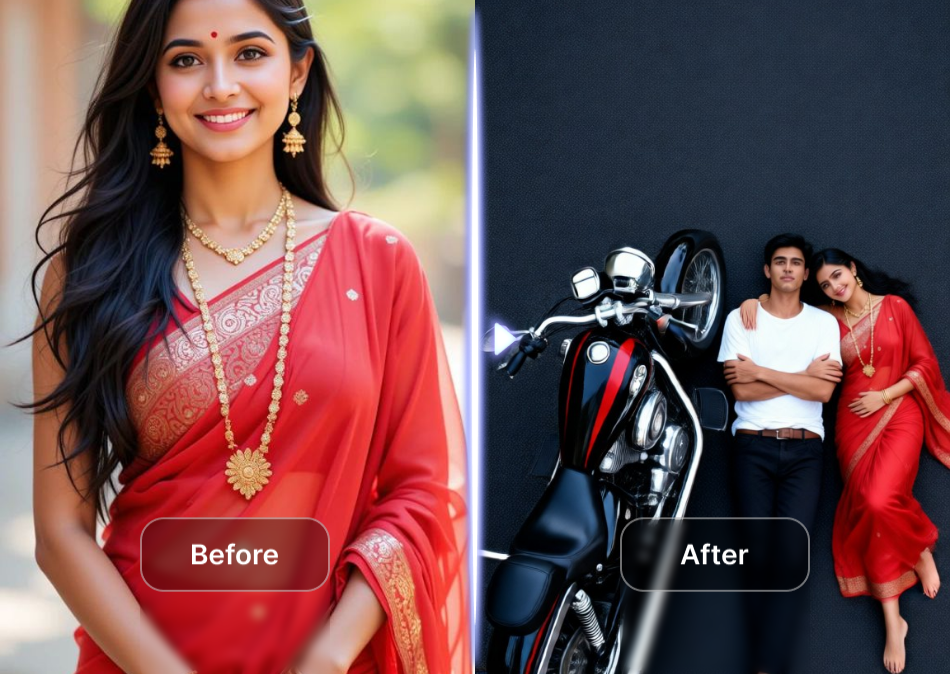
Click the picture to generate your exclusive highway motorcycle photo with one click👇
How to Get More Realistic AI Photos
Getting realistic AI photos is easier when you adjust small details. You can get natural pores and shadows by guiding the AI with the right instructions.
Follow these steps for better results:
-
Tell the tool to add "natural skin texture" and "visible pores." Avoid words like "flawless," which create a waxy, artificial face.
-
Treat the AI like a real camera lens. For a busy street scene, ask for "moderate background separation" so the city texture stays visible.
-
Light needs clear direction. Ask for "soft window light" for professional shots or "golden-hour side light" for warm lifestyle portraits.
-
Keep your natural smile, eye shape, and jawline. Start with the background, then adjust your clothing.
When you direct AI like a real photographer, your digital images will look like true photographs instead of flat cartoons.
How to Fix Common AI Photo Distortions
Even advanced AI tools can produce odd glitches like warped fingers or painted hair. When you know how to adjust your prompts and settings, you can correct these errors.
-
Warped Hands and Fingers: Hands remain tricky for AI. If you do not need them, crop them out. If they must show, assign a simple action like "holding a cup."
-
Strange Eyes or Teeth: Asking for a "perfect smile" usually creates a robotic face. Instead, ask for "natural eye reflections" and "subtle facial asymmetry." If the eyes look weird, regenerate the facial area instead of the entire picture.
-
Hair That Looks Painted: Heavy background blur can make your hair look like a solid plastic helmet. Ask for "individual hair strands" and use a plainer background until your hair looks realistic.
-
Glasses, Jewellery, and Accessories: Small shiny objects easily confuse the system. Generate a clean base photo first, then add simple items like "thin gold hoop earrings" during a second edit.
-
The Face Looks Similar but Not Like You: This is a very common frustration. To fix it, start with a clear front-facing selfie. Type "preserve facial identity" at the start of your prompt.
If you want a specific look but want to save time, try using a1.art filters for photos and video. These preset filters combine lighting and art styles. For instance, use the Private Photo filter for simple social posts.
Skip the frustration of bad generations and create digital portraits that look natural and genuinely like you.
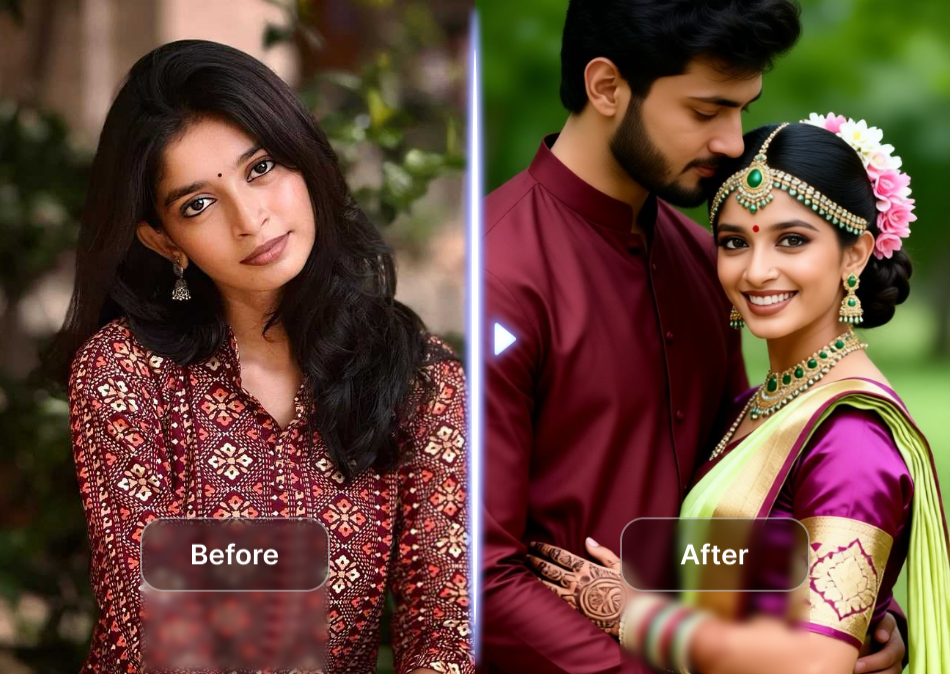
Click the picture to generate your exclusive happy wedding with one click👇
Why Users Like Image-to-Video Filters
Adding motion to a still picture changes how people view your post. Image-to-video filters take a flat portrait and add lifelike movements, like a soft camera push or a gentle breeze moving your shirt.
These filters help you set the right mood quickly:
-
Photo Booth and Photo Album: Use these styles for warm, nostalgic memories.
-
Nighttime Fashion Flash: Pick this filter for a bold, high-contrast look under bright city lights.
-
Sketch Dual Image: Try this unique art-to-photo reveal for an engaging social media carousel.
For more control, use the Fork tool to open and adjust the filter's hidden settings. You can slow down the camera movement or lower the beauty effects to keep your real hairstyle.
Click the picture to generate your exclusive cute couple selfie with one click👇
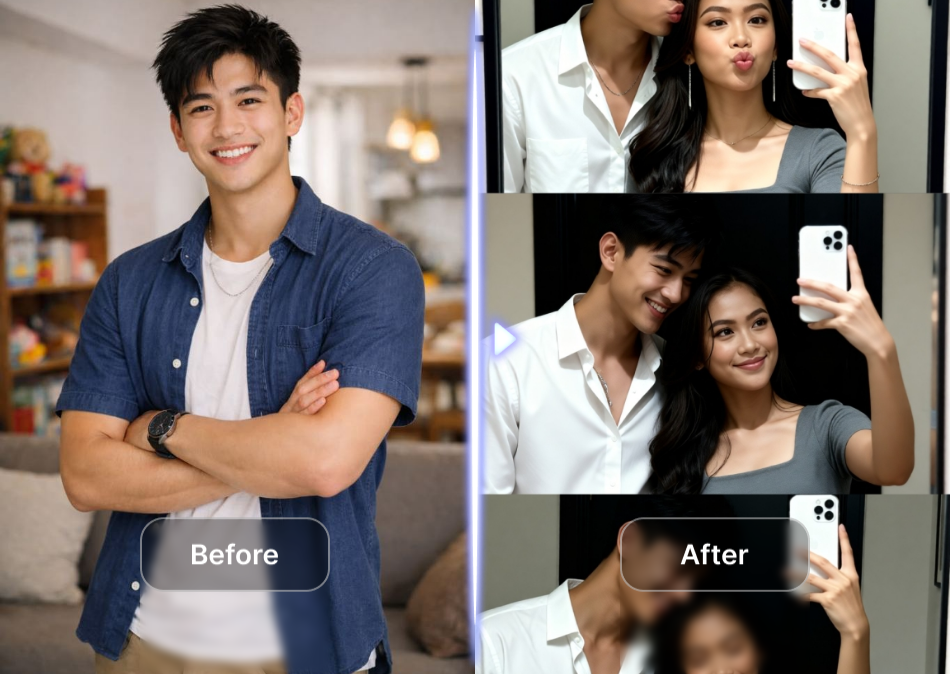
Conclusion
Knowing how to get AI photos helps you create crisp portraits, social visuals, and digital art without renting expensive gear. Start with a clean reference photo, protect your privacy, and test the details.
The official Crown Dependency data protection advisory reminds creators to use personal images responsibly. Creative filters on a1.art let you explore portrait photography and motion presets with ease. Refine your prompts to produce realistic images that look like you.
FAQs
How can I get an AI photo of myself?
Upload a clear, unfiltered selfie to an AI image generator. Tell the model to keep your eye shape and skin tone. Next, place yourself in a realistic scene, like sipping coffee at a local cafe. Use AI to generate images in a few versions. Pick the one that looks most like you and adjust small details.
How do I make AI photos look more realistic?
Write a very specific prompt to get lifelike results. Ask for natural skin texture, stray hair strands, and rough fabric. Avoid words like "flawless," which often create a waxy, fake look. For example, if you create a winter park scene, closely check the hands, teeth, and background objects to ensure everything looks normal before posting.
Is it safe to upload my face to an AI photo generator?
Safety depends on the platform's privacy policy. Always check if the app stores your data or uses it for training. Never upload photos showing your home address, ID cards, or children playing in the background. Overall, treat any public AI service as a space that might keep whatever images you submit.
Can I turn an AI photo into a short video?
Yes, you can easily animate a still picture. Image-to-video tools add lifelike movements, like shifting sunlight or a gentle head turn. For instance, on a1.art, you can pick a filter to create a dynamic social media post. Then use Fork to fine-tune camera speed and motion to match your personal style.
What is the best free AI image generator for portraits?
The right tool depends on your goal. Choose an image-to-image generator if you want the photo to look just like you. Before starting, always check the free-plan limits and commercial rights. For the best portraits, focus on programs that produce clear eyes and natural skin rather than dramatic effects for your digital projects.
Read more
- 20+ Ganesh Chaturthi AI Prompts for Festive & Devotional Photos in 2026
- Da Nang Festival 2026: Ultimate Guide to Dates & Events
- Unlock 20+ Onam AI Prompts for Traditional Kerala Photos in 2026
- Best Prompt Hero AI Alternatives for AI Prompts and Image Generation
- How to Create Childhood vs Present AI Photo?
- Dreemy AI Review 2026: Is It Safe, Free and Worth It?
- Best MyAIArt Alternatives in 2026
- MyAIArt Review: Features, Pricing & Alternatives for Better AI Photos
- How to Create 3D Pixar Couple AI Images Step by Step?
- How to Create a Hot AI Video from an Image
Written by

a1.art
Published on
Sep 3, 2026
Share article


