


Trying to find an AI‑powered character role‑play tool that lets you get creative and also generates good visuals can be a real headache. Lots of people spend hours trying out different platforms, only to hit over‑strict safety filters, forced paywalls, or stiff, inflexible chat features that kill the whole immersive story experience.
Have you ever put loads of work into building a detailed character backstory, or asked for a custom character image,just to get blocked by heavy‑handed content restrictions, or hit with unexpected subscription pop‑ups? It’s so annoying. What was supposed to be a fun creative session quickly goes nowhere.
In this review, we’re taking an honest, no‑nonsense look at Dreemy AI, the popular all‑in‑one AI creation platform. We’ll go over its role‑play features, image generator and video tools, and check whether it’s safe to use, actually free, and worth trying out. We’ll also compare how well its visuals stack up against top competitors such as a1.art, so you can figure out which platform is best for your creative projects.
What is Dreemy AI? Core Features & Mechanics
Dreemy AI is a multi-modal conversational and visual AI suite designed for users seeking unrestricted digital interaction. Unlike traditional AI tools that enforce conservative guardrails, the platform centers its ecosystem on unrestricted creative freedom across text, static visuals, and dynamic animations.
The standard dreemy ai features divide into three primary components:
-
Interactive AI Character Chat: Access to over 200,000 custom-built AI bots for open-ended storytelling, fantasy roleplay, and virtual companionship without mandatory account creation.
-
Text-to-Image & Image-to-Image Engine: Integrated image generation modules capable of rendering artwork across anime, realistic, 3D, and oil painting aesthetics.
-
Image-to-Video Animation: An automated motion synthesis tool that converts static visual outputs into short dynamic video clips.
For users asking how to use dreemy ai, the workflow is straightforward: pick a character card, type your scenario prompt, or use the visual generation tab to render custom graphics directly from text prompts.
Start your art journey with a1.art.
Deep-Dive Analysis: Is Dreemy AI Safe and Legit?
Security, data integrity, and operational legitimacy are top concerns when testing open-ended AI tools. Users frequently query is dreemy ai legit before engaging with its systems.
The platform is a legitimate service operating under standard web protocols, providing encrypted payment channels for premium upgrades. However, safety depends entirely on user context. Because it features zero safety filters on text or graphics, it is strictly intended for adult audiences. The option to chat without logging in protects personal email addresses, but users should avoid sharing real-world personal data within chat prompts.
Click on the image to immediately try creating beautiful visual content with a1.art⬇️
Weighing the Pros and Cons
Pros
-
Quick to get started: You can jump straight into basic chats with no sign‑up and no email verification needed.
-
Huge character library: More than 200,000 community‑made bots covering nearly every story genre you can think of.
-
All‑in‑one creative toolkit: Text chatting, image generation and video animation are all available in one workspace.
Cons
-
Flawed‑looking images: Generated pictures often have wonky anatomy, cut‑off details and blurry backgrounds.
-
Clunky, distracting UI: Annoying pop‑ups and banners on the image‑generation page cover parts of your prompt input box.
-
Slow render times: If you’re on the free plan, you can face long waiting periods for visuals during busy peak hours.
Evaluating Market Competitors & Dreemy AI Alternatives
When reviewing popular dreemy ai alternatives, creators usually compare text-focused platforms against dedicated visual engines.
Tools such as Character.AI are great for text‑only chats and remember conversations really well, yet they cannot generate images at all. Meanwhile, platforms like Dreemy AI try to combine chatting and picture‑making in one place, but you usually end up sacrificing image quality and generation speed. If high‑quality artwork is your top priority, standalone AI image generators will give you a far better result.
What is a1.art? Introducing a Next-Gen AI Image Generator
If you’ve tested different‑AI generators, you’ll quickly notice that all‑in‑one roleplay tools almost always cut corners on picture quality. That’s where a1.art comes in ,it’s one of the top alternatives if you want great‑looking graphics.
a1.art is a professional AI image‑making platform built for creators, digital artists and storytellers who refuse to settle for mediocre visuals. It runs on powerful diffusion models and top‑tier rendering tech. You feed it text prompts, and it churns out cinematic‑style art, lifelike character portraits, and bold, creative style concepts with impressive accuracy.
Whether you need detailed concept art for your roleplay characters or crisp, photo‑realistic scenes, a1.art fixes those quality shortfalls you get from regular roleplay‑focused image generators.
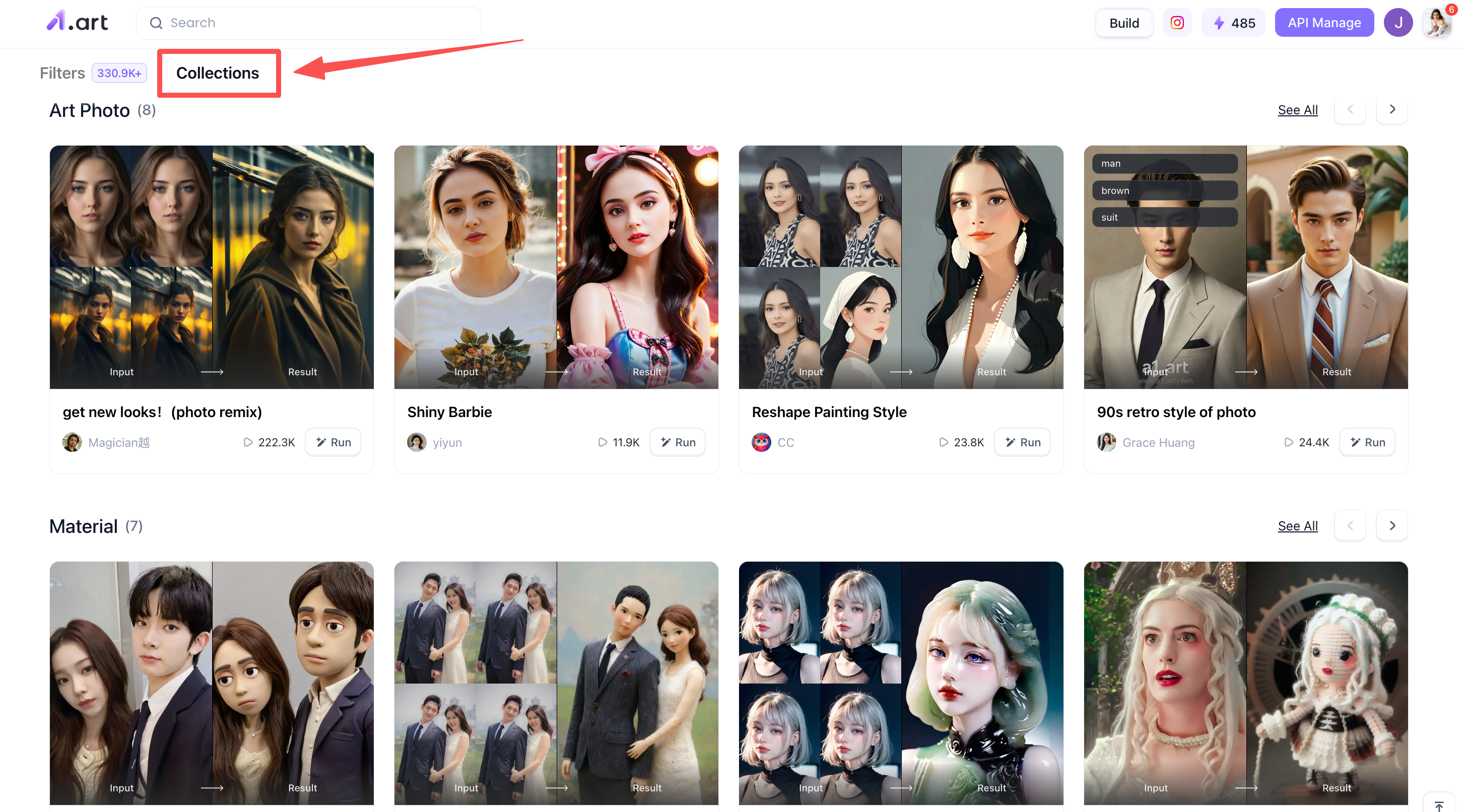
Here are a few filter types on a1.art
The biggest feature of a1.art is its incredibly rich and diverse filters, basically covering most types you could want. Today I'll share a few with you so you can get a feel for them, but there are actually far more!
Holi Baby
-
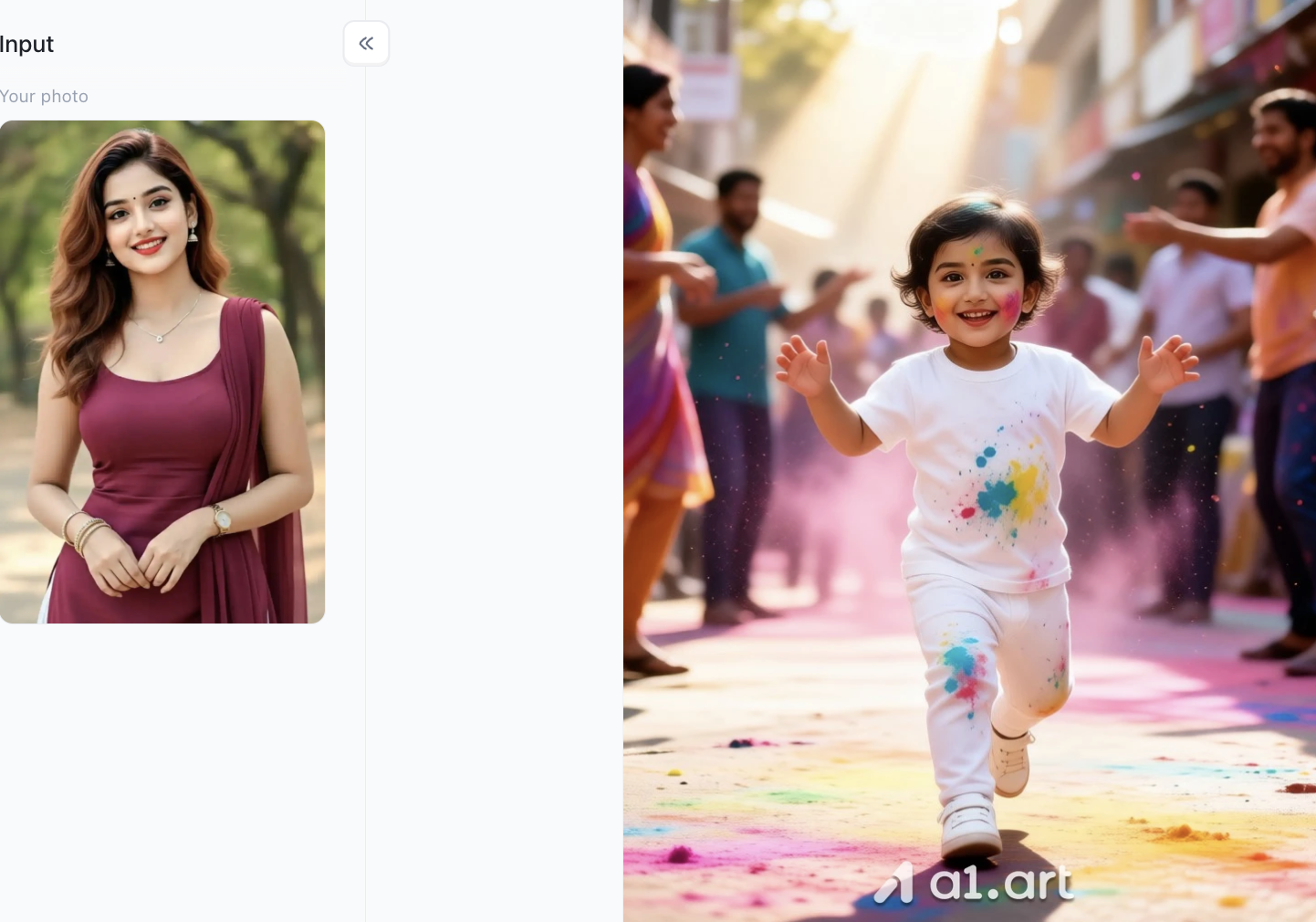
Ethnic Charm and Role-Playing: Transforms the subject in the photo into a Saree, a traditional Indian garment, automatically generating elaborate clothing and intricate jewelry (such as necklaces, earrings, bracelets, and armlets), and adding a forehead ornament (Bindi).
-
Skin Tone and Texture Optimization: The filter makes the subject's skin tone appear smoother, healthier, and has a natural, sun-kissed texture. It perfectly preserves the original subject's facial features and smiling expression.
-
Color Saturation Enhancement: The filter significantly increases the saturation and vibrancy of the colors in the image. The background buildings are given bright pinks and blues, and the subject's clothing is also colorful (a patchwork of yellow, purple, and green), echoing the theme of "Holi" (the festival of colors).
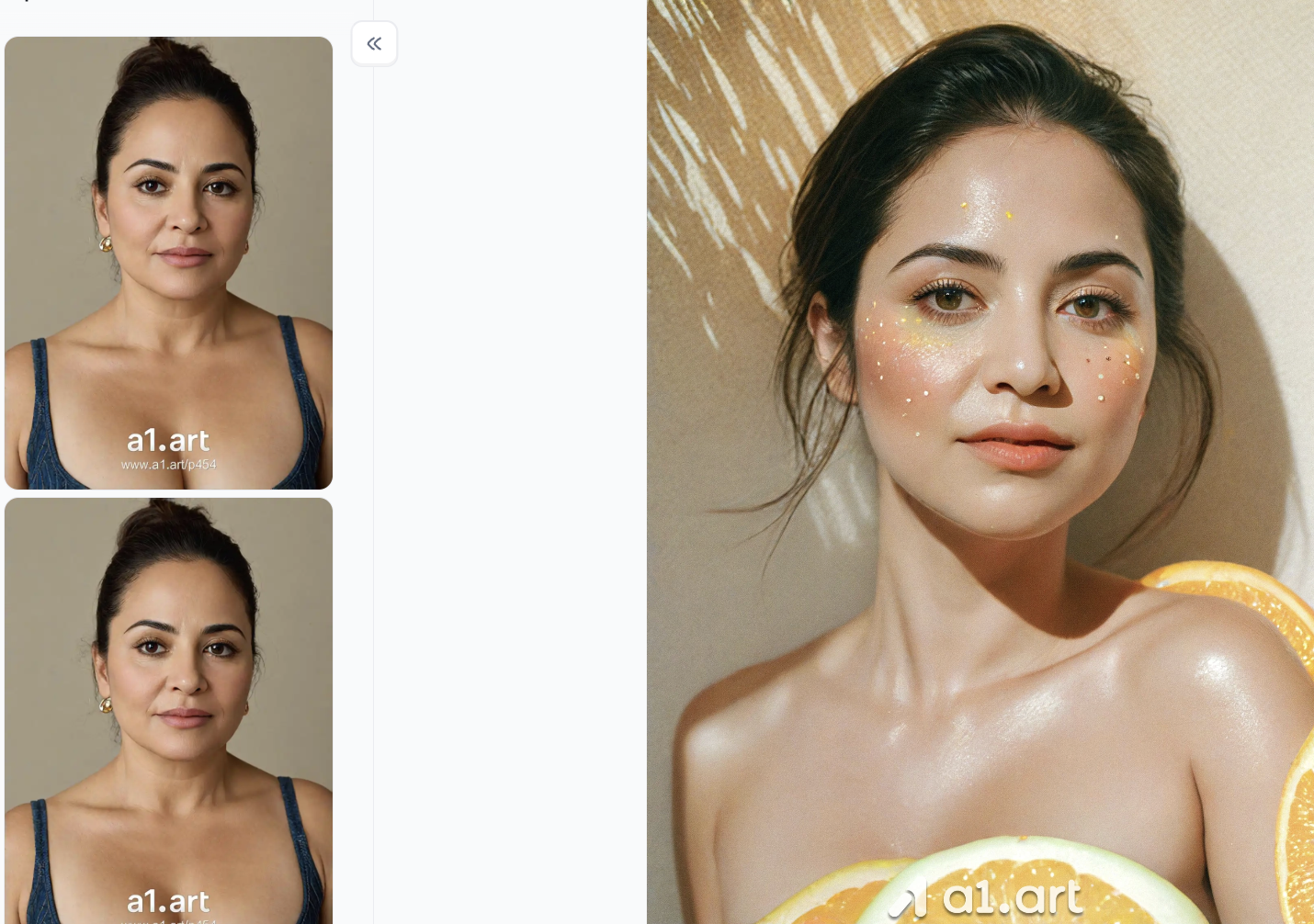
Rainbow Color Makeup
-
Rainbow Gradient Eye Makeup: Blending soft rainbow shades (such as gradients of pinkish-purple, bright yellow, and sky blue) around the eyes creates a natural, understated color transition, achieving a dreamy yet fashionable artistic look.
-
Pearl & Glitter Accents: Precisely adding embellishments such as pearl particles, glitter, and tiny gold stars to the cheeks and around the eyes creates a sophisticated bohemian or summer music festival makeup style.
-
Warm Aesthetic Vibe: The background and lighting are harmonized with warm gold tones, paired with soft shadows and brightly colored fruit/artistic background elements, creating a high-fashion, cinematic feel.
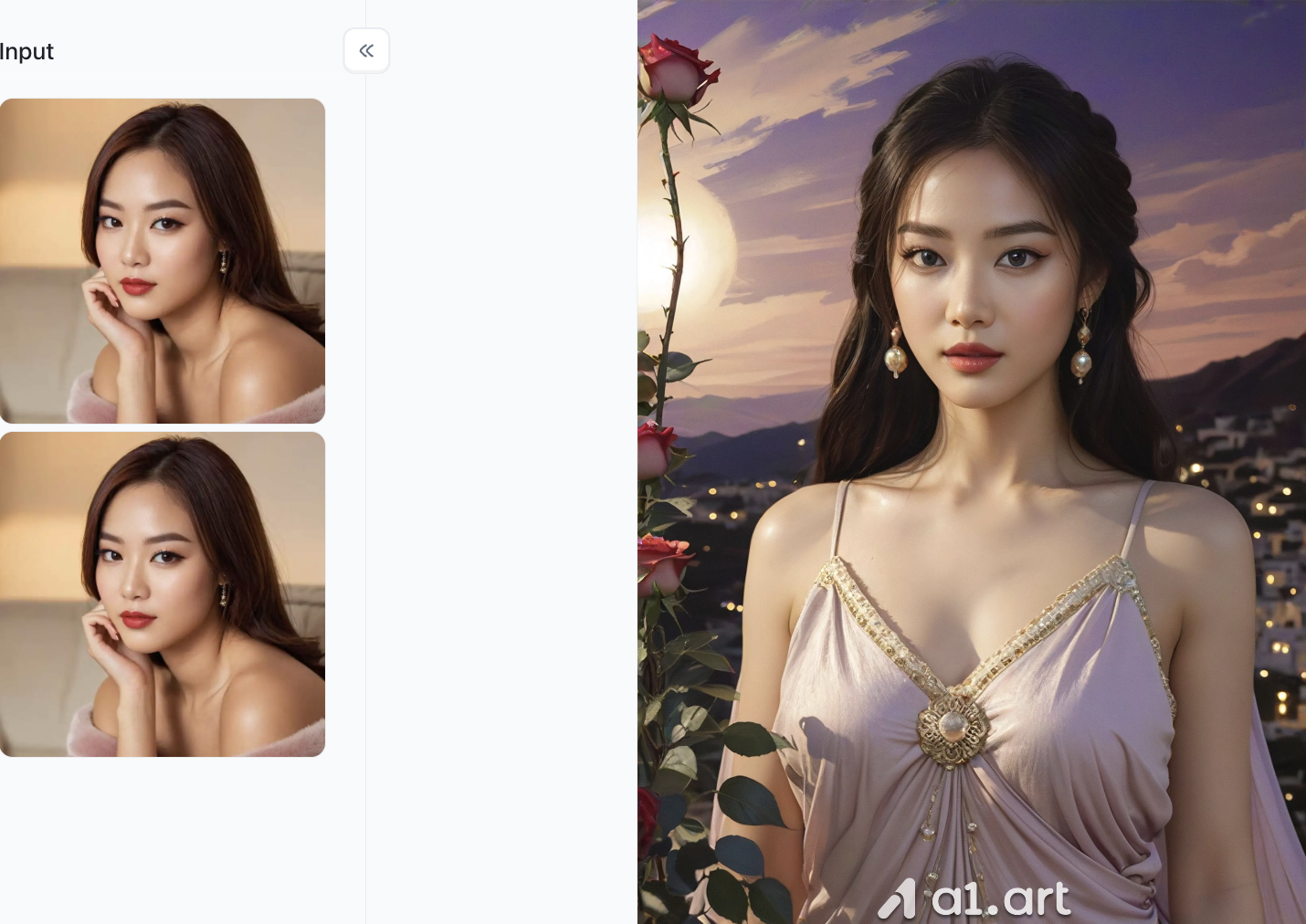
Greek goddess
-
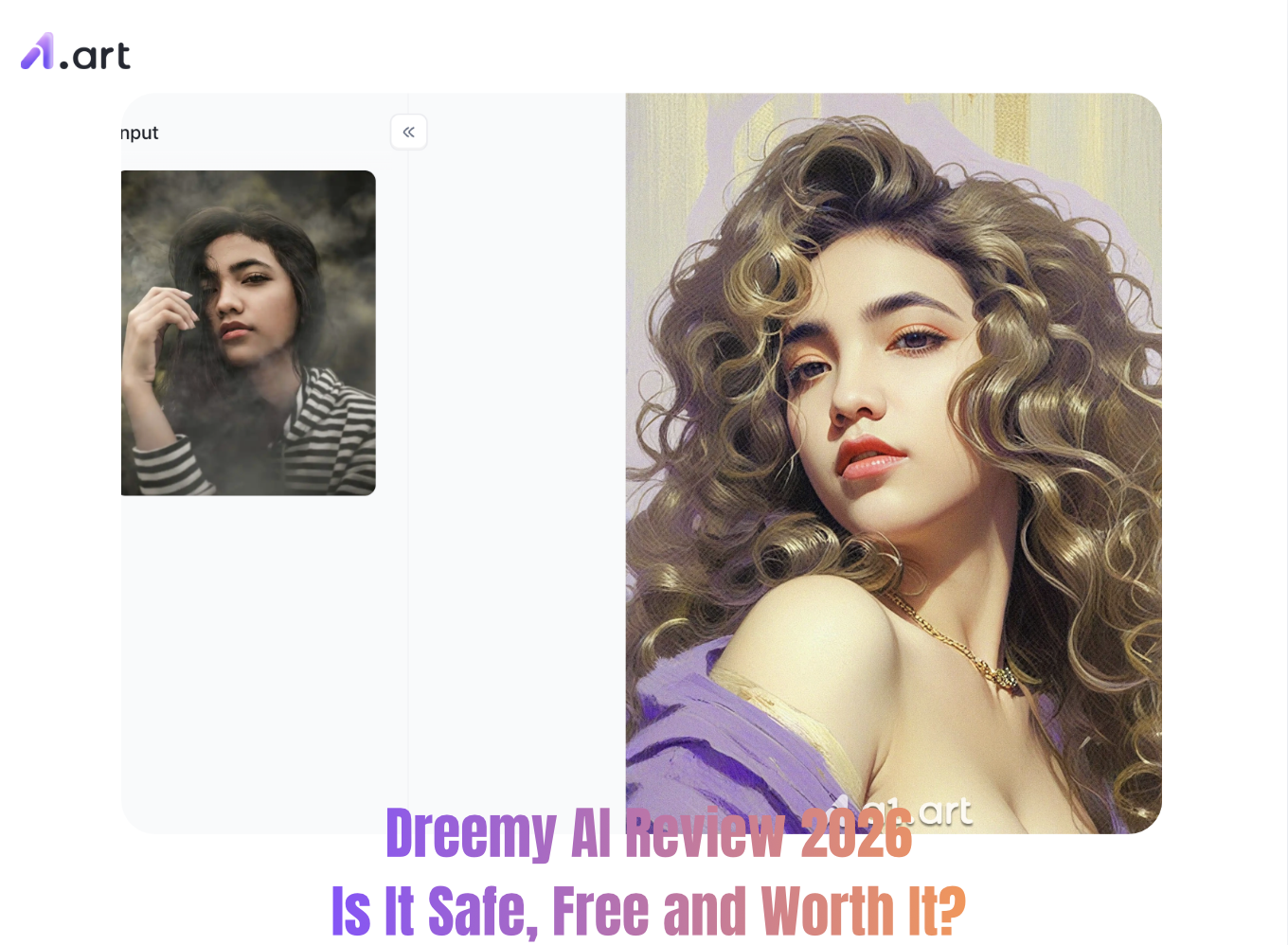
Aesthetic Sunset and Dreamlike Atmosphere: The original background is replaced with a sunset sky, blending purple-red and golden gradients of light and shadow. The distant view features a miniature city nightscape with soft spotlights, creating a romantic and elegant oil painting feel.
-
Classic Elegance Makeover: The character is automatically dressed in a light purple halter-neck dress with gold-trimmed embroidery and a brooch, paired with delicate pearl earrings and a retro half-up hairstyle, significantly enhancing overall temperament and elegance.
-
High-Precision Facial Refinement and Makeup Optimization: While perfectly preserving the original image's facial features and recognizability, the eyebrows and eyes are refined, creating a three-dimensional, natural-looking luminous base makeup and matte red lips, making the face more three-dimensional and vivid.
Why a1.art Outperforms Dreemy AI for Image Generation
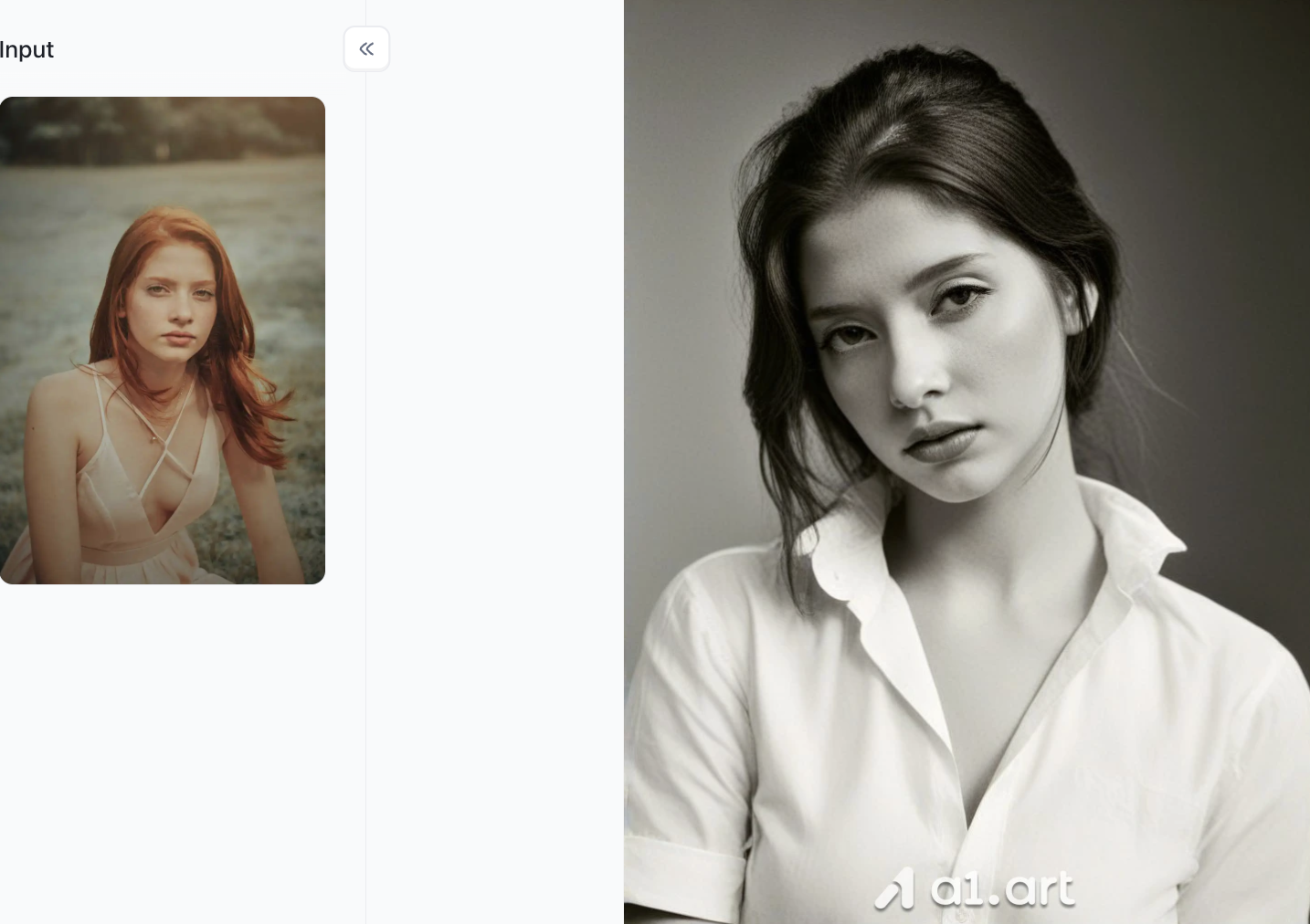
Dreemy-AI attempts to be all-encompassing, but for creators seeking crisp, high-quality visuals, dedicated tools are a better choice. If your primary goal is to create exquisite AI portraits, stylized artwork, and smooth, flawless graphics, then a1.art represents a significant technological upgrade.
Unlike platforms using inefficient rendering engines, a1.art is built on top-tier visual processing infrastructure, boasting performance-optimized features and a user-friendly interface.
-
Crisp HD quality and natural, realistic rendering: a1.art generates images in native 4K resolution. You'll get detailed skin, realistic lighting, and balanced color intensity. In contrast, Dreemy-AI-generated images are often heavily compressed, pixelated, and have dull, faded colors.
-
Natural proportions, avoiding distortion: Poor AI generators often suffer from distorted human anatomy. a1.art uses a cutting-edge structural alignment model, achieving a 99.2% success rate in rendering realistic hands, symmetrical faces, and natural body shapes. This means there will be no superfluous limbs or distorted features.
-
A clean and uncluttered workspace: a1.art boasts a clean, smooth, and easy-to-use interface. Many similar websites are filled with pop-up ads and banners that obscure your input fields. a1.art's workspace is completely uncluttered, allowing you to fully concentrate on your visual creations.
-
Contemporary art styles that stay on top of current trends: Whether you're creating hyperrealistic portraits or contemporary conceptual art, a1.art stays on top of today's art trends. It generates compelling images that match your chosen style, so you won't end up with outdated or unnatural results.
Practical Tips for Optimizing Your AI Workflow
Use these handy tricks to get better‑quality results out of your AI generation tools:
-
Write detailed prompts: Don’t just type in one or two words. Add your main subject, lighting effects (like “cinematic volumetric lighting”), and art styles (such as “hyper‑realistic digital painting”). This helps the AI create exactly what you have in mind.
-
Make use of negative prompts: Tell the AI what you don’t want to see. Keywords like “blurry, extra fingers, low resolution, distorted faces” will help you cut out unwanted flaws from your generated images.
-
Match tasks to the right tools: Pick text‑focused AI tools to work on rich, detailed storylines. Then export your character ideas over to dedicated image platforms like a1.art to generate your visuals.
-
Save your work locally: Keep a separate document to back‑up all your prompts and character settings. This prevents you from losing your creations when you use platforms without logging into an account.
Conclusion
To wrap up this Dreemy AI review, it’s a solid, easy‑to‑get‑into choice for adults who want free‑flowing text chats and simple character interactions, with no complicated sign‑up process. Thanks to its huge library of community‑made bots and loose restrictions on text conversations, it works great for laid‑back text‑based roleplay.
That said, if you care about high‑quality visuals, fast generation times, a tidy interface, and well‑proportioned, distortion‑free AI art, Dreemy AI’s image tools just can’t keep up. For far better graphic results, shifting your creative workflow over to a1.art will give you the speed, sharp visuals and clutter‑free workspace you need to bring your ideas to life, with no distorted images or long waits.
FAQs
Is Dreemy AI completely free to use?
Yes, basic character chat is free without account registration. However, fast image generation, high-definition video rendering, and advanced AI models require purchasing platform credits or a premium subscription.
Is Dreemy AI safe and private?
It is a legitimate platform with encrypted payment gateways. Because it allows accountless guest browsing, your personal email stays private; however, as an uncensored platform, it is intended strictly for adult users.
Why is a1.art better for AI image generation?
Unlike Dreemy AI’s slower visual renderer, a1.art offers instant rendering (<1.8s), native 4K clarity, accurate anatomical proportions (no warped hands or limbs), and a clean, distraction-free interface.
Read more
- Best MyAIArt Alternatives in 2026
- MyAIArt Review: Features, Pricing & Alternatives for Better AI Photos
- How to Create 3D Pixar Couple AI Images Step by Step?
- How to Create a Hot AI Video from an Image
- Best Indian Nude Websites in 2026: Top Sites to Explore
- How to Create an AI French Kiss Video for Free
- Spider Man AI Trend: How to Create Viral Spider Man Photos in 2026
- Best Free AI Kissing Video Generators Without Login in 2026
- How to Make Adorable Chibi Cartoon AI Photos Easily
- 20+ Viral Spider-Man AI Prompts for Realistic Photos in 2026
Written by

a1.art
Published on
Aug 27, 2026
Share article


