


If your artificial intelligence kiss video keeps changing faces, lips, or skin between frames, you are not alone. Turning a still portrait into motion is tricky, but demand is booming. Fortunately, a free AI French kiss video generator lets you test romantic clips without expensive gear, but clean results take the right setup.
In this guide, you will learn how to choose sharp portraits, write clear prompts, test curated a1.art style filters, fix common face warping, and keep every image safe and consensual. Let’s jump in.
Key Takeaways
-
A bright, well-lit portrait helps an AI kissing video generator track facial landmarks accurately.
-
Give the tool one simple motion direction at a time. Cluttered prompts often confuse the model and cause sudden glitches.
-
Align head tilts and jawlines naturally before generating movement to keep the faces stable.
-
Apply creative filters to build mood only after your core motion looks realistic.
-
Always use your own photos and get clear permission before sharing synthetic romantic clips.
Start your art journey with a1.art.
What Is an AI French Kiss Generator?
An AI French kiss generator uses image-to-video diffusion models to turn your still photos into moving, romantic scenes. You upload a picture, and the system predicts the motion to build the clip frame by frame.
The system relies on deep learning networks. Instead of writing animation code, you give the tool an image, and it automatically fills in the missing motion.
Recent models even map physical structures like jawlines and cheekbones to guide movement. This helps the AI match lips and keep expressions stable without stretching the faces.
Making a realistic AI kiss video used to take expensive software and hours of manual editing. Today, cloud-based tools calculate complex video data rapidly. They deliver smooth motion in minutes.
How to Use It, Just 3 Steps:
Using a1.art is incredibly simple. Here’s the full beginner-friendly guide:
Step1:
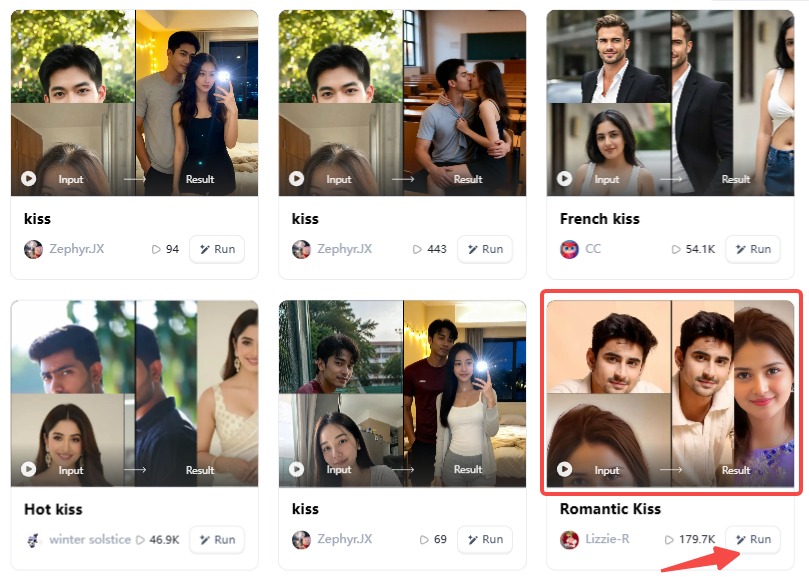
Open a1.art, choose the App that you are interested in, then click 「Run」
Click on the image to experience the same App👇
Step2:
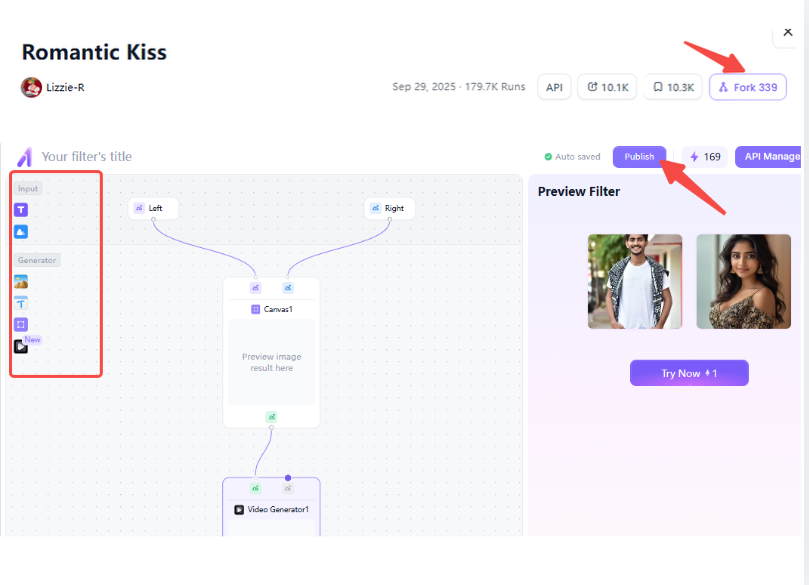
Upload a photo/image
Step3:
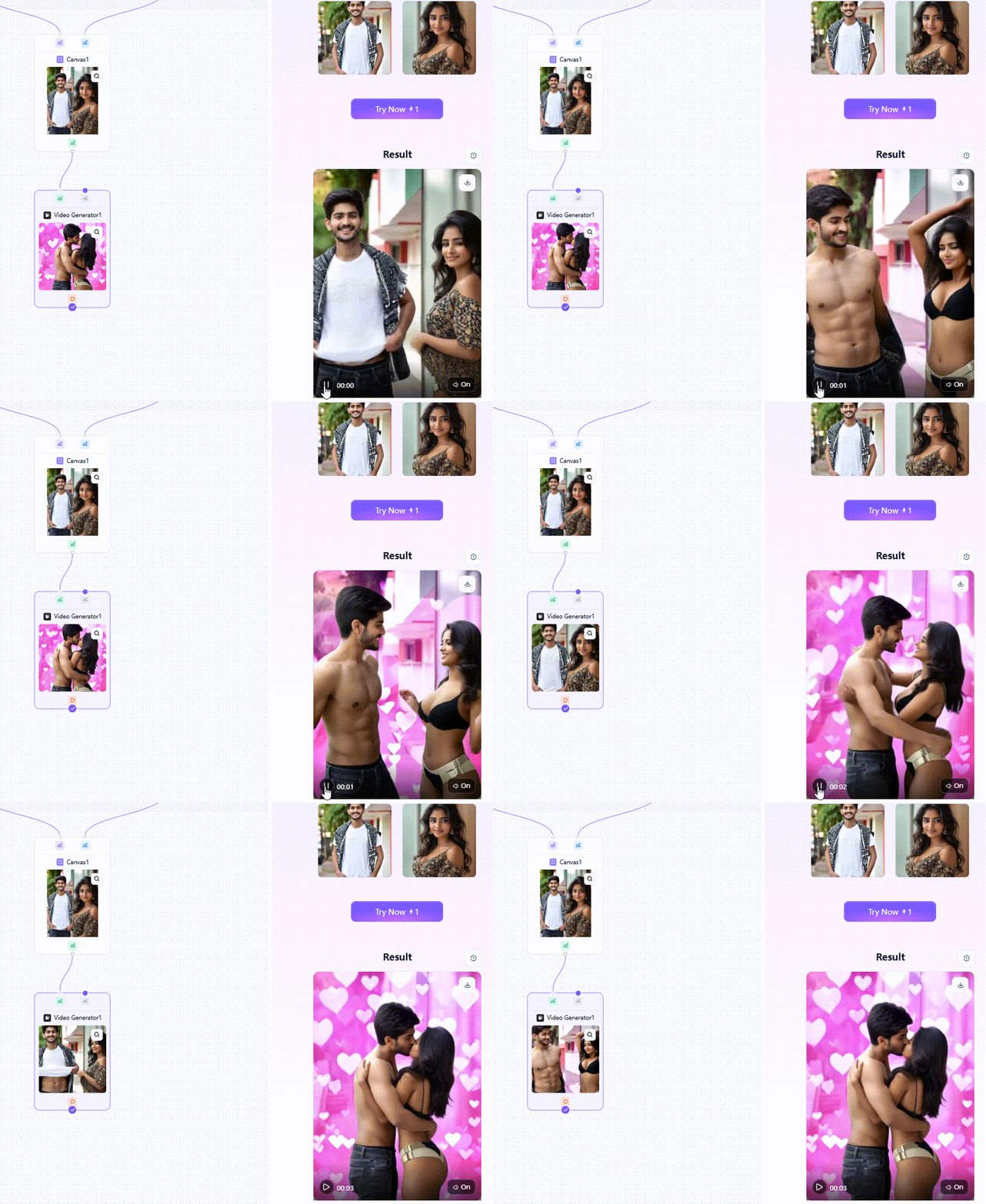
Wait 3 seconds, you will get a wonderful result 👇
How to Create a French Kiss Video With AI for Free
Making a realistic romantic clip takes a clear, simple process. By using an updated AI French kissing video generator free like a1.art, you skip the learning curve.
Here is the method I use to get perfect results:
Step 1: Start With a Clean Couple Photo
Your starting image controls the result. Choose a bright photo where both faces are visible. If the original photo is dark or blurry, your French kiss AI video will fail because the software cannot track the jawlines correctly.
Step 2: Pick a Ready-Made Template
Instead of writing long prompts, use pre-built styles. Platforms like a1.art offer 31,000 ready-to-use filters.
You can match different templates to your photo:
-
Classic Romance: Try the French Kiss, Single French Kiss, or Split French Kiss filters for a traditional look.
-
Atmospheric Settings: Choose the French Door Kiss or the Storm Door French Kiss if you want a moody, scenic background.
Step 3: Write a Simple Motion Prompt
Keep your text instructions short. A good prompt is: "Two people leaning in slowly, soft lighting, gentle romantic kiss." The AI usually gets confused and warps the image with too many random details.
Step 4: Test a Short Clip First
Generate 2- or 3-second testing clips first. This saves your free daily credits and lets you check face tracking before you render a longer scene.
Step 5: Check for Glitches
Watch the video closely. Look at the faces, mouths, and hands. Did the AI add extra fingers? Did the background melt? I once had a tree in the background morph into a third person! Catching these visual errors early prevents frustration.
Step 6: Fix Mistakes One by One
If the video looks strange, don't change your photo and text at the same time. Adjust the text prompt first. If you love a specific style on a1.art, click the "Fork" button. This tool lets you adjust the settings and build your own custom movement.
By following these steps, you avoid common generation failures and turn static photos into beautiful, moving art with ease.
Click the picture to generate your exclusive kiss with one click👇
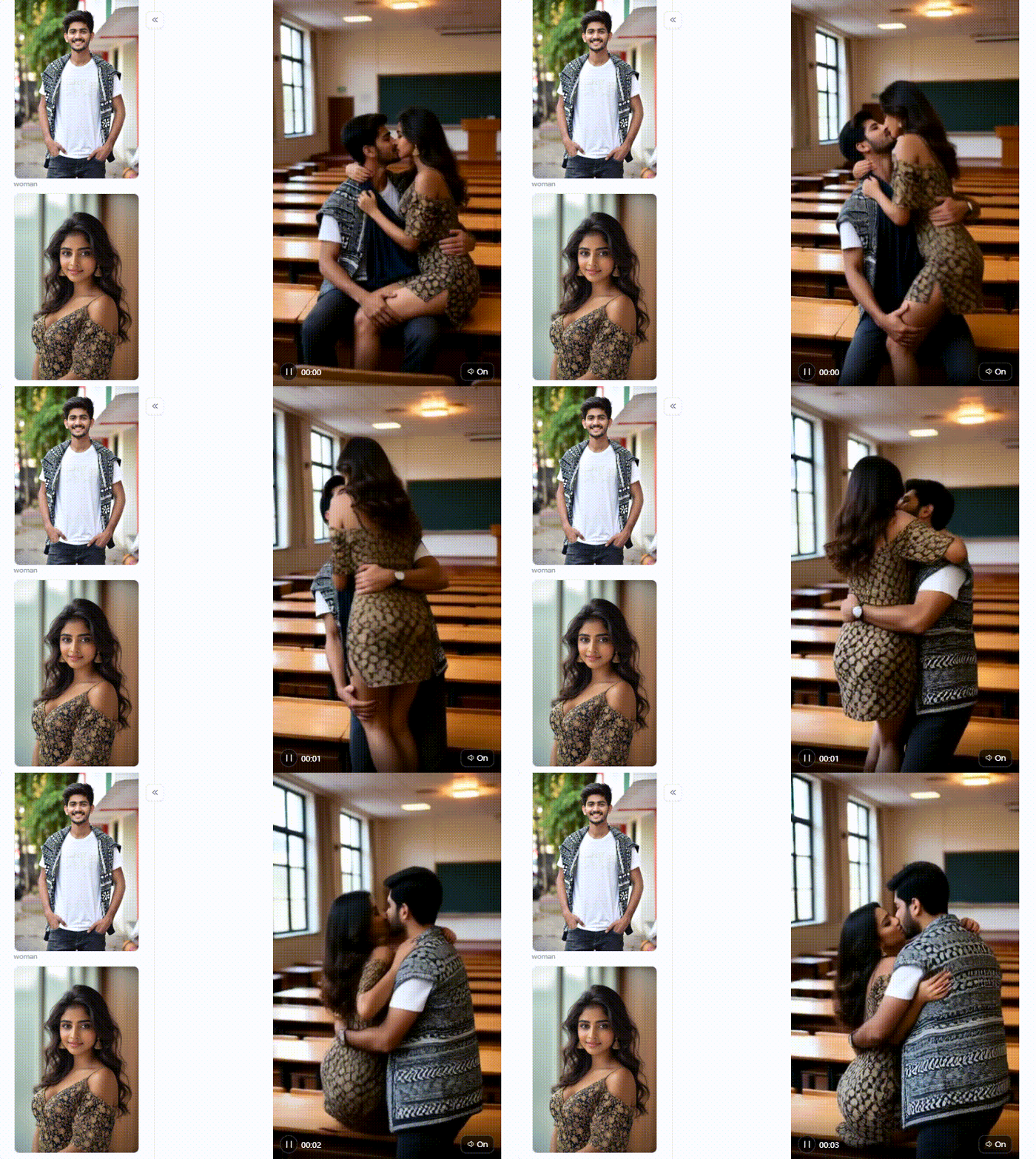
How to Make a Realistic French Kissing Face With Better Prompts
A common complaint online is that generated faces look like plastic robots crashing together. Separating camera instructions from subject actions keeps faces stable. To get a realistic French kissing face, your prompts need a clear, physical structure.
-
Describe the Motion in Sequence: Tell the AI how to move step by step. Use phrases like: "Eyes fluttering shut, heads tilting slightly, lips meeting softly." This stops the AI from smashing the faces together.
-
Control Facial Details: Focus on physical textures instead of vague moods. Use words like "natural skin texture," "soft skin pores," and "relaxed jawline." This helps prevent a shiny, waxy look. For a playful vibe, try the AI Air Kiss Video Generator or the French Kiss with Sexy Girlfriend filter.
-
Control Lighting: Bad lighting ruins realism. Always add terms like "cinematic lighting," "soft golden hour glow," or "rim lighting." Dark, moody scenes work perfectly with the Shadow Wall French Kiss filter.
-
Control Camera Movement: Keep the camera still while the subjects move. Specify "static camera, 50mm lens, shallow depth of field." A locked camera forces the AI to focus on the subjects. This stops the background from warping.
How to Fix Common AI French Kissing Video Distortions
Even the best AI kissing generator makes mistakes. Video models often suffer from "identity drift," where the software forgets what a face looks like from frame to frame.
Here is how you can fix the most common visual errors:
Faces Change During the Kiss
-
The Problem: Your subject looks correct at first, but slowly morphs into a stranger.
-
The Fix: Use a starting photo with clear, sharp facial features. Platforms like a1.art offer a strong facial-consistency lock. Users rely on this feature because it protects character identity throughout the entire scene.
Lips Look Unnatural
-
The Problem: The lips stretch widely or disappear completely.
-
The Fix: Keep the movement slow. Avoid aggressive action prompts that force the AI to guess fast transitions.
Heads Twist or Merge
-
The Problem: The two heads blend into one messy shape.
-
The Fix: Start with an image that has a clear gap between the subjects. Do not use photos where their cheeks already touch.
Skin Looks Plastic
-
The Problem: The skin appears over-smoothed and waxy.
-
The Fix: Add specific texture words like "film grain," "RAW photo," and "detailed skin pores" to your prompt.
Hair and Clothing Warp
-
The Problem: Shirts suddenly change color, or hair floats in the air.
-
The Fix: Keep the outfits simple in your source image. Avoid complex patterns like plaid or heavy stripes.
Background Moves Unnaturally
-
The Problem: Solid walls bend or melt as the couple moves.
-
The Fix: Use outdoor templates. Filters like the Flower Chase French Kiss or the Campfire Collar French Kiss hide background glitches perfectly. Leaves and fire naturally flicker and flow, making small AI errors invisible.
By treating the face as a stable asset and keeping your backgrounds natural, you stop these common glitches before they ruin your video.
Click the picture to generate your exclusive night pool french kiss with one click👇
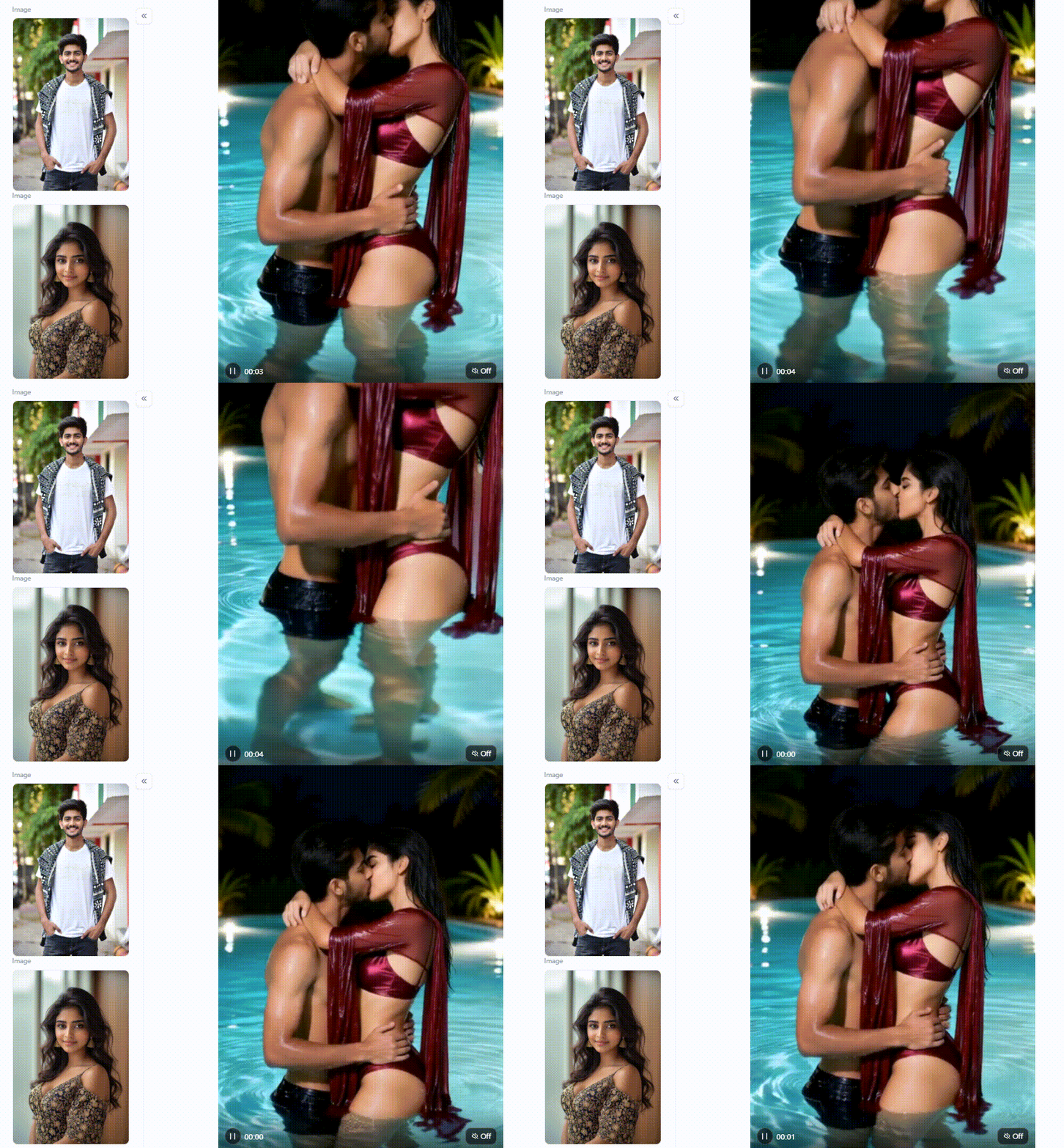
How to Make AI French Kiss Videos More Aesthetic for TikTok, Reels, and Shorts
If you want your art to go viral, you must understand how social media works. To capture attention, you must format your clips correctly.
-
Use a Strong First Second: Viewers scroll fast. On Instagram, the skip rate tracks viewers who swipe away within the first 3 seconds. Start your clip right as faces lean together to capture attention.
-
Keep the Composition Vertical: Always format your render to a 9:16 vertical ratio (1080×1920 pixels). If your how-to-make-a-kiss video with AI free workflow skips screen size, it misses a vital step. Full-screen video fills mobile displays without black bars.
-
Use Emotional Contrast: Pair soft, warm sunset lighting with clean ambient sound to build a cinematic mood.
-
Create Three Versions: Use the "Fork" button on a1.art to build your own filter. Export one slow-motion clip, one close-up, and one black-and-white edit to test across your feed.
Taking time to format each version ensures your final clips look sharp on every screen.
Privacy, Consent, and Platform-Safety Tips for AI French Kissing Videos
The most important rule is simple: only use photos you own or have clear permission to modify. A fake video showing a real person's face can hurt their reputation. Never share a generated clip as proof that two people kissed. Modern privacy laws take digital consent very seriously.
Before you upload a personal photo, always check the platform's rules:
-
Does the tool store your original uploads on its servers?
-
Can your generated videos automatically become public?
-
How does the permanent deletion process work?
-
Does the platform allow this specific type of romantic content?
Always use your own photos and get your partner's direct permission. If the system blocks your text prompt, don't try to bypass the safety filters. Instead, change your concept, use fictional characters, or choose an approved romantic style.
Why a1.art Is Useful for This Workflow
No single tool fits every project. Instead, the best platform depends on your goals. For quick testing, a1.art offers practical advantages by combining text prompts, image inputs, ready-to-use templates, and free daily credits in one accessible place.
Here is how this platform matches different user needs:
| Factor | Best-For Verdict |
| Template Convenience | Beginners wanting quick results |
| Style Exploration | Art lovers testing creative looks |
| Prompt Flexibility | Advanced creators writing custom scenes |
| Iteration Speed | Users testing multiple variations |
| Realism | Creators using controlled source images |
| Distortion Control | Projects focusing on simple movements |
| Free Experimentation | Budget users exploring AI video |
You can start with an organized visual concept instead of building every tiny detail from scratch. a1.art makes your romantic video edits faster, more predictable, and easier to adjust.
Click the picture to generate your exclusive deep sunset french kiss with one click👇
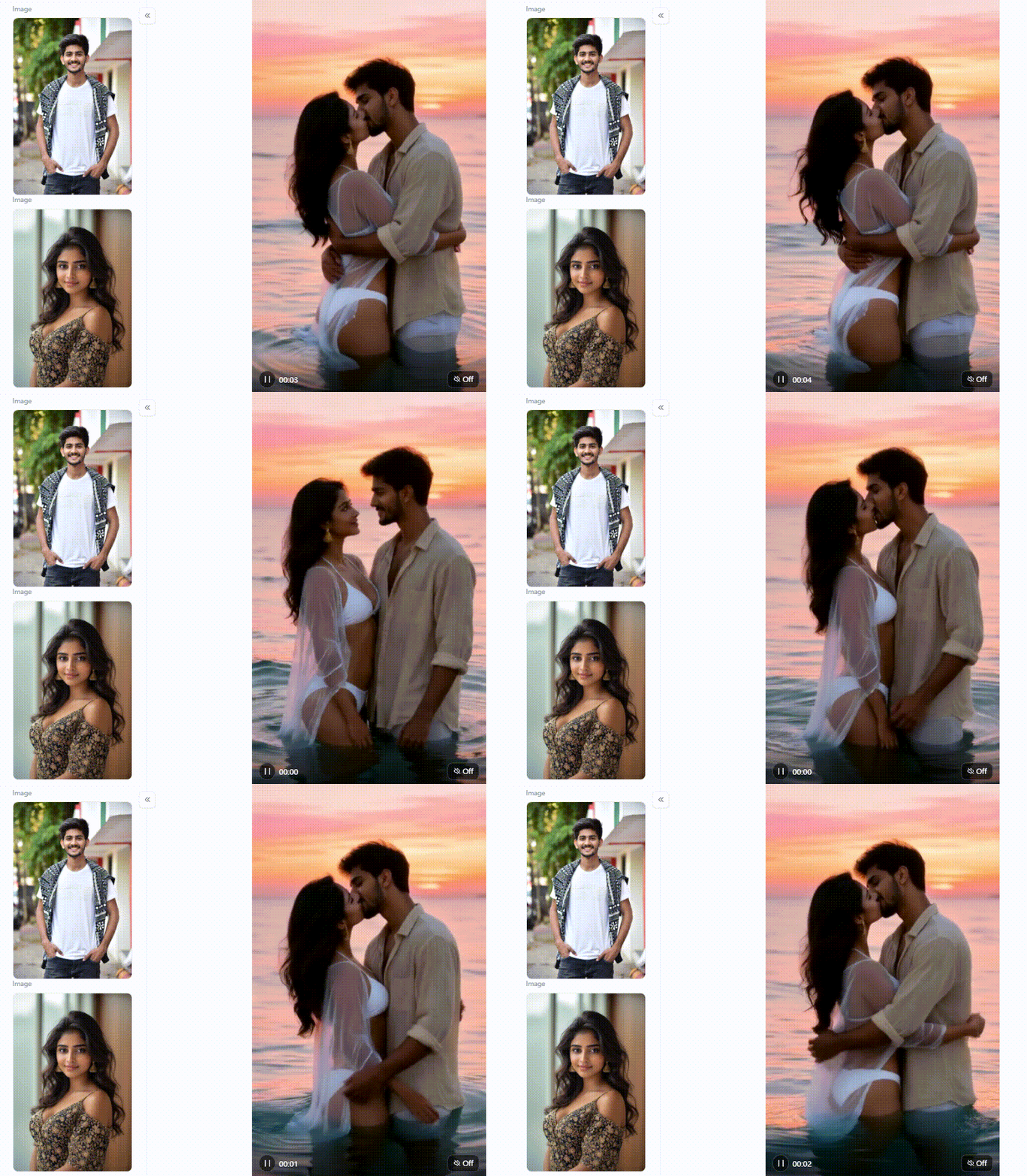
Conclusion
Finding a reliable free AI French kiss video generator doesn't have to mean dealing with warped faces or waxy skin. Today, over 124 million people use these platforms monthly. Industry data shows that guided templates help creators cut video production time drastically.
Start with a clear photo and simple prompts to create smooth romantic clips easily. Try exploring the filter presets on a1.art today to enhance your photos, prevent visual glitches, and create clean videos right away.
FAQs
Is there a free AI kissing video generator?
Yes. Many AI video generator platforms offer free trials or daily credits to help you start. For example, platforms like a1.art and Kling AI provide free daily quotas for their AI kissing video generator features. Keep in mind that "free" usually means limits on video length or resolution. Always check the credit rules before you begin a large project.
What makes an AI French kiss video look realistic?
Realism comes from a sharp source photo and controlled movement. To make your AI French kiss video look natural, use images with clear face angles and simple backgrounds. Short prompts also guide the AI better. If you add too many actions at once, the software gets confused, which often causes the faces or bodies to warp.
Can I turn an image into an AI French kiss video?
Yes, you can. Modern image-to-video tools easily animate a still couple photograph into a short romantic scene. You upload your picture, and the software maps the faces to create the movement. Platforms like a1.art accept both image and text inputs, giving you a workspace to build and refine your kissing videos.
Why does my AI kissing video look low quality?
Low quality usually happens when your starting photo is blurry, or your text prompt is complex. To fix this, start with a sharp image and crop closer to the faces. Reduce the head movement in your prompt. If the face already looks distorted, changing the filter will rarely solve the underlying image problem.
Can I use an AI kissing generator with two separate selfies?
Yes, some newer tools let you upload two separate portraits. For best results, use selfies with similar lighting, camera angles, and image quality. Remember to use photos you own or have permission to modify them. Today, many AI kissing generator platforms enforce privacy rules, so obtaining clear consent for romantic edits remains essential.
🔞 Content Publication Policy
All users must strictly adhere to the following rules and bear full responsibility for the content they publish:
-
Illegal Content: The generation or distribution of any form of illegal content is strictly prohibited.
-
CSAM (Child Sexual Abuse Material): Any sexual content involving minors is considered a severe felony worldwide, with zero tolerance.
-
Deepfakes (Non-consensual Intimate Images): The creation or dissemination of intimate images of any real person without their explicit consent is strictly forbidden.
-
User Responsibility: Users are solely responsible for ensuring all generated content complies with copyright, privacy, and all applicable laws.
Read more
- Spider Man AI Trend: How to Create Viral Spider Man Photos in 2026
- Best Free AI Kissing Video Generators Without Login in 2026
- How to Make Adorable Chibi Cartoon AI Photos Easily
- 20+ Viral Spider-Man AI Prompts for Realistic Photos in 2026
- 17 Agustus AI Photo Editing 2026: 20+ HUT RI 81 Prompts & Photo Ideas
- 15 August AI Photo Editing 2026: 20+ Viral Independence Day Prompts
- 10 Best Dreemy AI Alternatives in 2026 for NSFW AI Images Videos
- Grok AI Companion NSFW Alternatives: Best AI Companion Apps to Try
- Best Websites for Clothes Remover APKs
- Best AI Cosplay NSFW Generators for Anime and Fantasy Character Art
Written by

a1.art
Published on
Aug 21, 2026
Share article


