


You want a cute profile picture for TikTok. You try a free app, but it melts your face. The eyes look creepy, and your personal style vanishes. It is frustrating when you want a fun, tiny version of yourself. Creating a flawless Chibi Cartoon AI Photo fixes this problem.
This adorable trend is exploding online. According to Grand View Research, the global generative AI market will grow from USD 29.6 billion in 2026 to USD 324.7 billion by 2033. Why? Because smart tools now let anyone make perfect digital avatars in seconds.
In this guide, you will learn how to stop weird face distortions. Discover simple tricks, secret text prompts, and the best a1.art filters to build your viral chibi masterpiece today!
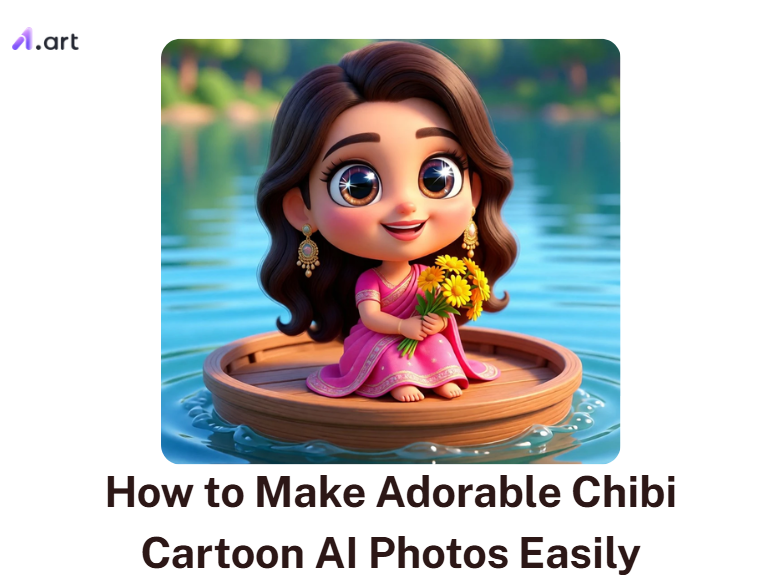
Key Takeaways
-
The global AI anime and chibi market will hit USD 384.40 billion by 2030, growing at 27.7% annually.
-
A 2026 peer-reviewed study confirms that cute chibi styles significantly boost your Instagram views and audience engagement.
-
The a1.art image engine fixes creepy facial glitches.
-
Create a Chibi Cartoon AI Photo in just 8 to 12 seconds. That is 5x faster than Midjourney.
-
Click “Fork” to instantly copy a viral video’s full filter and animation setup.
Start your art journey with a1.art.
What Is Chibi Cartoon AI Photo Editing?
Chibi cartoon-style AI photo editing turns your everyday selfie into a tiny, big-headed cartoon character in seconds. In Japanese art, “chibi” means a tiny person. These adorable characters feature big, glossy eyes, soft pastel colors, and oversized heads that instantly convey deep emotion.
In the past, getting this customized look meant paying an artist and waiting days. Today, smart AI tools scan your face and build a cute cartoon in seconds. However, the biggest challenge for users is keeping their real identity.
-
The Problem: Basic, generic apps often melt your eyes and erase your unique facial structure. You get a cute photo AI cartoon, but it looks nothing like you.
-
The Fix: High-quality tools map your exact facial geometry. They keep your real nose shape, eye slant, and natural smile perfectly intact.
A recent 2026 academic study proved that AI-Stylized Chibi posts directly boost Instagram engagement and visual appeal. People stop scrolling when they see a tiny, cute version of you.
Whether you need a standout gaming profile picture, a fun anniversary post, or a fresh avatar, these AI tools deliver. Chibi photos are not just cute. They perform better, look stunning, and make grabbing attention feel effortless.
How to Use It, Just 3 Steps:
Using a1.art is incredibly simple. Here’s the full beginner-friendly guide:
Step1:
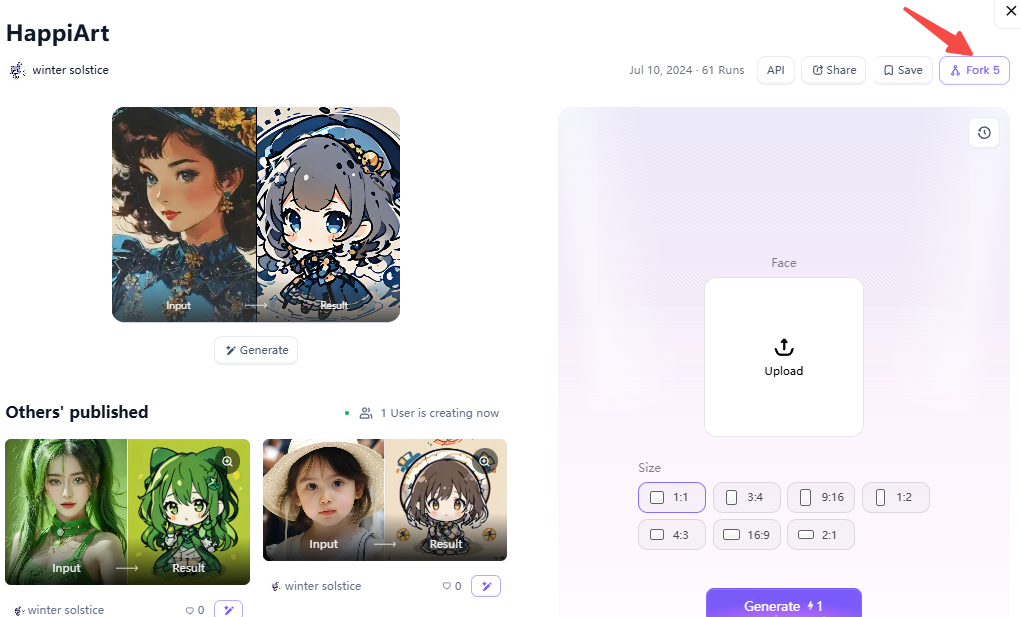
Open a1.art, choose the App that you are interested in, then click 「Run」
Click on the image to experience the same App👇
Step2:
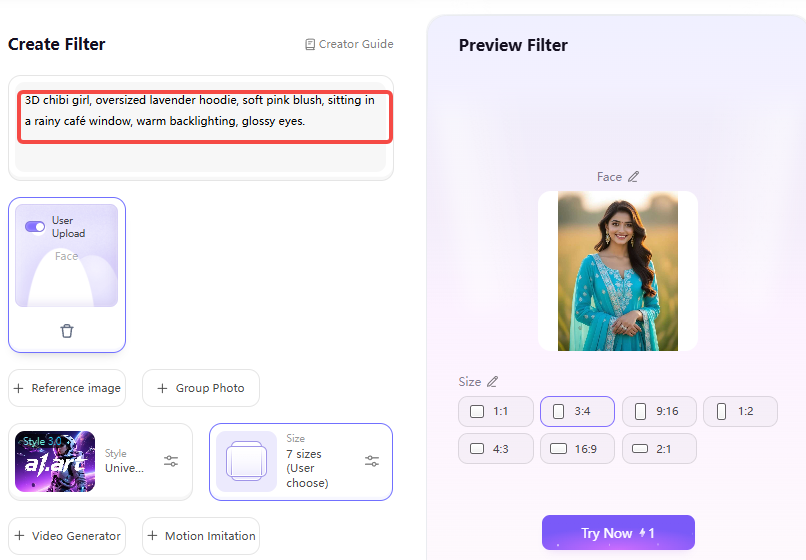
Upload a photo/image
Step3:
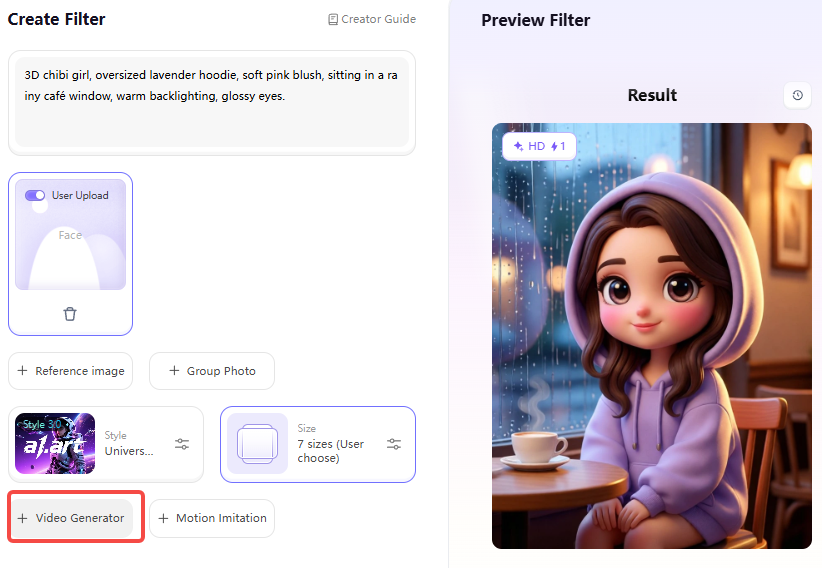
Wait 3 seconds, you will get a wonderful result 👇
The Booming Market Behind the Chibi AI Photo Trend
Have you noticed that everyone is changing their profile pictures to adorable cartoons? This is not just a fun hobby. It is a massive, booming trend. Here is a simple breakdown of the three main forces driving this adorable style taking over the internet:
| The Driving Force | What It Means for You |
| Gen Z Culture | Cute chibi avatars are quickly replacing real selfies on Instagram and Discord. |
| Easy AI Tools | You need zero drawing skills to create stunning pictures in under 30 seconds. |
| Viral Sharing | Emotional pictures make friends say, "This is SO you!" which boosts organic sharing. |
Log in to your Discord for a late-night gaming session. Instead of a dark, boring selfie, your friends see a bright, 3D chibi cartoon character wearing your favorite gaming hoodie. This instantly sparks joy and starts fun conversations.
On X and Instagram, huge communities now share these tiny, personalized heroes every day. If you are not posting chibi cute drawings yet, you are missing out on real, daily engagement.
Click the picture to generate your exclusive cartoon image with one click👇
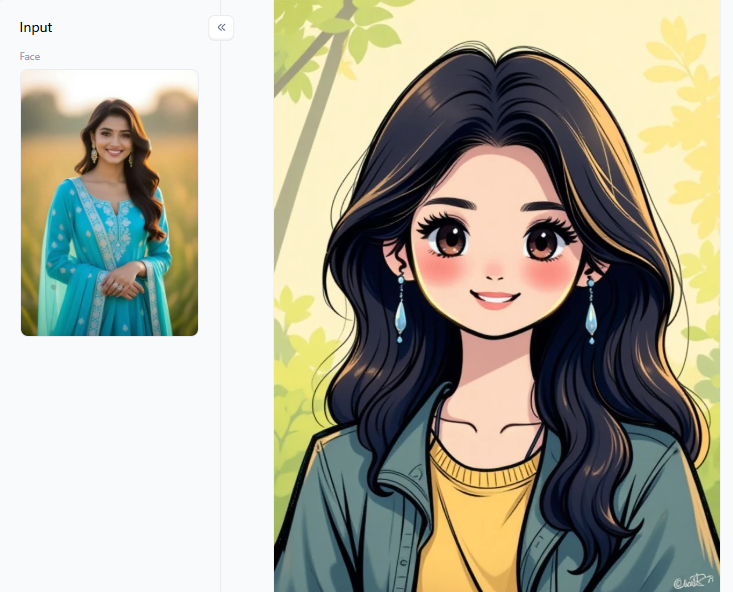
The Secret Behind Trending Chibi Style AI Photo Editing Prompts
Not every Chibi Cartoon AI Photo goes viral. The secret lies in a specific visual recipe. To make your art stand out, you must write a 5-layer prompt. This stops AI from generating flat, boring pictures:
-
Style Anchor: Tell the tool exactly what you want (e.g., “3D chibi doll”).
-
Lighting: Add rich depth with phrases like “golden hour glow.”
-
Background Scene: Ground your character emotionally in a “cozy winter café.”
-
Emotion: Drive shares by adding “sleepy eyes” or “laughing.”
-
Texture Detail: This is the pro secret. Always add “glossy skin” or “fabric folds.”
Let us look at a practical example. Imagine you want a moody Instagram post. Try this exact prompt: “3D chibi girl, oversized lavender hoodie, soft pink blush, sitting in a rainy café window, warm backlighting, glossy eyes.”
Texture details prevent weird AI glitches. They make your clothes look like real fabric. Typing long prompts is hard for beginners. Thankfully, a1.art offers dozens of pre-built, cost-effective filters that you can copy by clicking the Fork button.
Click the picture to generate your exclusive 90s comics grit with one click👇
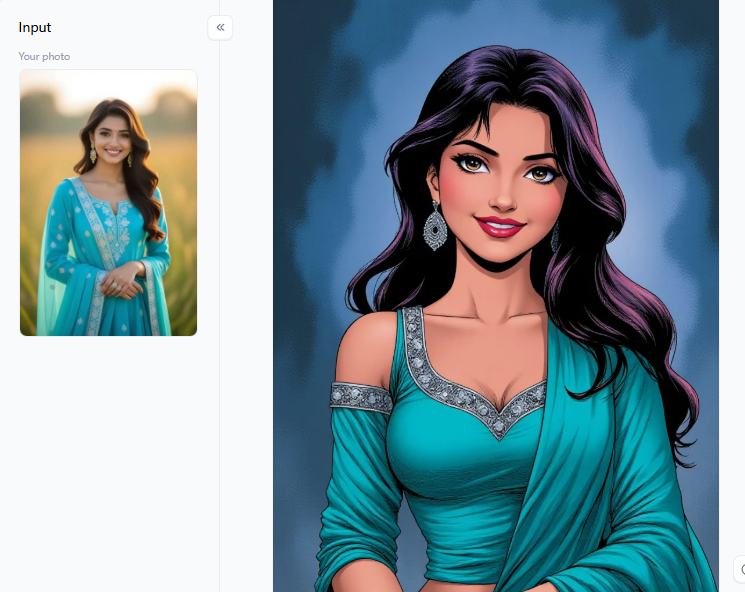
Every Type of Chibi Cartoon AI Photo Generator
The chibi AI tool market is currently flooded. Finding the right generator can feel overwhelming. Let’s break down every type of Chibi Cartoon AI Photo generator so you can pick the perfect tool for your next viral post:
Text-to-Image vs. Image-to-Image Converters
Tools like Midjourney give you total creative freedom to build scenes from scratch. But they demand advanced prompt writing skills. Plus, Midjourney takes almost a full minute per image. Meanwhile, Adobe Firefly users constantly complain about distorted facial features. These tools often frustrate beginners.
Instead, use Image-to-Image converters for exact selfie accuracy. This is a1.art’s biggest strength. It fixes the dreaded “face mismatch” issue found on Reddit.
Custom Expressions and Pet Portraits
Do you want to stand out in your group chats? Build your own reaction stickers. Use the Chibi Sticker and Portrait Set filter. From just one photo, you can export a pack of moods: laughing, crying, sleepy, and surprised. They download as clean PNG files, perfect for WhatsApp, Telegram, or Discord emojis.
Got a furry friend? Upload your dog or cat into the Cute Chibi Style filter. The AI softens their fur, enlarges their paws, and gives them big, expressive eyes. These pastel pet renders consistently crush standard photos in Instagram saves.
Viral Couple Merges and Video Animators
A couple of posts rule social media today. But manually merging two faces into a single cartoon scene takes hours. The Couple Vacation Chibi filter does it instantly. Just drop two photos in. The AI matches your outfits and blends you into a shared background.
Want to dominate TikTok or Reels? Image-to-video animation is the new frontier. Compare two amazing effects: the Night Chibi 3D filter creates cinematic, moving night scenes.
Alternatively, the Chibi Dreamy Image filter adds soft, glowing light reminiscent of a premium anime short. You can switch from video to image with one click. Better yet, hit “Fork” on any trending chibi cartoon-style AI photo to instantly clone its entire setup.
From sticker packs to animated shorts, having the right cost-effective filter changes everything. These tools are a must-have to keep your visual content fresh, natural, and highly engaging.
Click the picture to generate your exclusive cute figurine with one click👇
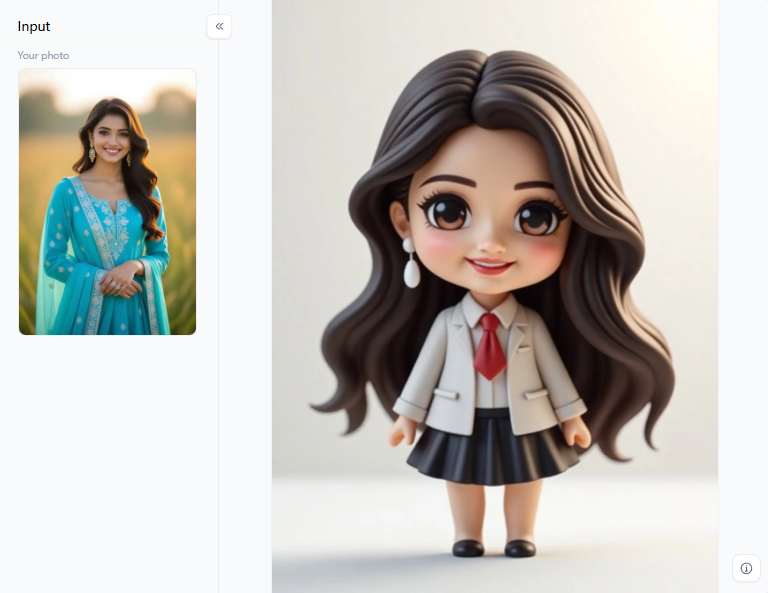
Why a1.art Makes Chibi Cartoon AI Photos Easier
After testing various platforms over the past weeks, I keep coming back to a1.art. It is simply the easiest way to create a flawless Chibi Cartoon AI Photo. Here are the real, measurable facts why this platform wins:
Lightning-Fast Speed
-
The Difference: This tool builds your picture in just 8-12 seconds. Older tools take up to a full minute.
-
Why It Matters: If you post daily on TikTok, this speed saves you hours every month. You can jump on new trends instantly before they fade.
Perfect Facial Fidelity
-
The Difference: Most generic apps melt your eyes. Try the Simple and Clear Face Filter. It keeps your real skin texture and face shape perfectly intact.
-
Why It Matters: Users on other sites often spend hours fixing weird, distorted faces. Here, you get a beautiful, highly accurate avatar instantly.
The Magic “Fork” Feature
-
The Difference: Did you see a viral video you love? Just click “Fork”. It instantly copies the exact filter, prompt, and animation settings.
-
Why It Matters: You completely skip the hard work of prompt engineering. Other big AI tools do not offer this incredible shortcut.
A Must-Have Filter for Every Need
Plan your weekly posts using these cost-effective styles:
-
Portrait and Doll Mode: Use the Cute Chibi Style filter. It turns your simple selfie into a shiny, 3D vinyl toy. It is perfect for your WhatsApp profile.
-
Expression and Sticker Mode: Use the Custom Chibi Expression filter. It turns one uploaded photo into a full sticker pack. You get laughing, crying, and sleepy faces for your Discord group chats.
-
Cinematic and Animated Mode: Try the Night Chibi 3D filter. It turns your picture into a glowing, moving video. It is exactly what you need to go viral on YouTube Shorts.
Add a movement prompt like “hair blowing in the wind.” Generate your video, hit “Fork,” and change the background scene. You can build an entire animated video series in under 5 minutes.
Click the picture to generate your exclusive couple vacation chibi with one click👇
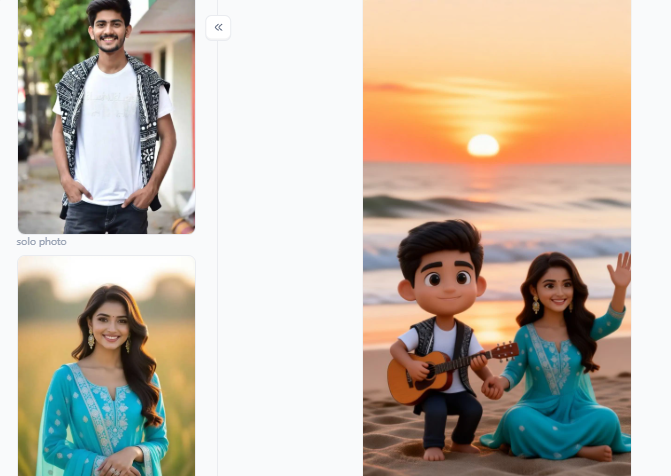
Your Chibi Art Deserves to Be Seen
Chibi cartoon AI photos are the biggest visual trend in 2026. Sharing these cute avatars naturally boosts your daily social media engagement. The secret to crafting a viral post is simple. You must preserve your real face shape, use rich sensory details in your prompt, and publish quickly.
The a1.art platform handles all this effortlessly. You get flawless faces, a helpful prompt library, and generation speeds. The clever Fork tool saves hours of frustrating guesswork. Ready to transform your selfie into stunning art? Try chibi character makers.
FAQs
Q: How do I make a chibi cartoon AI photo step by step?
Head to a1.art and pick any fun filter. The Chibi Doll or Cute Chibi Style filters are perfect for beginners. Upload your selfie and hit generate. In seconds, you get a beautiful chibi cartoon AI photo! Want a shortcut? Click Fork on any popular video filter to instantly copy its amazing settings.
Q: Which chibi cartoon AI photo maker is easiest to use?
The easiest chibi cartoon AI photo maker today is a1.art. You do not need to write long prompts. Just upload your picture! Unlike Midjourney or Adobe Firefly, which often distort faces, this smart tool preserves your real eye shape and smile. Plus, it offers free daily credits and instant style copying.
Q: What are the best free chibi cartoon AI photo generators in 2026?
The best chibi cartoon AI photo generators include a1.art, Google Gemini, and Fotor. For perfect facial accuracy and cool animations, a1.art wins easily. Google Gemini is great for typing text ideas, while Fotor offers basic image changes. With this massive trend growing fast, these free platforms keep getting better every single day!
Q: Why do chibi AI photos sometimes distort my face?
Face distortion occurs when tools lack facial details or when your prompt is too vague. To fix this, always upload a bright, clear selfie. Add sensory words like “glossy skin” to your text. Most importantly, use the Simple and Clear Face Filter on a1.art. It is designed to keep your real face looking flawless.
Q: Can I animate my chibi cartoon AI photo into a video?
Yes. Turning your art into a looping video is the secret to going viral. On a1.art, filters like Night Chibi 3D and Chibi Dreamy Image create gorgeous animations. They add glowing lights, soft movements, and magical sparkles. You can switch between a static picture and a moving video with a single click.
Read more
- 20+ Viral Spider-Man AI Prompts for Realistic Photos in 2026
- 17 Agustus AI Photo Editing 2026: 20+ HUT RI 81 Prompts & Photo Ideas
- 15 August AI Photo Editing 2026: 20+ Viral Independence Day Prompts
- 10 Best Dreemy AI Alternatives in 2026 for NSFW AI Images Videos
- Grok AI Companion NSFW Alternatives: Best AI Companion Apps to Try
- Best Websites for Clothes Remover APKs
- Best AI Cosplay NSFW Generators for Anime and Fantasy Character Art
- How to Create Your Own AI Girlfriend Character Online?
- How to Turn Your Photo into Double-Exposure Art? | AI Portrait Guide
- How to Create Krishna Janmashtami AI Images Online in 2026?
Written by

a1.art
Published on
Aug 18, 2026
Share article


