


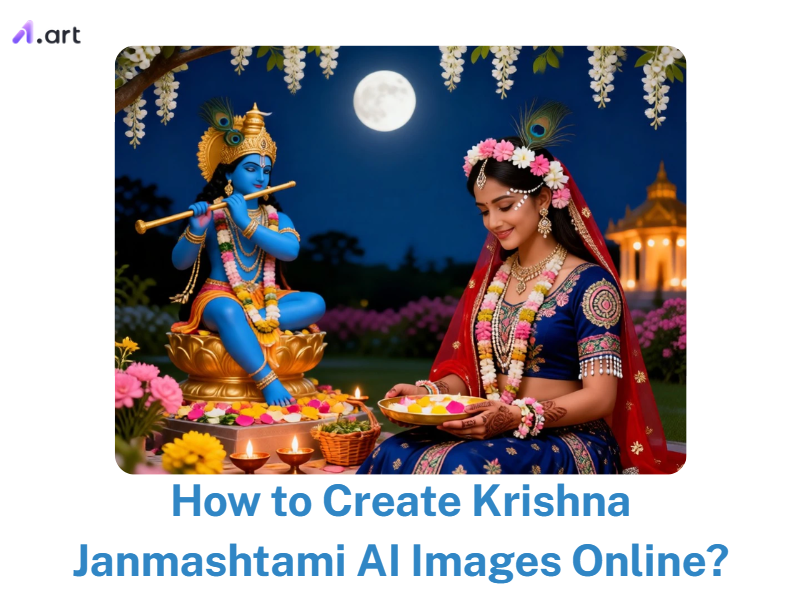
You’ve probably noticed how hard it is to find realistic AI image creators for Krishna Janmashtami. Many online editors leave faces blurred, colors off, or posters repetitive. That’s frustrating when you want a clear devotional image for greetings or social posts.
Platforms such as a1.art now let you design festival Krishna Janmashtami greeting cards in seconds. They solve distortion problems, add realistic lighting, and give you creative freedom. With these open source image editors, your Janmashtami visuals can feel personal, vibrant, and ready to share.
Key Takeaways
-
Krishna Janmashtami 2026 is on 4 September. This gives you a clear time frame to launch beautiful posters, videos, and greeting cards.
-
Fans love Janmashtami AI photos that show warm skin tones, shiny gold jewelry, and wooden flutes bathed in soft, glowing light.
-
Detailed prompts that describe camera angles, poses, and backgrounds always create more realistic results than short phrases.
-
a1.art simplifies your Lord Krishna Janmashtami artwork with special festive filters.
Start your art journey with a1.art.
Why a Krishna Janmashtami AI Image Creator Matters
A Krishna Janmashtami AI Image creator is much more than a simple design shortcut. Users adopt these tools to reduce costs, accelerate creative workflows, and deliver customized visuals.
This technology is essential for Janmashtami because the festival relies on deep, emotional visuals. Whether you design a local temple poster, a family devotional portrait, or a digital greeting card, you need a sacred mood.
-
Natural Skin Tones: Users want skin that looks warm and luminous, never waxy or plastic-like.
-
Intricate Details: Gold jewelry should glow brightly, and wooden flutes must show real wood grain.
-
Peaceful Atmospheres: Backgrounds should feel divine, rather than noisy or cluttered.
These tools help you create emotionally rich Janmashtami AI photos in seconds. You get stunning visuals that connect with your audience instantly.
How to Use It, Just 3 Steps:
Using a1.art is incredibly simple. Here’s the full beginner-friendly guide:
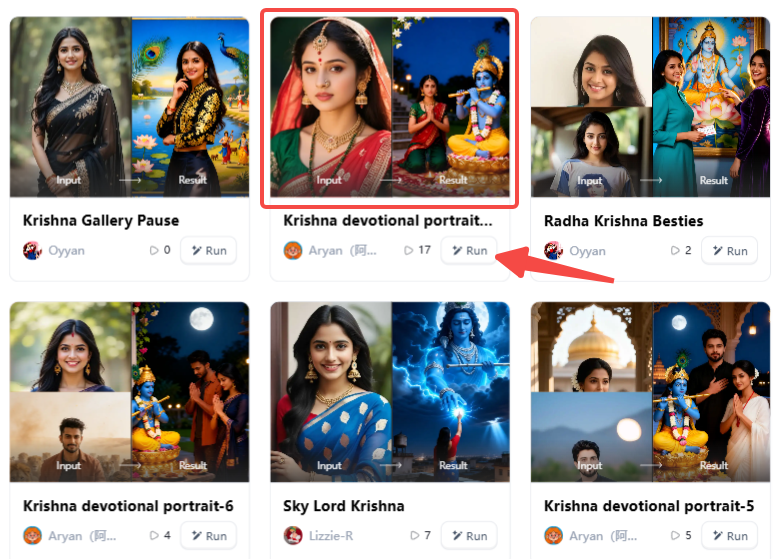
Step1:
Open a1.art, choose the App that you are interested in, then click 「Run」
Click on the image to experience the same App👇
Step2:
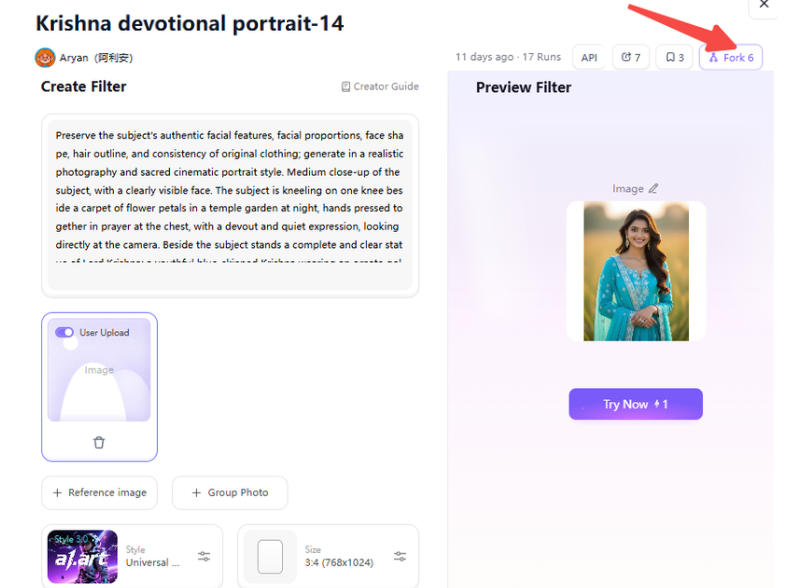
Upload a photo/image
Step3:
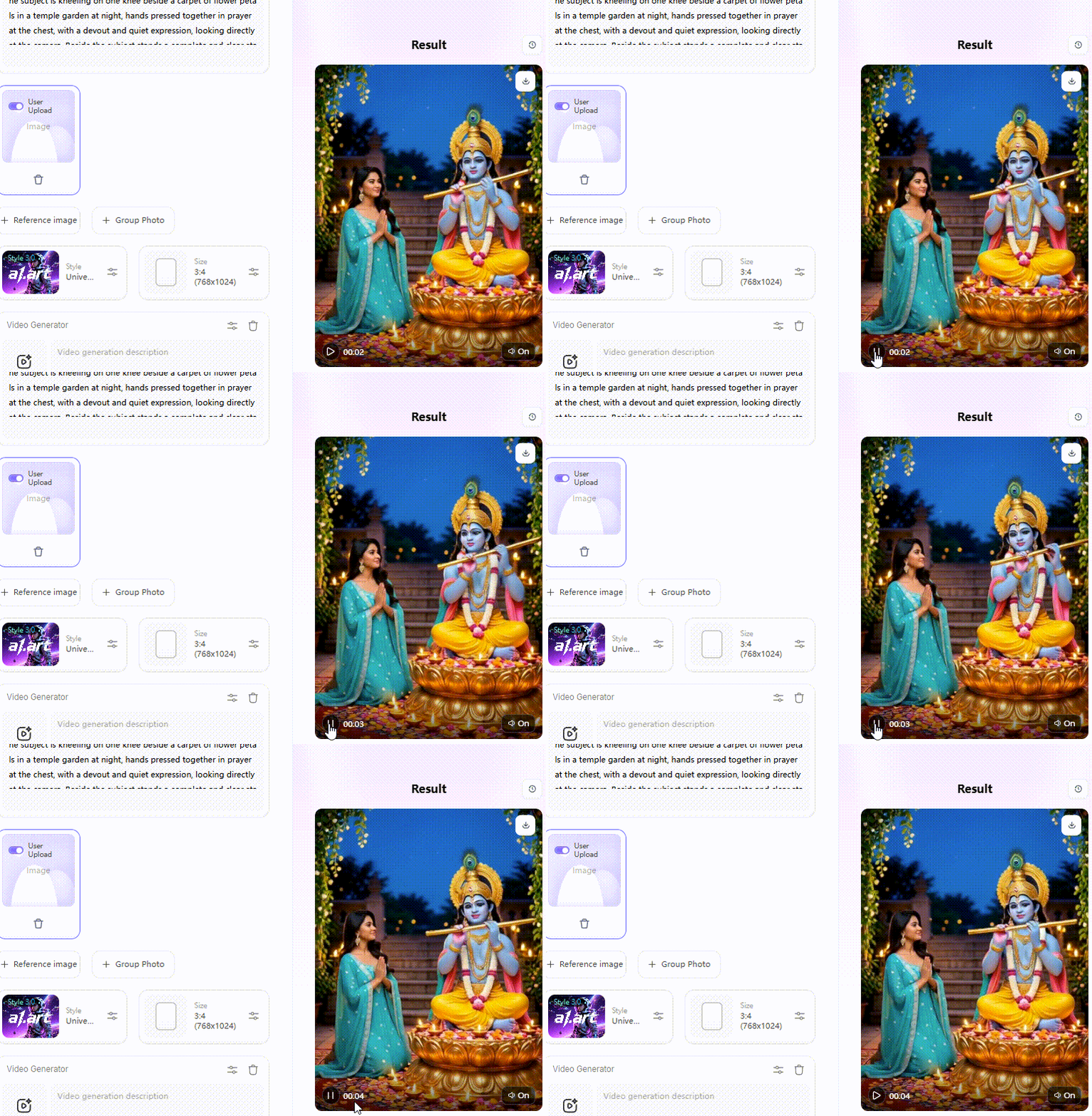
Wait 3 seconds, you will get a wonderful result 👇
Main Features of Krishna Janmashtami AI Image Creators
Powerful Krishna Janmashtami AI image creator brings your festive ideas to life. Whether you need a Happy Janmashtami photo editor for a quick family card or advanced tools for Shri Krishna Janmashtami photo editing, these formats cover all your design needs:
-
Divine Portraits: Create detailed close-up portraits of Lord Krishna. You will get soft lighting, perfect blue-toned skin, and sharp peacock feathers without any strange blur.
-
Conceptual Photoshoots: Blend real-life faces with magical settings. Use smart filters to place your family right inside a colorful festival scene, perfect for Instagram reels or WhatsApp profile pictures.
-
Festival Posters: Need to announce a local temple event? Quickly build eye-catching banners with glowing moonlight backgrounds and ample space for your text.
-
Greeting Cards: Generate emotional images to send to friends and family. These simple designs capture the true spirit of the holiday at just a glance.
By exploring these formats, you can create stunning, professional-grade artwork that shares the magic and devotion of Janmashtami with everyone you love.
Click the picture to generate your exclusive do yoga with krishna with one click👇
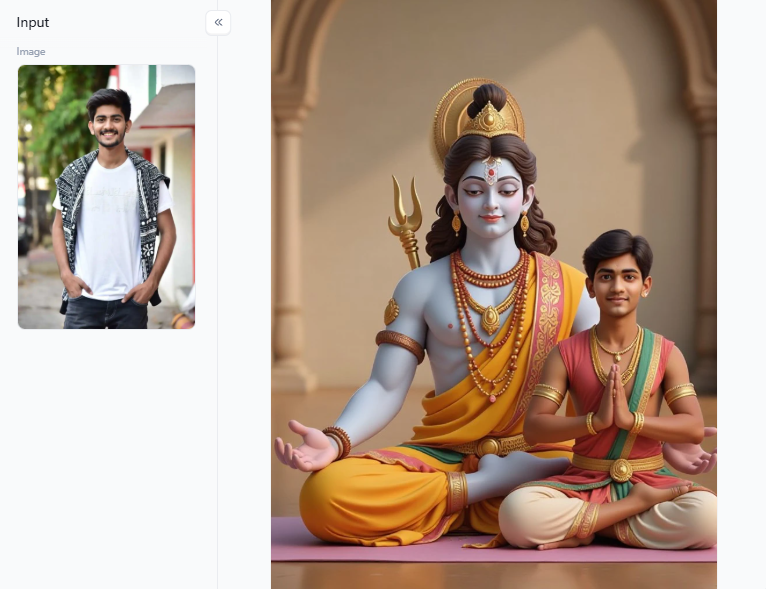
Best Filters on a1.art for Krishna Janmashtami Devotional Art
Instead of guessing the right words to type, a1.art gives you ready-to-use templates. It handles all the tricky details, ensuring the shadows and shapes match up perfectly.
Furthermore, if you find a video design you love, you can easily adapt it. Press the “Fork” button on your screen. This handy tool copies the original style, lets you change the movement, or saves the video file as a crisp, static photo.
Here are the top filters you should try for this upcoming festival:
Classic and Realistic Portraits
These popular options focus heavily on facial realism. They produce clear skin tones and fine gold jewelry without any robotic smudging.
-
Krishna Devotional Portrait: Excellent for detailed face drawings.
-
Child Krishna Portrait Beneath a Tree: Shows the playful innocence of baby Krishna sitting in the soft, dappled sunlight.
-
Sky Lord Krishna: Sets the deity high up in soft, colorful clouds. It is perfect for making phone wallpapers.
Family and Festival Celebrations
If you want to capture a lively event, these filters can capture multiple people in a single frame without making the background faces look strange.
-
Group Photo with Krishna: Cleverly combines modern families with the divine figure.
-
Holi Celebration of Radha Krishna: Fills the air with bright clouds of traditional colored powder.
-
Indian Janmashtami Festival Family: Offers a cinematic style that works for your personal family greeting cards.
Modern and Unique Concepts
For artists looking to try something different and gain online views, these filters offer creative twists on traditional designs.
-
Underwater Krishna Wallpaper: Features deep-blue water effects, swimming fish, and floating silk fabric.
-
Krishna Gallery Pause: A modern look that resembles a framed painting in a museum gallery.
-
Radha Krishna Besties: A bright, cheerful design highlighting true friendship.
-
Beautiful Woman as Krishna: A creative look inspired by classical Indian stage dancers.
You do not need any advanced technical skills to create stunning visuals. Just pick a template, upload your photo, and share your festival blessings with your friends and family.
Click the picture to generate your exclusive krishna devotional portrait with one click👇
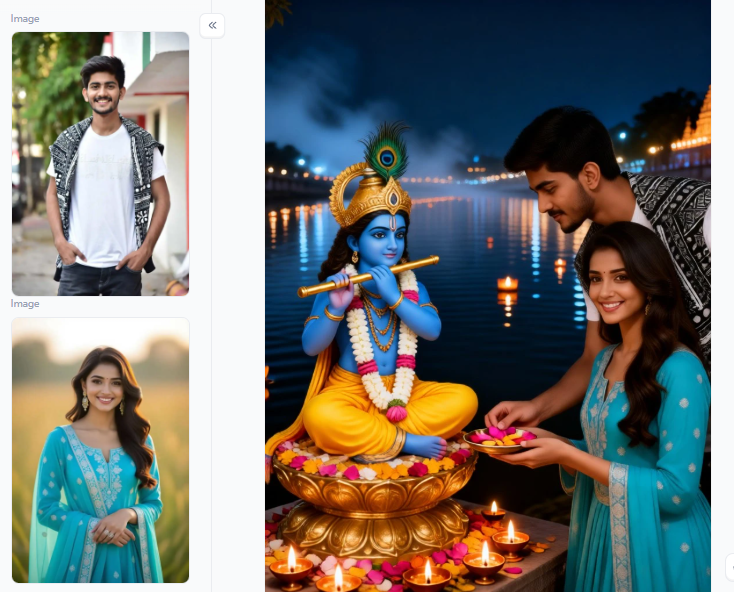
Realistic Krishna Janmashtami AI Image Editing Prompts
Ready to start creating your own art? Writing a strong prompt is the secret to getting beautiful, non-glitchy images. Here are 20 high-quality prompts you can copy and paste into your Krishna Janmashtami AI image creators:
Divine Portrait Prompts
-
Lord Krishna standing under a kadamba tree, soft golden dawn light, blue skin with natural texture, peacock feather crown, flute in right hand, 85mm portrait lens.
-
Close-up of Shree Krishna’s face, calm smile, luminous eyes, delicate gold jewelry, diya glow on cheeks, temple background softly blurred.
-
Bal Krishna seated on a swing, butter pot beside him, warm indoor lamp light, detailed silk dhoti, realistic skin pores.
-
Krishna in moonlit Vrindavan, soft mist, gentle backlight, cinematic side profile, elegant flute pose.
-
Lord Krishna with a cow in soft sunrise light, rich peacock-green and gold palette, ultra-detailed devotional portrait.
Conceptual Photoshoot Prompts
-
A young woman styled as Krishna, with blue-toned makeup, a floral crown, editorial lighting, and clean facial detail, in a sacred yet modern portrait.
-
Family posing with Lord Krishna in a festive Janmashtami home setting, with diyas, marigold garlands, and warm, smiling expressions.
-
Child dressed as little Krishna beneath a tree, natural daylight, playful eyes, butter pot, realistic folds in costume.
-
Couple offering flowers to the Krishna idol; evening temple light; reverent mood; candid composition; realistic hands.
-
Group photo of Krishna in a decorated courtyard, with a balanced composition, festive clothing, and authentic skin tones.
Click the picture to generate your exclusive indian janmashtam festival woman with one click👇
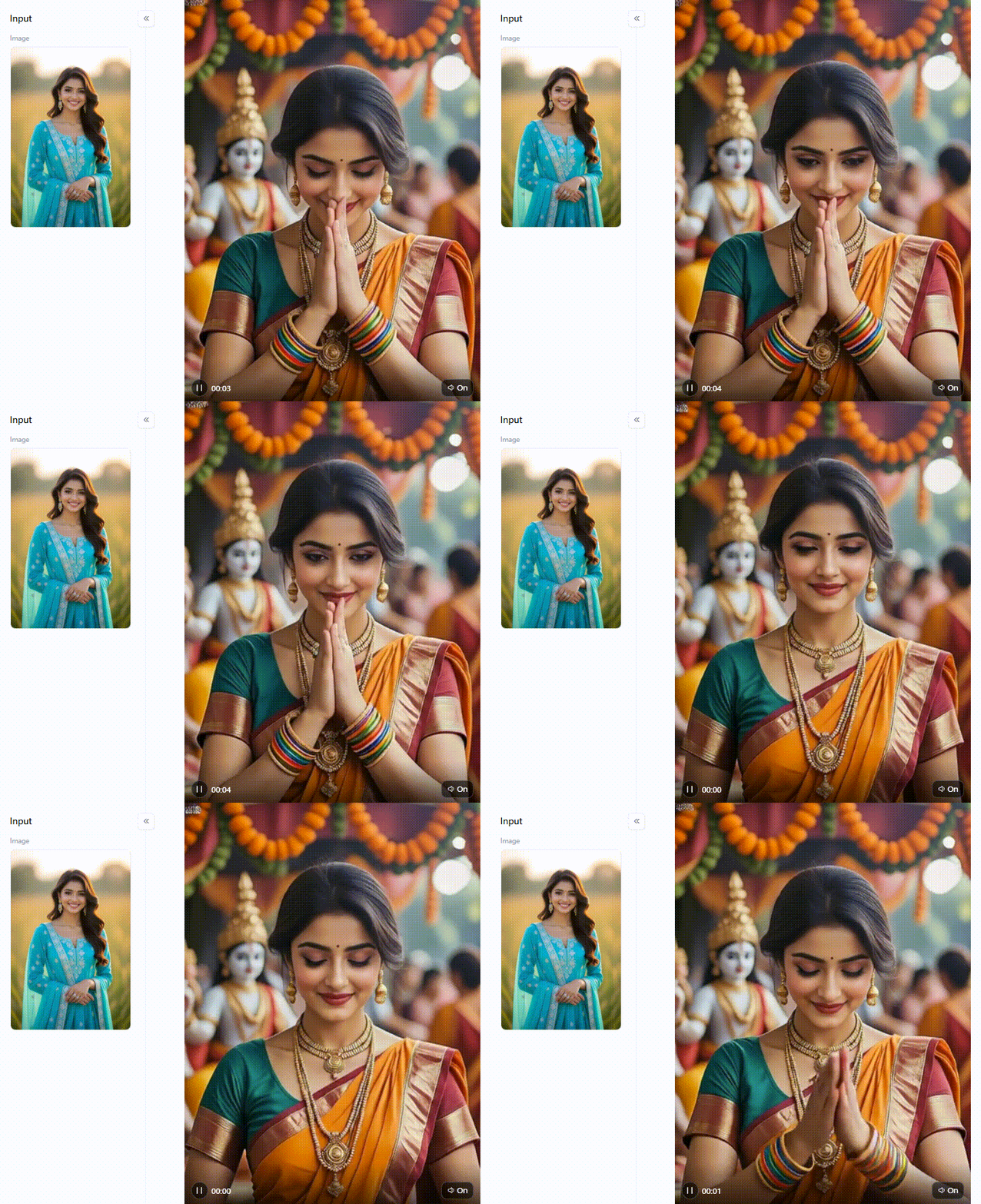
Festival Poster Prompts
-
Happy Janmashtami poster with a Krishna silhouette against a full moon, a deep blue background, gold accents, and clean text space at the top.
-
Janmashtami event flyer featuring a flute, peacock feathers, temple bells, elegant symmetry, high contrast, and a readable composition.
-
Shri Krishna Janmashtami poster with child Krishna’s footprints, a butter pot, a lotus border, and a bright devotional colour theme.
-
Minimal Janmashtami poster, moonlit sky, hanging matki, refined typography zone, premium spiritual aesthetic.
-
Radha Krishna festival greeting banner with a glowing aura, a floral arch, a soft cloud background, and rich saffron and blue tones.
Greeting Card and Video Prompts
-
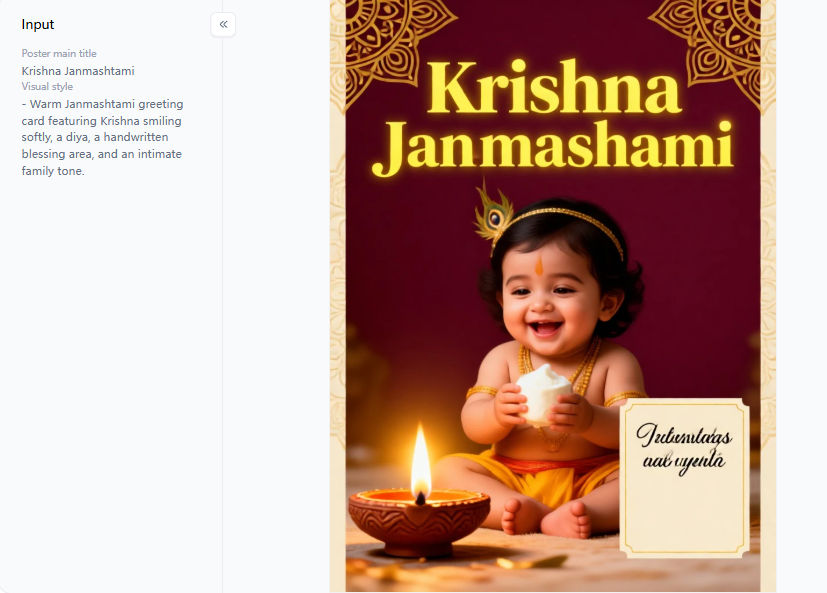
Warm Janmashtami greeting card featuring Krishna smiling softly, a diya, a handwritten blessing area, and an intimate family tone.
-
Digital blessing card with Radha Krishna, a pastel night sky, a peacock-feather frame, and a gentle temple glow.
-
Krishna Janmashtami card for WhatsApp status, vertical 9:16, bold center composition, clear festive message area.
-
Underwater Krishna wallpaper, floating lotus petals, blue light rays, slow, cinematic movement, dreamlike realism.
-
Sky Lord Krishna above clouds, divine sunlight, flowing scarf motion, epic vertical frame for reel cover.
Changing a few words in your prompt completely changes the final image. By specifying camera terms and lighting styles, you help the AI build realistic Janmashtami AI photos.
Click the picture to generate your exclusive festival poster with one click👇
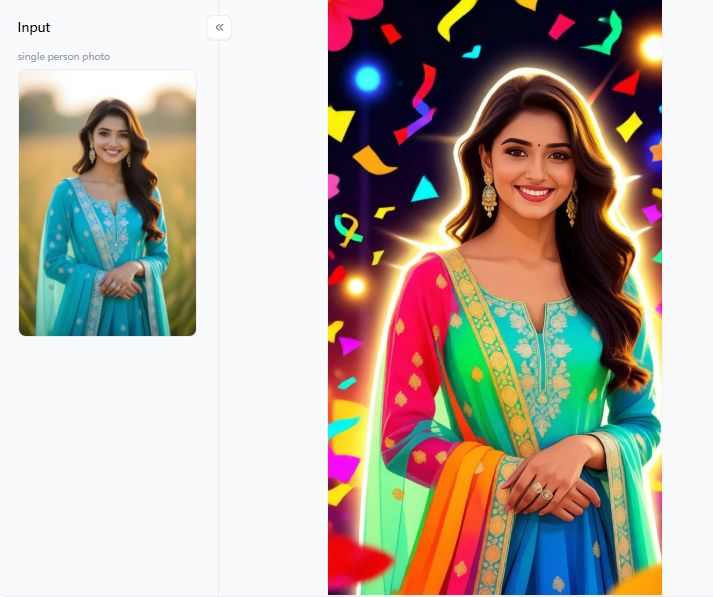
How to Make Your Krishna Janmashtami AI Images Go Viral
Making a standard image is easy, but building a viral masterpiece requires strategy. When you use a Krishna Janmashtami AI image creator, you need to think like a professional photographer.
Here is how you can make your images stand out online:
-
Describe Clear Actions: If your instructions are too simple, the AI gets confused. Instead of typing “Krishna standing,” try “Krishna leaning against a tree trunk.”
-
Guide the Light: Great lighting turns amateur graphics into stunning photos. Add phrases like “volumetric rays” for sunbeams to stop your Janmashtami AI photos from looking flat or cartoonish.
-
Use Camera Terms: Treat software like a high-end camera. Typing “shot on an 85mm lens” helps the system focus sharply and builds highly realistic skin details.
-
Build the Background: Never leave the background empty. Frame your central figure with “hanging flower garlands” to hold your viewer’s attention longer.
-
Use the “Fork” Button: Found a fantastic design on a1.art? Click the “Fork” option to copy the exact settings. You can tweak colors or switch poses without starting over.
This smart shortcut makes editing Shri Krishna Janmashtami photos fast and fun.
Click the picture to generate your exclusive poster generator with one click👇
Closing thoughts
A Krishna Janmashtami AI Image creator works best when your art feels deeply respectful, vivid, and personal. By using a specialized platform like a1.art, you will produce smooth skin textures and soft lighting. This modern technique saves you time while avoiding distorted details. Now, you can share flawless festival blessings with real confidence.
FAQs
Q: Can AI understand Janmashtami design traditions?
Yes, but you must guide the system carefully. Standard AI often messes up warm skin tones or sacred symbols. To fix this, use tradition-aware instructions. By applying Krishna-specific filters, you ensure the wooden flute and bright peacock feathers look real. It improves accuracy, captures the devotional mood, and beautifully respects ancient traditions.
Q: How does a1.art address ethical considerations in Janmashtami art?
a1.art uses Krishna Janmashtami-specific filters rather than simple blank slates. It helps prevent careless or culturally off-theme pictures. Always avoid disrespectful styling when crafting your divine scenes. Furthermore, please review the website’s privacy policy carefully before uploading your personal family photos for these sacred projects.
Q: Can I make a Krishna portrait with no AI experience?
Yes, absolutely. Platforms like a1.art use a very simple flow. You choose a template, upload an image, or type in your text. Then, click Generate. This process lowers the barrier for beginners. You can create glowing devotional art without ever needing to learn a complicated photo editor.
Q: What colours work best for a Janmashtami poster?
Deep blue, shiny gold, peacock green, and warm diya orange always work best. These shades match traditional Krishna iconography. They also produce strong visual contrast on small mobile screens. To make these beautiful colors feel richer and more sacred, add a soft moonlight glow or a gentle oil lamp glow to your background.
Q: Where can I create AI images for Krishna Janmashtami?
You can use a dedicated tool like a1.art for Krishna-specific filters and an easy guided workflow. Alternatively, try a generic generator paired with it for complete manual control. The best choice depends on whether you value quick results or the freedom to make deep edits to your digital festive art.
Read more
- How to Generate a Blackwhiplash AI Art Style Image?
- Creating HUT RI 81 Twibbons with a Free AI Editor: The Ultimate Guide to Viral Independence Day Art
- AI Royal Portrait Generator: Rule Your Photos as a King or Queen
- Top 30 SeaArt AI Prompts for Better AI Image Generation
- Best Dessi Undress AI Alternatives for Safe Photo Editing in 2026
- Best Facesitting AI Alternatives 2026: Top 8 Ranked & Tested
- Create Perfect ID Photos with the AI Admission Photo Generator
- Top 10 Free Deepfake Nude Generators in 2026: Explore AI Nude Art
- 10 AI Persona Generators Better Than picrew.me
- AI Catch vs a1.art: Which AI Photo Generator Is Better in 2026?
Written by

a1.art
Published on
Aug 3, 2026
Share article


