


When scrolling through social media, you’re bombarded with content,so creating a cover image that instantly grabs attention can be a real headache, right?
Competition among peers is fierce these days. You’re often stuck choosing between generic, cookie-cutter stock photos just to fill the space, or spending hours painstakingly editing a single image. It’s an exhausting process that drains your energy and holds back your account growth and monetization efforts.
In reality, all you need is a reliable, professional tool. Simply enter a text description or upload a standard photo, and you can instantly generate stunning, high-quality images suitable for commercial use. Let’s take a practical look at two tools,AI Catch and a1.art,to see which one helps you save time and effort while efficiently churning out more content.
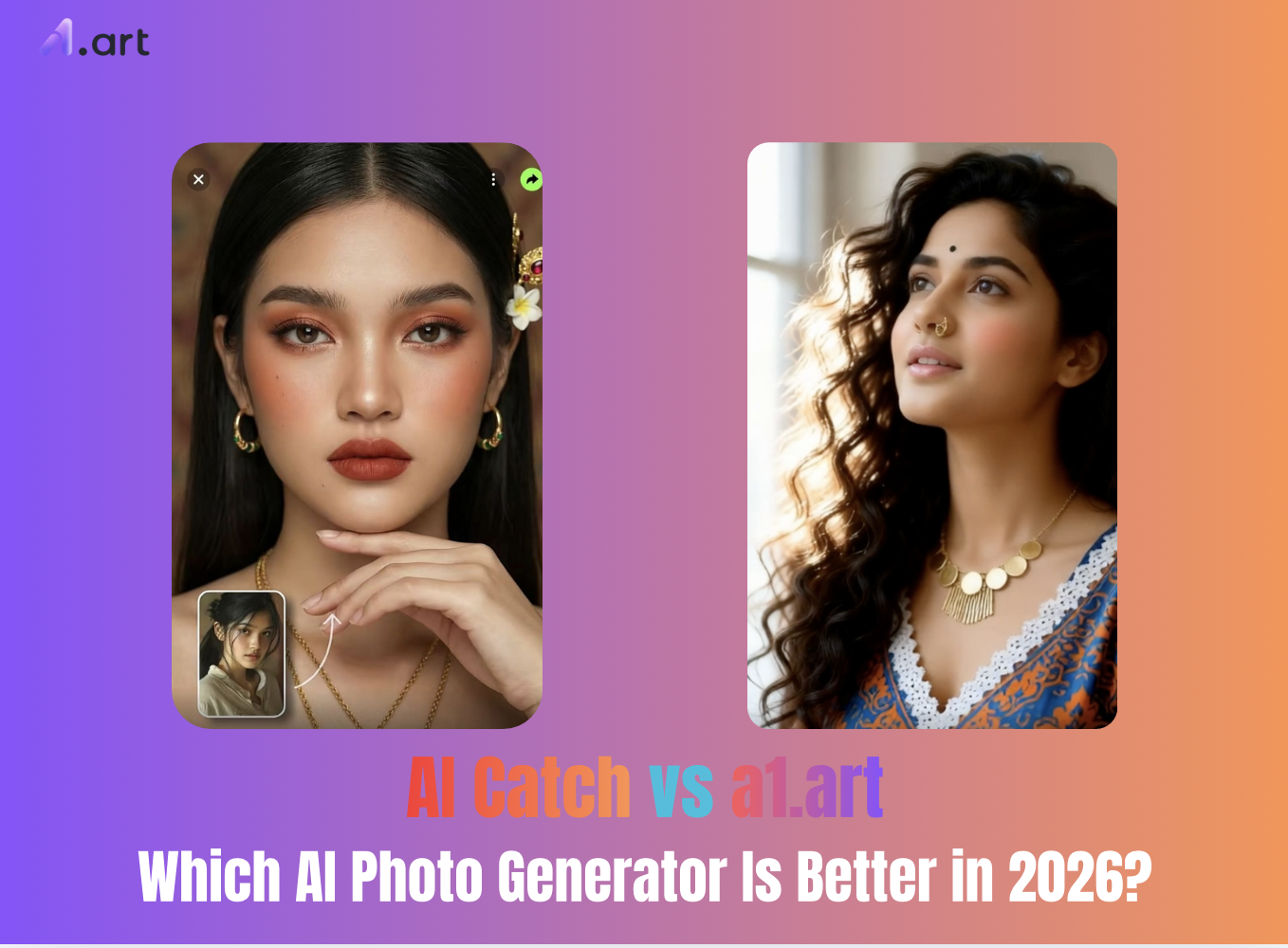
Mobile AI image generation tools are surging in popularity in 2026
The way online visual content is created has undergone a radical shift this year. People no longer want to grapple with the cumbersome, complex interfaces of desktop software, nor do they wish to struggle with mastering intricate professional prompts just to generate a stylish image.
The two apps compared here perfectly address these needs, emphasizing ease of use directly on mobile devices. a1.art takes an all-in-one creative approach, relying primarily on a vast library of user-shared templates that allow for quick, ready-made application; meanwhile, AI Catch focuses on a specialized niche, prioritizing lightning-fast generation speeds and high visual fidelity, while also offering advanced dynamic image effects.
Start your art journey with a1.art.
Double-click the image to start creating your favorite images with a1.art right now⬇️
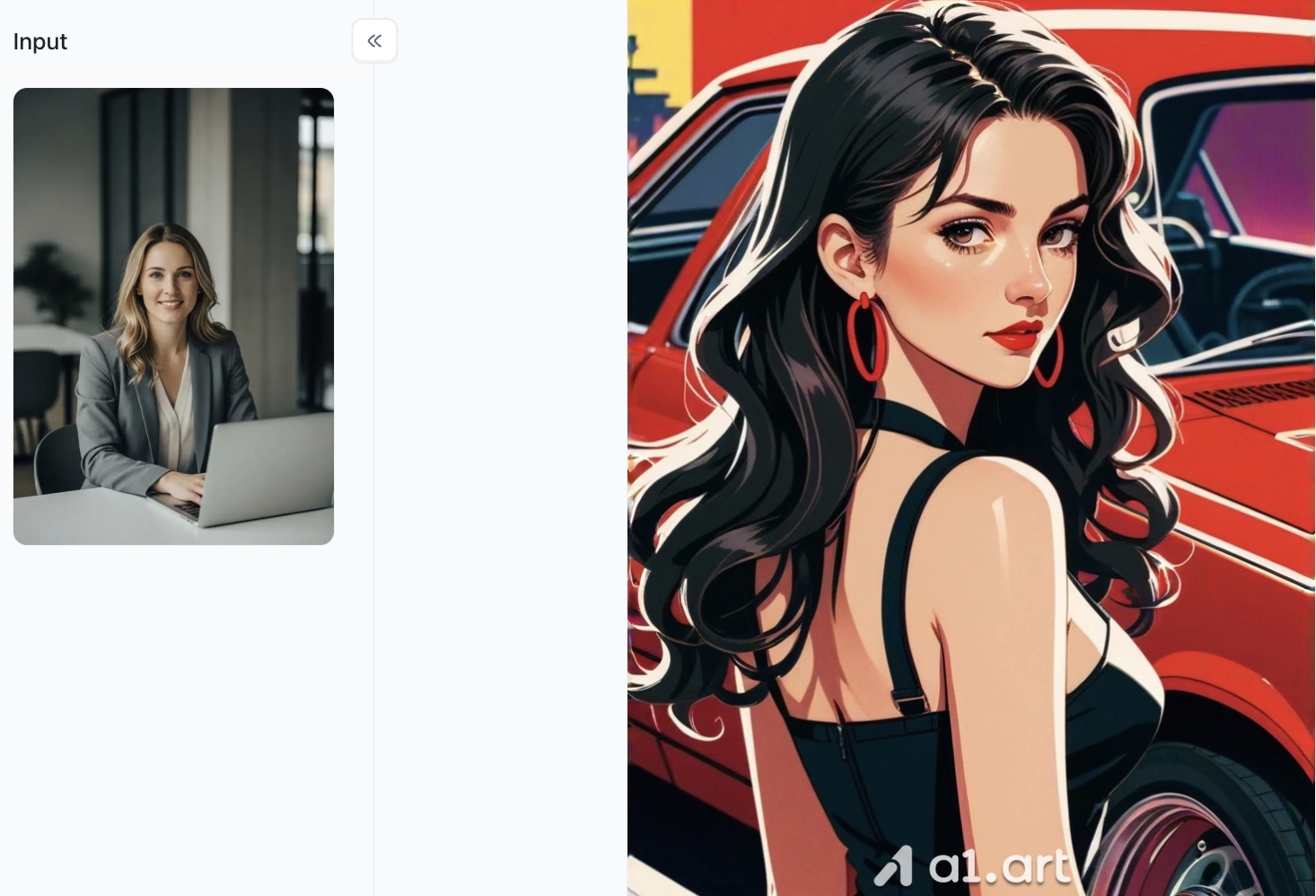
A detailed comparison of the core features of two tools: a1.art and AI Catch
The way online content is created today differs significantly from the past. People no longer want to grapple with complex desktop interfaces or struggle to master tedious, technical prompts just to generate a stylish image.
The two apps compared here cater to these needs, emphasizing ease of use directly on mobile devices. AI Catch takes a specialized approach, focusing on rapid image generation and the smooth creation of animated visuals; a1.art, meanwhile, serves as an all-in-one creative tool, offering a vast library of user-shared design templates that are ready for immediate use.
A Detailed Breakdown of Features: Starting with a1.art
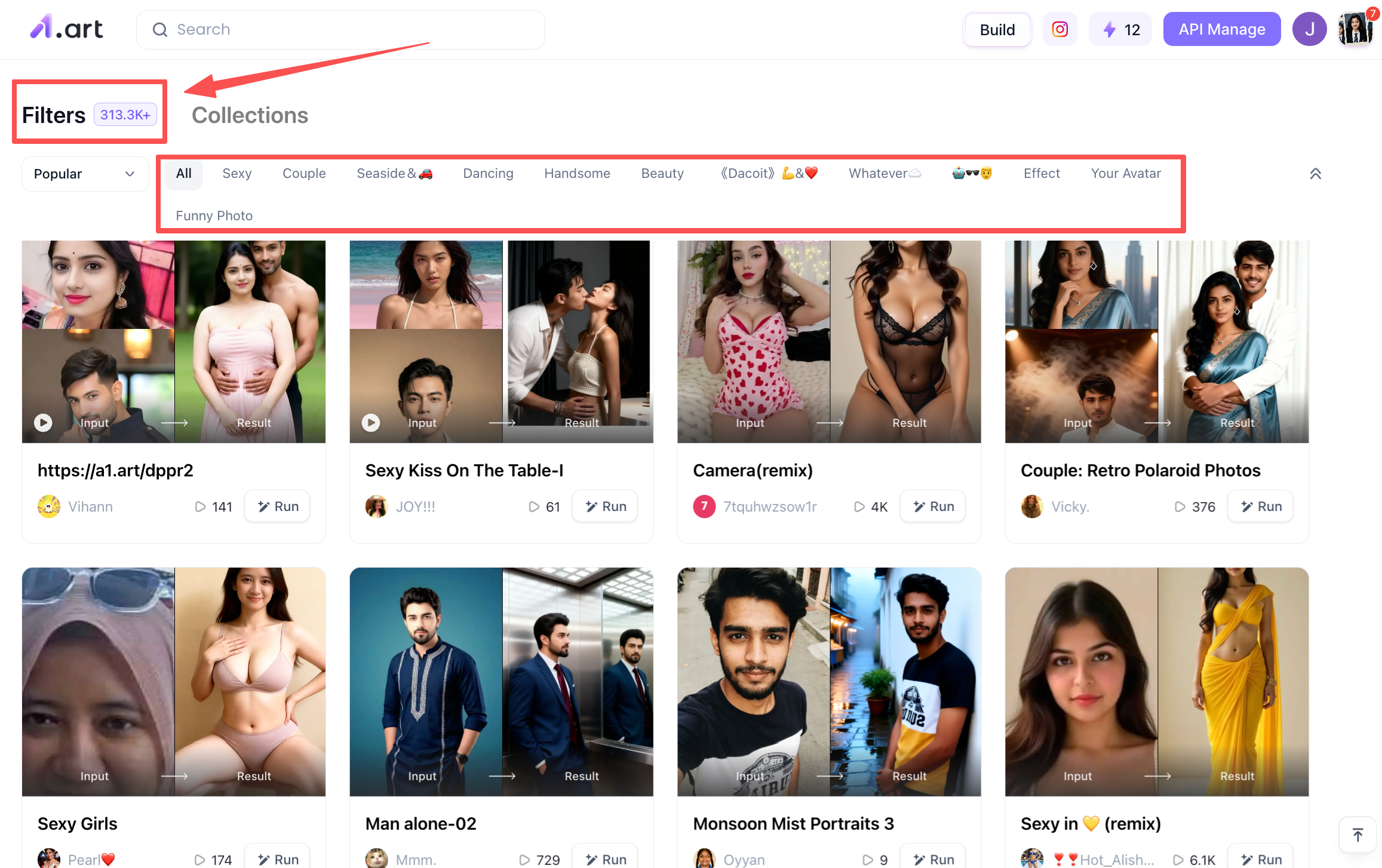
If you want to explore a wide variety of AI art styles, a1.art’s creative capabilities are impressive. Its greatest strength lies in the vast library of assets built collaboratively by its massive user base. The platform hosts hundreds of thousands of style templates; creators can apply professional artistic filters, achieve photorealistic effects, or utilize creative text-and-image layouts with just a single click. It also integrates cutting-edge technologies like Sora2, enabling not only the generation of individual portraits but also direct AI video face-swapping, allowing for a seamless workflow between image and video creation.
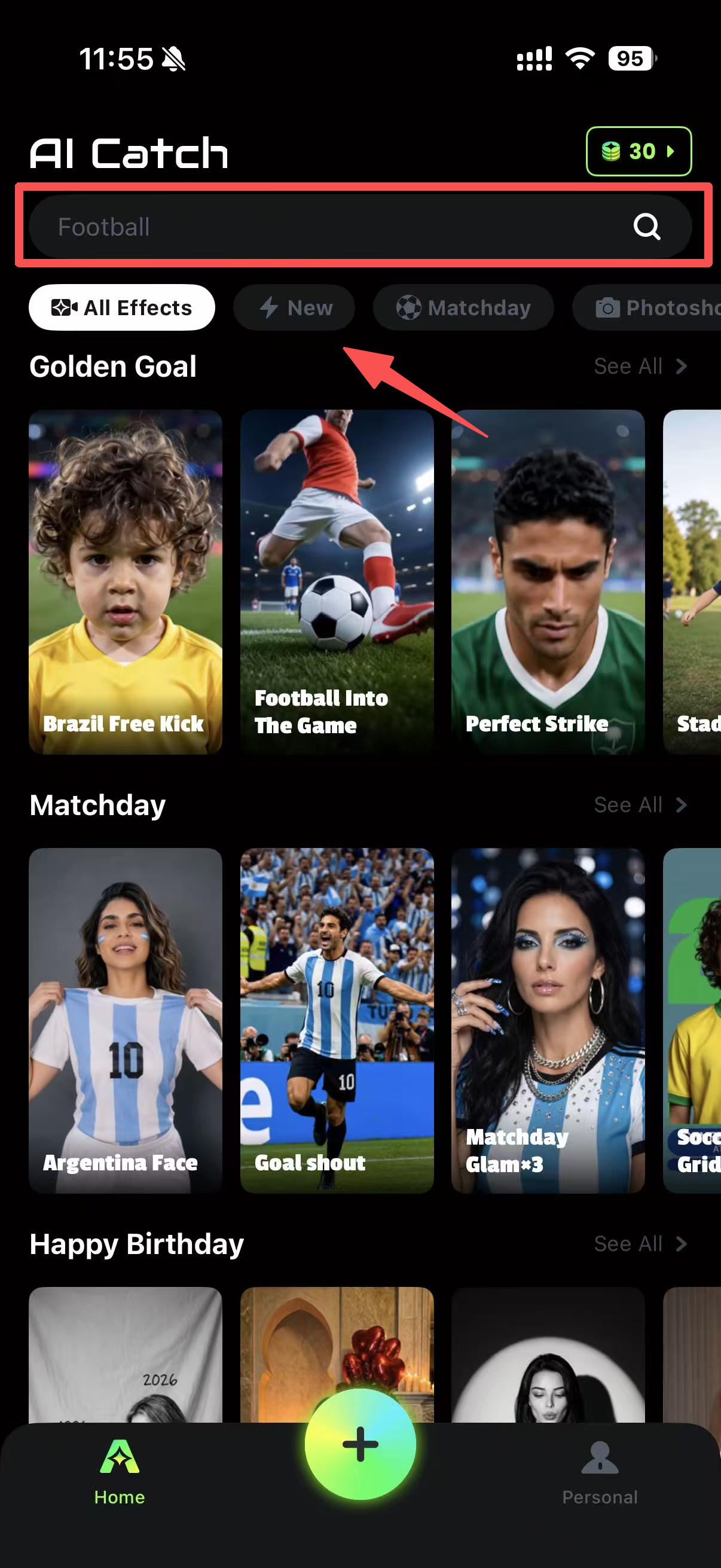
Next up is AI Catch, a tool optimized from the ground up to boost image generation efficiency. If you are looking for a free AI video tool for daily content creation, this software offers a one-stop solution that integrates static image design with short-form video editing. It natively supports high-definition image production, delivering high-quality results that rarely require manual retouching or adjustments,making it an ideal choice for businesses creating promotional materials.However, there is no web version available right now, so you have to download it to your phone to use it.
A Head-to-Head Comparison: Strengths of Each Tool
To determine the quality of an AI image generation tool, the key is whether it meets your practical, day-to-day content creation needs. Both software applications can transform ordinary source material into high-quality images and videos. We conducted multiple rounds of comparative testing specifically to evaluate their ability to interpret complex, detail-rich text prompts. Based on actual output data and visual comparisons, both tools have distinct strengths and deserve a place in your creative software toolkit.
Output Clarity and Image Quality
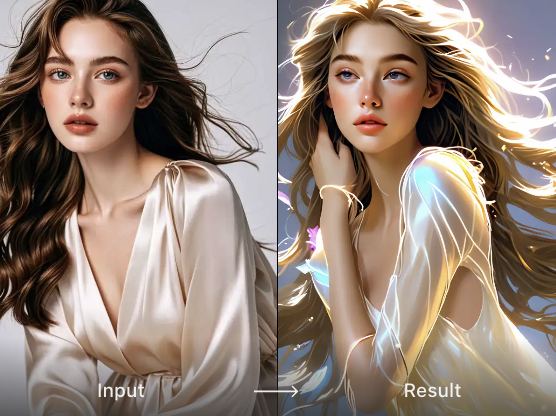
Both applications export images with clean, high-quality visuals. a1.art features built-in image enhancement that preserves fine details without blurring;
AI Catch performs high-definition upscaling simultaneously with image generation, ensuring that lines and edges remain sharp and crisp even when images are enlarged for printing or posters.
Generating images or videos
The process for generating images or videos with a1.art is very simple: just find a filter that interests you and upload the image you want to process. Also, if you are using a portrait, make sure it is clear and natural to ensure a realistic result.
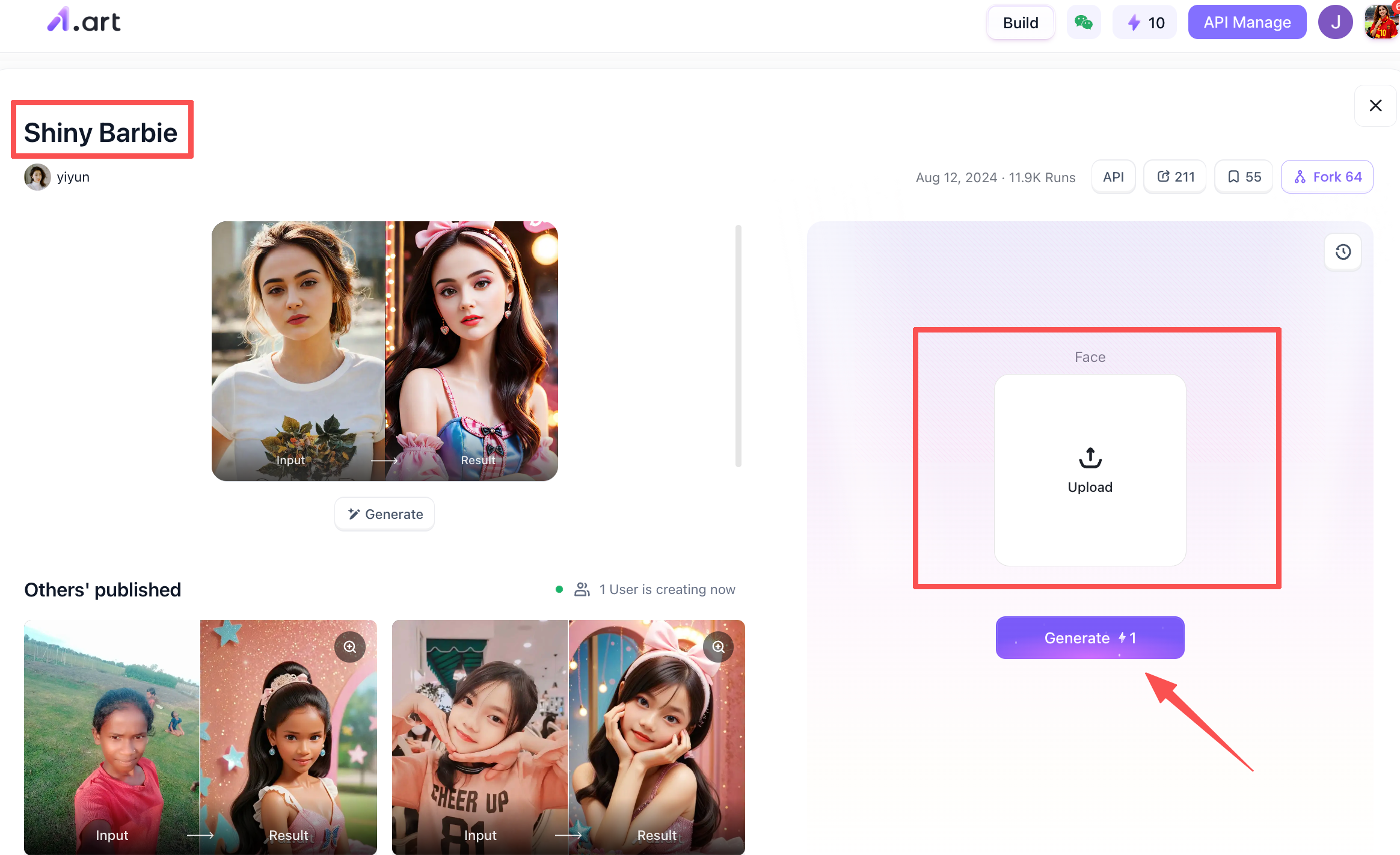
AI Catch works much the same way: you find the template you want to generate, then upload a photo of the person.
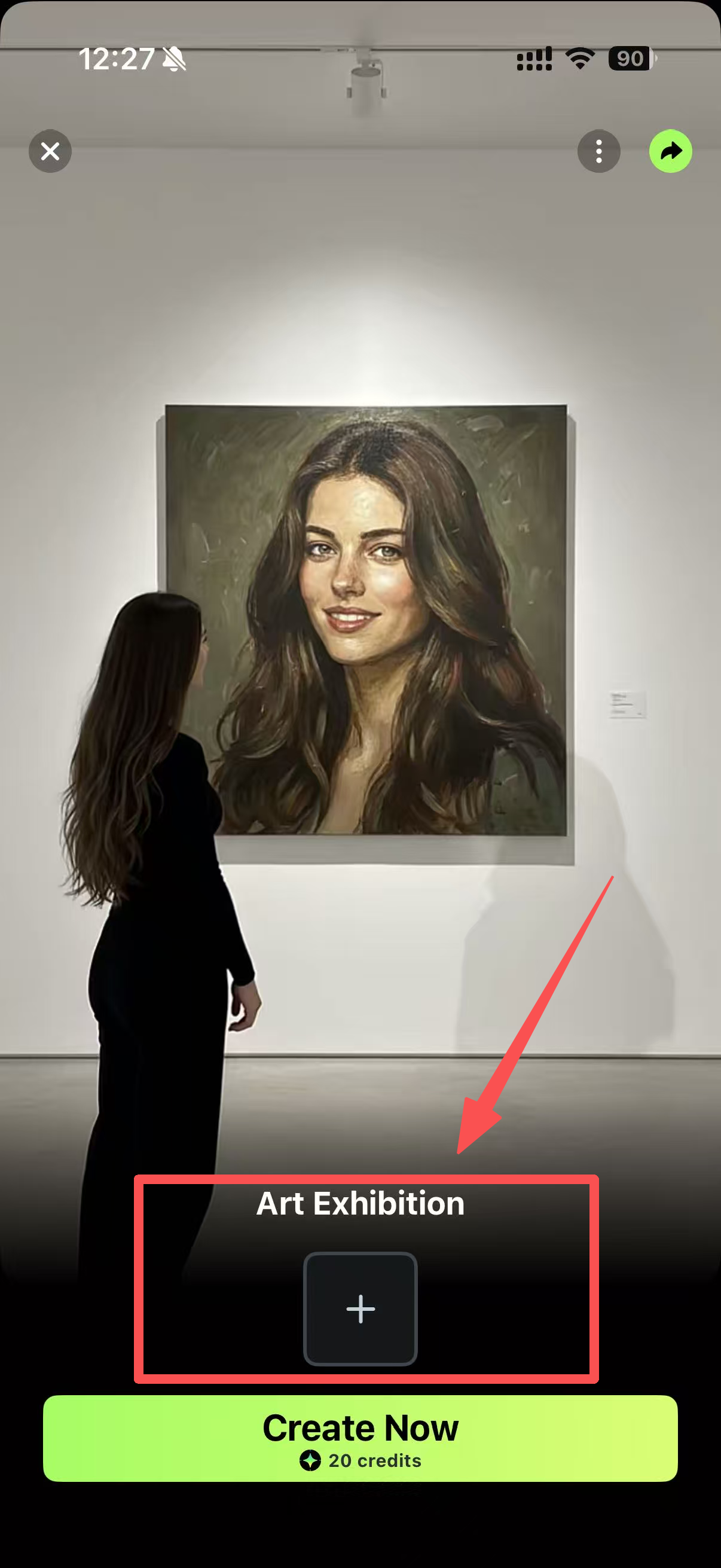
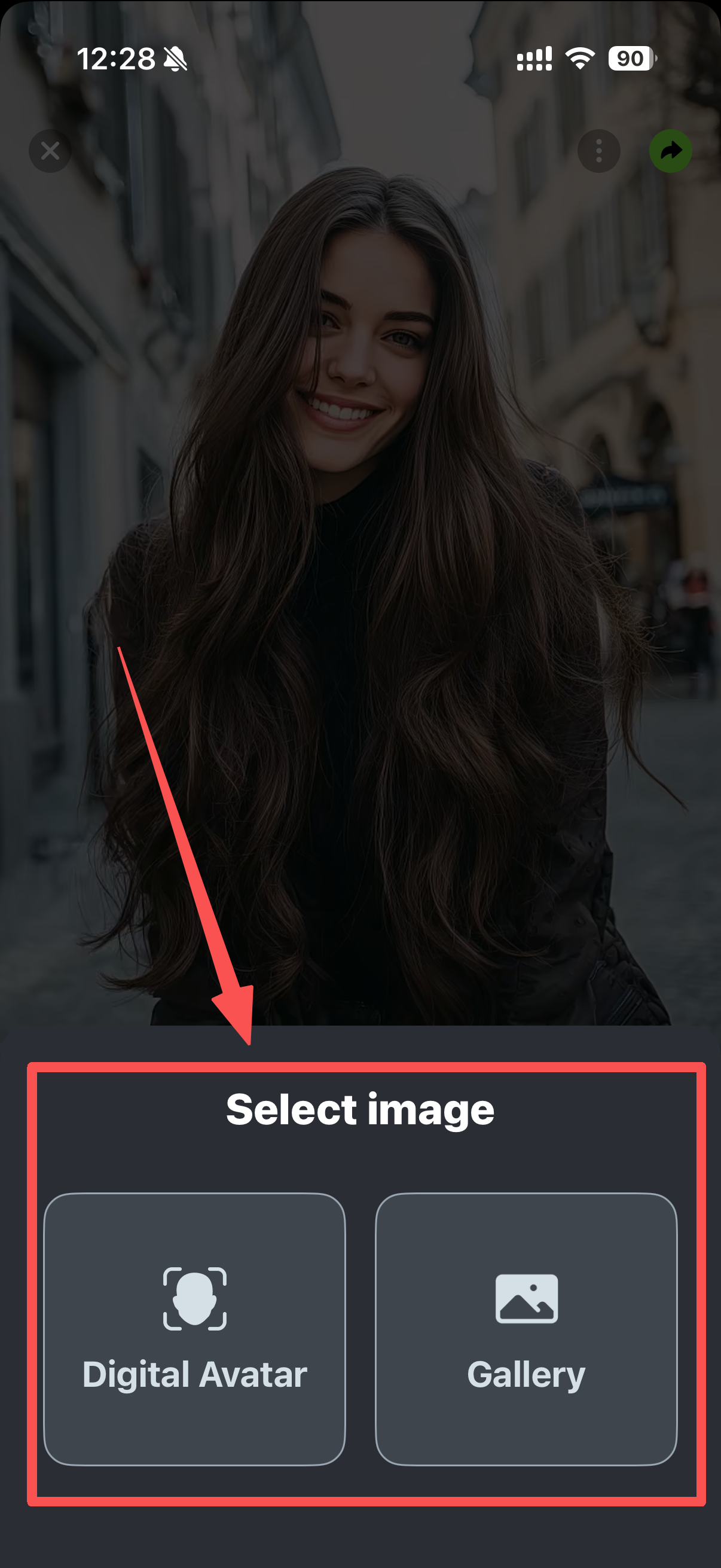
However, there are two methods available here: one automatically recognizes facial features for greater precision, while the other is simpler,you simply upload a photo of the person.
Accurate Anatomy and Facial Features
A crucial test for AI image tools is whether they maintain anatomical integrity,avoiding distorted limbs or bodies. Both tools have undergone significant optimization in this area: a1.art relies on training with a vast dataset of portraits to ensure facial features align with the chosen style, rarely resulting in distorted faces or misaligned features;
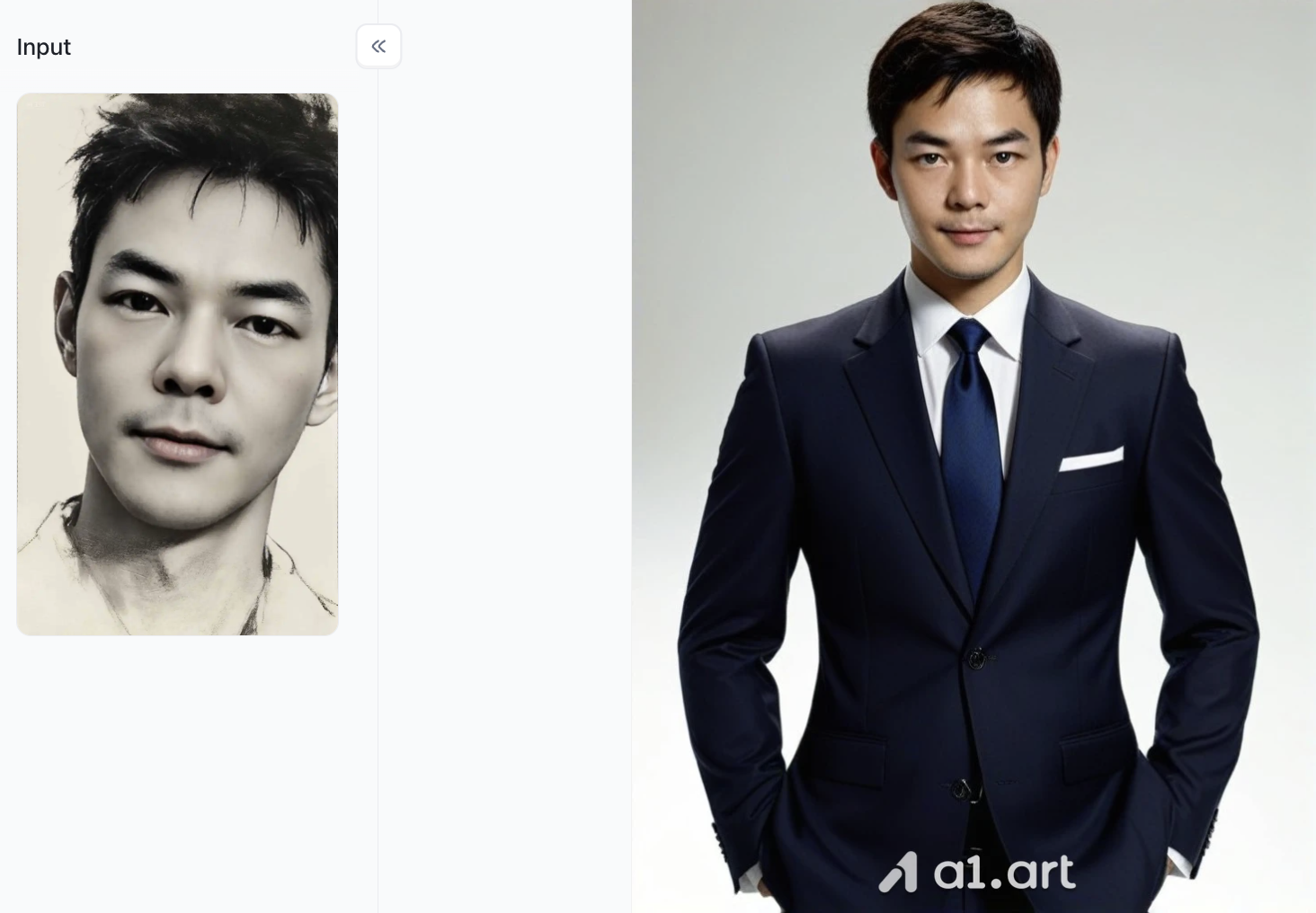
AI Catch incorporates a built-in anatomical framework that strictly controls limb proportions and body posture, virtually eliminating issues like twisted limbs or malformed fingers.
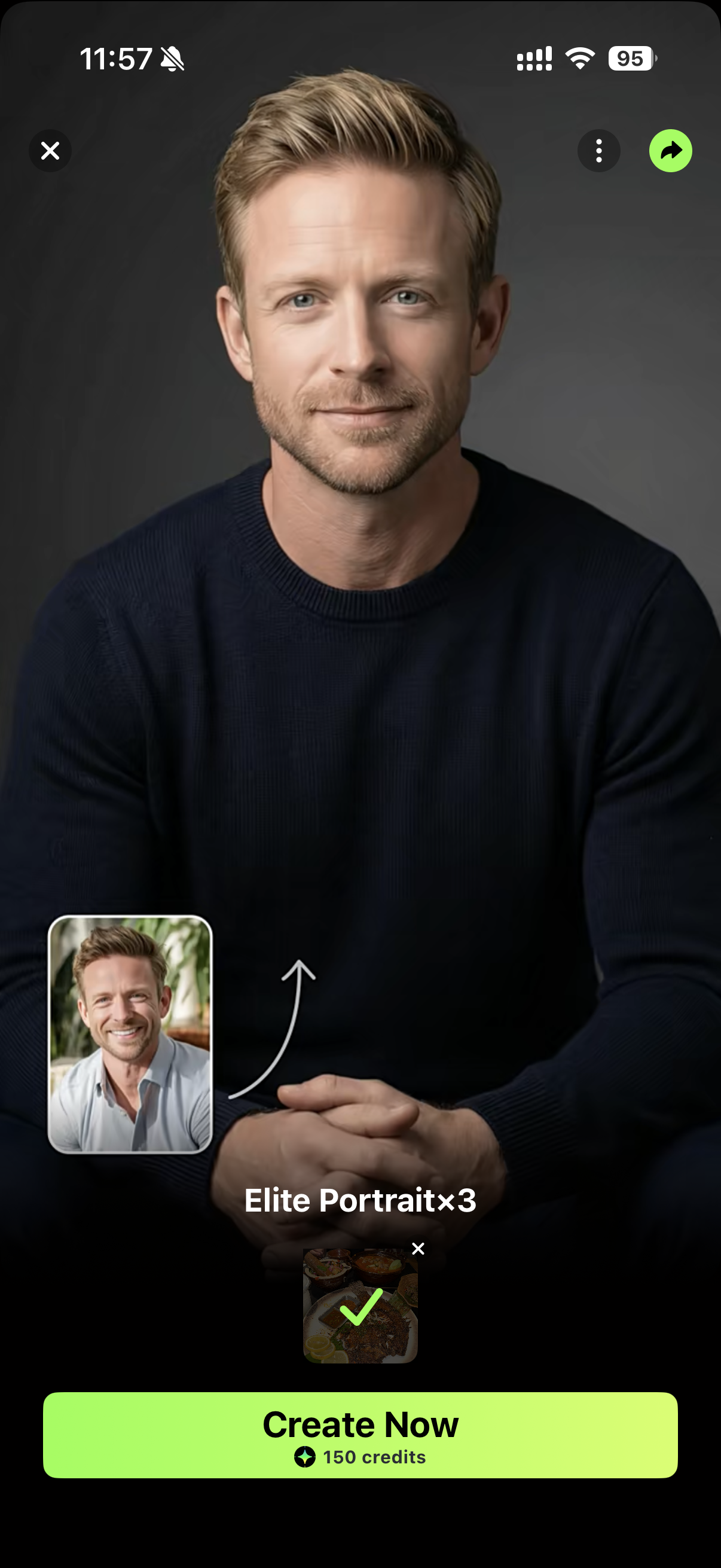
Coherent Composition and Element Placement
Standard AI tools often suffer from glitches where subjects and backgrounds bleed into one another or objects overlap incorrectly. a1.art features built-in intelligent layout logic; no matter how complex the background scene is, it effectively balances the subject with the background to ensure a clear visual hierarchy. Its "AI Catch" capability strictly distinguishes between foreground and background layers, ensuring that foreground figures and objects remain sharp and distinct, without being obscured or covered by elements in the background.
Comparison of Generated Image Types and Effects
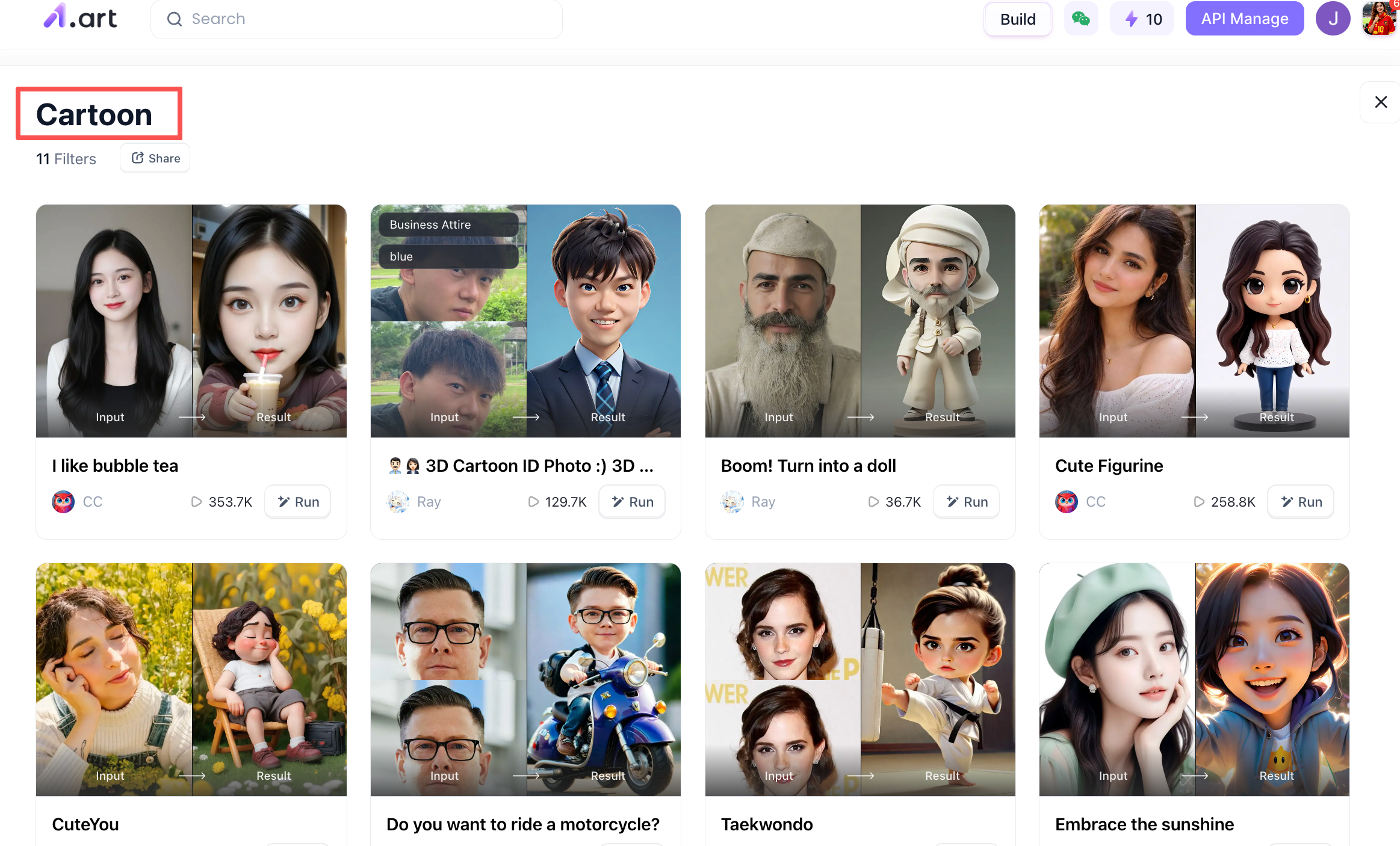
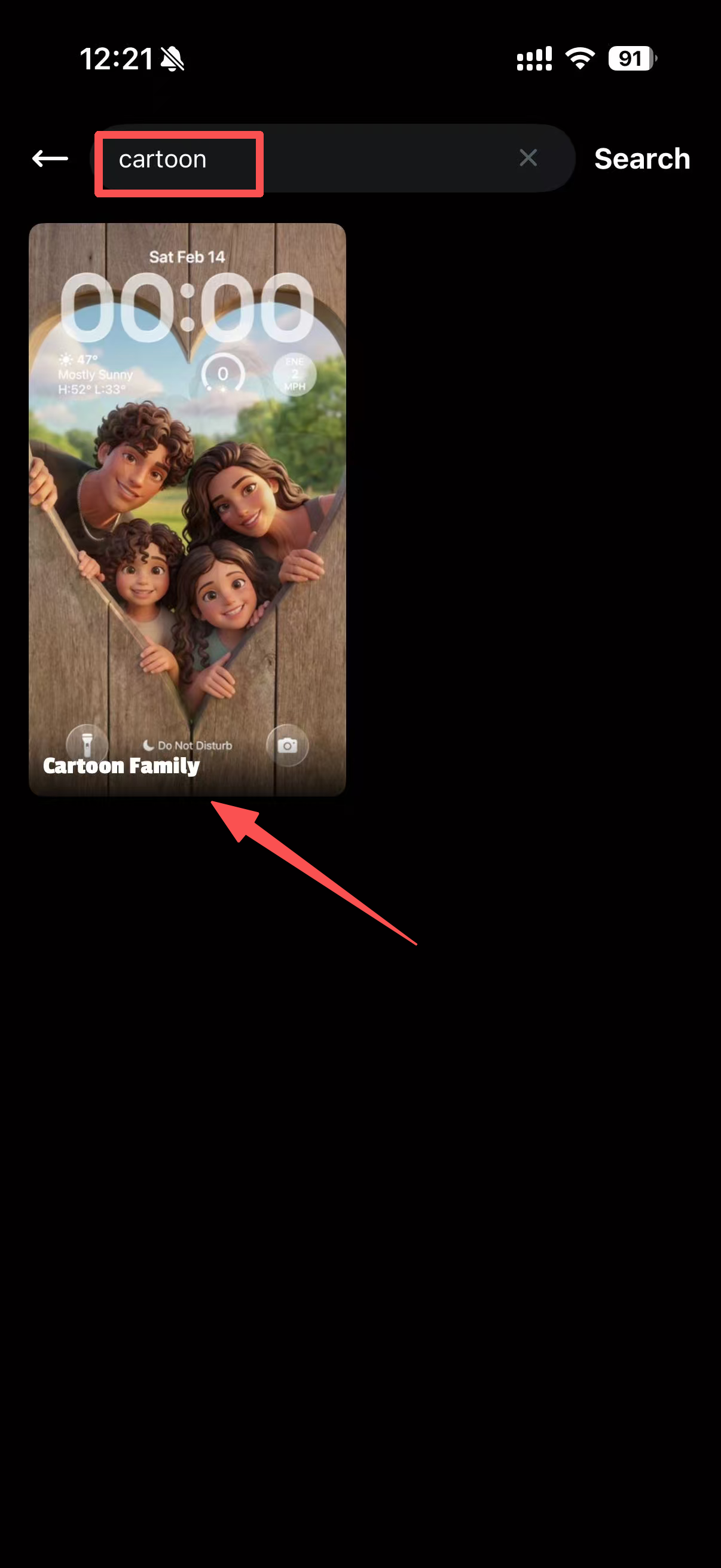
We tested both applications using identical text prompts, and distinct differences in their artistic focus are clearly visible. For instance, when comparing the "Cartoon" category, both produced high-quality images, yet their styles differed:
-
a1.art output: It offers a wide range of selectable styles and delivers crisp image quality. You can experiment with various styles,all of which yield realistic results without altering the subject's facial features,and each filter comes with a description, giving you a clear idea of its function and the expected outcome.
-
AI Catch: The range of available styles is somewhat limited; after searching for the keyword "cartoon," I found only one suitable template. If you are looking for greater variety, you might want to try a1.art instead,it could offer more pleasant surprises. However, the images it generates feature high color saturation and a strong artistic vibe, making them ideal for driving traffic on social media.
If you want to get a more intuitive sense of the difference in image quality between the two, you can simply open the AI Catch app and try it out yourself (as the web version is currently unavailable); alternatively, you can download the a1.art client to your phone or use its web version,both options are very convenient.
Tools selected based on usage scenarios to match diverse creative needs
Different types of creative work require different functional focuses. Below, we discuss which software suits those based on real-world scenarios, helping you choose the right tool for your needs.
Creating short videos and growing social media followers
If your primary goal is building an account and gaining followers on short-video platforms, the ability to quickly produce visuals and create dynamic content is essential. AI Catch is specifically optimized for assets used on platforms like TikTok; it can instantly transform a single static concept image into an eye-catching short-video intro that effectively retains viewers. However, if you want to capitalize on viral visual trends,such as batch-creating content by inserting your avatar into popular video templates,a1.art offers a vast library of user-shared templates, providing significantly more creative flexibility.
Portrait photography and e-commerce product promotion
Merchants require product scene images and atmospheric shots with a consistent style; visual uniformity is paramount. AI Catch ensures consistent lighting and shadows, well-aligned subjects, and clean backgrounds, guaranteeing stable, high-quality results. Conversely, a1.art offers an extensive range of templates, allowing operations teams to rapidly batch-produce diverse creative visuals, conduct A/B testing across multiple versions, and finalize the ultimate promotional imagery.
Limited Budget: Just Want to Try It Out First
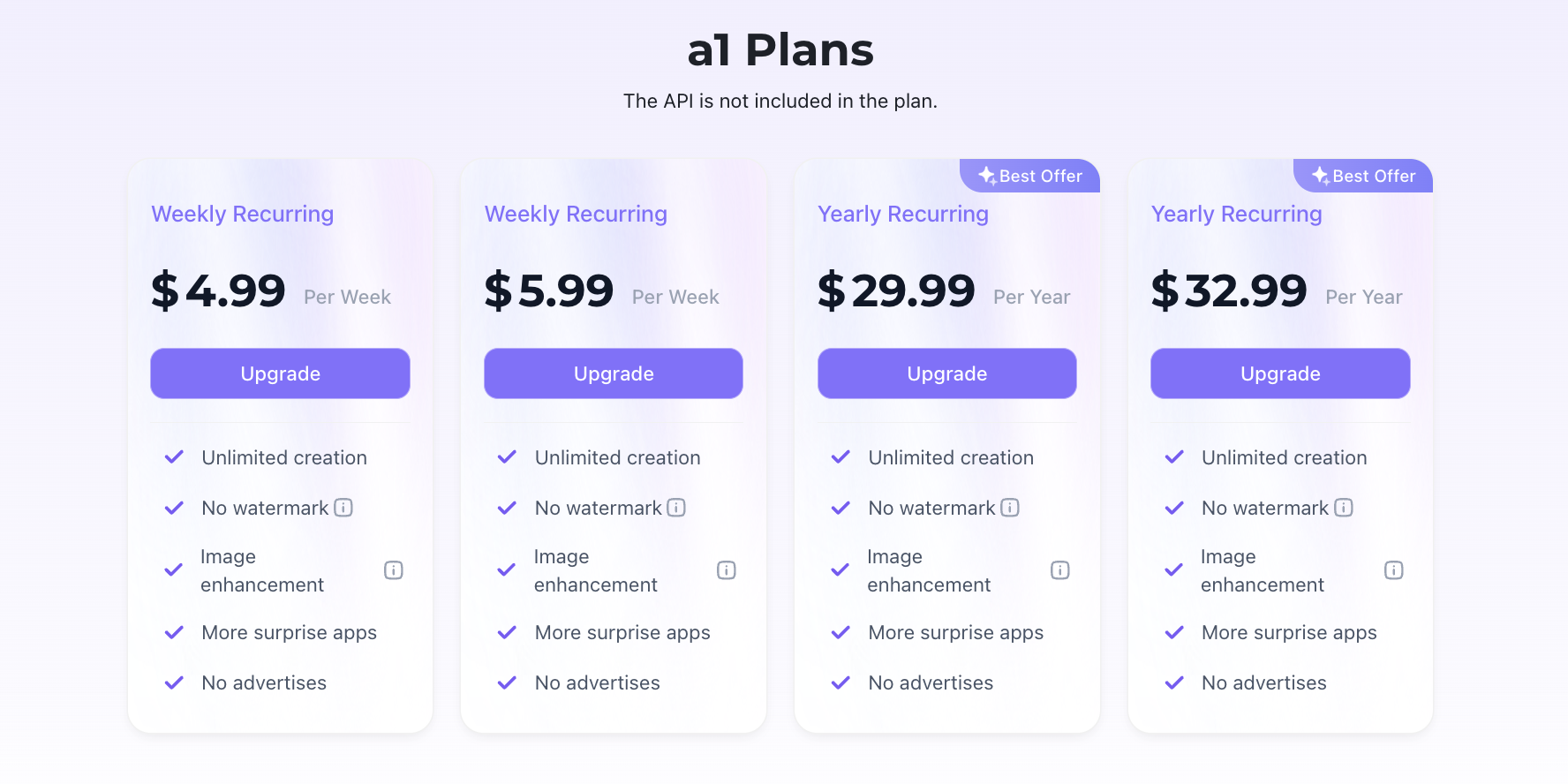
If you don't have extra funds available, prioritize the free trial offers of both apps. Upon registration, beginners receive 30 free credits; you can use the free version of AI Catch to generate content and see if the results meet your expectations before deciding whether to purchase a paid subscription. However, it must be noted that generating content with AI Catch consumes more credits than with a1.art,30 credits are barely enough to try out any templates,so in terms of cost-effectiveness, it falls short of a1.art.
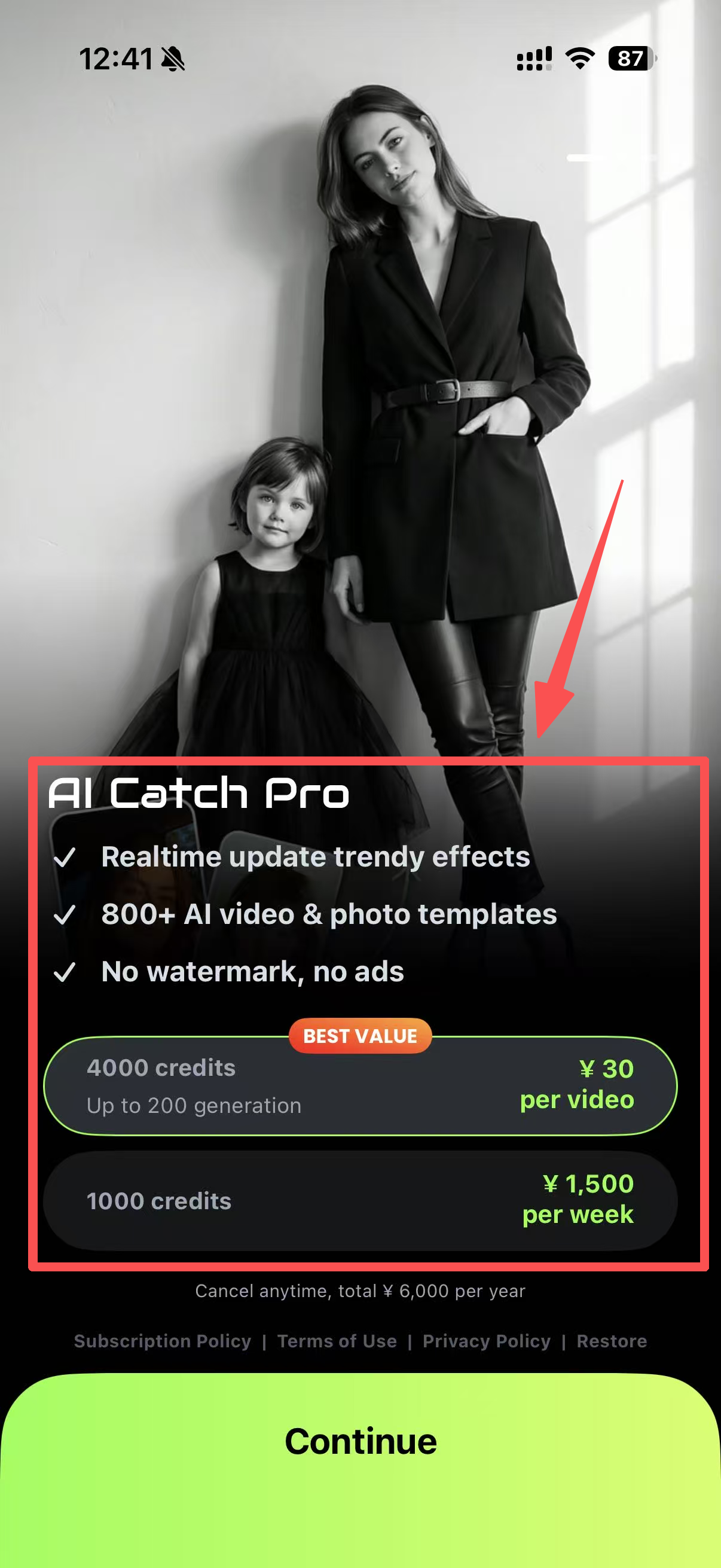
Meanwhile, a1.art provides a generous daily allowance of free uses; since most templates require only 1–2 credits, you can freely experiment with thousands of premium-quality templates without spending a dime,meaning there is absolutely no cost to trial and error.
Practical Tips for Image Generation + Final Buying Advice
To help you create superior, polished visuals with these two tools, we have compiled a set of practical tips used by professional designers. These tips apply to both pieces of software and are easy to pick up:
Make the most of ready-made, popular templates
Especially when using platforms rich in template resources,such as a1.art,simply applying a highly-rated, popular template is often sufficient. This saves a significant amount of creative time by eliminating the need to repeatedly tweak parameters or agonize over prompts. The same applies to AI Catch.
Set the aspect ratio beforehand
Before clicking "Generate," configure the aspect ratio to match the platform where you intend to publish the image. Setting the ratio in advance prevents issues such as composition distortion or the loss of the main subject caused by cropping after the image is generated.
Final Verdict: Choose the Creative Tool That Best Suits You
A comprehensive comparison reveals that a1.art excels with its vast array of style templates and powerful face-swapping capabilities, whereas AI Catch stands out for its lightning-fast generation speeds and polished, well-composed imagery. Both are top-tier tools in the 2026 AI creative landscape.
If you value stylistic diversity and creative richness,enjoying trendy art styles, experimenting with popular creative techniques, and preferring a tool with a strong community vibe,then a1.art is undoubtedly your best choice.
However, if you are producing commercial content or batch-creating assets for accounts, and you prioritize maximum generation speed, precise composition, high-quality aesthetics, and reliable, consistent results, then a1.art is the tool that best aligns with your professional needs.
You can select the right tool based on your specific creative requirements and goals; the right choice enables you to efficiently produce visually stunning, high-impact content.
FAQs
Q1: Which tool is better for absolute beginners?
Q2: Does AI Catch offer a web browser version?
No, AI Catch currently operates exclusively as a mobile app. If you prefer creating and managing your AI artwork on a desktop computer, a1.art is the better option.
Q3: Which platform gives more free credits for daily testing?
a1.art offers a more generous daily free credit allowance, with most templates costing only 1–2 credits. In contrast, AI Catch consumes significantly more credits per generation, making free trial runs much more limited.
Read more
- Create Your Own Dai Dai Shakira Dance Video Online in Easy Steps
- Try This New NSFW Video Generator Online for Free: Create Stunning AI Videos in Seconds
- How to Use AI Yaoi Generators for Realistic Artwork?
- Best AI Raksha Bandhan Card Design Generators for 2026
- Top 10 AI Lingerie Generators for Fashion and Character Design
- 12 Monsoon Portrait Ideas You Can Create with AI in 2026
- 15 Best AI India Independence Day AI Image Ideas for 2026
- Best Safe AI Celebrity Nudes Style Photo Alternatives for Creative Portraits
- 2026 Top 10 Nude Filters Online for Free: A Guide to Unfiltered AI Art
- Top NSFW AI Chatbot Alternatives for Private Roleplay and AI Companions
Written by

a1.art
Published on
Jul 21, 2026
Share article


