


Digital character creation is incredibly popular right now. From personalized social media avatars to viral memes, as long as you know a couple of "spells" (hint words) and find the right free tools, you can create a super realistic and adorable AI babe in no time. This used to be the work of professional designers, but now, thanks to AI image generators, ordinary people can achieve "creative freedom."
However, beginners inevitably encounter pitfalls: the images they painstakingly generate either have distorted faces, stiff expressions, or even completely mismatched creations, resulting in a strange creature. Even more disheartening is that many useful tools come with hefty subscription fees.
Don't worry, this guide is here to help you avoid these pitfalls.
We'll teach you step-by-step how to use free tools to produce high-quality AI babes, break down the secrets to making AI "obey," and conduct real-world tests comparing various popular platforms. Besides still images, we'll also talk about the hottest AI baby memes, AI baby GIFs, and dynamic AI baby dance videos,all key to generating buzz on social media. Ready? Let's dive right in!
How much trouble will this guide save you?
Honestly, there are tons of people who want to create an AI avatar for Xiaohongshu, as a profile picture, or for marketing purposes, but when it comes to actually doing it, everyone encounters pretty much the same pitfalls:
-
Unnatural Face: Faces generated by free tools are either blurry or have disproportionate features, looking completely fake.
-
Frustrating: Just looking at that line of English prompts ("Prompt") is a headache; no matter how you adjust it, it doesn't cooperate.
-
Weird Proportions: Either the neck is too long or there are too many fingers, making it completely unusable.
-
Platform Issues: One website generates an image that looks like an oil painting, another looks like plastic; after struggling for ages, you still can't find one that you're satisfied with.
Actually, the key to creating a refined AI babe portrait isn't how much money you spend on a membership, but whether you know how to choose tools and understand those few crucial "incantations."
After reading this guide, you'll unlock:
-
Top-rated AI image generators: Those that can produce amazing images without spending money.
-
Plain Language Tutorial: How to write prompts that will make the AI obey your commands.
-
Anti-Crash Tips: How to create high-quality characters with normal proportions and natural, undistorted appearance.
-
Advanced Techniques: How to turn static images into animated AI baby dance videos, instantly maximizing your viewership.
Start your art journey with a1.art.
If you're new to AI vision, making good use of resources like "AI Baby Photo Generator Free" will definitely save you from many pitfalls and make you look like a pro right away.
Best Free Tools to Create an AI Babe
Finding a good free AI drawing tool is largely a matter of luck. Not every software is "smart": some draw faces that look incredibly fake, while others simply don't follow instructions. For AI beauties with realistic skin texture and accurate facial features, choosing the right tool is far more important than painstakingly writing prompts.
I've compiled a list of some well-regarded free tools currently available, especially one platform that's a real boon for beginners—it generates images quickly and produces exceptionally clear results.
First Option: a1.art (Perfect for Beginners)
a1.art is an AI-powered image creation platform designed to help designers generate images faster and easier. You don't need to write lengthy prompts or adjust complex parameters; you can generate images using ready-made AI applications and templates.
This approach significantly reduces the learning curve for beginners who want to create high-quality AI-generated beauties.
Main Features
Application-Based AI Creation
Instead of providing traditional prompts, a1.art offers hundreds of ready-made AI applications. Each application is optimized for specific visual tasks, such as:
-
AI Portrait Generation
-
Anime-Style Characters
-
Cinematic Portraits
-
Meme-Style Images
-
This makes it much easier to create character images with a consistent style.
Clear and Natural Image Effects
Compared to many free image generators, a1.art prioritizes visual realism and facial symmetry, reducing common issues such as:
-
Distorted Facial Structure
-
Unnatural Lighting
-
Distorted Facial Features
-
Fast Image Generation
The platform is optimized for speed. In most cases, images are generated in just a few seconds, far exceeding the speed of many open-source tools.
Template-Based Hints
Users don't need to manually write lengthy hints; they simply select a template and adjust a few parameters. This makes the platform very beginner-friendly.
Pricing
Free Plan: Limited daily image generation
Access to numerous community applications
Standard image quality
Paid Plan (based on points):
Higher generation limit
Faster processing speed
Access to advanced AI applications
The points system allows users to flexibly adjust their usage based on their needs, which is very useful for content creators who need to generate a large number of images.
Advantages
User-friendly interface
Generate high-quality images without requiring deep engineering knowledge.
Large AI application library
Hundreds of pre-built creative applications simplify the creative process.
Stable portrait effects
Facial structure and lighting are generally more stable compared to some open-source models.
Fast generation speed
Image rendering speed is generally fast, making it easy to experiment with different styles.
How to Make an AI Babe with a1.art?
To be honest, creating AI Babe video content using a1.art is very simple. a1.art already has many babe-related filters that you can use directly. Here are some simple steps.
Step 1:open the a1.art website
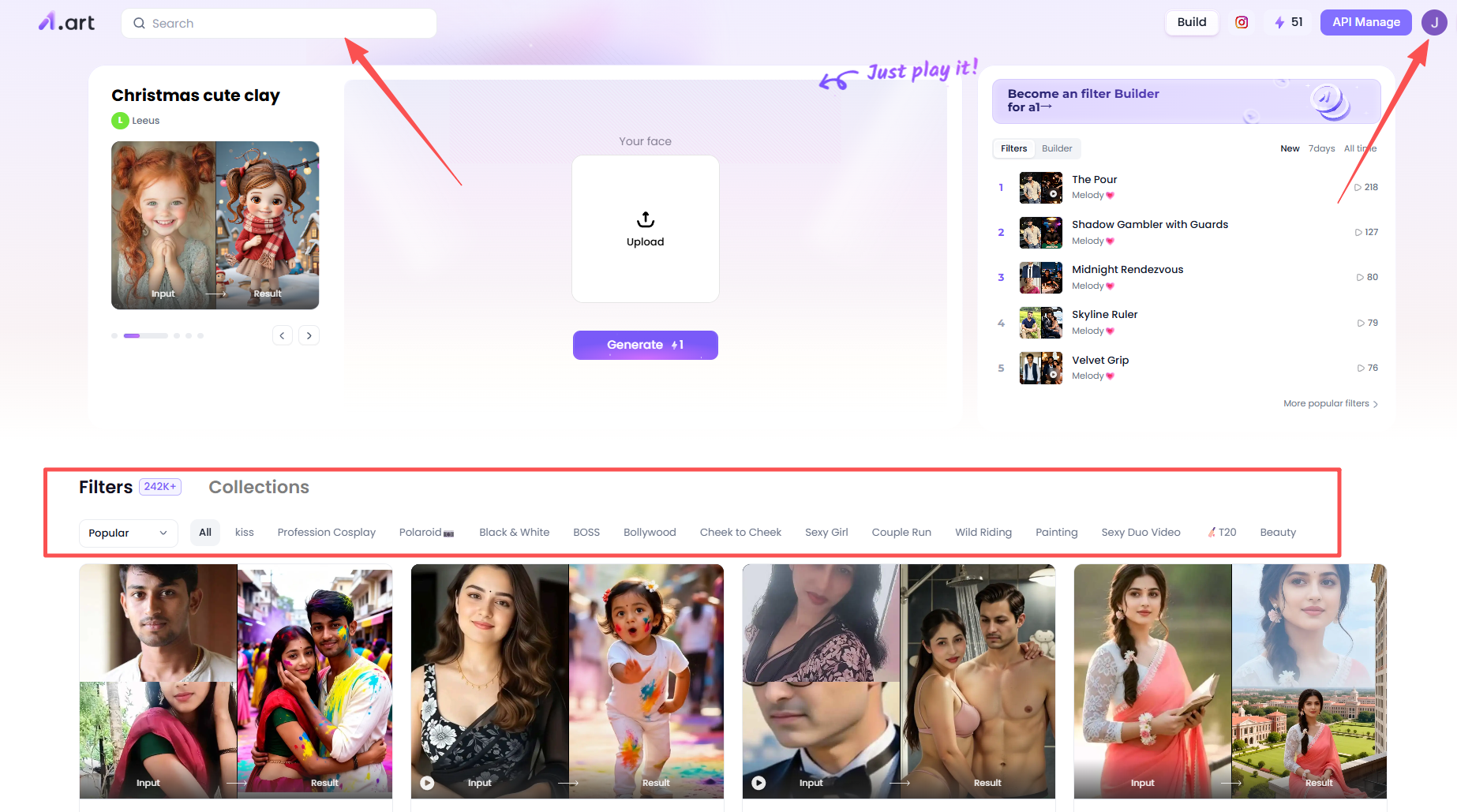
You need to open a1.art and register your own account. This is easy; just click the top right corner of the homepage and follow the prompts. Then you'll see many different types and themes of filters on the platform, which you can use directly.
Step2: Find the Babe Filter
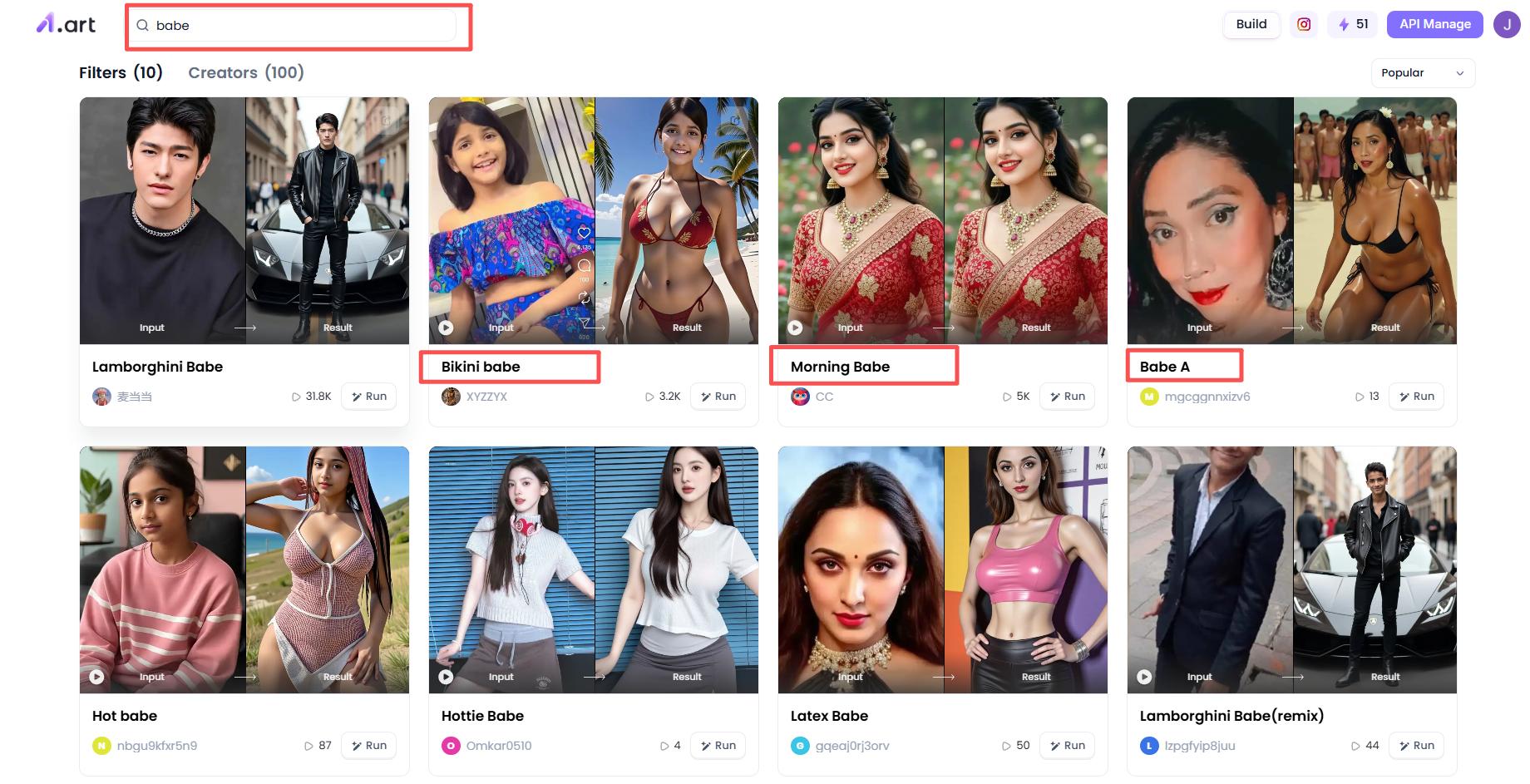
After registering your account, you can start looking for Babe filters to create your own content! You can try searching for the keyword "babe" in the search bar in the upper left corner of the homepage, then click search. Below, you'll find many Babe filters. You can choose from these filters and click on any you're interested in.
Step 3: Generate your AI Babe content
Now, let's use the Morning Babe filter as an example.
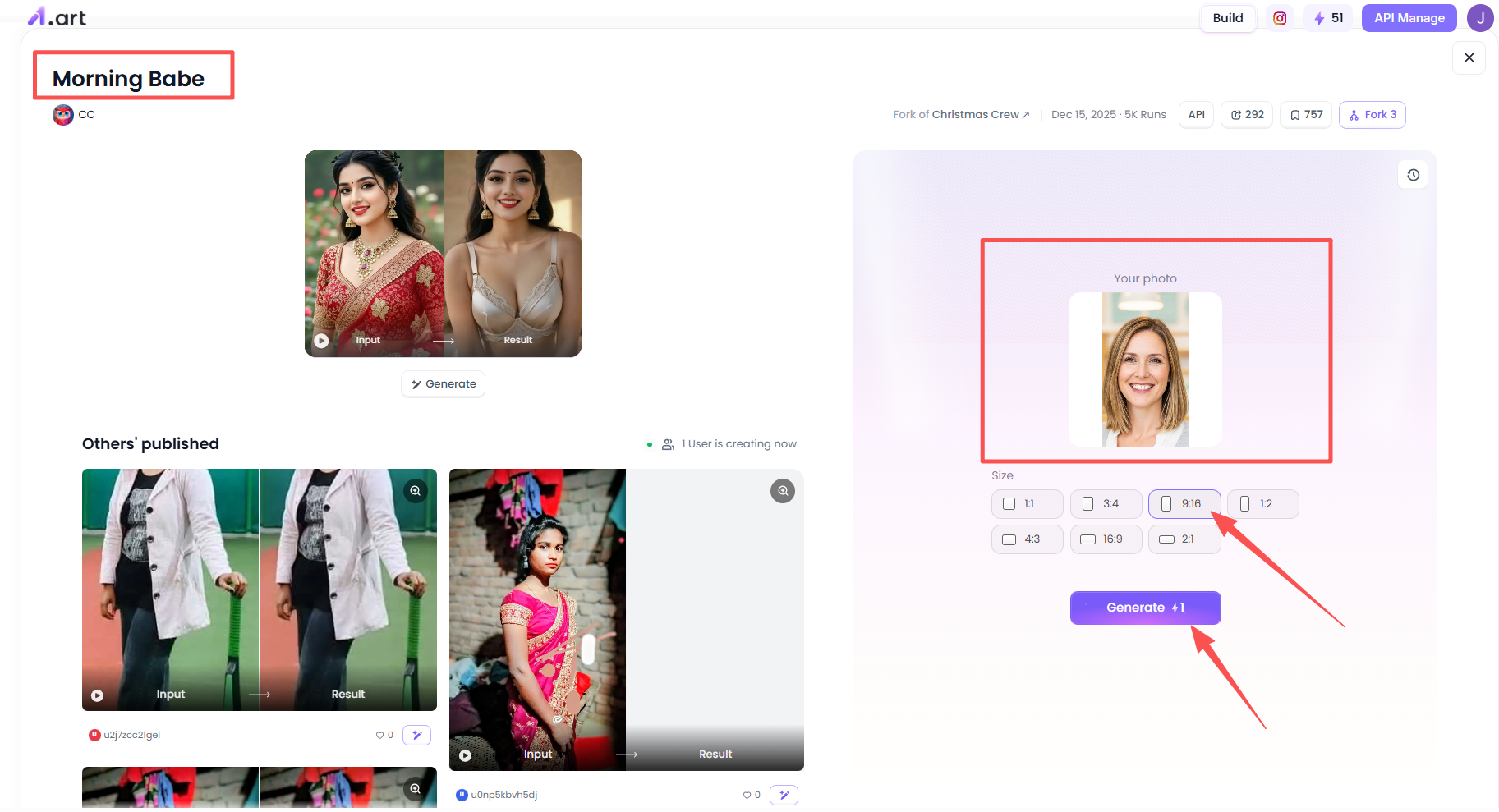
After clicking this filter, you can see many users' results on the left, and the content is quite comprehensive. If you want to use this filter, it's simple. On the right, click the photo upload section, upload a picture you like, such as the face you want to generate the image from. Then, you can choose the size of the generated image, setting it to your preferred aspect ratio. Finally, click "Generate."
Step 4: Process Your Photos
Once your photos are generated, you can check the results yourself. The most likely outcome is a very good, realistic effect!
Then you can try clicking on the video or image, choosing to publish or save it locally. This way, you'll have your own AI Babe content.
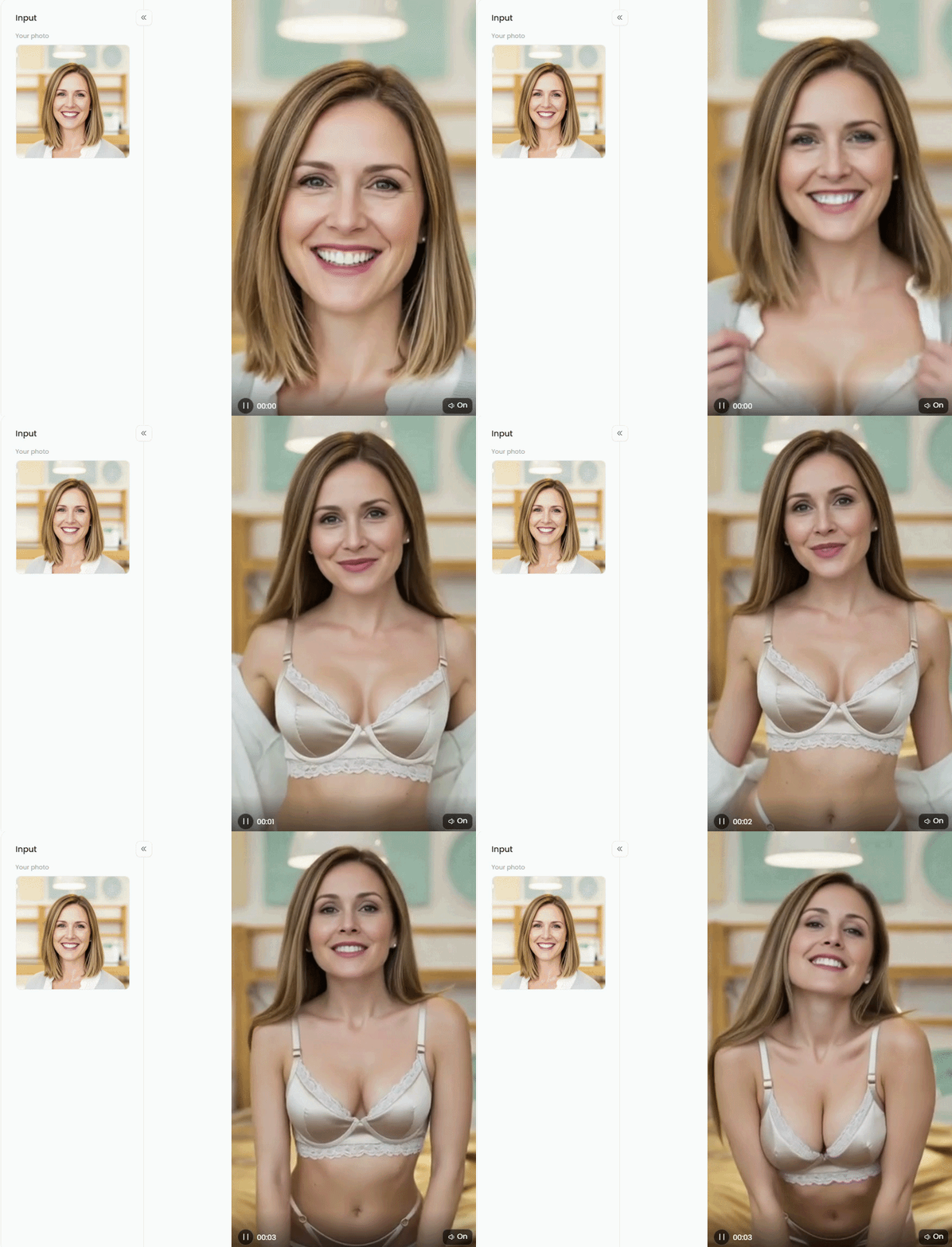
Double-click the image to select your favorite AI babe content👇
Stable Diffusion
Stable Diffusion is one of the most widely used open-source image compositing models in the AI art ecosystem. Many free web platforms offer simplified interfaces, allowing you to generate images without installing the model locally.
Key Advantages:
-
Highly customizable through cue engineering
-
Realistic textures and detailed facial rendering
-
Large community support with thousands of cue examples
Because it's open-source, creators can experiment with different models, styles, and settings to generate highly customized portraits.
Best for:
Creators who want maximum control over cue, model, and style adjustments.
Example Cues:
-
Realistic portraits, cinematic lighting, detailed skin textures,
-
Natural expressions, high resolution, studio photography
-
Many users explore Stable Diffusion through online generators that simplify the process of running Stable Diffusion models directly in a browser.
Limitations:
While Stable Diffusion is powerful, it can sometimes be difficult for beginners to get started with. Without proper prompts or settings, users may encounter the following issues: distorted facial proportions, inconsistent lighting, and unpredictable results. For creators looking to streamline their workflow, a visual AI tool platform may be a better starting point.
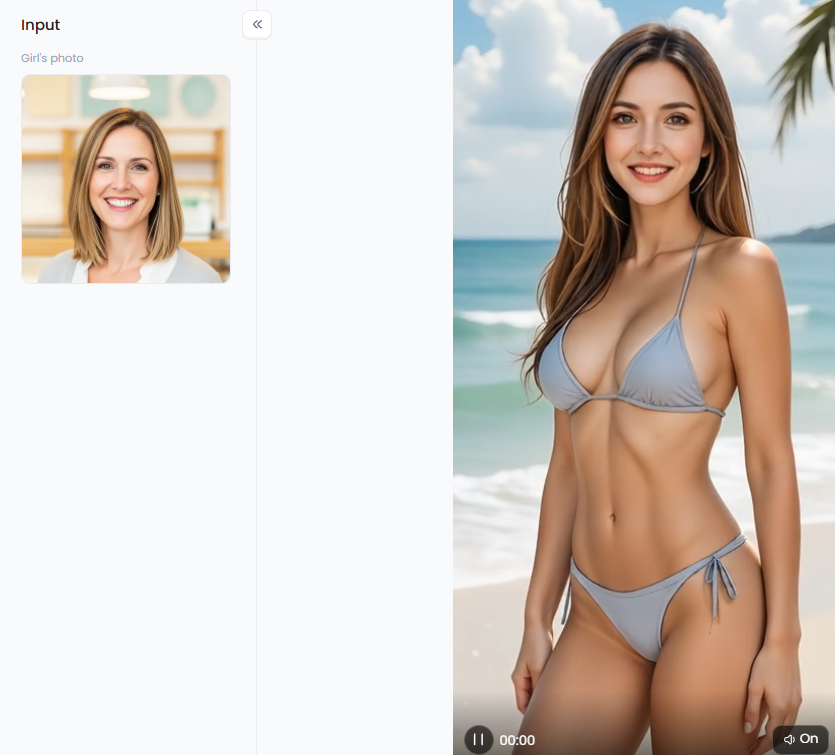
Funny and Cute
If your goal isn't to create stunning, indistinguishable-from-realistic photographs, but rather to generate viral content on platforms like TikTok, then "realism" is actually a hindrance. Today's netizens crave something more: strong contrast, cuteness, and a captivating charm.
Compared to cold, lifeless portraits, these tools excel at creating unique cartoon characters or humorous memes that instantly become shareable.
Current "Hot" Trends:
-
AI Cute Baby Memes: These are the easiest to go viral. Big eyes and chubby cheeks, paired with poignant captions, result in exceptionally high share rates.
-
AI Baby Animated GIFs: For example, the recently popular "AI baby dancing" or "funny expressions." Dynamic effects are more eye-catching than static images.
-
Stylized Characters: Pixar's 3D cartoon style or the American comic-book style are highly recognizable.
Why do these types of content go viral?
-
Lightning-fast image generation: Simply modify the template, and a new character is created in seconds.
-
Foolproof operation: Many tools come with built-in "face-changing" or "transformation" templates, eliminating the need to study complex commands.
-
Naturally attracts viewers: This kind of cute and quirky content is highly favored by algorithms, making it especially suitable for creating short videos (Reels or TikTok), which viewers can easily share with their friends.
5 Unconventional Methods to Revive AI Images
Maximize Resolution: Don't skimp on processing power; start with 1024x1024 or higher. Higher resolution prevents details like eyelashes and skin texture from becoming blurry.
-
"Light" the Image: AI is actually a great photographer, provided you tell it how to position the lights.
Want a sophisticated look? Search "Cinematic Lighting".
Want a fresh, natural look? Search "Soft Sunlight".
Want a trendy, photo-worthy feel? Search "Studio Lighting".
-
Don't expect instant perfection: AI has its own temperament; even with the same instructions, each image will be completely different. Generating multiple versions and "selecting" the best from a pool of images is the norm for experts.
-
Fine-tuning is Key: Don't always try to change the entire description. Sometimes adding a "skin texture" enhancement or removing a "too dark" element can instantly elevate the image.
-
Stay up-to-date: The AI industry is evolving rapidly, with technology updating at an absurd pace. Pay attention to insights from experts; technological iteration is more intense than you might imagine.
The "Killer Features" of Future AI Tools
-
Semi-Permanent Facial Recognition: Previously, a drawn beautiful woman's face would change with every image. In the future, character consistency will be achieved; regardless of clothing or scene changes, the main character will always be the same person. This is the ultimate tool for creating IPs and writing stories.
-
Indistinguishable Image Quality: Future AI portraits will be so detailed that even pores and the natural movement of hair will be indistinguishable from reality, maximizing realism.
-
One-Click Blockbuster Transformation: Generating an image is just the beginning. Future tools will directly integrate video generation and animation functions. You give a prompt, and it will not only draw it but also make the people in the drawing move and even act out a scene.
-
Complete Visual Narrative: In other words, in the future, you might only need to speak (write a paragraph), and AI will handle the entire process from main character design to storyboard animation—one person is a production team.
Conclusion
The barrier to entry for getting an AI-generated "AI baby" or "digital character" to work for free is incredibly low.
Whether you want to create a viral meme or a dancing AI baby video, as long as you find the right tools, write the right words, and add some lighting effects, even a complete beginner can produce a high-quality video in minutes.
Here's a summary of tips to avoid pitfalls:
-
Choose the right platform: Don't waste time on inferior tools; stick to generators that produce stable, high-quality images.
-
Precise instructions: The clearer the description, the less likely the AI will go astray; use keywords like "realistic" and "high-end" to prevent image quality issues.
-
Combine static and dynamic elements: Don't just focus on static images; turning them into GIFs or dancing short videos is the key to generating buzz.
The future: As AI becomes increasingly intelligent, creating characters and animations will only become faster, even to the point where it's hard to tell if it's a drawing or a video. While the tools are readily available and easy to use, hurry up and give it a try. Your own "digital idol" or "internet celebrity" might just be in the next picture.
FAQs
What is an AI babe?
An AI babe is a female character created using AI image generators from simple text prompts.
Can I create an AI babe for free?
Yes. Many tools let you generate an AI babe with free credits or daily limits.
What is an AI baby meme?
An ai baby meme is a funny AI-generated baby image often used in viral social media posts.
How are AI baby dance videos made?
Creators generate an image first, then use an ai baby dance video generator free tool to animate it.
🔞 Content Publication Policy (Concise English Version)
All users must strictly adhere to the following rules and bear full responsibility for the content they publish:
-
Illegal Content: The generation or distribution of any form of illegal content is strictly prohibited.
-
CSAM (Child Sexual Abuse Material): Any sexual content involving minors is considered a severe felony worldwide, with zero tolerance.
-
Deepfakes (Non-consensual Intimate Images): The creation or dissemination of intimate images of any real person without their explicit consent is strictly forbidden.
-
User Responsibility: Users are solely responsible for ensuring all generated content complies with copyright, privacy, and all applicable laws.
Read more
- How to Use Pic to Porn AI Generators (Step-by-Step Guide)?
- Create Stunning Imagefal Art with a1.art's AI Tools Free
- Best PixelDojo AI Alternatives We’ve Tested in 2026
- 6 Best Dovideo AI Alternatives for High-Quality AI Videos
- How to Make NSFW AI Videos Online for Free?
- AI Stripper Generator: Create Uncensored Sexy Photos Free Online
- Generate 18dart3 Style Images with AI Free Online
- How to Create Free NSFW Uncensored AI Videos? The Ultimate No-Limit Guide
- Free AI Animals Generators You Can Try Online
- Top Deepsukebe Alternatives for AI Nudifier Tools
Written by

a1.art
Published on
Mar 22, 2026
Share article


