


You type a prompt, hoping for a moody, rainy scene. But instead of cinematic magic, your AI image generator spits out a mess. You are certainly not alone. Too often, the rain barely shows up in the final picture. Instead, your subject ends up with waxy skin, muddy lighting, and distorted hands.
This gap really matters. As the AI image market grows rapidly, creators need a reliable monsoon portrait generator to create profile photos and reels that look cinematic rather than synthetic. You want a living moment. Not a glitchy effect.
In this guide, we will show you how to ditch those fake expressions for good. Read on to learn how to achieve realism, preserve your character’s identity, and create emotional, shareable rain portraits that stand out.
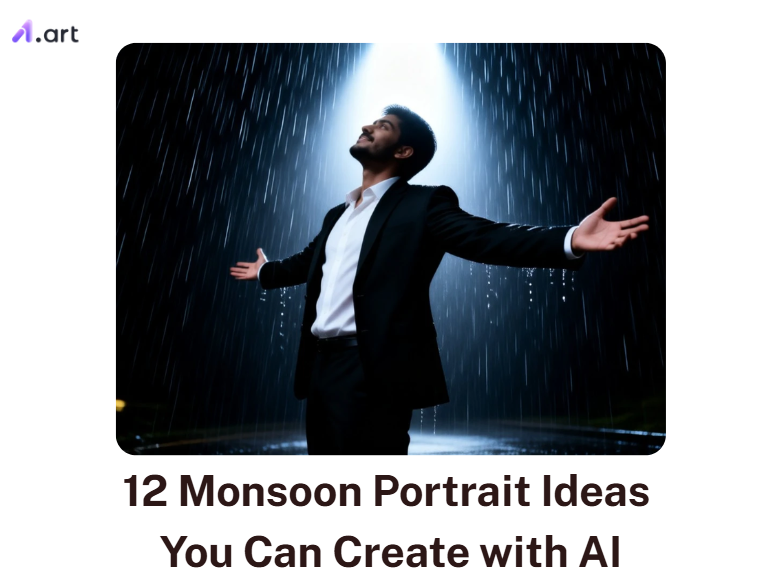
Key Takeaways
-
Top AI models now render stunning resolution images with pore-level skin textures.
-
A true monsoon portrait generator paints wet clothes clinging to skin. It stops human faces from turning into blurry wax.
-
Smart tools lock your character’s identity. You can drop your subject into a hurricane, and it still looks identical.
-
A harsh downpour turns a boring selfie into a dramatic, cinematic monsoon movie poster.
-
Specialized apps process light bouncing off water. They beat generic tools that leave you with fuzzy, static results.
Start your art journey with a1.art.
What are Monsoon Portraits
Monsoon portraits are not just a basic weather filter slapped over a face. Instead, the rain acts as a powerful storytelling tool. Whether you need a dramatic monsoon image or rough weather, the emotion drives the image.
Professional camera experts know that capturing rain requires specific lighting. If you only use a flat-front light, the water droplets wash out and disappear. To make your digital monsoon illustration pop, you should apply these real-world photography rules to your AI prompts:
-
Use Backlighting: Light from behind your subject catches every falling droplet, making them glow beautifully.
-
Focus on the Face: Even during a dark storm, your character’s face must stay the brightest spot in the frame so they do not get lost.
-
Reflect the Ground: Wet streets act like natural mirrors. They add deep, cinematic reflections to your monsoon pic rather than muddy clutter.
By using these true lighting tricks in your prompts, your art transforms. You stop making flat pictures and start directing your highly emotional summer rain movie.
How to Use It, Just 3 Steps:
Using a1.art is incredibly simple. Here’s the full beginner-friendly guide:
Step1:
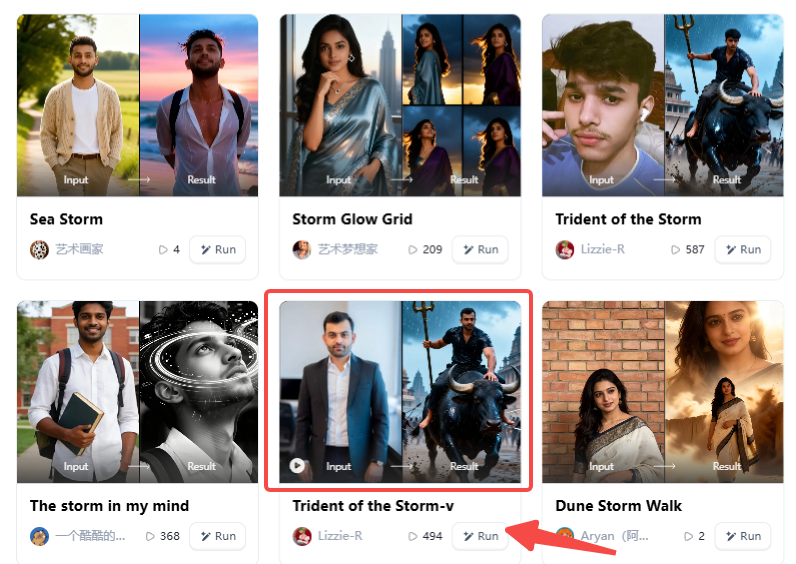
Open a1.art, choose the App that you are interested in, then click 「Run」
Click on the image to experience the same App👇
Step2:
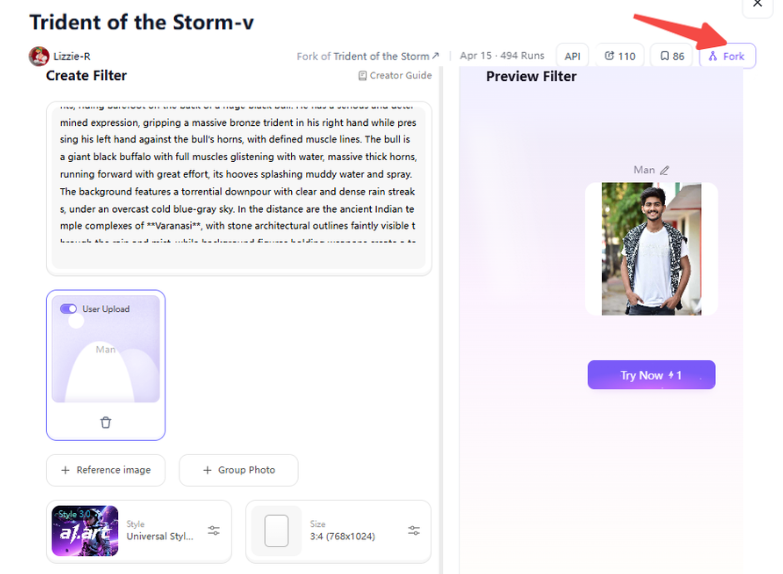
Upload a photo/image
Step3:
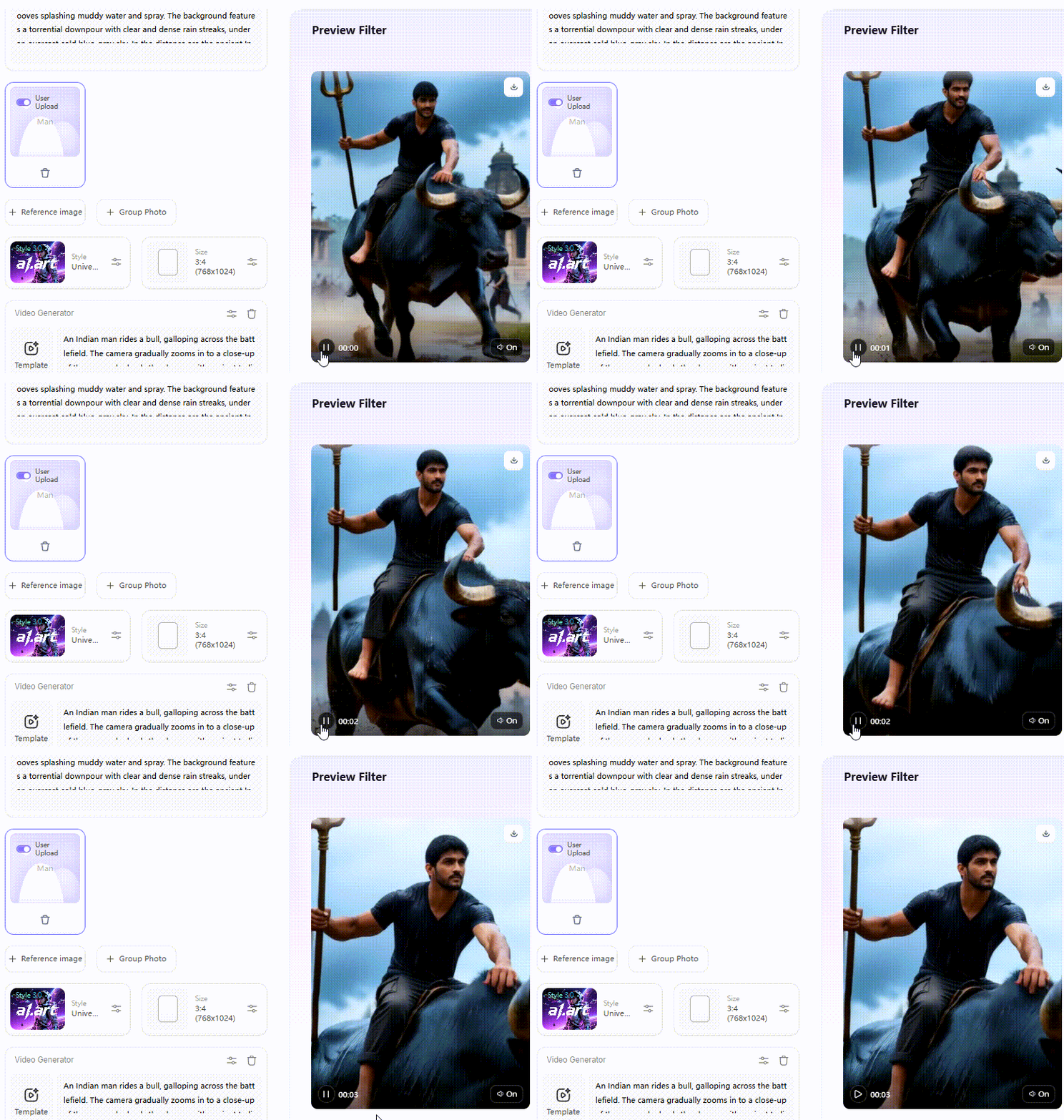
Wait 3 seconds, you will get a wonderful result 👇
Why Cinematic Monsoon Portraits Are So Popular
Rain instantly adds deep emotion, fast motion, and rich texture to your image without a costly studio set.
According to recent digital marketing data, vertical formats now drive over 90% of mobile engagement. Rain scenes fit these tall mobile screens. When you post these images on your feed, you instantly stop the scroll. Here is why creators love them:
-
Perfect for Mobile: Glowing neon street lights, clear umbrellas, and tiny raindrops racing down a window look stunning in vertical reels or stories.
-
Deep Connection: Psychology shows that humans naturally associate rain with comfort and nostalgia. It makes your audience feel a soft, dramatic inner story.
-
Instant Drama: It turns a basic, boring headshot into a mysterious movie poster.
Ultimately, you are not just adding fake weather. You are using rain to share a captivating, emotional mood.
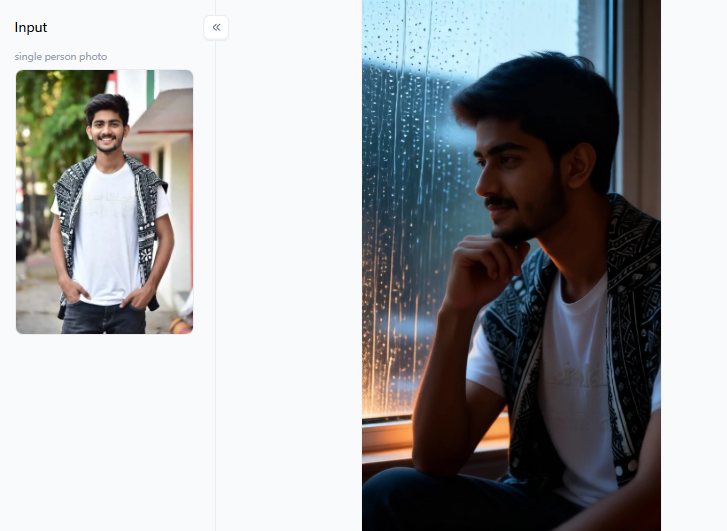
Click the picture to generate your exclusive tropical rain emotional with one click👇
Creative Monsoon Portrait Ideas You Should Try
Right now, creators generate an incredible 80 million AI images every single day. Because of this massive volume, you need something special to stand out on crowded social feeds. Whether you need a fresh profile picture or a striking video cover, rain adds instant magic. However, guessing the right words can ruin your art.
Here are 12 monsoon portrait generator ideas you can copy and paste:
Perfect Close-Ups for Social Media
These ideas work beautifully for small screens. They focus on the face and use weather to hide messy backgrounds.
-
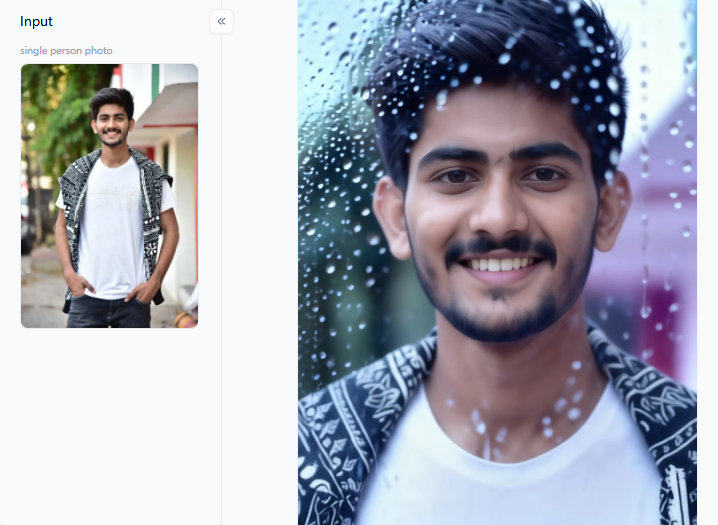
Rain-Glass Cinematic Portrait: Frame the shot through a fogged, rain-speckled window. Keep the eyes sharp and the skin texture soft. The wet glass adds instant depth and hides background chaos.
-
Clear Umbrella Street Walk: Place your subject under a transparent umbrella on a wet road. Add glowing green or neon city lights behind them. This gives you a professional monsoon photographer look without hiring an expensive studio.
-
Soft Window Reflection: Use indirect daylight and damp hair strands. Ask the AI for muted pastel colors. This soft style reads clearly even at a tiny size, making it the perfect monsoon PFP.
High Drama for Video Covers
When you need to stop someone from scrolling past your video, use these intense, motion-heavy concepts.
-
Rooftop Heartbreak: Frame a lonely figure on a high roof at sunset. Add wind, heavy rain streaks, and dark clouds. A warm rim light against the cool storm creates a stunning silhouette.
-
Epic Sea Storm: Give your character a strong stance near crashing ocean waves and dark clouds. This is your best monsoon generator concept when you need massive scale and fast motion in a single frame.
-
The Lightning Poster: Use glowing lightning, heavy rain on the side, and a dramatic upward gaze. To make this violent scene work, ask the AI for a “clean, sharp face” so the wild weather does not ruin the character’s identity.
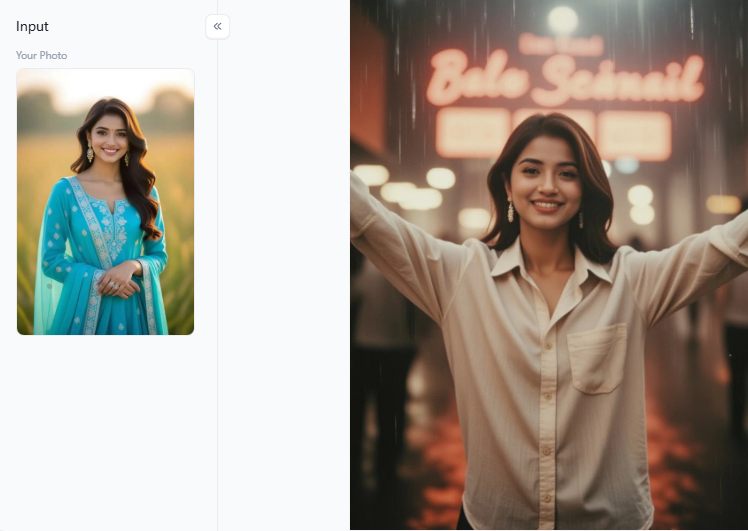
Click the picture to generate your exclusive bollywood retro rainy night portrait with one click👇
Gritty Urban Nights
City streets look incredible in the rain. Wet pavement reflects light beautifully, turning a normal walk into an editorial masterpiece.
-
Sudden City Commuter: Show someone caught mid-step under a glowing bus stop light. Include one big splash or a puddle reflection. It feels modern and real.
-
Neon Night Walk: Dress the character in a dark jacket. Use wet street reflections and backlights from passing car headlights. Ask for micro-realism in the wet fabric so it doesn’t look like cheap plastic.
-
Local Taxi Stop: Set the scene at a specific location, such as a rainy street in London or Tokyo. Adding local neon signs and wet roads makes your monsoon portrait generator output feel like a real memory rather than a generic computer file.
Calm and Romantic Moods
Rain is not always violent. Sometimes, it brings peace, deep romance, or a quiet, spiritual vibe.
-
Temple Rain Blessing: Blend falling rain, rough stone textures, and a soft incense haze. Keep the composition very simple. This creates a calm, spiritual atmosphere for your viewers.
-
Jungle Rain Soak: Mix lush green plants, wet leaves, and rising ground mist. For the best results, keep the deep-forest background slightly blurred so the soft, wet skin stands out.
-
One Shared Umbrella: Bring two people close together under a single umbrella. Keep the pose simple and blur the background deeply. Rain scenes always look much more believable when you do not crowd the picture with too many moving parts.
You no longer have to guess how water works. By using these targeted ideas, you can tweak the colors, adjust the dramatic lighting, and swap the characters to fit your exact needs.
Click the picture to generate your exclusive closeup mood with one click👇
Elevate Your Art with a1.art Monsoon Filters
Crafting a stunning monsoon illustration means building your scene layer by layer. Instead of just typing “rain,” you need to tell the AI exactly what you want to see. Start with the person, their outfit, and the location. Then, add the weather, lighting, and colors.
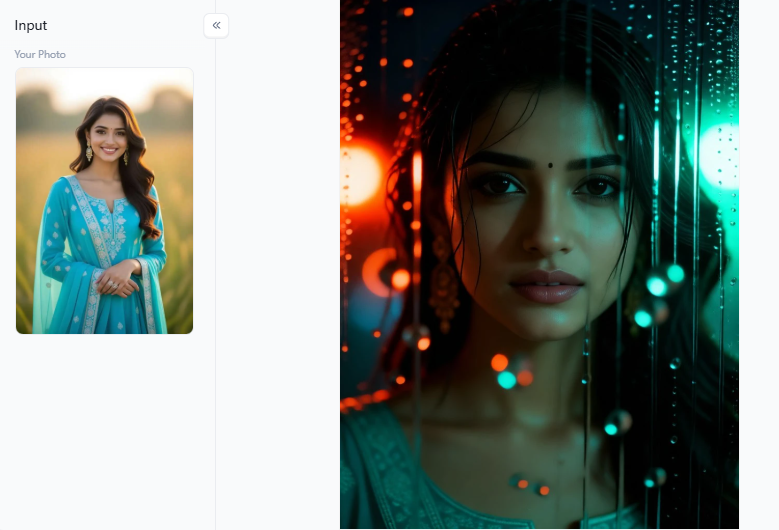
For example, ask for “realistic wet hair, glowing city lights, and water drops on a jacket.” Always use negative prompts. Tell the model to avoid “waxy faces, plastic skin, and extra fingers.” This simple trick fixes the creepy, fake gloss that ruins so many AI pictures.
Next, match your colors and weather to the mood you want:
-
City Nights: Use cyan and amber lighting with mid-level rain for a realistic daily-life feel.
-
Jungle Scenes: Stick to deep emerald greens and soft mist.
-
Quiet Windows: Try soft silver and cream tones with a drizzle.
If you want to skip the heavy typing, a1.art groups its filters by scene type. This setup lets you pick a starting point and “Fork” it into your own unique image or video generator. For moody urban profile pictures, Rooftop Rain Heartbreak works beautifully.
If you need a high-energy monsoon maker for dramatic poster art, Sea Storm gives you massive scale and motion. This workflow speeds up your creative process. You gain the flexibility to switch between video and image without having to rebuild your entire portrait from scratch every time the lighting falls short.
Click the picture to generate your exclusive rain glass cinematic portrait with one click👇
Common Mistakes That Kill Your Monsoon Portraits
Creating a stunning monsoon photo takes more than just typing “rain.” Simple mistakes can ruin your hard work. Here is how to fix the most common traps:
-
Invisible Rain: Rain looks like a messy blur unless light hits it. Instead of asking for more water, add a strong backlight or glowing headlights to make the droplets sparkle.
-
Plastic Skin: If the AI smooths your subject too much, they look like a waxy mannequin. Force realism by prompting for visible pores, damp skin, and wet, clingy hair.
-
A Crowded Frame: It is tempting to build a massive, violent storm with 5 props and 3 colored lights. Keep it simple. A single clear umbrella and one strong emotion always beat a cluttered scene.
-
Losing Your Character: Weather often confuses AI, changing facial features entirely. Lock their identity first. Keep the camera angle stable before adding heavy storm details.
-
Broken Physics: Tell the system where the water hits and what stays dry to avoid fake-looking, broken physics.
By fixing these simple errors, you stop fighting AI and start creating emotional, flawless art.
Click the picture to generate your exclusive sudden rain with one click👇
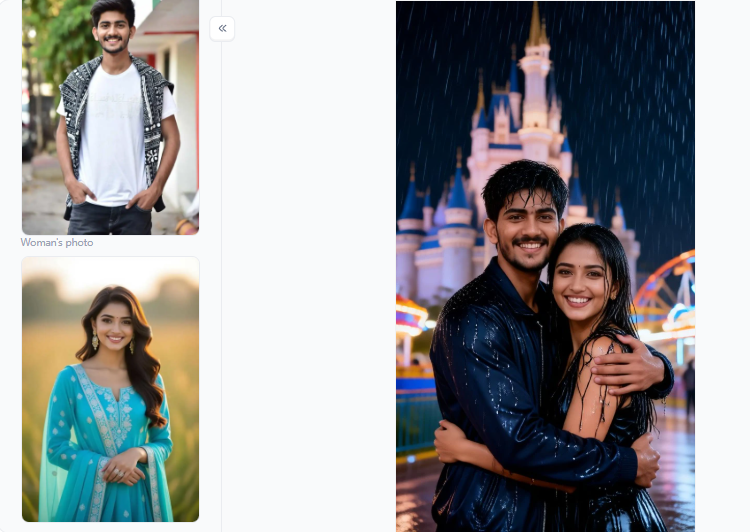
Master the Monsoon Portrait Generator for Flawless Art
Creating a stunning monsoon PFP no longer requires standing outside in a freezing storm with expensive camera gear. A high-quality monsoon portrait generator gives you creative control right from your desk. You can build everything from sweet 3D animations to moody, double-exposure art.
By using advanced photo-enhancing filters on a1.art, you eliminate annoying facial glitches and unlock crystal-clear images. Stop settling for blurry, fake-looking rain. Try these creative ideas and watch your art go viral.
FAQ
Q: How do I make a monsoon portrait?
To create a stunning monsoon portrait, start with a strong focus, such as a wet street or a clear umbrella. Add a glowing backlight or side light to make the falling raindrops visible. Make sure your character’s face remains the brightest spot in the picture so they stand out against the dark, dramatic storm.
Q: How can I create editorial-style monsoon portraits with AI?
Use a clean and organized prompt structure for your art. List your subject, their clothing, the exact city, and the rain intensity. To achieve that high-end editorial look, request natural skin textures and realistic wet surfaces. Avoid dramatic fantasy cues, and keep the styling simple and grounded in reality.
Q: How do I show rain clearly in portraits?
Never rely on the word “rain” by itself. The computer needs much more detail. Ask for backlit droplets, a highly reflective wet ground, streaks of light, and thick mist. Be sure to request wet hair and damp clothing. These specific cues make harsh weather visible and believable.
Q: Can I create a monsoon portrait for a specific city?
Yes, you absolutely can. Add famous location markers to your text prompt. Mention local architecture, street signs, bright neon lights, or specific public transport. Adding these city details firmly grounds your scene in reality. This smart trick makes your final image feel much more memorable and less generic.
Q: Which monsoon portrait idea works best for profile photos?
For small profile pictures, always use a tight close-up. Try a rain-glass portrait, a clear-umbrella street shot, or soft indoor window lighting. These specific visual ideas keep the face very clear and readable on tiny mobile screens while still showing off that moody, rainy texture and deep emotional vibe.
Read more
- 15 Best AI India Independence Day AI Image Ideas for 2026
- Best Safe AI Celebrity Nudes Style Photo Alternatives for Creative Portraits
- 2026 Top 10 Nude Filters Online for Free: A Guide to Unfiltered AI Art
- Top NSFW AI Chatbot Alternatives for Private Roleplay and AI Companions
- How to Create Viral Waka Waka Dance Football Videos with AI?
- 10 Best Unclothy Alternatives You Must Try 2026
- How to Generate Twerk Porn with AI Free Online
- Kpop AI Porn: Steamy Kpop Content Free
- FIFA World Cup 2026 AI Prompts: 50+ Copy-Paste prompts for ChatGPT and Gemini
- How to Create an AI World Cup Avatar for Your Favorite Team in 2026?
Written by

a1.art
Published on
Jul 14, 2026
Share article


