


Many artists who create digital character illustrations often face common challenges: achieving a sense of depth and spatial layering, rendering natural and realistic lighting and shadows, and vividly conveying character emotions. This is particularly true for fan artists, who often spend vast amounts of time repeatedly tweaking anatomy, facial proportions, and symmetry,only to end up with stiff, lifeless figures that fall far short of the vision they originally imagined.
The emergence of AI art tools specifically designed for the Danmei (Boys' Love) genre offers a perfect solution to these creative pain points. By combining sophisticated text-to-image algorithms with art styles tailored to this genre, these tools spare artists from tedious, repetitive technical refinement work.
This detailed tutorial will guide you step-by-step on how to effectively use Danmei-focused AI art tools to transform rough creative sketches into polished, professional-grade illustrations with realistic textures,all with just a single click.
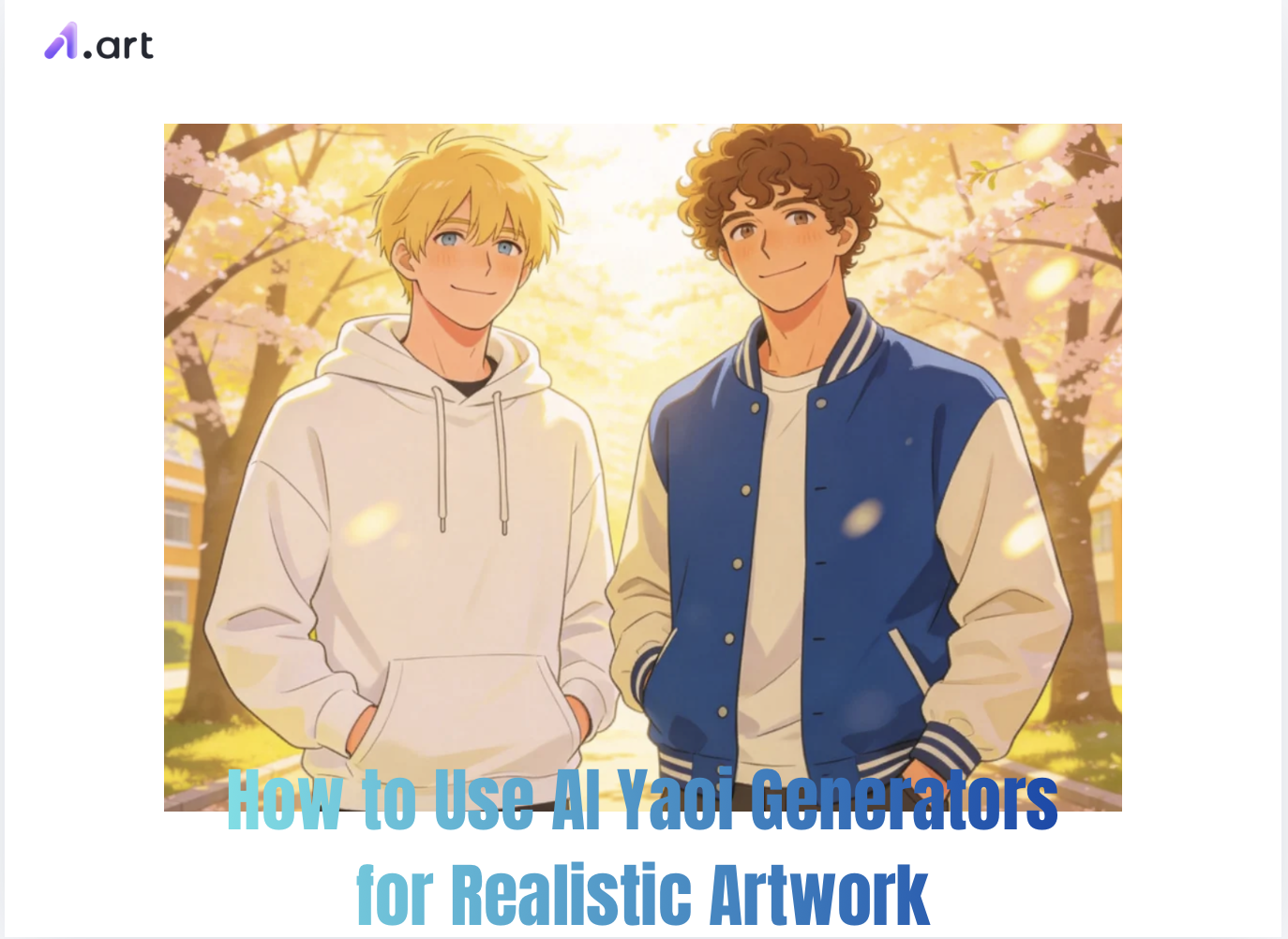
The Evolution of Specialized Digital Tools: What is AI Yaoi?
In recent years, AI generation technology has brought significant changes to the field of digital art. Specialized AI models designed for Danmei (boys' love) illustration are machine learning tools trained specifically for this genre; they excel at rendering scenes featuring multiple male characters, placing a strong emphasis on the narrative atmosphere between them, distinctive anatomical styling, and nuanced emotional expression.
While general-purpose AI art tools often struggle with issues like overlapping lines or distorted limbs when depicting multiple characters in close proximity, this specialized AI Yaoi tool accurately captures the intricate, subtle details of character interactions, thereby avoiding these common flaws.
Start your art journey with a1.art.
From Traditional Sketches to Machine Learning Models
In the past, creating detailed character illustrations required a deep mastery of technical concepts like perspective, human anatomy, and lighting. Now, thanks to specialized BL-oriented AI art tools powered by technologies like multimodal neural networks, creators can rapidly turn their mental concepts into initial drafts without spending excessive time.
A 2026 survey of digital creators revealed that over 64% of independent concept artists use AI-driven composition tools during the early stages of creation to quickly generate sketches and save time.
Whether you are illustrating a BL-style cover for a light novel or producing a series of cohesive visuals for a BL-themed video, this specialized AI model significantly simplifies the creation of preliminary assets.
Images generated by generic AI tools often look formulaic,resembling mass-produced stock imagery,and struggle to convey a unique style. In contrast, AI tools tailored for the BL genre offer a distinct advantage: they can generate unique art styles and atmospheres that align perfectly with your creative vision while capturing the nuanced details of character interactions.
Introducing a1.art: The Ultimate AI Yaoi Creative Platform
a1.art stands out as a leading web and mobile ecosystem for generating hyper-realistic character images. Designed to democratize high-end digital design, this powerful AI image and video platform successfully bridges the gap between text prompts and the creation of ultra-realistic visual assets.
Key Feature Highlights
With a vast library of styles and assets,including hundreds of thousands of filter templates updated daily,you can effortlessly switch between visual aesthetics, easily achieving everything from hyper-realism and cinematic textures to classic hand-drawn styles.
The platform supports diverse creative modes: generate images from text descriptions, create new works based on uploaded reference images, or utilize advanced face-blending technology to produce facial features with authentic detail and natural expressions.
Powered by cloud technology, the platform delivers rapid results; simply enter your text, and a complete, crisp, high-definition illustration draft is generated in just two to three minutes.
A built-in creator community allows users to share their work and trending styles; if you come across settings you like, you can apply them instantly with a single click.
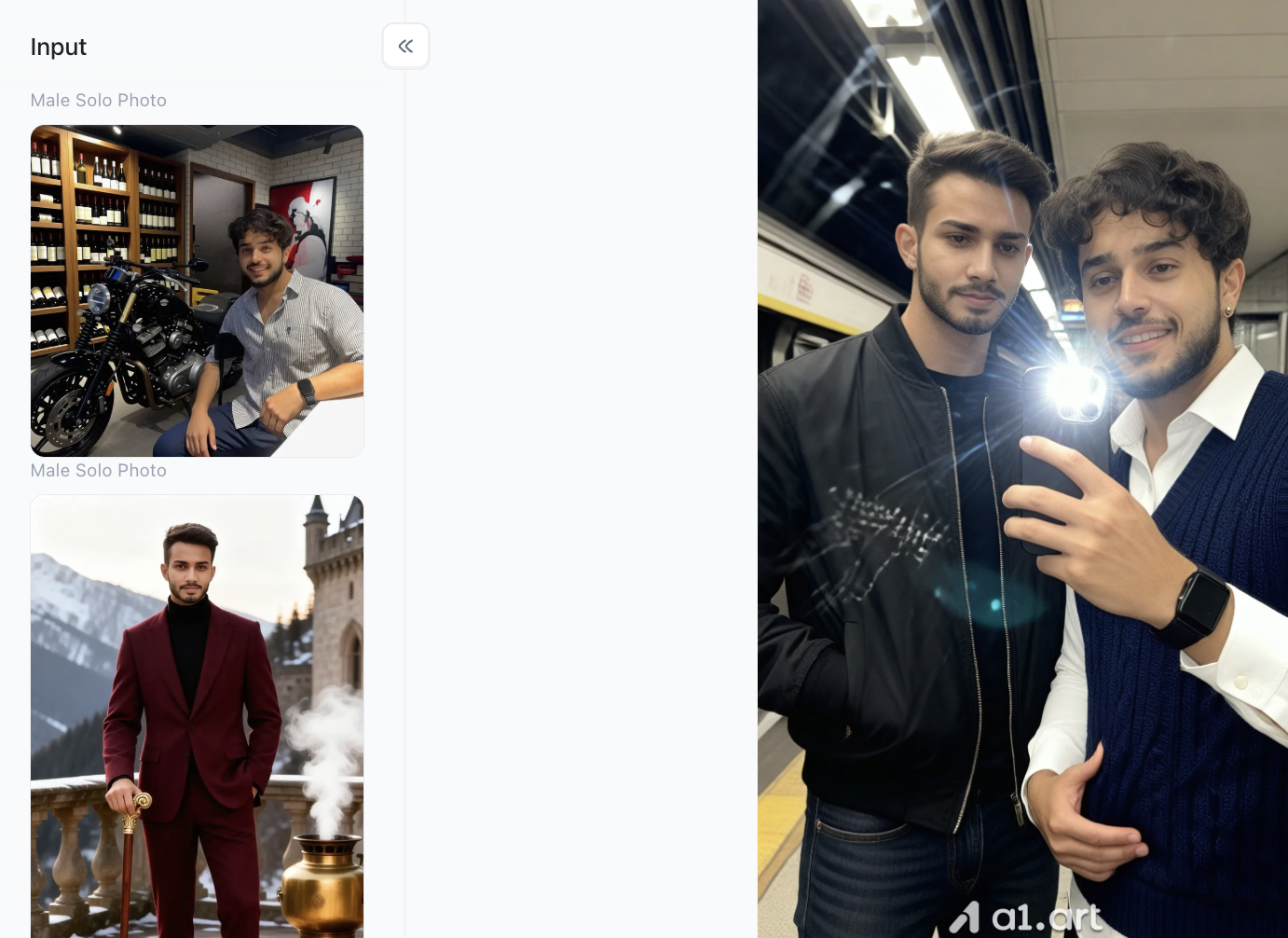
Double-click the image to instantly generate AI Yaoi content⬇️
Step-by-Step Guide: Generating Realistic AI Yaoi Art with a1.art
To achieve true realism,rather than the overly smooth, plastic-like look often associated with digital imagery,you need to adopt a systematic approach. Follow the step-by-step workflow outlined on the a1.art platform to create lifelike, emotionally resonant images by adhering to the steps below.
Step 1: Create your own a1.art account
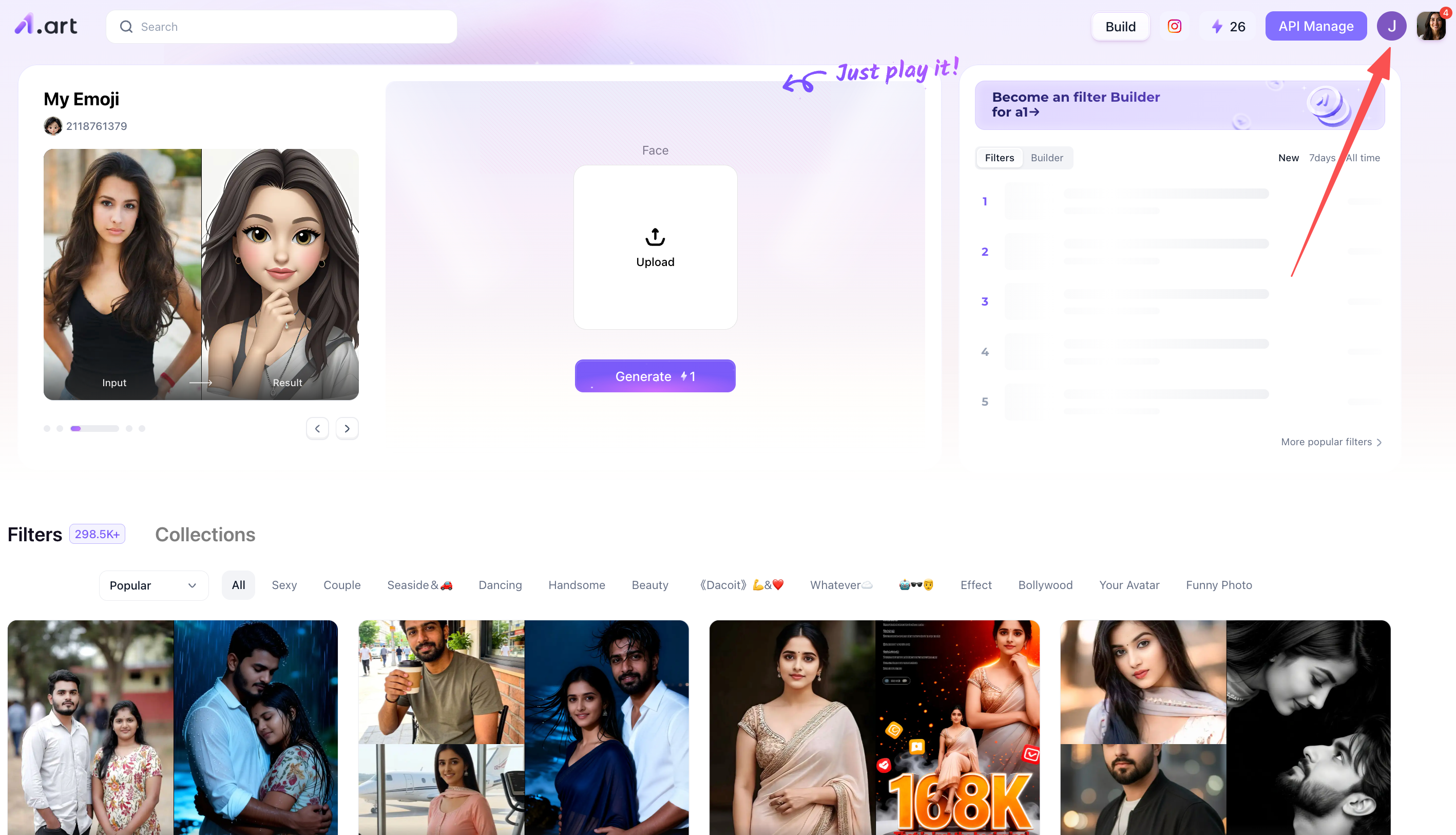
Click the top-right corner of the page to access the account registration section, then simply follow the step-by-step instructions provided on the page.
Step 2: Start generating the AI Yaoi Art filter
After registering your account, locate the "Build" button in the top-left corner of the page and click it. This will bring up the screen shown below; simply select the option on the left, as that model is well-suited for beginners and easy to pick up.
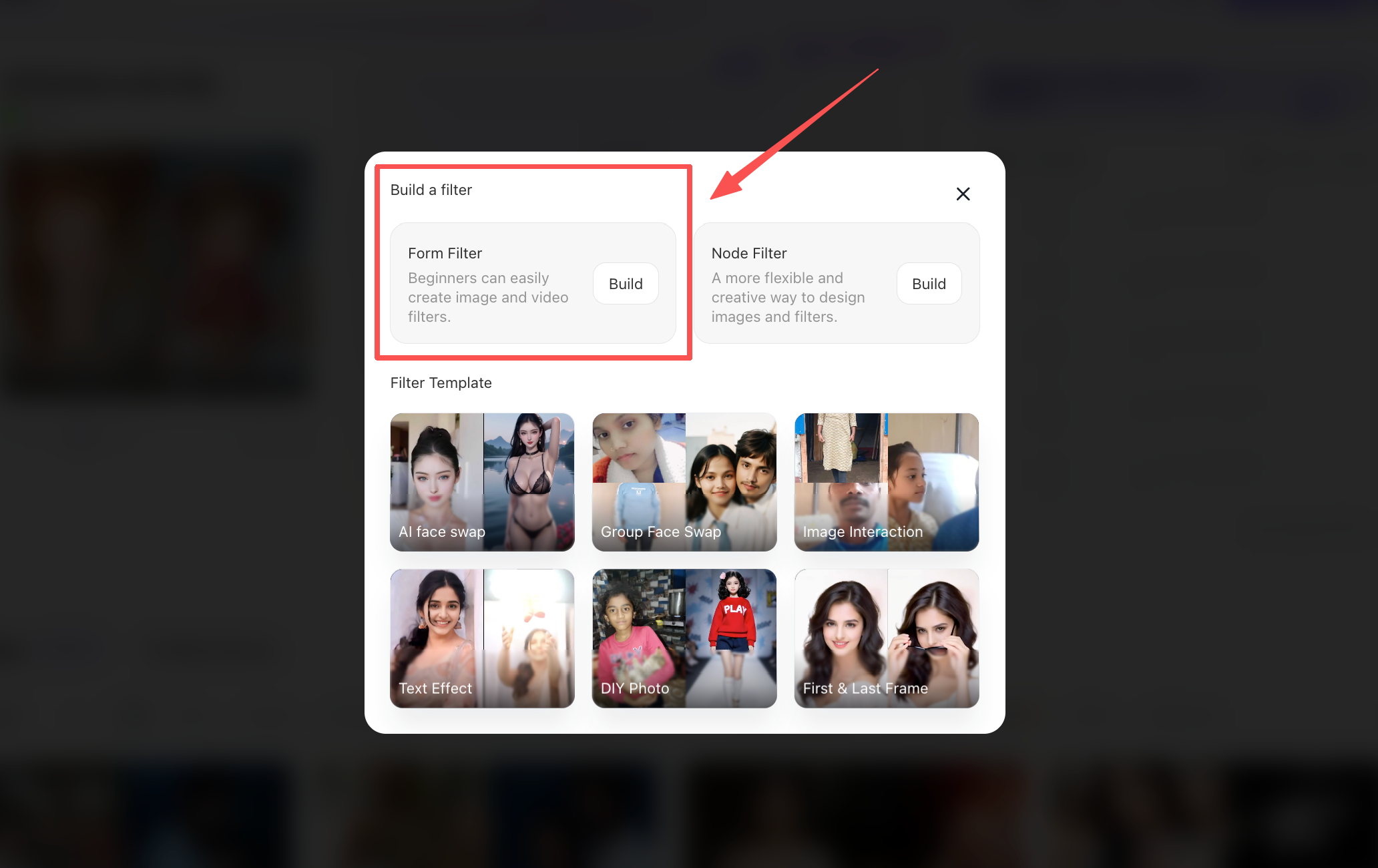
There are quite a few steps involved in this process, so let’s walk through them gradually. After selecting your initial template, you will see the following page. In the top-left corner, there is a section for describing the AI Yaoi filter you wish to generate; providing more detail here will help ensure the result better aligns with your preferences. At the very top is the filter's name, which you can set to something easily recognizable.
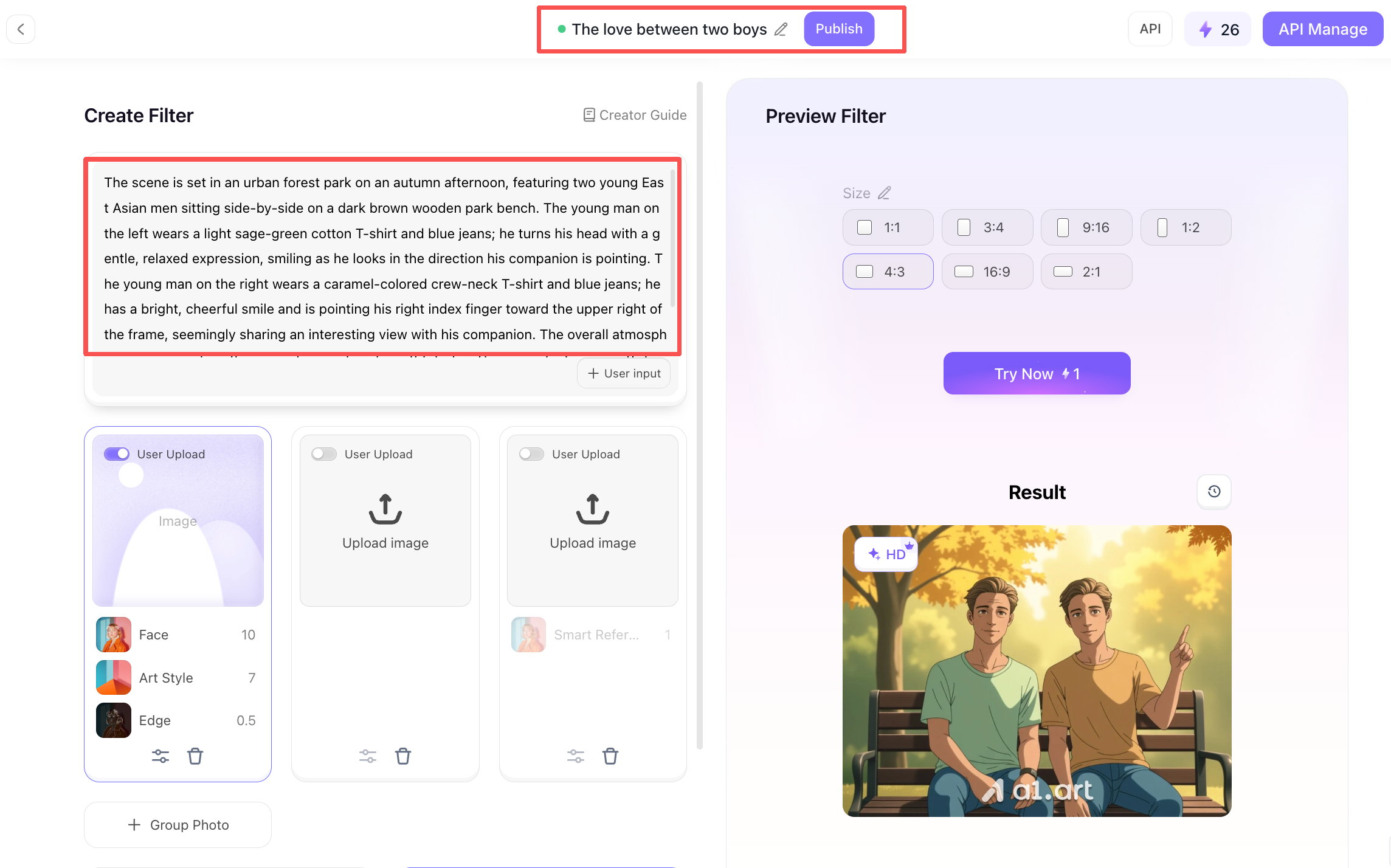
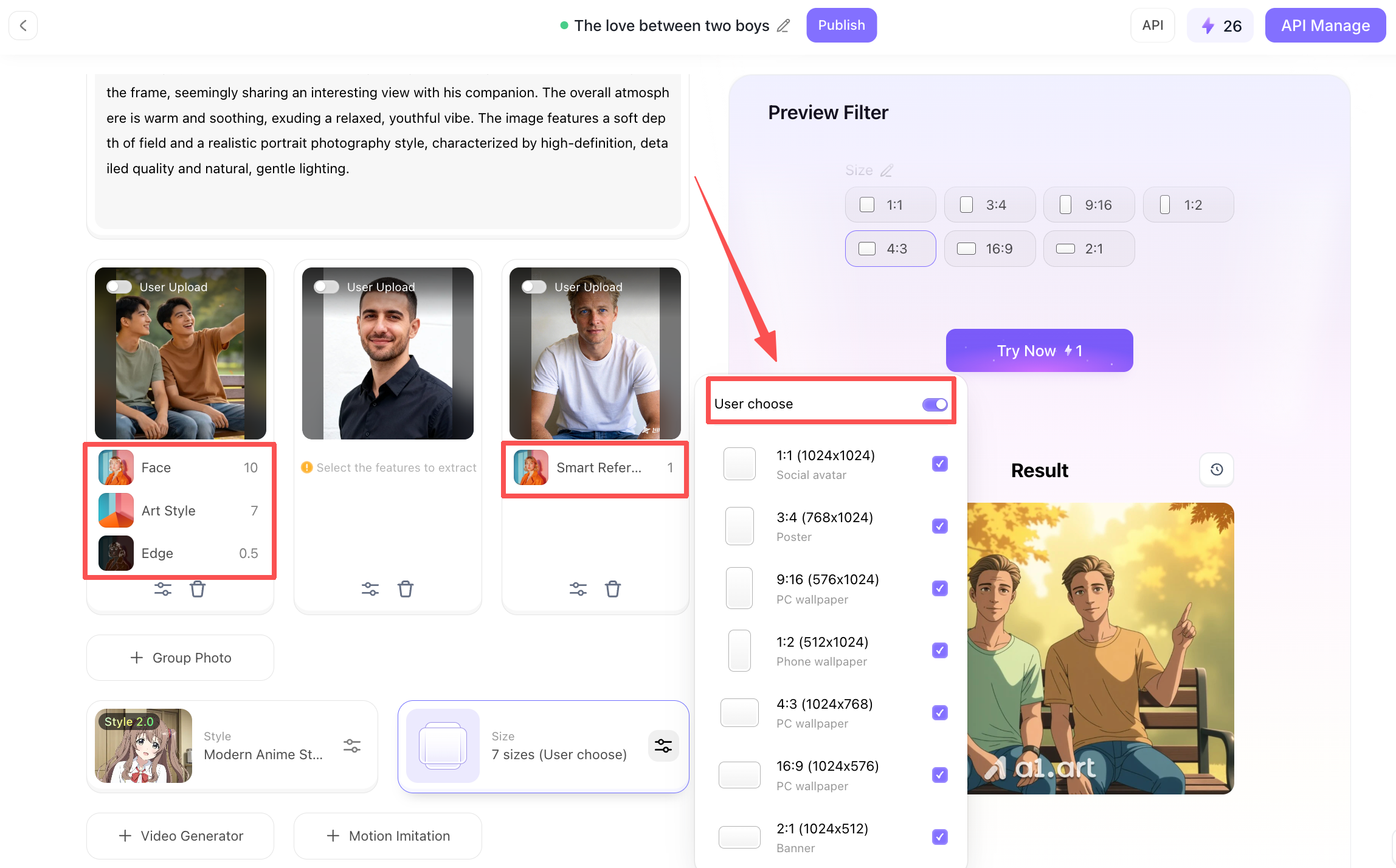
Next, scroll down to the section to upload reference photos. On the far left, you can upload a danmei (BL) image you like and configure the reference details,specifically within the area marked by the red box. Since the initial image features a pair of characters, you can also upload two additional photos of individual male faces and set their reference details; the final generated output will then be based on these two facial images.
Once the uploads are complete, the next step is to select the dimensions for the generated content. You can select all available sizes, allowing users to freely choose their preferred aspect ratio when generating images later.
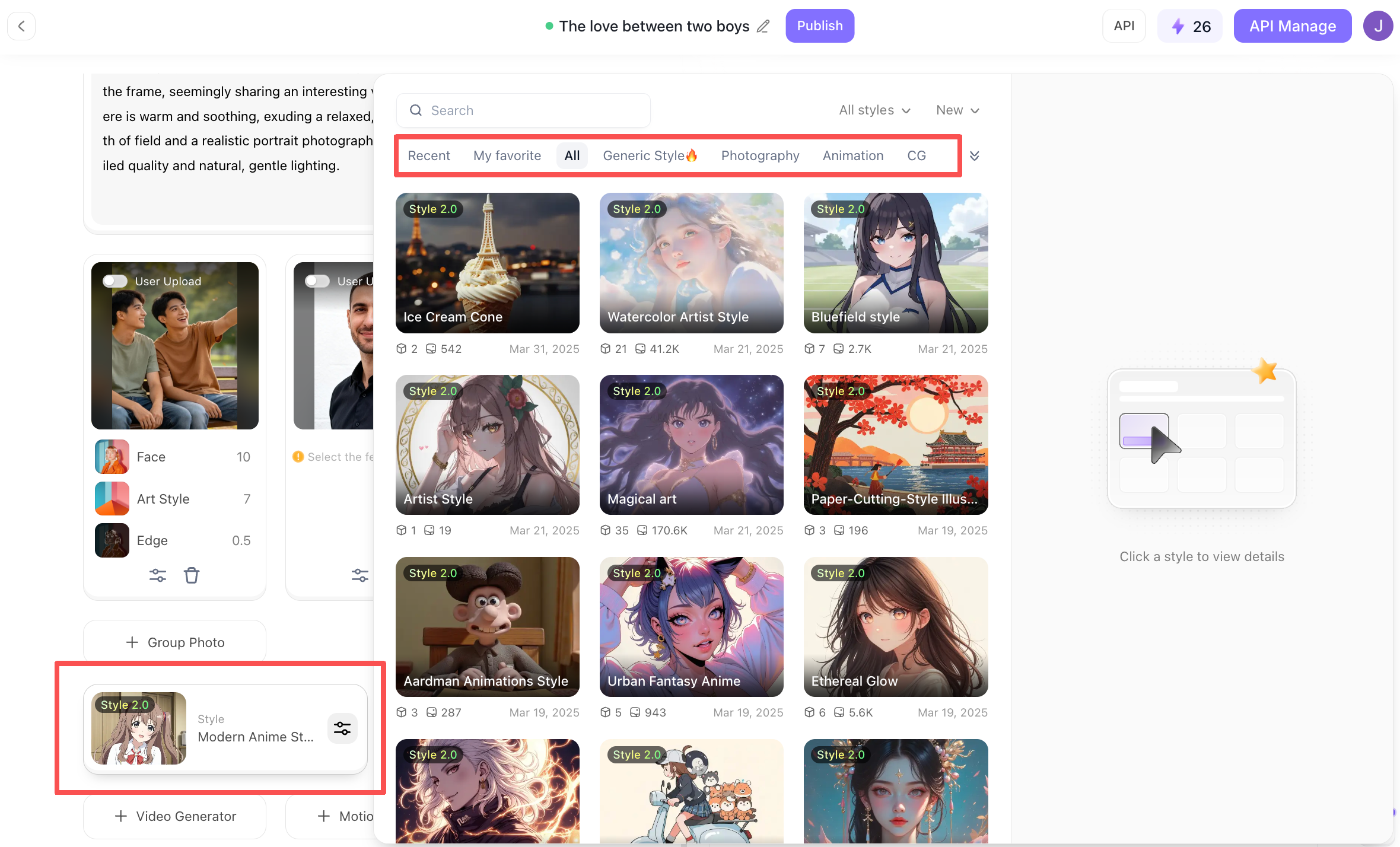
Next, in the bottom-left corner,where you select your reference filter,you'll find a wide range of options. This determines the style of the AI Yaoi images you'll generate; for instance, you can choose the anime style commonly found in the genre, or simply pick whatever appeals to you,it's entirely a matter of personal preference.
Once everything is set up, you can start generating a rendered image! Simply click the "Try Now" button on the right, and a1.art will quickly get to work, generating an image based on the specifications you've defined.
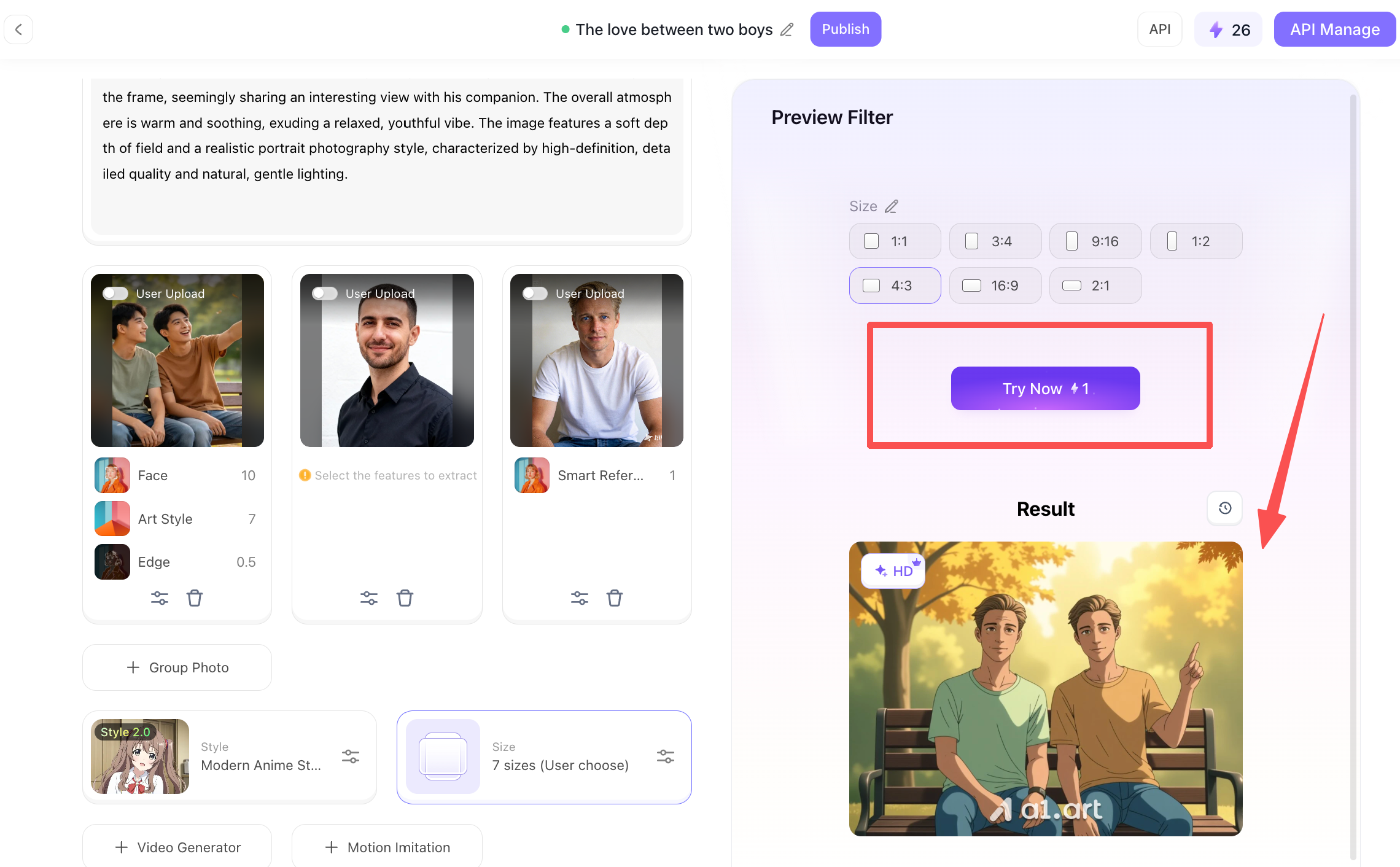
Step 3: Process your finished AI Yaoi artwork
Here is the generated image,take a look and see if it’s what you were looking for. If you’re happy with it, you can download it to your device; of course, if you aren’t satisfied, you can simply go back to the previous steps and make a few more adjustments,it’s all very easy to do.
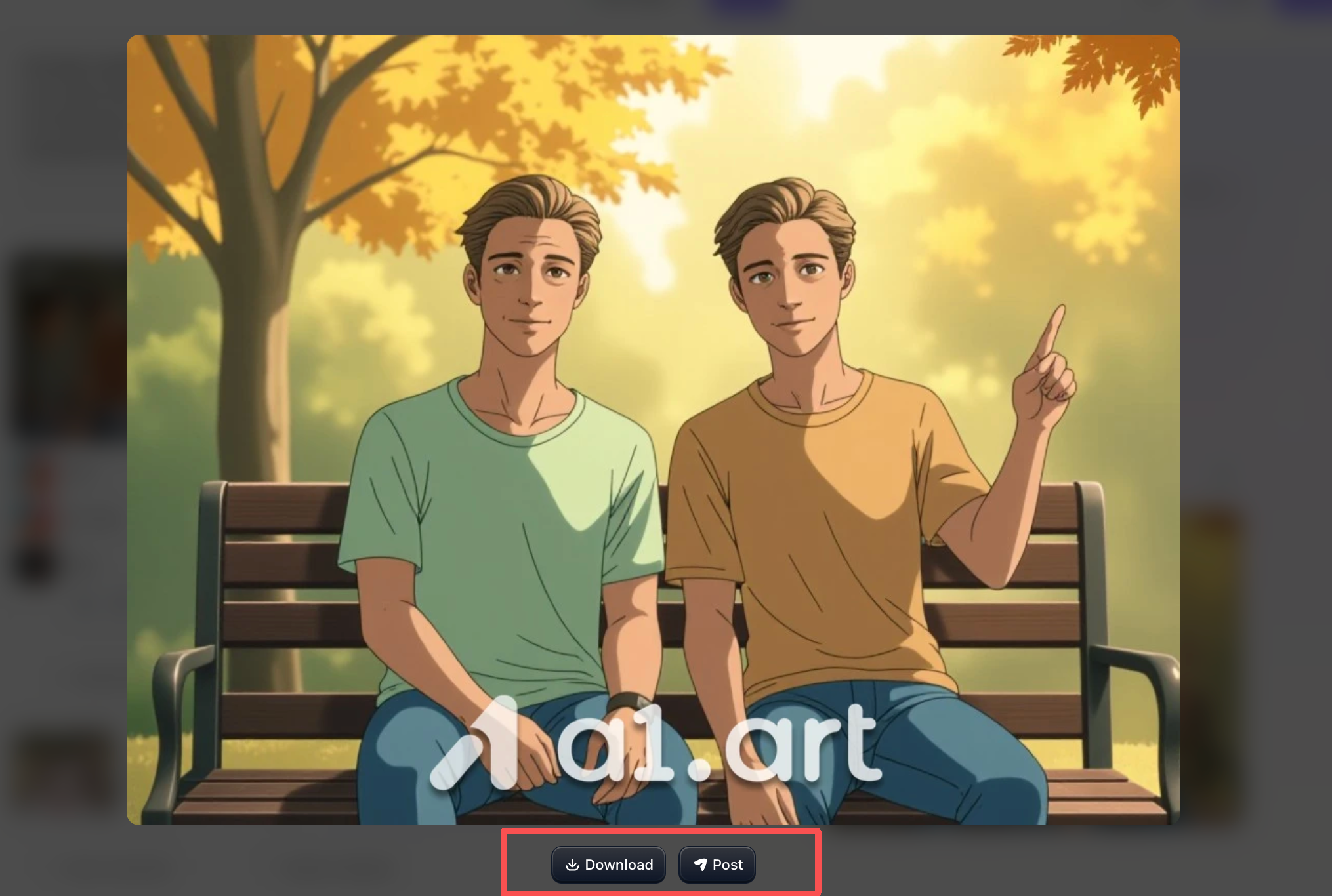
And that wraps up the entire process. What do you think? It’s pretty simple, isn't it? So, if you're interested, head over to a1.art and give it a try right away!
Why Our Platform Outperforms Other AI Yaoi Image Generators
While there are many general-purpose text-to-image AI tools on the market, few can effectively render scenes featuring multiple characters interacting. Here is why our specialized platform stands out:
-
No Clipping or Distortion: Standard AI tools often struggle with close-range interactions, resulting in limbs merging, twisting, or blurring. Our algorithms precisely lock onto each character's spatial position, ensuring anatomical accuracy and completely eliminating issues like model clipping or limb deformity.
-
Realistic Texture, No "Cheap Plastic" Look: Many AI-generated images look artificial, often suffering from an over-smoothed, plastic-like appearance. We faithfully reproduce fine skin texture, fabric weaves, individual hair strands, and highlights in the eyes, creating images with a level of realism and texture comparable to professional photography.
-
Natural Proportions, No Anatomical Glitches: Conventional AI models frequently produce deformed hands, blurred facial features, or misaligned limbs. Our model is trained on standard human anatomy, ensuring harmonious proportions for facial features and limbs, and avoiding any awkward or uncanny visuals.
-
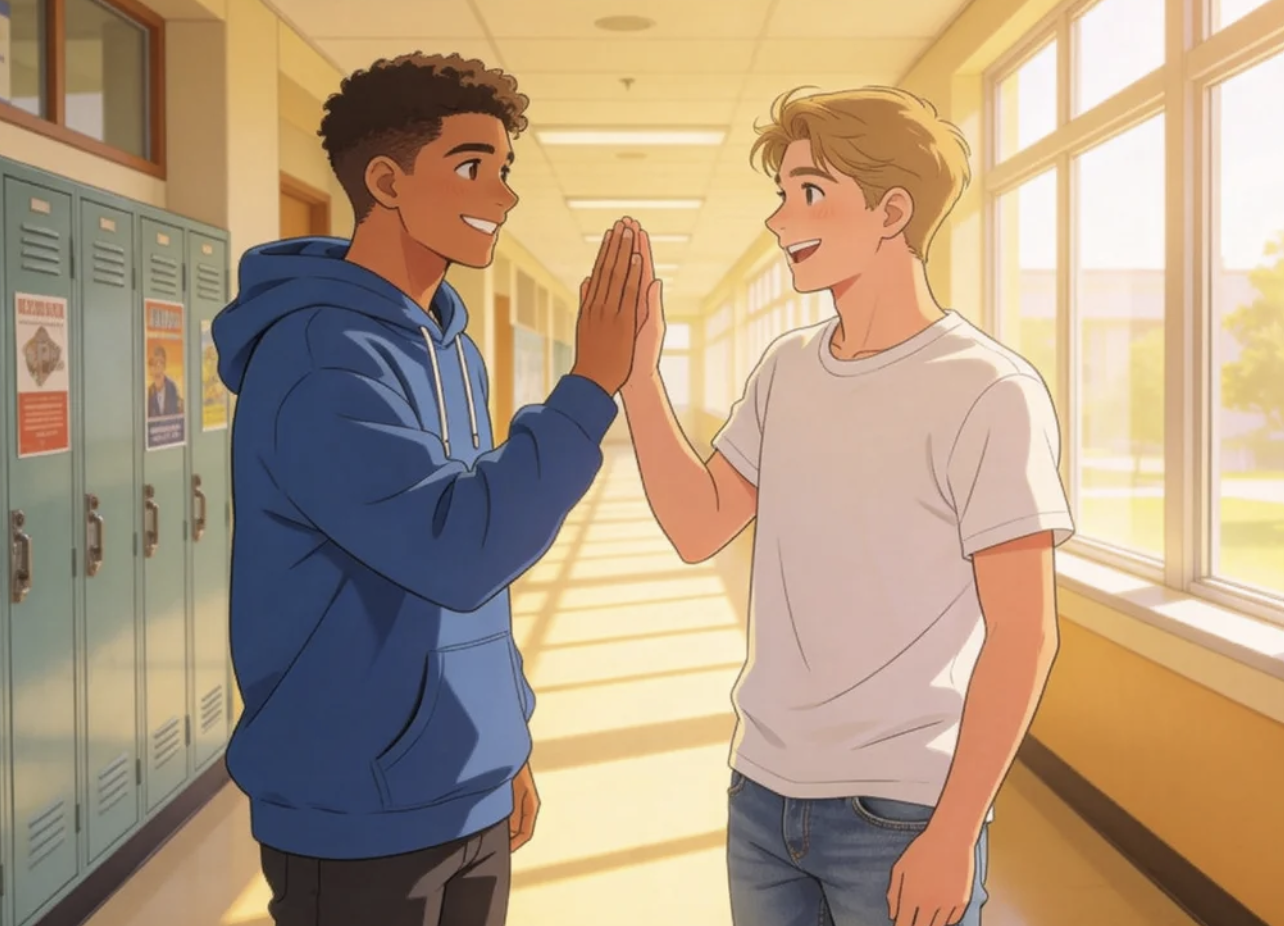
Natural, Atmospheric Lighting and Shadows: Whether it is sunlight filtering through a forest, soft shadows, or atmospheric rim lighting, we ensure the light integrates seamlessly with the characters and the scene. The lighting is rich and natural, making it easy to create evocative, professional-grade images.
Expert Pro-Tips for Maximizing Realism in Character Art
To elevate your AI-generated art from ordinary digital renderings to museum-quality masterpieces, try employing these expert techniques:
-
Emphasize material contrast: When writing prompts, specify the details where two different materials meet,such as a denim jacket against smooth skin or a soft wool scarf draped over a sleek metal railing. The AI will automatically generate subtle shadows, resulting in a more realistic image.
-
Make effective use of negative prompts: For tools that support negative inputs, be sure to include terms like "blurry," "deformed fingers," "extra limbs," "plastic-looking skin," "3D model," "oversaturated colors," and "hand-drawn illustration." This helps the image more closely resemble a real photograph.
-
Describe lighting precisely: Don't just mention lighting in general terms; specify the angle and color temperature (cool vs. warm). Examples include 45-degree side lighting, dramatic low-key lighting, or soft, diffused light from a north-facing window,all of which help quickly define the contours and dimensionality of a subject's face.
Conclusion: Unleash Your Creative Inspiration with AI
Digital art is constantly evolving, and this AI Yao iart tool, designed with the Danmei (Boys' Love) aesthetic in mind,helps you transform your creative visions into high-quality illustrations.
a1.art delivers crisp image quality, avoids character distortion issues, and offers a vast array of artistic styles to choose from. Whether you are an independent artist or a new media creator, you can generate evocative character scenes in just a few seconds.
Now that you’ve mastered the techniques for creating realistic imagery, embark on your AI creative journey today,and capture those moving character moments in stunning, high-quality visuals.
FAQs
What is the best AI Yaoi generator for beginners?
For beginners, a1.art is one of the easiest AI Yaoi Generator platforms to use. It offers ready-made templates, customizable styles, and fast image generation without requiring advanced design skills.
Can AI Yaoi tools create realistic artwork?
Yes. Modern AI Yaoi Art models can generate highly realistic lighting, facial expressions, skin textures, and character interactions when provided with detailed prompts and reference images.
How can I improve the quality of an AI Yaoi image?
Use detailed prompts that describe poses, emotions, lighting, clothing materials, and camera angles. Adding reference images and negative prompts can also significantly improve AI Yaoi Image quality.
Can AI Yaoi generators create videos?
Some advanced platforms support AI Yaoi Video creation by transforming images into animated scenes or generating short clips from text prompts. Features vary depending on the platform.
Are AI Yaoi chatbots useful for storytelling?
Yes. AI Yaoi Chatbots can help writers develop character relationships, generate dialogue ideas, and explore story concepts before creating illustrations or visual content.
Read more
- Best AI Raksha Bandhan Card Design Generators for 2026
- Top 10 AI Lingerie Generators for Fashion and Character Design
- 12 Monsoon Portrait Ideas You Can Create with AI in 2026
- 15 Best AI India Independence Day AI Image Ideas for 2026
- Best Safe AI Celebrity Nudes Style Photo Alternatives for Creative Portraits
- 2026 Top 10 Nude Filters Online for Free: A Guide to Unfiltered AI Art
- Top NSFW AI Chatbot Alternatives for Private Roleplay and AI Companions
- How to Create Viral Waka Waka Dance Football Videos with AI?
- 10 Best Unclothy Alternatives You Must Try 2026
- How to Generate Twerk Porn with AI Free Online
Written by

a1.art
Published on
Jul 19, 2026
Share article


