


A detailed MyAIArt review is necessary because a good photo must feel believable. Nobody wants an image ruined by waxy skin, blurry eyes, or distorted hands. Meanwhile, creators are using these AI photo tools for professional visuals.
This guide tests whether MyAIArt can convert your images into realistic AI photos, exposes key limits, and compares safer alternatives like a1.art so you can stop wasting time on bad renders.
Quick Answer: Is MyAIArt Worth Trying?
Yes, MyAIArt works well for fast projects like headshots and AI clipart. This MyAIArt review highlights its NanoBanana engine and 4K upscaling for sharp results. Free users get daily credits to test the MyAIArt app risk-free.
What Is MyAIArt and How Does It Work?
MyAIArt works as a creative hub that turns text or photos into new visual art. While many use it for portraits, creators often rely on specialized tools like the MyAIArt tileset generator for indie games or the MyAIArt sewing pattern generator for DIY fashion templates.
MyAIArt uses a credit system. You can earn free daily credits through simple check-ins to test the platform. Paid subscriptions unlock more credits and faster speeds.
Before buying a subscription, use this simple testing method:
-
Test the same prompt in MyAIArt and two alternative tools.
-
Generate at least 4 images on each platform.
-
Score the accuracy of faces, hands, lighting, and text.
-
Only pay when a tool consistently delivers usabel results.
If your business only needs one quick holiday post, stick to the free credits. If you decide to upgrade for a short project, turn off auto-renewal to avoid surprise charges.
Start your art journey with a1.art.
Using a1.art is incredibly simple. Here’s the full beginner-friendly guide:
Step1:
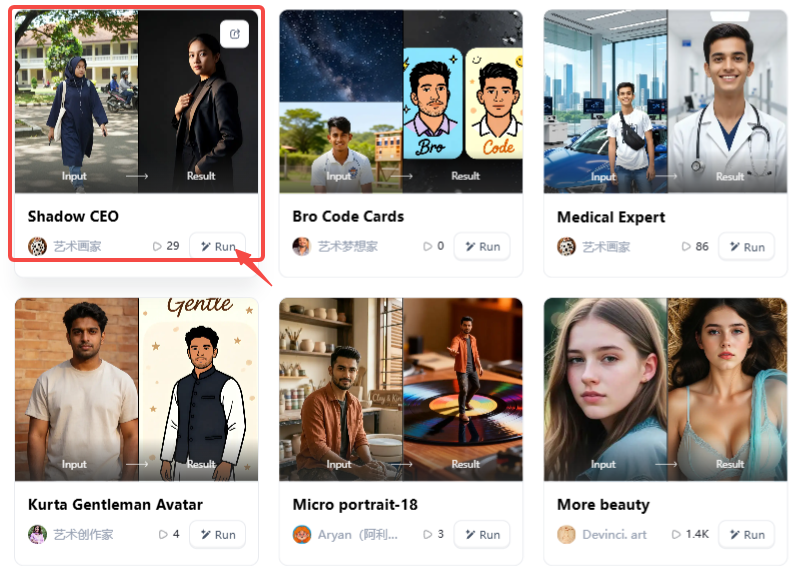
Open a1.art, choose the App that you are interested in, then click 「Run」
Click on the image to experience the same App👇
Step2:
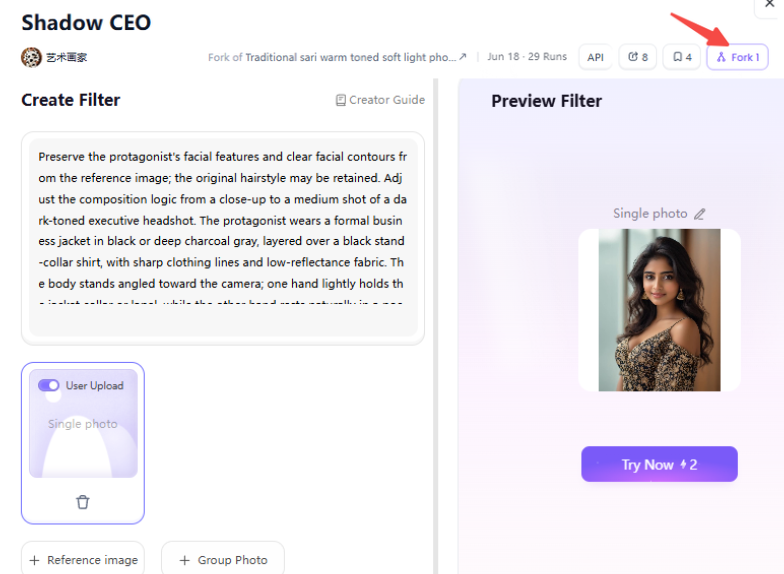
Upload a photo/image
Step3:
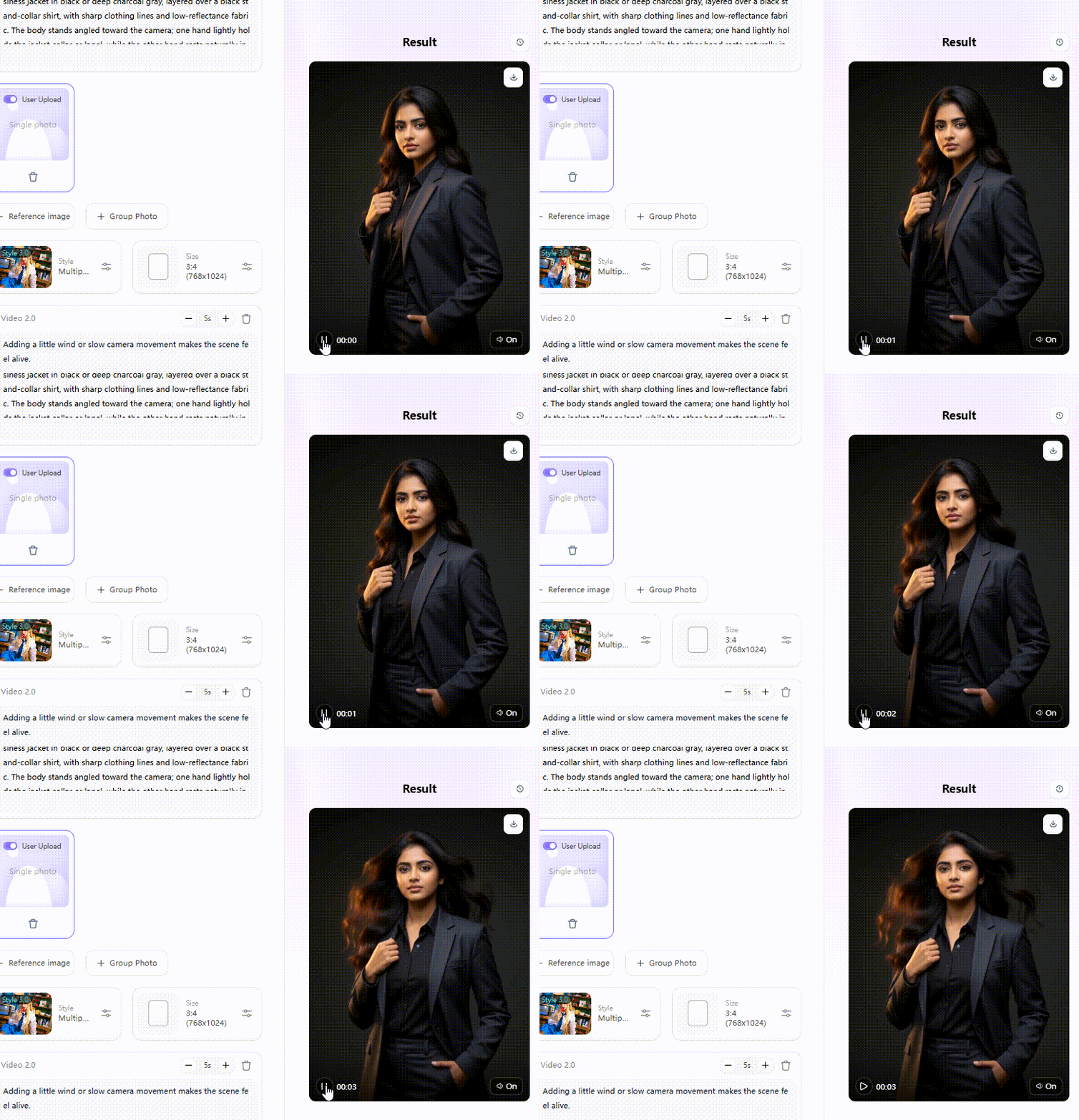
Wait 3 seconds, you will get a wonderful result 👇
MyAIArt Review: Strengths and Limitations
MyAIArt shines when you need speed over control. If you need a quick social media profile picture or want to see how an old, grainy family photo might look restored, the built-in templates make it easy.
However, quality can be hit or miss: if your original upload has dim lighting, sunglasses, or messy hair, the AI often struggles. You might end up with "plastic" skin, weird facial proportions, or extra fingers.
From a business standpoint, use caution. Never use an AI-generated person to represent a real employee, like a doctor or local lawyer, in your ads. Avoid uploading sensitive items like IDs or private legal documents. For professional work, the "as is" results might require better image tools.
Top Alternatives to MyAIArt: Which One Creates Better Images?
No single generator wins every project. The best choice depends on whether you care most about photorealism, exact prompt control, clean text, or fast video creation.
| Platform | Best For | Standout Feature | Free Access |
| a1.art | Viral social media & realistic portraits | One-click filters and video "Forking" | Free daily credits |
| Midjourney | Cinematic artwork & great detail | Unmatched style consistency and lighting | Paid only |
| Leonardo AI | Game assets & style fine-tuning | Custom model training and canvas control | Free daily tokens |
| Ideogram | Graphic design & typography | Crisp, accurate text rendering inside images | Free daily credits |
| DALL-E 3 | Following long, detailed prompts | Natural language understanding | Free via ChatGPT |
Best Choice for Beginners
Both the MyAIArt app and a1.art are great for people who don't want to write long, complicated prompts. MyAIArt is straightforward for quick edits.
However, a1.art is a better pick. The "Fork" feature allows you to copy a successful setup from another user, giving you a shortcut to high-quality results.
Best Choice for Viral Social Media Content
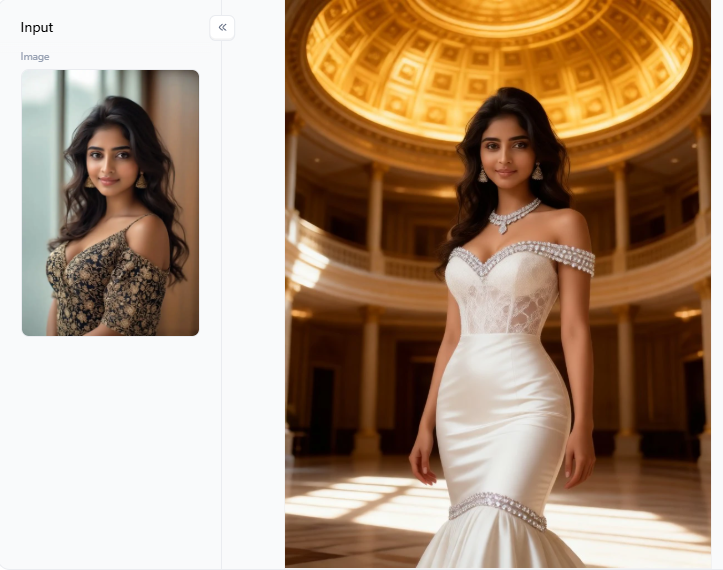
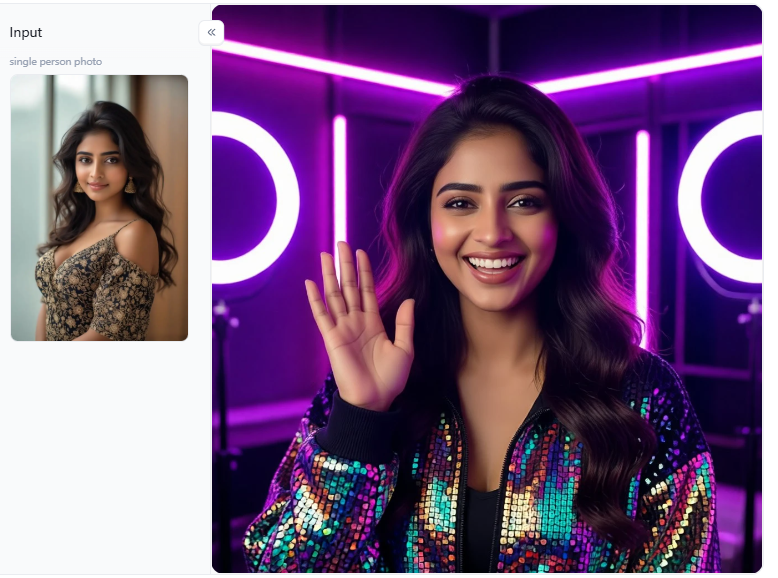
If you want your posts to get noticed, a1.art is the clear winner. It doesn't just make a MyAIArt photo; it creates movement. You can take a still image and add a gentle breeze to your hair or moving light.
Subtle animations feel more personal and believable than a static picture. A transition video can drive much higher engagement than a simple gallery.
Click the picture to generate your exclusive bride clothing with one click👇
Best Choice for Professional AI Artists
For artists who need a steady workflow, Midjourney and Leonardo AI are the standard. They allow you to build a specific "visual world" for a brand.
While the MyAIArt sewing pattern generator is a cool niche tool for DIYers, it doesn't offer the deep artistic control needed for professional packaging or editorial work.
Best Choice for Designers and Game Creators
If you are searching for a MyAIArt tileset generator, you likely want assets for a 2D game. While MyAIArt has basic tools, Leonardo AI is often better for technical assets.
When making tiles, generate one clean "a l'image" reference tile first. Lock your lighting and scale before creating the rest to keep your game looking consistent.
Best Free AI Art Generator Options
Finding a fully free AI generator that can create celebrity photos is tough. Most platforms, including MyAIArt and a1.art, use daily credits. MyAIArt free credits refresh every 24 hours, which is perfect for testing. Just remember to check commercial rights before using any portrait for a paid client project.
Use these free trials to see which tool handles tricky details best. For example, compare a portrait render on a1.art against a basic MyAIArt prompt to see which one looks more natural. Don't pay until you find the tool that saves you the most time.
Click the picture to generate your exclusive vlogger pro with one click👇
Why a1.art Is a Strong MyAIArt Alternative
If the MyAIArt app feels too limited, a1.art is a powerful alternative because it uses visual filters instead of long, technical prompts. This makes it much faster to get the look you want.
If you create a style you love, you can "Fork" it to make matching posts for Instagram, TikTok, or your website. This keeps your branding consistent without starting from scratch every time.
Filter worth a test:
-
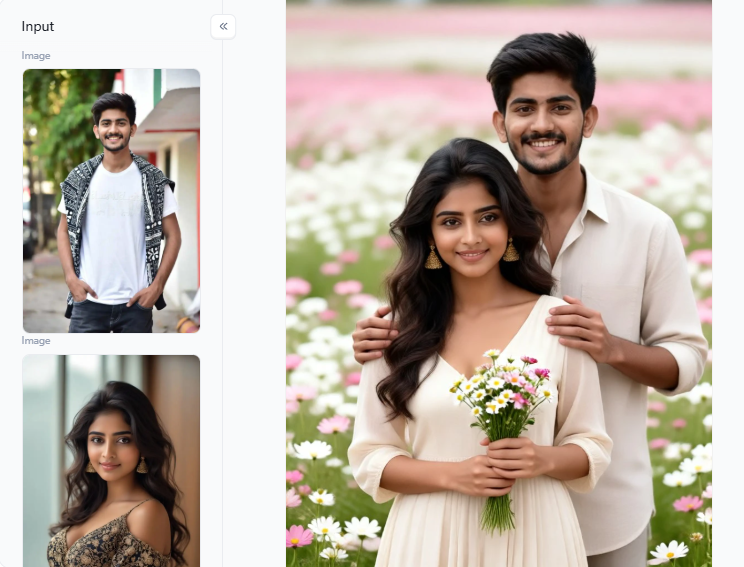
Romantic and Family Stories: Filters like Close Knit Love, Engagement Photo, Elevator Nose Touch, and Baby's Four Panel Photo Wall work best with clear, well-lit input photos. Use photos with clear faces and soft window lights. Avoid busy hand gestures, as AI often makes mistakes there.
-
Fashion and Natural Portraits: Options like Sari Costume Change, Outdoor Natural Light Photoshoot, and Portraits Among the Flowers render clean outfits and rich lighting. Instead of just prompting for "realistic," ask for "natural skin texture" and "soft side light" for a more realistic look.
-
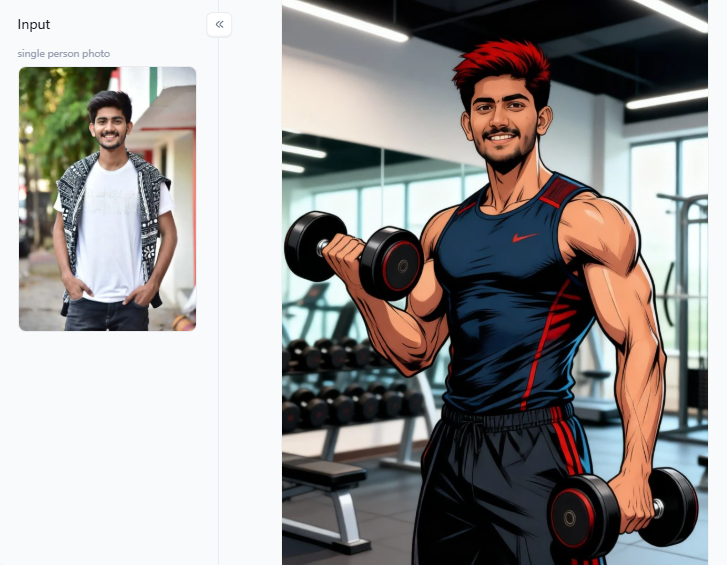
Stylized Art and AI Clipart: Choose Mech 3D, Cute Figurine, or Flat Illustration Photo Filter for creative visual projects. Stylized art is often better for commercial use because it looks like creative work rather than a "fake" photograph.
While both MyAIArt and a1.art have value, the latter offers more flexibility for creators who want to turn their photos into viral, high-quality content.
Click the picture to generate your exclusive disney gym with one click👇
Better AI Photos: Editing and Prompt Tips
To get realistic results, you must start with a high-quality upload. A clear phone picture taken in soft daylight works much better than a blurry, low-light screenshot. This gives AI the best information to work with.
When writing your prompt, follow this simple formula:
Subject + Setting + Style + Technical Details + Exclusions
For example, try:
Portrait of a local florist in a bright studio, natural style, soft window light, realistic skin texture, no extra fingers, no distorted face.
Use these editing fixes:
-
Crop First: Crop your photo before uploading so the AI focuses on the main subject.
-
Zoom in: Check eyes, teeth, and clothing to spot glitches.
-
Fix Text Externally: If your image needs words, add them in a design app later instead of relying on the AI.
-
Pick the Best: Generate 4 versions and only keep the base image that looks most natural.
Following these steps helps you create hyper-realistic AI pictures that feel personal and believable for your local business or social posts.
Click the picture to generate your exclusive realistic couple portraits with one click👇
Tips for Creating Viral AI Visuals
Viral content needs a strong story, not an overloaded prompt. As noted throughout this MyAIArt review, simple and honest visuals win. With carousels now earning 114% more engagement than single images, try these proven formats:
-
One Photo, Different worlds: Place a natural photo next to a flower portrait, a flat drawing, and a figurine panel. This variety keeps people looking at your posts longer.
-
Before and After: Place a blurry, damaged old photo next to a sharp AI restoration concept; it shows the helpful side of technology and creates a strong emotional connection.
-
Still-to-Motion: Generate an image and turn it into a short clip. Adding a little wind or slow camera movement makes the scene feel alive.
-
Local Color: Make something your neighbors recognize, like a Wasatch sunset. People share things that feel like home, but always mention if the location is artistic rather than real.
-
Behind-the-Prompt Carousel: Post your first messy attempt along with the final version. Sharing your process makes you a trusted, honest creator.
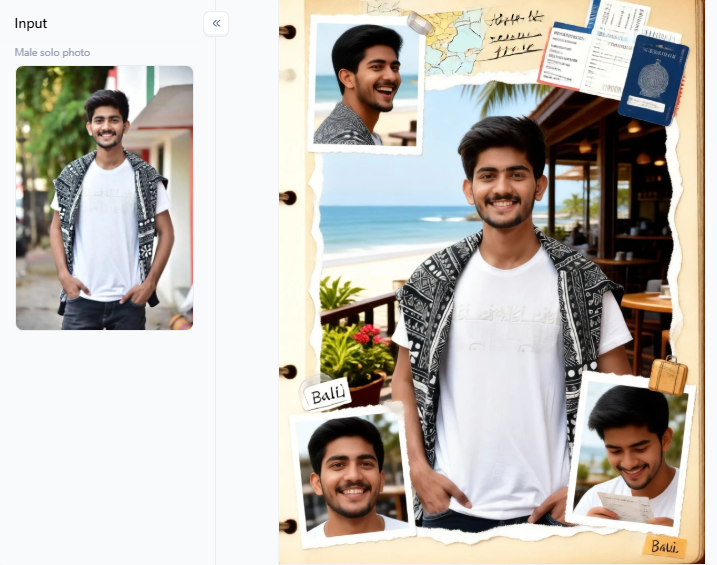
Click the picture to generate your exclusive remember travel with one click👇
How to Make AI Art More Shareable
To make AI art more shareable, keep it easy to understand. People stop scrolling for bright faces, clean lighting, and familiar transformations.
If you run a small business, try mixing real life with imagination. A florist could post a photo of a real bouquet first to build trust. The second slide could show a garden concept to convey a more artistic vision. This balance helps you look creative without losing your human touch.
When adding motion to your images, keep it subtle:
-
Slow camera push-in.
-
Slight head turn.
-
Hair moving in light wind.
-
Petals drifting across the frame.
-
Soft fabric movement.
-
Small changes in expression.
Large movements often cause "flicker" or warped limbs, which can make the art look messy. Staying subtle keeps the focus on the beauty of your work, not a technical glitch.
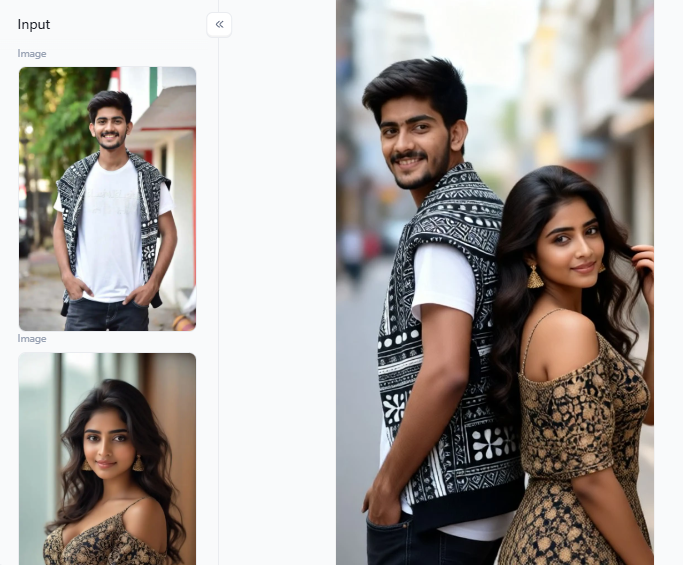
Click the picture to generate your exclusive back to back look with one click👇
Conclusion
This MyAIArt review shows that MyAIArt works well for basic headshots, quick photo restores, and simple social posts. Its daily free credits let you test ideas easily, but always check privacy rules and image rights before uploading client photos.
If you need clearer facial details and motion options, a1.art is a stronger alternative. Its Fork feature helps you turn still portraits into animated videos while keeping a consistent look. Try uploading one clean photo to both platforms today. Compare the lighting, hands, and skin texture before you post.
FAQs
Which AI image generator is best to pay for?
Picking the right paid tool depends on your project. Midjourney is great for high-end art, while Leonardo helps with specific design assets. If you want stylish filters and video tools, a1.art is a strong choice. Check a MyAIArt review for quick photo fixes. Always test the same prompt on a few sites before subscribing to see which looks best.
Which AI art generator is best and free?
Most "free" tools use daily credits. For example, a1.art gives credits for logging in, and MyAIArt offers a few free daily uses. These are perfect for testing image sharpness and realism. Just be careful with commercial rights. Most free versions are for personal fun, so you might need a paid plan if you want to sell your work.
What is the best AI to use for artwork?
The best tool for artwork depends on the style you need. Midjourney is famous for beautiful, stylized paintings. If your art needs readable text, Ideogram is the leader. For those who want to remix ideas or turn drawings into video, a1.art is very beginner-friendly. Look for a generator that keeps your specific style consistent every time.
Can AI generators create celebrity-style photos?
AI can create celebrity-inspired looks, but you must follow the rules. Never use these tools to trick people or create deepfakes. Most platforms, including MyAIArt, have terms that block content violating privacy or intellectual property laws. It is much better to create unique characters. This keeps your work legal and builds a more original brand.
What AI generator is best for viral AI videos?
For viral clips, a1.art is a top choice because its "Fork" feature keeps your characters consistent in every frame. To get high engagement, keep movements simple. A slow zoom or wind blowing through hair looks clean and professional. Avoid fast dancing or complex hand movements, as these often cause the AI to glitch or warp the image.
Read more
- How to Create 3D Pixar Couple AI Images Step by Step?
- How to Create a Hot AI Video from an Image
- Best Indian Nude Websites in 2026: Top Sites to Explore
- How to Create an AI French Kiss Video for Free
- Spider Man AI Trend: How to Create Viral Spider Man Photos in 2026
- Best Free AI Kissing Video Generators Without Login in 2026
- How to Make Adorable Chibi Cartoon AI Photos Easily
- 20+ Viral Spider-Man AI Prompts for Realistic Photos in 2026
- 17 Agustus AI Photo Editing 2026: 20+ HUT RI 81 Prompts & Photo Ideas
- 15 August AI Photo Editing 2026: 20+ Viral Independence Day Prompts
Written by

a1.art
Published on
Aug 26, 2026
Share article


