


Ganesh Chaturthi 2026 is coming soon. It is a happy time with prayers, colorful decorations, tasty modaks, and big family hugs. But have you ever wished your photos could look more festive, like you are standing inside a golden temple or wearing a royal silk outfit? Now you can do that easily with a ganesh chaturthi ai photo generator. You just type a few simple words, and the tool makes a beautiful picture for you. It is super fast and fun.Grand View Research analyzes the demand for AI visual content, projecting a CAGR of 17.7%.
You can create devotion filled portraits, group selfies with cousins, or even cute social media posts. And if you want a lovely ganesha ai photo, just describe what you imagine. For example, "Ganesha sitting on a lotus with sparkly lights" will give you a stunning image. To try this out, download a1.art on your phone. It has many cool AI styles and is very simple to use. In this article, we share over 20 prompts that will make your festival photos unforgettable. Let us get started and make this Ganesh Chaturthi extra special with AI magic!
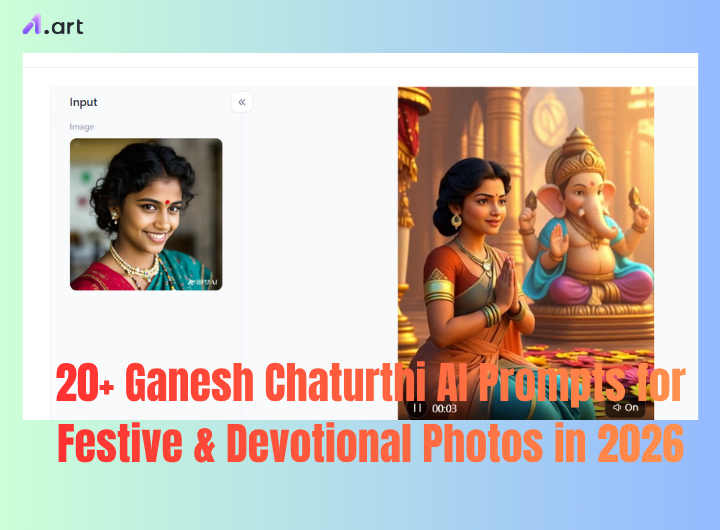
What Is a Ganesh Chaturthi AI Photo Generator?
AI can help you create beautiful photos with the joyful spirit of Ganesh Chaturthi. You can use a simple text description or a reference photo to make a festive image that feels warm, colorful, and full of tradition.
You can add many Vinayaka Chavithi AI photo details, such as traditional Indian clothing, Ganesh idols, temple backgrounds, diyas, flowers, rangoli, and festive decorations. You can also create warm devotional lighting to make the photo feel peaceful and special. For a more personal result, try a family celebration scene with everyone enjoying the festival together.
Start your art journey with a1.art.
Ganpati AI Photo Generator vs. Photo Editor
An AI Photo Generator creates a new image from your text or reference photo. For example, you can describe a family celebrating Ganesh Chaturthi at home, and AI can create the whole scene for you.
An AI Photo Editor works with an existing photo. You can keep the people in your original picture while changing the background, adding flowers, diyas, rangoli, or other festive details.
A ganesh chaturthi photo editor is great when you want to make your real photos feel more festive. A ganpati photo editor can also help you add Ganesh-themed elements and create a special festival look without taking a new photo.
Why Use a1.art for Ganesh Chaturthi AI Photos?
Make your Ganesh Chaturthi memories more creative with a1.art. You do not need advanced editing skills. Just choose a template, upload your photo, and let AI create a festive image for you.
Try using a1.art to create a beautiful Ganesh Chaturthi AI photo👇
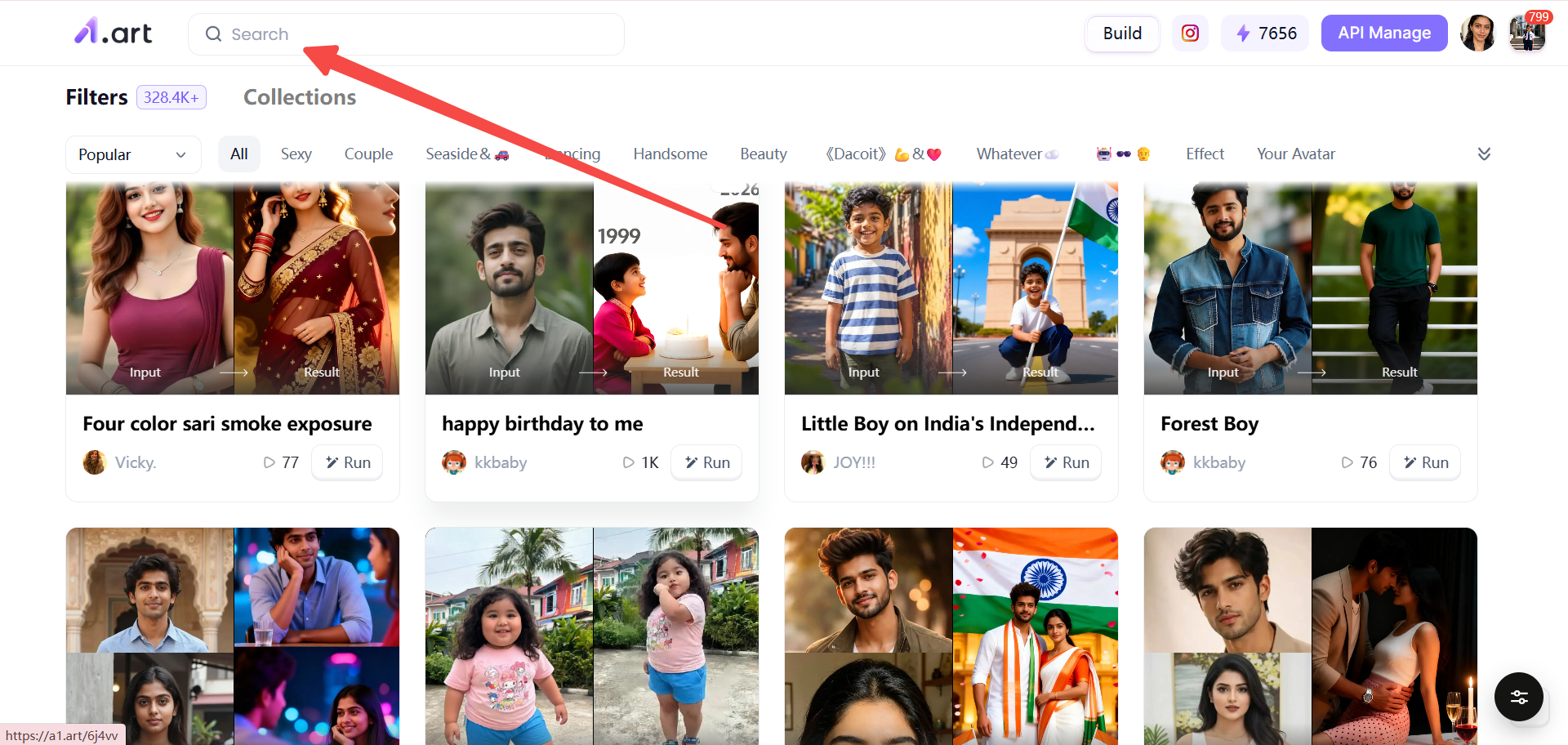
Easy AI Creation
Choose a Ganesh Chaturthi template, add your photo, and create your image in just a few clicks.
Thousands of Creative Styles
Explore different festive styles, from traditional Ganpati celebrations to modern, cinematic, and colorful looks.
Image and Video Creation
Turn your Ganesh Chaturthi photos into short AI videos and bring your festival memories to life.
Group Photo Creation
Create festive group photos with friends and family, even when everyone is not in the same photo.
Character Consistency
Keep the same person's appearance across multiple AI creations for a more natural and connected look.
Trending AI Templates
Discover fresh templates inspired by popular social media trends and seasonal celebrations.
Create and Share
Create your favorite Ganesh Chaturthi AI photos, save your best results, and share them with friends and family.
20+ Ganesh Chaturthi AI Prompts for 2026
Looking for easy ganpati ai photo generator prompts? These ideas can help you create festive photos, family portraits, devotional scenes, and creative Ganpati images. You can copy each prompt and adjust the details to match your style.
1. Traditional Ganesh Chaturthi Portrait
AI Prompt: Create a portrait of a person wearing traditional Indian clothes, standing next to a Ganesh idol decorated with marigold flowers. Use warm temple lighting and a festive mood. Make it look like a realistic photograph with soft shadows and rich colors.
Best For: Devotional profile pictures and festival greeting cards
2. Elegant Ganpati Puja Portrait
AI Prompt: Show a woman in a beautiful saree and gold jewelry, performing puja in front of a Ganpati idol. Add diyas, fresh flowers, and soft golden light. The scene should feel calm, spiritual, and full of grace.
Best For: Women who want a graceful puja photo for social media.
3. Royal Ganpati Celebration
AI Prompt: Create a grand royal scene with red and gold decorations, a huge Ganpati idol, and a luxury Indian interior. Use cinematic lighting with dramatic shadows and bright highlights to make it look like a movie poster.
Best For: Making a bold, majestic festival statement.
4. Family Celebrating Ganesh Chaturthi
AI Prompt: Generate a happy family group photo. Everyone wears traditional clothes and smiles naturally. Place a Ganesh idol in the center, with a festive home background full of flowers and lights. Keep all faces clear and recognizable.
Best For: Family memories and group holiday cards.
5. Couple Celebrating Ganesh Chaturthi
AI Prompt: Show an Indian couple in traditional outfits, standing together in a temple with a Ganpati idol. Use warm festive lighting and add flower garlands around the couple. The mood should be loving and joyful.
Best For: Couple photos for anniversary or festival posts.
6. Ganpati Visarjan Celebration
AI Prompt: Create a scene of Ganpati visarjan with a large idol being taken to water. Show a celebration crowd, lots of flowers, traditional decorations, and an emotional festive atmosphere. Use bright daylight and splashing water effects.
Best For: Capturing the bittersweet feeling of farewell.
7. Ganesh Chaturthi Temple Scene
AI Prompt: Paint a peaceful temple scene with a Ganesh idol in the center. Add incense smoke, glowing diyas, and golden light streaming through windows. The atmosphere should be spiritual, quiet, and devotional.
Best For: Meditation and prayer related posts.
8. Close Up Ganesha Devotional Portrait
AI Prompt: Make a close up portrait of a Ganesh idol with extreme detail. Show the jewellery, the trunk, and the modak. Surround it with fresh flowers and soft light. Use shallow depth of field so the background is blurry.
Best For: Artistic devotional photography.
9. Ganpati AI Image With Floral Decoration
AI Prompt: Generate an image of a Ganpati idol covered in marigold flowers and rose petals. Use colourful decorations all around, with bright festive lights. Make the flowers look fresh and vivid.
Best For: Decor inspiration and flower themed posts.
10. Modern Ganesh Chaturthi Portrait
AI Prompt: Create a portrait of a young person in modern Indian fashion, standing in a contemporary interior with a Ganpati idol. Use stylish photography angles and a social media aesthetic with clean lines and trendy colors.
Best For: Young influencers and modern festival looks.
11. Cinematic Ganesh Chaturthi Photo
AI Prompt: Generate a cinematic style photo of a Ganesh idol with dramatic lighting, wide angle view, and rich colours. Add a slight film grain and a moody sky. Make it look like a frame from a big budget movie.
Best For: High impact visual content for YouTube or Instagram reels.
12. Traditional Saree Ganpati Portrait
AI Prompt: Show a woman in a colourful saree with jewellery and a bindi, posing next to a Ganpati idol. Use a festive background with rangoli and lamps. The lighting should be warm and flattering.
Best For: Women's festival fashion shoots.
13. Kurta Ganpati Festival Portrait
AI Prompt: Create a portrait of a man in a traditional kurta, standing near a Ganesh idol. Use natural lighting and festive decorations like garlands and diyas. The expression should be calm and proud.
Best For: Men's festival outfit ideas.
14. Kids Celebrating Ganesh Chaturthi
AI Prompt: Generate a cheerful photo of children in traditional clothes, smiling and playing near a Ganesh idol. Add colourful decorations, balloons, and lots of sweets. Keep the mood fun and innocent.
Best For: Kids' festival memories and family albums.
15. Best Friends Ganesh Chaturthi Photo
AI Prompt: Show a group of best friends wearing traditional outfits, hugging or posing together in a festival setting. Including a Ganesh idol and a colourful background with lights and flowers. Make everyone look happy and close.
Best For: Friendship Day or group festival posts.
16. Luxury Ganpati Festival Portrait
AI Prompt: Create a luxury portrait with a person in high end Indian fashion, gold decorations, and a grand Ganpati idol. Use cinematic portrait lighting with rich contrasts and a lavish interior.
Best For: Premium festival branding and high end social media.
Best For:
Premium festival branding and high end social media.
17. Ghibli Inspired Ganesh Chaturthi Scene
AI Prompt: Make a soft animated style scene inspired by Ghibli movies. Use warm colours, a gentle Indian festival environment, and a cute Ganesh idol. Add floating lights and a dreamy sky.
Best For: Whimsical, artistic festival art.
18. 3D Ganpati AI Image
AI Prompt: Generate a 3D character design of a detailed Ganpati idol with colourful festival elements. Use high detail, bright textures, and a playful cartoon style. Make it pop like a video game character.
Best For: Creative digital art and unique invitations.
19. Vintage Ganesh Chaturthi Photo
AI Prompt: Create a vintage style Indian photograph with film grain, warm tones, and an old temple background. Show traditional clothing and a classic Ganesh idol. Add sepia or faded colour effects.
Best For: Nostalgic and retro themed posts.
20. Instagram Ready Ganesh Chaturthi Photo
AI Prompt: Make a vertical portrait composition with a clean background, festive styling, and high detail. Include a Ganesh idol and bright decorations. Optimize the framing for Instagram stories or feed posts.
Best For: Social media influencers and daily festival updates.
21. Ganesh Chaturthi Family Portrait
AI Prompt: Generate a family portrait with multiple people of all ages, all in traditional clothes, gathered around a Ganesh idol. Keep every face clear and recognizable. Use a warm festive home setting with lots of flowers.
Best For: Large family group photos and annual festival cards.
22. Personalized Ganpati Festival Photo
AI Prompt: Take your own photo and combine it with a Ganpati scene, traditional outfit, and festive style. Use AI to blend your face into the image naturally. Add decorations and lights to make it look like you were really there.
Best For: Creating your own unique festival avatar or gift.
How to Create Ganesh Chaturthi AI Photos
Creating a beautiful Ganesh Chaturthi AI photo does not have to be hard. With an a1.art tool, you can turn a normal picture into a festive Ganpati scene in just a few simple steps.
Step 1. Choose Your Photo
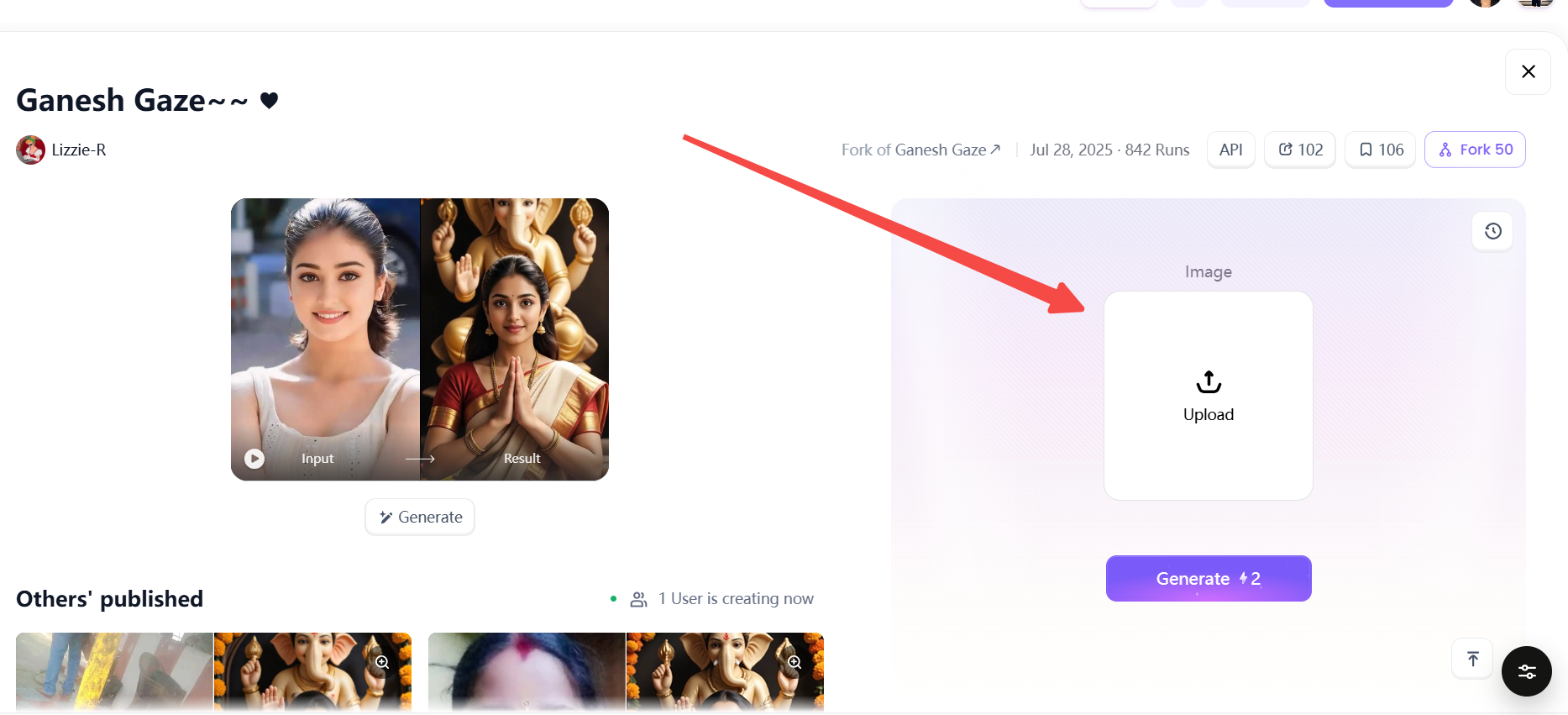
Start by choosing a clear photo that you want to transform. A front-facing portrait with good lighting usually works best. You can use a photo of yourself, your family, your friends, or a special festival moment.
If you want to edit an existing picture, a ganesh chaturthi photo editor or ganpati photo editor can help you add festive elements without creating the whole image from scratch.
Step 2. Choose a Ganesh Chaturthi Style
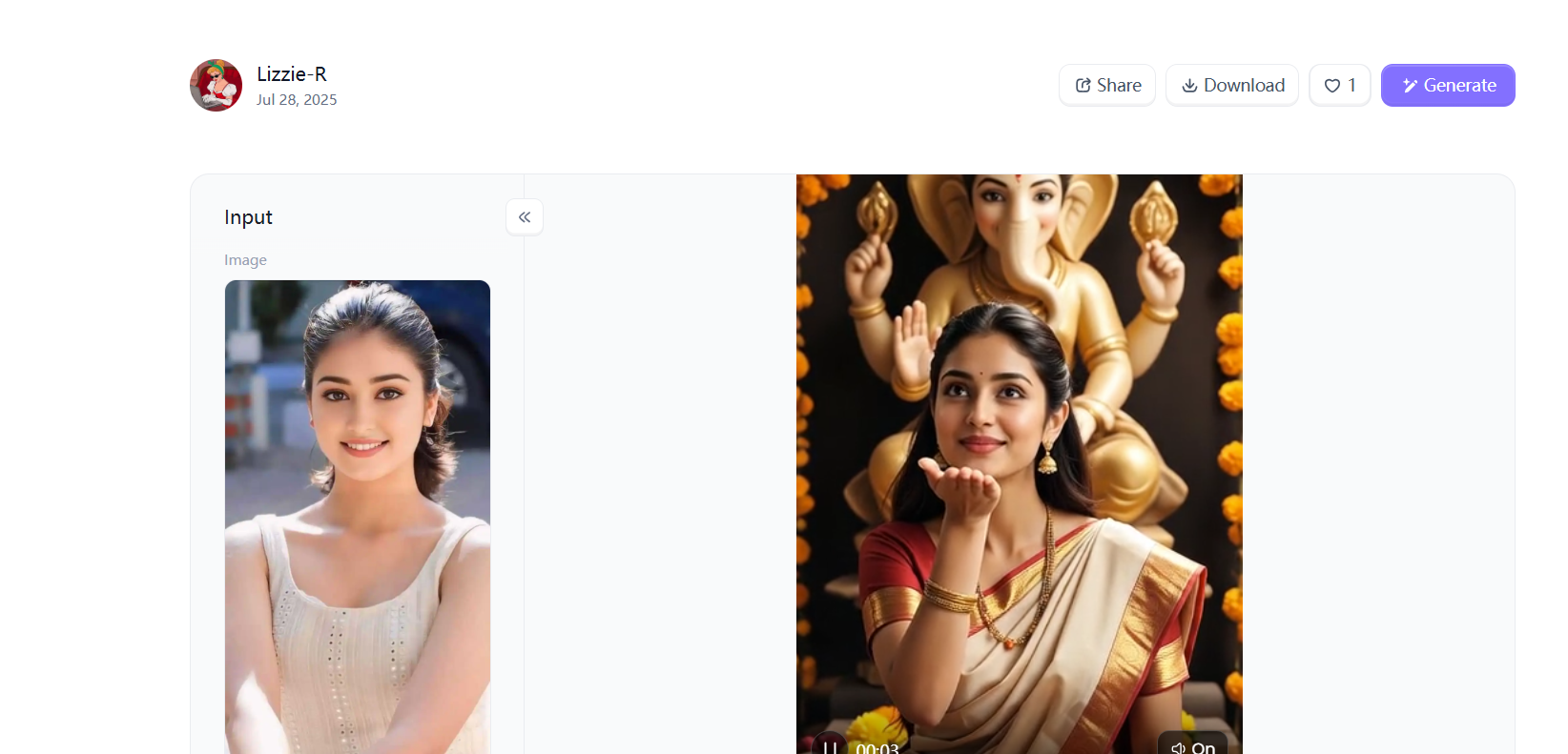
Next, choose the style you want for your AI photo. You can try a traditional Indian look with a saree or kurta, a colorful Ganpati celebration, a peaceful temple scene, or a modern festive portrait.
You can also choose a style that creates a realistic ganesha ai photo, a colorful ganpati ai image. Think about the mood you want before you generate your image.
Step 3. Click "Generate Your Photo" in a1.art
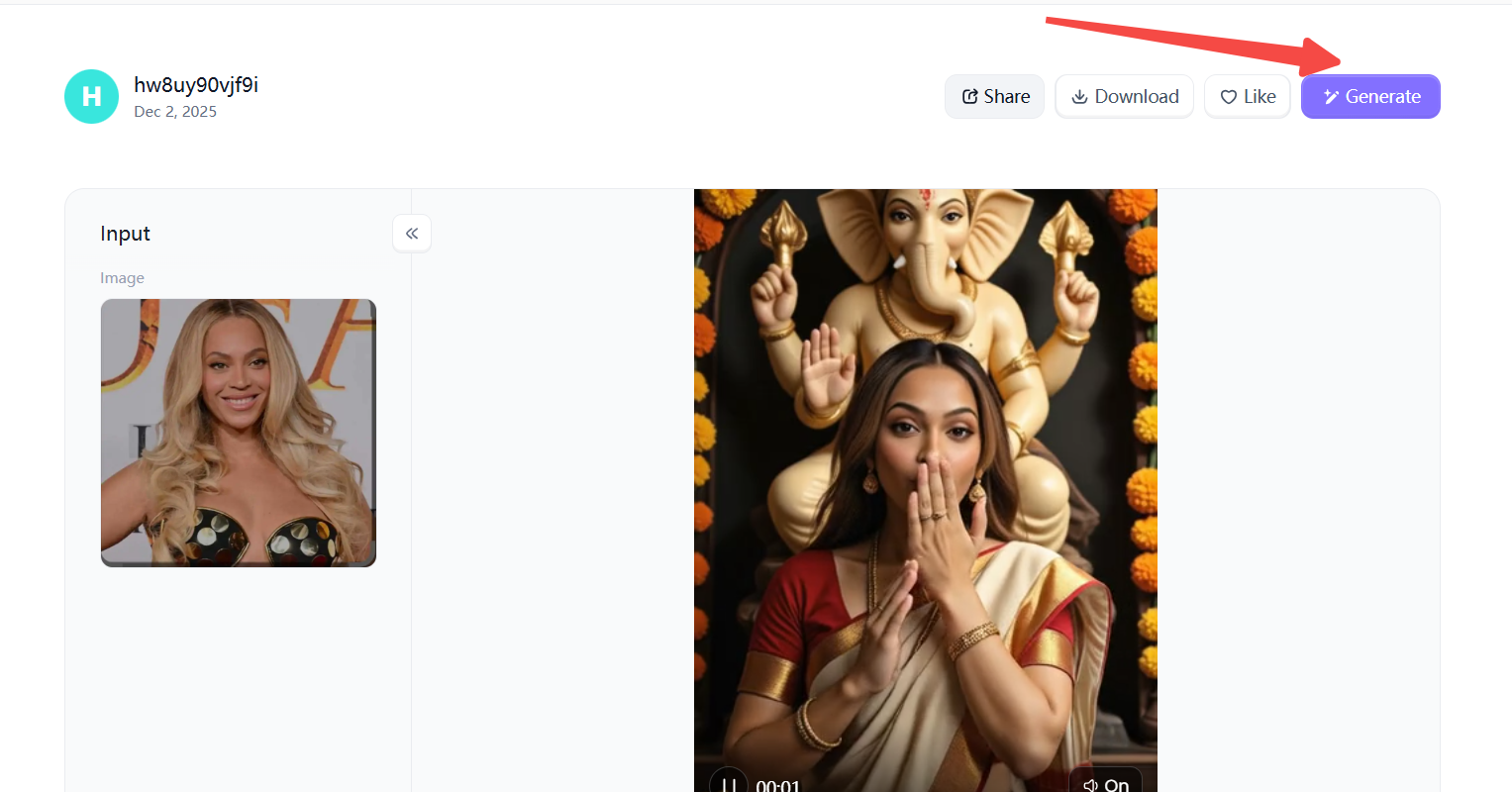
Once your photo and style are ready, click "Generate Your Photo" in a1.art. The AI will combine your photo with the selected Ganesh Chaturthi style and create a new festive image.
For a more personalized result, try a ganpati ai photo generator and experiment with different outfits, backgrounds, lighting, flowers, diyas, and Ganpati decorations until you find a look you love.
Conclusion
Ganesh Chaturthi is a time to celebrate, share memories, and enjoy beautiful moments with the people you love. With a ganesh chaturthi ai photo generator, you can turn simple photos into creative festival memories in just a few steps. Whether you want a traditional portrait or a colorful vinayaka chavithi ai photo, a1.art makes it easy to explore new styles. Find inspiration, choose your favorite style, upload your photo, pick a template, and generate your image. Then, share your favorite creation with friends and family. Explore Ganesh Chaturthi AI Styles.
FAQ
1. What is a Ganesh Chaturthi AI photo generator?
A Ganesh Chaturthi AI photo generator uses AI to turn text prompts or your photos into festive images with Ganpati idols, traditional clothing, flowers, diyas, temples, and other celebration elements.
2. How can I create a Ganesh Chaturthi AI photo?
Choose a clear photo, select a Ganesh Chaturthi style or template, and let the AI create your festive photo. You can try different outfits, backgrounds, lighting, and decorations.
3. Can I turn my photo into a Ganpati festival photo?
Yes. Upload your photo and choose a Ganpati-themed template. AI can add traditional outfits, Ganpati idols, flowers, diyas, and festive backgrounds while keeping your main appearance recognizable.
4. What is a Ganesh Chaturthi photo editor?
A Ganesh Chaturthi photo editor helps you transform an existing photo by adding festival elements, changing the background, or applying a festive visual style.
5. Can I create a Ganpati AI image from my photo?
Yes. You can use your photo as a reference and create a personalized Ganpati AI image with traditional decorations, festive lighting, and a Ganpati celebration scene.
Read more
- Da Nang Festival 2026: Ultimate Guide to Dates & Events
- Unlock 20+ Onam AI Prompts for Traditional Kerala Photos in 2026
- Best Prompt Hero AI Alternatives for AI Prompts and Image Generation
- How to Create Childhood vs Present AI Photo?
- Dreemy AI Review 2026: Is It Safe, Free and Worth It?
- Best MyAIArt Alternatives in 2026
- MyAIArt Review: Features, Pricing & Alternatives for Better AI Photos
- How to Create 3D Pixar Couple AI Images Step by Step?
- How to Create a Hot AI Video from an Image
- Best Indian Nude Websites in 2026: Top Sites to Explore
Written by

a1.art
Published on
Sep 2, 2026
Share article


