


Every September, millions of students, parents and alumni look for creative ways to thank teachers who’ve made a real difference in their lives. You might want to create a personalised visual gift,an elegant photo frame, a nostalgic classroom illustration, or a clean digital card,to mark Teachers’ Day.
Traditional photo editing tools, however, are far from ideal. They have a steep learning curve, messy templates, and often export low‑resolution files that blur those precious memories. Spending hours tweaking layer masks and navigating complicated manual editing can turn a sincere gesture into a frustrating chore.
Start your art journey with a1.art.
Thankfully, modern AI visual creation platforms such as a1.art have changed everything. Editing photos for Teachers’ Day is now smooth, creative and open to everyone, no design skills required.
This copy is ready for overseas promotion. The work task mode can help generate alternative headlines, visual ideas and versions adapted for different platforms. Would you like to enable it?
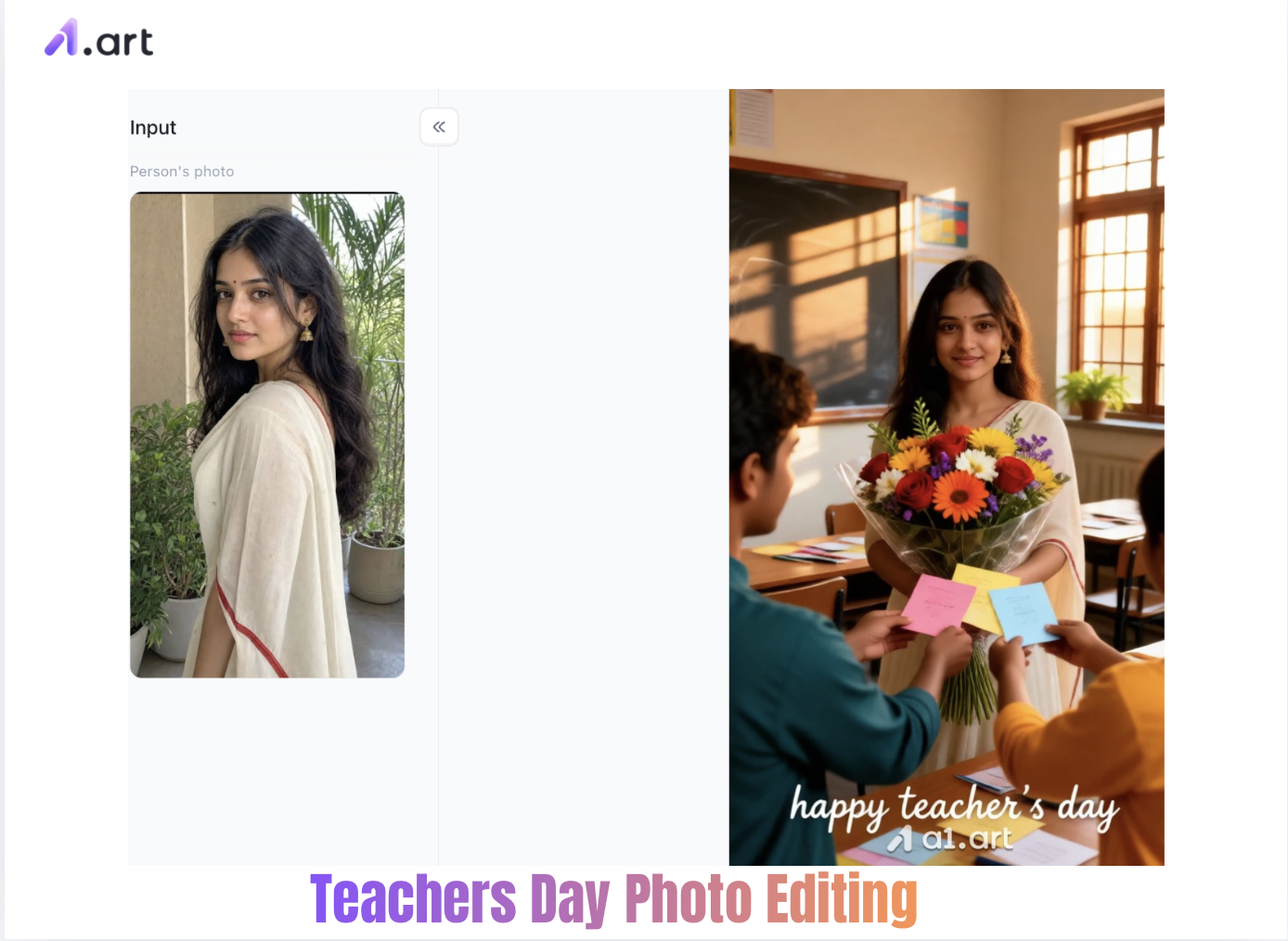
The Evolving Landscape of Teachers' Day Visual Celebrations
Expressing gratitude visually has evolved from physical handmade cards to high-definition digital media. Recent visual engagement statistics highlight a massive shift in how holiday greetings are created and shared:
| Visual Trend Metric | Industry Data / Survey Insights |
| Social Engagement Rate | Visual posts receive 2.3x higher engagement than text-only greetings. |
| User Preference for AI Tools | Over 68% of creators prefer AI visual generators over manual canvas editing. |
| Time Saved via AI Workflows | AI generation reduces photo preparation time by up to 85%. |
| Resolution Standards | 4K image outputs increase viewer retention on social feeds by 42%. |
Using an advanced photo generator eliminates manual cutting and tedious color adjustments. Instead of spending hours aligning layers, modern users utilize AI Image Generator tools to craft high-impact creative imagery in just a few clicks.
Double-click the image to generate a Teachers' Day image you like⬇️
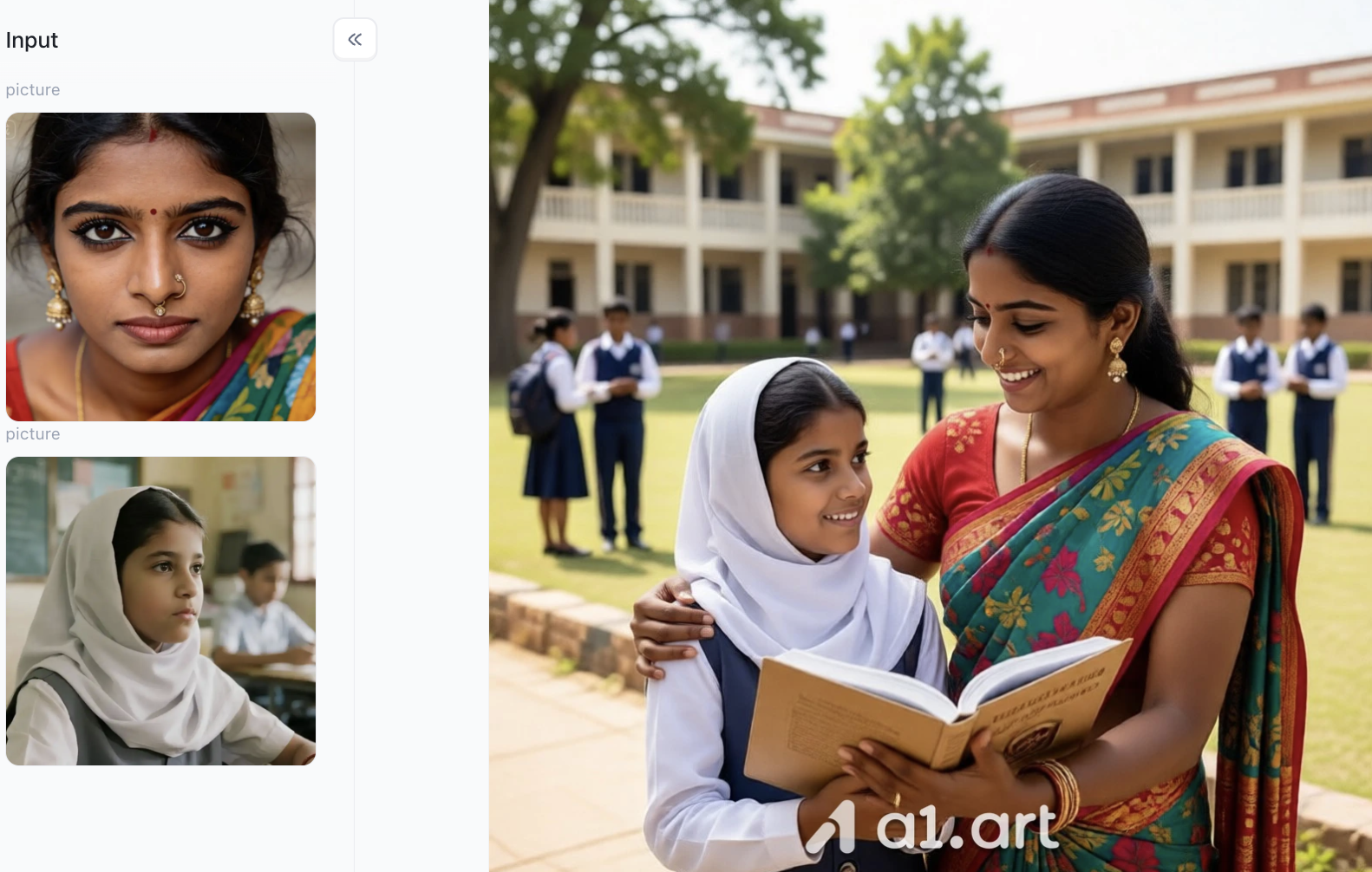
Introducing a1.art: The All-in-One AI Creative Suite
If you want to turn these creative ideas into polished visuals with ease, a1.art is a standout next‑generation AI generation platform built for high-quality image creation. It runs on advanced diffusion technology and comes with more than hundreds of thousands of varieties carefully selected style templates, removing complicated technical hurdles for new creators and professional designers alike.
Whether you want to generate images from text with one click, carry out precise image conversion, or quickly apply different visual styles, a1.art handles complex generation tasks within seconds, with no need to adjust settings manually. Thanks to its cloud-powered engine, intricate visual rendering,ranging from fine chalk textures to lifelike lighting effects,takes place instantly directly in your browser.
Why a1.art Delivers a Superior Photo Editing & Generation Experience
Not all online creative tools are built equal. Many web apps compress images aggressively, distort fine face details, or clutter photos with awkward decorative overlays that block the main subjects. a1.art addresses these issues through advanced generative architecture designed for high-fidelity visual composition.
-
Faster Generation Cycles
Traditional graphic tools demand layer setup, opacity tweaks and border trimming. In contrast, a1.art handles complex creative prompts and style overlays in under three seconds. This efficient workflow lets you quickly test dozens of design versions.
-
Uncompromised Clarity & Resolution
a1.art delivers sharp, native high-resolution images. Fine details including small text, faint chalkboard lines and delicate photo features stay crystal clear, whether printed on greeting cards or large event banners.
-
Natural Lighting & Contextual Blending
Instead of simply sticking static graphics onto photos, a1.art adjusts lighting to match the whole scene. It makes background shadows, colour tones and ambient reflections blend naturally with your main subjects.
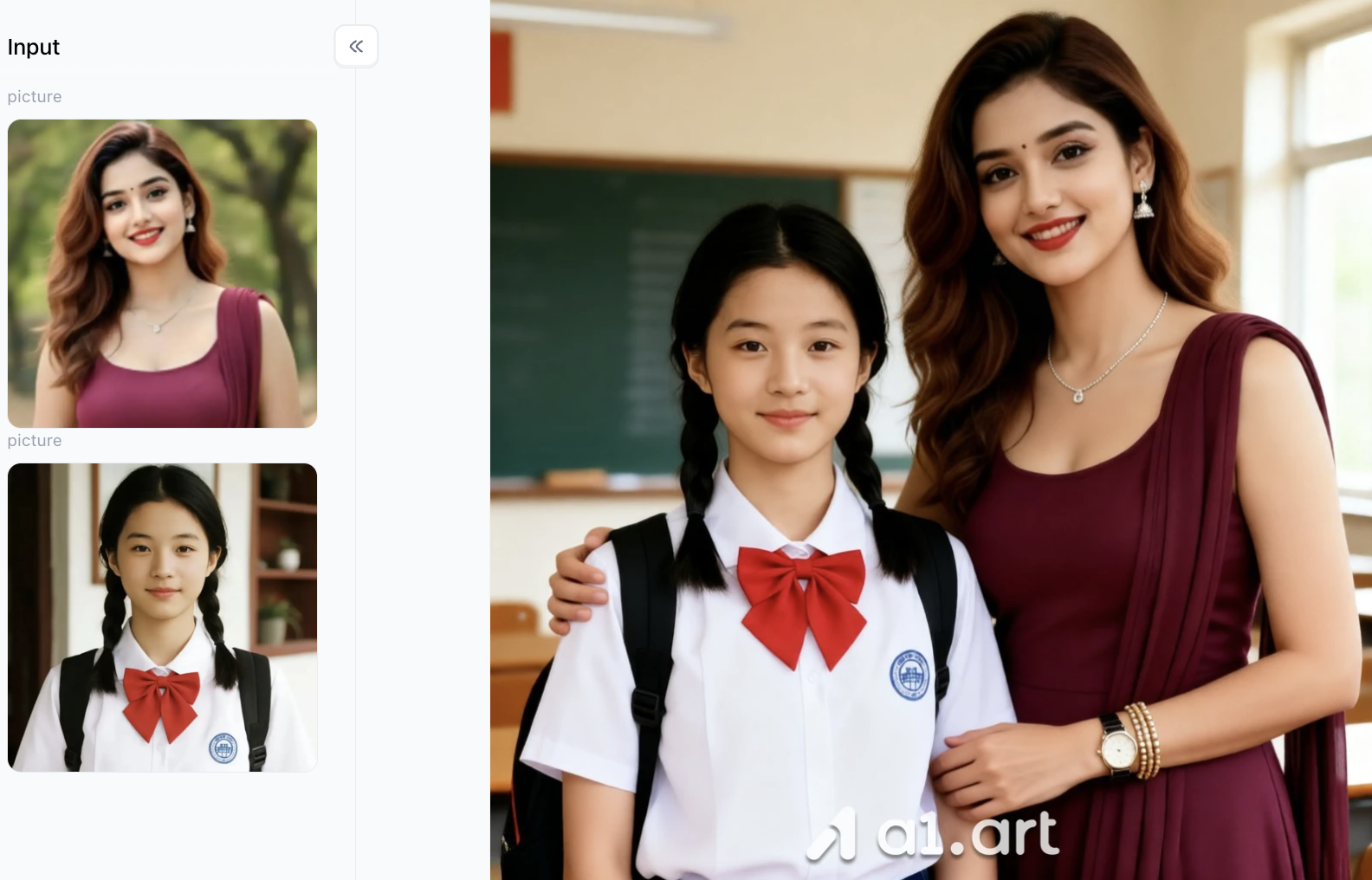
Choosing the Right Approach: Online Editors vs. AI Visual Generators
When putting together your creative project, knowing how regular design tools differ from AI generation platforms helps you pick the best fit for your workflow.
Next‑Gen AI Platforms Traditional Web Editors: Rely mostly on fixed pre-built templates. Swapping out faces or adjusting background lighting frequently creates uneven edges, mismatched colours and obvious visual flaws.
AI-Powered Platforms: Read the full context of your original image. Rather than simply layering a static frame on top of your photo, AI tools recreate background lighting, match depth of field, and blend all elements smoothly.
If you just want free online tools to edit photos for Teachers’ Day, basic web editors can quickly add template overlays. But if you’re after lifelike results, natural style changes and distortion-free images, AI visual generation is the better creative solution。
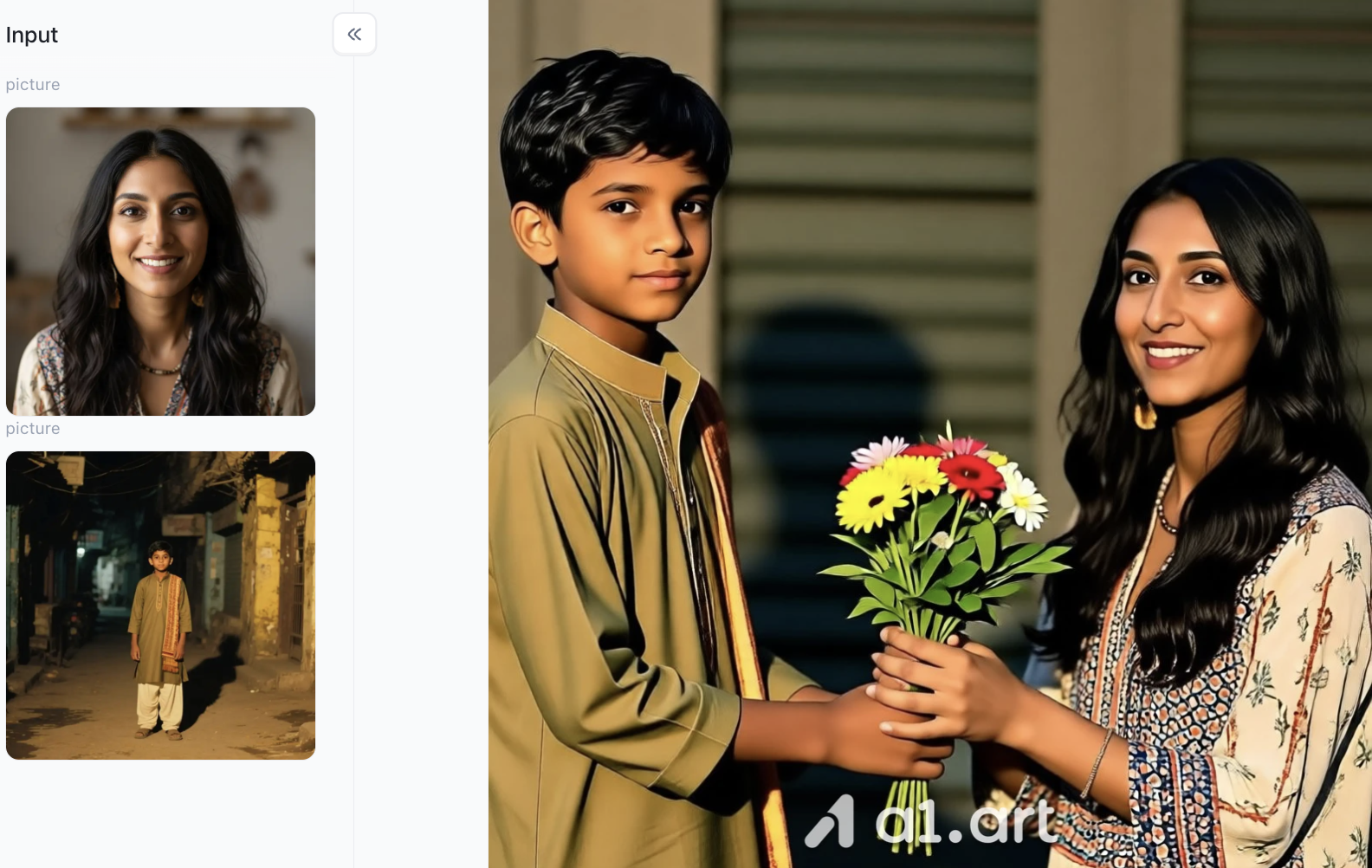
How can you generate the perfect Teachers' Day image using a1.art?
Next, I’ll show you how to use a1.art to generate Teachers' Day images you love,just follow along with these steps!
Step 1: Open a1.art and sign up for an account
This step is crucial because it determines whether you can use credits to create images later on. Although the process is simple, it is very important; Just open a1.art, locate the options in the top-right corner of the homepage, and follow the subsequent instructions.
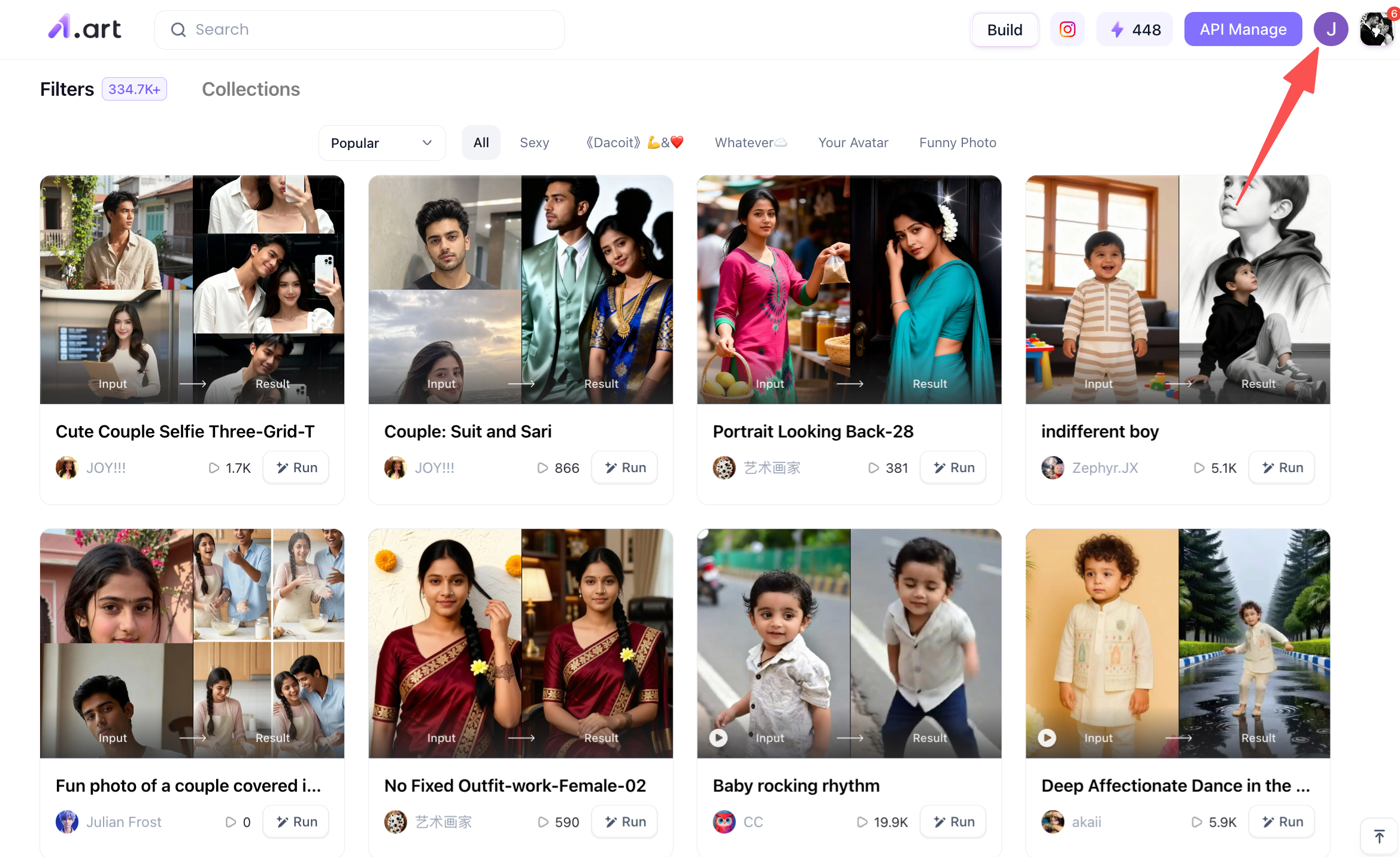
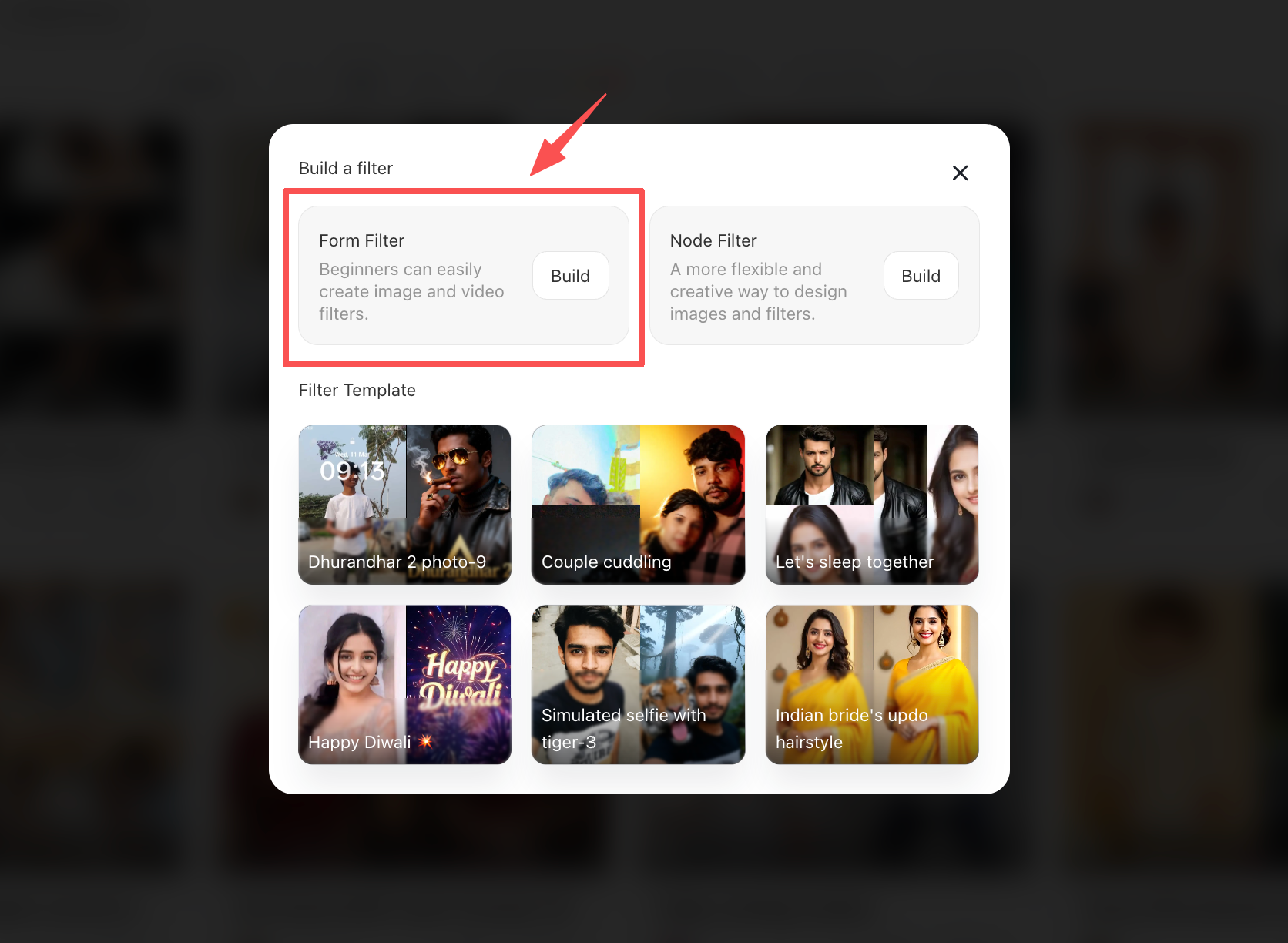
Step 2: Click the "Build" option on the a1.art homepage to start creating
Once you click through, I recommend choosing the "Form Filter" creation method on the left; it is beginner-friendly and involves relatively simple steps, making it a great option if you aren't yet very familiar with a1.art.
Step 3: Start creating the Teachers' Day filter
Once you click through, you will see the page shown below.
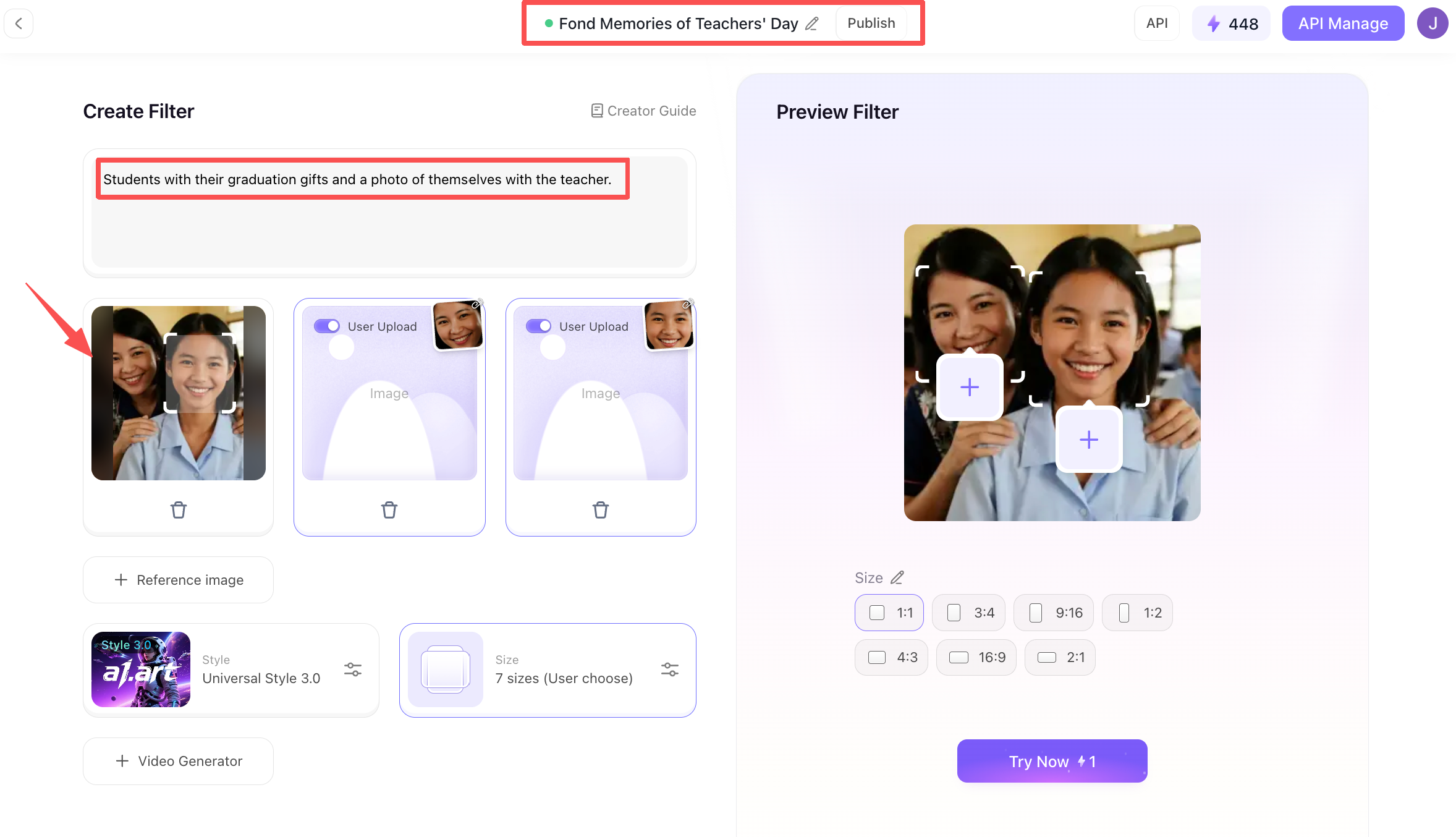
At the very top of the page, you can name the filter you are creating,for instance, if the theme is Teachers' Day, you might choose a relevant title. Below that is the description section; this serves as a prompt where you need to clearly describe the desired output, ideally providing specific details.
Further down is the photo upload section, which supports both individual photos and photos of two people together. Using a two-person photo as an example: you can upload a reference image, and subsequently, during the generation process, you will need to upload two individual photos to create a composite shot of you and the teacher.
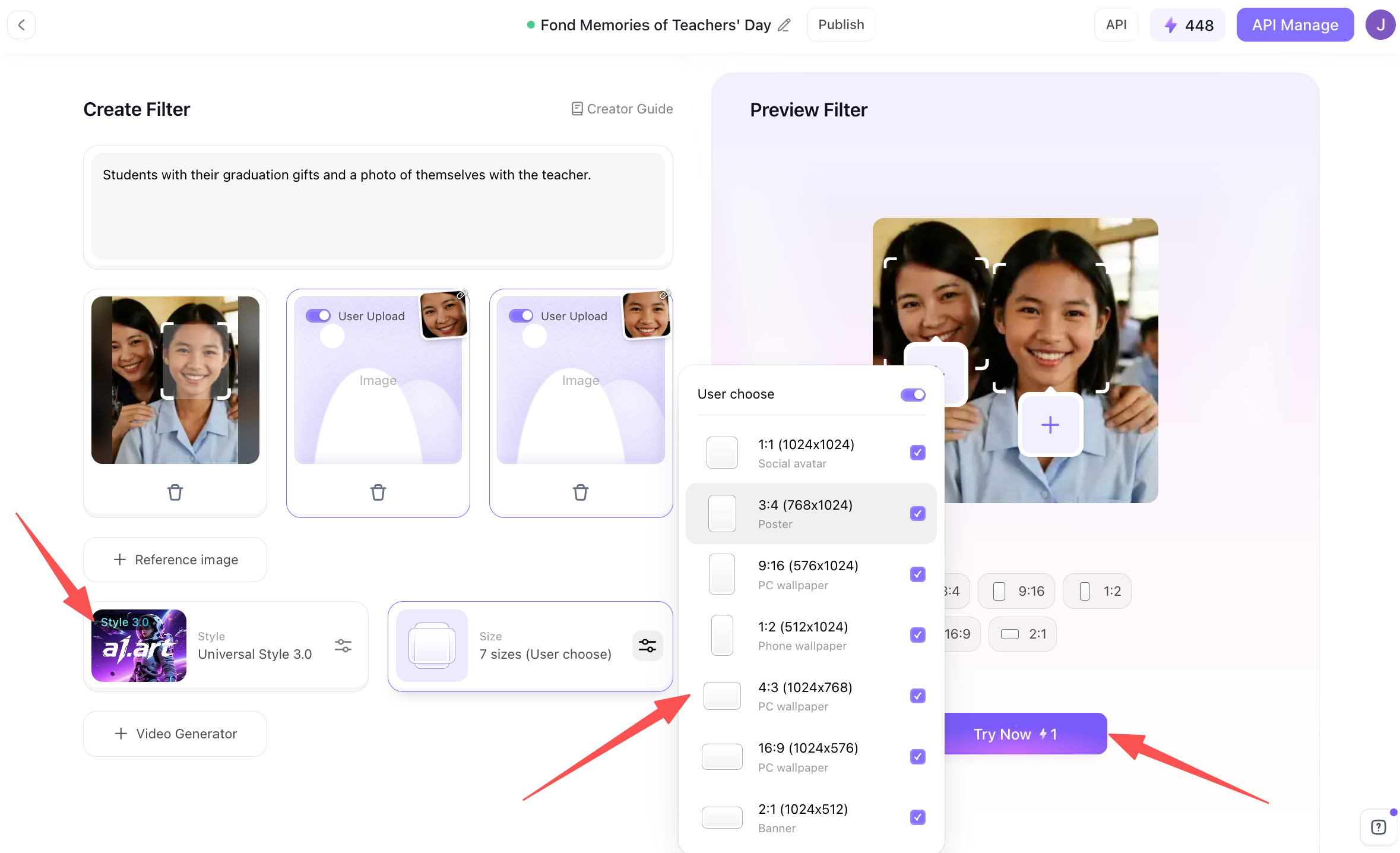
After uploading your photos, you can select the generated model,though beginners generally don't need to make many adjustments,and then simply choose your desired image dimensions. Finally, just click "Try Now" to proceed.
Step 4: Share the Teachers' Day image you created or download it
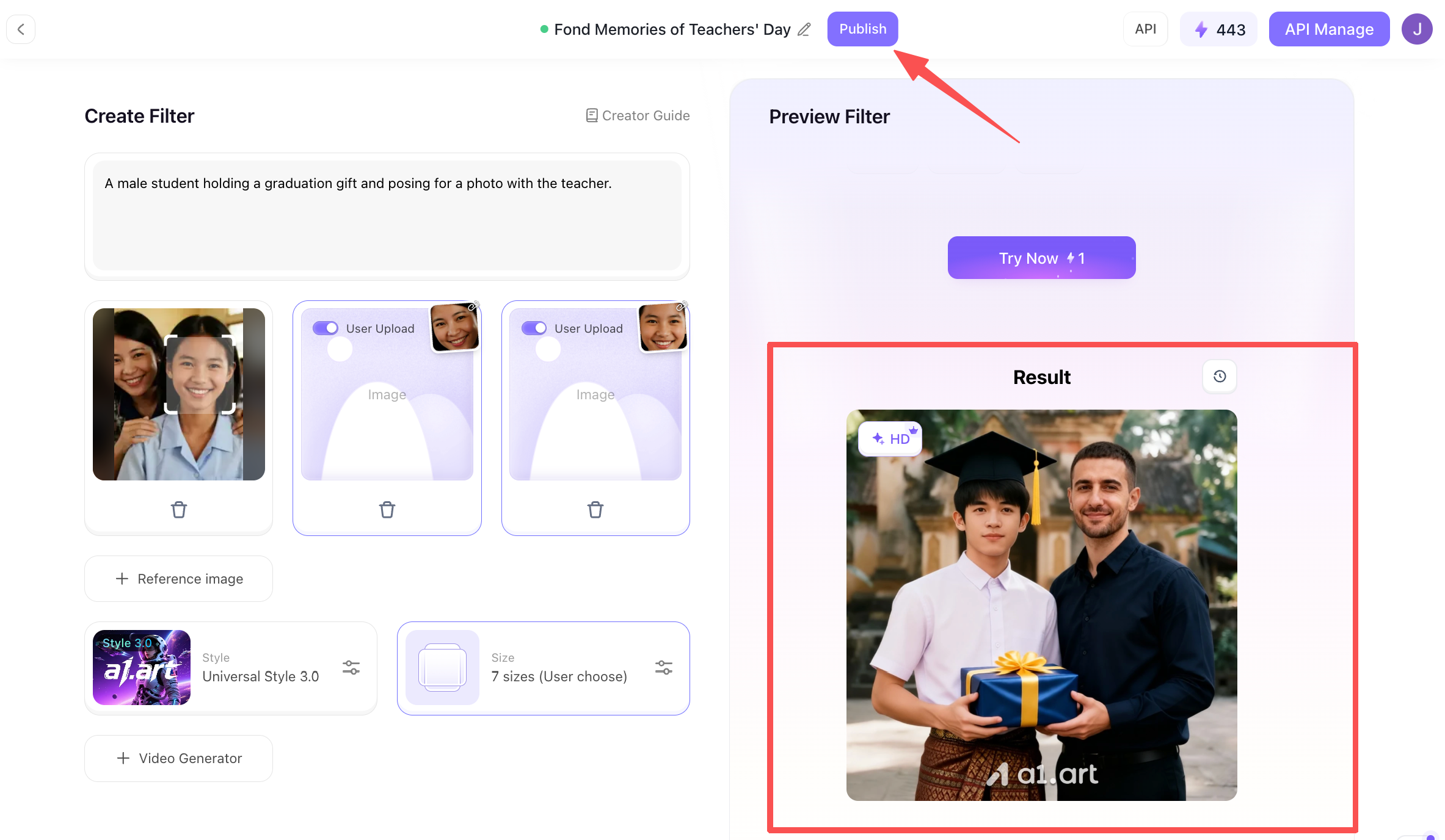
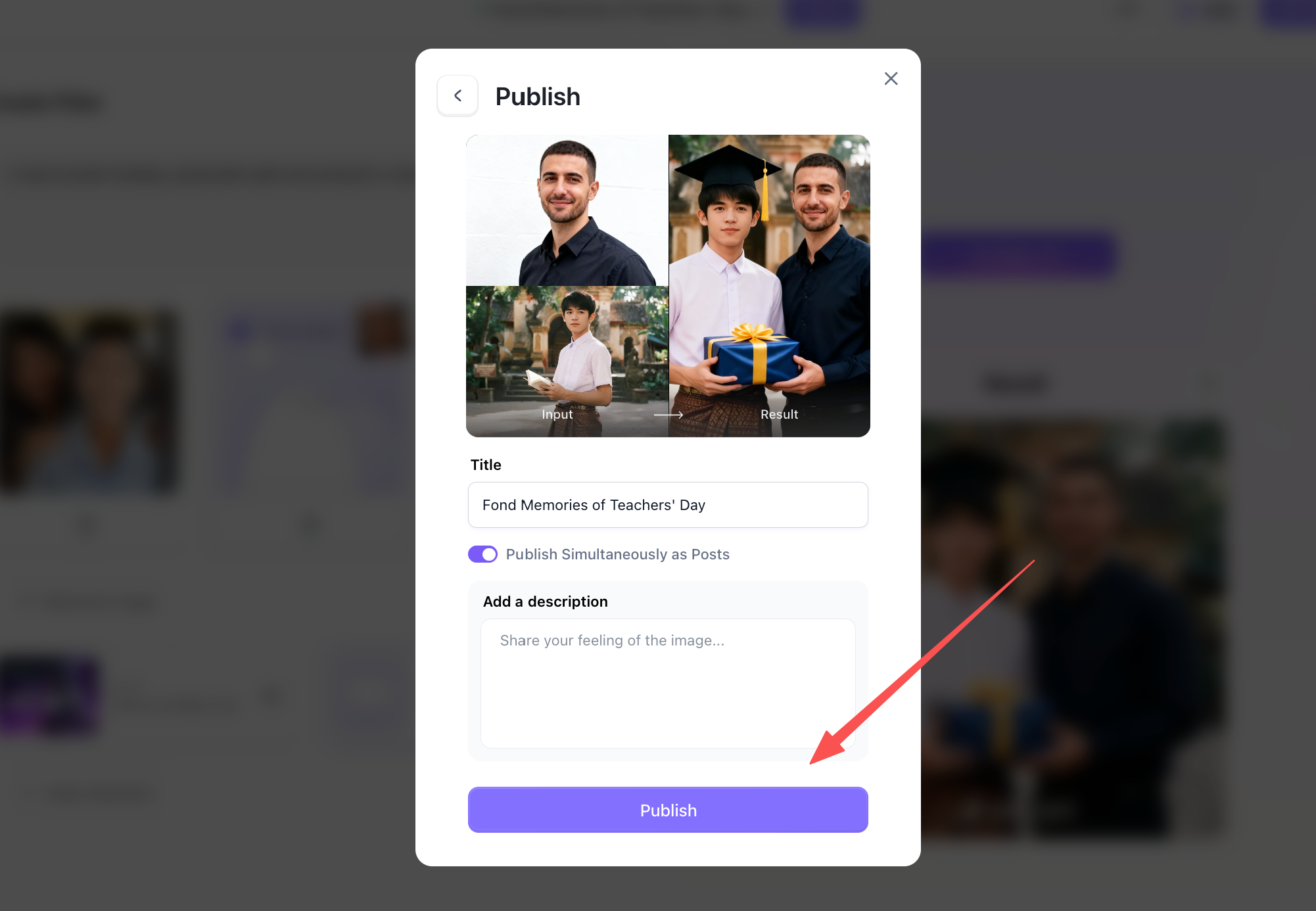
There is a "Publish" button at the top of the page that allows you to post to the a1.art community, making your work visible to others.
Creative Concepts & Frameworks for Teachers' Day Photos
If you need inspiration, these top creative themes yield consistently impressive results:
-
The Classic Classroom Nostalgia: Transform current portraits into warm, cinematic studio shots featuring classic wooden podiums, chalkboard greeting art, and vintage book stacks.
-
The Modern Aesthetic Frame: Combine minimalist border art with elegant typography overlays. Using innovative teachers day photo frame ideas helps highlight key group photos or individual mentor portraits effectively.
-
Stylized Artistic Renderings: Convert standard smartphone pictures into delicate watercolor art, soft digital paintings, or vibrant vector illustrations.
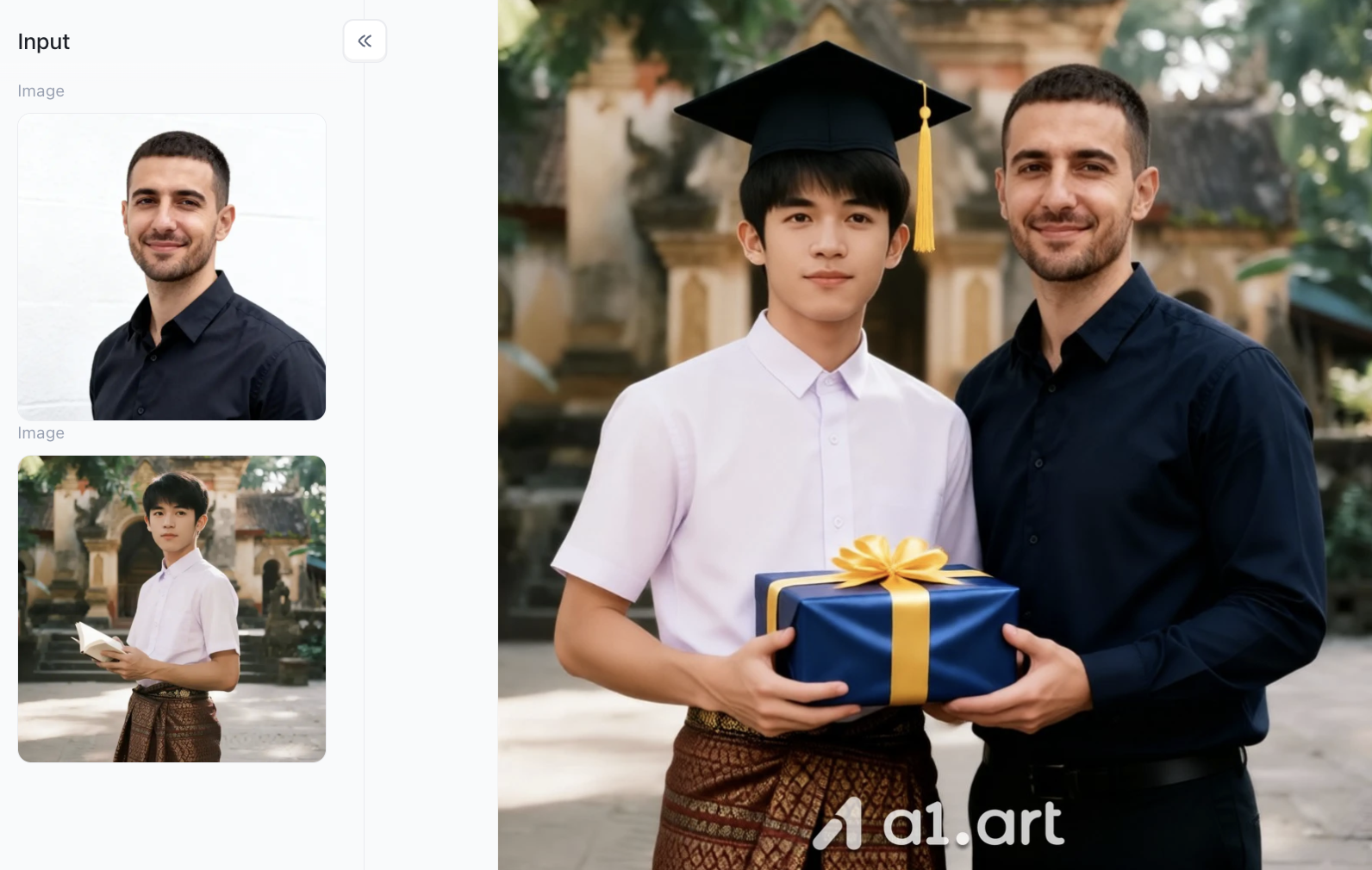
When seeking an intuitive platform for teachers day photo editing online, experimenting with style transfer models allows you to transform simple snapshots into gallery-quality digital gifts effortlessly.
Pro Tips for Achieving Professional Visual Results
-
Focus on Source Quality: Use high-resolution original photos. This helps retain facial features and details accurately.
-
Keep Text Prompts Clear & Specific: Describe lighting and atmosphere clearly when setting backgrounds, for example “warm soft sunlight, wooden classroom desk, gentle depth of field”.
-
Balance Frame Elements: Let decorative borders frame your subject neatly, and avoid covering the main part of the picture.
Conclusion
Creating a heartfelt, high-quality gift for your favorite mentors no longer requires hours of manual graphic design or technical expertise. Modern Teachers Day Photo Editing workflows powered by advanced platforms like a1.art allow anyone to transform standard everyday photos into extraordinary, professional-grade visual tributes in just a few clicks. By combining smart contextual lighting, non-distorting AI preservation, and beautiful custom frame presets, you can easily produce memorable cards, portraits, and digital keepsakes that show genuine appreciation. Try exploring these modern AI tools today to craft a personalized visual gift that truly celebrates the teachers who inspire us every day.
FAQs
Q1: Can I use a1.art for Teachers Day photo editing on mobile devices?
Yes. a1.art is fully cloud-based and accessible via standard web browsers on smartphones, tablets, and desktop computers without requiring software downloads.
Q2: How do AI photo generators keep facial features natural?
Modern AI platforms utilize facial structure preservation algorithms that re-light and adapt background environments around the subject while maintaining accurate personal facial features.
Q3: What photo formats are best to upload for Teachers' Day editing?
High-resolution JPG or PNG files with clear face lighting and minimal motion blur yield the sharpest and most natural generative results.
Read more
- How to Create Hot Photos? A Step-By-Step Guide For Beginners
- 1980s Photo Prompt: How to Create the Viral ChatGPT 80s Look
- GPT Image 2.5 vs GPT Image 2: The Complete Comparison
- GPT Image 2.5: New Features and Alternatives
- Best Hot AI Video Generator Apps to Create New Videos from Photos
- How to Create the Viral Radha Rani AI Photo Trend in 2026
- 15+ Ganesha AI Video Prompts for Ganesh Chaturthi Reels in 2026
- How to Get AI Photos of Yourself: An Easy Step-by-Step Guide
- 20+ Ganesh Chaturthi AI Prompts for Festive & Devotional Photos in 2026
- Da Nang Festival 2026: Ultimate Guide to Dates & Events
Written by

a1.art
Published on
Sep 13, 2026
Share article


