


Have you ever scrolled Instagram or WhatsApp during festival season and envied those stunning, dream‑like divine portraits? Thousands of creators are turning regular selfies into beautiful Vrindavan‑style photos, complete with glowing lehengas and detailed floral jewellery. But when you try to make your own Radha Rani AI photo, the results often look weird, fake, or your face ends up unrecognisable.
It can be really tough to keep your real‑life facial features while getting that polished, cinematic look. Ordinary AI generators struggle with fine details like traditional Indian outfits, natural skin texture and soft divine lighting. Luckily, the right process and powerful tools make jumping on this viral trend simple. This complete guide will show you how to create gorgeous Radha Rani AI portraits that keep your likeness and carry timeless beauty.
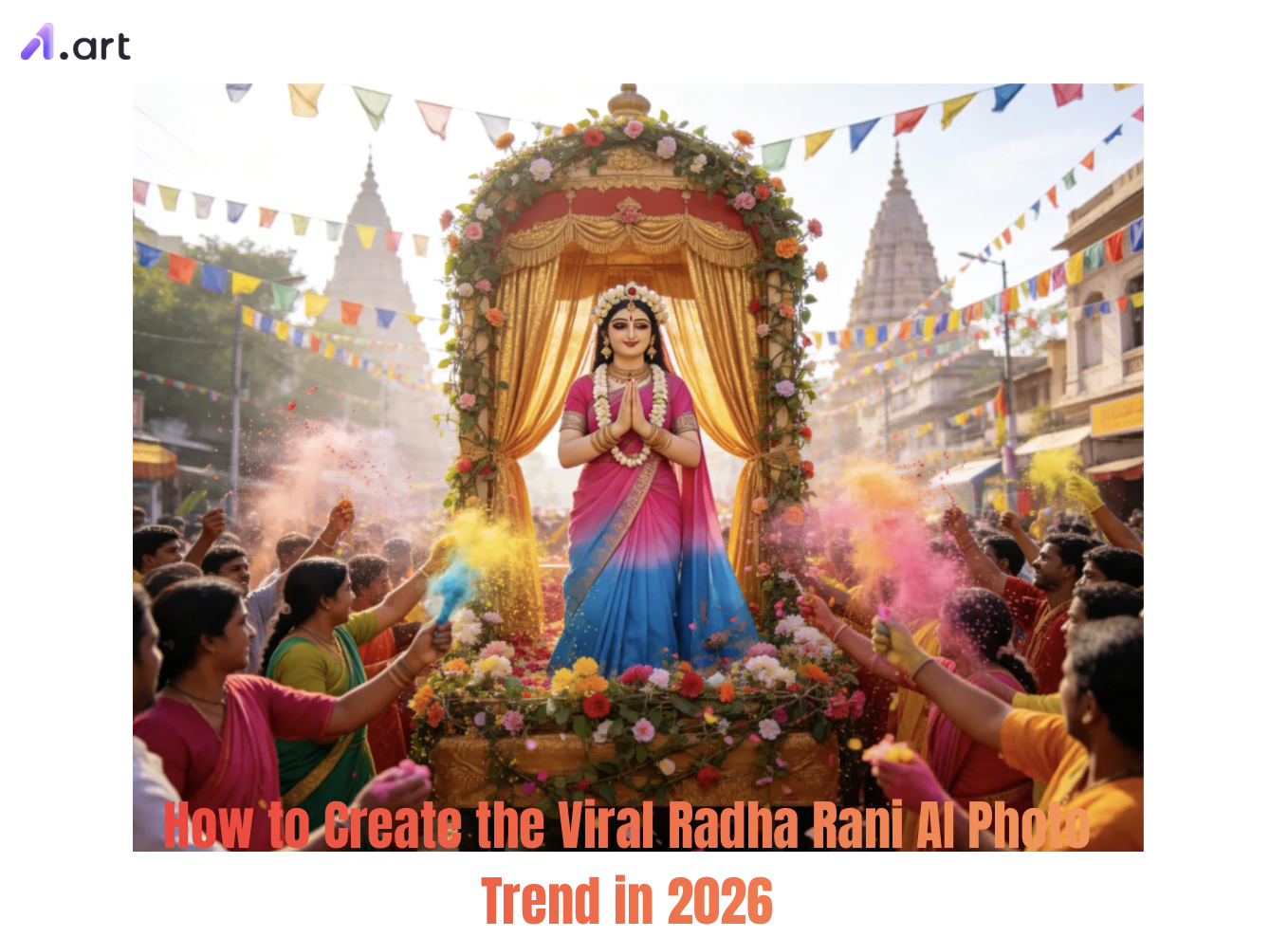
What is the Radha Rani AI Photo Trend Taking Over Social Media?
The Radha Rani AI‑photo trend mixes classic Indian devotional beauty with modern‑day AI technology. Drawing inspiration from Vrindavan’s culture, Janmashtami and Radhashtami, this viral style turns ordinary photos into divine portraits. You’ll see rich silk lehengas, kundan jewellery, fresh flower gajras and peaceful temple courtyards.
It’s easy to see why this trend has blown up: high‑end styled photos are now accessible to everyone. There is no need for costly studios, professional stylists or physical props. Just upload one photo and use a solid text prompt, and you can get studio‑ready devotional artwork in seconds.
Start your art journey with a1.art.
Why a1.art Delivers the Best Radha Rani AI Results
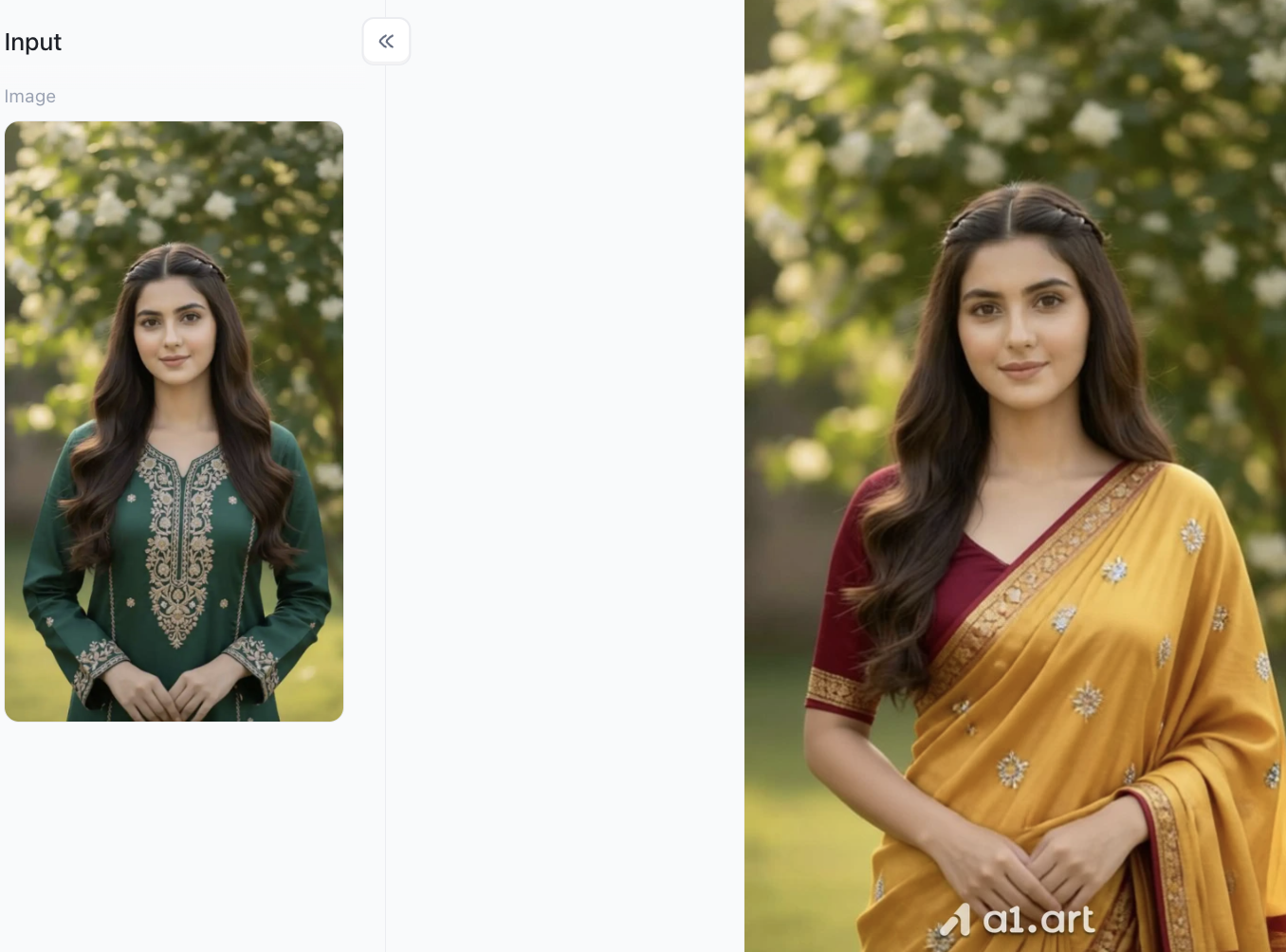
Choosing the right AI tool is crucial before you begin creating. Most popular generators tend to alter your facial features when adding intricate traditional clothing. a1.art solves this problem by processing your face and clothing separately, making it a top choice for ethnic and religious portraits.
Here are the reasons creators choose a1.art based on practical experience:
-
Faster rendering speed: Generates a 4K finished photo in approximately 2-3 minutes, perfectly matching rapidly changing online trends.
-
Clear and delicate details: Advanced image upscaling technology clearly showcases gold thread embroidery, shimmering jewelry, and petals.
-
Natural and realistic skin: Preserves your natural skin texture and realistic lighting effects, avoiding artificial plasticity and blurriness.
Click the image to instantly generate a Radha Rani AI Photo using a1.art⬇️
-
Avoids unnecessary distortion: Avoids common AI errors such as distorted eyes, deformed ears, twisted jewelry, or extra fingers.
-
Face-centric composition: Background elements, such as temple pillars and floral arches, are carefully positioned to avoid obscuring your face.
-
Culturally appropriate clothing: Through extensive training in ethnic costumes, we are able to present realistic fabric drape and perfectly placed jewelry.
Essential Elements for Your Radha Rani AI Portrait
Before you start generating your photo, check out these key visual details to create a realistic, high‑quality Radha Rani AI portrait:
-
Traditional Outfit: Silk lehengas in vibrant pink, rich crimson, saffron or gentle pastel lavender, finished with gold zari embroidery.
-
Decorative Jewellery: Stacked kundan necklaces, detailed jhumka earrings, maang tikkas and delicate peacock‑feather accents.
-
Hair & Floral Accessories: Long dark hair worn in braids or loose waves, adorned with fresh jasmine gajras and lotus blooms.
-
Spiritual Vibe: Sun‑dappled Vrindavan gardens, Yamuna river banks at sunrise, or temple courtyards lit by warm, glowing diyas.
How to Create a Radha Rani AI Photo: Step-by-Step Guide
Learning how to create the viral Radha Rani AI Photo trend in 2026 comes down to following six straightforward steps:
Step 1: Open a1.art and register your personal account
This step is crucial because you need an account to create Radha Rani AI Photos using a1.art. This is essential for generating filters. Registration is simple: just click the top right corner of the page and follow the platform's instructions step by step.
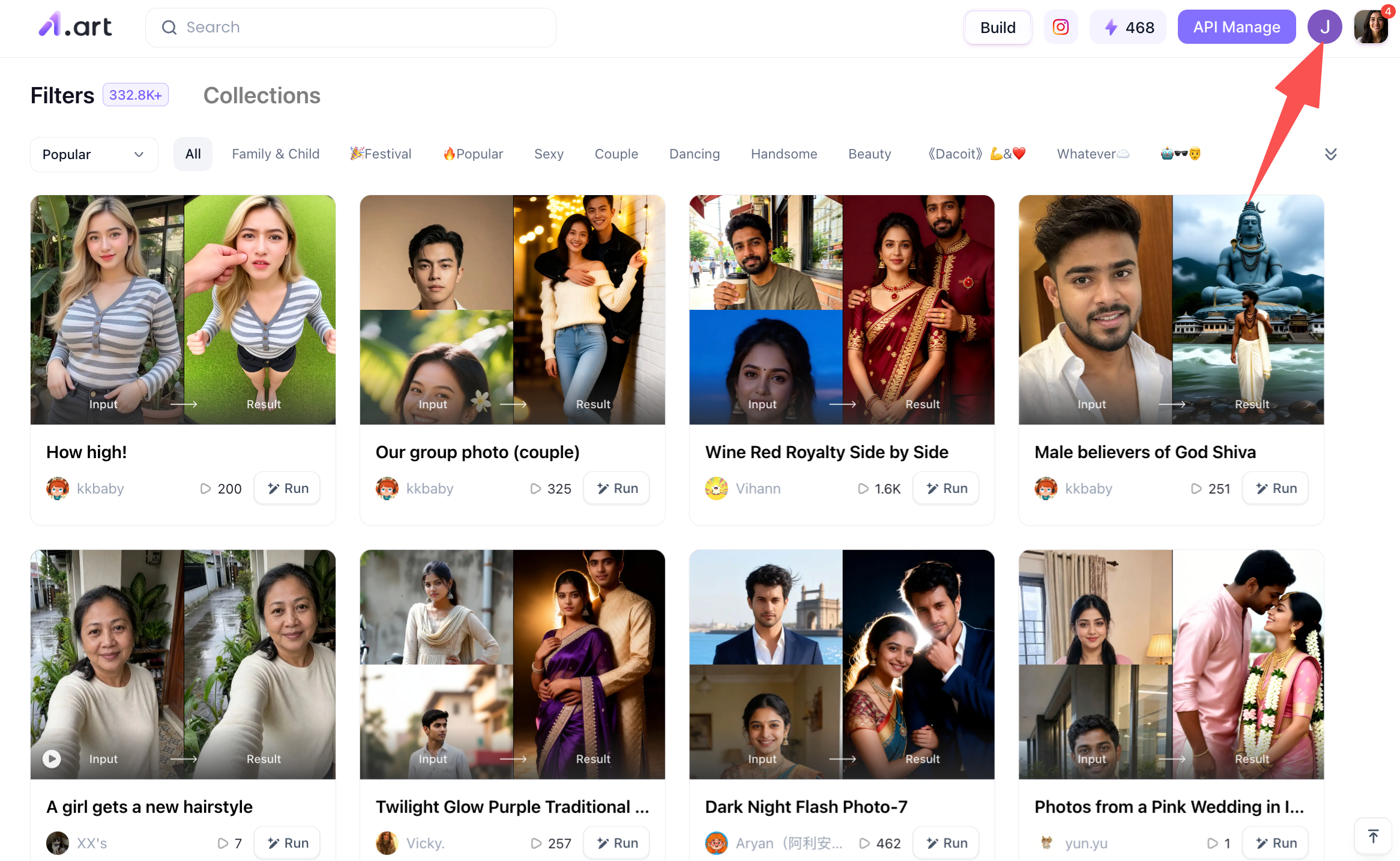
Then I'd like to add that when you open the a1.art page, you'll see a huge number of filters covering different types, so if you're interested, I strongly suggest you try as many as possible.
Step 2: Start Creating a Radha Rani AI Photo
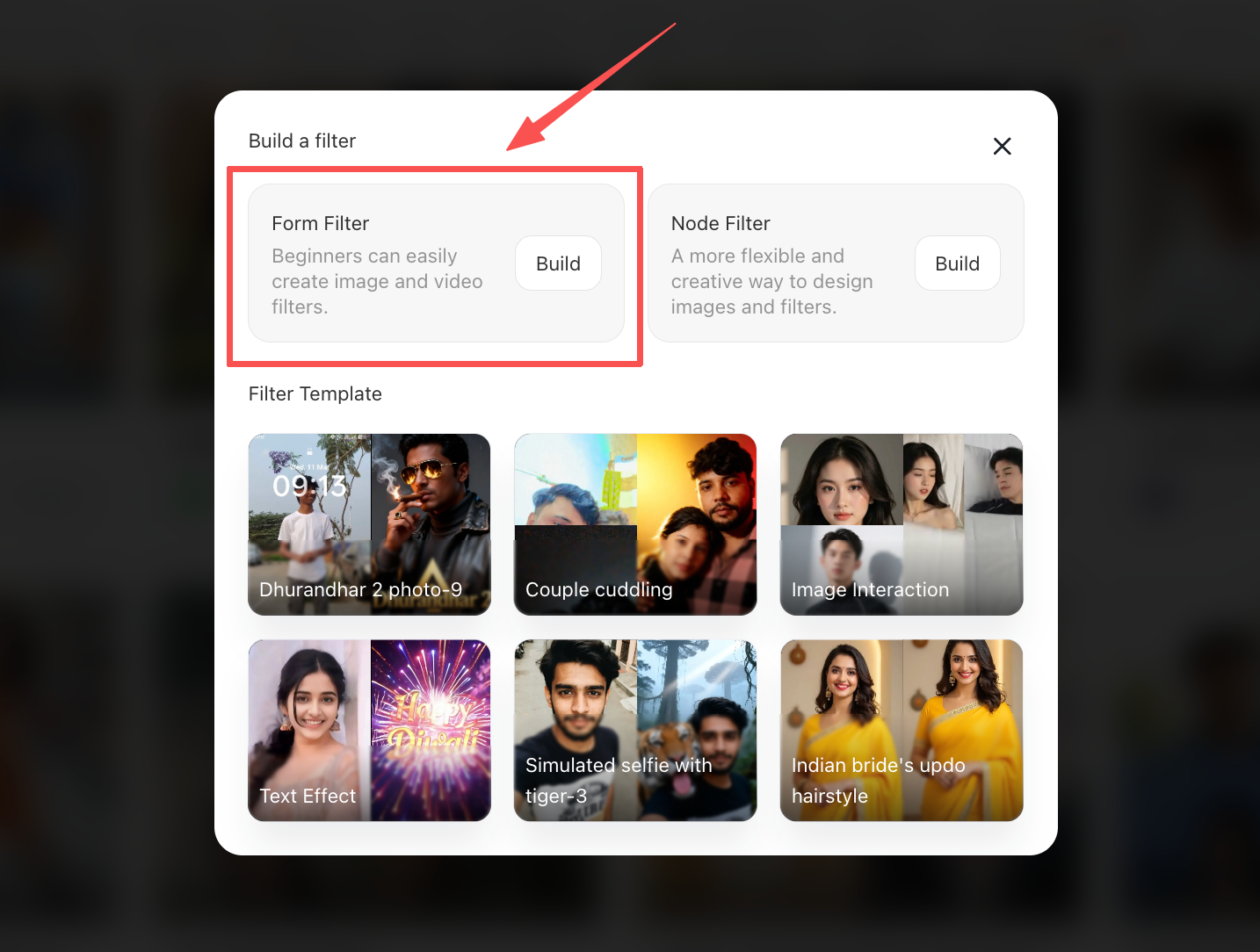
After you have registered your account, you will see the "Create" option on the page. This is your entry point to create a Radha Rani AI Photo.
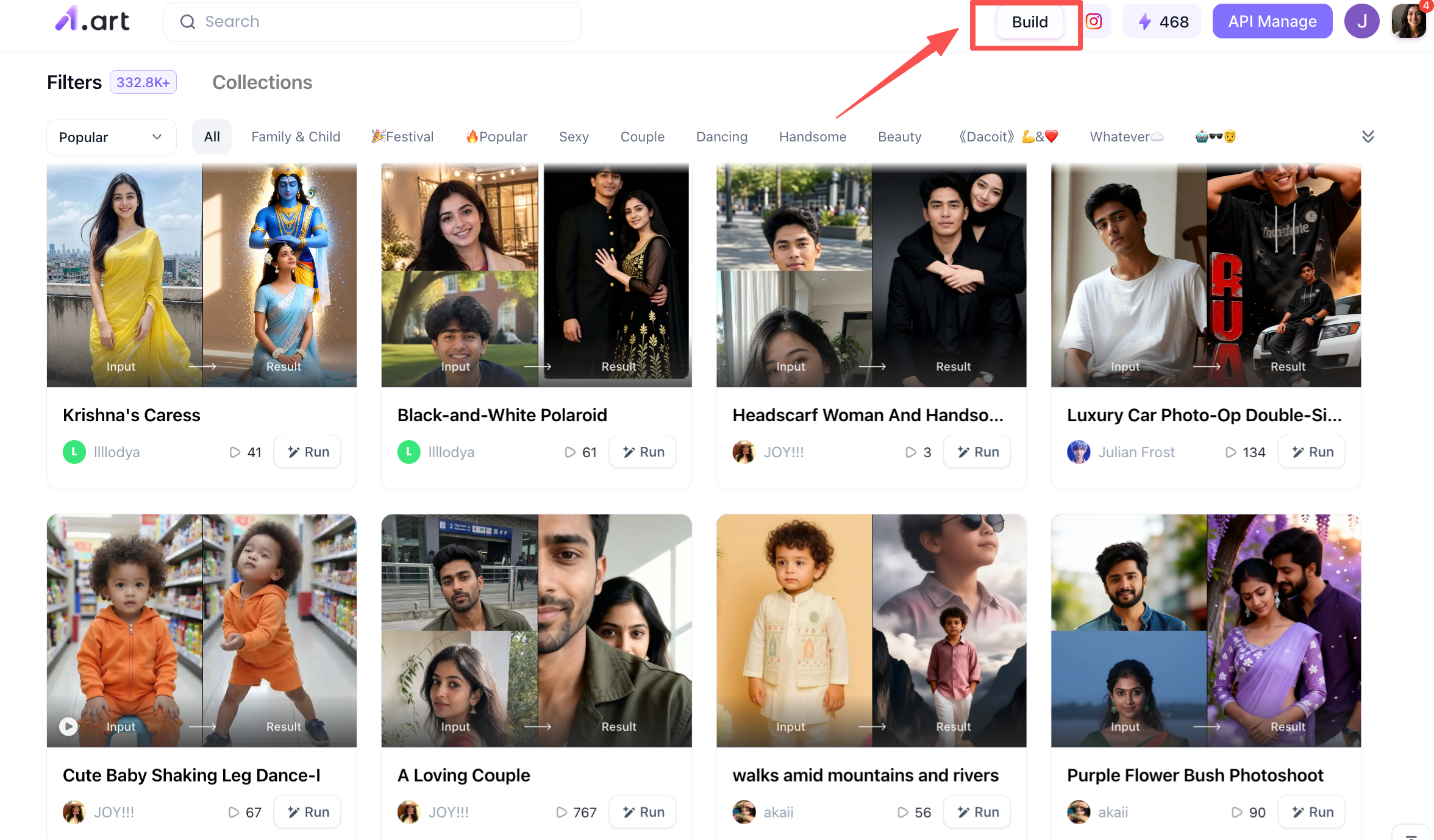
After clicking in, you will see the following content. If you are a beginner, it is recommended that you choose the option on the left, because this entry point generates images very quickly and is also very simple. You can also see some filter templates below. Feel free to try them if you are interested.
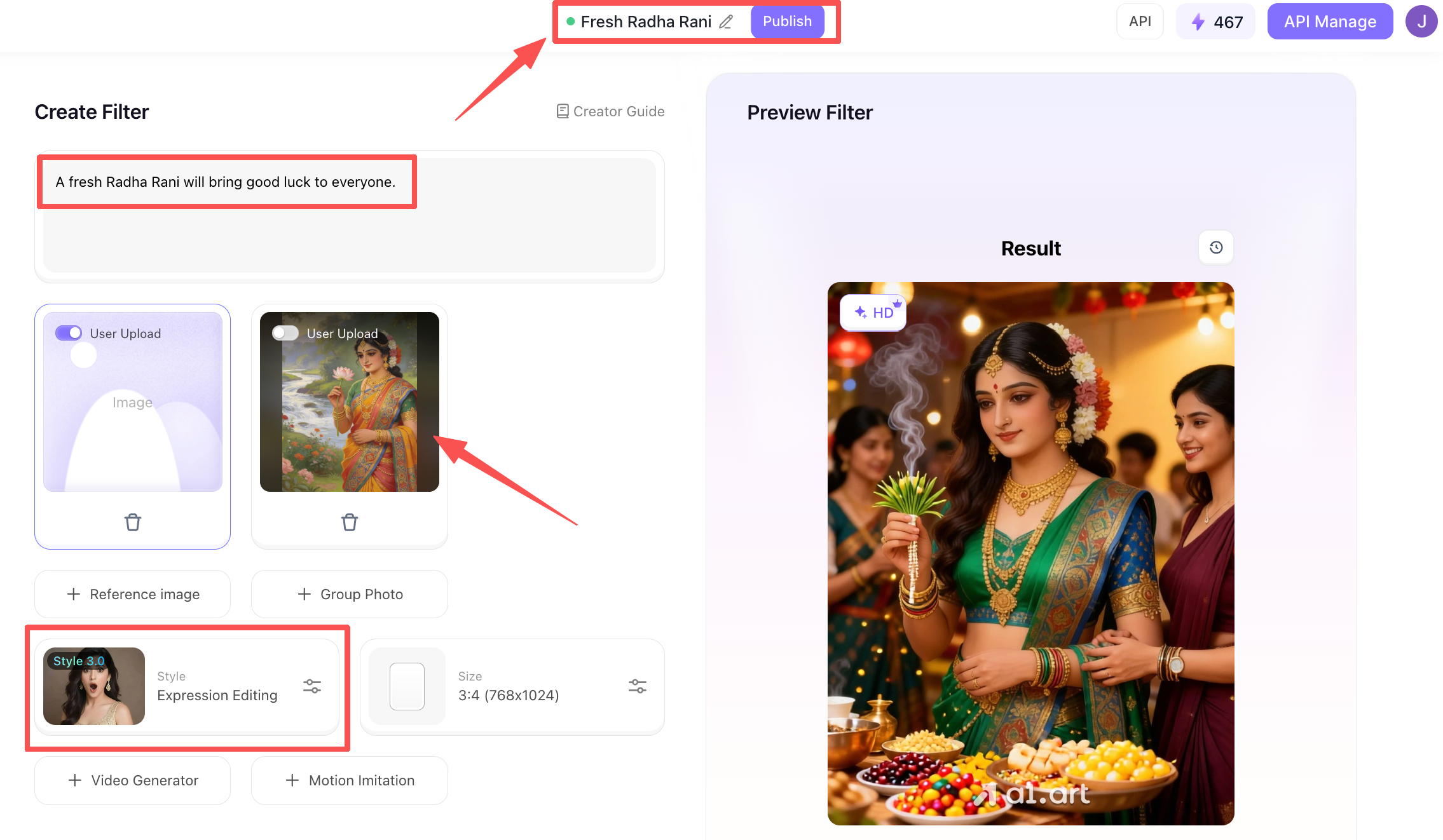
Step 3: Refine the prompts for creating your Radha Rani AI Photo
This page is the actual editing page. At the top is the filter's name; you can choose a theme related to the image. Then, on the left, there's a description of the filter; you can roughly edit this, which also serves as an introduction to others. The middle area is for uploading reference images. Below are the filters to choose from; select one that suits your preferences.
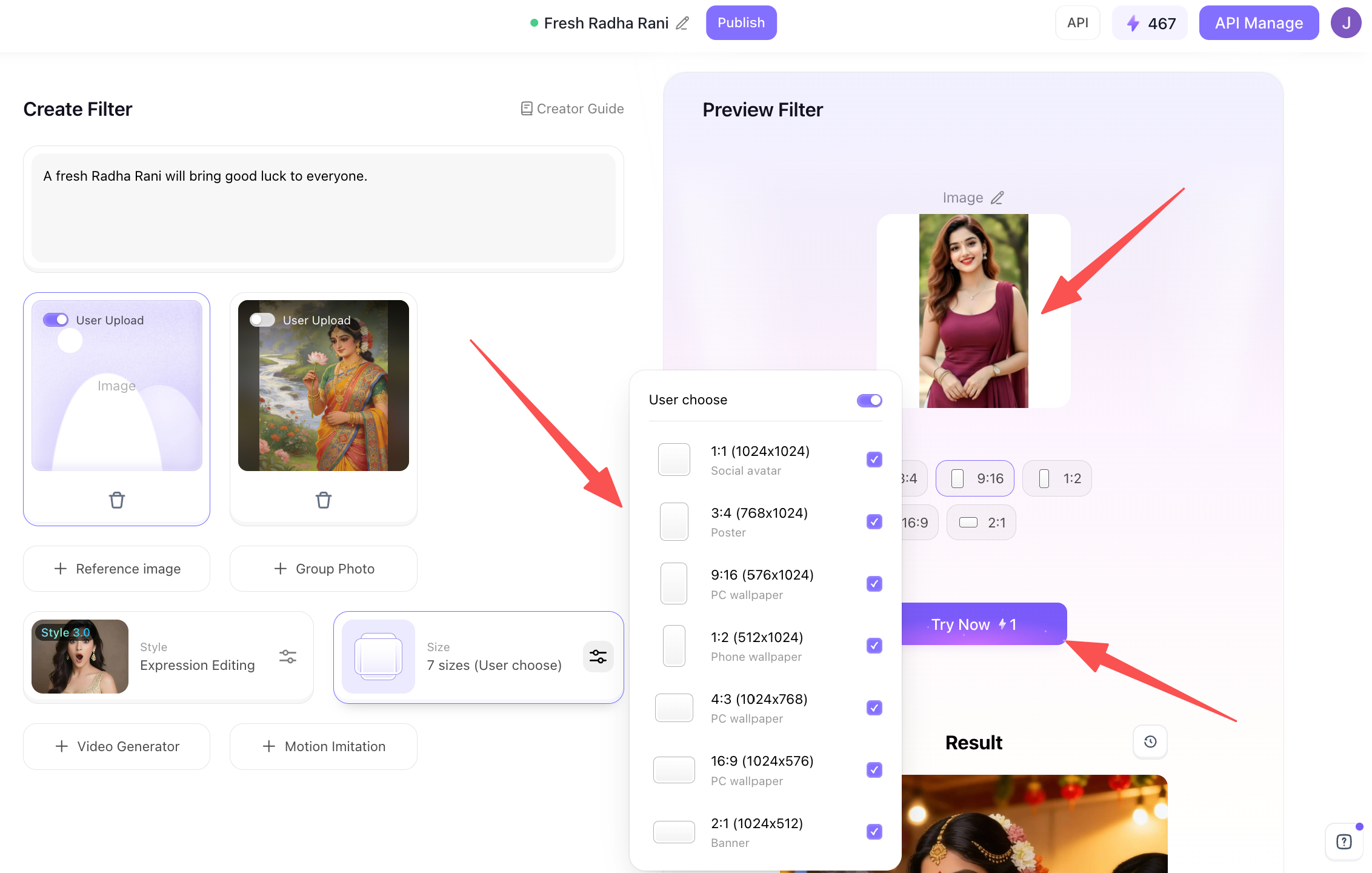
On the left is the image size selection area. It's recommended to select all sizes so you can choose different aspect ratios when generating the image later. On the right is the image upload area. You can upload an image that interests you, preferably one with a clear view of a person's face, but an upper-body shot is also acceptable. Then click "try now" at the bottom.
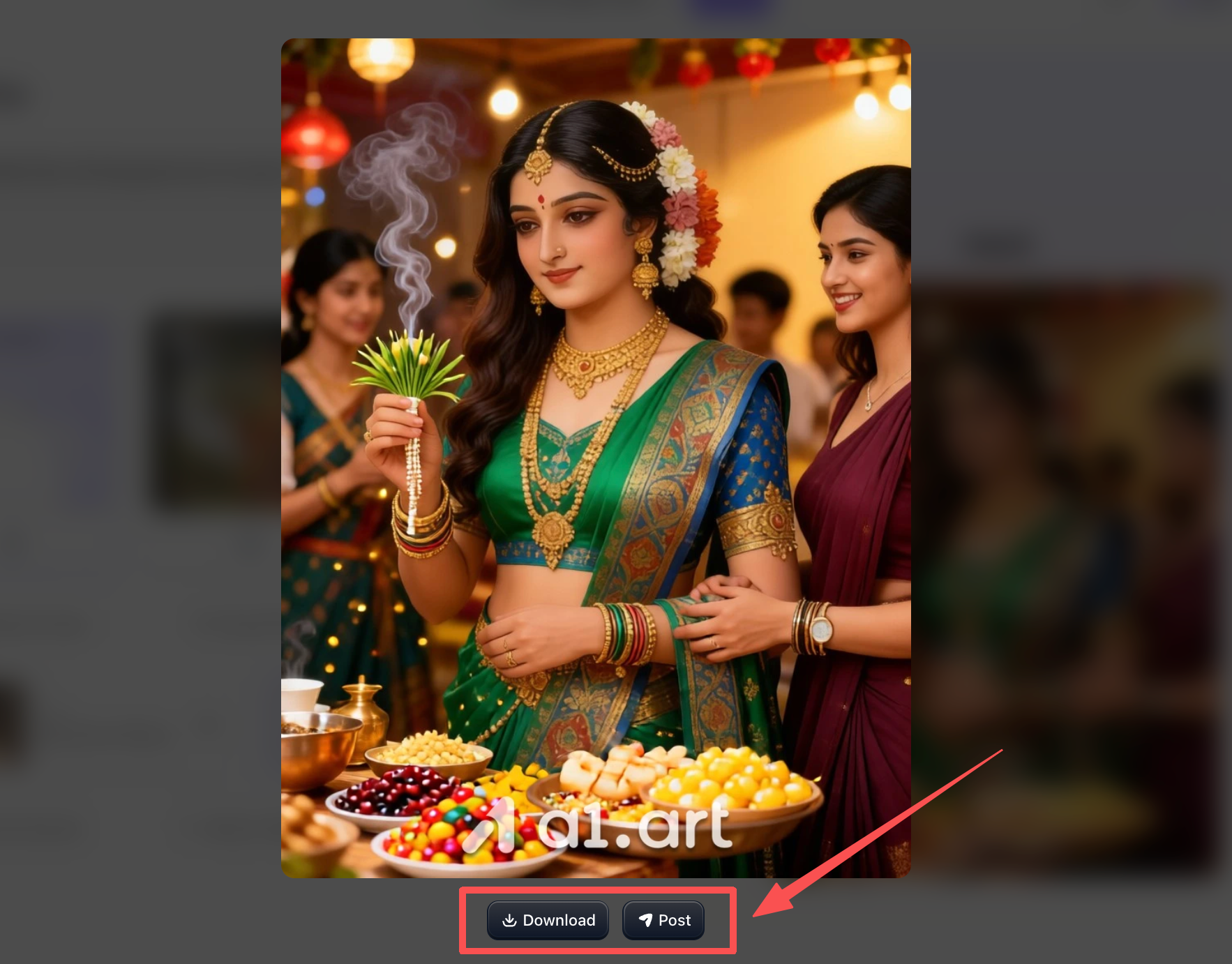
Step 4: Process your generated Radha Rani AI Photo
After generating the image, you can click the button below to save it locally, send it to your friends, or post it on social media.
Tips to Turn Your AI Portrait into Viral Content
Once you have made your 2026 viral Radha Rani AI photo and finished editing it, use these simple tricks to get more engagement on social media:
-
Make‑it a phone wallpaper: Save your finished image in 9:16 vertical HD format, perfect for your mobile lock screen.
-
Share your transformation clip: Post a short‑form video showing your original selfie slowly turning into the AI portrait, set to popular devotional audio.
-
Try different styles: Generate 2‑3 alternate versions, like a sunlit garden shot and a night scene lit by diyas, then post them together as a carousel.
Conclusion
Mastering how to create the viral Radha Rani AI Photo trend in 2026 is fast and simple when using structured prompts with an advanced engine. By leveraging a1.art, you can effortlessly convert basic selfies into breathtaking, high-definition portraits that combine traditional cultural elegance with state-of-the-art AI. Pick a prompt template, upload your photo to a1.art, and share your divine creation today!
FAQs
What is the Radha Rani AI photo trend?
It is a viral social media trend where creators transform everyday selfies into regal, divine portraits with traditional Indian couture, kundan jewelry, and serene temple backgrounds.
How do I keep my face recognizable in the AI output?
Upload a clear, well-lit selfie and use a specialized generator like a1.art. Include strict instructions in your prompt like "preserve exact facial identity and features."
Why is a1.art better for creating these AI photos?
a1.art delivers 4x faster rendering, native 4K clarity, natural skin textures without plastic blurs, zero hand/jewelry distortion, and precise ethnic dress styling without hiding your face.
Read more
- 15+ Ganesha AI Video Prompts for Ganesh Chaturthi Reels in 2026
- How to Get AI Photos of Yourself: An Easy Step-by-Step Guide
- 20+ Ganesh Chaturthi AI Prompts for Festive & Devotional Photos in 2026
- Da Nang Festival 2026: Ultimate Guide to Dates & Events
- Unlock 20+ Onam AI Prompts for Traditional Kerala Photos in 2026
- Best Prompt Hero AI Alternatives for AI Prompts and Image Generation
- How to Create Childhood vs Present AI Photo?
- Dreemy AI Review 2026: Is It Safe, Free and Worth It?
- Best MyAIArt Alternatives in 2026
- MyAIArt Review: Features, Pricing & Alternatives for Better AI Photos
Written by

a1.art
Published on
Sep 7, 2026
Share article


