


Are you dreaming of a beautiful garden but feeling stuck? Maybe you need a "green thumb" or lots of money for a designer. Staring at your plain yard can be tough when your dream garden stays just in your head. Hiring help is expensive, and it's hard to picture how online ideas will look in your space. It's easy to feel frustrated and do nothing!
But imagine seeing amazing garden makeovers for your yard instantly – and for free! That's the magic of AI garden design free tools. These incredible smart helpers use your photos or ideas to create stunning pictures of your future garden in minutes. Suddenly, landscape design becomes easy, fun, and open to everyone! You get the power to be creative and finally confidently build that dream garden using the best free AI garden design tools.
Ready to see how? This guide dives into these best AI garden design apps. We'll show you why they're changing gardening and count down 2026's top AI garden planners, including the amazing a1.art. Let's explore some fantastic landscaping ideas together!
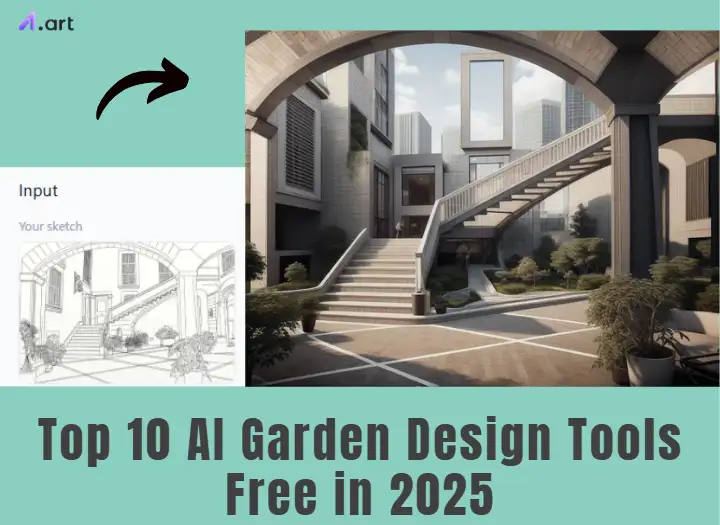
What are AI Garden Design Tools for Free?
Think of free AI garden design generators as super-smart computer helpers designed for gardens! They use cool technology, like artificial intelligence, to look at garden pictures and ideas. Then, they help you create design plans and see exactly how they might look. It's like having a design expert on your computer or phone, trained with many garden examples.
Here's what these tools often let you do:
- Picture Magic: Upload a photo of your yard; the tool can change it to show different styles or add new things.
- Pick Your Style: Choose a look that looks like a modern, cozy cottage, simple, or tropical garden.
- Add & Change Stuff: The AI sees your lawn, fence, etc., and lets you digitally add flowers, paths, and patios or swap things around.
- Plant Ideas: Some tools suggest plants that grow well where you live.
- Map It Out: Get ideas for where paths, garden beds, or seats could go.
- See It Clearly: Look at your new garden ideas in realistic 2D or 3D pictures.
These advanced AI garden design tools look through their giant memory of garden designs and clever tricks to mix your ideas with your actual space. It makes a new picture showing your potential garden. They used to be pretty basic, but now the next-gen garden design tools AI offers:
- Super realistic pictures.
- Smarter plant suggestions for your area.
- Tips for goals like low-water gardens.
- Cool phone features (AR) to see designs in your real yard!
- Easier-to-use buttons and menus for garden design with AI.
Soon, AI garden design tools in 2026 will likely be even smarter and more helpful!
Click the picture to generate your exclusive modern garden design with one click👇
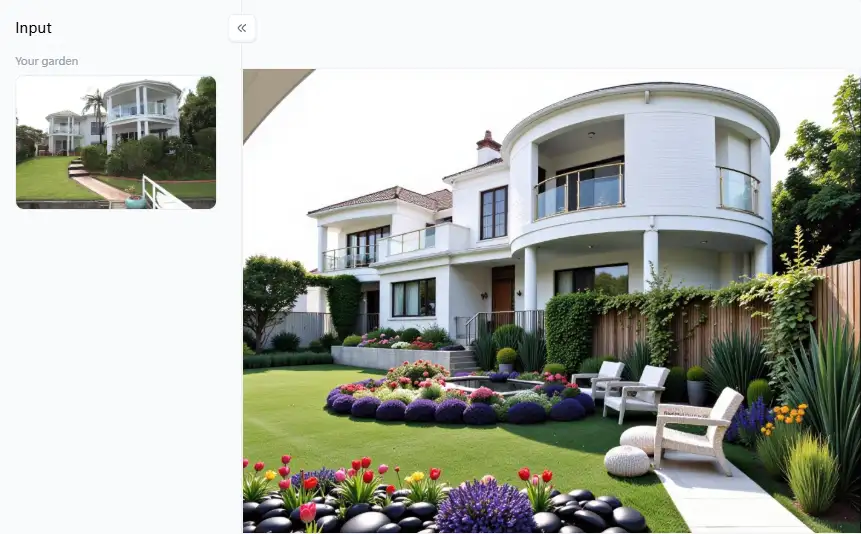
Why are AI Garden Design Tools Changing the Game?
AI garden design tools come in all shapes and sizes, from simple online helpers to smart apps that know plants and can even show you a 3D picture of your future garden. Some focus on picking the right plants, while others help you plan your AI front yard design for free. Why is this a big deal:
- Anyone can design a garden, even if you've never planted a seed.
- AI can whip up design ideas in seconds.
- You get a realistic 3D view of your garden before digging.
- AI learns what you like and what will work in your yard.
- These tools know tons about plants and good AI technology garden designs.
- Want to see what different flowers or paths would look like? Now you can, without lifting a finger!
People use these leading AI garden design tools in so many ways. Some build easy-to-care-for gardens, while others create beautiful spaces for bees and butterflies or grow their veggies. Seeing the options and getting smart suggestions helps everyone make good choices and create the garden they've always wanted.
Click the picture to generate your exclusive lanscape generator with one click👇
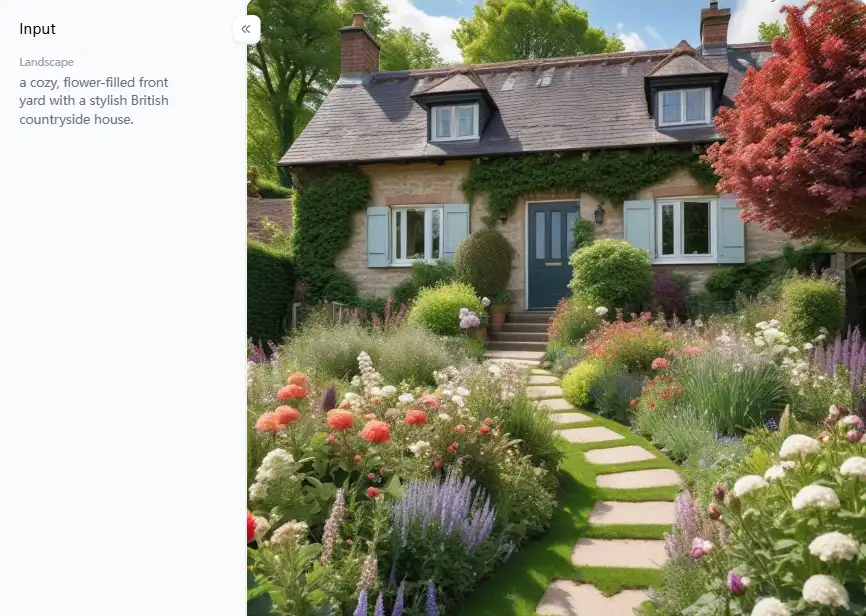
Your 2026 Guide: Top 10 Free AI Garden & Landscape Design Tools
Ready to design? Awesome! More and more free AI garden design resources are constantly popping up. Here are the top AI garden design tools you can try in 2026:
No.1 a1.art
Think of a1.art as your super-creative AI artist for gardens! It's mainly an AI picture maker but has amazing style filters perfect for landscape design. It's brilliant at turning your yard photos into stunning, art-like, or super-real pictures. You can also type in what kind of garden you want, and AI will do landscape drawing!
- Pros: The website is pretty easy to figure out, and you can even use it for things other than gardens! It gives you a powerful way to see your AI-powered garden design ideas.
- Cons: It's not made for super-detailed planning, like telling you exactly which plant is which or measuring things perfectly.
No.2 Gardena My Garden Planner
This is a website AI garden layout tool for your garden. You can drag and drop pictures of plants, buildings, and other garden stuff onto a plan. It has a library of common garden items to use.
- Pros: It's good for making simple 2D maps of your garden. The drag-and-drop makes it easy to use, which helps figure out where things should go.
- Cons: The free version doesn't have all the bells and whistles. The pictures aren't as fancy.
No.3 DreamzAR
This cool app for iPhones/iPads uses Augmented Reality (AR). Point your phone camera at your yard, and the app lets you place virtual plants, paving stones, or furniture right into the real view!
- Pros: It's amazing to see how big things are and where they fit in your space.
- Cons: It mostly works on Apple devices (iOS). You probably won't get to use everything for free forever.
No.4 Home Outside
This is a simple phone app for making landscape plans that look hand-drawn. Using easy taps, you can add basic things like trees, bushes, paths, and ponds.
- Pros: It's easy to learn and use for quick sketches. Tapping to place items feels natural.
- Cons: It doesn't use AI to create ideas for you. The pictures aren't very realistic, and the free version doesn't have many items to choose from.
No.5 iScape
This popular app mixes AR viewing with designing on top of your photos. It has a big library of plants and patio stuff, though you often must pay to use most of them.
- Pros: It lets you design photos and use AR to see things in your yard.
- Cons: The free part is pretty limited. You must pay for a subscription to get the full power.
Click the picture to generate your exclusive dream 3d garden with one click👇
No.6 SketchUp Free
This is a very powerful program for making 3D models, and it has a free version you can use online. It's not specifically an AI garden tool, but many landscape designers use it to build detailed models.
- Pros: You can design things in detail and even get exact measurements.
- Cons: You must design yourself – it won't generate ideas using AI.
No.7 Microsoft Bing Image Creator
This is a general AI picture maker from Microsoft that you can use through Bing search or on its website.
- Pros: It can create creative and unique garden pictures from your words.
- Cons: It's not designed to change your garden photos. The images you get depend on how well you describe what you want.
No.8 Midjourney
This AI picture maker is famous for creating artistic and often stunningly realistic images. You use it by typing text commands inside a chat app called Discord.
- Pros: The pictures it makes can be amazing, almost like paintings or photos from a magazine.
- Cons: You need to use the Discord app, which might be new for some people. The free trial doesn't last forever.
No.9 Canva
Canva is a super popular website for making all kinds of graphics. It now has built-in innovative garden design AI tools, including "Text to Image" inside its Magic Media section.
- Pros: Canva is known for being very easy to use. You can make AI pictures using a tool you might already use for other things.
- Cons: Its AI picture maker might not be as fancy or specialized for landscapes as other tools.
No.10 Reimagine Home AI
This AI tool focuses on the outside look of houses and yards. You upload a photo of your home and yard, and then you can apply different styles or redesign parts, including landscaping features.
- Pros: It's designed with house exteriors and yards in mind. Uploading a photo and trying out styles is usually straightforward.
- Cons: Unused credits usually limit how much you can use for free. Its focus includes the house itself, not only the garden parts.
Don't be shy! Try a few of these free online landscape design tool options. Playing around is the best way to find the one that feels right for you.
Click the picture to generate your exclusive monet garden with one click👇
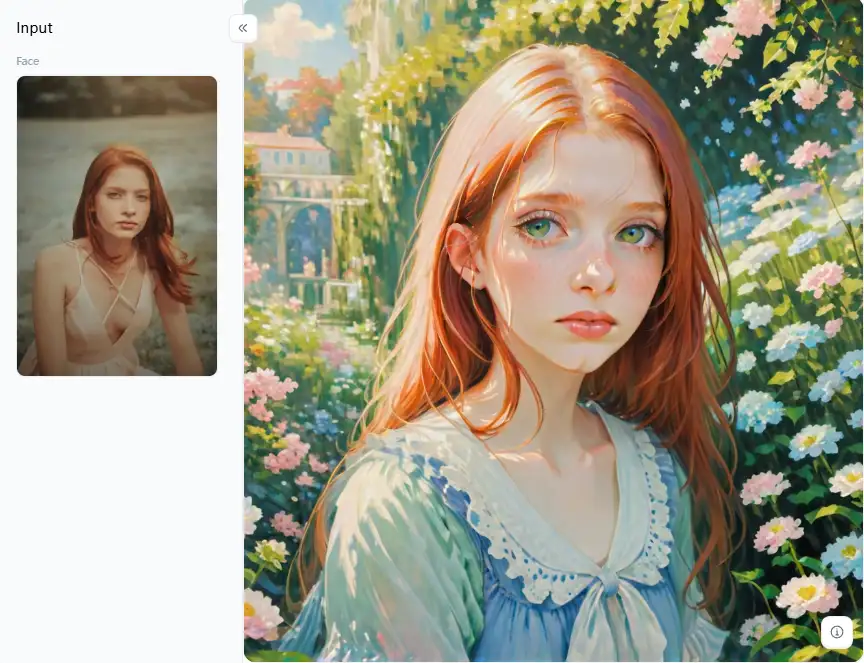
Unlock Your Dream Garden: Designing with a1.art's AI Magic
a1.art is unique, but several tools can assist with landscape planning. It is like having a friend who is an artist and shows you the possibilities of your garden! It emphasizes beautiful imagery, which makes AI-powered garden design more motivating.
More Than Just Planting: Getting Creative with a1.art
What distinguishes a1.art from the others, then? It goes beyond simply adding images of plants to your photo. It is about encapsulating an entire mood, a unique vibe, or a distinctive style. Are you prepared to discover some cutting-edge AI garden design secrets? Here's how to make your landscape shine using a1.art's amazing features, such as its unique filters:
- Start with Your Space (or Idea): Got a photo of your yard? Great! Upload a clear one. The better the picture, the better a1.art can work its magic. Or, if you prefer, just type in words describing the garden you're dreaming of.
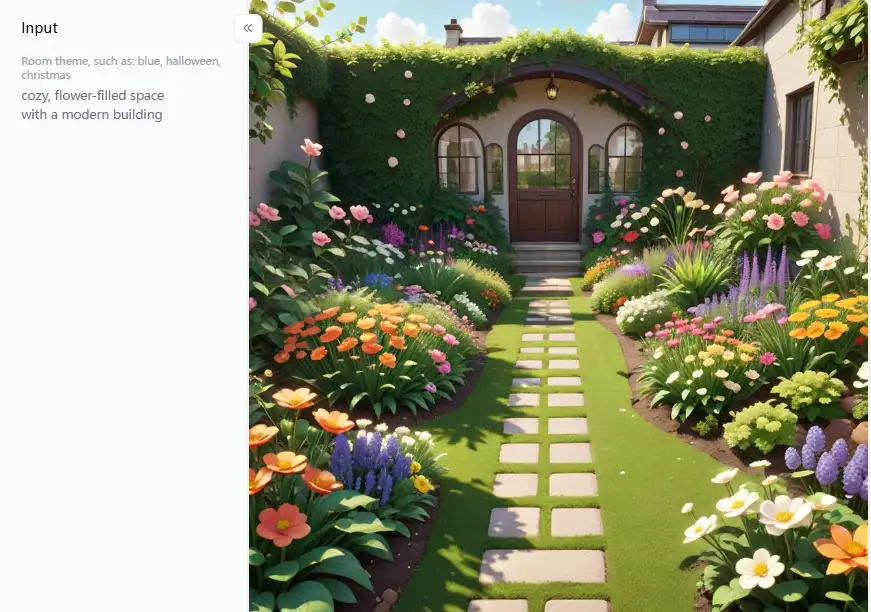
- Play with Different Looks: Don't settle for just one idea! Try out different styles. Want something sleek and cool? Check out the "Modern Garden Design" filter. Dreaming of a cozy, flower-filled space? Describe a cottage garden with an AI "Landscape Generator!" Maybe you want a jungle vibe? Ask for tropical plants!
- See Slight Changes: Found a picture you mostly love? Perfect! Now, use the "Image Variation Generator." This AI-assisted garden design trick is super neat. It takes the picture you like and makes a few new versions that are slightly different. You can also try "Fork" to customize your own filters.
- Fit in the Hard Stuff: Wondering how a new fence, shed, or patio will look with your plants? While a1.art loves designing with nature, filters like "Simple Sketch Generation of Buildings" can help you picture how structures might fit into your design.
- Think Outside the Flower Bed: Sometimes, great ideas pop up unexpectedly! Looking at filters like "Living Room Design Experience" might seem odd for a garden, right? The general 3D filter can make your garden ideas look deeper and more real.
- Make It Look Real: One of the best things about a1.art is how real its pictures look. Notice the light and how things feel (the texture) in the images it makes. This helps you picture yourself relaxing in your amazing new garden, making your dream feel much closer.
How to Use It, Just 3 Steps:
Step1:
Open a1.art, choose the App that you are interested in, then click 「Run」
Click on the image to experience the same App👇
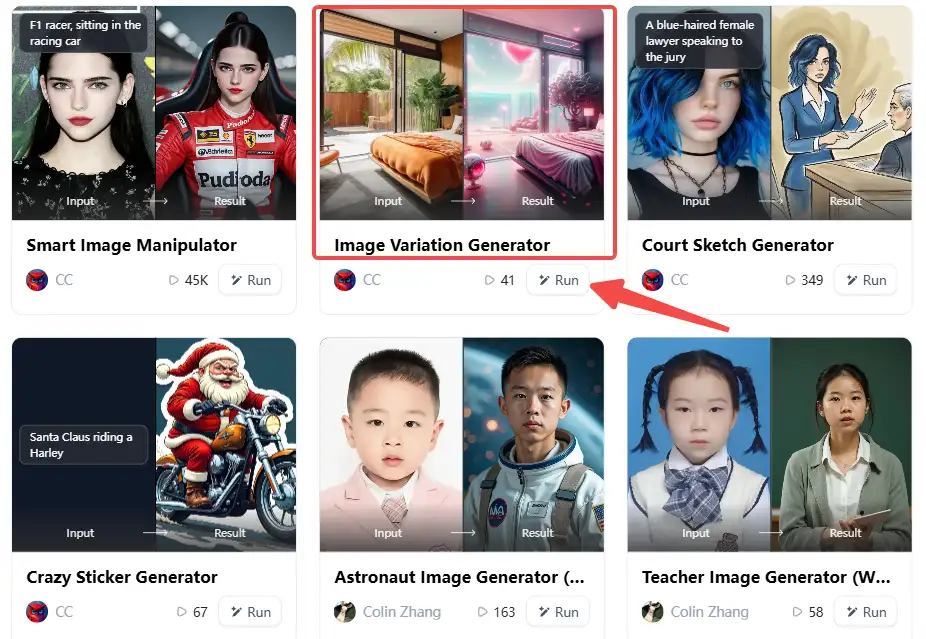
Step2:
Upload a photo/image
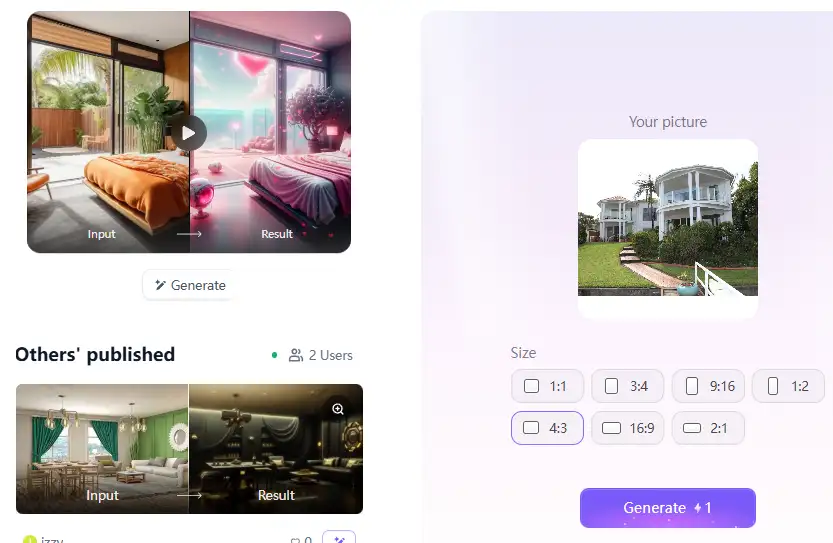
Step3:
Wait 3 seconds, you will get a wonderful result 👇
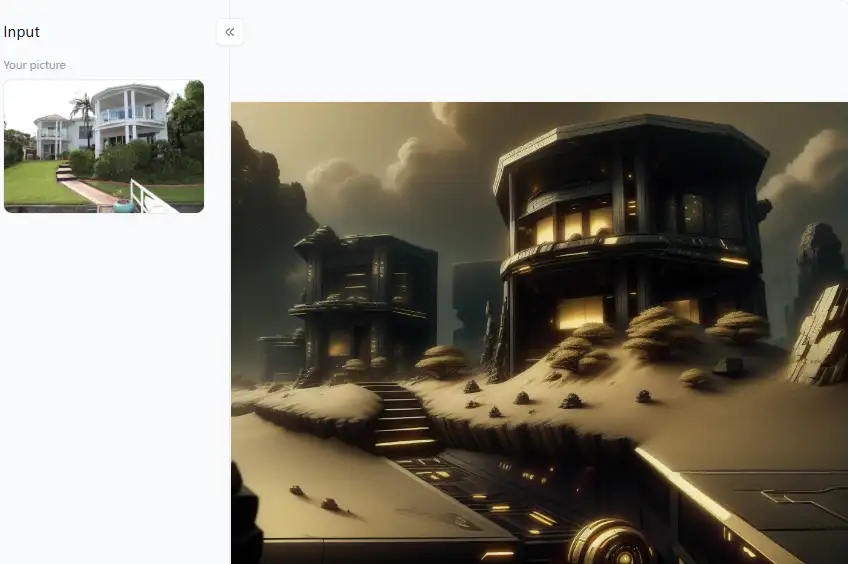
Quick Tips for Awesome Results with a1.art:
- Good Photos In = Great Pictures Out: Use photos taken in good daylight, not too dark or blurry.
- Mix & Match: Try using a filter and typing in some specific words (like "Use Modern Garden Design filter on my photo, add tall grasses and a grey stone path"). This gives you more control.
- Make Lots and Save Faves: Don't be afraid to click 'Generate' many times! Create lots of options. Save the ones you like best. Sometimes, the perfect design idea comes after seeing a few different designs.
- Use It as Your Map: Remember, a1.art offers free AI landscape generators from photos to guide you. Use these beautiful visuals as inspiration when picking out real plants and materials at the garden store.
Step into Your AI-Designed Oasis Today
Wow, getting your dream garden is simpler than ever, right? Thanks to free online landscape design tools, planning a stunning yard isn't just for experts anymore. These smart helpers save time, boost creativity, and put amazing landscape design power in your hands! Among the top choices, a1.art truly stands out for making beautiful pictures. It turns your photos into gorgeous, real-looking garden ideas using cool filters. If you want awesome visuals, a1.art is fantastic! So, don't wait! Jump in, try these AI tools, and start creating your perfect outdoor spot today!
Read more
- Top 10 Akool Alternatives Online for Free 2026
- Unveiling the Charm: Best 10 Free AI Polaroid Makers Online 2026
- Beyond Lanterns: 10+ Best Vesak Day Day Images Generators in 2026
- Best Free Inspire Art AI Image Generator - a1.art
- Best Glam AI Art Video Generator Alternatives 2026: Your Guide to Stunning Visuals
- Top 10 AI Image Editors with Prompt-Free 2026: Unlock Your Creative Genius Effortlessly
- Magnific AI and Its Free Online Alternatives: A 2026 Review
- Krea AI VS a1.art: Which One is The Best AI Art Generator 2026
- Top 10 Dzine AI Alternatives You Must Try 2026
- 10+ Best Online AI Roast Generators Free in 2026: Create Hilarious AI Roast Images
Written by

a1.art
Published on
Dec 17, 2025
Share article


