


Have you ever felt your amazing ideas were too fancy for your tools? You dream of cool visual stories, stylish fashion shows, or bright art, but the software is hard to use, or you don't know the tech. You're not alone. Many creators struggle to make their awesome ideas real, especially with glam AI art videos.
Luckily, the Glam AI art video generator can help! The market for AI content is booming and is expected to surpass $100 billion by 2028. A significant component of this is the rise of glam AI art videos. Moving beautiful images is not the only goal; you must create a chic aesthetic and an engaging narrative. These AI videos are excellent for social media, fashion, internet marketing, and even your artwork. They make visually appealing videos by fusing your creativity with clever technology. So, get ready to explore the exciting world of free glam AI art video generators and find the best AI art video tools to get you started!
What is a Glam AI Art Video Generator?
Well, in simple terms, it's a smart tool, like AI art video software or an online helper, that uses AI to make stylish and beautiful videos. It understands what you tell it and then creates new video clips or gives your old videos a fancy, artistic makeover.
Here's what these cool artificial intelligence video tools usually offer:
-
They can look at one picture or artwork and apply it to your video.
-
You type in a description, and the AI turns those words into a video.
-
They can make your photos move a little or a lot, bringing them to life.
-
These advanced AI art tools have special AI art effects to make your videos look even more amazing.
-
You can change things like how strong the style is, how much movement there is, and the colors.
-
You don't have to be a video expert to use them. They're made for everyone.
Thanks to smart AI models that have learned from many pictures and videos. You could give it a photo and tell it to make it look like a famous painting but with a little movement. The AI makes new frames with that painting style and some motion, giving you a cutting-edge AI art video.
Click the picture to generate your exclusive milk tea couple avatar video with one click👇
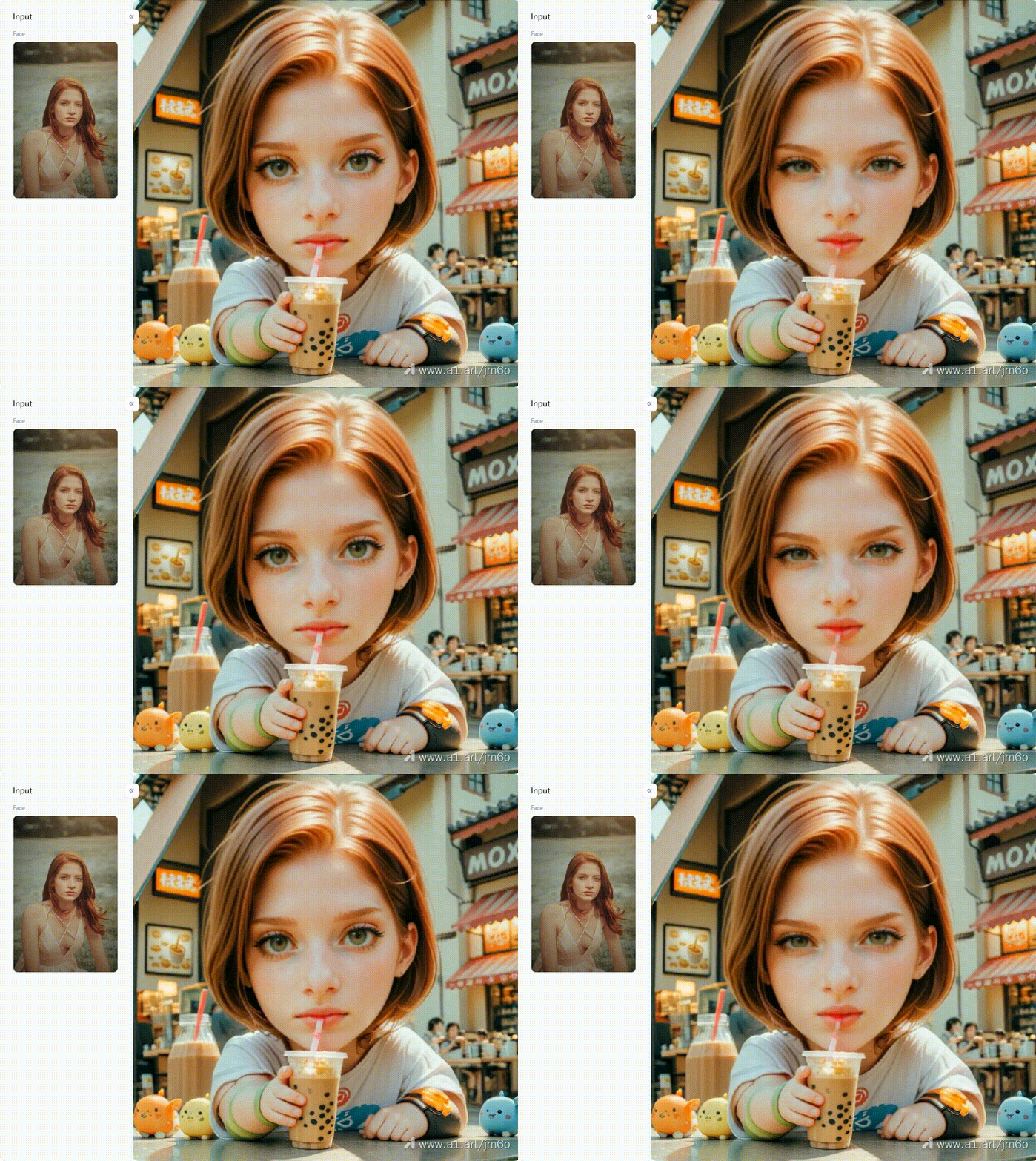
Sign up with a1.art and try it for free!
What Can a Glam AI Art Video Generator Create?
These amazing AI-powered art video creators truly bring the magic! Like moving masterpieces, they conjure living art from your videos and dream up dazzling abstract animations. For fashion with pizzazz, they craft chic reels. Watch characters dance and see your motion graphics get a cool, artistic spin!
And what are the good things about using them?
-
Make your social media feeds truly shine.
-
Create ads that grab attention.
-
Unleash your inner artist; no tech skills are needed!
-
Quickly see your video ideas take shape.
-
It often saves you a bundle of time and money.
However, there are a few things these AI art video generation platforms can't always do perfectly:
-
Getting every tiny detail perfect can be a bit tricky.
-
Sometimes, longer videos might not look consistent all the way through.
-
The AI might not always "get" very specific or complex instructions.
-
Making people move 100% naturally is still a tough nut for AI to crack.
-
There are important questions about who owns art and how it can be used.
Because of these hurdles, many creators seek alternatives to AI art generators. They might want more control or fresh ways to make art beyond just video.
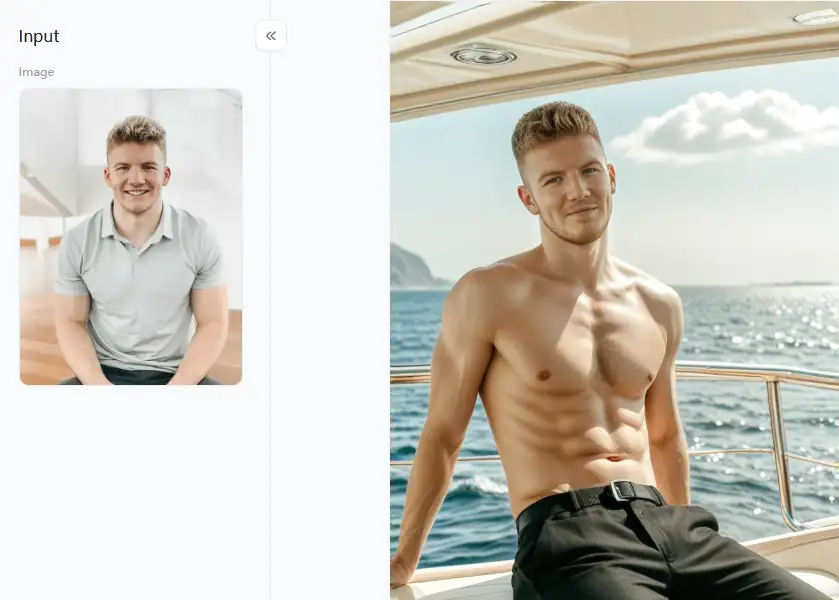
Click the picture to generate your exclusive yacht man portrait with one click👇
Best Glam AI Art Video Generator Alternatives in 2026
While dedicated glam AI art video generator platforms are on the rise, many cool AI video creation tools and AI art generator alternatives are already here, ready to help you make some seriously stylish and artistic videos. So, if you're itching to jazz up your video content, here are ten fantastic options you must check out in 2026!
1. a1.art
This AI video and animation generator has a dazzling array of filters and styles. With these, you can turn plain photos into stunning art pieces. Then, with a little help from other apps, you can string them together or add subtle animations to get that "glam" video effect. Think of a1.art as the artist that paints the beautiful scenes for your movie.
-
Pros: It is quite simple to use, and your photos will look fantastic. It also continuously adds intriguing new features.
-
Cons: It doesn't make videos directly. You can make still images move.
2. RunwayML
RunwayML is like a big box of AI magic tricks for creative folks. It has innovative AI video tools like Gen-1 and Gen-2 to create videos from your text ideas or pictures.
-
Pros: There's a whole bunch of "AI Magic Tools" for all sorts of creative projects and a friendly community to help you.
-
Cons: Learning might take longer if you're new to this stuff. Also, you'll need to pay a subscription to use it.
3. Pika Labs
Want to make short, cool videos from texts or images? Pika Labs is getting a lot of buzz for how the AI video art maker can whip up animations that look surprisingly real and full of life.
-
Pros: It's built just for making videos. It's easy to get the hang of, and the videos it makes look really good.
-
Cons: It's mostly for shorter video clips. You might not have as much say over the exact style as you would with tools focusing more on images.
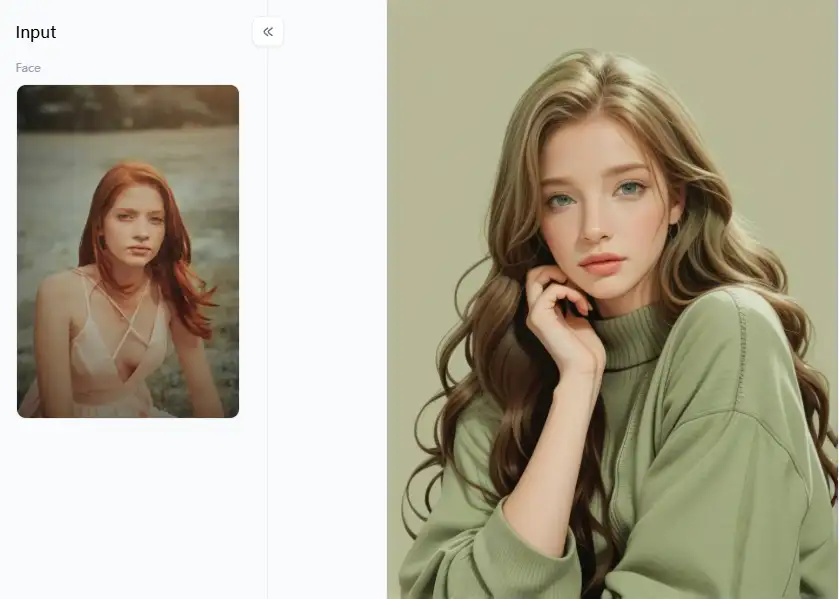
Click the picture to generate your exclusive realistic illustration style p7 with one click👇
4. Kaiber AI
It is a creative AI video software for making music videos and cool visuals that react to sound. But guess what? You can also use it to create dreamy, artistic videos from your pictures.
-
Pros: It's a star at making visuals for music. You get some unique artistic looks and motion effects.
-
Cons: It's mainly designed for music-related stuff. So, it might not be the perfect fit if you're trying to tell a different story with your video.
5. DeepMotion
DeepMotion is making characters move like magic using AI. While it doesn't create whole art videos from scratch, it lets you make super realistic or cool stylized animations of characters.
-
Pros: It's fantastic for character animation and making movements look natural.
-
Cons: This AI art and video creation tool is more geared toward animation than it is toward producing the entire video or incorporating various artistic styles into already-existing footage.
6. Artbreeder (Sefan)
Artbreeder is like a creative science lab for images! You can "breed" pictures together, mixing them with AI for unique AI art video solutions and sometimes weird visuals.
-
Pros: It's a unique way to blend images and get your creative juices flowing. Plus, there's a big, active group of users with whom to share ideas.
-
Cons: It's mainly for creating still images. You'll need other software to turn those images into a video.
7. Lensa AI
Lensa AI is super popular for its AI-driven art video generators that make portraits look amazing with cool artistic filters. It can be applied to individual video frames to create stylish video clips.
-
Pros: It does a fantastic job on portraits and has some nice artistic filters. The mobile app is also very easy to use.
-
Cons: It's mostly designed for still photos. Making videos would mean applying styles frame by frame, which could be some work.
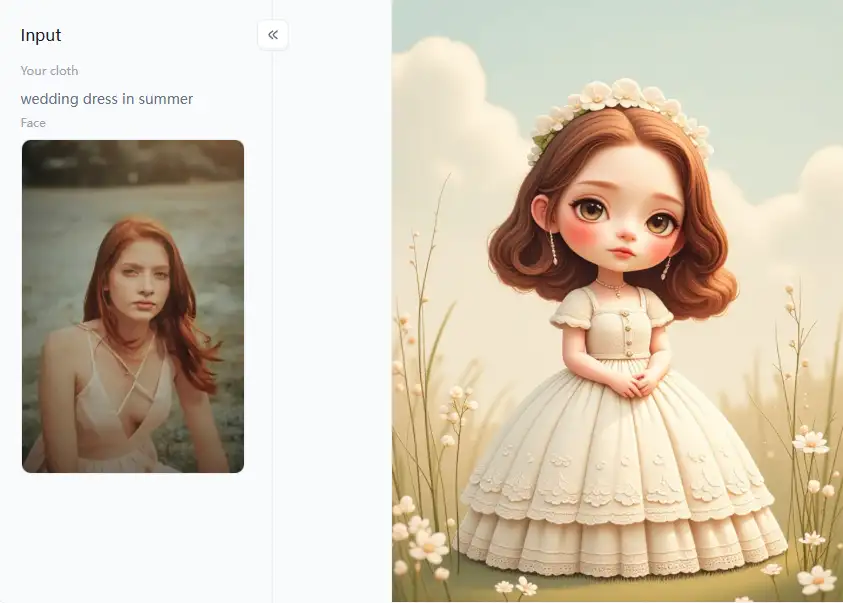
Click the picture to generate your exclusive 3d dress up doll with one click👇
8. Wonder Dynamics
Wonder Dynamics specializes in the fascinating trick of flawlessly integrating CGI figures created by AI with real-world videos. With its sophisticated tools, you may produce visually spectacular and stylish AI art videos that blend the real and the imaginary.
-
Pros: It's great at putting computer-generated characters into live scenes. This creates opportunities for incredibly imaginative and original video concepts.
-
Cons: This one is a bit more technical. You might need to know a bit about video editing to get the most out of it.
9. Synthesia.io
Synthesia is about creating AI-enhanced art videos where AI avatars speak from a script you give them. It's a unique way to make engaging and informative videos with a "digital glam" presenter.
-
Pros: It's excellent for making explainer videos or presentations with AI hosts.
-
Cons: This tool focuses on videos led by these AI avatars rather than creating purely artistic visuals from scratch.
10. Pictory.ai
While it's not mainly an art generator, it gives you tools to add pictures, music, and style to make your custom AI art videos look good, especially when starting from text or existing footage.
-
Pros: Creating new videos from old content is incredibly effective.
-
Cons: It's not primarily meant to make creative artistic videos from thin air.
You've got some great creative AI tools for video here. They can help you make cool AI art videos that will wow people. Each tool is a little different and special. So, try them out and see which ones you like best for your ideas!
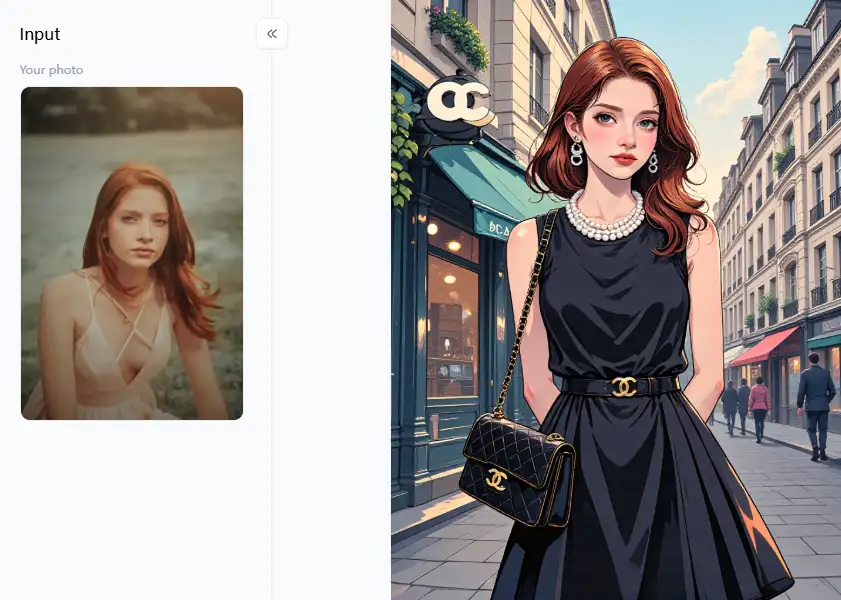
Click the picture to generate your exclusive chanel little black dress with one click👇
Strategies to Use a1.art Like a Pro for Glamorous Visuals
So, you want to create artistic expression AI videos that truly dazzle and pop with glamour? While a1.art isn't a video-making machine, think of it as your ultimate backstage pass to crafting stunning images. These images become the perfect, sparkling building blocks for your AI art video projects. a1.art is a real game-changer for turning everyday photos into something extraordinary:
For the Fashionista's Dream
-
Play around with virtual makeovers using filters like "Try on Makeup Online."
-
Get that cover-shot vibe with the "Super Model" filter.
-
Dreaming of elegant gowns? The "My Wedding Dress Photo" or "Chanel Little Black Dress" filters can help you visualize breathtaking designs with AI fashion technology.
-
The "3D Dress-up Doll" is a fantastic choice for a playful yet chic approach to outfits.
-
Idea Spark: Use these to create images for a virtual fashion show or a stylish digital lookbook!
Living the High Life in Pictures
-
Picture this: your subject "Playing DJ on a Yacht" – instant cool!
-
Or how about a regal look with someone who appears to "Sit on the Throne"?
-
Idea Spark: These are perfect for creating images that tell a story of glamour and fantasy.
City Sleek & Street Style
-
The "Posing On a Street in New York" filter can give your images an effortlessly cool city vibe.
-
Idea Spark: Think music video backdrops or trendy brand visuals.
Crafting Artistic & Polished Portraits
-
Filters like "Realistic Character" can give your portraits an amazingly lifelike quality.
-
For a more illustrative yet sophisticated touch, try "Realistic Illustration Style P7."
-
Idea Spark: Create stunning profile pieces or captivating character introductions for your video stories.
Eye-Catching & Dynamic Styles
-
The "Gorgeous Animation Style" filter can create visuals that truly pop with life.
-
And if you're after something unique, styles like the "Coin Video" look (imagine visuals with a cool, thematic effect) can add a special flair.
-
Idea Spark: These styles are fantastic for intros, outros, or any part of your video that needs extra punch.
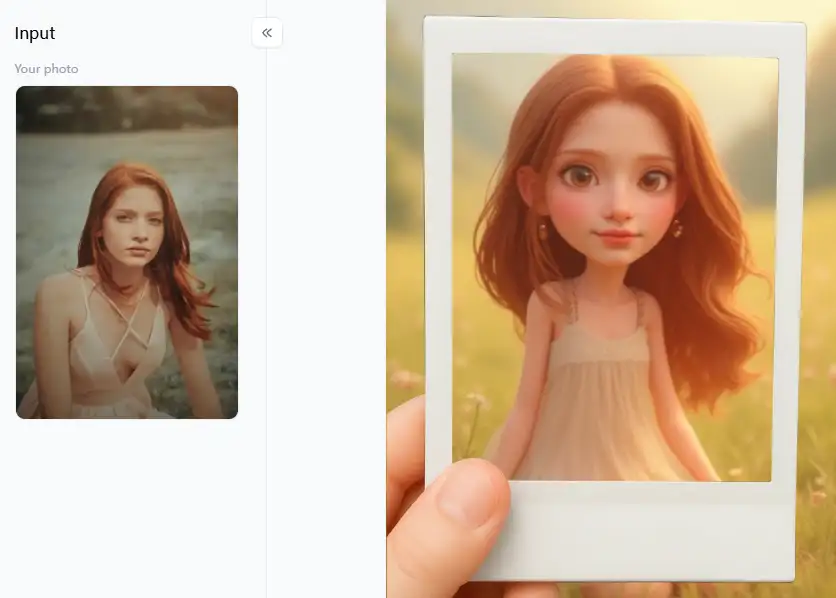
How to Use It, Just 3 Steps:
Step1:
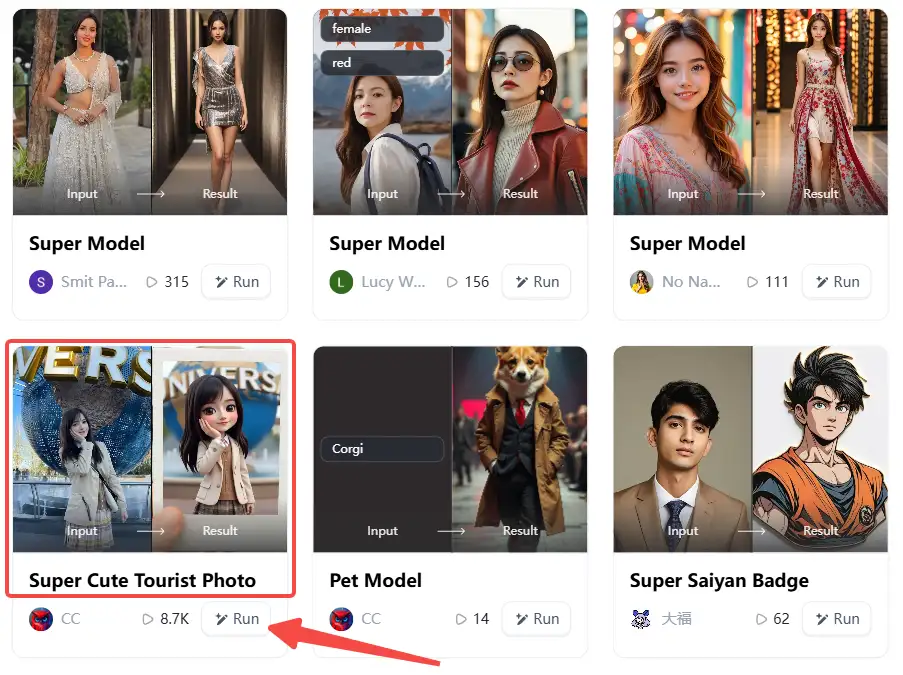
Open a1.art, choose the App that you are interested in, then click 「Run」
Click on the image to experience the same App👇
Step2:
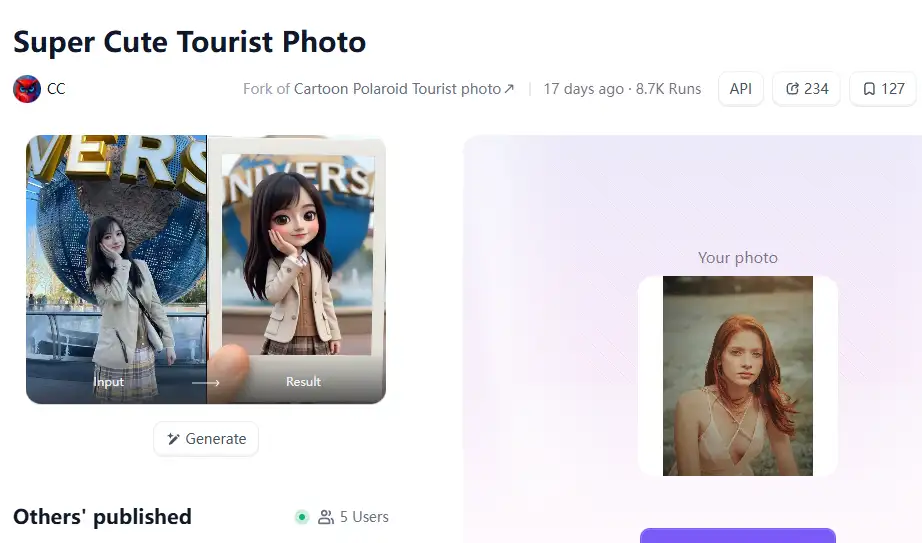
Upload a photo/image
Step3:
Wait 3 seconds, you will get a wonderful result 👇
Pro Tips for Making Your a1.art Images Sparkle Even Brighter
-
Mix and Match: Don't be afraid to try different filters on the same image or combine their effects. Think of yourself as a creative DJ, blending styles!
-
Use Clear Words: When you give a1.art instructions (prompts), use simple, vivid words to paint a picture of what you want. Instead of just "model," try "supermodel in a sparkling red dress, looking confident."
-
Go Big and Clear: For AI video artistry, you need sharp images. Use a1.art tools to make your final pictures high quality (upscaling) so they look great on any screen.
-
Keep it Consistent: If you're making a set of images for one video, try to use similar styles or colors so they all look like they belong together.
Turning Your Glam Images into Awesome Videos
-
Even with still images, think about the story or feeling you want your video to share.
-
The better your starting photos, the more amazing your AI-transformed images will be.
-
The best way to find cool looks is to try many different things.
-
Will your video be on a wide TV screen or a tall phone screen?
-
Take your glam a1.art images and use simple video editing apps.
a1.art can be your secret weapon for producing the stunning, glitzy building blocks for videos that grab attention if you follow these suggestions and allow your imagination to run wild!
Conclusion: Elevate Your Visuals with AI-Powered Creativity
The world of video art generator AI tools is taking off, giving creators cool new ways to make stylish videos. Even though specific "glam" video tools are still on their way, tools like a1.art are already doing a bang-up job of turning regular photos into stunning art. Get creative with its features and combine it with other animation tools to make amazing videos. Whether you pick one that makes videos straight up or use the artistic magic of a1.art, the future of making videos is here. Start crafting your unique and glamorous visual stories today – let your imagination run wild!
Read more
- Top 15 AI Tools for Image Generation Free: A Guide to Free AI Art Creation
- Image to Prompt Generator Online for Free: Your Easy Guide to AI Art Prompts
- Vidu AI Reviews 2026: Top 10 Alternatives for Free
- 10+ Best Online Momo AI Photo Generator Free
- How to Create AI-Generated Faces from Photos?
- Best 10+ AI Kissing Video Generators Online: Create Your Perfect Virtual Kiss in 2026
- Celebrate Eid al-Adha with a1.art AI Eid al-Adha Generator
- Celebrate Father's Day with a1.art AI Father's Day Generator
- Top 10+ Packgod Roast Generators Free 2026: Unleash Your Inner Packgod
- 12 Best BasedLab Alternatives in 2026: Unleash Your Creative Potential
Written by

a1.art
Published on
Dec 17, 2025
Share article


