


Have you ever been unable to stop staring at a blank screen? It is impossible to turn your brilliant ideas into amazing images. Perhaps you need some cool pictures for a fun project, blog, or social networking. What if artificial intelligence could magically produce pictures? These would be unique, professional-looking, and precisely tailored to your needs—often at no cost!
Welcome to the amazing world of AI tools for image generation! This isn't science fiction anymore; it's here and shaking things up. Experts say the market for AI picture makers will likely grow a lot. They think it will increase by more than 17.5% annually from 2026 to 2032.
These free AI image generators are a total game-changer. They let anyone become a visual creator with no artistic skills needed. This article is your friendly guide to this new world. We'll check out some of the best AI image generators and give easy tips to create stunning visuals. Get ready to unleash your inner artist!
What is the Best AI Tool for Image Generation?
Figuring out the "best" AI image generator from an image is what you need and like. But understanding how these tools work under the hood can help you pick the right one.
How it Works:
- You type in what you want to see. The AI figures out what your words mean. Then, it uses its knowledge to create a picture that matches your description.
- Some AI tools let you upload a photo and then change it with words or other tools. You can add things, change the style, or make the picture bigger and clearer.
What to Look For:
- It should be simple for anyone to get the hang of.
- The images should be clear and have lots of detail.
- It should be able to create many different art styles.
- You should be able to tweak the pictures to make them perfect.
- Some tools give you tips on how to write good descriptions.
- It shouldn't take forever to create an image.
- See if there's a free version or a trial to test it.
Knowing these things will help you explore the world of AI image makers and pick the one that's right for your creative adventures.
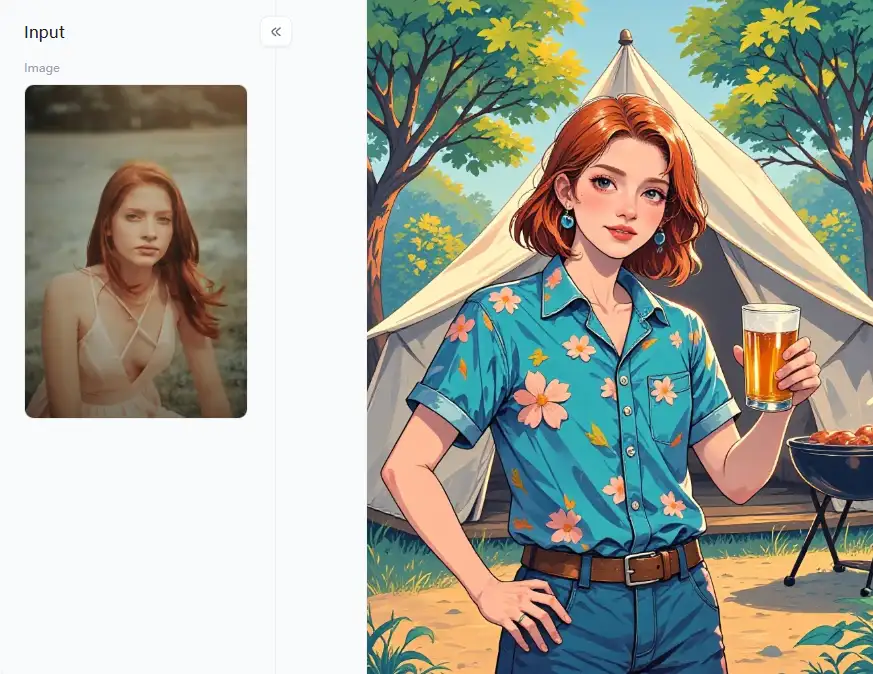
Click the picture to generate your exclusive happy summer camp with one click👇
Uses of AI Tools for Image Generation
AI image generators have made a world of amazing creative possibilities possible. They do more than just generate pictures; they create amazing visuals.
Awesome ways to use AI for creating:
- Create eye-catching pictures for social media, blogs, websites, and ads.
- Artists can try new styles, develop ideas, and break through creative blocks.
- Quickly see what new products, buildings, or clothes could look like.
- Create amazing backgrounds, characters, and objects for games and virtual reality.
- Make learning materials more interesting and bring stories to life with cool pictures.
- Create personalized artwork, invitations, and gifts just for fun.
There are tons of good things about using AI to make images:
- You don't need to be a tech whiz or an artist to create great visuals.
- Get pictures in minutes, not hours or days.
- There is no need for expensive stock photos or designers all the time.
- Create images that are exactly what you want.
- Play around with different styles and ideas you might not have considered before.
- You can quickly create many different pictures for whatever you need.
AI tools for image creation are changing how we create and see things. So give it a whirl – you might just surprise yourself with what you can make!
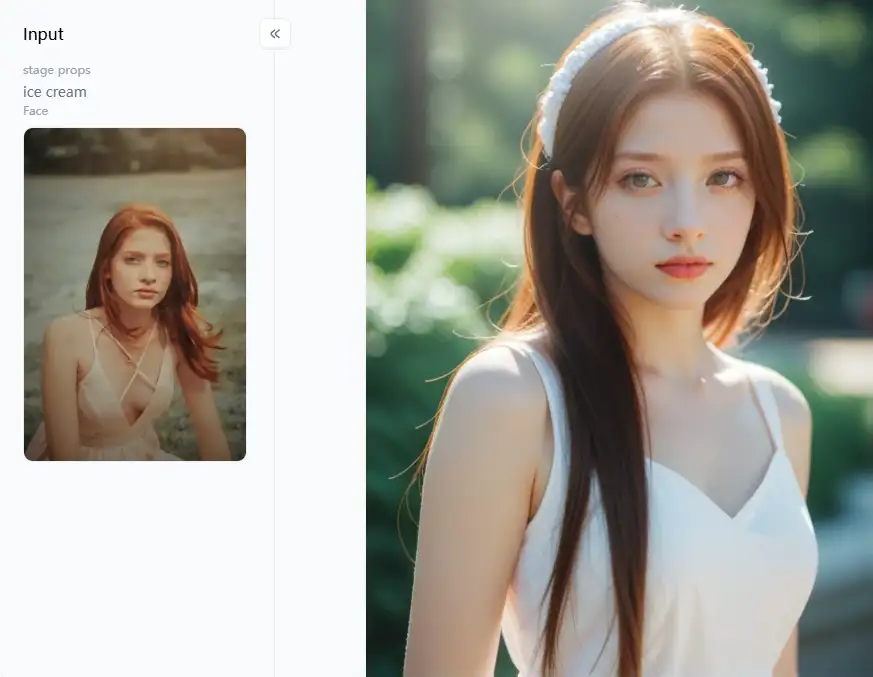
Click the picture to generate your exclusive summer photo with one click👇
Top 15 AI Tools for Image Generation Free Online
Are you interested in creating art with artificial intelligence? Look at these 15 AI image generators free online, each with unique features that can help you produce various art.
#1 a1.art
This AI-based image-generation tool can make pictures in different ways. You can type words, and it will make a picture. You can give it a picture, creating a new one that looks similar or different. It also has tools to change your pictures.
- Pros: Intuitive design, extensive filter options, good image quality in the free tier, active community support.
- Cons: The free tier may limit generation speed or advanced features.
#2 Bing Image Creator (powered by DALL-E 3)
Integrated into Bing search and Microsoft Edge. Uses OpenAI's latest DALL-E 3 model for high-quality, context-aware images.
- Pros: Completely free with a Microsoft account, excellent at understanding complex prompts, fast.
- Cons: This AI image generator from text requires a Microsoft account, and daily "boosts" for faster generation are limited.
#3 Craiyon (formerly DALL-E mini)
Simple web interface, unlimited free generations.
- Pros: Very easy to use, no sign-up needed, great for quick experiments.
- Cons: Image quality can be lower than premium models, sometimes has quirky or abstract results, and includes watermarks.
#4 Canva AI Image Generator
Integrated within the popular Canva design platform.
- Pros: Integrating free AI images directly into your designs is easy.
- Cons: Free image generations might be limited per month, and quality can vary—one of the handy free AI design tools.
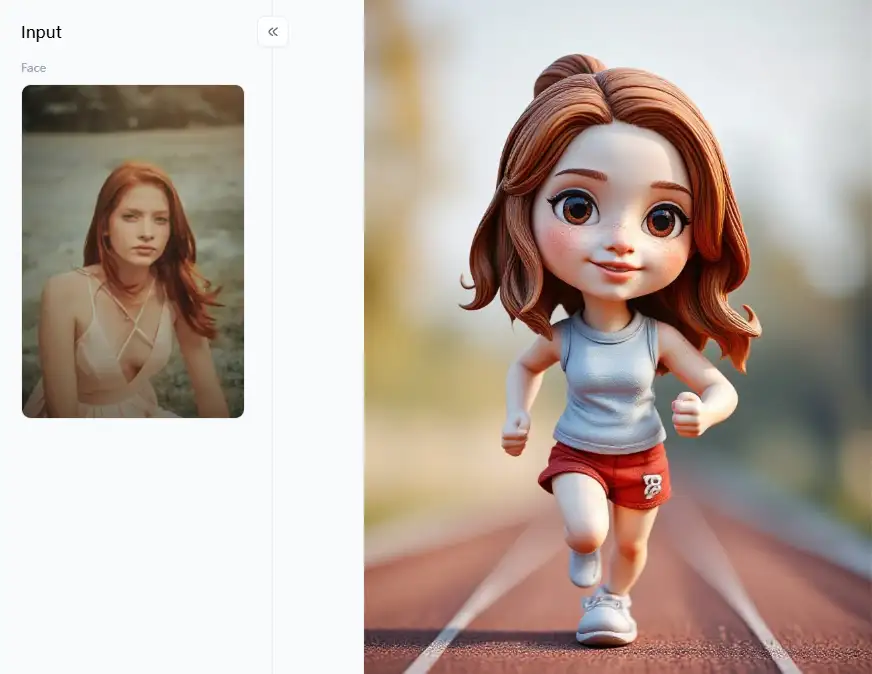
Click the picture to generate your exclusive 3d running figure with one click👇
#5 NightCafe Creator
It offers multiple AI models, robust community features, and free daily credits.
- Pros: Lots of creative control, a strong community for inspiration.
- Cons: It is easy to use free credits, but new users may find the interface overwhelming.
#6 Dream by WOMBO
Mobile-focused (iOS and Android apps), various art styles.
- Pros: Very user-friendly, fast generation, great for creating unique art on the go.
- Cons: The free version has ads and might limit some styles or features.
#7 Stable Diffusion (via platforms like DreamStudio Lite or Hugging Face)
Open-source model, highly customizable, and many free web UIs.
- Pros: Powerful and flexible, without censorship on self-hosted versions and an active development community.
- Cons: This free AI art generator can be more technical when set up or uses advanced features, and the quality depends on the specific UI and settings.
#8 Leonardo.Ai
Focus on game assets, concept art, and artistic images—fine-tuned models.
- Pros: High-quality artistic output, daily free tokens.
- Cons: Free tokens are limited, and you can have a waitlist for access.
#9 Fotor AI Image Generator
Part of Fotor's online photo editing suite. Offers text-to-image and photo effects.
- Pros: Convenient if you already use Fotor, decent quality for an integrated AI image design tool.
- Cons: Free generations are usually limited.
#10 Artbreeder
A unique approach using "genes" to breed and combine images. Great for portraits and characters.
- Pros: Creates highly unique and specific visuals, which is good for iterative design.
- Cons: Less about direct text-to-image and more about image manipulation; free usage has limitations.
Click the picture to generate your exclusive super model with one click👇
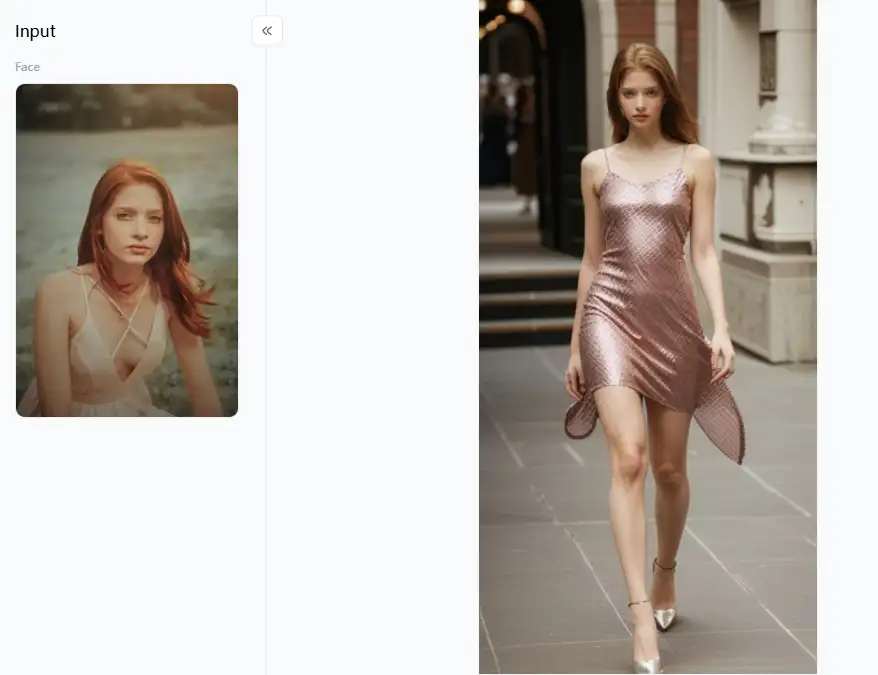
#11 Deep Dream Generator
- Known for its psychedelic and abstract "deep style" images, it also offers other styles.
- Pros: Creates very distinct and artistic photos, with a free tier available.
- Cons: Processing can be slower, and free usage limits apply.
#12 StarryAI
Generates art from text prompts and offers different AI models and styles. Daily free credits.
- Pros: A simple interface gives users ownership of their creations.
- Cons: Free credits are limited, and some advanced options are paid.
#13 Hotpot.ai
It offers various free AI design tools, including an image generator, an AI art generator, and a background remover.
- Pros: Multiple tools are available in one place, and free options are available.
- Cons: Free usage often comes with size or quality limitations.
#14 Playground AI
Stable Diffusion offers a social platform to share and discover AI art.
- Pros: Generous free tier (e.g., 1000 images daily), good quality.
- Cons: For complete novices, it could be a little more difficult.
#15 Picsart AI Image Generator
Integrated into the popular Picsart mobile and web AI image editor.
- Pros: Easy to use within a familiar editing environment, good for quick edits and social media.
- Cons: Free features might be limited; best results often require a subscription.
A great place to start for anyone interested in the potential of AI image-generation tools is with these free AI image-generation tools.
Click the picture to generate your exclusive dopamine style p2 with one click👇
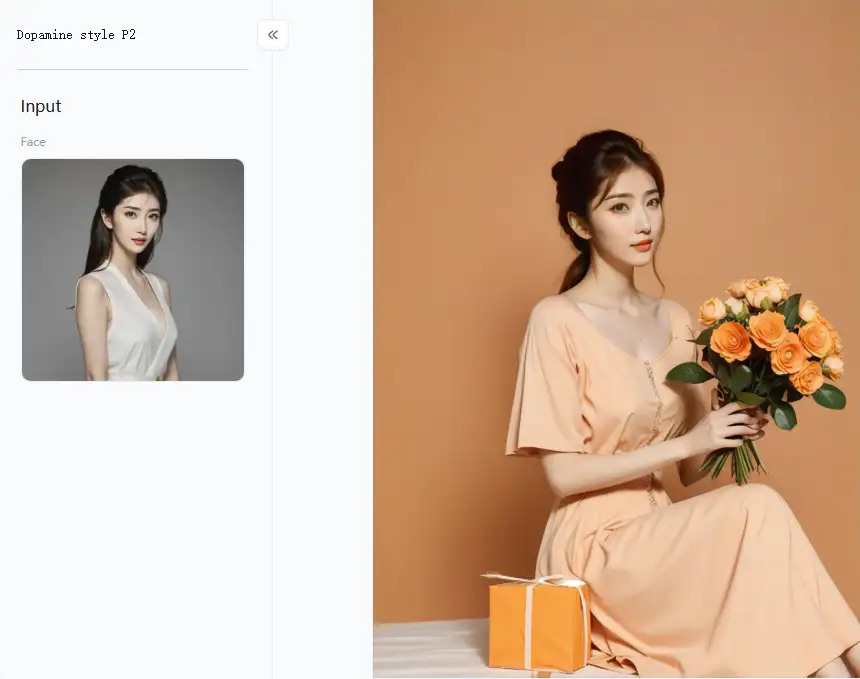
Strategies to Make Full Use of AI Image Generation with a1.art
While lots of AI photo generation tools do a decent job, a1.art is made to be super easy and fun to use. Let's dive into how to make the most of it and bring your dreams to life.
Nailing Your Word Power
The secret sauce to getting a fantastic AI image is writing a great description or "prompt."
- Get Down to Details: Don't just say "a cat." Instead, try "a fluffy Persian cat sleeping on a purple velvet cushion in a sunbeam, super realistic." The more you tell the text-to-image generator, the better the picture.
- Use Colorful Words: Words like "bright," "peaceful," "amazing," "fun," "detailed," and "soft light" help a1.art get the vibe and style you're after.
- Play with Styles: With a1.art, picking a style is a breeze. For example, choose the "Modern Digital Art Style" filter and upload your face photos. You can tailor the template filter by clicking "Fork."
- Mix Things Up: Try "a robot making a latte, looking like a 3D cartoon, with bright neon lights."
Turning Your Photos into Something Special
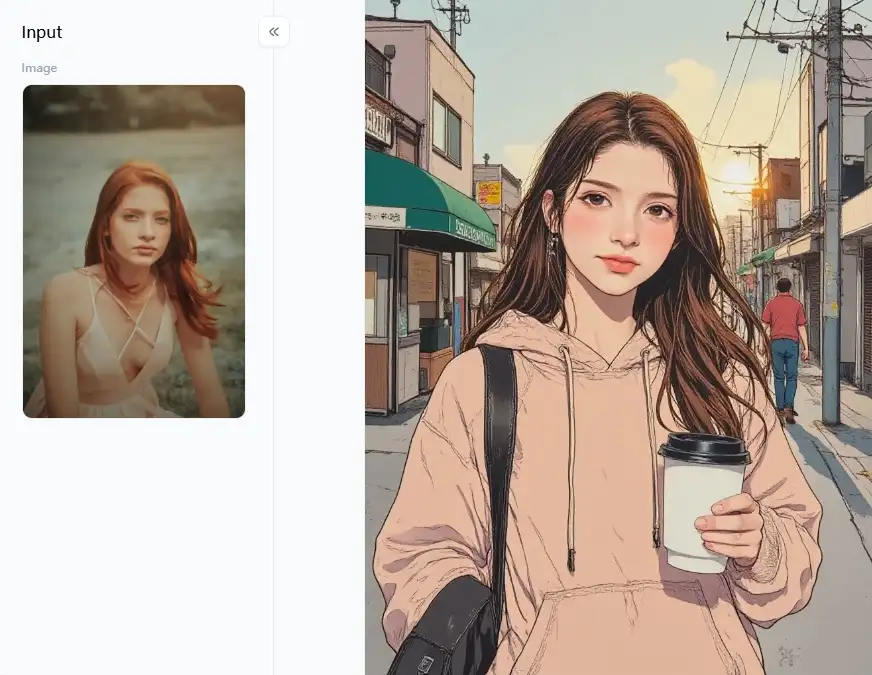
a1.art is good at turning your regular photos and making them new and exciting. This is where its ability to generate images with AI from your pictures shines.
- Make Memories Shine Brighter: Upload a "Sweet couple photo" and tap the "My Luv" filter to make it even more romantic and artistic. Turn a regular selfie into a "Male professional photo" perfect for your LinkedIn profile.
- Have Fun with Makeovers: Ever wondered what you'd look like as a "Barbie doll"? Just upload a photo and let a1.art do its thing. You can also make everyday scenes extra special, maybe a picture of you saying, "I like bubble tea," in a cool, fun style.
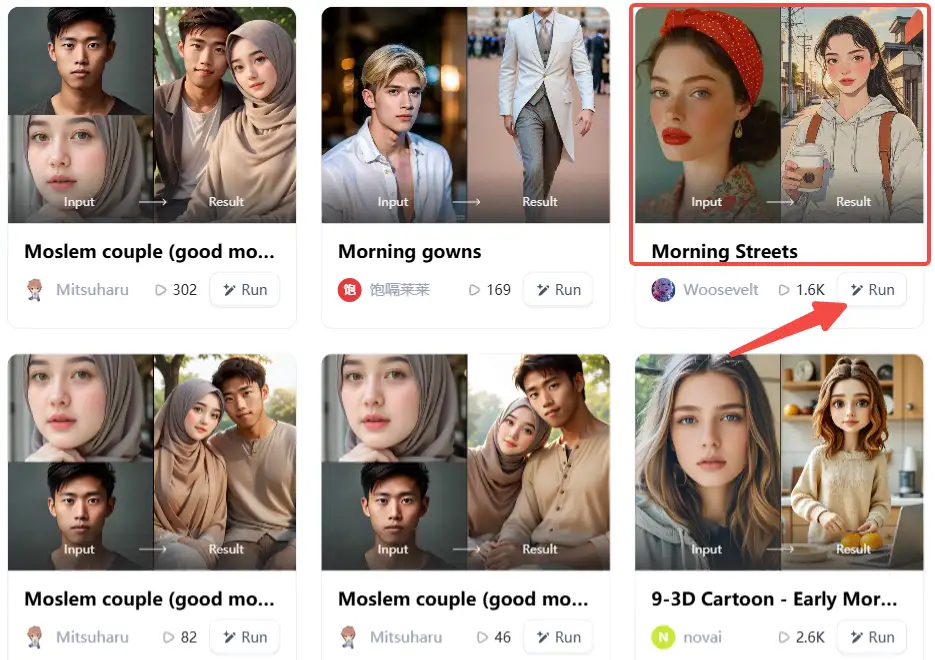
- Give Your Photos an Artistic Touch: Make a simple snapshot look like a work of art. A picture of "Morning Streets" can become a dreamy painting. A photo of someone about to "Give Flowers" can be turned into different artistic styles. The "Monochrome Photo" filter is perfect for a classic, elegant look.
- Dream Up Cool Characters: If you're a writer or game designer, you can create imaginative characters like a "Sexy Lady" warrior or a powerful sorceress.
How to Use It, Just 3 Steps:
Step1:
Open a1.art, choose the App that you are interested in, then click 「Run」
Click on the image to experience the same App👇
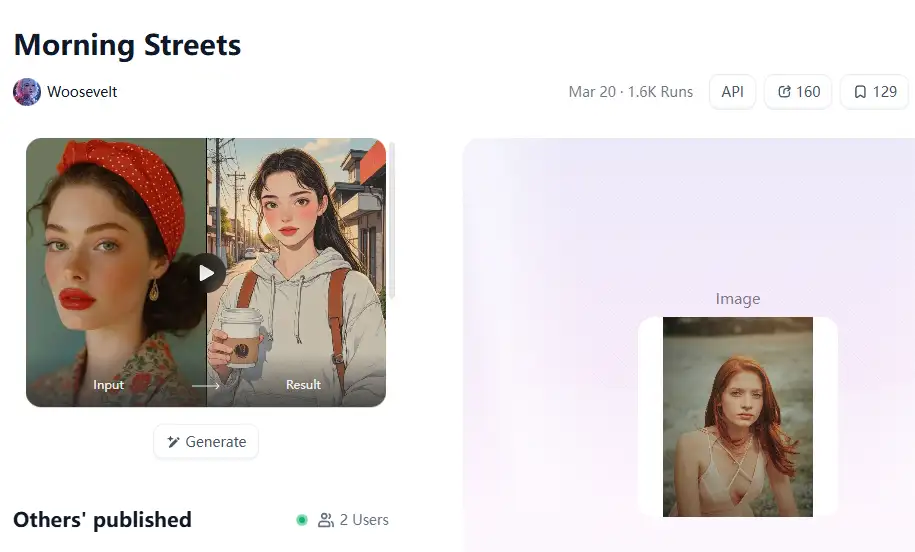
Step2:
Upload a photo/image
Step3:
Wait 3 seconds, you will get a wonderful result 👇
Making Your Creations Even Better
Many AI image makers, including a1.art, have simple AI tools for creating free images that let you easily save them so you can edit them later.
- Try, Try Again: Don't expect the first picture to be perfect. Make a few different versions. Change your prompt a little bit.
- Make it Bigger and Better: Increase the size of your favorite photos to look great when you print them or see them in detail.
- Crop and Tweak: Simple modifications like cropping can dramatically influence your image's appearance.
Cool Ideas for Using a1.art
- Social Media Superstars: Want your posts to pop? Use bright and lively pictures! A playful image from the "I like bubble tea" collection or a chic black and white shot can help you stand out.
- Personalized Presents: Make a "Sweet couple photo" even sweeter with the "My Luv" filter, or create a unique "Watercolor illustration" from a special memory.
- Looking Professional: Make a "Male professional photo" for your online profiles or create custom graphics for your presentations.
Conclusion: Embrace the Future of Visual Creation with a1.art
Everyone, from art experts to complete novices, may now effortlessly transform plain text or images into breathtaking visuals thanks to the incredible realm of artificial intelligence image generation! It's a smart and fun way to show what you think and make your products look great.
If you want to make cool pictures with AI, a1.art is the best tool. It's easy to use and helps you create amazing art and fix your photos. You should check it out! Play with its diverse filters and watch your brilliant ideas spring to life. Your next masterpiece is ready when you are!
Read more
- Celebrate Father's Day with a1.art AI Father's Day Generator
- Best 10+ AI Kissing Video Generators Online: Create Your Perfect Virtual Kiss in 2026
- Celebrate Eid al-Adha with a1.art AI Eid al-Adha Generator
- Top 10+ Packgod Roast Generators Free 2026: Unleash Your Inner Packgod
- 12 Best BasedLab Alternatives in 2026: Unleash Your Creative Potential
- 10+ Best AI Face Swap Videos Online Free: Your Ultimate Guide to Viral Creations
- Seaart vs. a1.art: Which Face Swap Tool is the Best 2026
- Top 15 Free AI Clothes Remover Tools Online 2026
- Celebrate Islamic New Year with AI: Create Spiritual Art
- How to Remove Clothes from Photos Using AI Tools
Written by

a1.art
Published on
Dec 17, 2025
Share article


