


Have you ever wished your photos had a touch of magic? Or saw those super cool AI faces online and thought, "Wow, how do they do that?" You may believe it requires expensive equipment or art school, but guess what? This time, it is easy!
Forget tricky old programs that don't make your pictures pop. With an AI face generator from photos, you can easily create photos for digital face conversions at your fingertips. This isn't just a simple filter; it's like giving your pictures a super-powered makeover! People everywhere love creating unique digital looks; now you can, too.
According to data from Statista, the global AI software market is anticipated to hit $126 billion by 2026. Imagine crafting awesome headshots, wild art, or seeing yourself in a new light. This guide will show you the ropes. Plus, we'll introduce a fantastic AI face morphing tool, a1.art, to get you started. Get ready to make your online look shine!
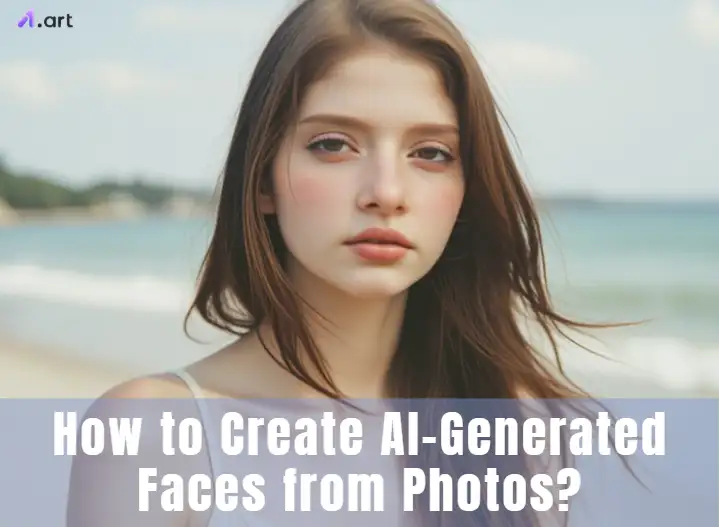
What is an AI Face Generator from a Photo?
Think of an AI face generator from a photo as a super-smart digital artist living on your computer. You give it a face photo, and this whiz kid uses AI to study it like a real artist. Then, it crafts a brand-new face inspired by your picture. These AI face-making tools have learned from looking at many real faces, so they get what makes a face, well, a face! What cool stuff can these AI face-generators do?
-
Style Makeover: Want your face to look like a famous painting or a cool art piece? Done!
-
Face Swap Fun: Ever wanted to see your face on someone else's body? Now you can!
-
Time Travel: See what you might look like, older or younger.
-
Mood Changer: Add a smile or a different expression to your AI photo face synthesis.
-
Art Attack: Turn your photo into a cartoon, a sketch, or a 3D model.
-
Your Tailored Touch: You can often change hair and eyes or add fun accessories.
The magic behind it all is pretty neat. Whether you're after a snazzy new profile picture, want to play with artsy styles, or need a unique look for a project, these AI portrait generators open up a world of fun.
Click the picture to generate your exclusive business lady portrait with one click👇
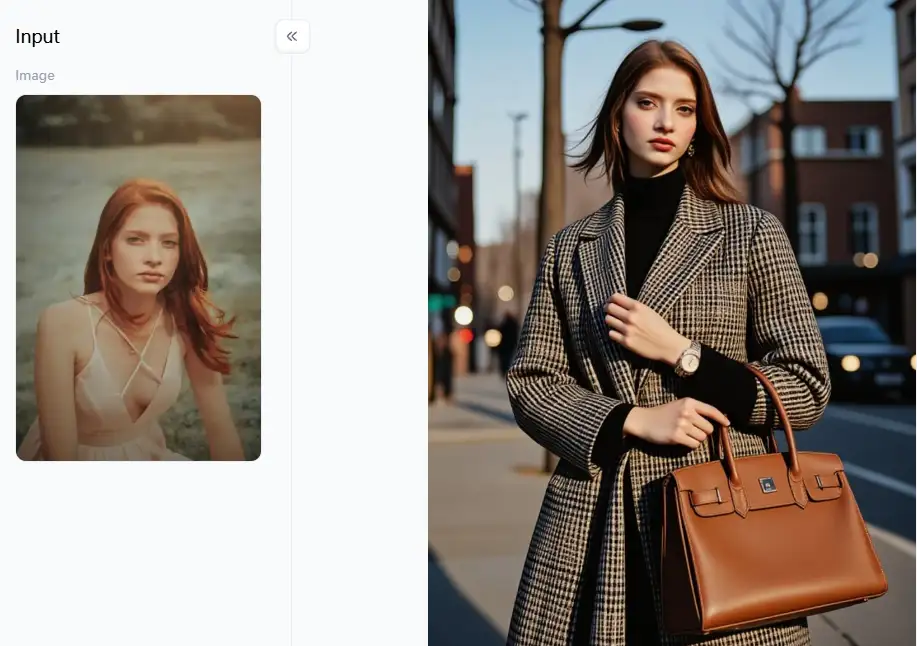
Try it for free with a1.art to create your exclusive business lady portrait!
The Creative Power of AI Face Generators: Uses and Future Trends
AI art generators are more than just a bit of fun; they're bursting with creative power and have many cool uses! Imagine whipping up a unique face with AI – it's opening doors for art, entertainment, and even serious jobs.
So, what style photo of AI faces can you create?
-
Super Real: Faces that look like they stepped out of a photo.
-
Artsy Vibes: Turn your face into a cool painting, cartoon, or sketch.
-
Fantasy Fun: Dream up alien faces or futuristic looks – anything goes!
-
Meme Magic: Create laugh-out-loud images ready to go viral.
And what can you do with these awesome AI faces for free?
-
Spice up your social media with a one-of-a-kind profile pic.
-
Design characters for stories, games, or art projects.
-
Have a blast swapping AI faces or trying on different ages.
-
Keep your real face private online by using an AI avatar.
These tools are a breeze, quick, and often cheaper than hiring folks. You get total creative freedom to make something truly unique! Get ready for even more lifelike faces, more ways to tweak your creations, and even convert photos to AI faces live on video!
Click the picture to generate your exclusive chanel 3d avatar with one click👇
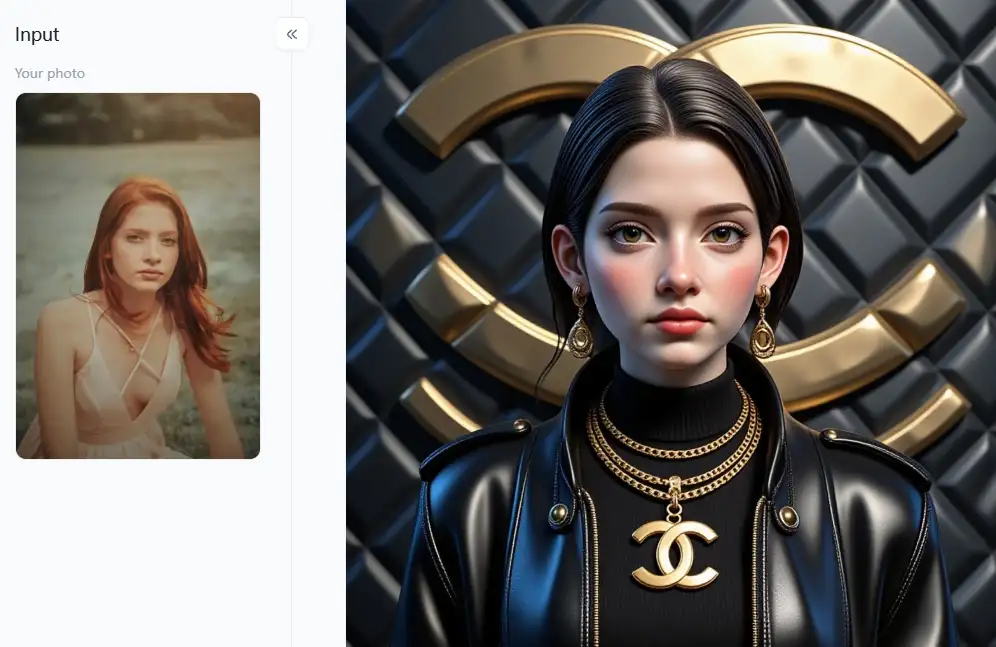
Pro Tips: Mastering AI Face Generation from Your Photos
Are you prepared to dive right in and create some amazing AI-based face modeling from your photographs like a pro? You would be surprised at how easy it is! Let us learn how to make the most of these amazing AI image generators free online.
Step 1: Pick the Perfect Picture
-
You need a good photo. Think of it as the foundation of a house – if it's wobbly, the whole thing might be!
-
What to look for: Go for a clear, bright photo with the face looking straight ahead or just a little to the side. Good lighting is your best friend here!
-
What to avoid: Steer clear of blurry shots – if you can't see the face clearly, the AI will struggle, too. Also, skip photos to a 3D AI face where the face is tiny, hidden in dark shadows, or covered by sunglasses, hats, or even hands.
Step 2: Choose a Great AI Face Maker Tool
-
Not all AI human generators are cut from the same cloth. You'll want to find one known for making awesome-looking faces that has plenty of cool styles and is clear about how to use them.
-
You'll find many free AI image makers online that can do faces, but sometimes, the tools made just for faces give you more bells and whistles and better control.
Step 3: Upload Your Photo:
-
Once you've picked your favorite tool, getting your photo in is usually a cinch.
Step 4: Explore All the Cool Styles and Settings
-
This is where you get to play! Most AI face reconstruction tools will show you many different artistic looks.
-
Additionally, they will include several filters and adjustment options. Try things out, click about, and see what happens. Do not be bashful.
Click the picture to generate your exclusive jumping letter with one click👇
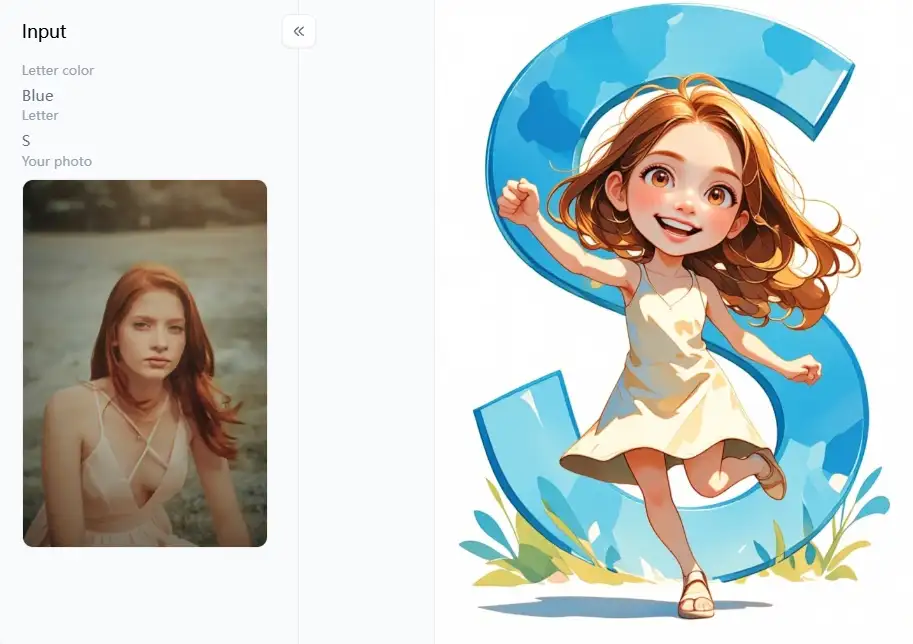
Step 5: Tell the AI What You Want
-
You may instruct the AI by typing commands into some of the more sophisticated AI face makers available online. It is similar to giving an artist instructions on what to draw. If you use a more specific language, the AI will understand your objectives more clearly.
Step 6: Hit 'Generate' and See the Magic
-
Now for the exciting part! Click that "generate" button and watch the AI do its thing. It's pretty cool to see it work!
Step 7: Fine-Tune Your Creation
-
Some AI platforms are extra cool because they give you tools to make little tweaks after the AI has done its first machine learning face transformation. You might be able to adjust colors, make things brighter or darker, or even subtly change parts of the face with enhancement.
Step 8: Download Your Masterpiece and Share it Smartly
-
Once you're totally happy with your AI-generated face customization – hooray! Go ahead and download it.
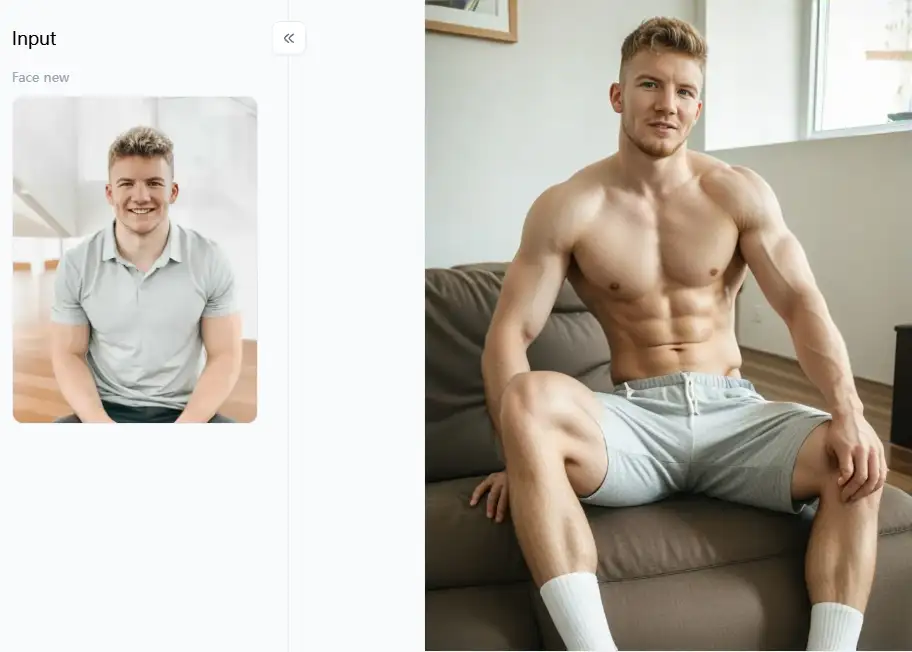
Click the picture to generate your exclusive boys fitness photo with one click👇
Awesome Tips for Getting Truly Amazing Results
-
Start Simple, Don't Rush: Don't try to do everything simultaneously if you're just starting. Begin with basic AI face creators online and ready-made styles.
-
Go Wild with Experiments: What happens if you mix a "vintage" look with a modern selfie? Or what if you try to blend your face with a picture of your pet or even a famous painting using face morphing tools? The crazier the idea, sometimes the cooler the result!
-
Look Closely at the Details: Pay attention to how the AI handles tricky bits, like eyes, the texture of hair, and different skin colors. Noticing these little things can help you determine which AI faces are the real winners.
-
Good In, Good Out: It's worth saying twice: if you start with a clear, high-quality photo, you'll likely get a detailed and awesome-looking AI face.
Cool Ways to Use Your AI Face Photos
-
The Ultimate Social Media Makeover: Generate human faces with AI that's yours but with an AI twist! Maybe you're a cool cartoon character, a brave fantasy warrior, or someone from a sleek sci-fi future.
-
Bring Your Characters to Life: If you're writing a story or designing a game, and you're stuck on what your main character should look like, AI can help! Upload a photo you like or a rough drawing, and let the AI generate faces from pictures to get your creative juices flowing.
-
Give Unique Digital Gifts: Imagine taking a photo of someone you care about and turning it into a beautiful piece of AI art for their birthday or another special day. How cool is that?
-
Travel Through Time: Ever wondered what you'd look like if you were in a famous old painting or if you were a movie star from the 1920s? AI face generators can give you a fun peek!
-
Explore Different Looks: Use AI to see what you might look like, older or younger, or just to try out completely different styles and vibes just for fun.
By following these tips and tricks and not being afraid to experiment, you'll be whipping up stunning, professional-looking AI faces from your photos in no time. Get ready to impress yourself and others!
Click the picture to generate your exclusive romantic couple sweet date photo with one click👇
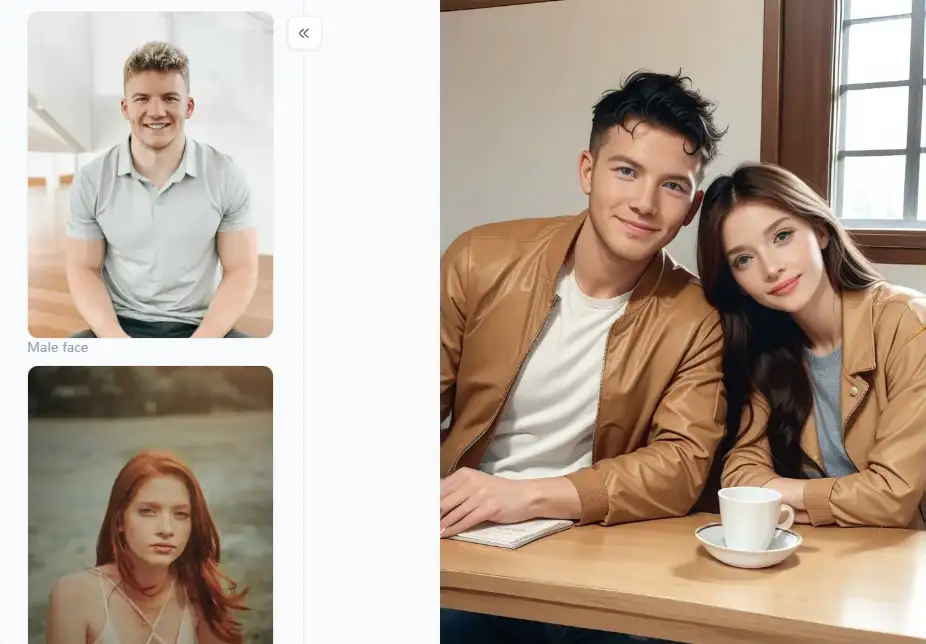
a1.art: Your Go-To for Stunning AI Face Transformations from Photos
Are you prepared to use AI to transform your ordinary images into something striking? Let us introduce you to a1.art if you are unsure where to begin! Imagine using it as your magic wand to turn photos into stunning AI faces. It is an awesome website with a ton of useful tools. Get ready to wow yourself and your friends with some gorgeous new looks!
So Many Styles, So Much Fun
The enormous range of AI face styles that a1.art offers is among its most amazing features. They most likely have a filter for the style you are aiming for. You can explore a vast array of imaginative styles, such as:
-
Super Realistic AI face generation: Want a photo that looks like a pro took it? Try the "Realistic Professional Photos" or "Realistic Character" filters. These are fantastic for creating believable avatars or portraits that shine.
-
Artsy Masterpieces: How about turning your photo into a comic book scene with the "Real Comic Filter"? Or maybe a soft "Color Pencil" sketch, a trendy "Webtoon" style, or even a classic "Sepia" toned picture? Your face, your art!
-
Playful and Whimsical: Get ready for some giggles! With filters like "Face Animator," you can bring your expressions to life. Or, transform yourself into an adorable "Toy Face," a cool "3D Face Maker" character, or even a super cute "Cute Baby Face."
-
Show Your Feelings: Want to change the mood? You can easily try using a "Sad Face Filter" or brightening things up with a "Smile Filter."
-
Dynamic and Dazzling Effects: Ready to experiment? Make your face "Glow," try a mind-bending "Face Morph," or add some fun decorations with the "Sticker Filter."
-
Picture-Perfect Scenes & Shares: You can create sweet scenes like a "Couple Picnic Portrait" or cook up some hilarious, shareable pictures with the "Meme Portrait" filter.
How to Use It, Just 3 Steps:
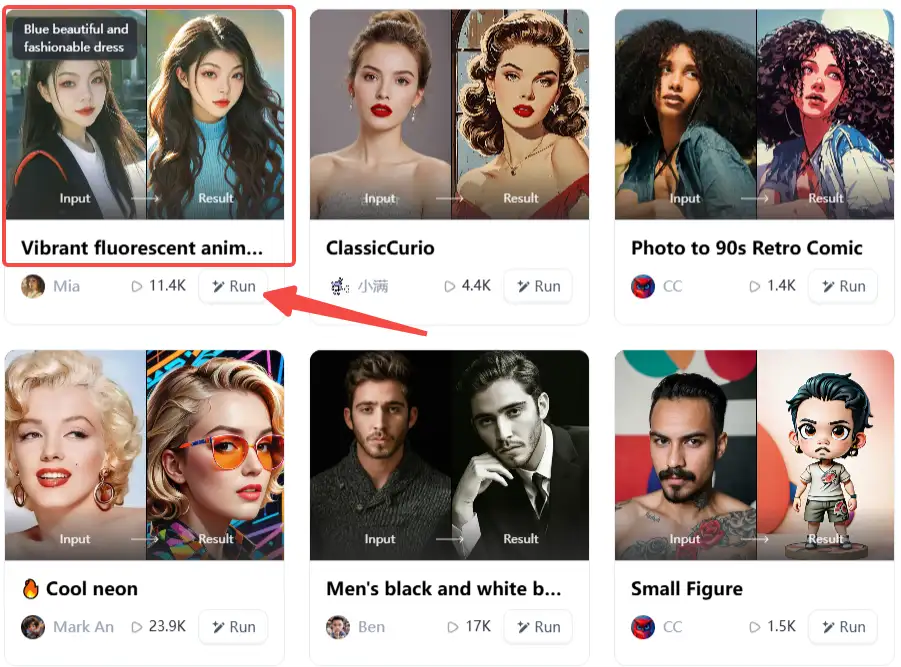
Step1:
Open a1.art, choose the App that you are interested in, then click 「Run」
Click on the image to experience the same App👇
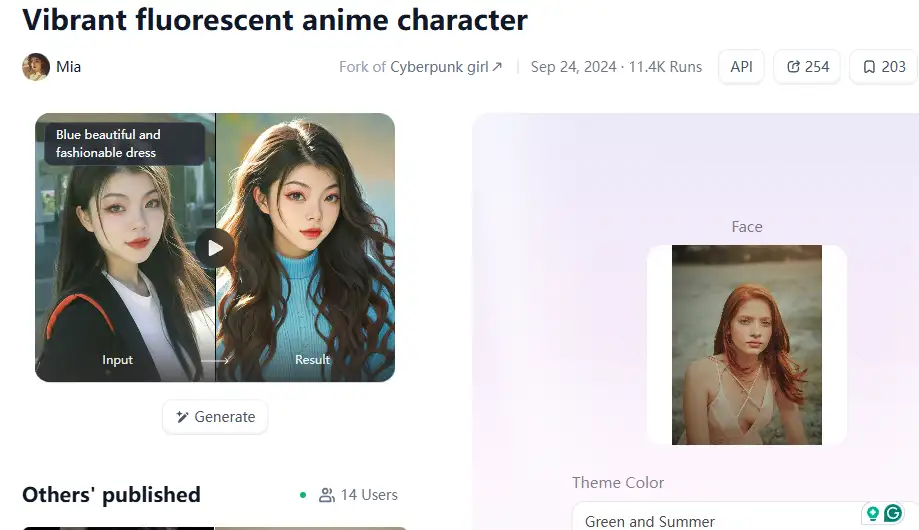
Step2:
Upload a photo/image
Step3:
Wait 3 seconds, you will get a wonderful result 👇
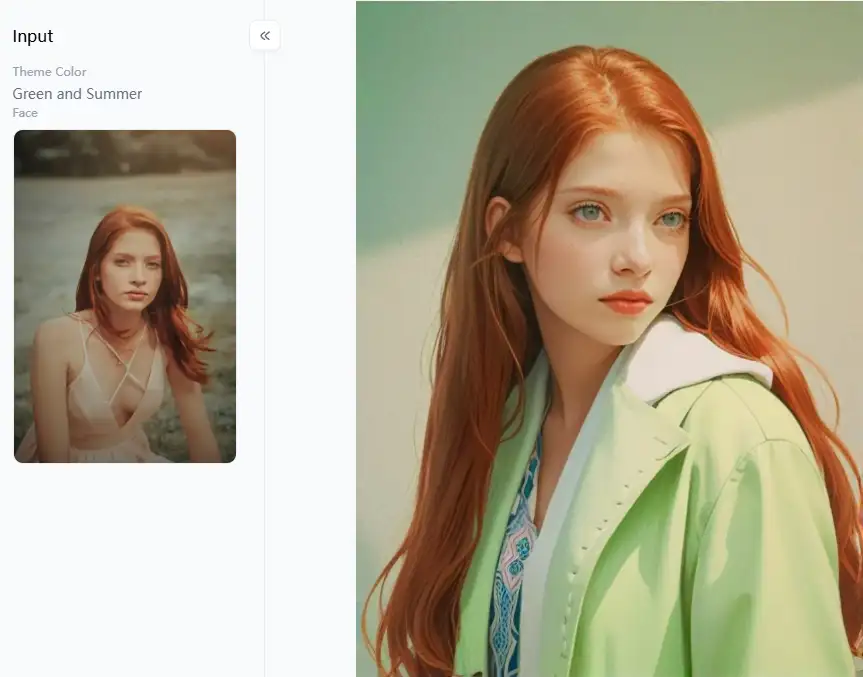
Swap Faces in a Flash
Ever wanted to see your face on a superhero's body or swap smiles with your best friend in a photo? Well, this AI face-swapping technology is incredibly easy and fun! You can effortlessly switch faces in your pictures, opening up a world of hilarious combinations and creative mashups.
Make Filters Your Own
While a1.art comes loaded with many awesome preset filters, it also lets you be the director! You get options to tweak things further. For instance, you can adjust how strong an effect is or fine-tune other little details.
Easy for Everyone, Powerful for Pros
-
Do not worry if you are new to any of this. The website is incredibly user-friendly. You can witness your photo change instantaneously by clicking on the "Run" filters.
-
You'll appreciate extra control if you're a photo editing veteran.
Hot Tips for Pro-Level Creations
Want to make your AI-generated faces look truly top-notch? Here are a few handy suggestions:
-
If you're creating a set of pictures, like for a project or a social media theme, try to use similar filters or settings.
-
It lets you download your AI deepfake face creations in high resolution. This means they'll look sharp and professional no matter where you show them off.
-
Mix your AI-generated facial images with text and other cool designs to create attention-grabbing visuals for school projects, presentations, or awesome social media posts.
-
If using other photo editing programs, try layering different AI faces or effects from a1.art.
Conclusion: Embrace the Future of Digital Imagery with a1.art
Artificial intelligence face creators are your ticket to an incredible entertainment and digital creation world! Giving fictitious characters life and making amazing photos of AI avatars are only two examples of the countless possibilities. You now know how to create digital avatars with AI. And a1.art is the ideal location to begin your trip if you are searching for one. It is incredibly user-friendly and has a ton of styles to transform your boring photographs into amazing ones. Try a1.art now to make your face images stand out instead of just dreaming about it!
Read more
- Celebrate Father's Day with a1.art AI Father's Day Generator
- Best 10+ AI Kissing Video Generators Online: Create Your Perfect Virtual Kiss in 2026
- Celebrate Eid al-Adha with a1.art AI Eid al-Adha Generator
- Top 10+ Packgod Roast Generators Free 2026: Unleash Your Inner Packgod
- 12 Best BasedLab Alternatives in 2026: Unleash Your Creative Potential
- 10+ Best AI Face Swap Videos Online Free: Your Ultimate Guide to Viral Creations
- Seaart vs. a1.art: Which Face Swap Tool is the Best 2026
- Top 15 Free AI Clothes Remover Tools Online 2026
- Celebrate Islamic New Year with AI: Create Spiritual Art
- How to Remove Clothes from Photos Using AI Tools
Written by

a1.art
Published on
Dec 17, 2025
Share article


