


Creating engaging AI images can be challenging, particularly when dealing with complex content. Even though you spend a lot of time typing, the art is imperfect. It might smother your creative spirit. What if it was simple? Imagine just a single click to create amazing art from basic concepts or images!
AI art is becoming more popular. According to experts, its value will reach $1.3 billion by 2032. More and more people are looking for simple image enhancers that do not require complex terminology. Anyone can produce art without lengthy prompts. You do not have to be an expert in technology or language. Anyone can create original content for work, social media, or enjoyment.
This AI art generator guide will show you Krea AI vs. a1.art. We'll examine what they do best and how they fit different needs. We'll focus on making art without long prompts and easy ways to improve pictures. AI artwork creation tools like a1.art are becoming must-haves for today's creators because they simplify things.
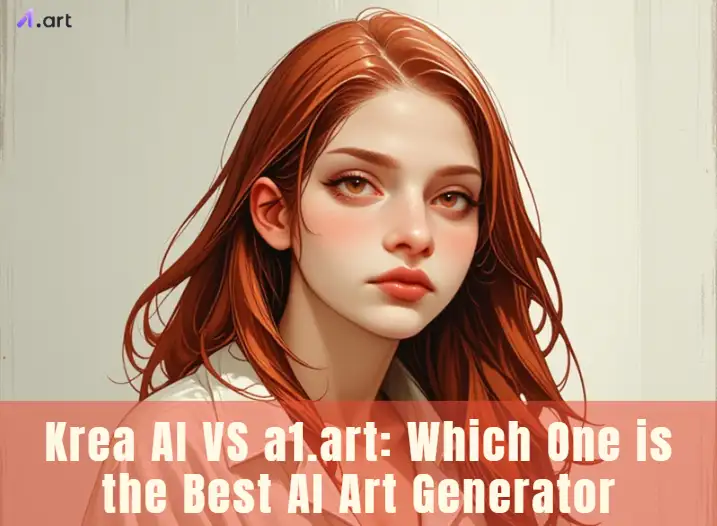
Krea AI: Unleashing Creativity Through Diverse AI Tools
Krea AI is a useful tool for AI image enhancement. It is renowned for its strength and versatility. Krea AI tool resembles an AI sketching board in real time. You can type simple sentences, add colors, and draw simple things. The AI immediately creates and enhances the image. Krea AI image generator is similar to having an AI friend who illustrates your ideas!
Cool things it does:
- Makes art live: Observe how your image changes as you type or draw.
- Makes pictures bigger and better: Your art becomes crisper with Krea AI's upscaler.
- Makes repeating designs: Excellent for texturing and backgrounds.
- Hidden logos: You can smuggle phrases or logos into images.
- It takes many kinds of input: You can submit pictures, use phrases, or even play around live with your camera.
Krea AI enhancer uses smart AI brains called GANs and diffusion models. The live part probably uses quick AI that changes the picture fast as you work. This makes creating feel smooth and fun. You can expect a fun and surprising way to make art. Getting ideas, quickly making rough drafts, and creating unique art is awesome. The way it improves pictures as you go is a big plus.
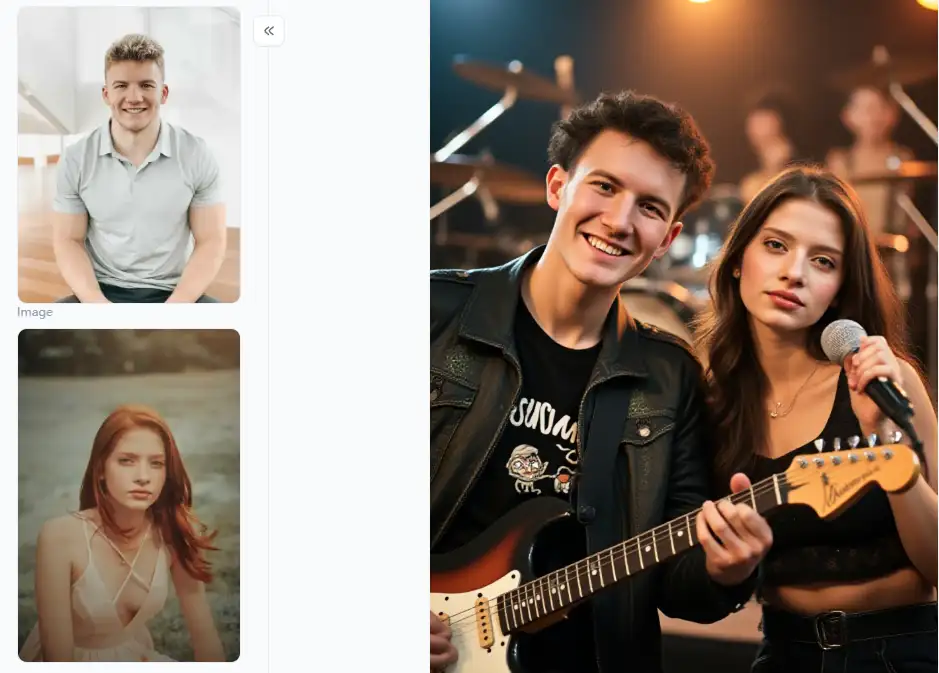
Click the picture to generate your exclusive band couple photo with one click👇
What Users Can Expect from a1.art?
a1.art makes AI art easy, especially if you like using filters or need to make your photos look fantastic. This Krea AI alternative is an AI art maker and photo fixer that's super easy to use. You don't need to type long, tricky prompts to get amazing a1.art art creation. It's also great at making your old photos look brand new.
Cool things it does:
- Make art without words: You may produce amazing artwork by choosing AI upscale styles or altering your images.
- Lots of cool filters: It features various artistic styles, from futuristic to painting-like.
- Make photos way better: It could sharpen, change the colors, expand, and improve your photographs.
- Turns photos into art: It is simple to transform your pictures into many artistic styles.
- Easy to use: The concept is straightforward, and you can achieve excellent results fast.
a1.art probably uses smart tricks like "neural style transfer" and "diffusion models" learned from the top AI art generators. To make photos better, it uses clever computer programs. It takes what you give it, makes cool new stuff, or fixes your photos. You can anticipate a simple method for producing stunning AI art; your photos will appear amazing. It's perfect if you want quick, top-notch results without a headache.
Krea AI VS a1.art: An AI Art Generator Comparison for Your Creative Needs in 2026
Picking between Krea AI and a1.art refers to what you want to do and what you like. Both are the best AI art tools but have slightly different ways of helping you make art and fix pictures. Let's look at what each one is best for:
| Feature | Krea AI | a1.art |
| AI Image Generation | Strong emphasis on prompt-based generation | Excels in prompt-free generation based on styles |
| Image Upscaling | High-quality AI upscaler available | High-quality AI upscaler available |
| Image Enhancement | Offers a range of general enhancement tools | Focuses on automatic, intelligent enhancement |
| Prompt-Free Generation | Present, but not the primary focus | A core strength of the platform |
| Artistic Filters | Available | Extensive and diverse collection |
| Real-time Feedback | Real-time image generation during prompting | Real-time previews for enhancement features |
| Pattern Generation | Unique pattern generation capabilities | Not a primary focus |
| Photo Retouching | Basic enhancement included | More advanced AI-powered retouching tools |
Who Will Love Which One:
- Krea AI is great for artists and designers who know what they want to create and like to describe it in words. It gives you much control over how the AI service makes the picture.
- a1.art is perfect for people new to AI art or who like to see and create easily. This is your jam. It whips up amazing art without long, fussy instructions. This automatic photo enhancement tool makes your photos look spiffy in a snap, no sweat!
Quick Tips for Using Them:
- For Krea AI: Start with basic, unambiguous directions and add more information to correct the picture. Experiment with various shapes and art forms. Quickly view multiple iterations of your concept by utilizing the live creation AI photo enhancer.
- For a1.art: Try all the fun art looks to find your favorites. You can upload your photos and watch the AI make them even cooler. Never be scared to experiment with the many buttons and styles to try different artificial intelligence solutions.
To give you an even clearer picture, let's dive deeper into some specific features and how they stack up.
Real-time Creation vs. Instant Transformation:
When you doodle or type, Krea AI makes art. It resembles a magical canvas! After you sketch a little and say "bluebird," a bluebird appears and improves as you continue to play. Getting ideas and trying real-time image enhancement is a lot of fun.
Now, a1.art is lightning-fast at changing pictures. You pick a style and upload a photo, and boom – your image looks like art or just plain better in seconds. The image resolution enhancer is perfect if you want cool results quickly and don't want to mess with tricky typing.
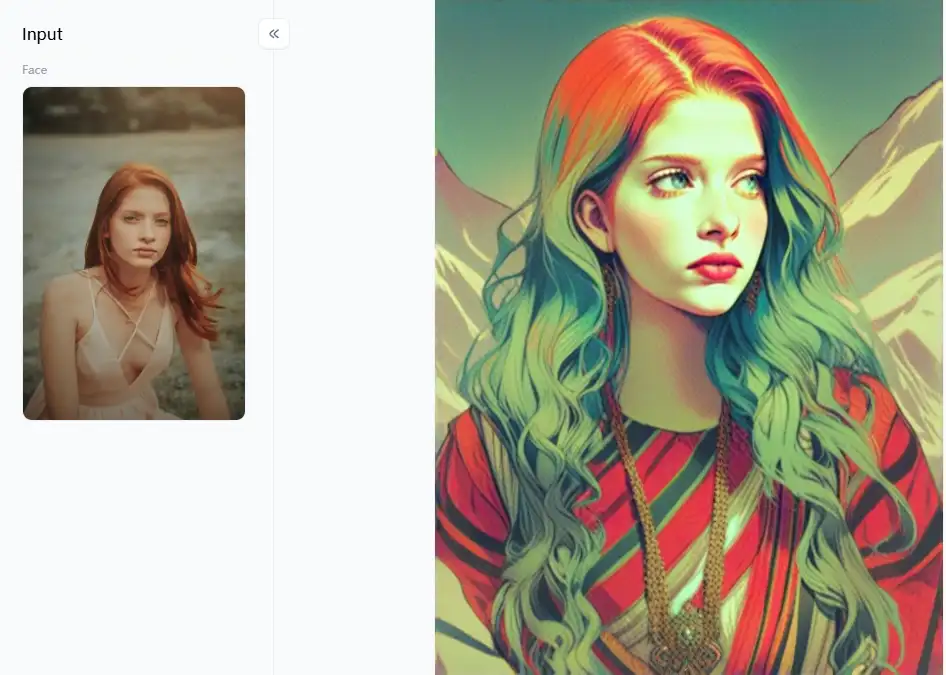
Click the picture to generate your exclusive everything art with one click👇
Control and Customization:
Krea AI gives you more control over AI. You can text anything you want, illustrate it with graphics, and do AI-powered photo editing until it looks exactly as you had in mind. If you want the AI to follow your example and you know your style, this control is a huge victory.
Even though a1.art doesn't use words much, it lets you play around differently. It has tons of styles and ways to make pictures better. You can't tell it everything, but with so many cool filters and smart AI, you can still make AI color corrections for different art and fix your photos nicely. It's more about finding happy surprises and the perfect look that clicks with you.
Unique Features:
Krea AI has several ingenious tricks at its disposal. It may, for example, produce repeating patterns, which help produce eye-catching backgrounds and textures for various applications. Another creative way to incorporate your business without attracting attention to itself is to add logos on pictures discreetly. People who create and design art are the target audience for these AI-generated art tools.
a1.art is special because it does two cool things: it makes AI art and makes your photos look fantastic with smart AI. This two-in-one deal makes it super useful to create AI pictures and give your old photos a fresh look. It automatically improves AI image upscaling and turns them into art, making them a great pick for many people.
The Learning Curve:
Krea AI might take newbies a little longer to figure out because it uses typing and live drawing. You gotta play around to see how your words change the pictures and get the hang of drawing live with it.
a1.art is intended to be user-friendly due to its prompt-free options and straightforward UI. You do not need to understand complicated prompting techniques to begin making artificial intelligence image editing. The low entry hurdle makes it particularly attractive to casual users and people unfamiliar with AI art.
So, if you like to make pictures bit by bit with the AI as you go, Krea AI is pretty neat. But if you want something simple with loads of awesome art looks, you can use it right away, and it zaps your photos into amazing shapes super quick, then a1.art is a winner.
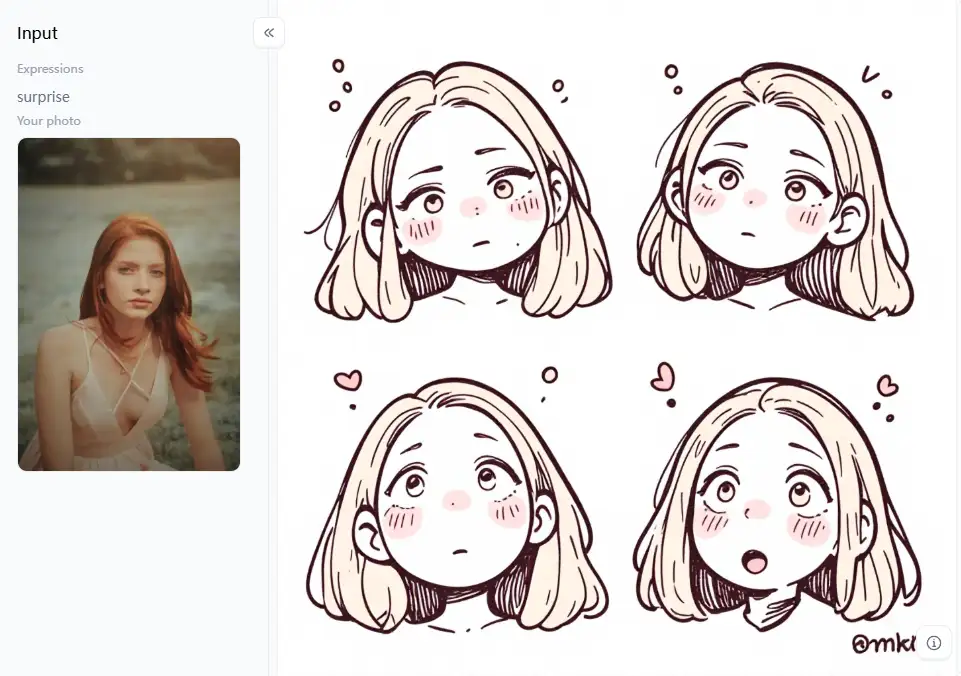
Click the picture to generate your exclusive custom chibi expression with one click👇
What Drives a1.art's Standout Appeal Compared to Krea AI Alternatives?
What distinguishes a1.art from other AI art generators for professionals like Krea AI? It all comes down to being simple and producing excellent outcomes with little effort.
Why a1.art Stands Out:
- Making art super easy: A lot of typing is required for some AI technologies. But not this one! You simply choose a cool style of art or display an image. You may then create stunning artwork with it.
- Smart photo fixing: It doesn't just do basic tweaks to your photos. It's smart! It looks at your pictures and automatically makes them sharper and clearer, with better colors and brightness.
- Tons of awesome art styles: It has a huge and growing collection of art filters. These image sharpener tools can turn your regular photos into beautiful paintings or even futuristic designs.
- Simple to use: The whole thing is designed to be easy. Anyone can figure it out quickly and get professional-looking results. It's smooth sailing from start to finish.
- Focuses on changing pictures: It is amazing for your old photographs, and use creative filters or ingenious adjustments to give them a new, intriguing look.
Cool Ways to Use a1.art's Filters:
- Turn the filter up or down: Most AI photo retouching filters let you change how strong they are. Try using a little for a gentle touch or a lot for a big change.
- Mix and match filters: Don't be shy about using multiple filters. Apply one, save it, and then try another to get something unique.
- Pick and choose where to use the effect: Currently, a1.art does not allow you to paint the impact on just a portion of the image. "Fork" will enable you to modify with prompts.
- Make small tweaks: Even after you put on a filter, you can still mess with how bright, dark, or colorful your picture is. You can do this right in "Fork".
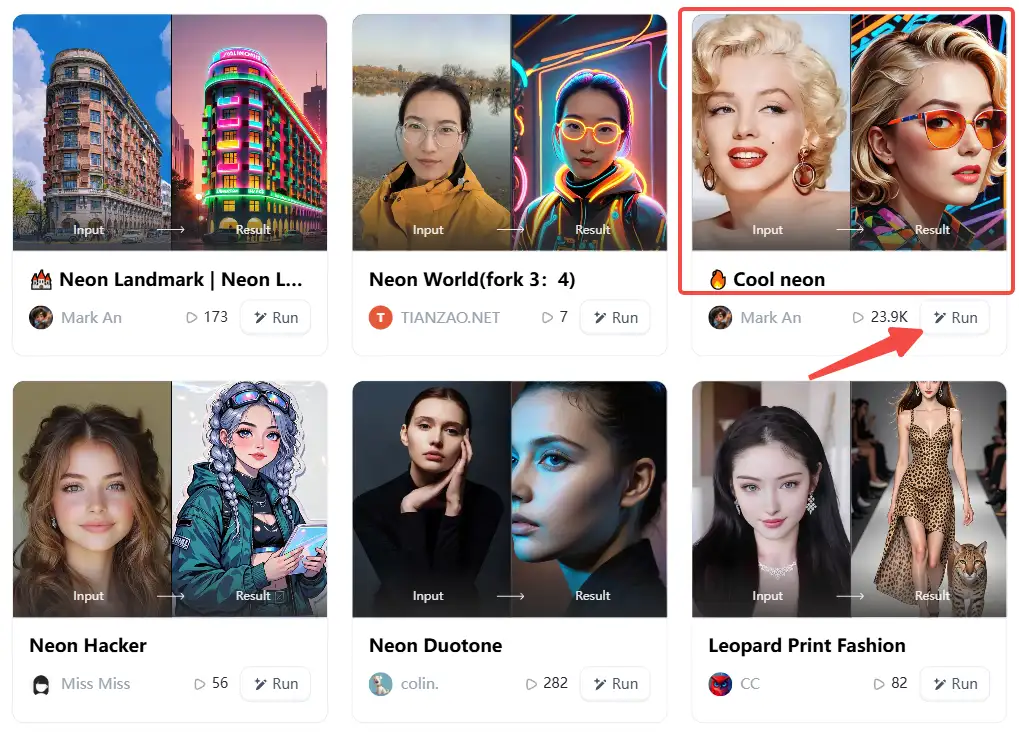
How to Use It, Just 3 Steps:
Step1:
Open a1.art, choose the App that you are interested in, then click 「Run」
Click on the image to experience the same App👇
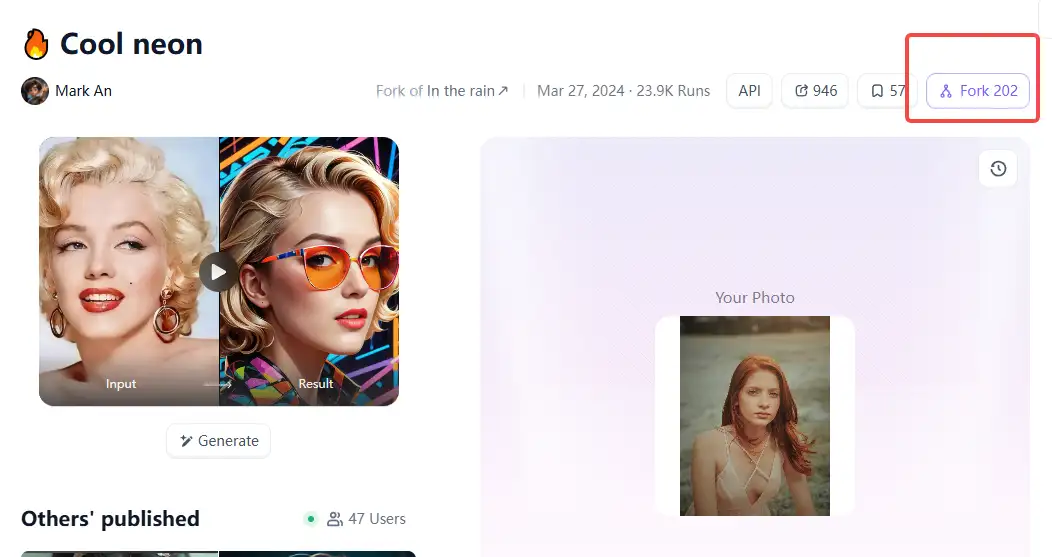
Step2:
Upload a photo/image
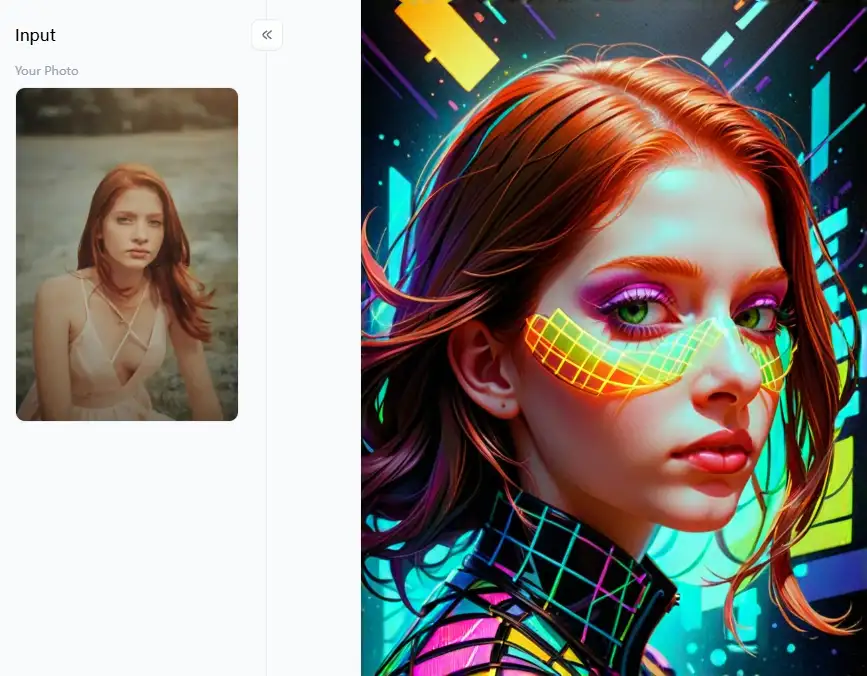
Step3:
Wait 3 seconds, you will get a wonderful result 👇
Great Ideas for Pros Using a1.art:
- Modern and abstract art: Utilize the many styles to create unique, surreal artwork or add a fresh, cool vibe to simple images. Experiment with the vibrant "Modern Era" and "Modern Digital Art Style" filters.
- Fantasy art and characters: Use genres such as "Cinematic Dark Fantasy," "Couple Fantasy," and "The Fantasy World of Orange Cat" to bring fictional worlds and characters to life. For more complex digital artwork, these might make a great starting point. For inspiration, look at other works of fantasy art.
- Neopunk and cyberpunk look: Use filters like "Punk Robot," "Cyber Boxer," and "Cyber Anime Couple Photo" to explore the cool, edgy future. To make it even more realistic, try including digital elements and flaws. The "Neon World" filter can provide stunning lighting effects.
- Sketches and drawings: Use filters such as "Pencil Drawing," "Color Pencil Filter," "Photo to Sketch," and "Sketch Painting Filter" to quickly convert photographs into sketches or line art. They can be a foundation for digital paintings or stand alone as amazing artwork.
With a1.art's different photo quality enhancers, pros can zoom through their work, play around with fresh art ideas, and make special pictures for all kinds of things.
Conclusion
AI art is changing fast, and a1.art is leading the way. This online photo enhancer is easy to use and makes awesome art without tricky words. This website/mobile app lets anyone create cool pictures using its many art styles. With its smart AI tools, you can turn regular photos into amazing art or make them look brand new. So, if you want to create unique AI art and fix your photos with instant photo enhancers, this is the winner in 2026. It's great for everyone, from beginners to pros. Are you prepared to create your stunning artwork and images? Enroll in a1.art now to discover your creative potential!
Read more
- Top 15 AI Tools for Image Generation Free: A Guide to Free AI Art Creation
- Image to Prompt Generator Online for Free: Your Easy Guide to AI Art Prompts
- Vidu AI Reviews 2026: Top 10 Alternatives for Free
- 10+ Best Online Momo AI Photo Generator Free
- How to Create AI-Generated Faces from Photos?
- Best 10+ AI Kissing Video Generators Online: Create Your Perfect Virtual Kiss in 2026
- Celebrate Eid al-Adha with a1.art AI Eid al-Adha Generator
- Celebrate Father's Day with a1.art AI Father's Day Generator
- Top 10+ Packgod Roast Generators Free 2026: Unleash Your Inner Packgod
- 12 Best BasedLab Alternatives in 2026: Unleash Your Creative Potential
Written by

a1.art
Published on
Dec 17, 2025
Share article


