


Pictures online are super important now! Cool ones grab your attention right away. Guess what? Smart AI tools make photo editing so easy that anyone can do it. The coolest part? Some new AI editors don't need you to type words – they just work! You can make your pictures look amazing or try out fun art styles online with a free AI photo editor. You can even create new images from your old ones using an AI photo generator; no complicated typing is needed. These AI image editors are prompt-free and are a big hit for making your social media shine and showing off products online. This guide will show you the top 10 AI editors like this in 2026. We'll also see why a1.art is a special free AI image editing tool, and its smart features can make your photos even better. Get ready to make some picture magic happen easily!
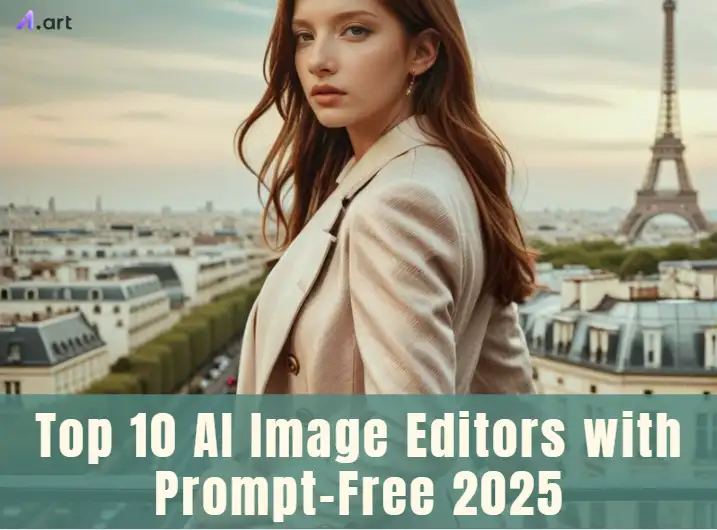
What Sets Prompt-Free AI Image Editors Apart?
Instead of typing out instructions, you just click "Generate." It's a super easy way to use an AI image generator to conjure fresh, exciting looks from your photos. The following features make them stand out:
-
Cool pre-set styles that change your image in a single tap.
-
Automatically boosts brightness, colors, and sharpness for you.
-
Quickly turn your photos into different art styles, like paintings or sketches.
-
Anyone may start making it right now.
-
See your awesome edits and transformations happen in a flash.
-
It is a good mix of fun, artistic, and realistic enhancement options.
When you pick a filter or an effect, the AI uses this vast knowledge to transform your photo beautifully. It is similar to always having a skilled artist at your disposal! The simplicity and power of these no-typing AI graphic editors are their best features. They quickly provide you with beautiful images of everything you can imagine!
Click the picture to generate your exclusive classical oil painting v3 with one click👇
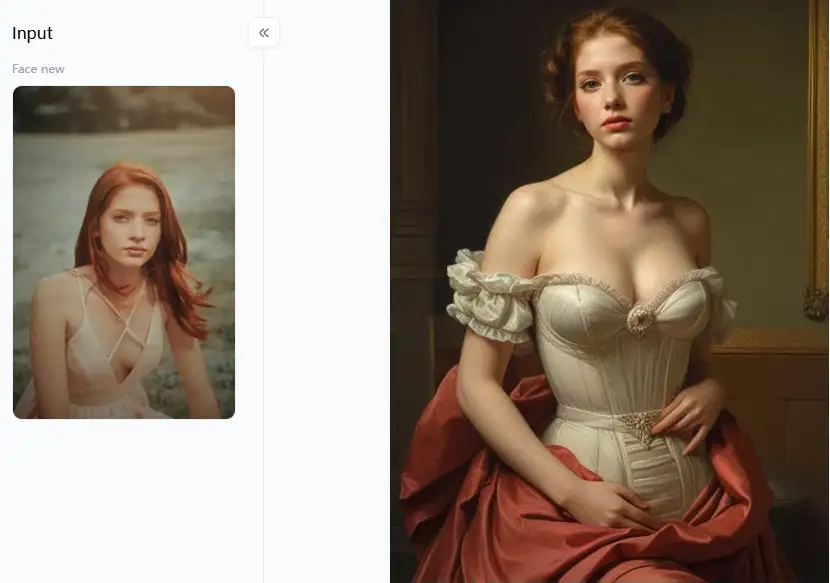
Try it fore free with a1.art!
Different Types and Their Applications:
Let's dive into the different kinds of these awesome free online AI photo editors and what they're good for:
-
AI Photo Enhancing: These tools are your go-to for making regular photos look their best. They automatically fix things like bad lighting, blurriness, or colors that look washed out.
-
Artistic Style Transfer Editors: Want to make your photos look like art? These tools can turn them into anything from an impressionist painting to a fun cartoon!
-
AI Retouching Tools: These are like a magic wand for faces in photos. They can smooth skin, eliminate blemishes, or even subtly tweak how someone looks – often with just one click!
-
Background Editors: Some of these no-typing tools are so smart they can automatically remove the background of your pictures or put in a new one!
-
AI Image Adjustment Tools: These tools make it a snap to change colors or fix how light or dark your picture is, even if you're not a computer expert.
What's coming next? AI is getting even smarter! We'll see AI that better understands your photos and suggests even cooler ways to edit them. Plus, there will be even more unique art styles to play with.
Click the picture to generate your exclusive my titanic with one click👇
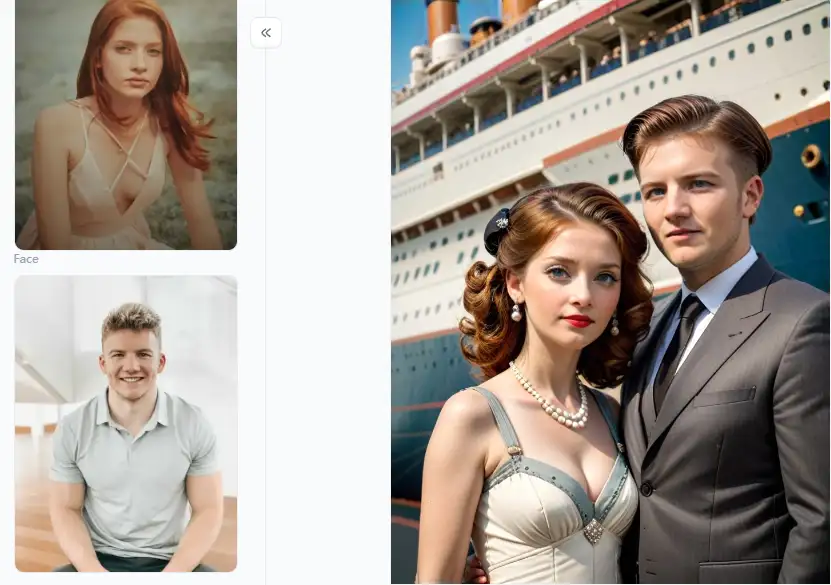
Our Top Picks: 10 Best Prompt-Free AI Image Editors in 2026
Explore the world of AI picture editors that do not require you to enter complex commands! Making amazing modifications to your images with a single click is similar to possessing a magic wand. The top resources for creating a stir in 2026 are as follows:
1. a1.art: Your Photo Artist
a1.art is super good at turning your regular photos into amazing art. Think of it as having a bunch of talented artists ready to give your pictures a new look. You don't need to tell the machine learning image editor what to do with long prompts; it works magic.
-
Pros: It's so easy to use, and the filters are unique and fun. It's perfect for making your social media posts pop or just playing with your photos. You get a lot of popular styles without having to think hard about what to ask for.
-
Cons: If you're a pro who wants to tweak every little detail, this might not give you all that control. It's more about big, cool changes than tiny fixes.
2. Canva AI Photo Editor: Design Made Easy
Canva is already a go-to for many who want to make things look good. Its AI photo editor is also pretty neat, especially because you don't always need to type in prompts.
-
Pros: It's an all-in-one tool that's super easy to use, especially if you're familiar with Canva. It's great for making social media posts and marketing stuff.
-
Cons: Some of the fancy AI features might cost extra.
3. Fotor AI Photo Editor: An Old Friend with New Tricks
Fotor has been an online photo editor for a while, and now it's jumped into the AI game. It has many AI tools that mostly work without detailed prompts.
-
Pros: It has a lot of different editing tools along with AI features, and you can use it online or as an app.
-
Cons: The free version has some limits and shows ads.
Click the picture to generate your exclusive black and white portrait p2 with one click👇
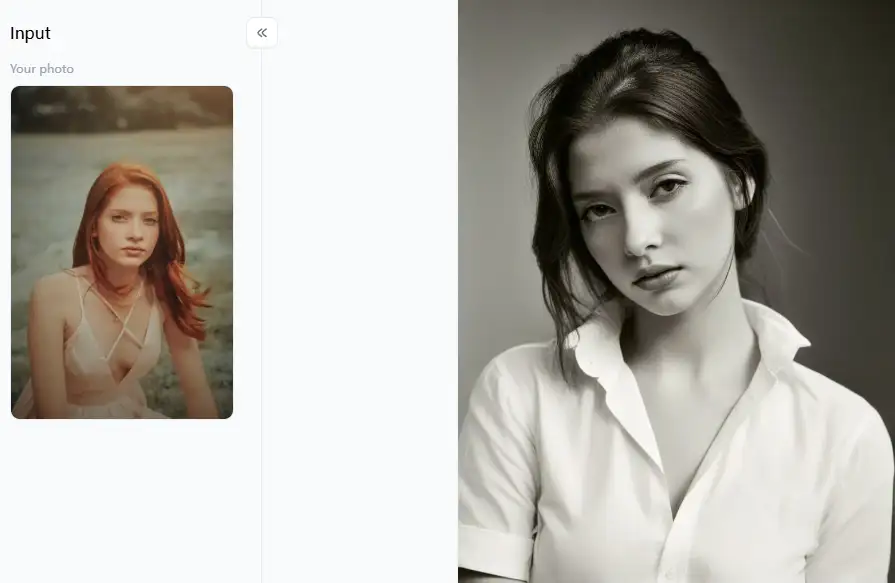
4. Luminar Neo (Skylum): Power in Simplicity
Luminar Neo is for photographers who want great results without messing with complicated settings. Many of its best AI digital editors use AI and don't need you to type in prompts.
Pros: It gives you professional-looking results with its smart AI tools. You can use it alone or as a plugin for other photo software.
Cons: It's not free and can use much of your computer's power.
5. Pixlr E & X: Two Ways to Edit
Pixlr gives you two online editors: Pixlr E for more advanced stuff and Pixlr X for quick and easy edits. Pixlr X focuses on those prompt-free AI adjustments.
-
Pros: You can use it for free; it works right in your browser and has good tools for different skill levels.
-
Cons: The more advanced AI features might only be in the paid version. The layout can feel a bit crowded for some people.
6. BeFunky: Fun and Easy Photo Magic
Popular online prompt-free AI editor BeFunky incorporates AI into many functions, emphasizing user-friendliness and entertaining effects.
-
Pros: It's very easy to figure out and has a lot of fun and creative options, especially for beginners.
-
Cons: The best quality and some features need a paid subscription.
7. Photoleap (by Lightricks): Mobile Editing Powerhouse
Photoleap is an app designed for your phone with some cool AI tools. Often, these tools work with simple taps or selections instead of long prompts.
-
Pros: It works great on your phone and has many creative AI tools.
-
Cons: You need to subscribe to get full access; some features might take a little getting used to.
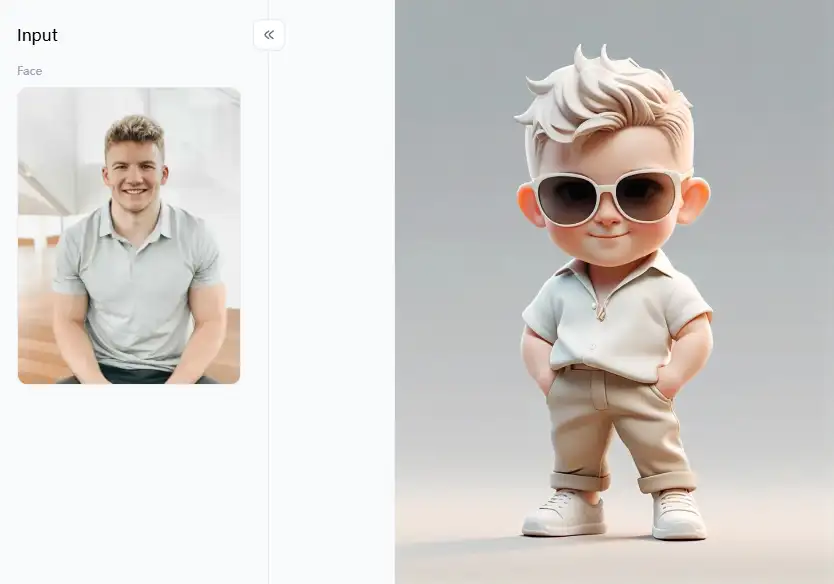
Click the picture to generate your exclusive 3d fashion figure with one click👇
8. VanceAI: Fixing Photos with AI Smarts
VanceAI is all about using AI to fix specific problems with your photos. It's good at making images bigger, sharper, and less noisy, often with just a single click.
-
Pros: It focuses on specific AI image enhancement tasks well and is easy to use.
-
Cons: You can only use it for free a limited number of times, and it's best for fixing specific issues rather than general editing.
9. YouCam Perfect: Your Go-To for Selfies
YouCam Perfect is mostly for editing selfies and portraits. It uses AI to make you look your best with easy-to-use sliders and one-tap options. It's a great AI photo retouching tool for touching up your photos.
-
Pros: It's excellent for making your selfies and portraits look amazing and has many fun features.
-
Cons: If you're not careful, it can make photos look too "perfect." You need a subscription for all the features.
10. Picsart: A Creative Playground
Picsart is a super popular editor that works on your phone and online. It has tons of AI tools, and while it can generate images from text, many of its editing and effect tools are prompt-free or very easy to use.
-
Pros: It has many features, a large user base, and is excellent for creating original and stylish modifications.
-
Cons: There are so many options, which can feel overwhelming. You need to pay for premium features.
So, there you have it! Ten awesome AI image editors that let you do some pretty cool stuff with your photos without needing to be a prompt expert. Each has strengths, so you can pick the one that best fits your needs and start making your pictures shine!
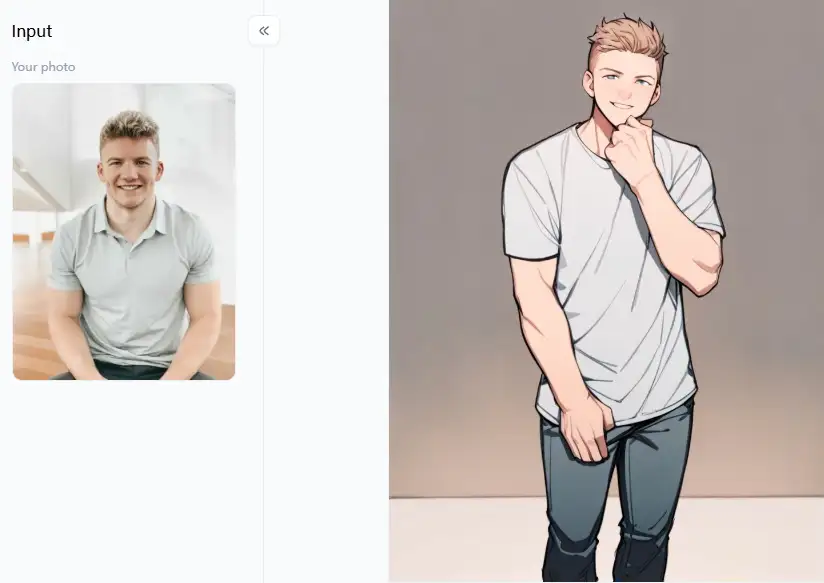
Click the picture to generate your exclusive animal illustrations with one click👇
Why a1.art Shines for Prompt-Free AI-powered Image Editing
Now, let's shine a light on a1.art! This AI image creator is great for easy, awesome photo editing without needing to type anything. It's all about letting everyone play with smart AI to make their photos new and exciting, no matter how techy you are.
What Makes a1.art So Special?
It's super easy to use. You just put your photo in, look through all the cool filters, and click the no prompt AI editor you like. That's all there is to it! And speaking of filters, it has a ton of them! You can find all sorts of fun and imaginative styles.
-
Want to see yourself as a cute cartoon? Try "Cute Avatar" or "Cartoon Yourself." There's even a "Disney Princess/Prince" filter!
-
Are you looking for something a bit fancy or real-looking? Filters like "Woman's Fashion Magazine," "Gorgeous Girl," "Beautiful and Perfect Photos," or "Beautiful/Handsome Figure" can make your portraits pop.
-
If you're feeling artsy, options like oil painting, art portraits, or a classic vintage photo look are just a click away.
-
Even for special moments, there are styles like "Couple Warm and Genuine," "Beige Milk Tea Couple," or the fun "Take Photo with Fireworks."
Another great thing is that it's super fast. You can try out many different AI image manipulation styles in just a little time. Most importantly, this platform is all about fun and getting creative. It makes editing photos feel like a game instead of work. It's like having a real AI artist ready to go!
How to Use It, Just 3 Steps:
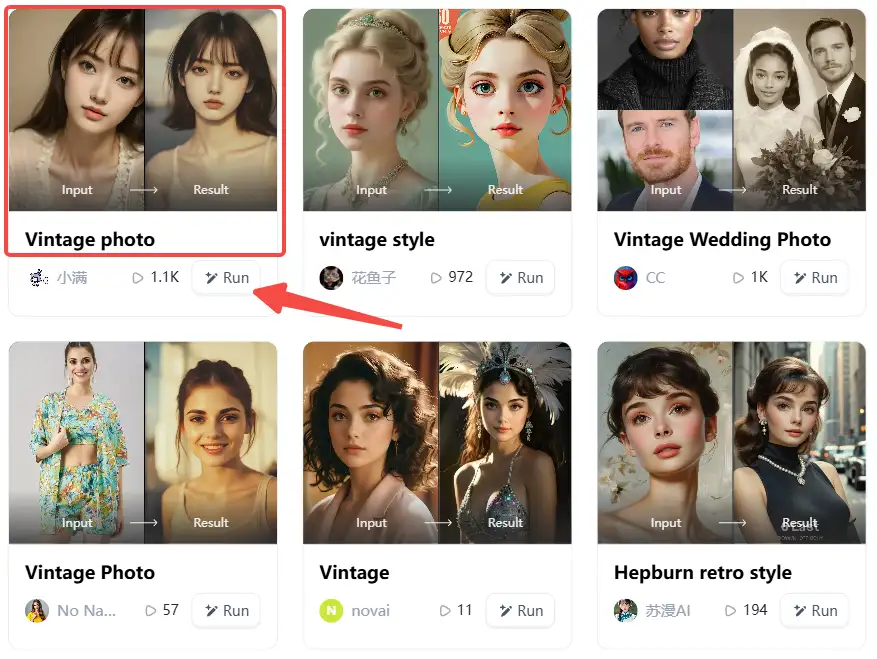
Step1:
Open a1.art, choose the App that you are interested in, then click 「Run」
Click on the image to experience the same App👇
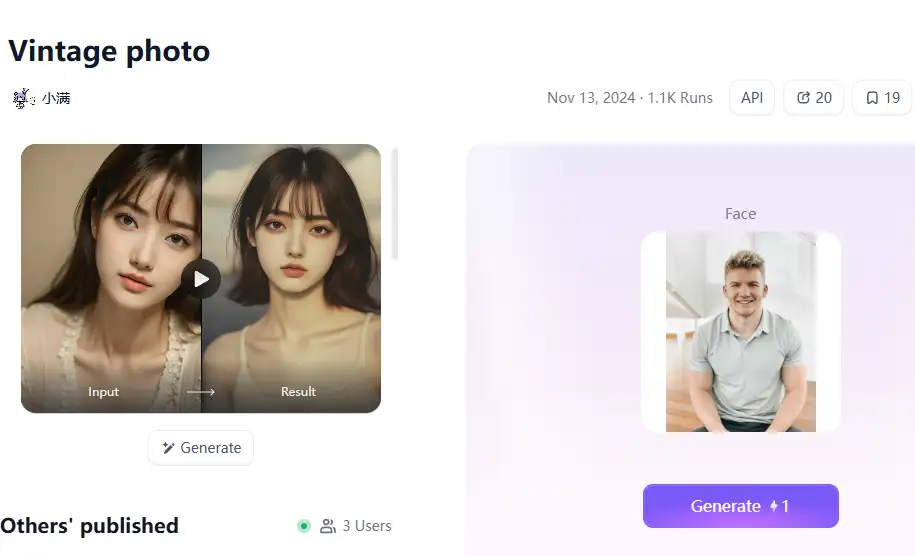
Step2:
Upload a photo/image
Step3:
Wait 3 seconds, you will get a wonderful result 👇
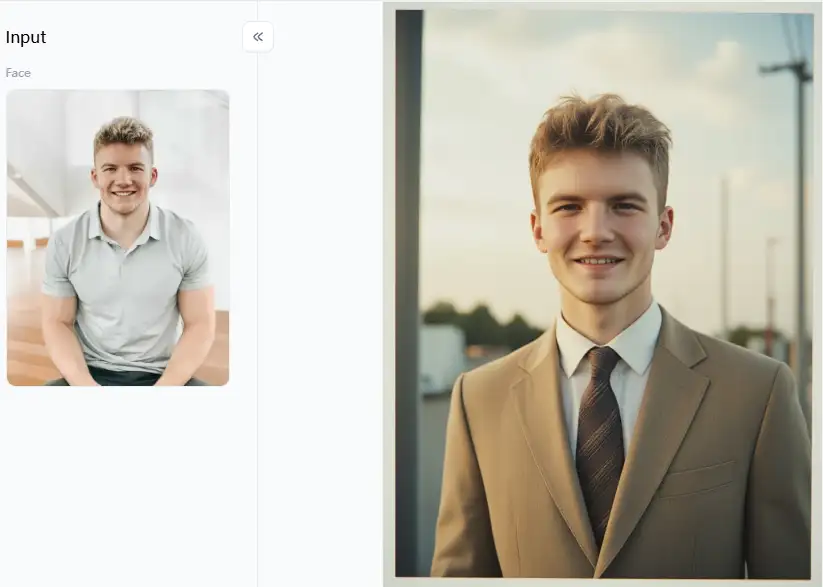
Cool Things You Can Do with a1.art:
-
Start with a Good Photo: The filters will usually look even better if your original photo is clear and has good lighting.
-
Try Everything! Don't just stick to one filter. Play around with a few to see which one you like best. Since it's just one click, it's easy to experiment.
-
Think About What You'll Use It For: The "Cute Avatar" or "Cartoon Yourself" filters can make cool profile pictures for social media. If you have travel photos, try "Oil Painting Art Portrait" or "Vintage Photo" to make them look unique.
-
Keep a Theme Going: If you're making a bunch of pictures, like for your Instagram, try using similar filters. For example, "Beige Milk Tea Couple" can be used for romantic shots or portrait enhancers like "Gorgeous Girl" for a consistent look.
-
Combine with Other Tools: You can even take a picture you made with a1.art and then use another free photo editor to add text or make small changes.
-
Get Inspired! Use filters to get your creative juices flowing. The "Beautiful and Perfect Photos" filter might give you an idea for a real photoshoot!
If you make things for a living, a1.art can be surprisingly helpful. You can quickly try out different visual styles, make sample art, or create fast, interesting content for social media when you don't have much time. Having an AI artist helps you explore AI image correction ideas without wasting time.
Embrace Effortless Editing: Your Next Steps with AI
AI image processing fun is now for everyone! Forget tricky tools. With prompt-free AI editors, you can make awesome pictures fast. a1.art shines here—it's super easy with cool filters for your AI photo enhancer needs. With an AI art editor, do you want to seem like you are in a magazine or cartoon yourself? a1.art accomplishes this with a few easy clicks. Why not jump right in? Try a variety of approaches to unleash your creative side. You only need to tap to create your next incredible photo!
Read more
- Top 15 AI Tools for Image Generation Free: A Guide to Free AI Art Creation
- Image to Prompt Generator Online for Free: Your Easy Guide to AI Art Prompts
- Vidu AI Reviews 2026: Top 10 Alternatives for Free
- 10+ Best Online Momo AI Photo Generator Free
- How to Create AI-Generated Faces from Photos?
- Best 10+ AI Kissing Video Generators Online: Create Your Perfect Virtual Kiss in 2026
- Celebrate Eid al-Adha with a1.art AI Eid al-Adha Generator
- Celebrate Father's Day with a1.art AI Father's Day Generator
- Top 10+ Packgod Roast Generators Free 2026: Unleash Your Inner Packgod
- 12 Best BasedLab Alternatives in 2026: Unleash Your Creative Potential
Written by

a1.art
Published on
Dec 17, 2025
Share article


