


That perfect shot, frozen in time,until you zoom in and see someone’s eyes are shut. It’s one of the biggest headaches with group photos and candid portraits. You put in all the work to round everyone up, set the lighting and line up poses, just for one quick blink to spoil the whole picture. A retake isn’t always possible, especially for once-in-a-lifetime moments: weddings, graduations, family trips you’ll never get again.
Thankfully, photo editing has moved past slow manual clone work. Now you can fix closed eyes using another reference photo where the person’s eyes are open. Powered by advanced editing tools and modern AI, you can swap open eyes from your reference image into your target photo quickly, smoothly and naturally. Whether you’re fixing closed eyes on an iPhone snap or doing professional retouching, this complete guide covers the best methods, tools and tips to repair your photos seamlessly.
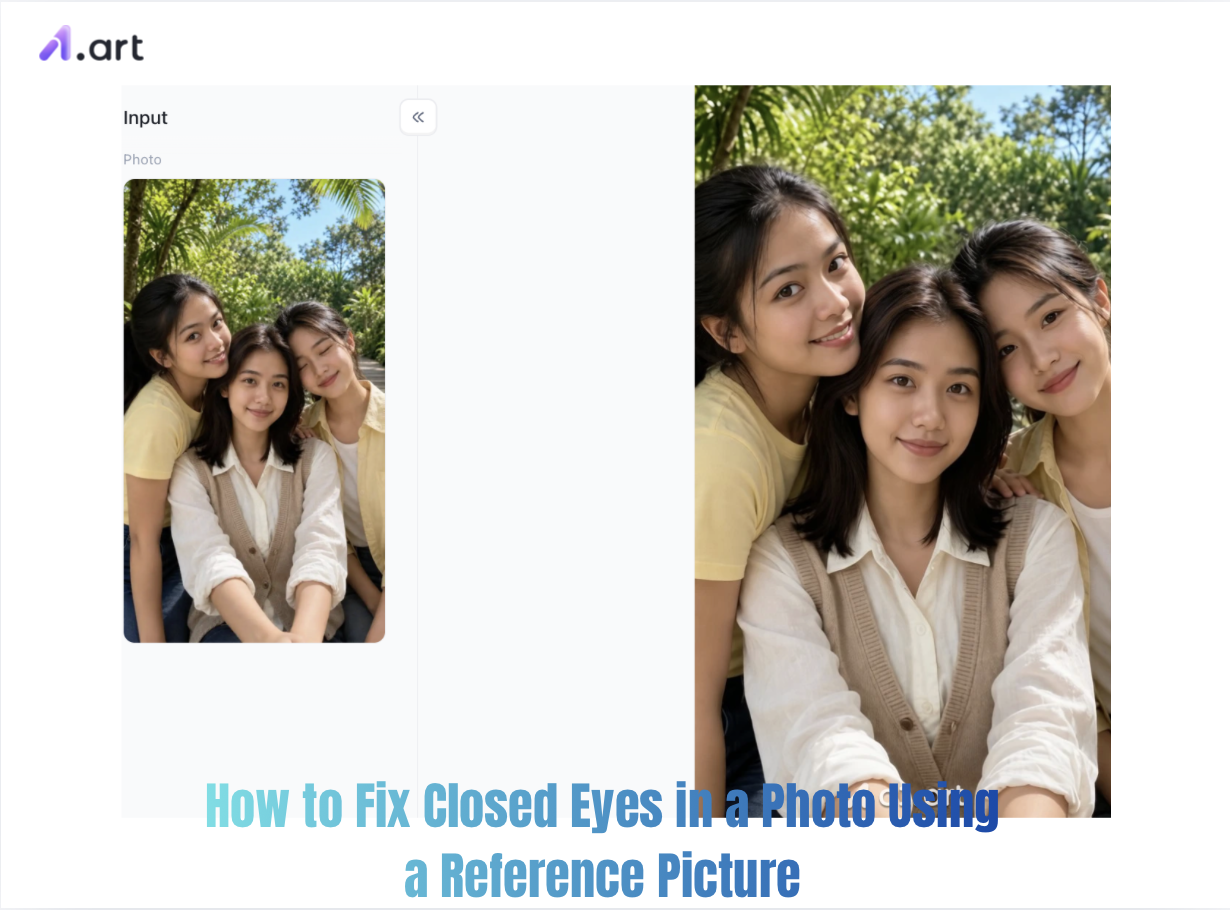
Why Closed Eyes Happen and Why Reference Pictures Are the Key
Blinking is an automatic reflex. People blink roughly 15–20 times every minute. For group shots, the odds that someone blinks grow sharply as more people join the photo. Old fixes left the flaw untouched, cut the person out of the frame, or used simple clone tools that often created blurry, fake-looking eyelids and mismatched skin tones.
Working from a real reference photo changes how eye replacement works. Unlike generic stock eyes or artificial overlays that feel disconnected from the person, a reference shot delivers:
-
Anatomic Precision: Perfectly matched iris color, eye shape, lash line and pupil spacing.
-
Lighting Consistency: Natural catchlights that fit the subject and the original lighting.
-
Authentic Facial Expressions: Real smiles and surrounding facial details like crow’s feet and lifted cheeks for a fully natural look.
Start your art journey with a1.art.
Double-click the image to generate your preferred version with closed eyes fixed⬇️
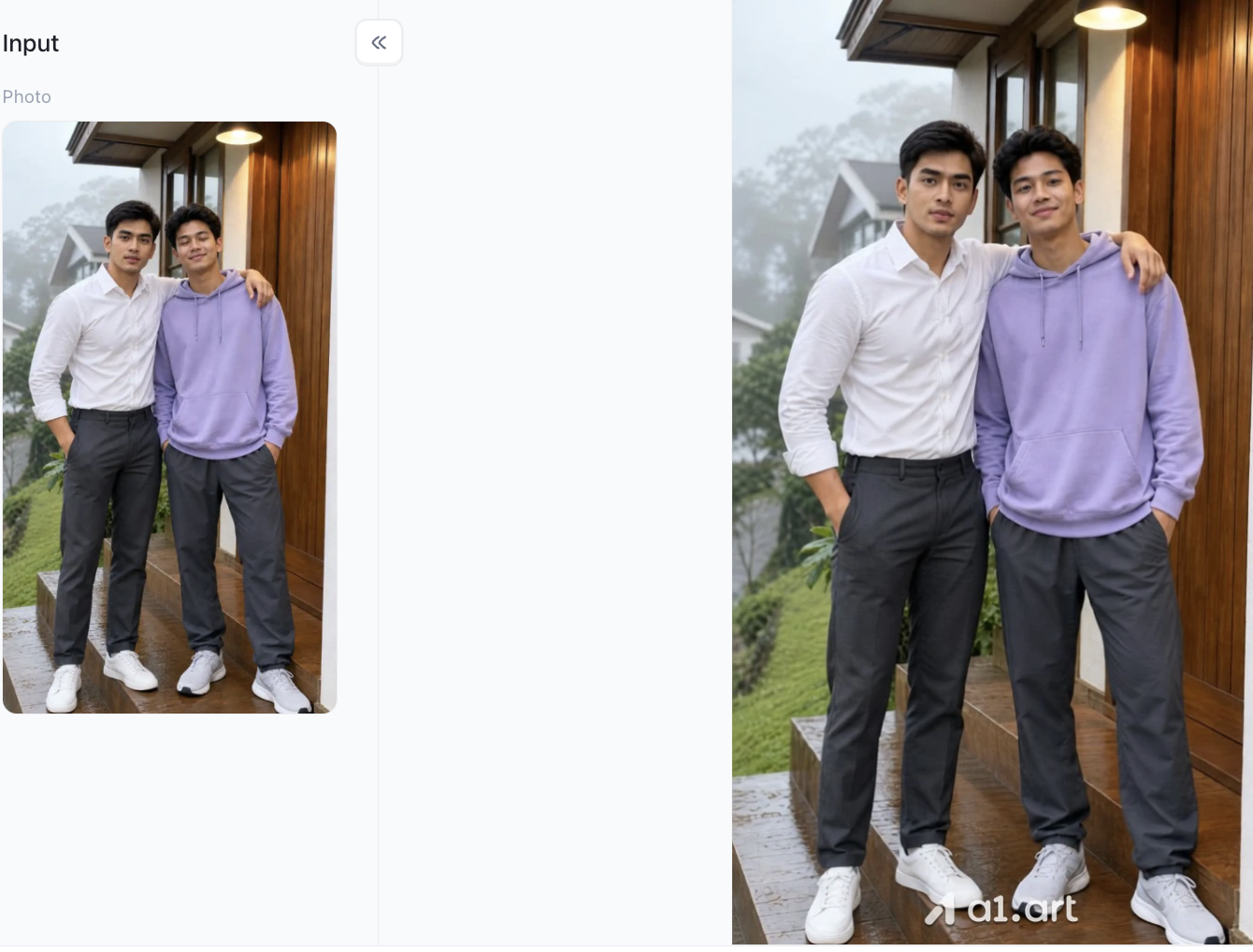
3 Main Ways to Fix Closed Eyes with Reference Photos
Depending on your skill level, device preference, and workflow requirements, three primary avenues exist to swap open eyes into a blink-ruined photograph.
Method 1: Automated AI Eye-Fix Tools (Fastest & Easiest)
AI-powered solutions analyze both the target photo and the reference picture, automatically detecting facial landmarks, blending skin textures, and correcting light angles. These platforms allow users to fix closed eyes in photo online free of manual masking or complicated layer structures.
Method 2: Mobile Photo Editing Apps (Best for On-the-Go)
Modern smartphone users frequently need to fix closed eyes in photo samsung devices or Apple iPhones right after taking group shots. Mobile apps leverage lightweight neural processing to instantly replace eye regions without requiring a desktop workspace.
Method 3: Advanced Desktop Photoshop Layering (Maximum Control)
For professional photographers, knowing how to fix closed eyes in photoshop using layer masks, color matching, and brush opacity offers unmatched control over complex lighting situations.
The AI Solution: Why a1.art Delivers Superior Eye Restoration
When picking an AI tool to fix closed eyes in photos, not all platforms handle complex facial shapes well. Many simple web tools just paste flat eye overlays, leading to warped, unnatural results. a1.art is a top-tier AI image engine built for lifelike portrait retouching and facial element swapping.
Why a1.art Outperforms Traditional Tools
Real user tests, processing speed and visual quality all show a1.art delivers a far better experience:
-
Higher Optical Clarity & Resolution: Most web tools shrink your output, leaving eyes pixelated. a1.art keeps the original high resolution, with crisp irises and no fake blurriness.
-
Natural Texture Preservation: Rather than covering up skin details, its advanced algorithms retain pores, eyelashes and fine wrinkles around the eyes.
-
Authentic Catchlight Adaptation: Eye reflections change with lighting angles. a1.art reads the light in your original photo and adjusts the catchlights from your reference eyes to look totally real.
Step-by-Step Guide: How to Fix Closed Eyes Using a1.art
If you want to fix closed eyes in photos online with minimum effort and professional output, follow this straightforward workflow:
Step 1: Select Your Photos
You need to prepare a target photo showing the person with their eyes closed, as well as a clear reference photo of the same person with their eyes open, taken under similar lighting conditions. This serves as the foundation for the generation process.
Step 2: Register for a personal a1.art account
This step is crucial, as it determines whether you can properly use the filters on a1.art later on. Simply follow the registration steps provided on the a1.art site.You can find the registration option in the top-right corner of the page.
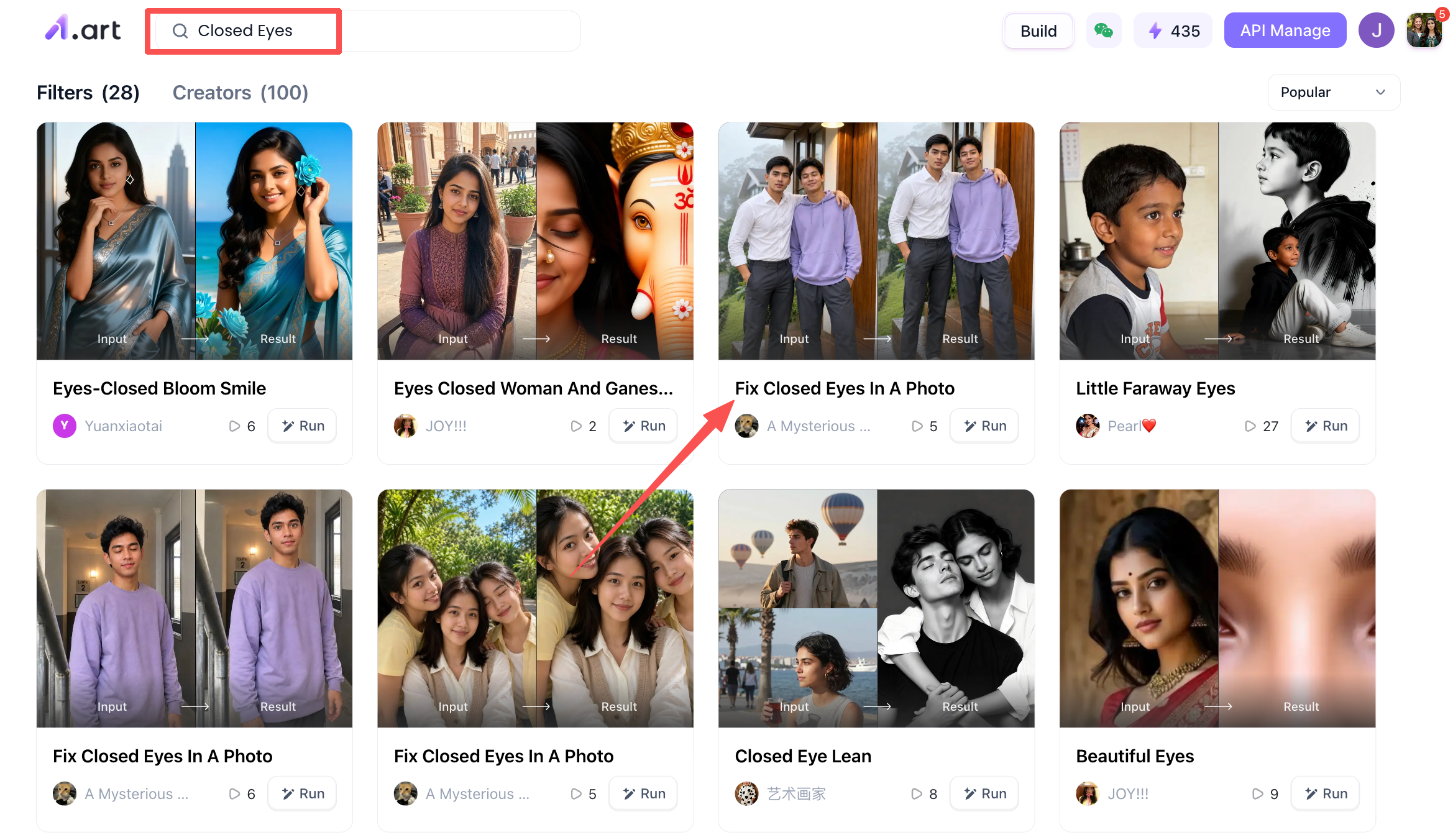
Step 3: Start using the "Fix Closed Eyes In A Photo" tool
For instance, after finding a suitable filter,such as "Fix Closed Eyes In A Photo",via the search bar, you can proceed to use it. Upon opening the filter's page, you will see its name at the top and examples of results generated by other users in the bottom-left corner. On the right is the area where you upload a photo of a person; be sure to upload a clear image where the face is clearly visible to ensure more accurate results. Once the upload is complete, simply click the "Generate" button below.
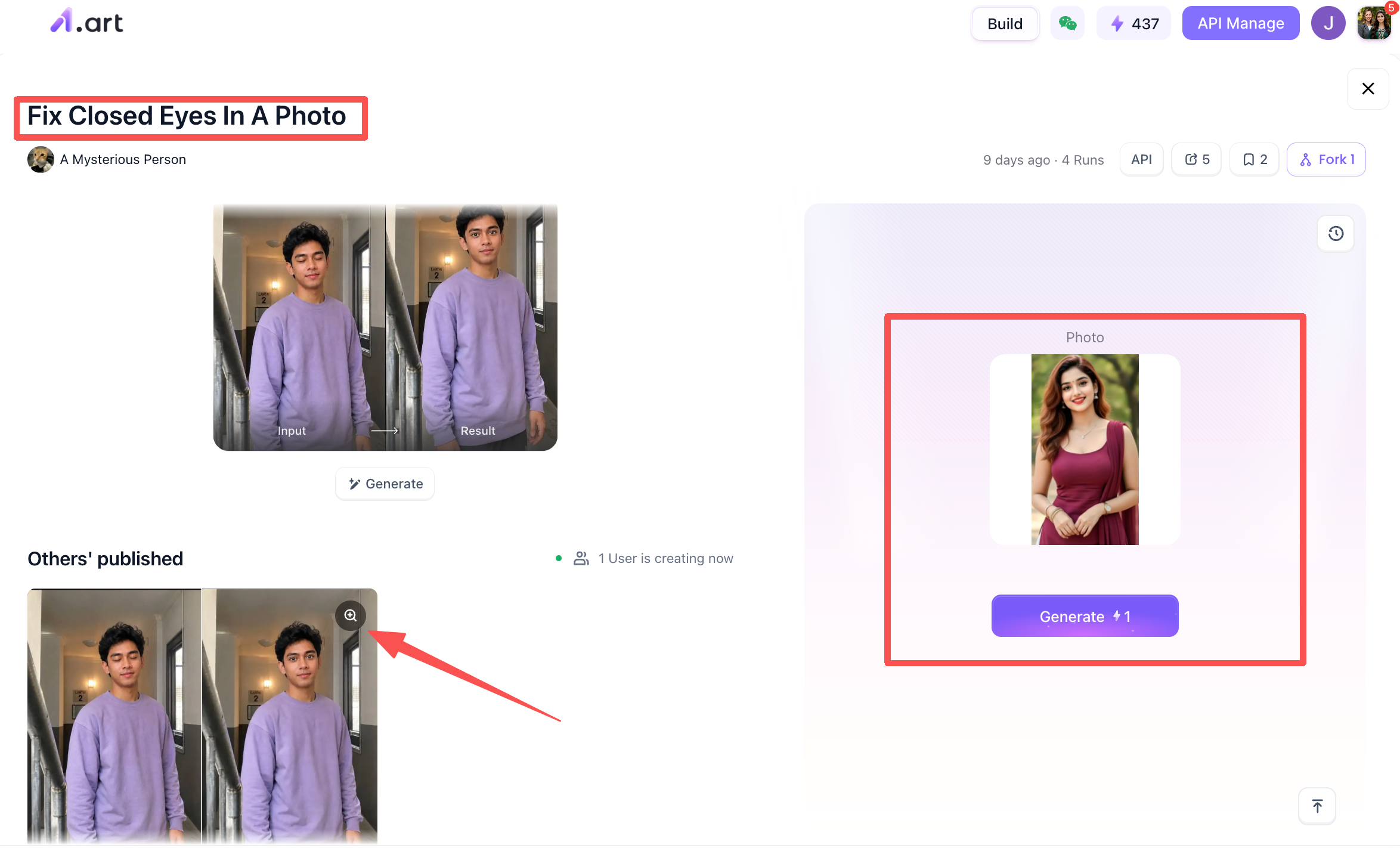
Step 4: Handling your generated image
Once a1.art has generated the final version of your image, you can choose whether to download it or share it with the a1.art community so that other users can see your work,the choice is entirely up to you.
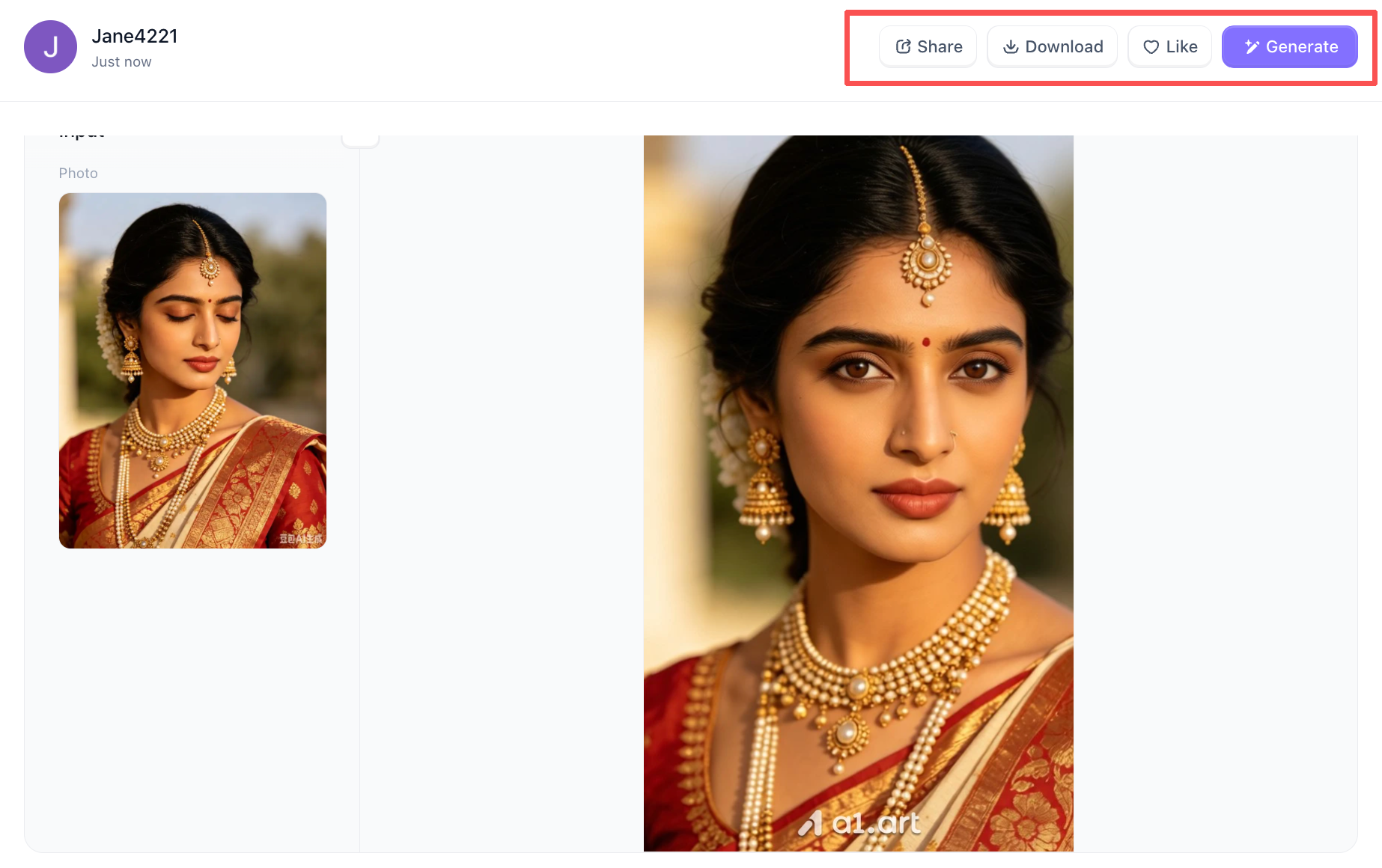
So, by roughly following these four steps, you can get the photos you want. This is especially useful for beginners,simply follow these steps, and you'll be all set.The contrast between the before and after is very striking.
Fixing Blinks on Mobile Devices: iPhone & Samsung Guide
When taking photos on mobile devices, quick editing tools allow fast fixes without transferring files to computers.
Smartphone Retouching Tips:
-
iPhone Native Workarounds: If you captured the photo using Live Photos, tap Edit, scrub through the Live frame sequence to find a frame right before or after the blink, and tap Make Key Photo. If no open-eye frame exists, use third-party tools to fix closed eyes in photo iphone free of hassle.
-
Samsung Galaxy AI Features: Newer Samsung devices feature native photo editing suites with object eraser and face retouching. To fix closed eyes in photo samsung devices, launch Gallery, select Edit > Portrait Effects, or import your reference picture into an AI blending app.
Pro Tips for Choosing the Perfect Reference Picture
The quality of your reference picture directly dictates the quality of your final edit. Keep these practical criteria in mind when choosing reference files:
-
Match Facial Angle: Use a reference picture shot from the same relative angle (e.g., direct headshot, 3/4 view, or slight upward angle).
-
Match Ambient Lighting: Avoid pairing a reference picture taken under harsh direct sunlight with a target photo shot indoors under soft LED lights.
-
Match Expression Scale: If the subject is smiling broadly in the target photo, choose a reference picture where they are also smiling. Combining wide-open, neutral eyes with a wide smile creates an unnatural expression.
-
Check Resolution: Ensure the reference image has sufficient pixel density so the transferred eyes remain crisp when zoomed in.
Conclusion
A split-second blink no longer has to ruin an otherwise invaluable photo. Whether you choose the rapid, high-precision intelligence of a1.art or prefer manual editing control, learning how to fix closed eyes in a photo using a reference picture allows you to recover priceless memories seamlessly. By choosing a high-quality reference picture, matching lighting angles, and utilizing advanced AI tools, you can transform ruined shots into clear, natural portraits ready for sharing and printing.
FAQs
Can I fix closed eyes without a reference photo of the same person?
A real reference gives the best result, but AI tools such as a1.art can generate natural open eyes from facial features. Still, a reference guarantees exact iris color and eye shape.
Can I fix multiple closed eyes in one group photo?
Yes. AI workflows and Photoshop layer masking support editing multiple people separately in a single image.
Will fixing closed eyes hurt image quality?
High-precision tools won’t. a1.art keeps original resolution, while common free mobile filters usually compress pictures.
Read more
- 10 Best Secret Desires AI Alternatives in 2026
- Best Remini Alternatives for Photo Enhancement in 2026
- Secret Desires AI Review 2026: Is It Free, Safe and Worth It?
- How to Remove Glare from Glasses in Photos with AI
- How to Do the 80s AI Photo Trend with Your Own Photo
- How to Create Teachers Day Photos with AI?
- How to Create Hot Photos? A Step-By-Step Guide For Beginners
- 1980s Photo Prompt: How to Create the Viral ChatGPT 80s Look
- GPT Image 2.5 vs GPT Image 2: The Complete Comparison
- GPT Image 2.5: New Features and Alternatives
Written by

a1.art
Published on
Sep 20, 2026
Share article


