


Are you missing out on e‑commerce sales because of flat‑looking product shots, annoying reflections on polished metal surfaces, or sky‑high studio photography costs? Online buyers can’t hold a fine pendant or try on an emerald ring in‑person. They depend entirely on your product photos to judge quality and craftsmanship.
Traditional professional studio setups cost thousands, requiring special macro lenses, soft lighting gear and paid models. That puts a heavy financial burden on small‑to‑mid‑sized brands. Modern‑AI‑powered jewelry photography fixes this problem. Brands can create lifelike white‑background catalog images and model‑worn shots starting from simple product photos.
In this comprehensive guide, we will explore how leveraging an advanced ai product photography generator streamlines your visual workflow, reduces returns, and converts casual browsers into loyal buyers.
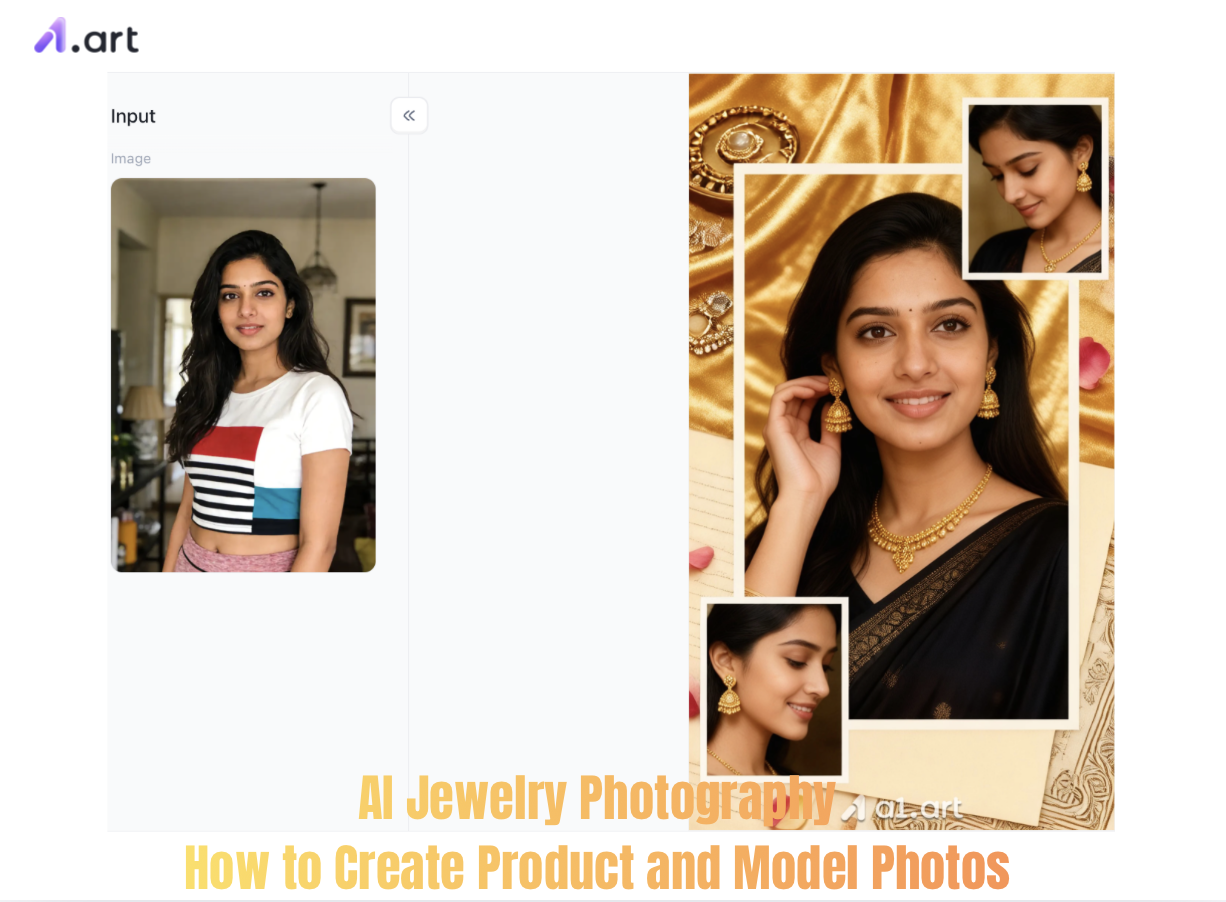
The High Cost of Visual Friction in Jewelry E-Commerce
Jewelry remains one of the most demanding product categories in digital commerce. Industry benchmarks show that while high-end jewelry boasts an enviable Average Order Value (AOV) between $180 and $313, average category conversion rates linger at a challenging 0.87%–1.5%. Furthermore, order return rates frequently climb as high as 20%, driven largely by "color mismatch" or "misjudged physical scale".
When prospective customers view a product page, they immediately evaluate the clarity of stone facets, metal polish, and worn context. Implementing a dedicated AI Jewelry Photography workflow through a specialized visual generation platform bridges this crucial visual trust gap without draining your quarterly marketing budget.
Start your art journey with a1.art.
Choosing the Right Tool: Why Generative Workflows Outperform Traditional Studios
When building an online catalog, creators typically evaluate three distinct paths: hiring physical photo studios, utilizing basic graphic design apps, or deploying specialized generative AI platforms like a1.art.While traditional camera setups offer maximum tactile control, they lack speed and adaptability. Using an intuitive ai product photography free solution allows merchants to test dozens of creative backgrounds, lighting scenarios, and lifestyle contexts in minutes rather than weeks.
Double-click the image to instantly generate AI jewelry photography in your preferred style⬇️
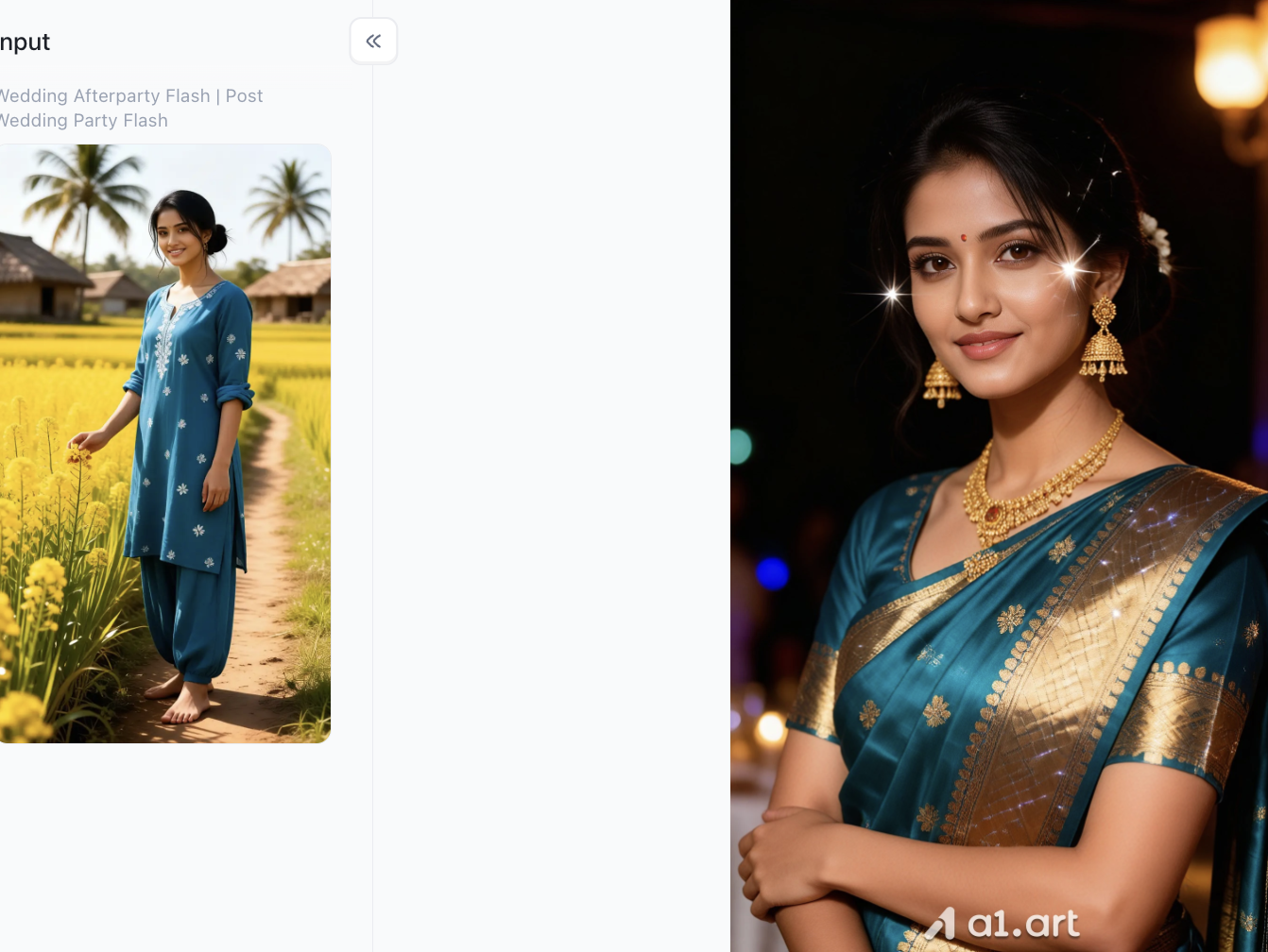
Step-by-Step Guide: Creating High-Impact Jewelry Product Shots with a1.art
Generating pristine studio renders requires combining crisp source captures with balanced prompt engineering. Follow this structured roadmap to produce commercial-ready catalog imagery using a1.art:
Step 1: Capture a Clean Source Base
Eliminate Smudges: Clean metal and stone surfaces with a microfiber cloth before capturing base shots to prevent lighting hot spots.
Maintain Neutral Lighting: Use diffused daylight or a softbox to ensure uniform base reflections without harsh shadows.
Step 2: Register for a personal a1.art account
Open the a1.art webpage, click on the profile icon in the top-right corner, and follow the on-screen prompts to create your personal account. This step is essential for using the platform's points to generate AI jewelry photography content later on.
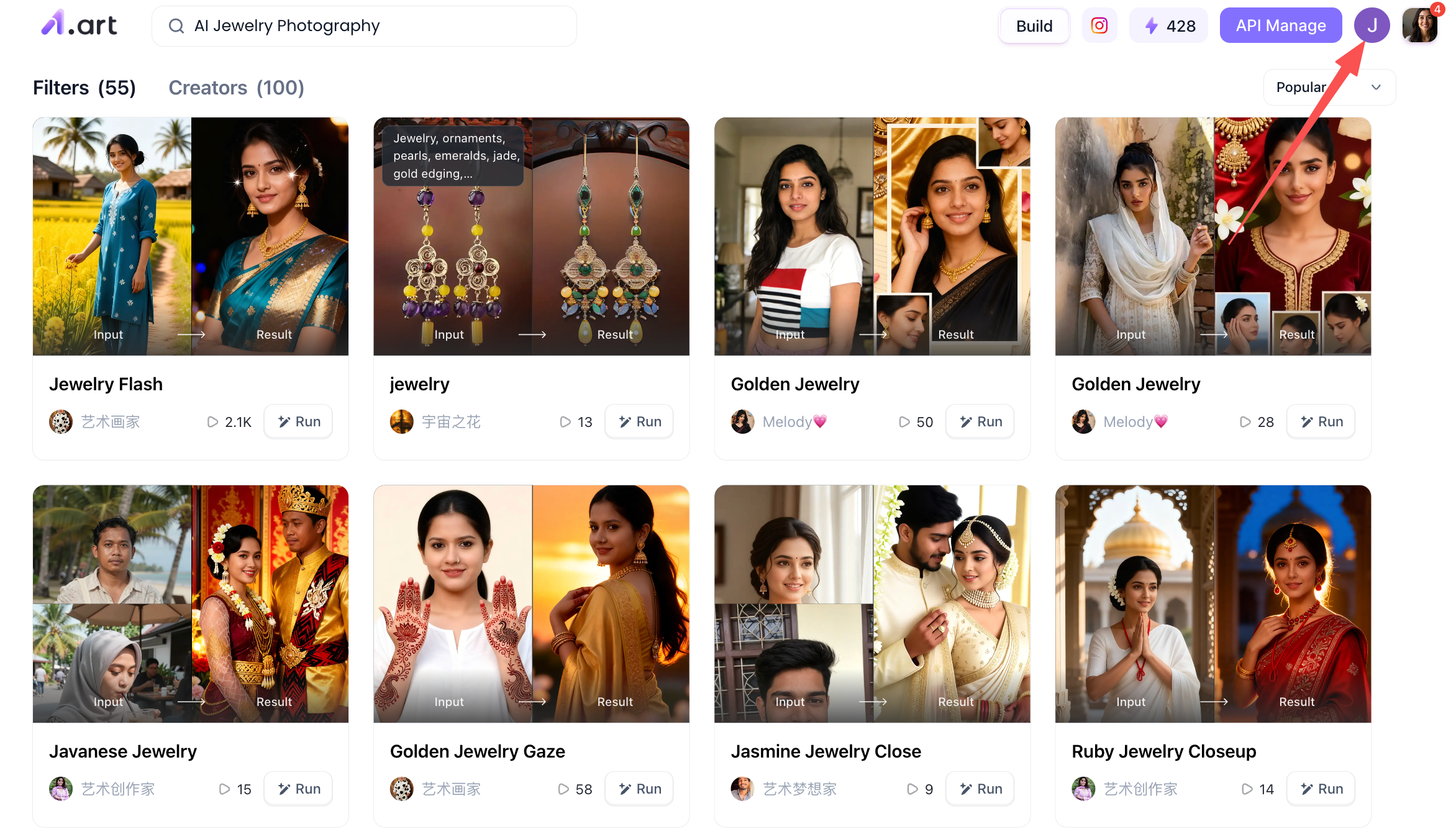
Step 3: Start generating the AI jewelry photography you want
Locate the "Create" button in the top-right corner of the page; this serves as the entry point for generating your AI jewelry photography.
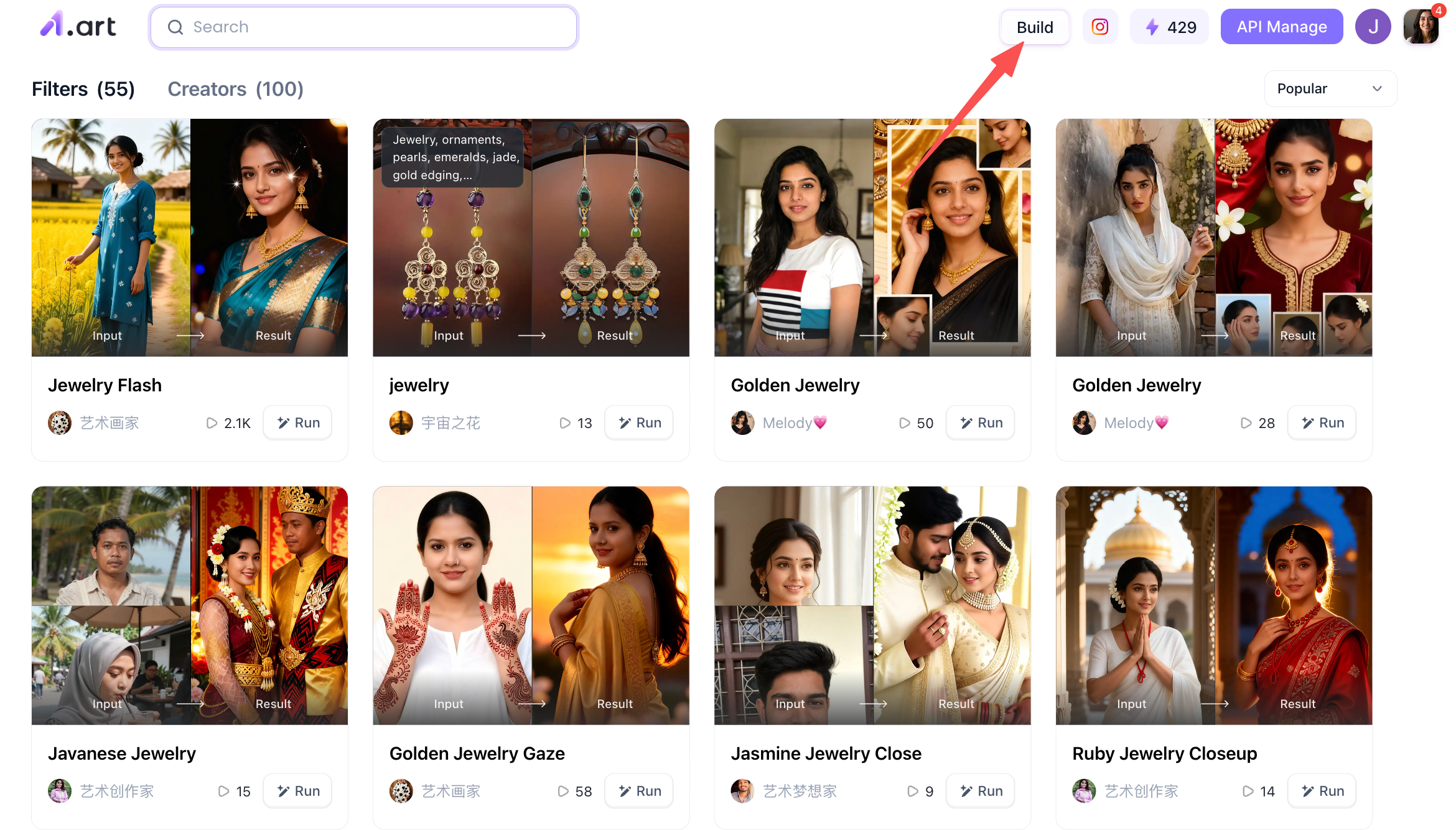
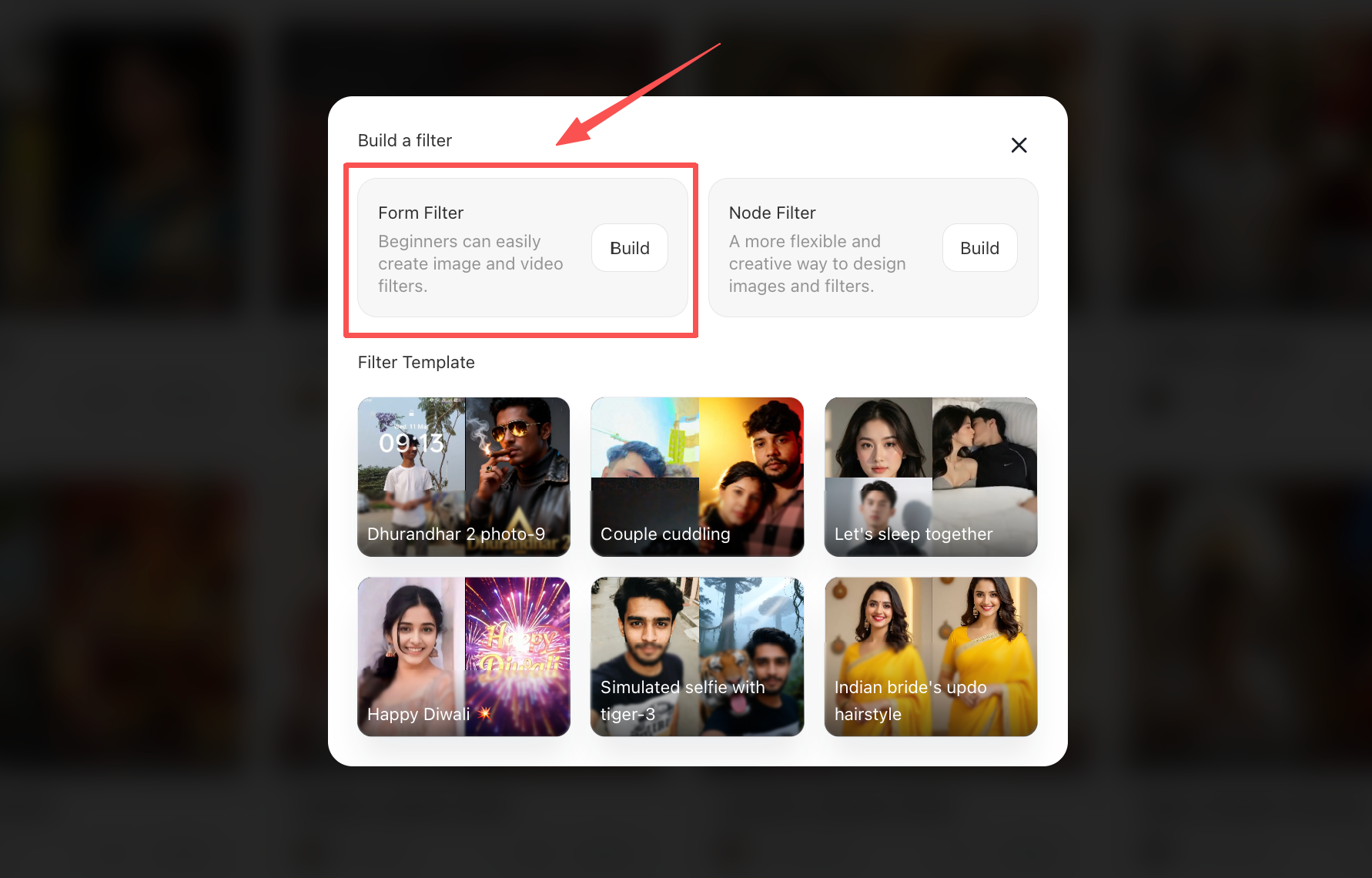
Once you click through, you will see two options: "Form Filter" and "Node Filter." The difference between them lies in their complexity; if you are a beginner or the image you want to generate isn't overly complex, I recommend choosing the "Form Filter" on the left.
Step 4: Refine the details for the AI jewelry photography you wish to generate
At the top of the page, you will find the name of the filter; you can assign it a suitable name. In the upper-left section, there is an area for entering the prompt used to generate the image,simply input an appropriate prompt here. Further down, you will find the reference image section, where you can upload a specific image of a piece of jewelry, allowing the backend's large-scale model to analyze and recognize the uploaded image.
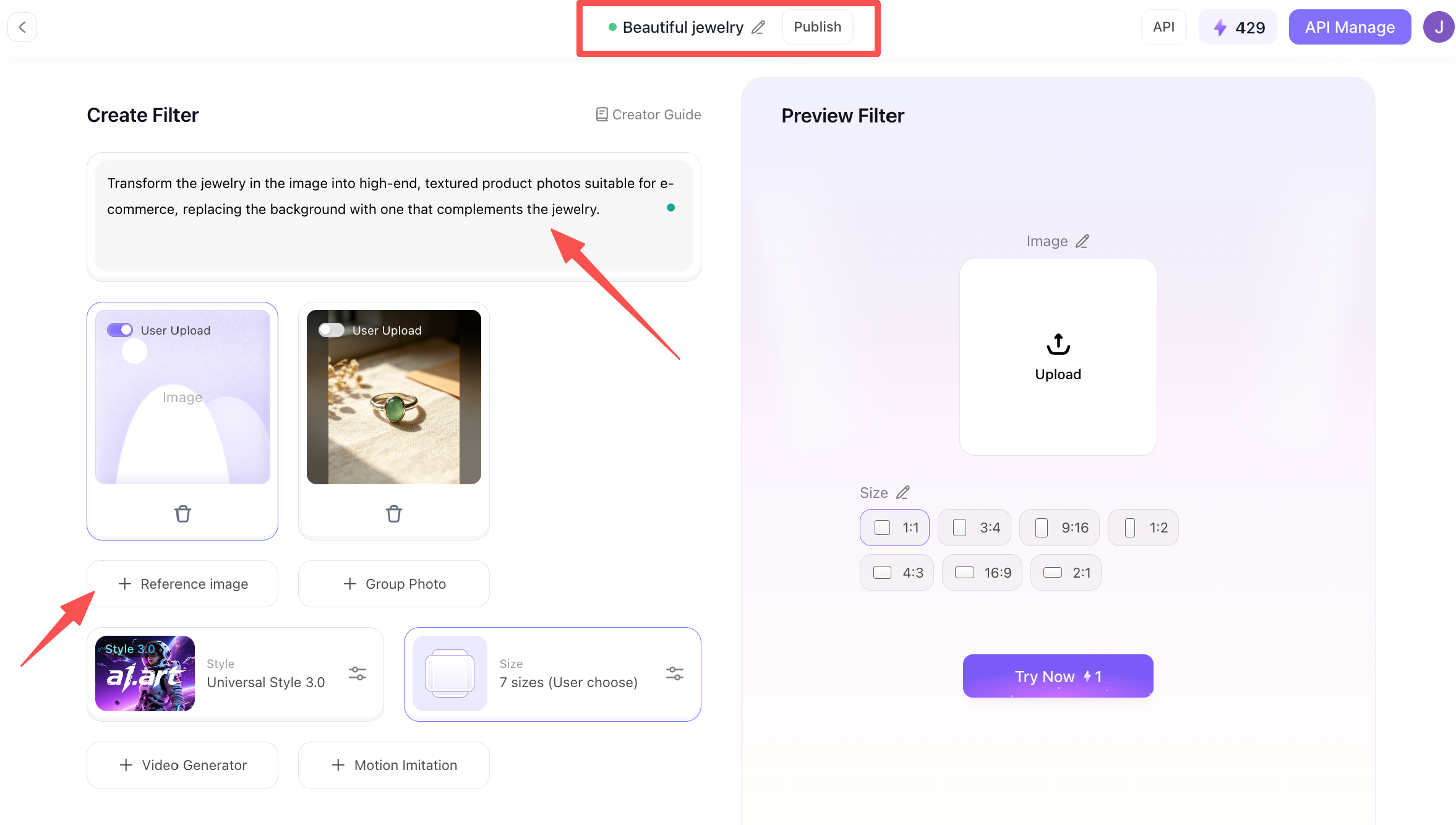
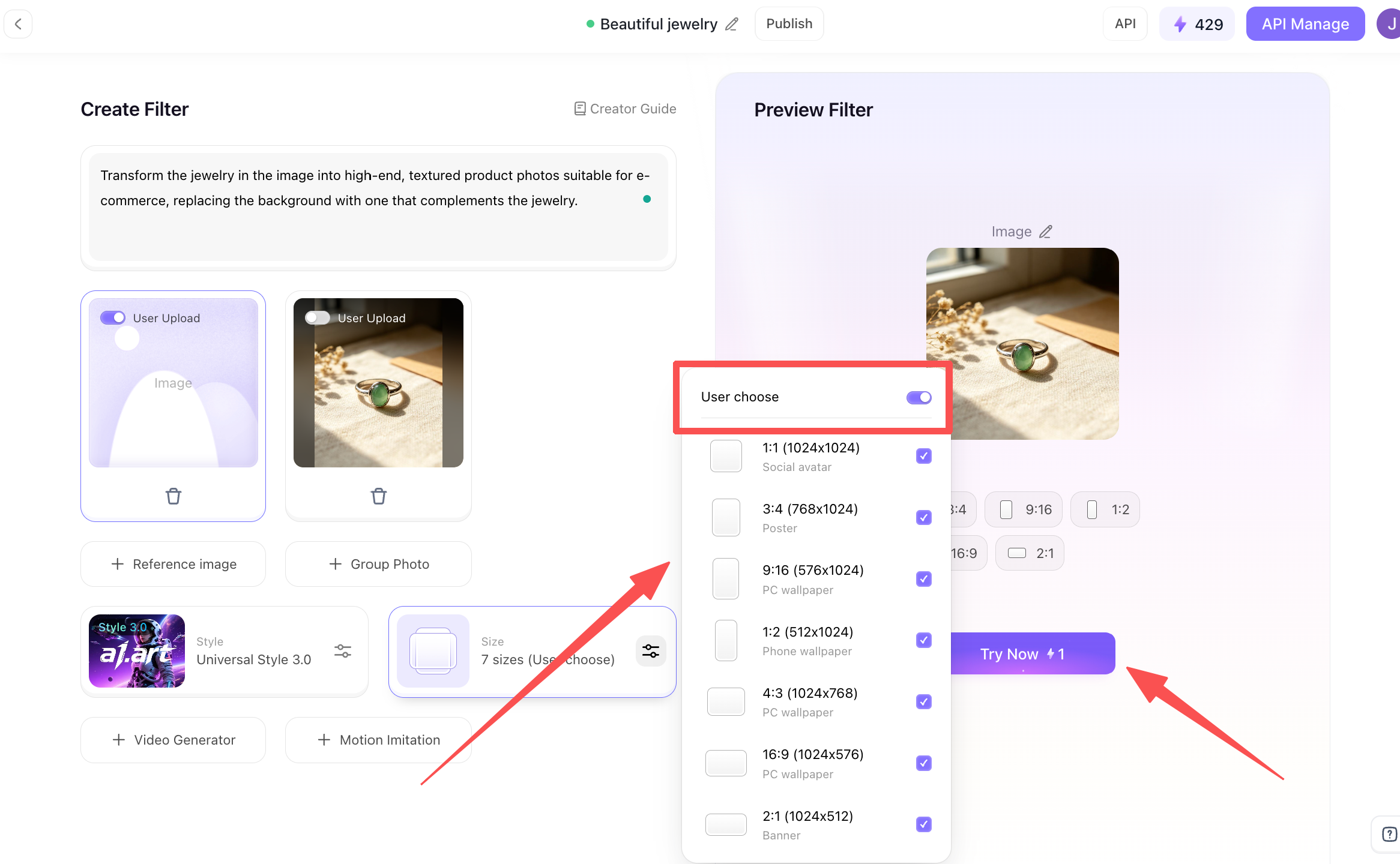
In addition to the options mentioned above, you can select the aspect ratios for the generated images; it is recommended to select all of them so you can easily switch between sizes later on. On the right, you can upload the photo you wish to process. Finally, click the "Try Now" button below, wait a few dozen seconds, and your AI-generated jewelry photograph will be ready.
Step 5: Handling your AI-generated jewelry photography
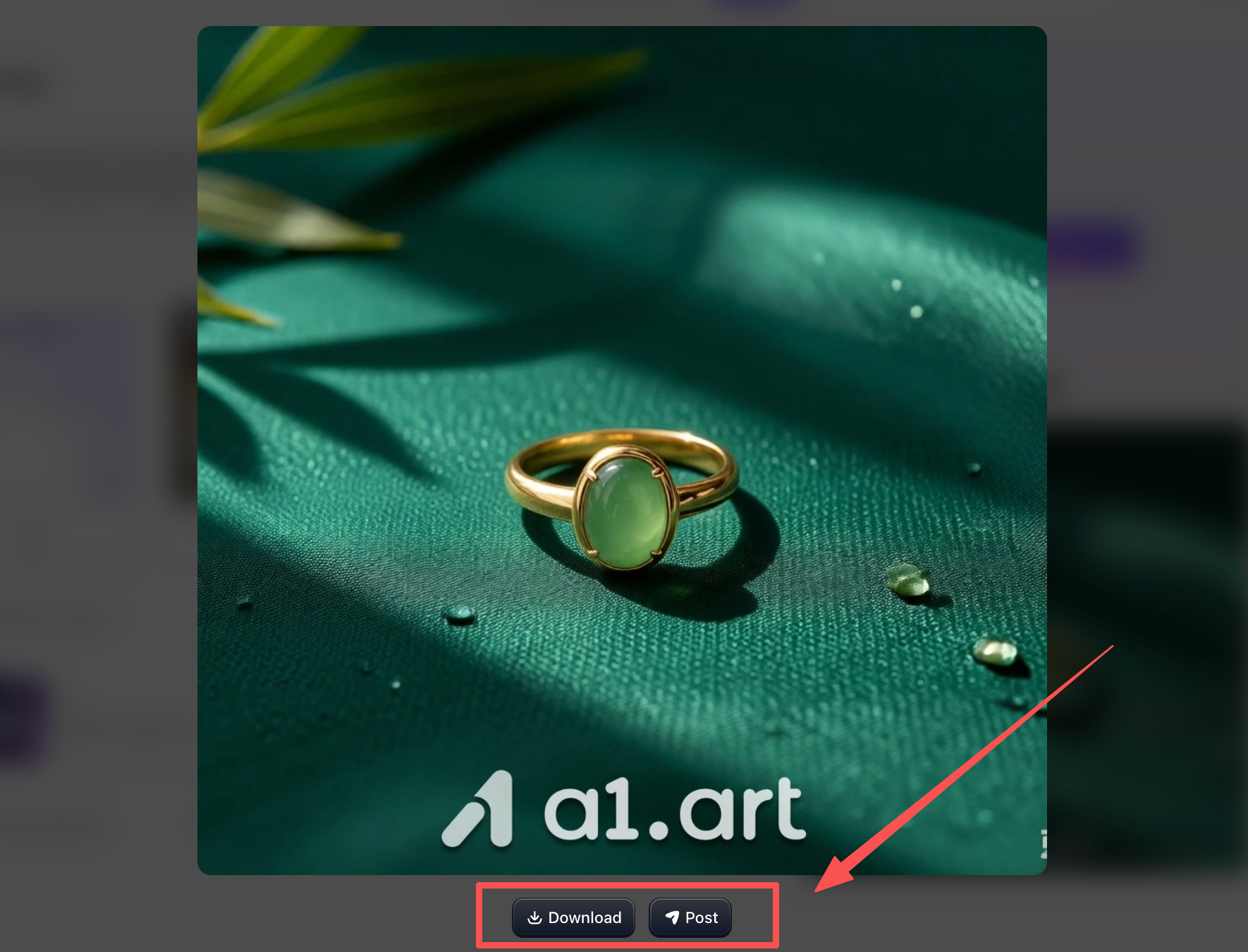
You can click on the generated image, and you will see two buttons below it: "Download" and "Publish."
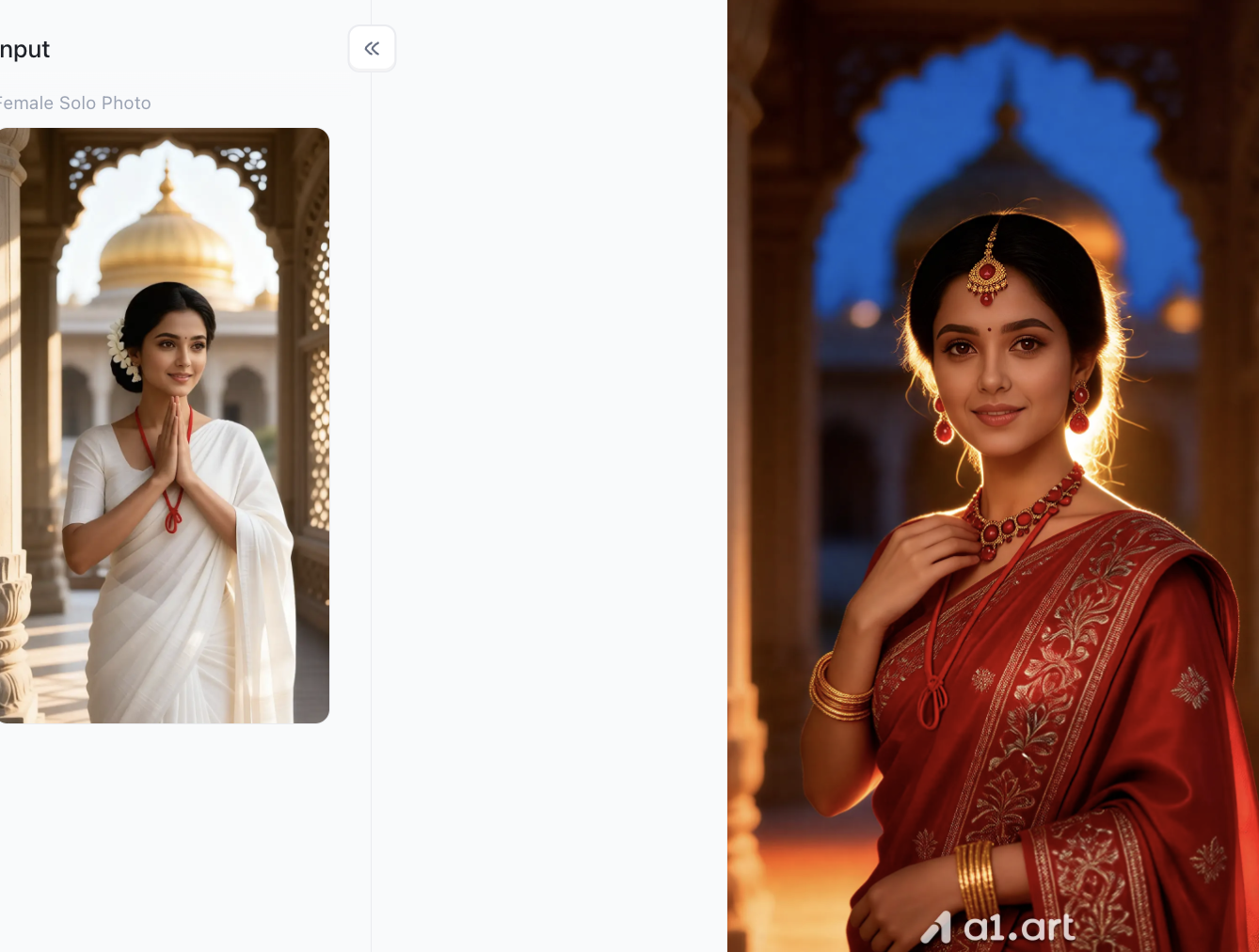
Regular AI image generators don’t handle fine jewelry well. They often warp thin earring posts, blur gem facets, or muddle detailed filigree work. a1.art’s purpose‑built image engine fixes these common issues with specialized model tuning:
-
Crisper Edge Precision: Smart edge‑protection algorithms stop delicate chain links, micro‑pave stones and ring prongs from blending into the background.
-
More Natural Metal Lustre: Realistic light simulation creates authentic shine for yellow gold, rose gold, platinum and sterling silver,no fake plastic‑like finish.
-
Truer Gemstone Color Fidelity: Accurate color tuning keeps emeralds, sapphires, rubies and fancy diamonds from shifting tone under AI‑generated lighting.
-
Zero Spatial Distortion: Preserves the item’s real‑world proportions and symmetry, so what shoppers see online matches the actual physical product.
Practical Tips & Best Practices for AI Visual Optimization
To maintain visual cohesion across your e-commerce channels when using a1.art, follow these operational guidelines:
-
Maintain Consistent Aspect Ratios: Use 1:1 square aspect ratios for main product grids and 4:5 or 9:16 vertical ratios for social channels like Instagram, Pinterest, and TikTok.
-
Balance Lighting Contrast: Avoid overly aggressive prompt descriptors like "ultra-bright flare," which can blow out metal highlights and make gold look like brass.
-
Incorporate Multiple Viewing Angles: Always provide at least 4 distinct images per product: front flat-lay, side angle, close-up macro, and on-model worn context.
-
Compress Files for Mobile Speed: Export high-resolution renders from a1.art into optimized WebP formats to maintain fast mobile page load speeds without sacrificing visual detail.
Transforming Your Visual Strategy with a1.art
Modern e-commerce success relies heavily on visual clarity, buyer trust, and agile content production. Relying on slow, expensive studio setups can hinder your brand's growth in a fast-moving digital market. By mastering AI Jewelry Photography, you can produce pristine studio renders and engaging model shots in seconds, lowering customer acquisition costs while boosting conversion rates. Explore the suite of AI creation tools available on a1.art today to transform your product catalog into a high-converting digital storefront!
FAQs
What is AI Jewelry Photography?
It is a technology that uses artificial intelligence tools like a1.art to generate photorealistic studio product photos and model wearing-effect images directly from simple product snapshots, eliminating expensive physical shoots.
Can AI accurately generate delicate jewelry details without distortion?
Yes. Specialized engines on a1.art feature edge-preservation algorithms that keep delicate prongs, thin chains, and gemstone facets sharp, symmetrical, and non-distorted.
How does AI model rendering work for necklaces and rings?
You simply upload your product photo and select your preferred avatar traits. The AI seamlessly places the jewelry onto virtual models,showing accurate scale, pendant drape, and finger fit.
Read more
- Top 12 AI Cinematic Portrait Generators for Movie-Style Photos
- How to Add a Person to a Photo and Make It Look Natural
- How to Fix Closed Eyes in a Photo Using a Reference Picture
- 10 Best Secret Desires AI Alternatives in 2026
- Best Remini Alternatives for Photo Enhancement in 2026
- Secret Desires AI Review 2026: Is It Free, Safe and Worth It?
- How to Remove Glare from Glasses in Photos with AI
- How to Do the 80s AI Photo Trend with Your Own Photo
- How to Create Teachers Day Photos with AI?
- How to Create Hot Photos? A Step-By-Step Guide For Beginners
Written by

a1.art
Published on
Sep 23, 2026
Share article


