


Have you seen everyone online suddenly dressed in green tracksuits or those eerie pink guard outfits? Everywhere you see is the Squid Game smiling meme! What if you could enter the game and become a star online, especially with all the excitement around season 2? AI imaging technology makes it easier than you might imagine! Do you recall how "Squid Game" became the most popular show on Netflix? The Squid Game AI filter results from this massive hit's collision with the fascinating field of generative AI. You can create Hollywood-quality effects with this handy tool!
This transformation from photo to Squid Game character is authentic! Smart AI looks at your face and uses what it knows about the show to make a picture that seems so real. This guide will help you step into the world of Squid Game photo editing. We'll show you what these filters are, how to use them, and how a1.art can help you enjoy the fun and make amazing pictures that everyone will notice.
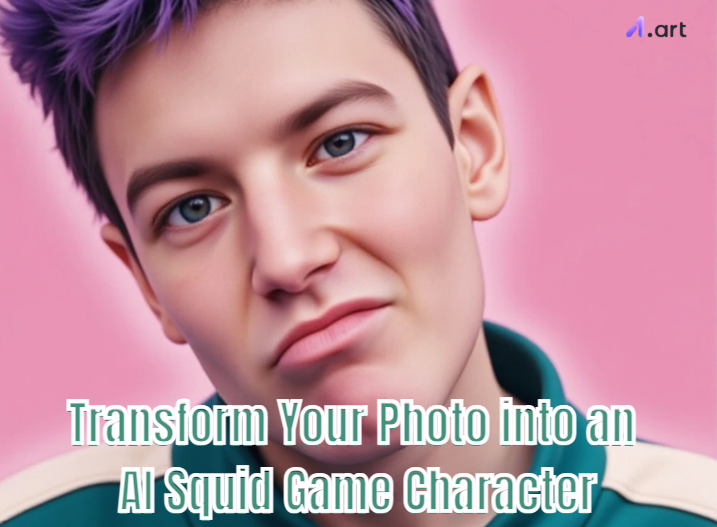
What Exactly is a Squid Game AI Filter?
Seen your friends online wearing green tracksuits? They're using a Squid Game AI filter! You may think of it as your very clever photo costume designer. With the aid of this practical tool, changing your photo is simple. No special skills are required to resemble a character from the show! To accomplish the optimal AI photo transformation, the AI is trained to look for a few key components:
-
Iconic Outfits: You are immediately placed in the familiar green player attire or the covert-looking pink guard uniforms.
-
The Show's Vibe: It also copies the show's special, scary lighting, and the well-known places. It makes you feel like you're really in the game!
-
Famous Symbols: Additionally, it can incorporate well-known small elements, such as the Dalgona game's candy forms. It can even alter your face to resemble a well-known Squid Game meme!
How does it work? You put in your picture, and the AI quickly looks at it. It finds your face and takes you away from the background. Then, like magic, it adds the cool Squid Game look—the colors, the feeling, everything! The fun never stops! With Squid Game 2 AI filters, you can create funny characters. Now, you can make even more funny squid game memesm or pictures of your appearance after playing the games. Just jump in, be creative, and join the fun with everyone!
Click the picture to generate your exclusive squid game female players with one click👇
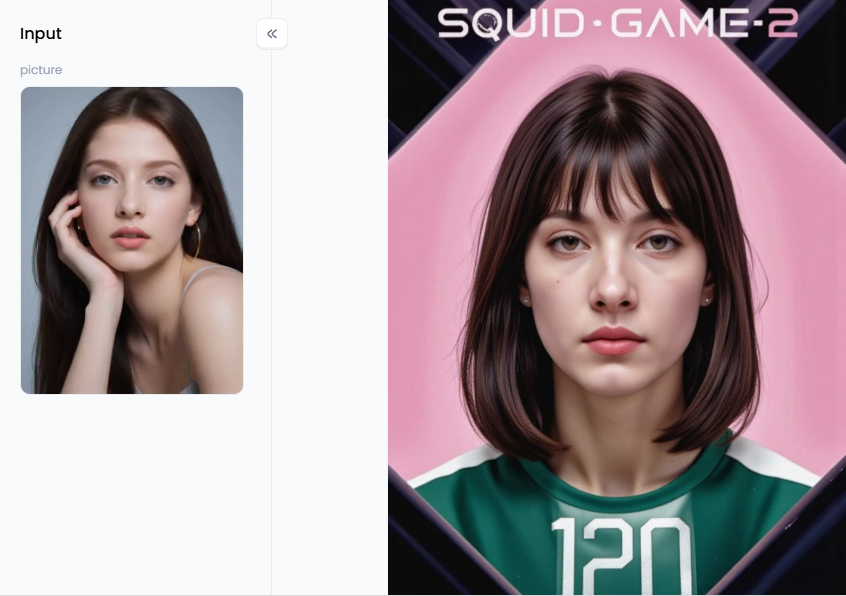
Start your art journey with a1.art.
Exploring Different Types of Squid Game Filters
Not all funny Squid Game filters do the same thing. Consider it similar to selecting your role in the game; you can choose the one that best suits your preferences because each type gives a unique amount of excitement.
First up are the full character makeovers. These are the classics! With one tap, these photo-to-avatar converters canturn your regular photo into an awesome digital portrait, dressing you as a player or a guard. It's ideal for witnessing your appearance as a cast member or making a stylish new profile photo.
Then, if you want to make your buddies giggle, you'll adore the meme filters. These allow you to mimic the well-known Squid Game smile meme or insert your face into amusing images. Funny AI photo edits like this are easy to share and ideal for gaining a lot of attention on Instagram and TikTok.
What if you want to appear as though you were there? Background changers are useful in this situation. Rather than altering your attire, these ingenious filters insert your picture directly into the program's well-known settings. You're waiting for the "Red Light, Green Light" game to begin, or suddenly standing on the glass bridge. It's a great method for producing an image resembling a real movie scene.
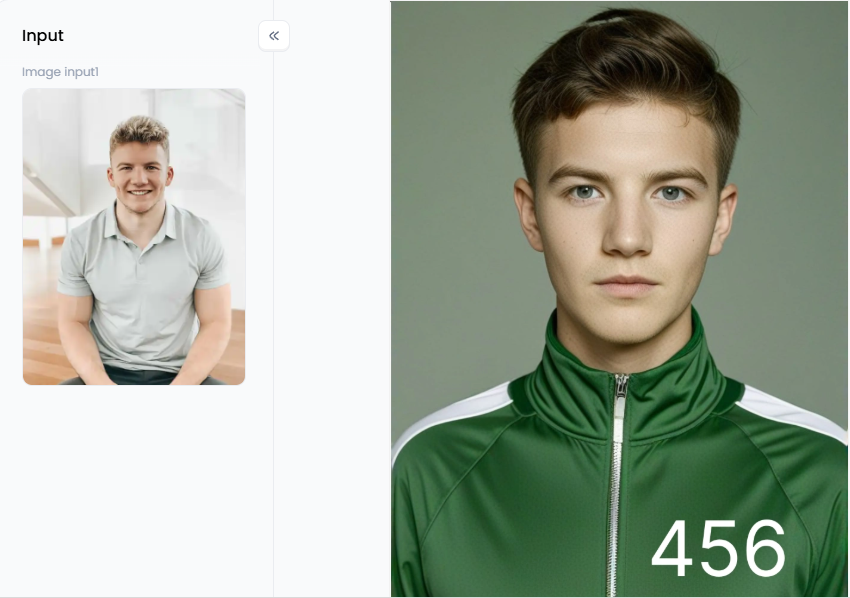
Click the picture to generate your exclusive squid game 456 with one click👇
Your Winning Strategy: How to Create the Perfect Squid Game Look
Now that you know what you can do, it's time to plan how to make your picture great! Just clicking a button is okay, but thinking a little bit can make your creation go from good to something everyone remembers. Here's your full plan to make Squid Game votes that people will notice.
Start with a Good Picture of You
Your AI Squid Game image will look better if your original photo is better.
-
Good Lighting is Key: Use a picture where the light on your face is clear and even. Please don't use photos with dark shadows or photographs taken when it was dark.
-
People Need to See Your Face Clearly: The AI needs to see your features. A picture looking straight at the camera or turning slightly to the side works best. Don't use photos where you're wearing sunglasses or a hat that covers your eyes, and make sure the picture isn't blurry.
-
How You Look Matters: Do you wish to project an air of seriousness? Choose a picture of yourself that shows you are composed or focused. Do you want to create a humorous Squid Game image? The ideal facial expression will be goofy or overdone!
Choose Your AI Filter and Website Wisely
Not all websites that provide these images are created equally. Seek out a Squid Game AI generator that allows you to be creative, produces high-quality images, and offers various options. A website like a1.art is a great idea because it has easy filters you can use with just one click and tools that let you change things more if you want.
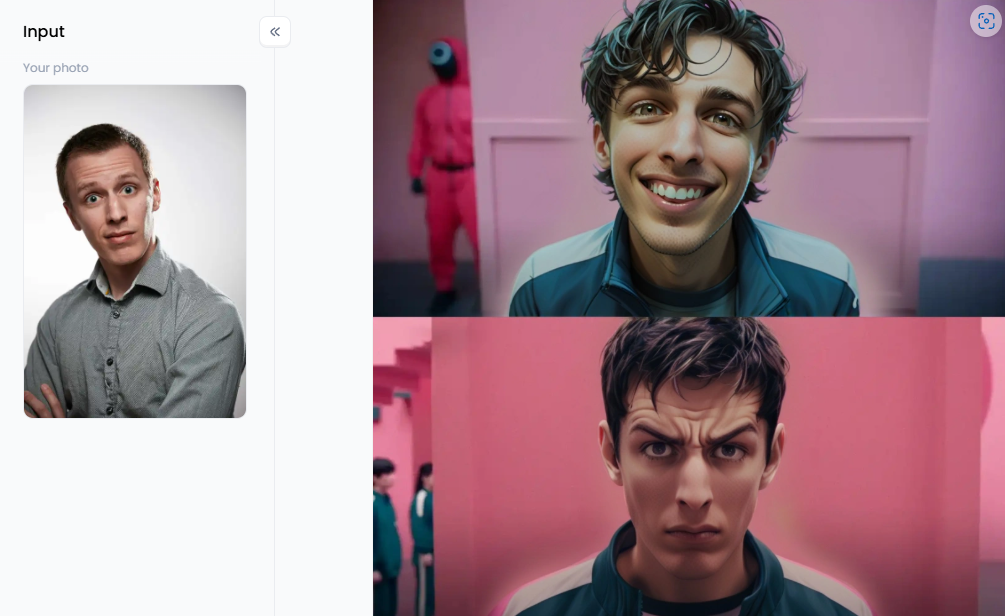
Click the picture to generate your exclusive squid game 2 meme with one click👇
Cool Ideas to Make Your Picture Stand Out:
-
Get Your Friends Involved: Don't just change your picture—change a photo of you and your friends into a team of players! You can even give everyone a different number.
-
Your Pet Can Play Too: Is it true that Squid Game is solely for humans? A personalized Squid Game avatar that is adorable and hilarious may be created from a photo of your dog or cat looking serious.
-
Show the Before and After Squid Game Filter: Put your original photo next to the one where you're a Squid Game character. This "before and after" look is interesting for people to see.
-
Tell a Little Story: Use three pictures that the AI makes. First image: The Squid Game card is being given to you. Second image: You appear anxious and are dressed in a green tracksuit. Third image: You appear content, depressed, or worn out after surviving.
Tips to Join the Fun Online:
-
Use Popular Words Online: Don't just use #SquidGame. Use other popular words, like #SquidGameAIFilter, #AISquidGame, #SquidGameChallenge, and #AIPhotoTransformation.
-
Use the Music: Use the Squid Game show's soundtrack or other well-liked sounds from this TikTok and Instagram Reels trend.
-
Tell Your Friends and Challenge Them: In your post, tell your friends to try it and challenge them to make their own Squid Game picture. This will get more people involved!
Click the picture to generate your exclusive squid game with one click👇
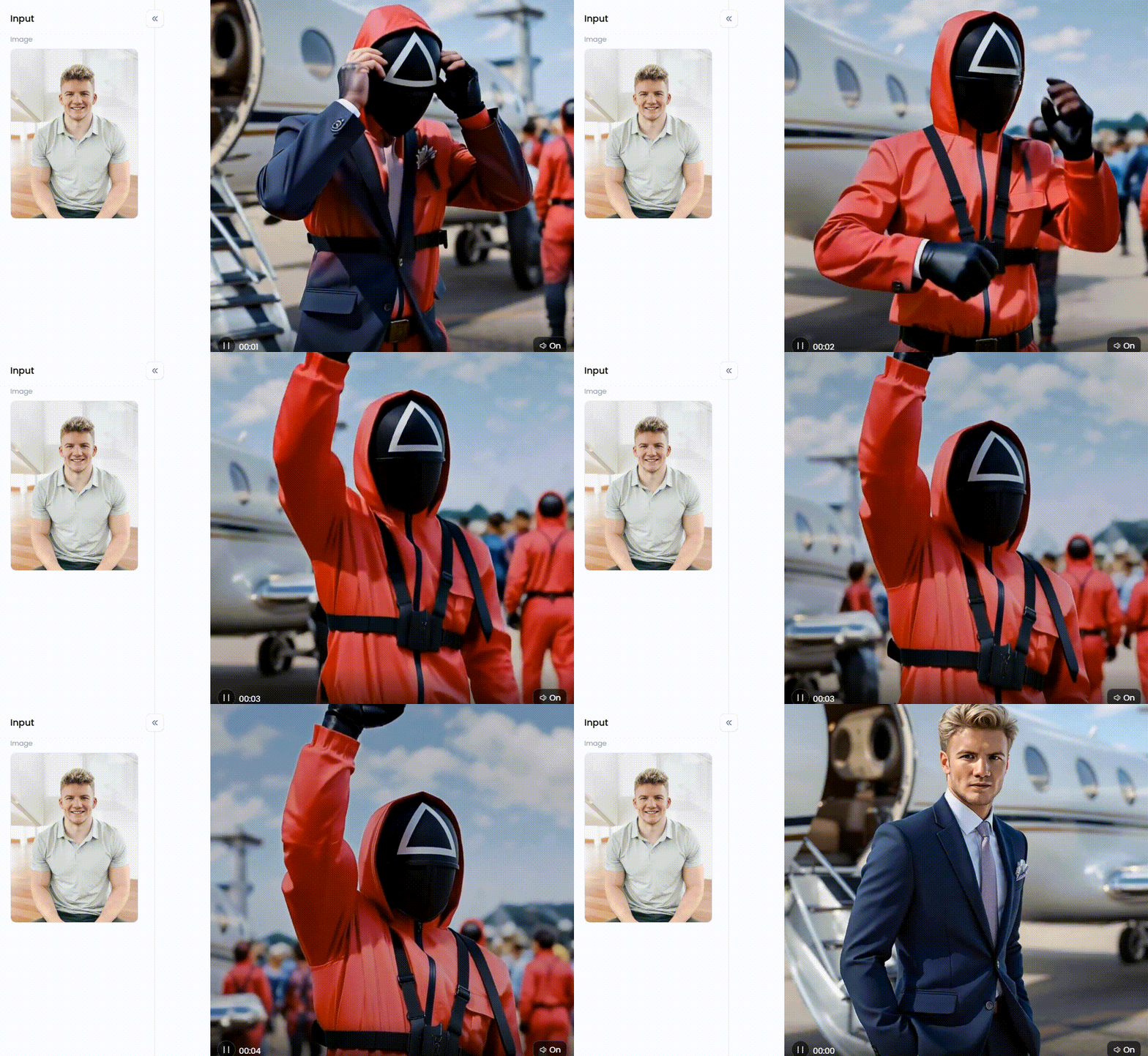
Go Viral: Become a Squid Game Star with a1.art
You can find many places to make your picture look like Squid Game. But a1.art gives you all the cool Squid Game photo generators to be creative and do it your way! It's where fun photo changes become amazing art that everyone wants to see. This website is special because it has filters that are easy to use and a smart AI that listens to your words. So, you can make exactly what's in your head. The cool thing about this website is that it lets you start simple but deep.
Step 1: Change Your Picture Easily with Ready-Made Filters
If you want great pictures immediately without much effort, this AI-enhanced platform has lots of filters already made for you. Just upload your photo and pick the style you like.
-
For Your Avatar: For a great profile picture, try filters like custom "Squid Game Avatar," "SuiqGame Girl," or "SquidGame Boy." These are made to easily turn your selfie into an awesome character wearing the famous green suit.
-
For Famous Scenes: Utilize "Squid Games (456)" to transform yourself into the protagonist. It captures that unique mood and appearance of the program.
-
For Funny Memes: The filters "Squid Game 2 Meme" and "Squid Game 2 Meme (Cartoon)" are perfect for making funny pictures. They offer a pleasant surface on which to place your humorous words.
Step 2: Take Charge with Your Own Words
a1.art is at its best at this point. You can give the AI instructions by typing words, making your image look good, or producing something entirely different. Become an AI character designer like this! Here are some tips for expert word use:
-
Be Very Clear: Instead of saying "me in Squid Game," try "Picture of a woman who looks about 30 years old. She's a Squid Game player, number 199. She looks worried and is standing in the big sleeping room. Make it look like a super-real movie and very high quality."
-
Use Good Words: "Like a movie," "with cool lighting," "showing lots of little things," "like a video game," or "like a picture taken by a pro" are more phrases you may use to assist your picture to seem just the way you want it to.
-
Tell It What Not To Do: You can specify what you don't want in a photo using sophisticated tools (e.g., "not ugly, not blurry"). This can improve your AI photo modification much more.
-
Start with a Good Base: The "Squid Game (Prompt)" filter is made for this. It gives you a good start, and then you can change the words to pick your scene, player number, or what's happening.
How to Use It, Just 3 Steps:
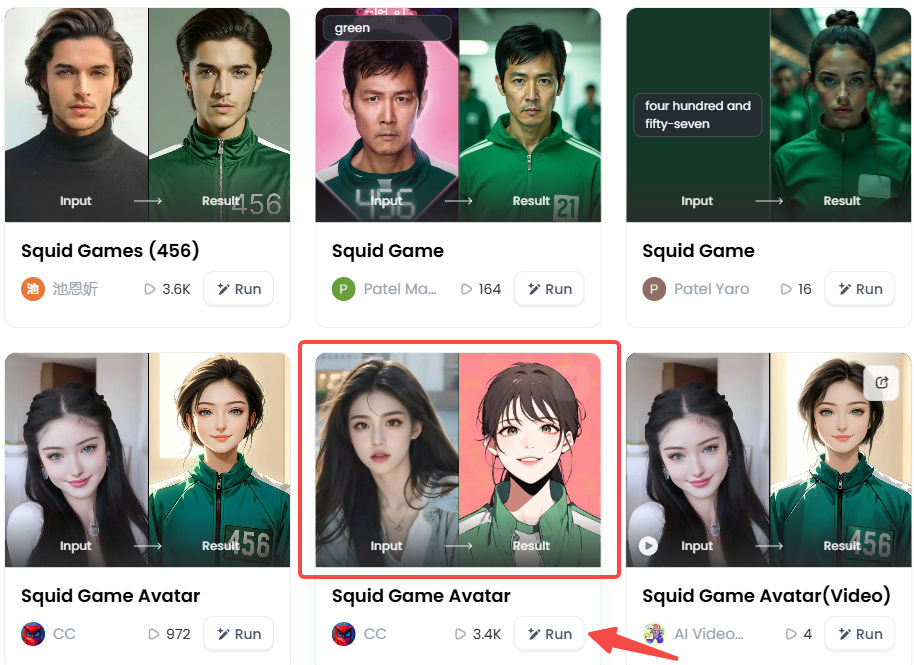
Step1:
Open a1.art, choose the App that you are interested in, then click 「Run」
Click on the image to experience the same App👇
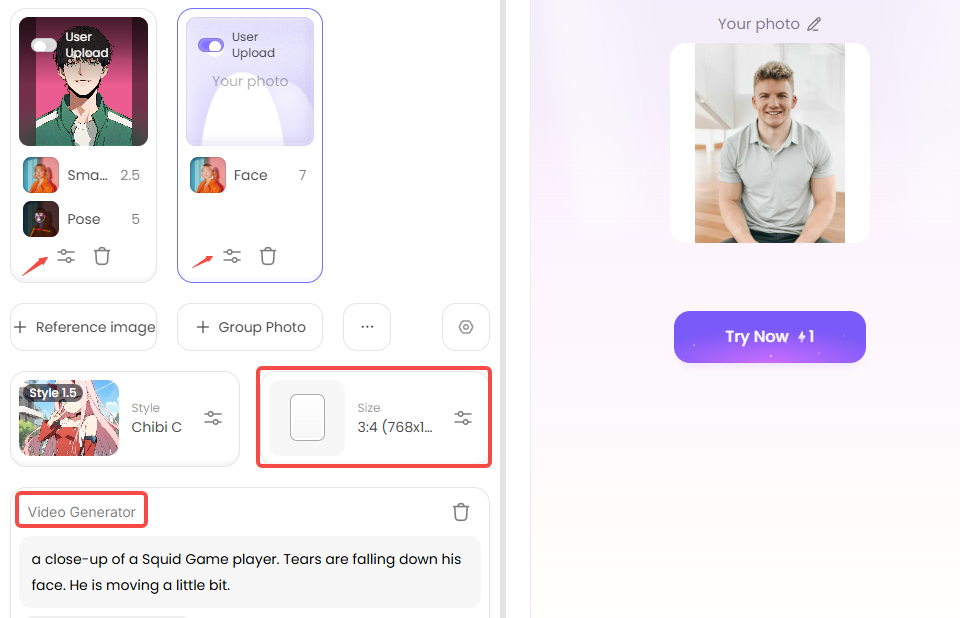
Step2:
Click "Fork" and Upload a photo/image
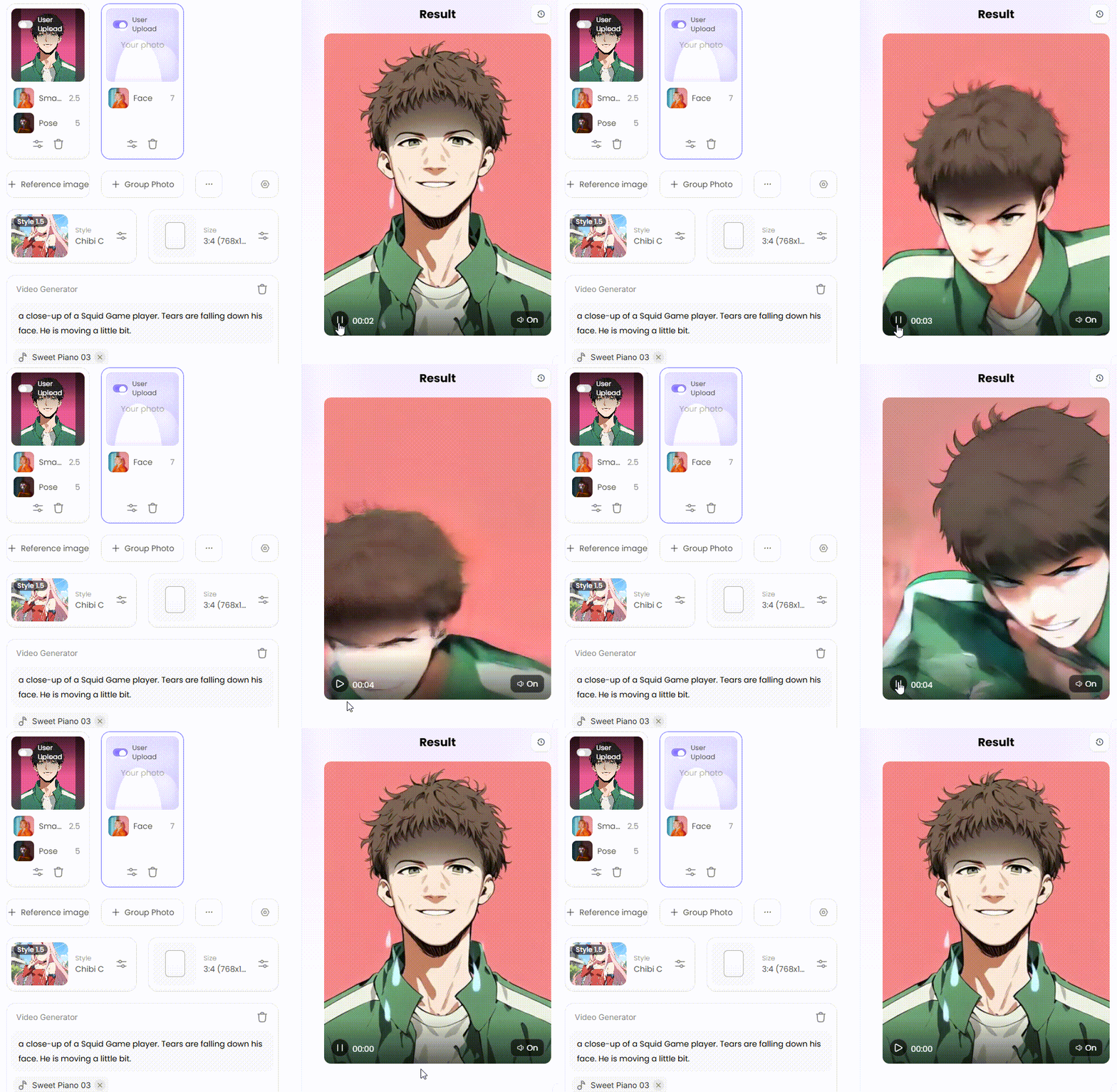
Step3:
Wait 3 seconds, you will get a wonderful result 👇
Step 3: Make Your Pictures Move with Video
Why merely have a still image? Squid Game character transformation is now capable of creating films as well! This website's "Squid Game (Video)" filter is a neat new addition. The "Fork" option also allows you to alter a video. Here are some fun ideas for videos:
-
Show the Change: You can create a short video. In it, your regular photo will slowly change into your AI Squid Game character. It looks really neat and is great for sharing with others online!
-
Make It Slightly Alive: You can also make a video where your character doesn't move much. But the stuff behind them might move slightly, or their eyes slowly blink. This makes them look a little spooky and also real.
-
Use Words for Action: You can also type words like: "a close-up of a Squid Game player. Tears are falling down his face. He is moving a little bit." This can help you create really strong and sad short videos.
Step 4: Mix, Match, and Create Your Own with "Fork"
Have you seen a cool image on a1.art? You don't need to begin again! You can utilize its Squid Game digital avatar as a base by pressing the "Fork" button. You can examine how it was made and adjust it to your needs. It's an enjoyable method of learning and creating! It's even simpler to convert images into films or videos into photographs.
The best part of using these filters is that you get to be the creator! You can make awesome pictures and videos that are all yours. Who knows, your AI digital designs might even become famous online!
Your Final Challenge: Step into the Arena with a1.art
From the show's huge fame to your thrill of wearing that green tracksuit, the Squid Game AI filter is super popular. It's where the awesome show meets easy and powerful AI picture magic. We've seen what these filters do, the fun ways to make characters and memes, and how easy it is to create a Squid Game avatar.
Now, it's your turn to go viral! You need the right Squid Game photo converter, and a1.art is easy for AI art transformation. Make an amazing Squid Game picture in one click or use your ideas to create something new. This platform/app helps your photos look great, makes videos, and even uses other people's ideas. The Squid Game fun starts online, and you have the best way to join. Now go to a1.art, select your filter, and make your Squid Game image.
Read more
- 10+ Best AI ASMR Video Generators Free: Your Ultimate Guide to AI-Generated ASMR Videos
- Celebify AI vs a1.art: Best AI for Celebrity Face Swaps?
- How to Turn 2D Photo to Spatial Photo?
- Celebrate Raksha Bandhan with AI: Create Heartwarming Brother-Sister Photos
- Pixverse AI Porn Making Free with a1.art: Your Ultimate Creative Guide
- How to Make Pixverse NSFW Video Bypass? A Creator's Guide to Artistic Expression
- Pixverse AI NSFW Free Using with a1.art: The Ultimate Guide to Unrestricted Creativity
- 10 Best Free AI 19+ Image Generators: Create Stunning NSFW Art
- Create Your Own Saiyan Name with AI Generator Free
- AI Diss Track Generator: Songwriting Inspiration Engine
Written by

a1.art
Published on
Jul 31, 2025
Share article


