


Have you ever wished your pictures had more life? They can now! Transforming 2D images to spatial photos is like traveling back in time. It makes your photos pop with depth!
Many folks want their pictures to stand out; spatial photos are a cool way to do that. People are increasingly using AI to make their photos look even better. The business of AI making 2D-to-spatial photos is getting super popular. Experts think the market size will reach a staggering $1.37 billion by 2032.
Thanks to smart AI, it's easy to make your own. AI looks at your regular photo and determines how to add that cool 3D effect. Want to try it? Online spatial media converters like a1.art make it simple to turn your favorite 2D photos into awesome spatial memories. Get ready to see your pictures in a whole new way!
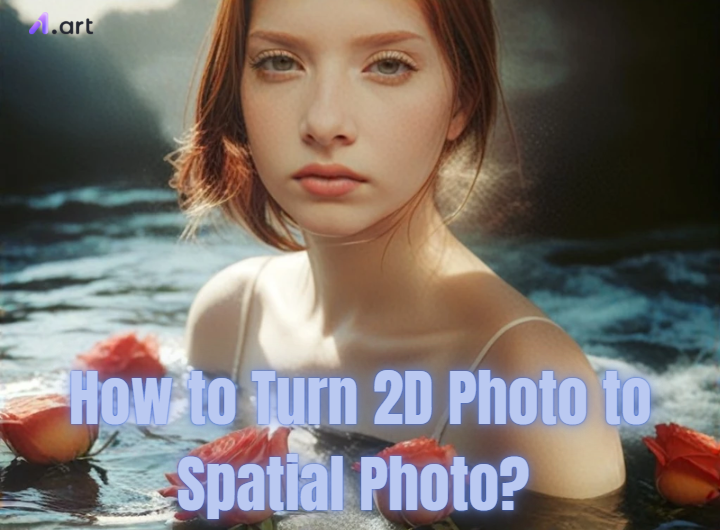
What are Spatial Photos?
Imagine looking at a picture that pops out, almost like the real world. That's what a spatial photo is all about! It's a picture with depth, making things look like they have shape and are at different distances. Think about how your eyes see things – they work together to give you a sense of how far away things are. For spatial photos, try to do the same thing for your pictures.
So, how do regular flat photos turn into these cool 3D-like images? It's like magic, but it's a smart computer program! These programs, often using AI, look at your regular picture and try to guess how far away different things are in the scene. They use special tricks to figure out the depth. Sometimes, you can even help the computer make it even better.
In the past, you needed special cameras to take these kinds of photos. But now, it's super easy! Free 3D depth picture editing tools can turn your regular photos into spatial visuals with just a few clicks. With a glimpse of true 3D in our images, it seems the future of photography is here.
Click the picture to generate your exclusive photo with labubu with one click👇
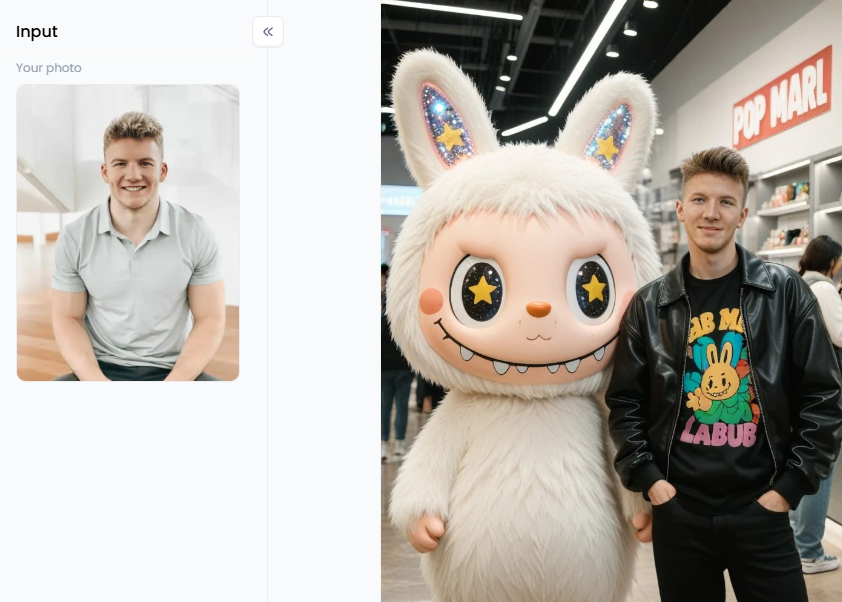
Start your art journey with a1.art.
The Many Uses and Benefits of Spatial Photography
Spatial photos give your memories a fresh spin! Instead of flat pictures, you get images with depth, making moments feel more real. Imagine looking at your vacation snaps and almost feeling like you're back there. This extra dimension can bring your memories to life.
Beyond just keeping your memories special, spatial photos are a hot trend in different industries:
-
Fun Times: From telling stories that pull you in to cool 2D to spatial video GitHub posts, these photos grab attention and make things more exciting.
-
Shopping Online: Seeing products in 3D helps you understand what you're buying. You can see the size and details better, which might make you feel more sure about buying.
-
Learning Stuff: It's easier to learn when you can see complicated ideas in 3D. Picture studying how the body works with photos that pop out, or seeing old places come alive.
-
House Hunting: Virtual tours with these photos let you see how a house looks and feels inside without leaving home.
-
Making Art: Artists are finding new ways to be creative with 3D photo technology. Adding depth to pictures opens up a whole new world for cool art.
With technology becoming simpler, we'll probably see even more cool ways to use spatial photos. From making your memories feel alive to using them to display what you do, making 2D image depth mapping into 3D is a wonderful new way to experience the world.
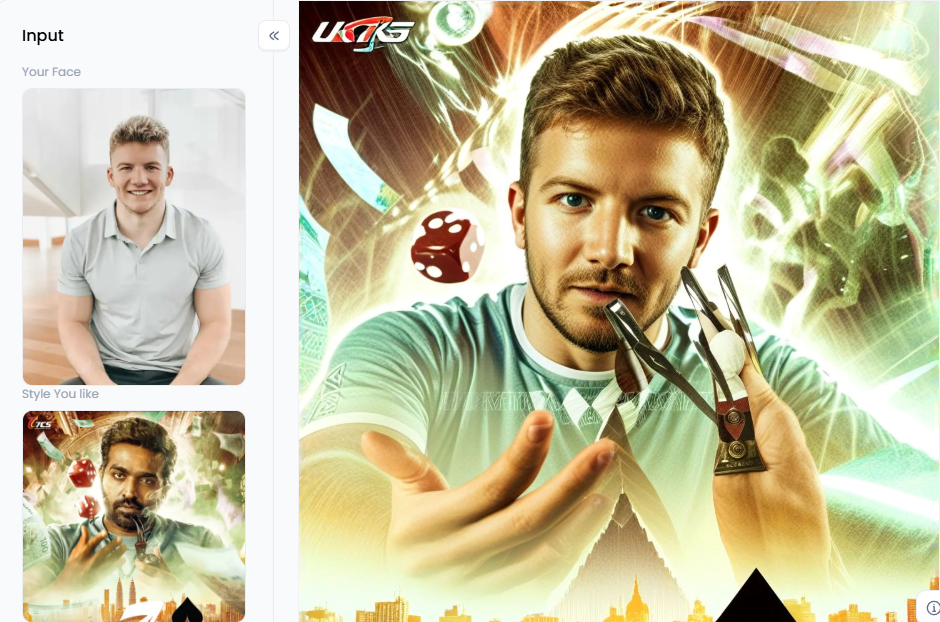
Click the picture to generate your exclusive get new looks with one click👇
10 Pro Tips for Converting 2D Images to Spatial Photos
Are you ready to jump in and convert pictures to 3D spatial arts? Making a 2D photo to spatial photo conversion is easy, but you can create stunning images with these insider tips.
1. Pick Your Magic Wand Wisely
When looking for the right tool for your 2D to 3D photo conversion, think about what's most important. Is it easy to use? Does it make pictures look really good? Is it fast? A great place to start is by looking for tools with many happy users or trying out a free version first.
2. Start with a Great Photo
Grab a clear, bright, and focused image for the best results in 3D imaging from pictures. The AI needs to see all the details to work its magic. A sharp photo will give you a crisp, believable 3D effect, while a fuzzy one will likely lead to a muddy-looking result.
3. Think in Layers
Look for a picture with something up close, in the middle, and far away. This natural separation gives AI clues about what to push back and bring forward. If your photo is cluttered, try cropping it to focus on the parts with the best layers.
4. Play with the 3D 'Wow' Factor
Most photo depth enhancement tools let you decide how strong the 3D effect is. Don't just stick with the default setting! Some photos, like a subtle portrait, might look best with a gentle touch of depth. But you might want to crank up the 3D photo rendering for a dramatic landscape to get that breathtaking, larger-than-life feeling. Make a few different versions and see which one you love most.
5. Hunt for Glitches and Weird Spots
After the AI works, closely examine your new spatial photo. The technology is amazing, but it's not perfect. Sometimes, you might see weird blurry spots or wobbly edges around your main subject. This is normal! Just scan your picture and check if everything looks right.
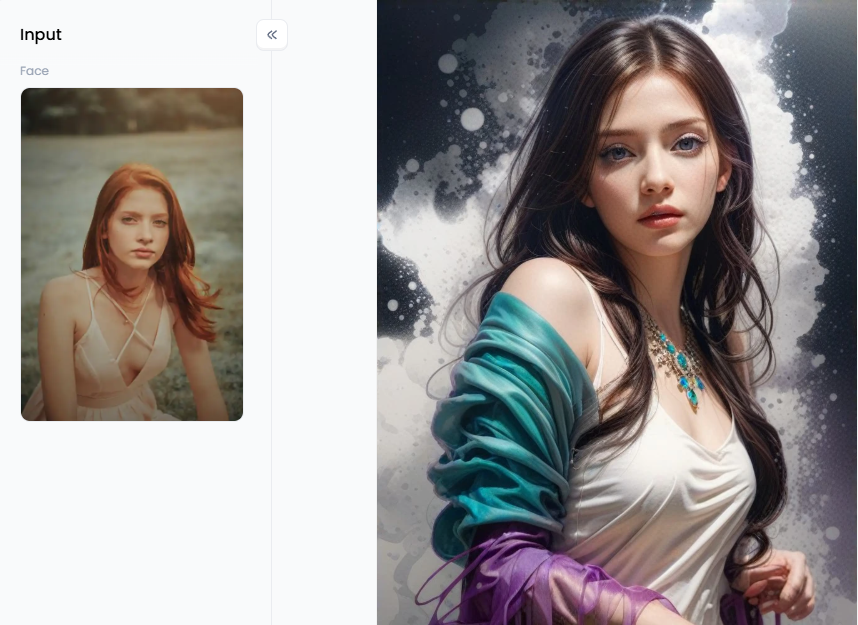
Click the picture to generate your exclusive beautiful girl standing in front of colorful background with one click👇
6. Be the Director of Depth Editing
If you spot a glitch, don't worry! Some more advanced 3D depth effect photo editing tools give you the power to fix it yourself. You can take on the role of a director with these capabilities, instructing the AI on how deep it should be. Adjusting the layers by hand may make an object stand out even more or smooth off any rough areas.
7. Keep Your Photo in Shape
Have you ever had a website crop a photo and cut off someone's head? That can sometimes happen during a 3D stereo photo conversion. The "aspect ratio" is just a fancy term for the shape of your picture. Before you finalize your spatial photo creation, check if the tool is trying to change its shape. Look for a setting that keeps your photo's original dimensions so your masterpiece looks exactly how you intended.
8. Talk to AI
You could type "make the person in the red shirt stand out" to guide the image to the depth photo process. If your tool provides this feature, tell it what you want with plain, uncomplicated language. It is like having a helpful robot assistant that aids you in producing the ideal image.
9. Convert a Whole Album at Once
Converting them one at a time may seem like a chore. Batch processing is useful in this situation! Look for tools that let you instantly convert all your images into a folder. A few clicks may bring memories to life.
10. Keep Up with the Cool New Stuff
AI photo editing is evolving at a breakneck pace. There are always new photo to 3D models and incredible features coming up. Watch this space for any updates! You can find even better ways to edit your images by following creators in this area or watching your favorite tools. The best approach to maintaining your creative abilities is to remain inquisitive.
Click the picture to generate your exclusive cuteyou with one click👇
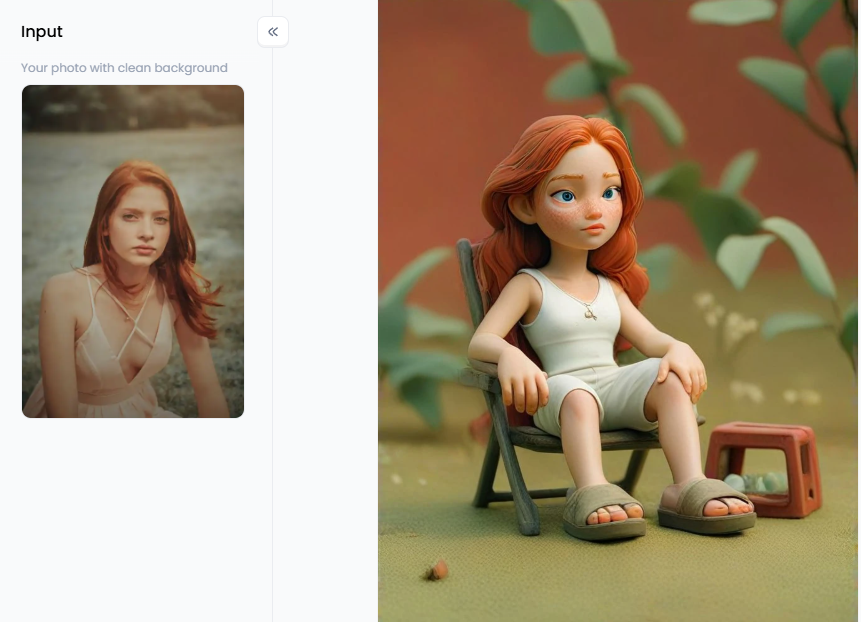
a1.art: Relive Your Memories with Stunning 2D Photos to 3D Transformations
Want to make your old photos look awesome? Imagine your memories popping out! That is the function of a1.art. This basic photo tool creates eye-catching 3D art from ordinary images. It only takes a few simple clicks to make your spatial videos and photos appear deep.
Here are some of the neat things a1.art lets you do:
-
You don't need to be a tech expert to get started. Thanks to the website's user-friendly design, you may easily convert 2D images to 3D art.
-
Want to see your picture with a playful "Cute 3D" look? Or maybe a "3D Swimming Figure" that looks like it's moving? You can even turn yourself into a funny "3D Caricature." There's a perfect filter for every mood and photo.
-
If you want to see the 3D effect, try filters like "Mech 3D" or "3D Race Driver." These make your pictures look like they have real depth, almost like you could reach out and touch them. The "Virtual 3D Image" filter enhances the photo's dimensional feel.
-
a1.art has all you need for your fashionable portraits and photographs. The "Cool 3D Portrait" filter gives your headshots and selfies a unique touch that makes the subjects of the photos stand out, while the "3D Fashion Figure" filter makes your clothes stand out.
-
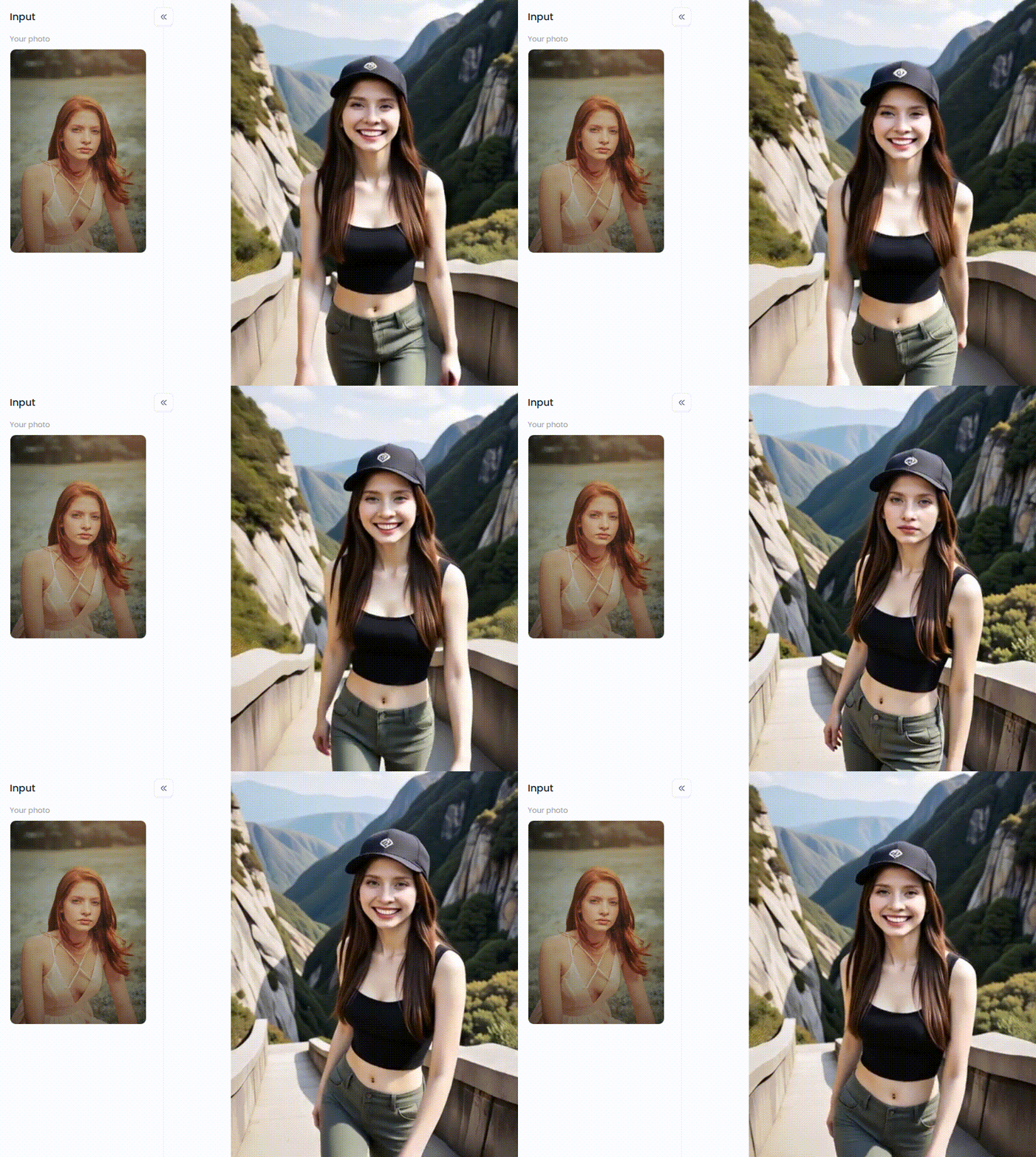
Got some action shots? The "3D Mountain Climber" and "Champion Liverpool 3D" filters are perfect for adding energy and excitement to your sports and adventure photos. You'll feel right back in the middle of the action.
Click the picture to generate your exclusive mountain climbing with one click👇
-
Want something truly your own? The "3D Print Clothing Customization" filter lets you see what your designs could look like in 3D photo enhancement. And with the "3D Character" filter, you can even create your unique three-dimensional characters.
-
If you like different art styles, the "Style Transfer (Building)" filter lets you try out cool new looks. Or, if you just want to add a basic sense of depth, the simple "Converter" filter does the trick.
-
Imagine your photos with even more life! The "Playing Violin" filter adds a fun, dynamic element, making your pictures more engaging and telling a little story.
-
If you want to focus on the person or thing in your photo, the "Black Background" filter adds depth by making the background dark and your subject stand out.
All these cool features mean you can easily make your photos more interesting and fun to share. You can quickly give your photos an extra "wow" element to make them visually appealing to your loved ones.
Do you want to create a viral 2D to spatial imaging piece? Here are a few simple tips:
-
Combining two filters can occasionally provide an incredible and one-of-a-kind effect. Don't be afraid to play around and see what happens!
-
The more detail you give, the better the result will be. Think about how much depth you want, what kind of texture, and the overall feeling you're going for.
-
The extra dimension might help viewers relate to what they see and make your images more captivating.
-
When you're ready to share your awesome 3D creation, make sure it looks good on the spatial media toolkits where you want to post it.
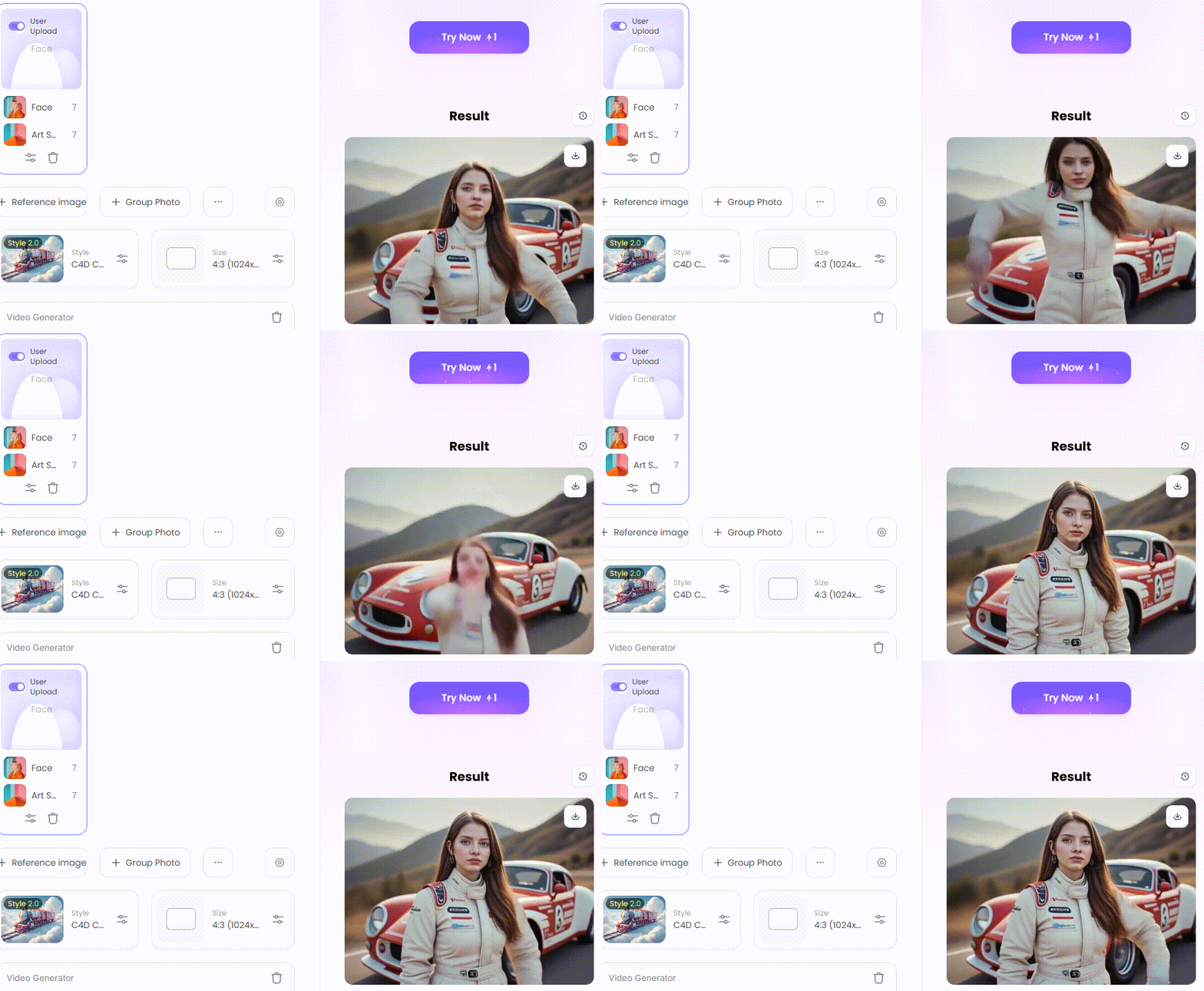
How to Use It, Just 3 Steps:
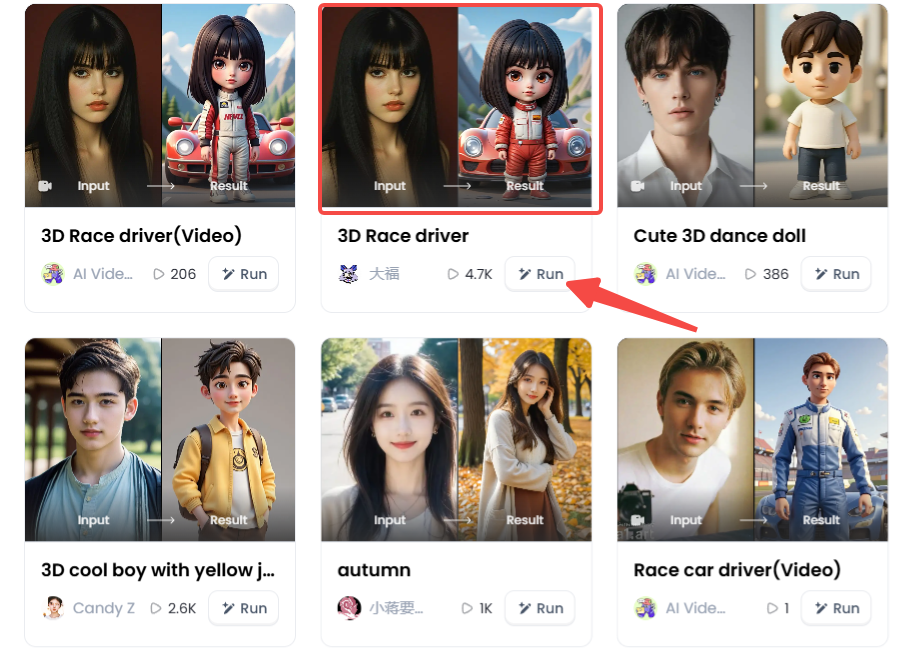
Step1:
Open a1.art, choose the App that you are interested in, then click 「Run」
Click on the image to experience the same App👇
Step2:
Upload a photo/image
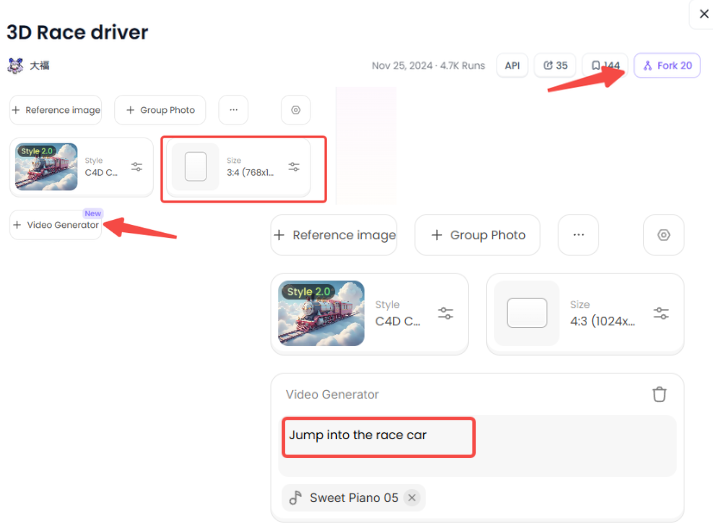
Step3:
Wait 3 seconds, you will get a wonderful result 👇
When utilizing AI technologies for your ideas, keep in mind these crucial points:
-
Experiment with all the various settings and filters. You can not predict what interesting new items you might find.
-
Make sure your 3D effect looks good and natural. You can always try a different filter or adjust it if something seems off.
-
There are guidelines for using AI tools, so be mindful of them if you want to utilize the pictures you create to advertise products.
These tools allow you to turn images into 3D artwork. Why don't you try it? Play with the filters and discover your memories in a whole new way!
Conclusion: Seeing Your Photos in a New Dimension
So, getting 3D photos from your regular pictures is cool! Now, it's easy for everyone to make awesome 3D photo visualization thanks to smart tools like a1.art. This website is great because it lets you easily add depth to your photos. It has fun filters and smart technology that make your memories look amazing in a 3D digital photo transformation. Ready to see your pictures in a new way? Go to the platform/app today and turn your flat photos into awesome 3D art! Let your imagination run wild and see your pictures come to life.
Read more
- Celebrate Raksha Bandhan with AI: Create Heartwarming Brother-Sister Photos
- Pixverse AI Porn Making Free with a1.art: Your Ultimate Creative Guide
- How to Make Pixverse NSFW Video Bypass? A Creator's Guide to Artistic Expression
- Pixverse AI NSFW Free Using with a1.art: The Ultimate Guide to Unrestricted Creativity
- 10 Best Free AI 19+ Image Generators: Create Stunning NSFW Art
- Create Your Own Saiyan Name with AI Generator Free
- AI Diss Track Generator: Songwriting Inspiration Engine
- Generate Free Stage Name with AI Online: Your Ultimate Guide to Crafting a Legendary Performer Identity
- Top 15 Playground AI Alternatives Online: Your Guide to the Best AI Art Generators
- How to Get Tiktok Fans with AI Free Easily: A Smart, Simple Guide
Written by

a1.art
Published on
Jul 29, 2025
Share article


