


Have you ever dreamed of being the star of a big movie or imagined yourself looking glamorous on a red carpet? For a long time, only big movie studios could create those amazing images. They needed special computers and lots of talented people. It felt impossible for regular folks to swap faces with celebrities and make it look real easily.
Early face-changing apps were not great. The pictures often looked weird and fake, more funny than believable. Getting a realistic celebrity face swap was nearly impossible for most people. But things have changed thanks to new AI technology! Tools like Celebify AI and a1.art now let you do those professional-looking face swaps yourself.
The world of AI that creates images is growing fast. Experts say it could be worth over $100 billion by 2030. Celebrity face swap technology is a big part of this. Some free Celebify AI alternatives look closely at how light and expressions work to make face swaps that look unbelievably real. Get ready to change your photos and videos in amazing new ways!
What is Celebify AI?
Imagine Celebify AI is a special tool designed to do just one thing: swap your face with a celebrity's. It takes your picture and a celebrity's picture and mixes them. This Celebify AI review is made for people who want to see themselves as famous people.
So, how does it do this magic? The Celebify AI model uses an intelligent system called GAN. Think of it like two AI robots working together. One robot tries to make the face swap look as real as possible. The other robot acts like a judge, asking if the picture looks fake or not. This back-and-forth helps the first robot get better and better at making realistic celebrity face swaps. To use it, you just upload your photo and pick a celebrity, and the AI does the rest.
Celebify AI is good at focusing on just face swaps. It's easy to learn how to use Celebify AI. Plus, face swaps are getting more and more real as the AI gets smarter. However, because it only does face swaps, you can't really do other cool things like changing the style of the picture or making videos. For anything beyond a simple face swap, you'd need a tool that can do more.
Click the picture to generate your exclusive face swap with one click👇
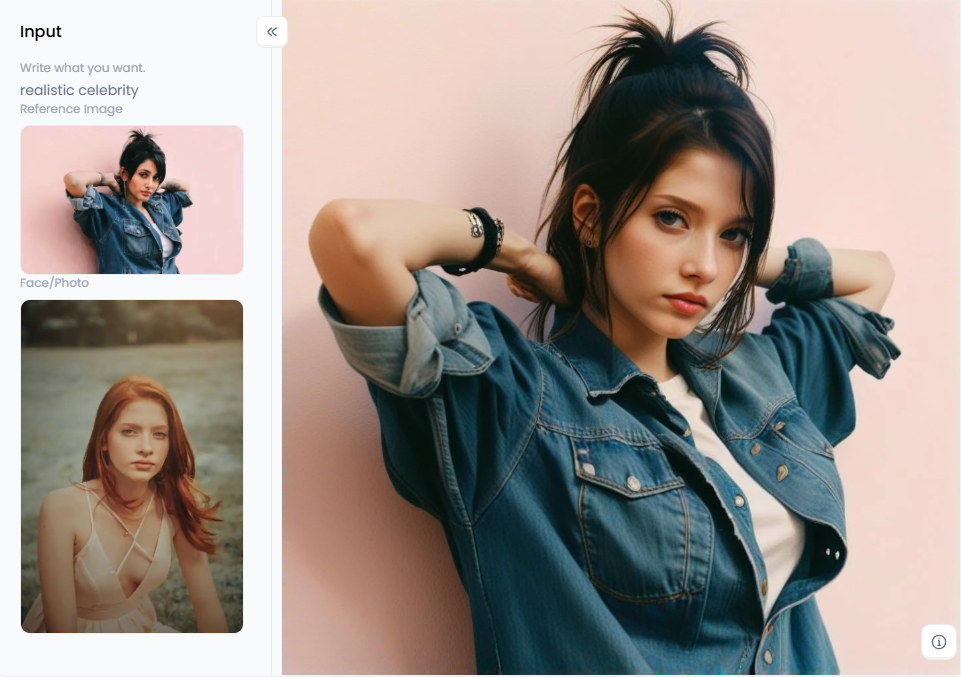
What is a1.art?
You might think a1.art is just for swapping faces in photos online, but it does so much more! Think of it as your creative buddy with lots of art tricks. This website uses intelligent computers (AI) to do its magic. But it has more than just one trick up its sleeve.
- Easy Photo Face Swap: Just like other apps, you can put your face onto someone else's picture.
- Tell a Story with Pictures: You can type what you want to see, and the AI will make it happen with your face!
- Cool Art Styles: Want your photos to look like a painting, a comic book, or an old picture? a1.art can do that too!
What makes it special?
- It does everything! You can swap faces in photos and make videos. Put your face in funny GIF face swaps. Turn words into pictures and make photos look great.
- You can do way more than just simple AI face swaps. You can even make yourself look like a famous person or create a funny mix of faces.
- They have a "Fork" button that lets you take art ideas from others and make them your celebrity face swap porn.
Therefore, a1.art is more than simply a tool; it's like having a creative partner who helps you realize all of your visions. Anyone who enjoys art, creates material for the internet, or simply wants to play with photographs will find it ideal.
Click the picture to generate your exclusive charming sister with one click👇
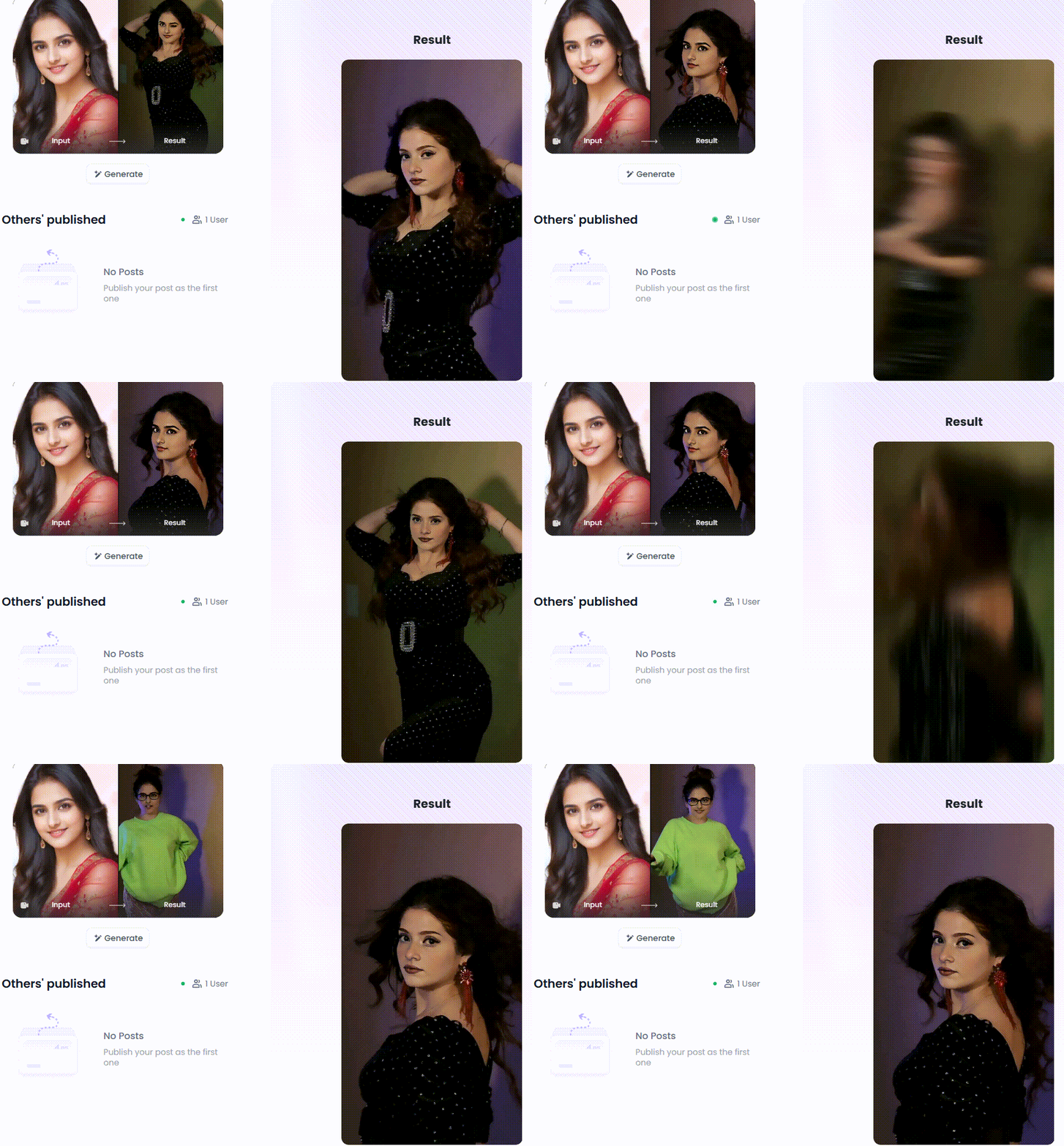
Head-to-Head: Celebify AI vs. a1.art for the Perfect Swap
Picking the best AI face swap tool for swapping celebrity faces? It's similar to selecting your preferred flavor of ice cream. It really depends on what you want! Let's see what each one offers.
| Feature | Celebify AI | a1.art |
| Primary Focus | Celebrity Face Swaps | Broad AI Art Generation & Photo Editing |
| Ease of Use | Very Simple, Primarily Mobile App-Based | User-Friendly Interface, Might Have More Features to Navigate |
| Celebrity Library | Often Extensive and Regularly Updated | May Not Have a Dedicated Celebrity Library, More General Face Swap Tooling |
| Face Swap Quality | Generally Good, Focused on Realistic Blending | High Quality, Offers More Control Over Blending & Realism |
| Additional Features | Limited, Primarily Focused on Face Swapping | Wide Range of AI Art Filters, Style Transfer, Animation, Editing Tools |
| Free Options | Usually Offers Free Trials or Limited Usage | Often Offers Free Usage Tiers with Watermarks or Limitations |
| GIF/Video Swap | Limited | Potential for Video Creation with Swapped Faces |
| Target Audience | Users Primarily Interested in Celebrity Fun | Users Seeking Comprehensive AI Art & Editing Capabilities |
| Control & Customization | Less Control, More Automatic | More Control Over Parameters and Additional Editing Options |
So, how do you choose between Celebify AI and a1.art for fun celebrity face swaps? It really comes down to what you're looking for. Let's break it down to help you pick the best AI for face swaps.
What to Think About When Choosing
When you're trying to decide, here are a few things to keep in mind:
- What's your main goal? Do you just want to head swap with celebrities for fun on social media quickly? Or do you want a tool that can do more creative things?
- How easy is it to use? Are you good with new celebrity face swap apps and websites, or do you prefer something super simple? Celebify AI is pretty easy for beginners. a1.art can do more, but it might take a little more time to learn all its tricks.
- How real does it look? Both try to make the face swaps look real. But the way they do it might be a little different. You can try the free options on both to see which one makes the swaps look most like real life to you.
- More than just a face switch online? Do you want a tool that can also change the style of your pictures or make them look better? If so, a1.art might be a better choice because it can do more than just swap faces.
- What's your budget? Are you okay with using a free tool, or are you willing to pay for extra stuff or to get rid of watermarks on your pictures?
Fun Things to Do with Celebrity Face Swaps
These celebrity face swap generators offer a plethora of entertaining activities! Here are some suggestions:
- Imagine Yourself in Movies: Have you ever pondered your appearance as your favorite character from a film? Now you can see! Simply switch your face with the actor from a well-known scene.
- Become a Music Star: On stage, picture yourself as a famous dancer or singer.
- Go Back in Time: Put your face on an old painting of someone from history for a funny picture.
- Who Do You Look Like? Try swapping your face with different celebrities to see who the AI thinks you look most like.
- Make Funny Moving Pictures: Take your face switch online and make it into funny GIFs or short videos to share with friends.
Click the picture to generate your exclusive masterpiece with one click👇
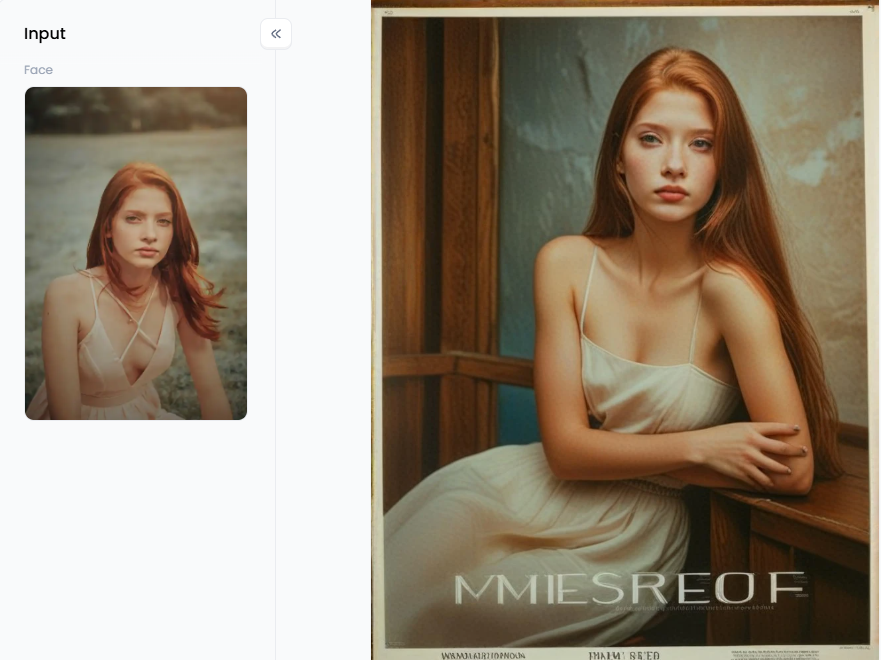
Tips for Making Your Face Swaps Look Great
Here are some helpful tips to get the best results:
- The better your original photos, the more real the face swap will look.
- Try to use pictures where the lighting is similar and your faces are turned in about the same way.
- Keep trying different images of yourself and other celebrities. You'll find the one that looks just right!
- When you apply an AI face swap, be thoughtful. If it's someone you know, remember that their privacy matters.
Which One Should You Pick?
If you just want to swap faces with famous people for fun easily, Celebify AI is likely a good and simple pick. If you want a powerful tool that can do many different things with AI art and pictures, like swapping faces, then a1.art is an excellent choice. It lets you do lots more fun things too!
Click the picture to generate your exclusive black and white photography with one click👇
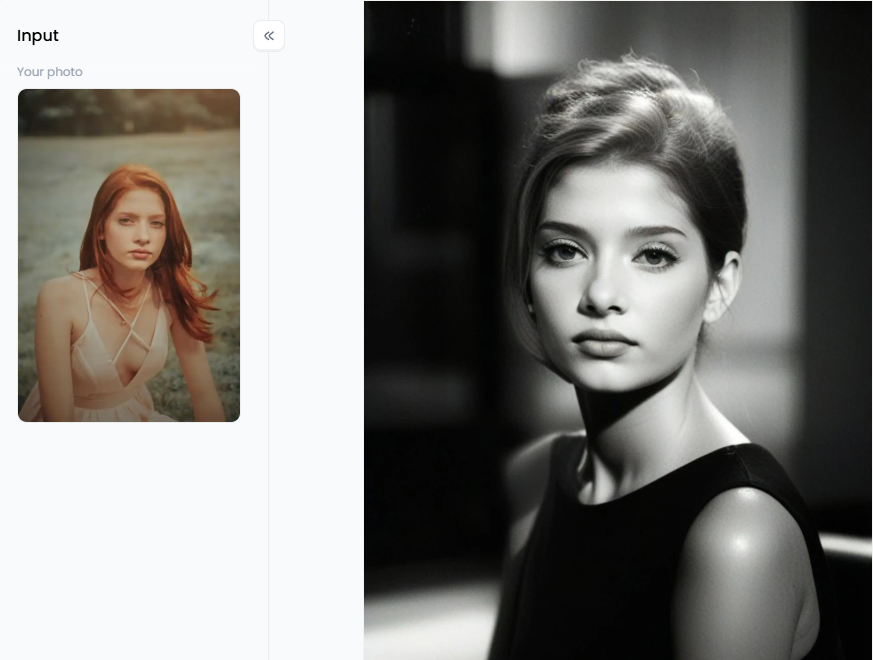
Unleash Your Inner Artist: Creative Face Swaps & Beyond with a1.art
Have you ever wished that you were a movie star, a superhero, or a famous painting's face? a1.art can help you achieve that and much more. This app isn't your typical face-swapping one. Imagine it as your art studio, but with superior AI for face-swapping celebrities! It can transform your wildest concepts into amazing images and films.
It makes it easy to take stunning pictures. It doesn't matter if you've been transforming AI celebrity faces for a while or are just starting. You will love how many things you can do with these simple tools. Get ready for word-based art, face-swapping, and artistic freedom!
Cool Things a1.art Can Do:
What, then, is unique about this platform? It has a ton of strong features that are easy to use:
- Just type what you want to see—like "a cat astronaut floating in space"—or upload a photo, and watch the magic happen.
- With a massive library of filters, you can change the entire mood of your picture in a single tap.
- This AI face swap online tool is top-notch, blending faces so smoothly that your friends will do a double-take.
- Ever wanted to see your selfie painted like Van Gogh? The artistic style feature lets you apply famous art styles to your photos.
- Sharpen blurry images, boost the colors, and improve the overall quality of any picture.
- The design is clean and straightforward so that you won't get lost in confusing menus.
- Jump between the mobile app and your computer's web browser without missing a beat.
Turning Your Ideas into Awesome Pictures
It's pretty simple to realize your ideas with a1.art. Enter the content you want to use or upload a picture. This celebrity face morphing AI will produce an intriguing image for you. You may then use filters and editing tools to make it even better.
Fun Filters to Make Your Art Pop
There are a ton of incredible effects on this website that may instantly transform your photos! Some enjoyable ones to try are as follows:
- Want a bright and beautiful look? Try "Indian Beauty."
- For something exciting, check out "Exotic Dancer."
- Looking sweet and friendly? "A Glance Back with a Smile" is perfect.
- Show off your style with "Bikini Beauty Selfie" or "Muscular Hunk."
- Feel like a star with "Goddess on the Red Carpet."
- Have some fun with "Hand Dancing Bikini Beauty" or "Pool Beauty."
- Of course, there's the "Face Swap" filter to switch faces.
- Try "Kiss the Face" for a playful touch.
- And for a little movement, use the "Facial Swap Filters."
How to Use It, Just 3 Steps:
Step1:
Open a1.art, choose the App that you are interested in, then click 「Run」
Click on the image to experience the same App👇
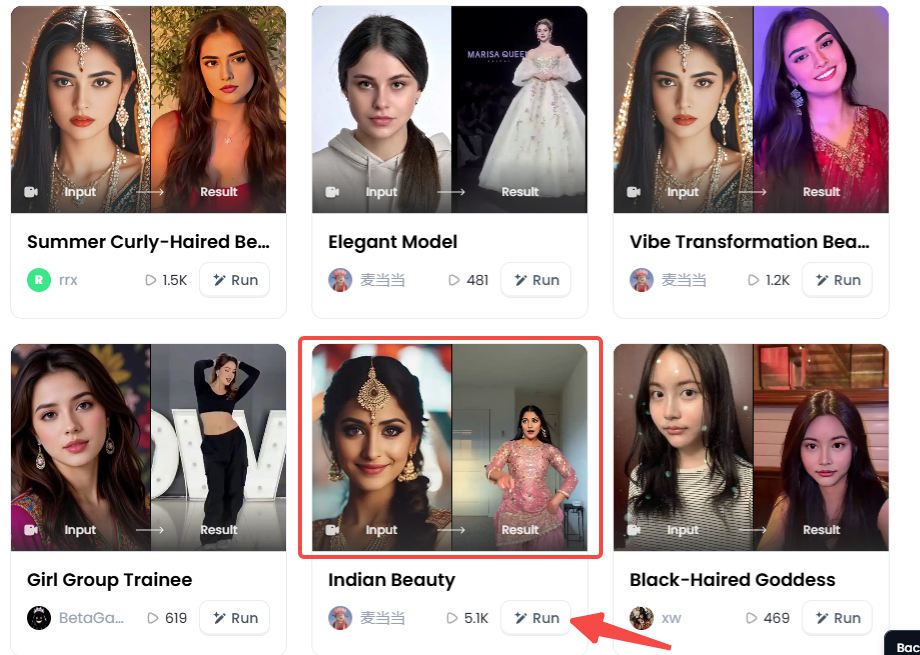
Step2:
Upload a photo/image
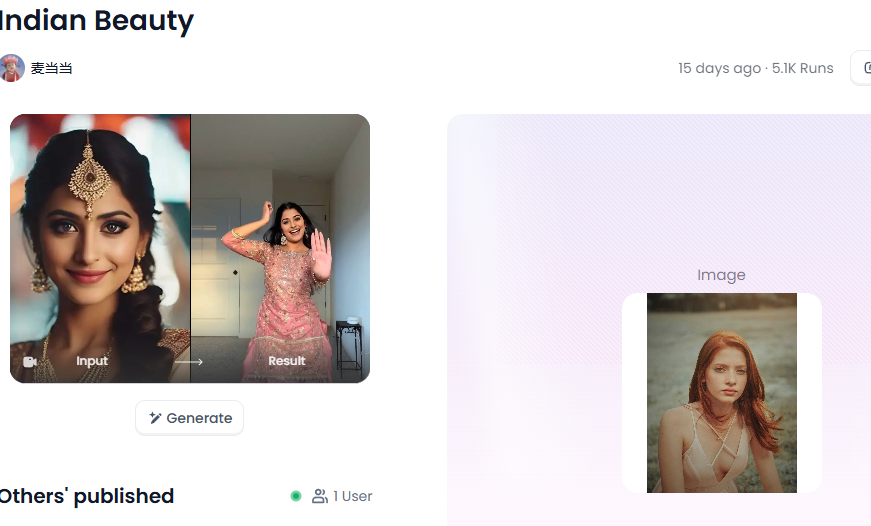
Step3:
Wait 3 seconds, you will get a wonderful result 👇
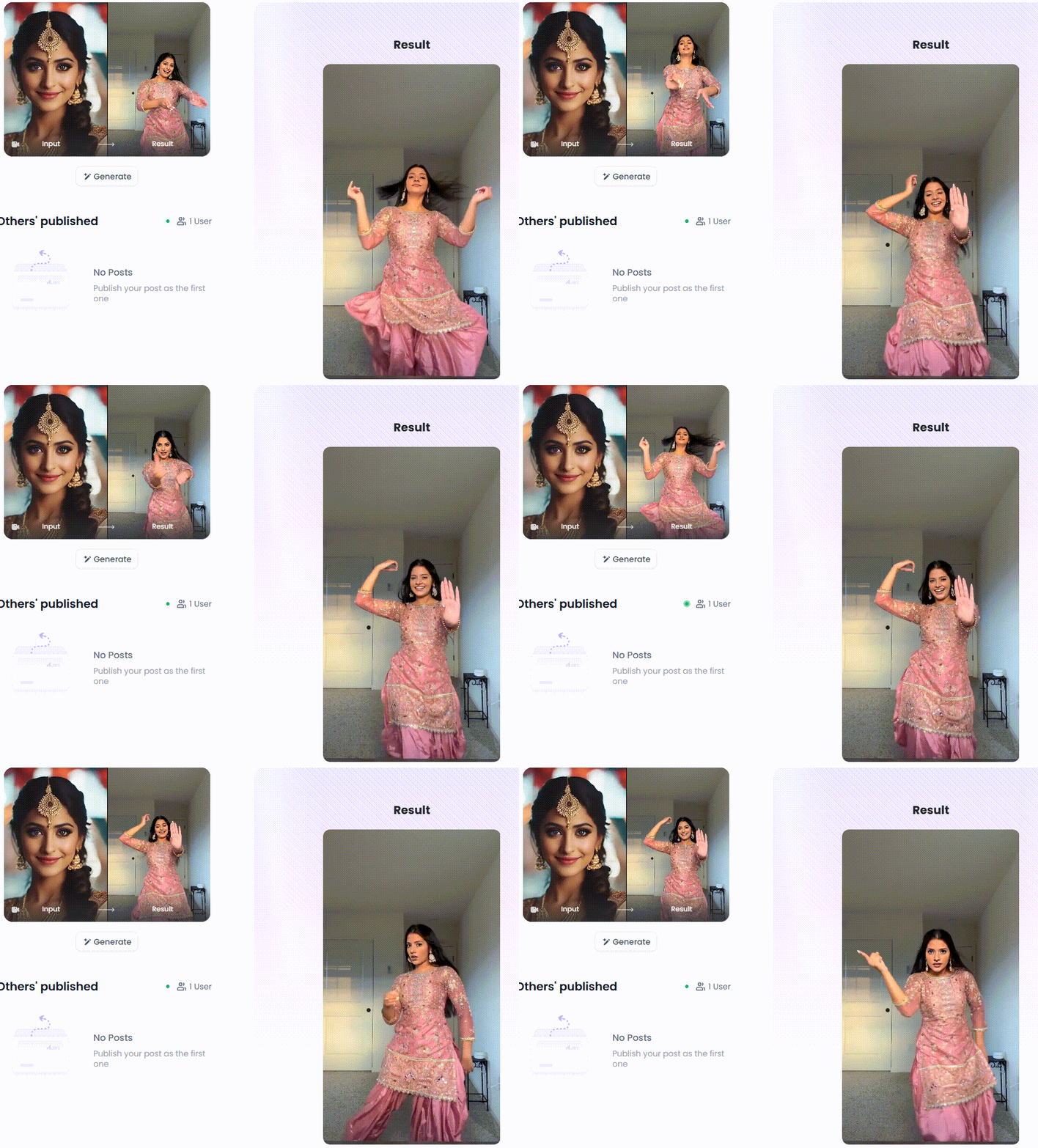
Tips for Making Great Art
- Just like taking a regular photo, think about where things are in your picture. This can make your art look really good.
- Pay attention to how bright your original images are. Try to make the swapped face or new filter look like it fits with the light. You can also change the colors to give your picture a certain feeling.
- When you type in what kind of picture you want or when you use filters, be very clear. The more details you give, the better the advanced face swap AI can understand what you're imagining.
Getting Your Art Seen by Others
- Try making celebrity face swap videos about things everyone is talking about or funny things people are sharing online.
- When you share your art on places like Instagram or Twitter, use words with a "#" in front of them that are related to your picture. This helps people find their art.
- Team up with other people who like to create art. You can share each other's work and get more people to see it.
- Try making a few pictures that tell a story. This can make people more interested in what you create.
- The best way to get noticed is to create art that is different and shows off your style.
The Final Frame: Why a1.art is More Than Just a Face Swap Tool
Innovative face swap AI is changing how we create things. Some tools, like Celebify AI, only do one thing: swap faces in photos. However, a1.art can do so much more! Besides swapping faces, it's also like having an art studio, a video maker, and a photo editor all in one place.
With this celebrity face swap solution, you can take a simple photo and turn it into amazing art using prompts and cool filters. Instead of just one trick, you get a whole world of creative tools. So, don't just swap faces. Change your world and try the fun of creating!
Read more
- How to Turn 2D Photo to Spatial Photo?
- Celebrate Raksha Bandhan with AI: Create Heartwarming Brother-Sister Photos
- Pixverse AI Porn Making Free with a1.art: Your Ultimate Creative Guide
- How to Make Pixverse NSFW Video Bypass? A Creator's Guide to Artistic Expression
- Pixverse AI NSFW Free Using with a1.art: The Ultimate Guide to Unrestricted Creativity
- 10 Best Free AI 19+ Image Generators: Create Stunning NSFW Art
- Create Your Own Saiyan Name with AI Generator Free
- AI Diss Track Generator: Songwriting Inspiration Engine
- Generate Free Stage Name with AI Online: Your Ultimate Guide to Crafting a Legendary Performer Identity
- Top 15 Playground AI Alternatives Online: Your Guide to the Best AI Art Generators
Written by

a1.art
Published on
Jul 29, 2025
Share article


