


You take beautiful pictures during the Rath Yatra festival, but sharing simple photos feels boring. Standard pictures of Jagannath Rath Yatra fail to show the loud drums, moving chariots, and massive crowds.
Editing videos manually takes hours, and hiring a professional is too expensive. Yet, short festival videos dominate social feeds. In fact, mobile video uploads jump by 300% during Indian festivals. If you post flat pictures, people will scroll past. That is why you need a Rath Yatra video maker.
A smart video maker solves your problem by turning flat photos into stunning stories. In this guide, I will show you how to use top filters, write the best prompts, and create amazing festival greetings that your friends will love.
Key Takeaways
Before creating your content, keep these vital facts in mind. The upcoming Rath Yatra on Thursday, 16 July 2026, will be massive.
-
Lord Jagannath rides a towering 45-foot cart with 16 heavy wheels.
-
Officials expect nearly 2 million devoted pilgrims in Puri.
-
Moving festival videos get 38% more views online than standard pictures.
-
A good Rath Yatra video maker delivers polished results in 5 seconds.
Start your art journey with a1.art.
Need a specific scenario? If you are sending a quick WhatsApp greeting, use the Festival Sketch filter. It is a cost-effective, must-have tool because it turns ordinary selfies into respectful, traditional art.
How to Use It, Just 3 Steps:
Using a1.art is incredibly simple. Here’s the full beginner-friendly guide:
Step1:
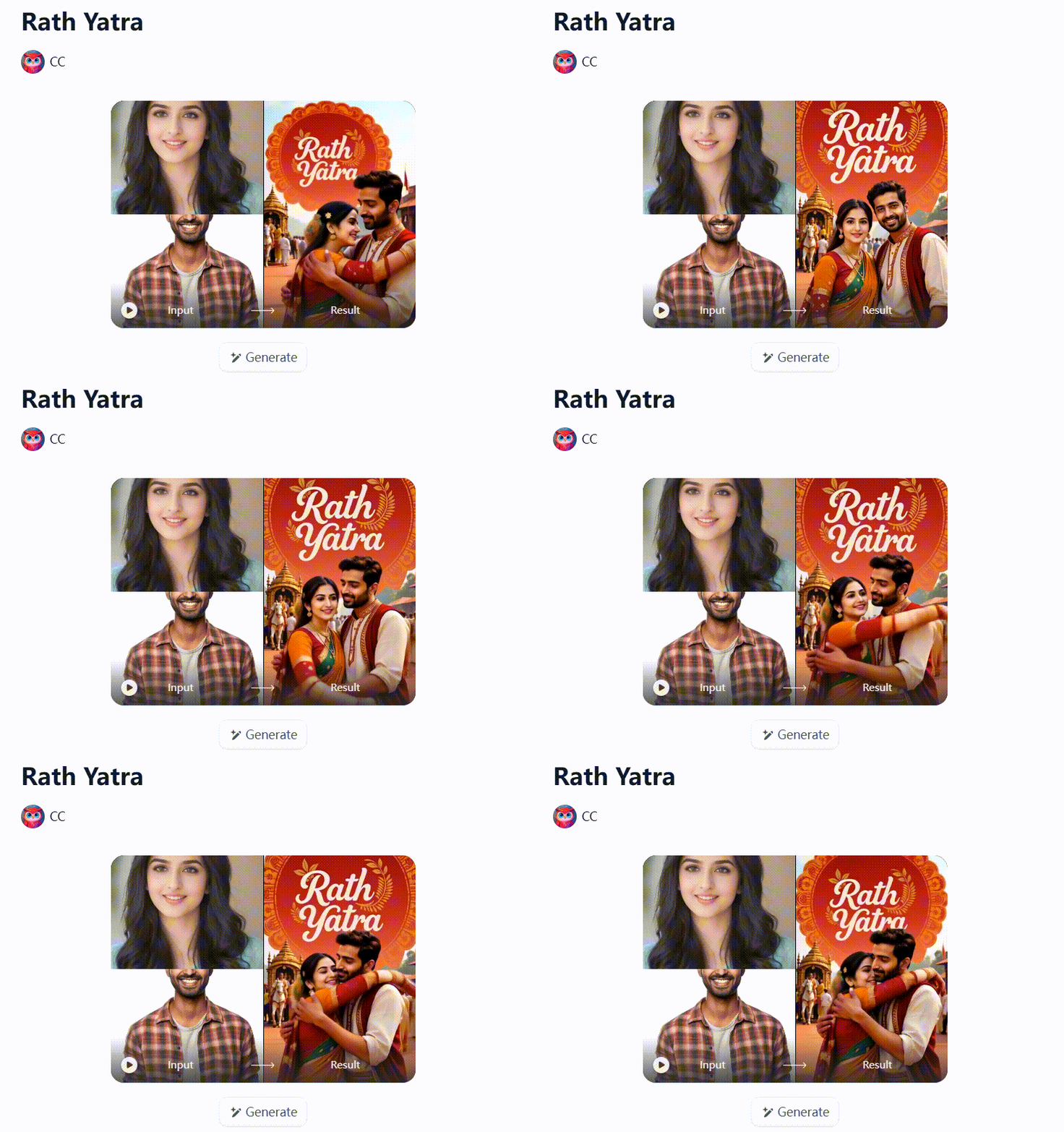
Open a1.art, choose the App that you are interested in, then click 「Run」
Click on the image to experience the same App👇
Step2:
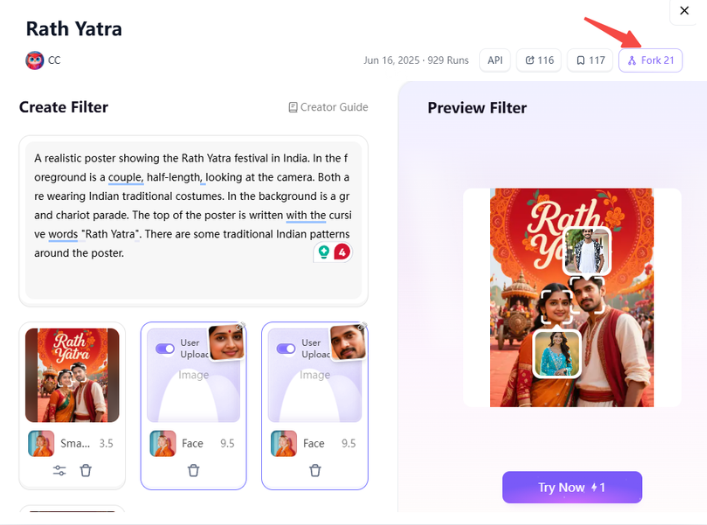
Upload a photo/image
Step3:
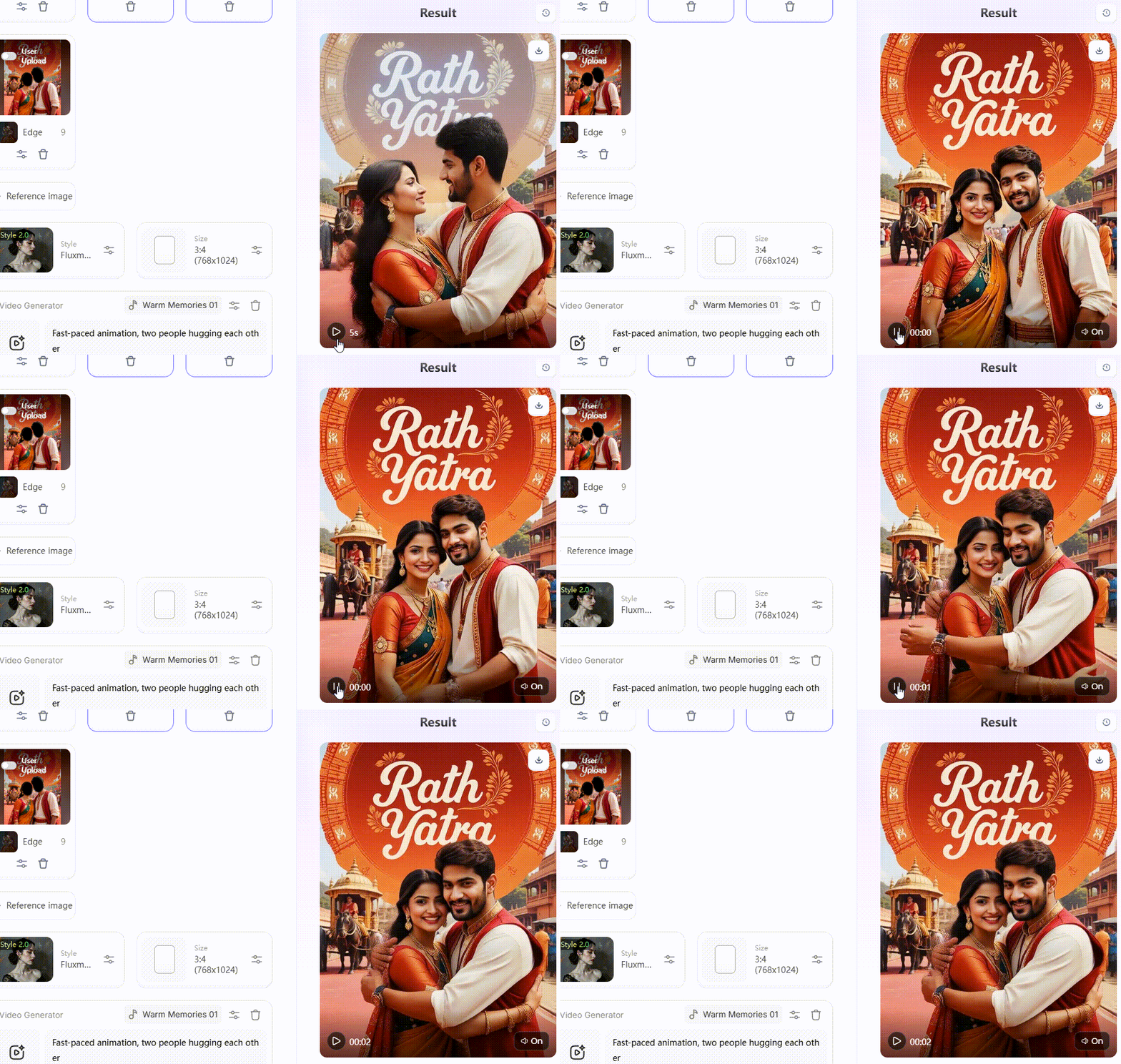
Wait 3 seconds, you will get a wonderful result 👇
What Is the Jagannath Rath Yatra Chariot Festival?
At Puri’s Grand Road, the air fills with chants, drums, and rising excitement as the 3 chariots begin to move through the crowd. The Rath Yatra is known as one of the oldest and largest Hindu chariot festivals, held each year in Puri, Odisha, to honor Lord Jagannath, Balabhadra, and Subhadra.
- How is Rath Yatra celebrated? The main journey happens in Ashadha, usually in June or July, when the deities leave the Jagannath Temple and travel about 3 kilometers to the Gundicha Temple.
- Three wooden chariots are built for the festival every year, which makes the event feel both ancient and alive.
- Lord Jagannath’s chariot, Nandighosa, stands about 45 feet tall and has 16 wheels, while Balabhadra’s Taladhwaja has 14 wheels and Subhadra’s Darpadalan has 12.
- Thousands of devotees pull the ropes together, and that shared act symbolizes equality, as people from all backgrounds join in the same sacred work.
- The deities stay at Gundicha Temple for 9 days before the return procession, called Bahuda Yatra.
This is not only a procession. It is a living story of faith, movement, and community, which is why visuals from the Jagannath Rath Yatra carry such deep emotional power in festival videos and greeting content.
Why Choose a Rath Yatra Video Maker for Your Celebration
Making festival posts by hand is a massive headache. Designing animated cards takes hours. Hiring a professional editor drains your wallet. Even worse, the final clip often comes across as cold and fake. You need a quick, budget-friendly fix. This is why a Rath Yatra video maker changed the game.
Here is why smart creators switch to AI:
- Lightning-Fast: Get a complete, moving greeting in just 5 seconds.
- True Colors: Dedicated tools nail the rich saffron and deep red tones.
- Zero Skills Needed: Anyone can use it without taking a confusing software tutorial.
- Higher Reach: Festival videos grab 38% more engagement than boring, flat images.
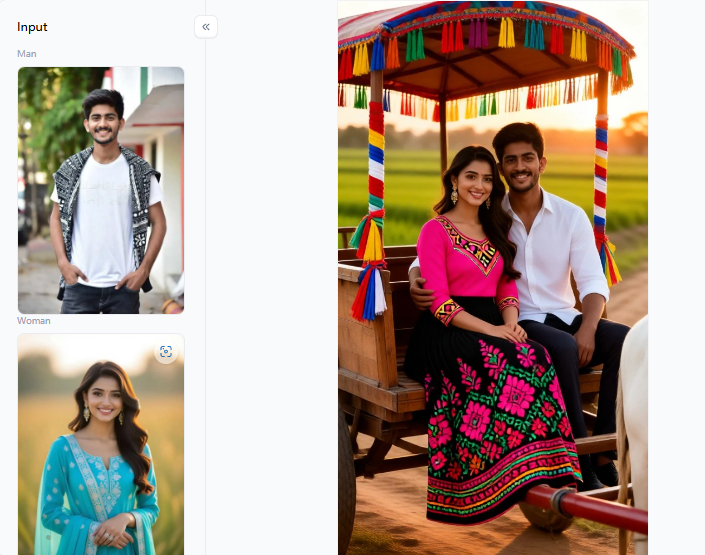
Got a plain photo? Use the Rath Yatra filter to add towering chariots and flying flags to the background. It gives you a massive parade scene without needing a camera crew. Use it to keep the devotional spirit of Jagannath Rath Yatra alive.
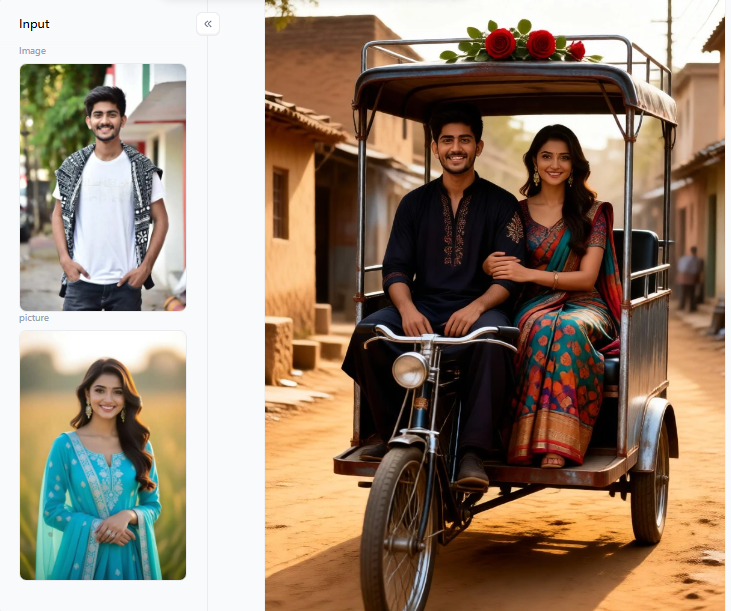
Click the picture to generate your exclusive love of ox cart with one click👇
What You Can Create with a Rath Yatra Video Maker
A good Rath Yatra video maker is much more than a simple greeting card tool. You can build a complete digital experience for every social platform.
Prepare a vibrant Rath Yatra festival invitation to draw friends for your local celebration. Or, you can design a beautiful, sketch-style graphic to teach children about the history of the wooden chariots.
Use this simple guide to match your content to the best platform:
| Content Type | Best Platform | Recommended Style & Filter |
| Animated Greetings | Rath Yatra filter, personal photo | |
| Festival Invitations | Portrait format, golden chariot tones | |
| Couple Portraits | Indian Couple's Prayer filter, warm light | |
| Community Banners | X / LinkedIn | Wide landscape, bold saffron colors |
| Video Thumbnails | YouTube | High-contrast glowing temple background |
| Educational Guides | Blogs | Festival Sketch filter, clear illustrations |
By pairing the right filter with the right platform, you can boost your online reach. One simple tool offers endless ways to honor the festival’s deep spiritual bond!
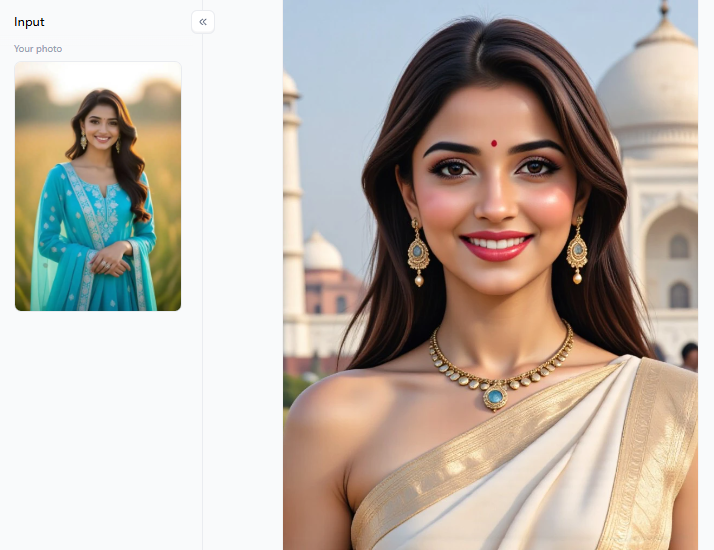
Click the picture to generate your exclusive indian beauty with one click👇
How to Tell Rath Yatra Stories with AI Video Filters
Great visual storytelling is what makes festival content go viral. A simple photo of someone holding a rope is ordinary. However, a video showing golden light, a peaceful face, and a massive crowd behind them tells a deep story. By using smart AI filters on a1.art, you can capture this true emotional spirit instantly.
Let us break down the best cost-effective filters and smart prompt methods to tell your story.
1. Devotion and Blessing Scenes
For personal portraits or family prayer photos, you need soft, sacred lighting. Harsh phone cameras can ruin the mood of a quiet moment.
- The Filters: White Saree Blessing and Temple Glow are your must-haves. They wash away ugly, dark shadows and replace them with warm, golden light. If you have a photo with your spouse, the Indian Couple’s Prayer filter adds a cinematic look and preserves natural skin texture without looking fake.
- The Prompt: “A woman in a white saree, hands folded in prayer, soft golden temple light, bokeh of hanging lamps, full body, natural skin texture.”
- Best Use Scenario: Use this combination to create deep, emotional greetings for family WhatsApp groups.
2. Chariot and Procession Recreations
If you cannot travel to Puri for the Jagannath Rath Yatra, do not worry. You can still build breathtaking festival scenes right from home.
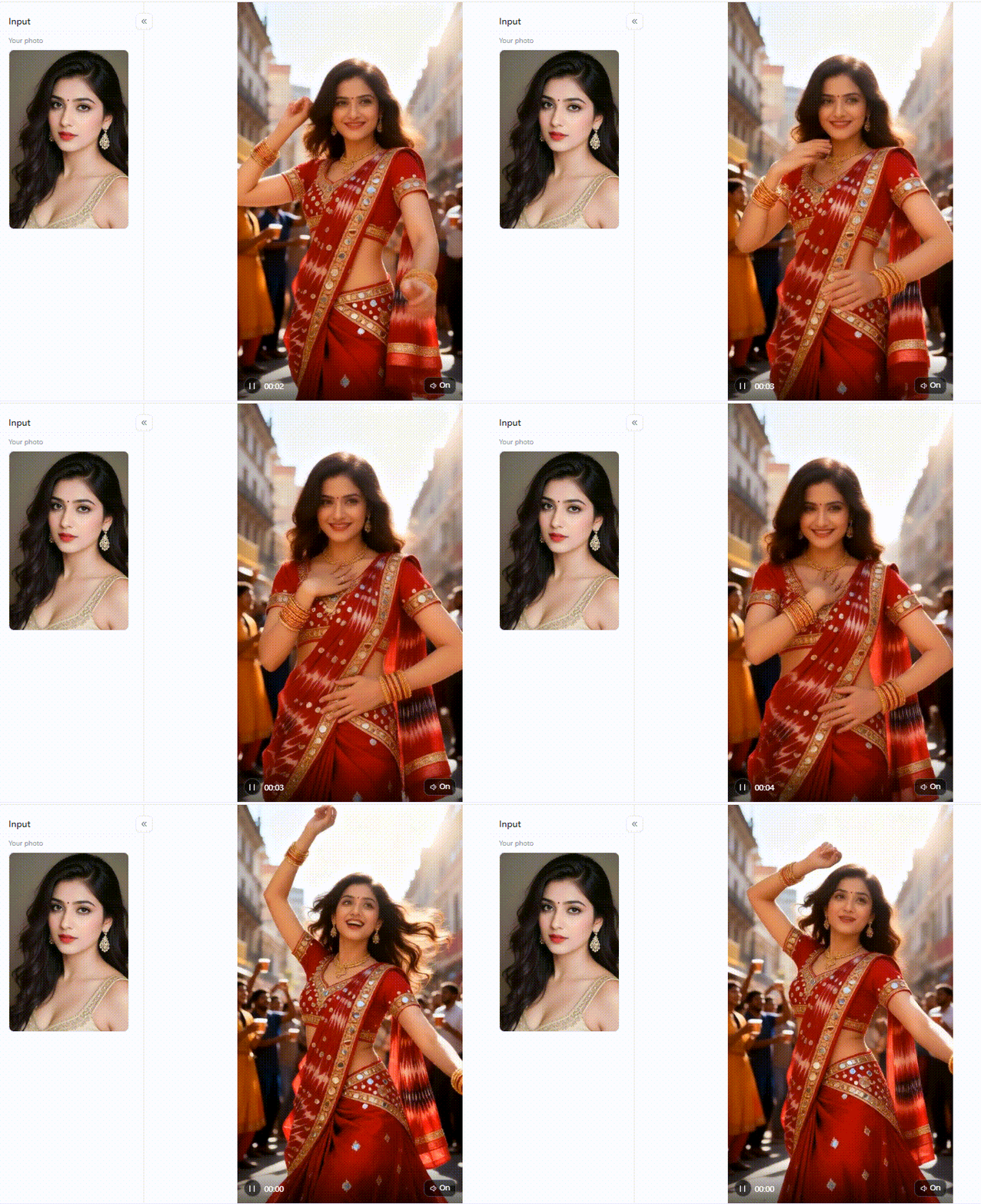
- The Filter: Use the dedicated Rath Yatra filter. Generic AI apps usually produce messy, incorrect vehicle drawings. This specific filter understands actual temple architecture, holy colors, and massive crowd dynamics.
- The Prompt: “Grand Rath Yatra festival procession, massive wooden chariot decorated in red and yellow cloth, thousands of devotees pulling ropes, vibrant atmosphere, photorealistic, golden hour.”
- Practical Suggestion: Always include phrases such as “16 wheels, tall wooden structure” in your prompt. This helps the AI stay accurate in real-life traditions and prevents strange visual glitches.
Click the picture to generate your exclusive street celebration with one click👇
3. Rural and Traditional Scenes
Not every beautiful moment happens in a crowded city. Many people celebrate the season’s peaceful, agricultural roots.
- The Filters: Try the Love of OX Cart filter for a rustic, countryside look. It pairs beautifully with the Teej Festival Photo filter, which celebrates women’s unique devotional traditions.
- Why You Need It: These filters use earth tones and natural sunlight. They transport your simple indoor photo to a beautiful, historic village setting.
4. Sketch and Artistic Interpretations
Sometimes, a cartoon or drawing style works better than a real photo, especially for younger audiences or educational posts.
- The Filter: The Festival Sketch filter transforms your image into a detailed pencil drawing. It looks like you hired a professional artist to illustrate your greeting card.
- The Prompt: “Detailed pencil sketch of Lord Jagannath’s chariot, Nandighosa, intricate traditional patterns, festival crowds in background, warm sepia tones.”
- Best Use Scenario: This clean look is perfect for temple newsletters, classroom slides, or high-quality blog headers.
Changing your filter can alter the entire narrative of your post. Start experimenting on a1.art today. In just a few clicks, you can turn any basic photo into a viral masterpiece that honors the divine journey.
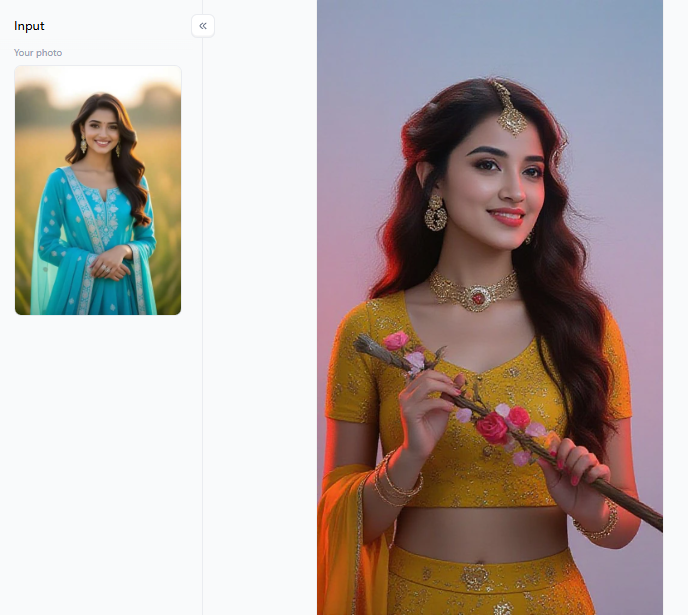
Click the picture to generate your exclusive festival look with one click👇
How to Create Your Own Rath Yatra Greeting Videos from Photos
Making beautiful Rath Yatra greeting videos is incredibly easy with the right platform. I personally rely on a1.art for my daily editing. It easily beats generic apps because it truly understands Indian temple architecture. The faces look natural, and the traditional clothes never look distorted.
The best part of this tool is the brilliant “Fork” button. It gives you total control. Imagine you generate a moving video but suddenly need a static picture for a WhatsApp profile. You can switch the output to a still image without typing a new prompt.
Here is how I use it effectively:
- Pick a Clean Base Photo: Do not worry about ”a messy background. The AI will fix that. Just choose a photo where your face is clear and well-lit.
- Match the Photo to the Filter: This step is crucial. Let’s compare your options. If you have an outdoor photo of bad weather, apply the Rath Yatra filter. It replaces the dull sky with a vibrant, sunny chariot procession.
- Generate and Check: Click the button, then wait 5 seconds. Review the edges of your clothes to ensure the AI captured the traditional details correctly.
These specific tools are highly cost-effective. Why? Because they fix the most common photography mistakes. Do not wait for the busy festival morning. Open the platform, upload a simple selfie, and test these filters today. You will transform your camera roll into stunning art.
Click the picture to generate your exclusive indian street movie texture with one click👇
Elevate Your Greetings with a Rath Yatra Video Maker
Sharing your devotion with the world is simple today. Imagine sending a beautiful, glowing clip to your family group chat on festival morning. A smart Rath Yatra video maker handles everything for you. It skips the headache of heavy Rath Yatra video editing for your Rath Yatra.
You get crisp, bright backgrounds and lifelike textures in 5 seconds. From towering chariots to quiet temple prayers, these smart tools help you honor traditions right from your phone.
FAQs
Q: How to do Rath Yatra?
The massive Jagannath Rath Yatra begins on 16 July 2026. Millions of devotees pull three towering 45-foot wooden chariots down Puri’s Grand Road to the Gundicha Temple. This joyful, 9-day celebration includes loud chanting, beautiful flowers, and deep prayers. If you cannot visit India, many local temples worldwide also host beautiful chariot processions!
Q: When is Rath Yatra in 2026?
The grand Rath Yatra 2026 celebration falls on Thursday, 16 July. This spiritual event lasts for 9 days. To maximize your online reach, do not wait until the last minute! Start using your Rath Yatra video maker to create and schedule your beautiful digital greetings at least one week before the festival begins.
Q: How can I make a Rath Yatra greeting video for free?
Head to a1.art, pick a specific filter and upload a clear photo, such as Temple Glow or Rath Yatra. Next, type a simple prompt describing the mood you want. Click generate to get a stunning animated video in about 5 seconds! You need zero design skills, and the core filters are free.
Q: What makes a1.art better than generic video editors for Rath Yatra content?
Standard editing apps only offer boring templates, but a1.art completely transforms your art. Smart filters recognize traditional saffron hues, intricate temple designs, and massive wooden chariots. This means your videos look realistic and culturally accurate. Plus, it processes your flawless Rath Yatra festival content in just 5 seconds!
Q: Can I use AI-generated Rath Yatra videos for my temple or community group?
Absolutely! These high-quality videos are perfect for local temple newsletters and busy WhatsApp groups. Official data shows that animated festival clips earn 38% more engagement than flat, boring photos. Use a smart Rath Yatra video maker to generate personalized, scroll-stopping clips for your community. It is the easiest way to spread divine joy!
Read more
- Best Alternatives to UndressHer AI for Realistic Nude Photos
- How to Create Porn Video from Photo for Free?
- Deepfake Bollywood AI Porn Photos & Porno Videos
- AI Yoga Portrait Generator: Transform Your Yoga Photos into Art
- How to Generate AI Father’s Day Photos That Look Like Dad?
- Top 10 Best Sites to Make Pictures Nude in 2026
- 10 Best AI 4th of July Generators for Patriotic & Fireworks Art
- 10 Best Vacation Video Generators for AI Travel Memories
- Create Free U.S. Independence Day Posters in Minutes with AI
- 10 Best Al Anime PFP Makers for Stunning Profile Pictures
Written by

a1.art
Published on
Jun 24, 2026
Share article


