


You roll out your mat, strike a perfect pose, and snap a picture. But when you check your phone, the lighting is dull. Your standard yoga poses photos look flat and boring. You post them, but nobody engages.
Professional photo shoots cost too much money. What if you could fix this instantly? Enter the AI Yoga Portrait. According to a recent Jasper report, 91% of marketers actively use AI in their work. These AI visual tools turn yoga pictures into stunning, cinematic art in seconds.
In this guide, I will show you how to transform your yoga photos into viral hits. You will discover step-by-step tricks, realistic texture prompts, and the best filters.
Key Takeaways:
-
Around the world, more than 300 million people practice yoga. Your content has a huge, ready audience.
-
AI yoga portrait tools replace hours of manual work with instant, artistic results.
-
You must use specific prompts to keep your yoga images physically correct.
-
a1.art provides specific styles, beating basic apps by creating exact poses and realistic skin textures.
-
Use the “Fork” feature to switch between video and image formats.
Start your art journey with a1.art.
What Is the International Day of Yoga?
The United Nations created the International Day of Yoga in 2014. Today, it is the largest wellness event on the planet. The International Day of Yoga 2026 celebrates Yoga for Healthy Ageing. This lifelong habit adapts to your changing body, protecting your independence, strength, and dignity at every age.
This worldwide celebration matters deeply for AI yoga portrait creators.
-
A Huge Market: Every June, the online demand for striking yoga images skyrockets.
-
Real Health Results: World Health Organization data show that 77% of people feel physically stronger when practicing regular yoga. Furthermore, daily practice cuts chronic inflammation symptoms by almost half.
-
Authentic Scenarios: Imagine making a peaceful picture of a yogi on a green mountain for a studio’s June newsletter. Or, use AI to turn a basic gym photo into a sunny beach scene for a fitness blog.
Therefore, you must tap into this moment in the calendar. A well-timed AI picture can bring weeks of fresh traffic to your page!
How to Use It, Just 3 Steps:
Using a1.art is incredibly simple. Here’s the full beginner-friendly guide:
Step1:
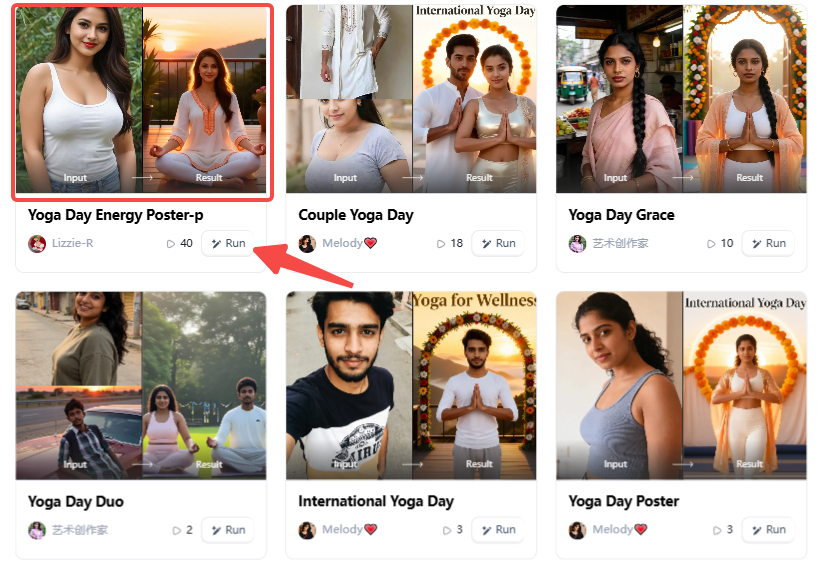
Open a1.art, choose the App that you are interested in, then click 「Run」
Click on the image to experience the same App👇
Step2:
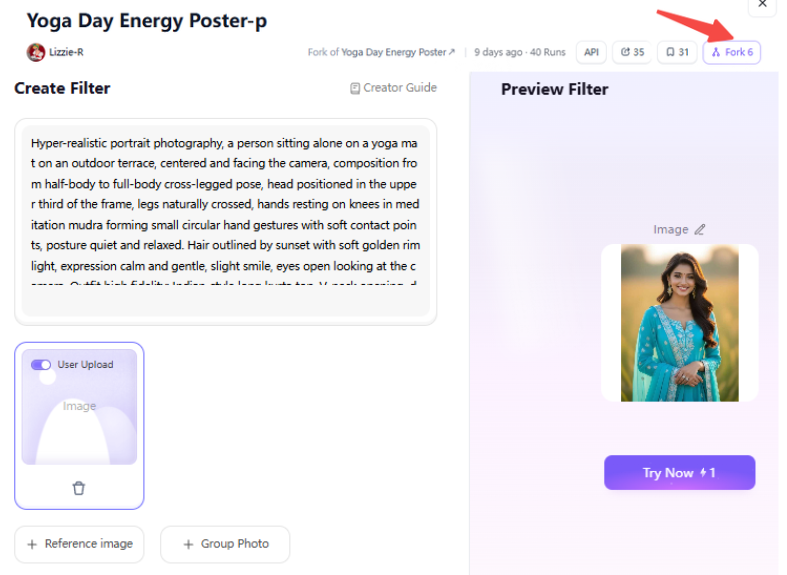
Upload a photo/image
Step3:
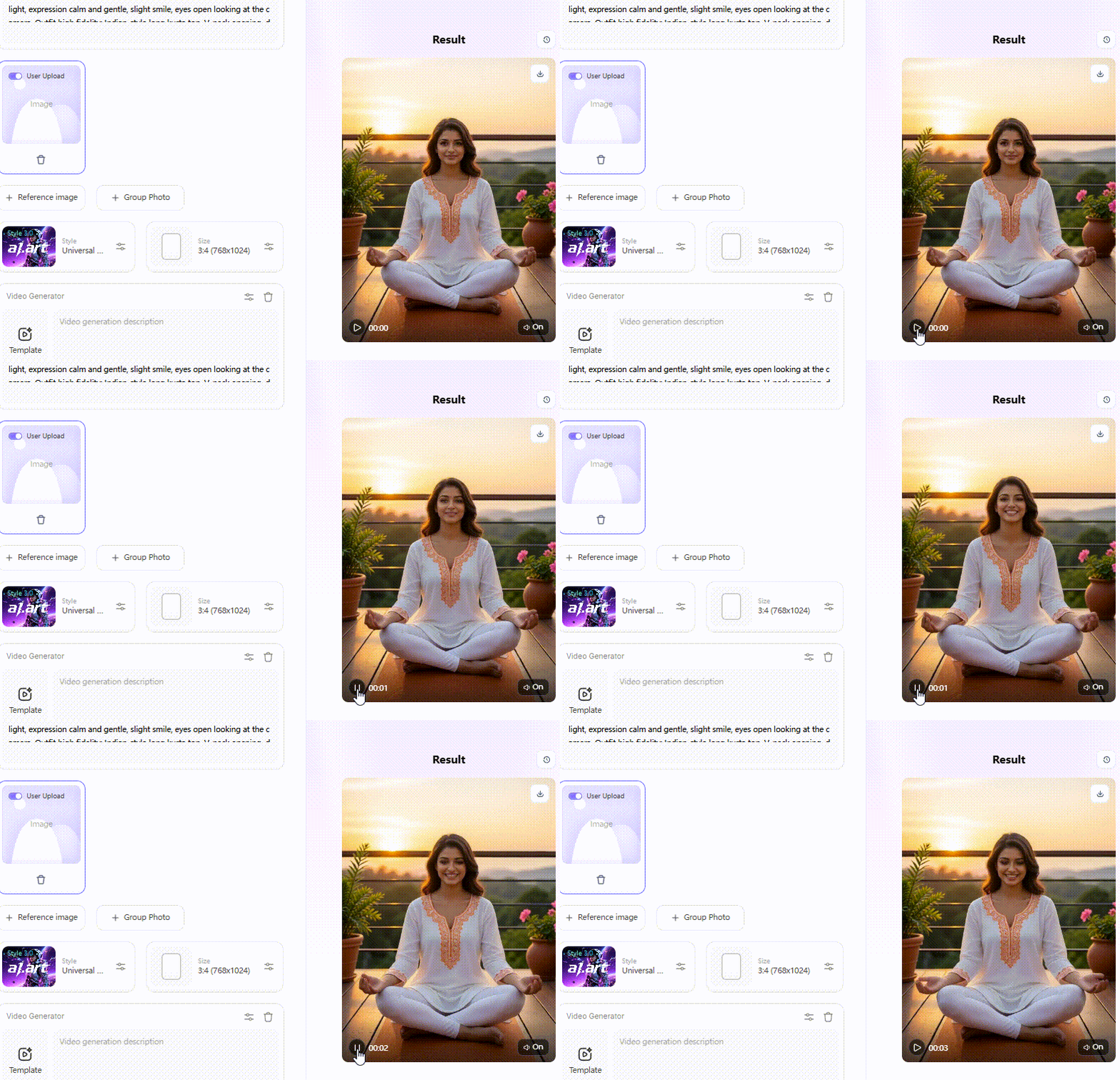
Wait 3 seconds, you will get a wonderful result 👇
Why Creators Choose AI Yoga Portrait Generators
Do your yoga with photos fail to show your true energy? You are not alone. A Reddit user noted that posting endless “cross-legged” AI art gets boring fast. To grab attention online, you need unique, eye-catching styles.
This is why an AI yoga portrait generator is a total game-changer. It gives you massive viral potential for TikTok or Instagram Reels without a camera crew. Plus, it gives you full control over privacy. You only use your own reference photos, keeping your personal space safe.
Here is a practical guide to upgrading a basic indoor pose:
-
Snap a quick, simple picture in your living room and load it into a1.art.
-
Skip generic styles. If you want a bright, community-focused vibe, select the International Yoga Day filter. If you need a deep, mindful look, the Cloud Yoga Calm filter is much better. It instantly turns a cluttered bedroom into a peaceful mountain peak.
-
Click Generate and get polished art in 5-10 seconds.
These specific filters are incredibly cost-effective. They understand human anatomy, automatically fixing twisted legs and weird hands.
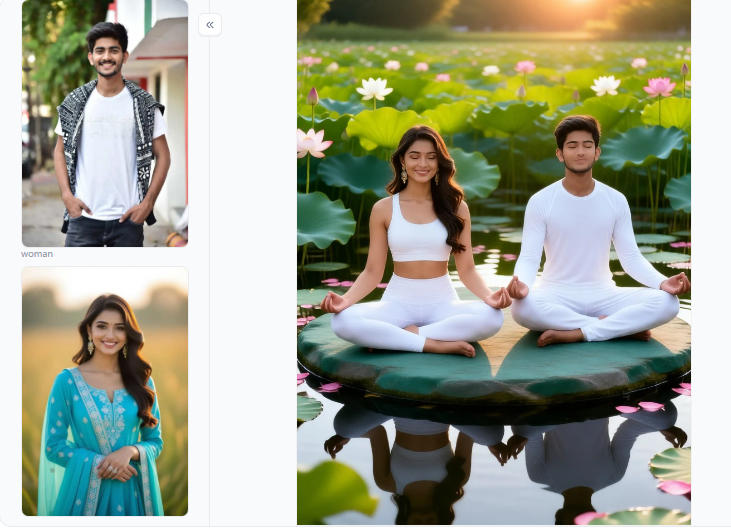
Click the picture to generate your exclusive do yoga together with one click👇
Best AI Yoga Portrait Prompt Ideas & Examples
Typing the right words is the secret to stunning AI art. Good prompt engineering separates a messy, forgettable image from a viral hit. Here is how to create the perfect AI yoga portrait for any situation.
Pose-Specific Portraits
Clean, correct photos of yoga poses are the bread and butter of your social media. However, broad AI models often struggle with overlapping arms and legs.
Follow these steps to get perfect results:
-
Type: “A woman in a tree pose on a wooden deck at golden hour.”
-
Try prompt: “frontal view, full body, feet grounded.” This locks the viewpoint.
-
Add negative prompts like: “no extra limbs, no distorted wrists, 5 fingers.” This quick method stops weird anatomy errors before they happen. It is perfect for clean, class-schedule thumbnails.
Couples & Partner Yoga
Partner photos grab up to 60% more engagement online. But standard AI often blends two people into one strange shape. To fix this, use the Couples Yoga filter on a1.art.
It separates the base and the flyer in an Acro yoga pose. You get a photorealistic, romantic garden shot without paying hundreds of dollars for a professional couples shoot.
Mood & Atmosphere Collections
Different platforms need different styles to grow your brand. Let’s compare some specific scenarios and filter effects:
-
Use the Cloud Yoga Calm filter. It adds flowing fabrics and misty mountain backgrounds. The cool blue tones make people want to pin instantly.
-
Skip the dreamy clouds. Prompt for a Studio Minimalist look with white walls and sharp shadows to show deep focus.
-
Ask for a Golden Hour Practice style. Warm sunsets and long silhouettes stand out and get more clicks.
Seasonal & Event-Based Yoga Art
The New Year and 21 June are your busiest days for traffic. Use the International Yoga Day filter to quickly create a vibrant, festive group poster with zero design skills required.
Educational Infographic Poses
You can even create teaching tools. Prompt for a clean, medical-style illustration of a camel pose that labels key muscle groups. This creates high-value graphics for your teacher training manuals or YouTube tutorials.
By mixing smart prompts with specific filters, you keep your brand fresh, save hours of manual editing, and connect with more students.
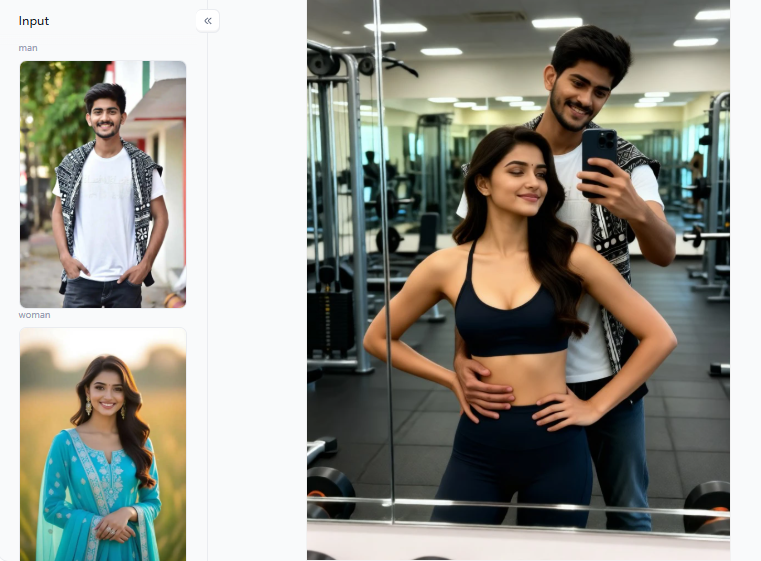
Click the picture to generate your exclusive messy gym romance with one click👇
Why a1.art Wins for AI Yoga Portraits
Many popular AI tools force you to build images entirely from scratch. Because they lack specific pose training, you constantly fight distorted limbs and strange body proportions. a1.art solves this problem directly.
It runs on over 31,000 style filters, including specific models built around real body mechanics. This specific training has a significant impact on your yoga position photos.
Compare the Effects: Finding Your Must-Have Filters
Different filters serve completely different creative needs. Here is a breakdown of the top cost-effective options on a1.art. They are free to start, saving you hundreds of dollars on professional software.
-
Yoga Girl & Do Yoga: These filters focus on raw energy and realism. They deliver sharp skin textures and exact arm placement. They are must-haves for your daily practice updates because they fix dark, messy basement lighting.
-
Yoga Time & Cloud Yoga Calm: These filters create deep, misty atmospheres. They avoid the muddy, blended colors seen in generic apps. Use these when you need a peaceful, dreamy vibe for a Pinterest mood board.
-
Yoga Camel Pose & Tree Pose Yoga: These filters are purpose-trained for tricky positions. The AI already understands natural spine curves and joint angles. This prevents the backward knees and twisted legs that frustrate so many creators.
-
Couples Yoga: Partner stretches confuse most AI bots, causing them to blend two people into one. This filter separates overlapping arms and legs, making it ideal for relationship-wellness content.
Prompt Engineering That Actually Works
Vague words ruin your digital art. Typing “woman doing yoga on a beach” gives the AI no real direction. The result is usually blurry hands and floating feet. Instead, think like a movie director. Be specific about the mood, lighting, and body shape.
-
Traditional Example: “A woman in tree pose, sunny wooden deck, frontal view, full body, correct human anatomy.”
-
Innovative Joint-Chaining: Describe the physical feeling of the body parts. Try typing, “Shoulders relaxed, elbows soft, wrists neutral, weight distributed on both feet.” This treats the body like a connected system. It helps the AI build complex shapes.
By combining these targeted filters with smart, detailed prompts, you will consistently create emotional, sensory-rich AI yoga poses that capture the true spirit of your practice.
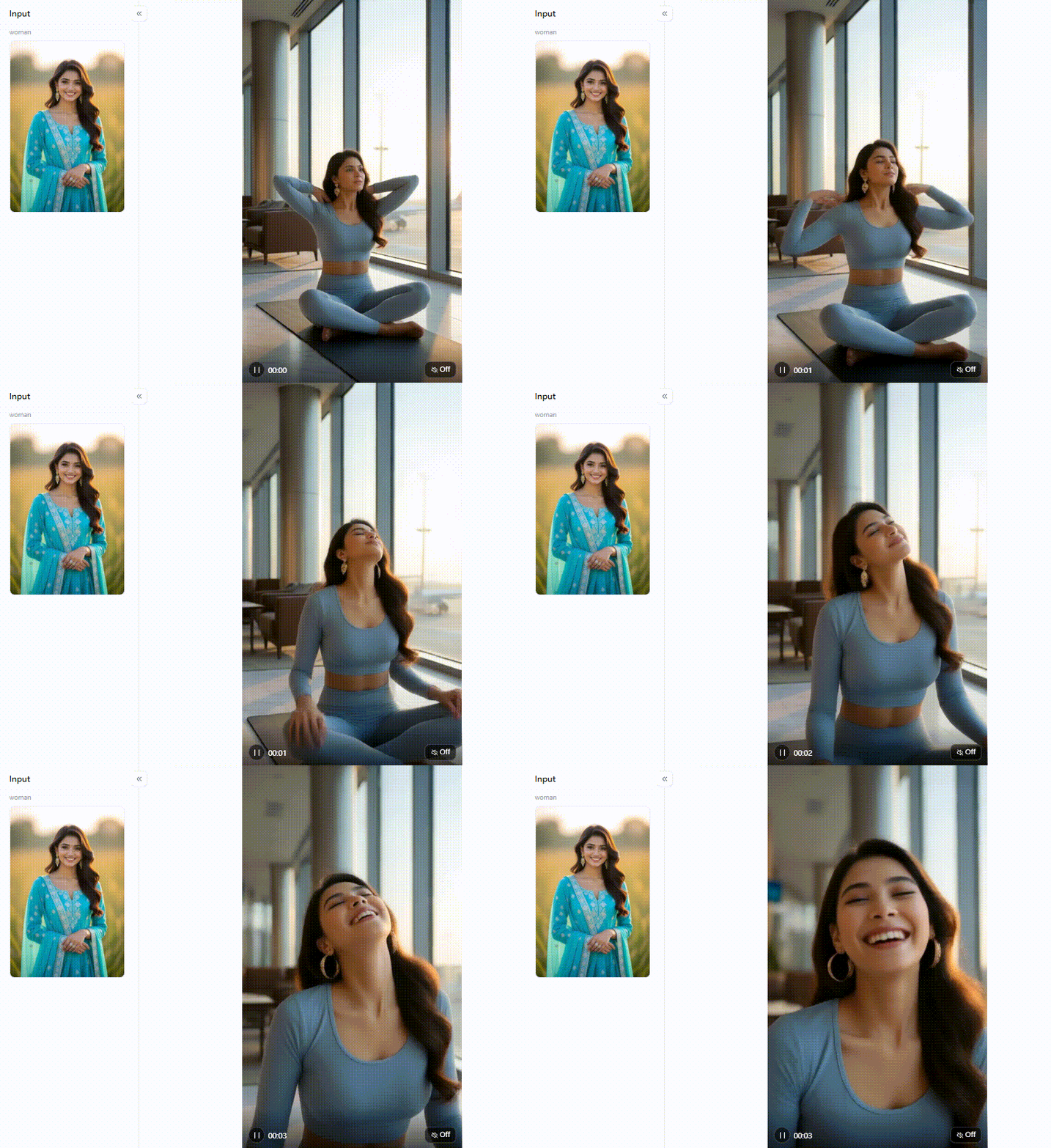
Click the picture to generate your exclusive travel yoga ease with one click👇
Conclusion
Creating an AI yoga portrait is a smart content strategy. The global yoga market is racing toward USD 258 billion, while AI imagery growth is 32.5% annually. To stand out, you need reliable tools.
Compare the sharp focus of the Yoga Girl filter with the vibrant energy of the International Yoga Day filter. Both are cost-effective, must-have options because they instantly fix twisted anatomy.
Just select a filter, upload your hot yoga pants pictures and the unfinished man pose, and click Fork to create a stunning video. Your next viral post is ready.
FAQs
Q: How can I turn my photos into yoga art for free?
Upload your picture to a1.art for free. Choose the “Yoga Girl” filter to instantly fix dark, messy bedroom lighting. Using your actual image first keeps your body shape perfect and stops weird limb mistakes. This cost-effective trick delivers studio-quality yoga art in 5-10 seconds, saving you money on expensive editing software!
Q: How can I use the generated yoga images to improve my yoga practice?
Create perfect AI models for challenging stretches, such as deep backbends. By comparing these flawless digital photos with your real-life yoga photos, you can quickly spot bad shoulder habits. Use this smart visual guide to safely correct your form and avoid gym injuries.
Q: How do I keep yoga poses anatomically correct in AI images?
Always upload a base photo first to prevent strange AI body shapes. Tell the tool exactly how your joints feel: “shoulders relaxed, elbows soft.” Next, use strict negative commands, such as “no twisted limbs.” If a hand still looks weird, erase that small spot and regenerate it for a flawless AI yoga portrait.
Q: Can I generate yoga content for a class schedule, poster, or thumbnail?
Absolutely. AI yoga portraits make perfect, eye-catching studio posters. Just prompt the tool for a clean, text-safe background. Unique AI visuals get far more clicks than boring stock pictures. Use the Do Yoga filter to build a matching, professional look for your class schedules.
Q: What is the best AI yoga portrait prompt for Instagram Reels?
Skip boring seated poses. For viral videos, use standing balances. First, create a stunning image. Next, click the “Fork” button to instantly turn it into an animation. Use prompts demanding “cinematic lighting and natural skin.” Finally, post your short, eye-catching clip during peak morning hours to maximize your community reach.
Read more
- How to Generate AI Father’s Day Photos That Look Like Dad?
- Top 10 Best Sites to Make Pictures Nude in 2026
- 10 Best AI 4th of July Generators for Patriotic & Fireworks Art
- 10 Best Vacation Video Generators for AI Travel Memories
- Create Free U.S. Independence Day Posters in Minutes with AI
- 10 Best Al Anime PFP Makers for Stunning Profile Pictures
- Best 10+ Undress Apps You Must Try for Free in 2026
- AI Porn Compilation Generator (Free, 100% Real & No Limits)
- 8 AI Alternatives for Creating Custom Eid Mubarak AI Videos
- 9 Best Ways to Generate Realistic AI Babes: Top 2026 Expert Guide
Written by

a1.art
Published on
Jun 22, 2026
Share article


