


First looks matter in today's online world. Your image cover is like your first "hello" to people. Think of Facebook covers, website banners, or online art – good cover-up image quality grabs attention. In 2026, digital images were a huge market, worth about $35 billion! Lots of that was from online ads with pictures. If your photos are great, you can get almost double the views! But, low-quality images are a problem. Fuzzy, unclear images look bad and push people away.
That's where image upscaling software works its magic. Imagine turning a blurry picture into a super clear one. New tech, especially AI, makes this possible. You don't have to be stuck with bad images anymore. Old, small photos can become big and beautiful, even upscale images to 4K! They'll look fantastic everywhere.
This guide will teach you how to upscale image covers in 2026. We'll explore easy image upscaling, the best online helpers like a1.art, and how to make pictures bigger and better for free. You'll learn the techniques to upscale images without losing quality, even with old photos. Get ready to make your online images truly stand out!
What is an Upscale Image Cover?
Imagine blurry photos becoming crystal clear. That's upscaling! It pumps up the resolution – think of it like zooming in without the fuzz. Higher resolution? Boost resolution, sharp details, and pro vibes. Upscaling is essential for image covers, such as beautiful cover photos for Facebook pages or book covers. These images are front and center, so quality is crucial!
Upscaling brings big changes
- Sharper Details: Upscaling your photos is like laser vision. It removes blocky pixels and fuzz, leaving textures incredibly clear and lines extremely crisp.
- Richer Details: Those clever AI tools can even fill in the blanks and bring back bits of the missing picture. They can add layers and make things more interesting and full of life.
- Vivid Colors: Some high-resolution image converters brighten and refine colors, making the image pop.
Before upscaling, a low-res cover might look sloppy or unprofessional. After? It becomes polished, eye-catching, and impactful—perfect for making a strong first impression.
There are Two Main Ways to Upscale
- Old-School Methods: Old tools try to make images bigger by guessing what new pixels should look like based on the pixels around them. But they often cause blurriness, especially with big enlargements.
- AI-Powered Upscaling: Modern AI upscale image converters have learned from many pictures. They're not just guessing; they're smartly filling in the blanks. They guess missing details better than humans, resulting in sharper, more lifelike images.
Upscale images with AI are the go-to cover choice because they avoid the fuzziness of older methods. It's perfect when you need things to look professional – for marketing that wows, books that grab readers, or websites that shine. If you want your covers to stand out, AI upscaling is your best bet. It turns blurry, low-res images into stunning, high-impact visuals. If you wish for your Facebook banner to jump out or your YouTube thumbnail to yell, "Look at me!" AI upscaling is the magic trick for a killer's first impression.
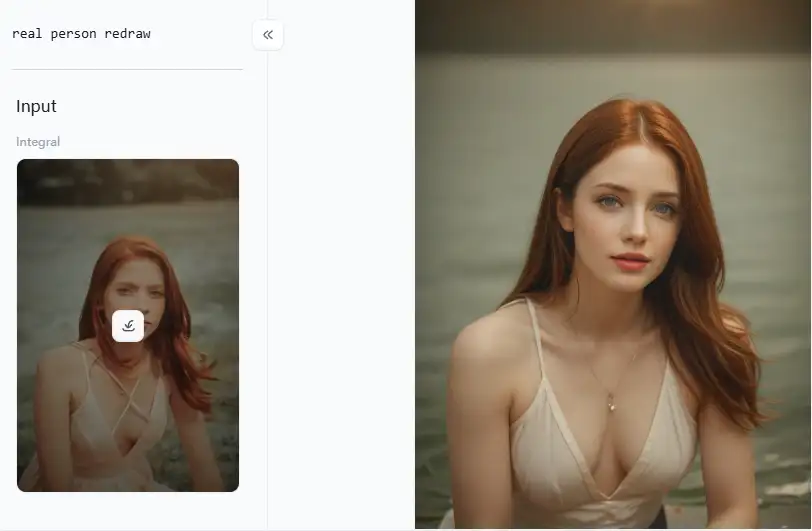
Click the picture to generate your exclusive real person redraw generator with one click👇
When Should You Upscale Image Covers?
Knowing when to use HD upscale images is as important as knowing how to do it. Let's dive into when you should upscale your image covers and why it's smart.
- Social Media Dominance: Do you know those big social sites like Facebook, Instagram, X (which used to be Twitter), and LinkedIn? Guess what? Size matters to them! They all have rules about how big your cover photos should be. Think of upscaling as giving your picture a super boost! It ensures your Facebook covers and social media pics look crystal clear on any phone, tablet, or computer.
- Website Professionalism: Your website's main image, that big picture at the top? It's the first thing people see. Upscaling an image for your website cover is like putting on your best suit for a big meeting. It makes your site look slick, reliable, and inviting.
- Print Media Readiness: Need to make book covers, magazines, or cool brochures? Listen close! You must have great pics to print. Upscaling your art is like giving it super strength for printing. It makes your covers super clear, full of cool stuff to see, and ones people will grab fast.
- Enhancing Artwork: If you're an artist making digital creations, listen up! Upscaling digital photos can be a total win. It's great for printing, showing off online, or making your artist portfolio. Upscaling can make your work shine and turn your digital paintings, sketches, and designs into total knockouts.
- Marketing Material Impact: Amazing images are key, from emails to ads online. Upscale your photos, and bam! Your marketing looks top-tier and snags eyeballs right away.
- Cover-Up Image Imperfections: Got pics with tiny oops. Do you want them gone? Upscaling's not for fixing those little problems, but some brainy AI image enhancers can trickily make your pictures way nicer anyway. They can smooth out wrinkles while enlarging your shot.
Click the picture to generate your exclusive sexy lady with one click👇

Success Case Studies
- The Social Media Influencer: A lifestyle expert who used a smart app to improve their Facebook and Instagram images could be one example. Note that it was a great success! Immediately, the crowd saw the improvement! Comments poured in because their page looked so wonderful and professional. The best part, too? Their following increased by 20% in a single month!
- The E-commerce Store: An online clothing shop upscaled their product photos to make them sharper and more detailed. The result? They saw a 15% jump in sales! Customers could finally see the texture and quality of the clothes much better.
- The Digital Artist: Digital artists use upscaling to make their artwork upscaled for online shows and printed pieces. This means they can show their art in larger sizes without losing important details. This helped them attract more clients and get more art jobs.
Putting money into better image covers? That's a bright idea. It's not just about looking pretty. Good pictures = more fans, a cooler brand, and way more wins online and off. So, next time you're working on a cover, think about upscaling – it might just be the secret ingredient to make it truly shine!
How to Upscale an Image Cover Online? Top 8 Recommendations
You've got choices galore, from free and easy high-quality image upscalers to super-powered software. Let's check out 8 of the best image upscalers, with a spotlight on a1.art, which leads the pack.
No.1 a1.art
Consider a1.art to be your AI-driven dream team for images. It's similar to having a team of digital specialists to enlarge and enhance your photographs. What's cool? It's quite simple to use. You'll pick it up quickly, even if you're not tech-savvy. Additionally, the AI within is quite intelligent. It increases image resolution online for free without sacrificing the precise, sharp quality you want.
No.2 Let's Enhance
This functions similarly to your trusty, multipurpose player. It improves the size and general quality of your photos with AI. Additionally, it has some clever tricks, such as automatically correcting colors and highlighting details.
No.3 Waifu2x
While Waifu2x started focused on anime-style images, it's surprisingly versatile. It works well on all sorts of images. The best part? It's free and open-source. Many folks love it because it's a sweet spot between speed and quality.
No.4 Upscale.media
This online image upscale tool is laser-focused on making images bigger. It is known for being straightforward and lightning-fast.
No.5 Vance AI Image Upscaler
Think of Vance AI as a whole workshop of image tools; their upscale is a star performer. It gives you lots of options and control. You can choose different upscaling styles and even tweak how much you want to reduce noise and sharpen details.
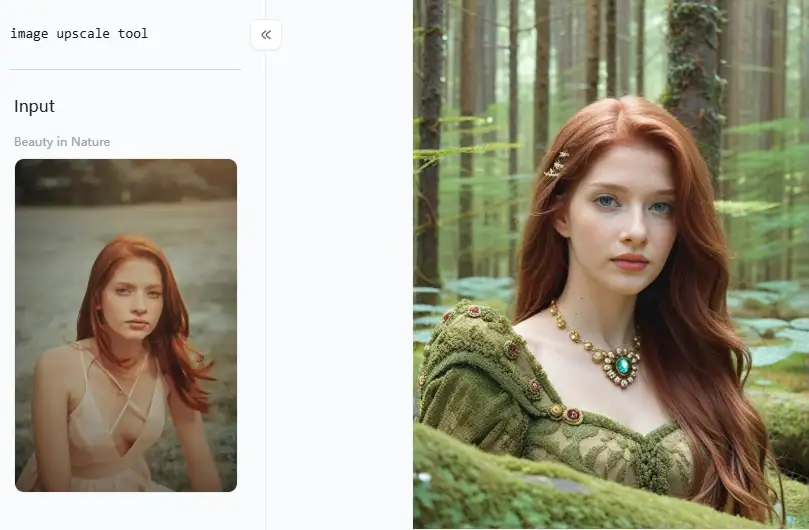
Click the picture to generate your exclusive beauty in the forest with one click👇
No.6 Icons8 Image Upscaler
While Icons8 is primarily known for icons and graphics, its upscale is surprisingly good for photos. It is known for being user-friendly and clean. Additionally, it employs intelligent AI to complete tasks efficiently.
No.7 Bigjpg
As the name suggests, Bigjpg is built for large-scale jpg image upscaling. It's a common option when you require significant magnification without sacrificing image quality. Although it's equally good with pictures, it's particularly great at graphics and anime.
No.8 Fotor AI Image Upscaler
Fotor is like a complete online photo studio, including a handy AI image upscale. It's super user-friendly and has a whole toolbox of other photo editing features.
Let's talk smart upscaling. Here are some golden tips to keep in mind when using these upscaling wonders:
- Start with the Best Original: Think of your original image as the foundation of a building. A strong foundation makes for a better house. The same goes for images! Upscaling is amazing, even for bad photos! But here's a tip: The best results start with great images. Good originals always look best!
- Experiment with Different Tools: Some might be better for photos, others for artwork. Try out a few tools! See which one works best for your picture and your goals.
- Don't Over-Upscale: Too much upscaling can make photographs look strange or fake. Details might look weird and not real. Upscale in steps, little by little, and check how your image looks after each step.
- Consider the Final Use: If it's just for showing on a website, you might not need to upscale as much. Do you want to print it big, like for a book cover? Go big with upscaling! You'll likely need more quality image enlargements.
- Test for Watermarks: Using a free tool? Heads up! Before you finish, check for watermarks. They're like unwanted stamps – bad news, especially for work stuff!
Tips for Optimal Upscale Image Cover Results with a1.art
When making your covers truly stand out, a1.art is a real superstar. It's designed to be super easy to use, even if you're not a tech whiz, and the smart AI inside does all the heavy lifting. Here's how to get the most out of a1.art and produce beautiful covers fast:
How to Use It, Just 3 Steps:
Step1:
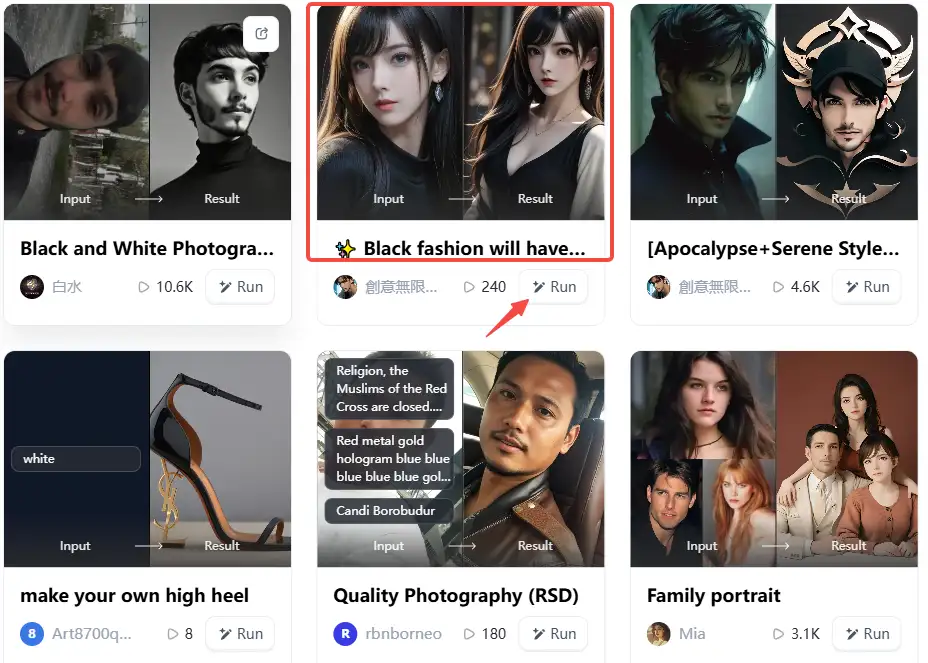
Open a1.art, choose the App that you are interested in, then click 「Run」
Click on the image to experience the same App👇
Step2:
Upload a photo/image
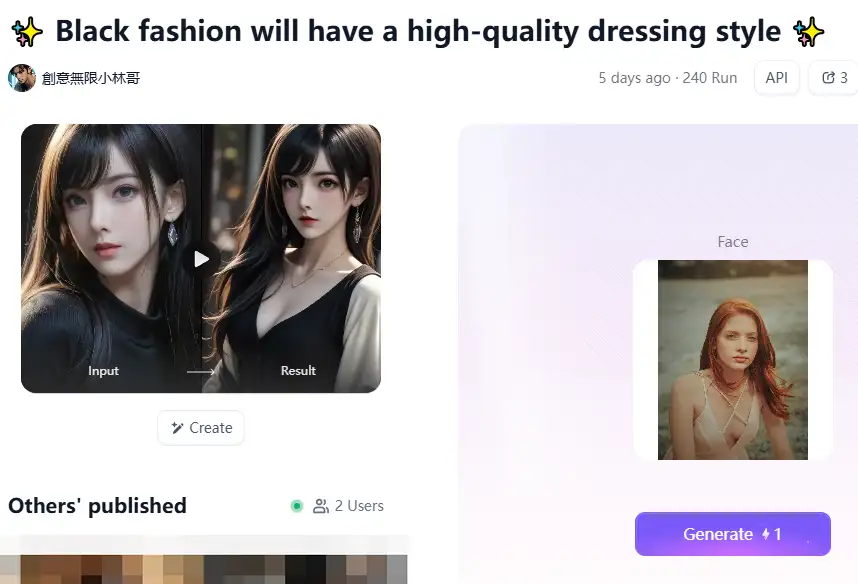
Step3:
Wait 3 seconds, you will get a wonderful result 👇
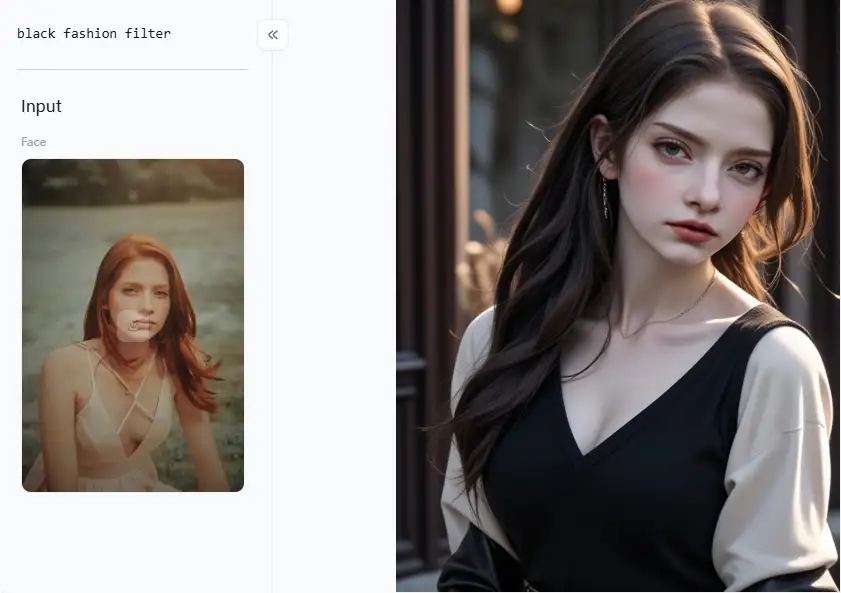
Increasing your image covers is incredibly quick and easy with a1.art. It will just take a few clicks, and you will be finished! It provides a whopping 5000+ apps, each fine-tuned for different looks and feels. Let's examine some of the most stylish categories to assist you in upscaling images without watermarks to discover your ideal look:
- HD Style Features: This is your go-to app for making your image cover look fantastic in HD. Just upload your pic, jot down a few words to tell the AI what you want to boost (like "sharper lines" or "brighter colors"), and boom!
- Game Icons HD Redraw: Creating covers for the gaming world with Game Icons HD Redraw? This app is revolutionary. It has undergone specialist training to improve and redraw game icons and other gaming-related content.
- Refreshing Photography: Have pictures of the outdoors, landscapes, or wildlife for your covers? This program is a work of absolute magic. It excels at enhancing the vibrancy and life of everything, the richness of colors, and the clarity of details.
- Cute and Youthful (HD Random Style): Want to make your covers fun, young, and inviting? Then, this app is your secret weapon! It adds a playful, youthful, and charming vibe to your images.
- Sexy Lady: Creating content with a more grown-up or sensual vibe? This app knows how to add a sophisticated and alluring touch. It enhances images in a way that's classy and captivating.
- More Beautiful: Sometimes, you just want to make a picture look more beautiful! This app is your general beautifier. It focuses on overall good looks, aiming to make images more visually pleasing and attractive.
- Black and White Photography: Want that timeless, artsy, black and white style? This app nails it. It creates stunning black-and-white conversions with boosted shades and details.
- Quality Photography: It all comes down to ensuring your photos are excellent. Images become crisp and detailed as a result. Quality upscale image is an excellent choice for covers!
- Beauty Filter: It makes skin smooth and natural. You get a polished, pro look – always real, never fake!
You're ready to make cover photos that look excellent, stand out, and attract attention if you have a1.art and these fantastic app categories!
Conclusion
In today's digital world, great image covers grab attention instantly. a1.art helps you make stunning visuals. It transforms blurry photos into sharp HD masterpieces easily. No more low-quality images holding you back! This platform leverages sophisticated AI and is quite simple. Get watermark-free, high-quality, upscaled image enhancements. These apps are perfect for creating crisp prints, eye-catching Facebook covers, and website banners. Refuse to accept dull images. Try a1.art to see the difference for yourself! Now is the time to begin your visual success story!
Read more
- Best Happy New Year 2026 Gifts to Share with Friends and Family
- AIArtMaster Reviews: Top 10 Alternatives for Free in 2026
- Top 20 Anime Tattoo Ideas for True Anime Fans in 2026
- Top 25 YouTube Video Ideas for Beginners 2026
- 10 Essential Photo Editors for Beginners in 2026
- Top 10 Free AI Image Generators to Try in 2026
- Top 15 Free AI Generators 2026
- 15 Free Online JPG Image Converter in 2026
- AI-Powered Image Filling: Tools and Steps
- Top Free AI Image Resizing Tools: The Best of 2026
Written by

a1.art
Published on
Dec 17, 2025
Share article


