


Tired of spending ages editing videos, only to get blurry, wonky clips that just don’t grab eyes on social media? Trying to turn static portrait photos into smooth, cinematic‑looking short videos can feel really frustrating. Traditional editing tools demand tricky keyframe work and powerful hardware most people don’t have.
Thankfully, AI video tools have changed the game. With easy‑to‑use tools like the hotel‑lobby AI video generator, you can take just two still photos and turn them into sharp, eye‑catching footage in seconds. In this simple walk‑through, I’ll show you exactly how to nail this viral hotel‑lobby AI video trend using platforms such as a1.art.
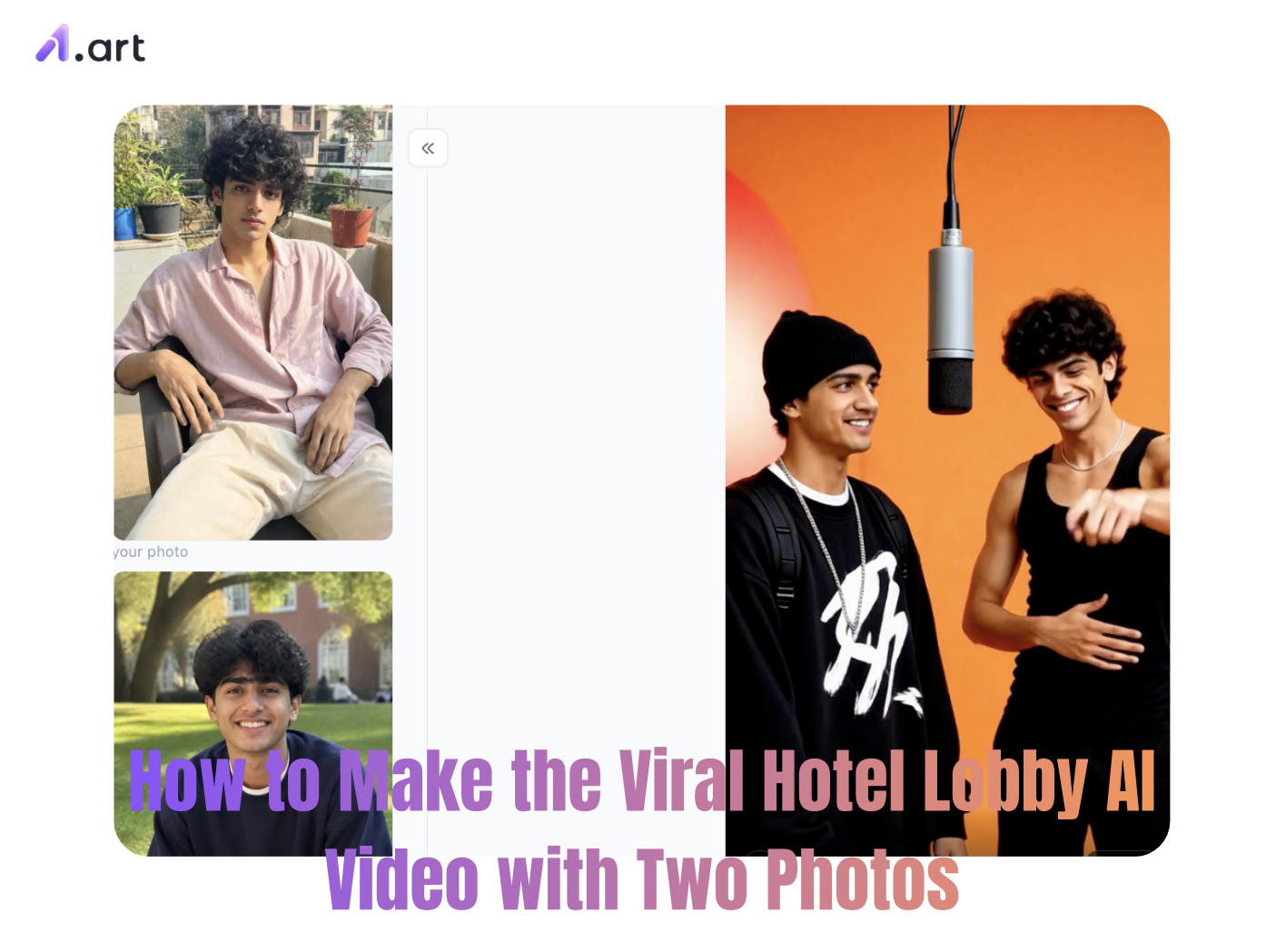
What Is the Viral Hotel Lobby AI Video Trend?
Scroll through TikTok, Instagram Reels or YouTube Shorts, and you’ll see tons of sleek, eye‑catching AI videos set inside fancy hotel spaces. So why has this trend blown up all over the world?
Here’s how it works: you take two images,usually a background shot and a portrait,and use AI to bring them together into one flowing video clip.
The hotel‑lobby vibe is key here. Hotel lobbies feel luxurious, welcoming and full of possibility. It’s that grand, glamorous entrance area meant to wow guests. Pair that classy backdrop with a stylized portrait, and you get that desirable, high‑end feel that instantly hooks viewers.
Start your art journey with a1.art.
Why You Need a Dedicated Hotel Lobby AI Video Generator
Regular phone video editors struggle to make smooth motion from still photos. They commonly mess up people’s faces, warp background details, and add weird shaky movements. That’s why creators turn to purpose‑built photo‑to‑video AI tools for natural‑looking animation.
This hotel‑lobby‑focused AI tool is built with depth, lighting and real‑world camera movement in mind. It doesn’t just slide two images back and forth. Instead, it simulates real‑life details: light bouncing off marble floors, shadows shifting over furniture, and how people move inside this 3D‑like space.
Here’s exactly how this AI generator improves your content:
-
Great sense of depth: It neatly splits your portrait subject from the hotel background.
-
Stable character details: Faces stay consistent and don’t warp as the video plays.
-
Matching lighting: It adjusts your portrait’s light tone to fit the fancy hotel interior.
-
Sharp output: Renders smooth high‑frame footage ready for 4K social‑media uploads.
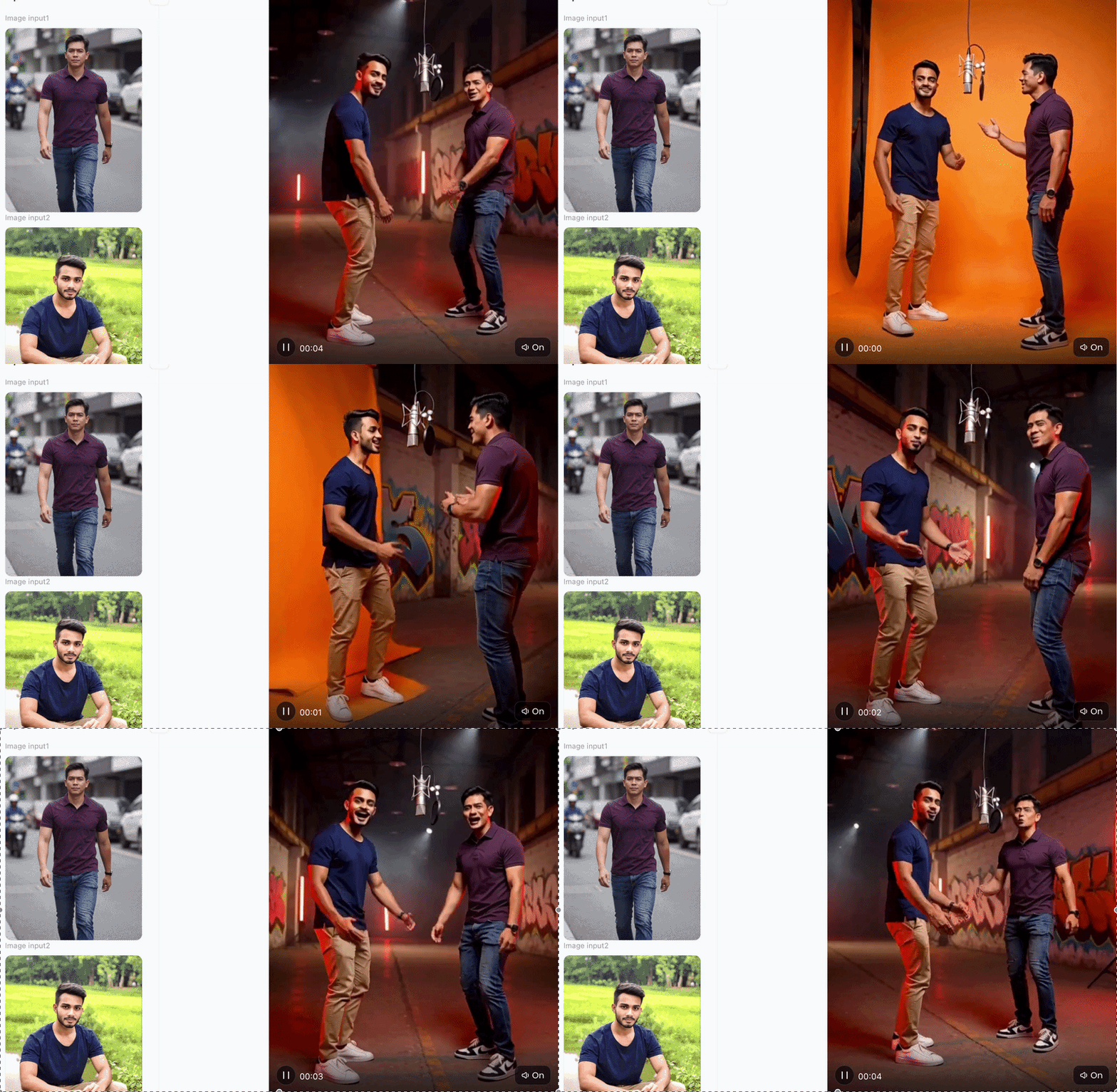
Why a1.art Is the Superior Choice for AI Video Creation
When picking an AI‑video tool for your projects, speed and output quality make all the difference. Lots of online tools say they can create moving clips, but a1.art really delivers better results, backed by real‑world performance tests and user‑focused tweaks.
-
Blazing‑fast export speed Most tools take minutes to render one short video. On a1.art , even multi‑image projects finish in under 30 seconds. It runs on cloud servers, so you won’t sit waiting, and your device won’t overheat.
-
Crisp HD output with zero weird distortions Many platforms compress your finished video, leaving blurry pixels or warped body movements. Tests show a1.art keeps realistic‑looking visuals. You get smooth motion without bent geometry or messed‑up faces.
-
Consistent faces and clean framing Cheaper AI generators often mess up your shot: parts of the background cut into your portrait and cover your subject. a1.art keeps faces looking natural. Your subject stays sharp, centered and fully visible through every transition.
-
Matches exactly the style you want You can easily adjust prompts to get the look you’re after. Whether you want moody dim lighting or bright luxury vibes, the renderer nails your chosen aesthetic.
Step-by-Step Guide: How to Make the Video with Two Photos
Creating your own viral masterpiece is straightforward when using the right workflow. Follow these four practical steps to create your custom hotel lobby ai video:
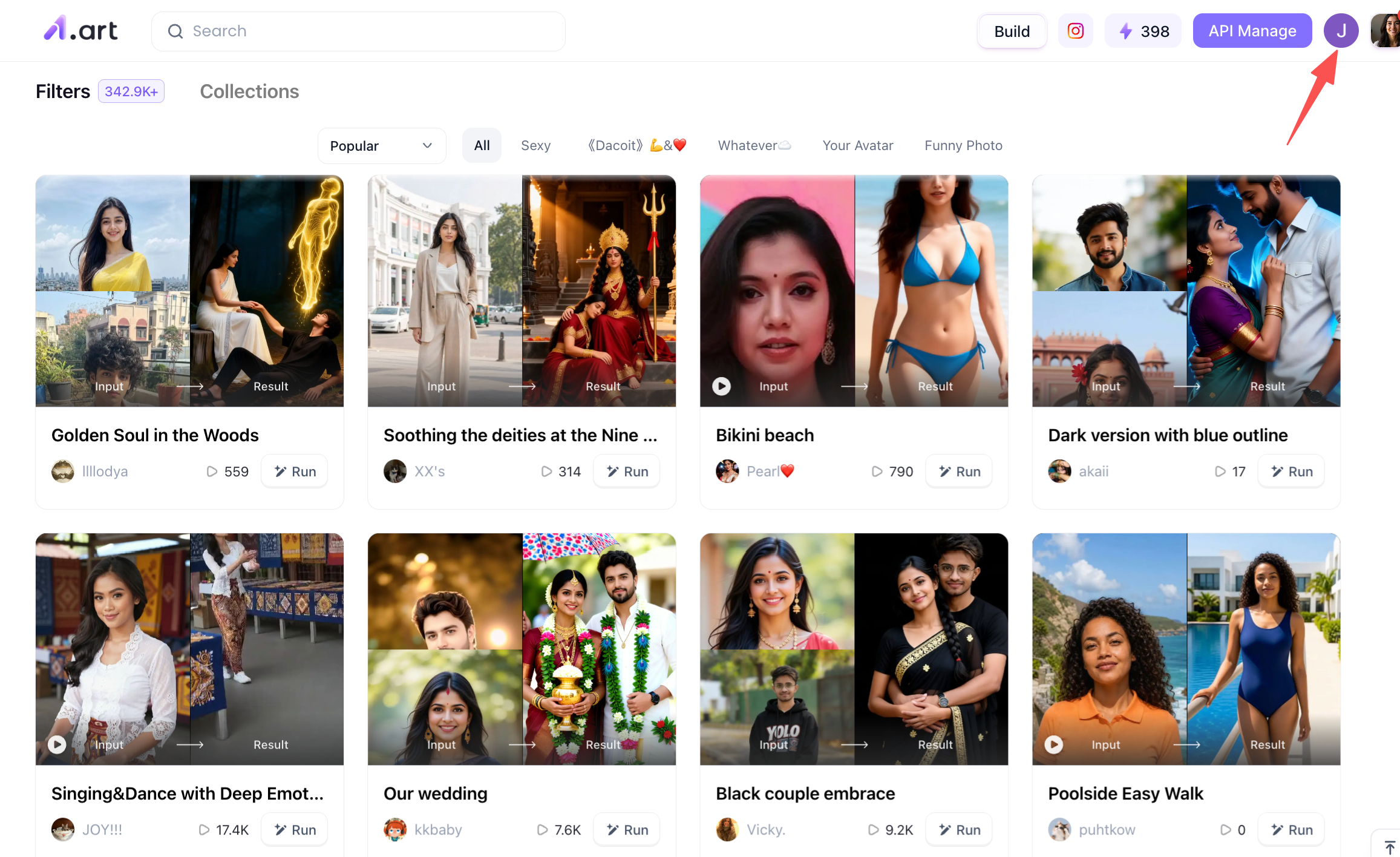
Step 1: Register for a personal a1.art account
The first step is to sign up for your own a1.art account, as this determines whether you can use the platform's credits to generate the corresponding hotel lobby AI videos later on. You can find the registration link in the top-right corner of the page; I have marked it for you.
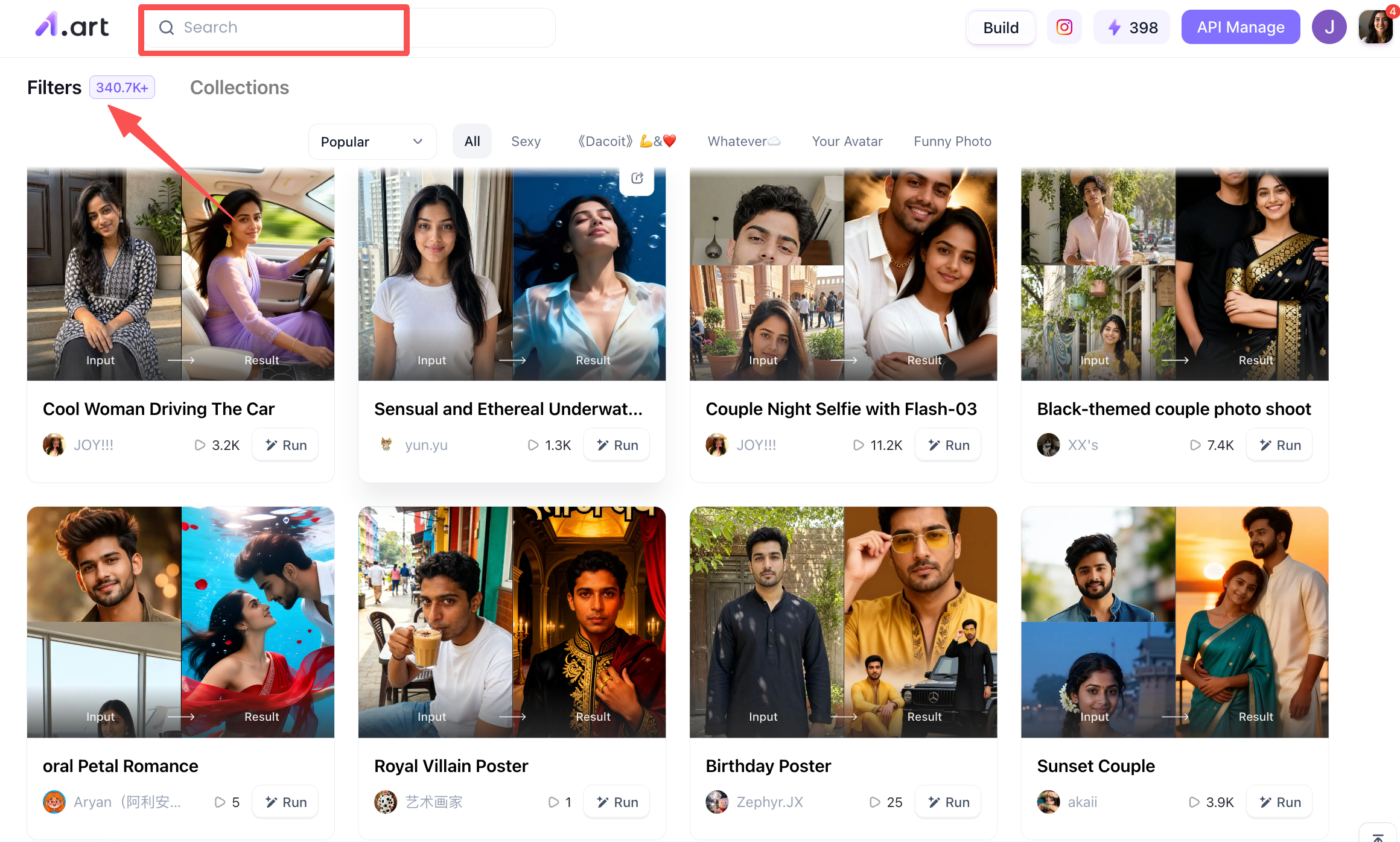
Step 2: Search for the keywords you want to generate videos for
You can search for the keywords you want to generate videos at the top of the page, and the system will push the filters you are interested in. It has to be said that a1.art has a lot of themed filters, with more than 300,000 so far, so it is very worthwhile for you to try different filters.
Step 3: Upload an image to create your own "Hotel Lobby" AI video.
Take the "Let's Sing Together" filter as an example: once you open it, you can upload a photo to create a personalized "Hotel Lobby" AI video. The filter's name appears at the very top of the page; examples of videos created with this theme are displayed in the bottom-left area, while the section on the right is where you upload your photo to generate the video. It is actually very simple,once you have uploaded your image, just click the generate button, and the system will start creating the video.
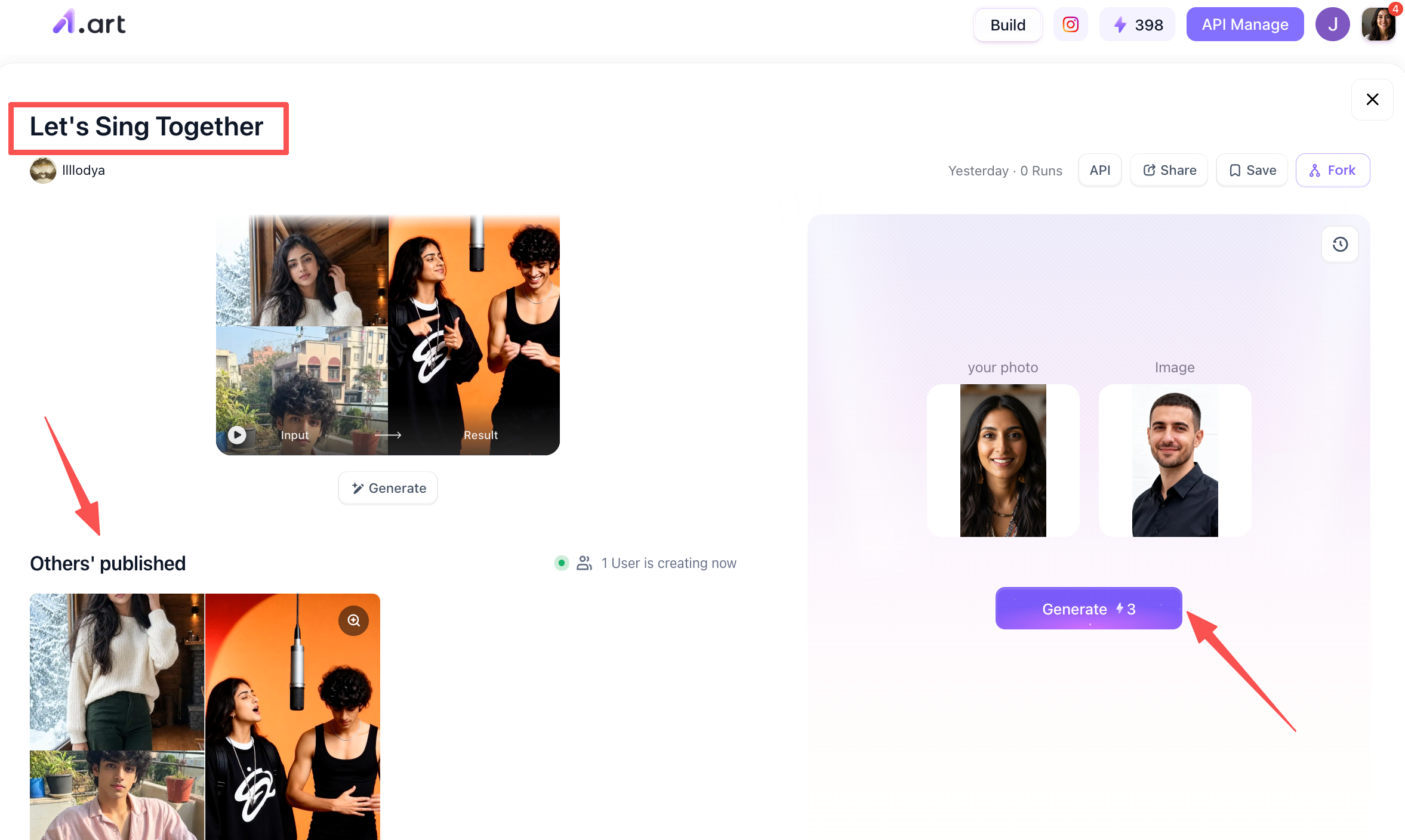
Step 4: Wait for and process your completed "Let's Sing Together" filter
After clicking the generate button, you’ll need to wait about 2–3 minutes to get your finished video,let’s take a look at the result! You can then choose how to handle the video; for instance, you can download it to your device or share it within the a1.art community.
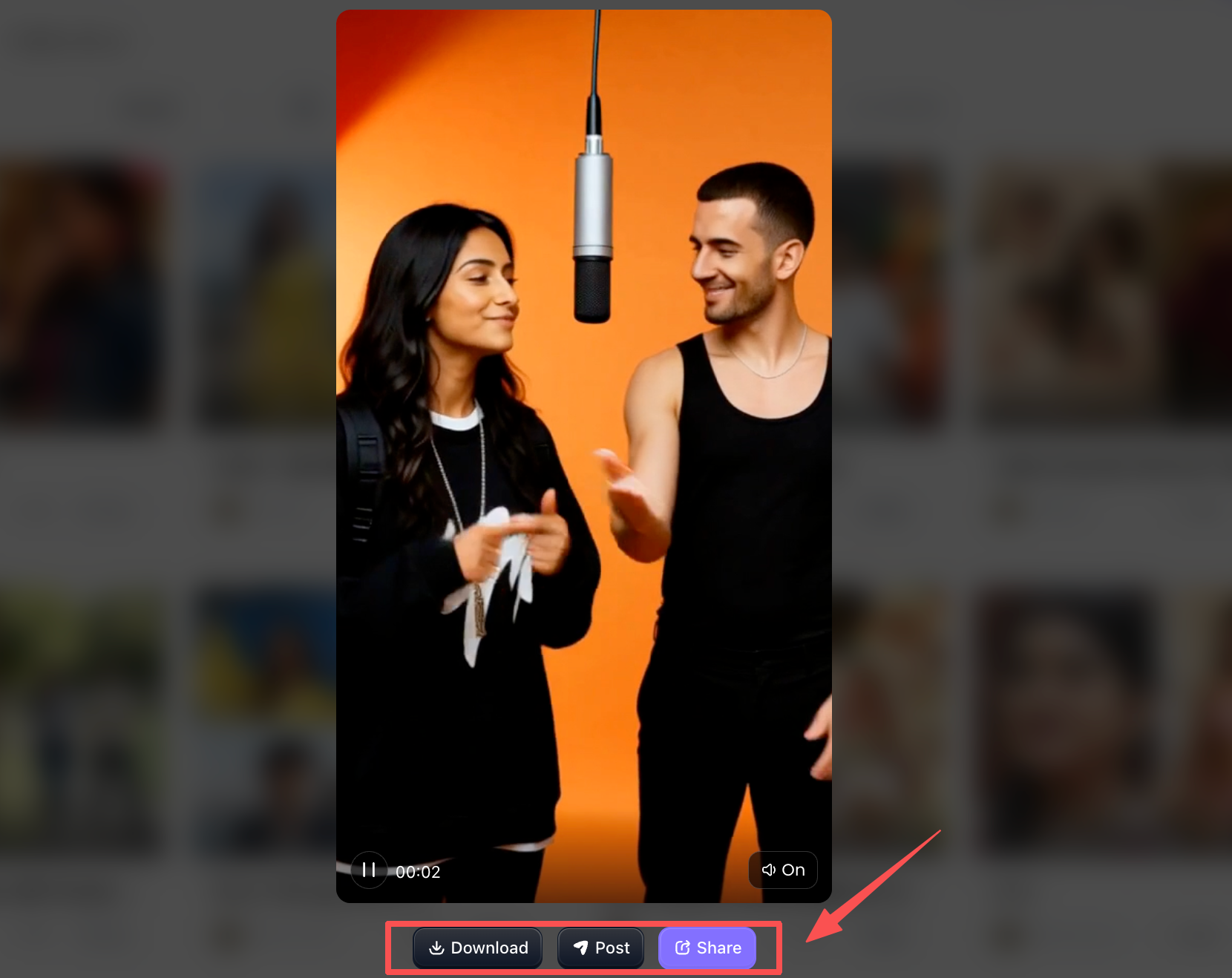
Pro Tips for Maximum Visual Impact
Want your clips to stand a better chance of blowing up? Keep these handy tips in mind before you hit post:
-
Match up the lighting: Make sure the light on your portrait lines up with the main light sources in your background picture.
-
Don’t overload your prompts: Keep your text directions simple, stick to one movement at a time. Go for something like "slow pan right" instead of mixing "pan right, spin around, jump" all together.
-
Stick to AI‑made portraits: For privacy safety, use AI‑generated character images instead of real‑life photos of actual people.
-
Get your aspect ratio right: Render in 9:16 vertical, perfect for phone‑based social feeds.
Conclusion
You don’t need pricey camera gear or tough editing skills to make great content these days. With a solid hotel‑lobby AI video tool, creators can turn ordinary still photos into eye‑catching short videos that grab viewers all over social media.
When it comes to render speed, picture quality, natural motion and ease of use, a1.art is a top‑notch choice for your projects. Give the hotel‑lobby AI video trend a go yourself, and level‑up your short‑form content!
FAQs
Q1: What images do I need to make a viral hotel lobby AI video?
You usually need two photos: a clean portrait photo (or AI-generated persona) and a high-resolution background image of a luxury hotel lobby. The AI generator will then blend them smoothly into an animated clip.
Q2: How long does it take to render a hotel lobby AI video on a1.art?
Unlike traditional rendering software that takes several minutes, a1.art processes cloud animations quickly,most 2-photo AI video transformations complete in under 30 seconds to a few minutes depending on your chosen filter complexity.
Q3: Can I add background music like the Hotel Lobby OST to my video?
Yes! Once you download the rendered video from a1.art, you can import it into TikTok, Instagram Reels, or CapCut to layer it with the viral hotel lobby ost or a trending hotel lobby ai cover sound track.
Read more
- Free AI-Generated Porn Videos & Images? Explore Sultry AI Looks
- PixVerse AI Nude: Free Credits & a1.art Style Guide
- 15 ChatGPT GTA 6 Style Poster Prompts for Photos (2026)
- DMK Prompt for Gemini AI: 20 Political Poster Ideas (2026)
- Top 10 Free Undress AI Generators You Should Try Right Now
- Free Make Hot Clothes Remove Video Online Now
- How to Create Indian Actress AI Porn Videos Free?
- 16 Latest Viral AI Image Prompts to Copy and Try in 2026
- AI Image to Video NSFW Generator: The Best Tools for Animating Adult Images
- Diwali Greeting Card Maker: Create Personalized AI Cards
Written by

a1.art
Published on
Oct 13, 2026
Share article


