


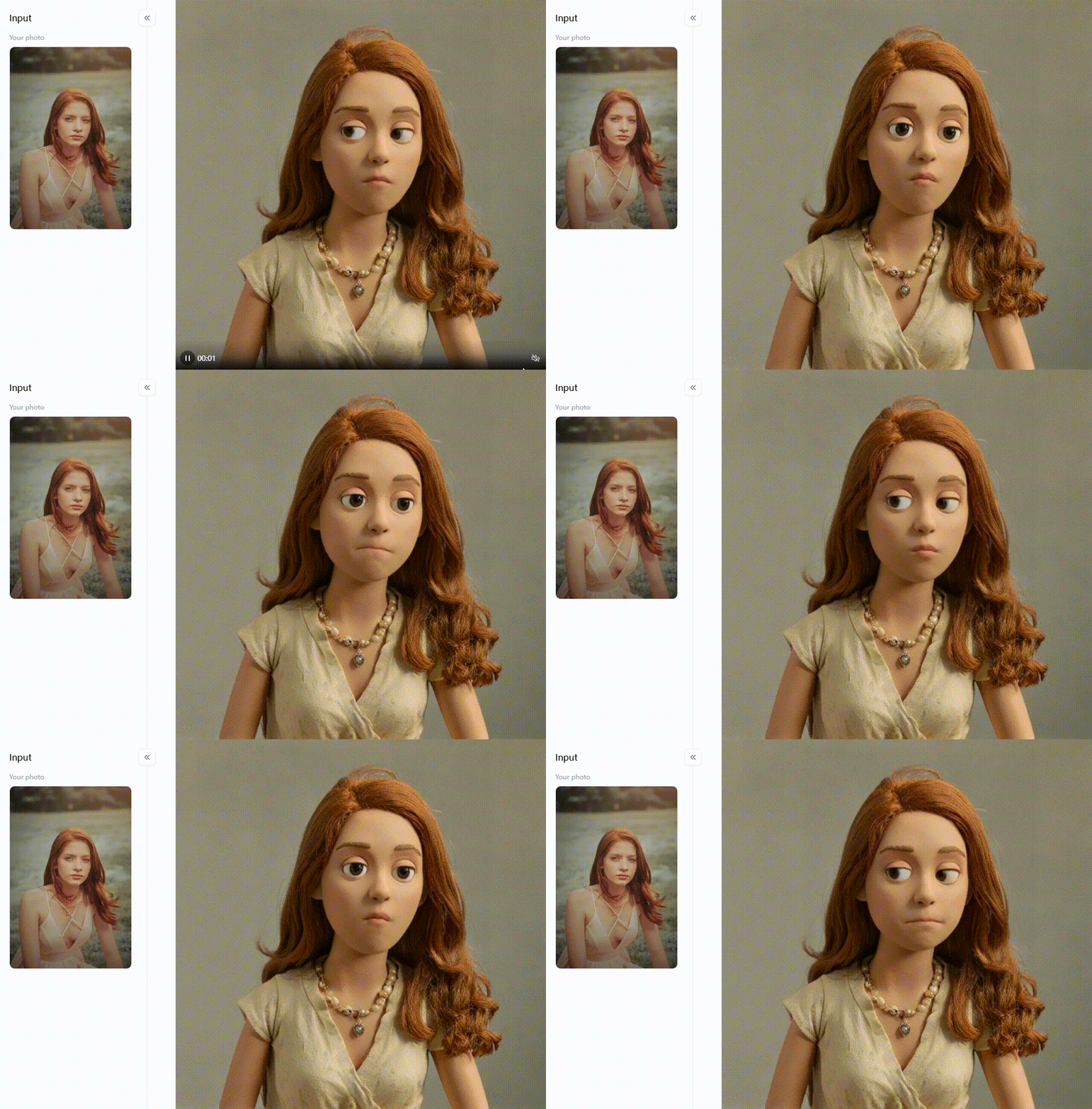
Click the picture to generate your exclusive photo to claymation with one click👇
Strategies to Set Things in Motion with Image-to-Video Converters Free Online
Ready to make your photos jump off the screen and into cool videos? It's easier than you think, especially with free AI image-to-video tools. Here's a simple plan to get you started, from having an idea to showing off your finished video.
Think About Your Story
- Is it for a birthday? A trip you took? Something you're selling? Or just for fun?
- Who are you making this video for? This will help you decide how it should look and sound.
- Where will you show it? Different websites and apps have videos of various lengths and shapes.
- Need some ideas? Look at videos on social media, YouTube, or even the templates in the online video makers from images.
Pick the Right Tool for You
- How Easy Is It? You want something simple to use.
- What Can It Do? Are there ways to change between pictures, options for adding words, and the music you want?
- Does It Have AI? If you want cool animations or to change the style of your photos, look for a free photo-to-video converter that uses AI. Also, see if you can use it for free without a watermark – that's a big plus!
- How Good Is the Video? Ensure it can save your video in a common format like MP4.
- How Much Does It Cost? Many great no-watermark AI image-to-video tools are free, but some fancy features might cost extra.
Get Your Photos Ready
- Choose Good Ones: Clear and bright pictures work best.
- Mix It Up: Use close-up shots, some wide shots, and pictures of different things to keep it interesting.
- Think About the Order: Put your photos in an order that tells your story well.
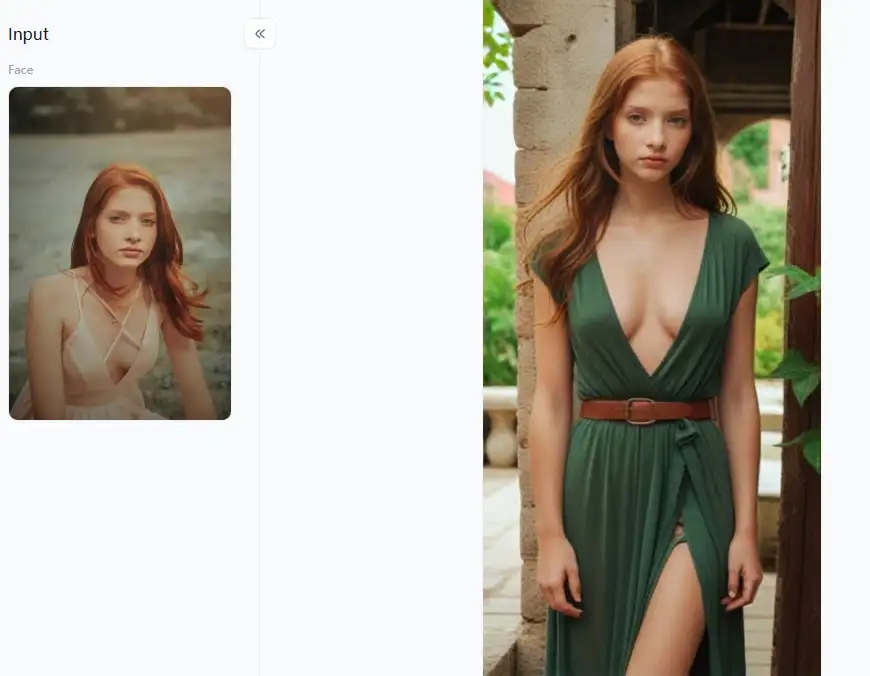
Click the picture to generate your exclusive film actress style with one click👇
Making Your Video Look Great with Some Simple Ways
- Plan It Out (Just a Little): Think about what picture comes first, what words you want to add, and how you want people to feel when they watch it.
- Music Makes the Mood: Pick music that fits the feeling of your video. Many free image-to-video models have music you can use.
- How Long Each Picture Stays: Make some pictures stay on the screen longer than others. Fast for exciting parts, slow for calmer parts.
- How Pictures Change: Use transitions (like fading in or sliding over) to make the video flow smoothly. Don't use too many different kinds – simple is often better.
- Add Some Words: You can put titles, short descriptions, or quotes on the screen to help tell your story. Make sure the words are easy to read.
Using the Magic of AI for These Fun Things
- Simple AI Ideas: If the tool lets you type things, try saying, "Make this person smile gently," "Make this view look like a moving painting," or "Slowly zoom in on this group photo."
- Change the Style: Some video creation from picture tools can make your photos look like different kinds of art. What if your vacation photos looked like an old movie? Or did your pet's photo look like a cartoon?
Tips for Using AI:
- Start with something easy. Try just one or two AI effects at first.
- Watch your video often as you make changes. See how the AI changes your picture and try again if you don't like it.
- Add music and words to your AI effects to improve your video.
Watch, Save, and Share
- Watch your video all the way through. See if there are any mistakes or things you want to make better.
- Save your high-quality video, so it looks nice when you share it.
- Show your video to your friends and family and enjoy their reactions!
With these easy steps, you can turn your photos into fun and interesting videos using free photo-to-movie creators online. It's a great way to bring your pictures to life!
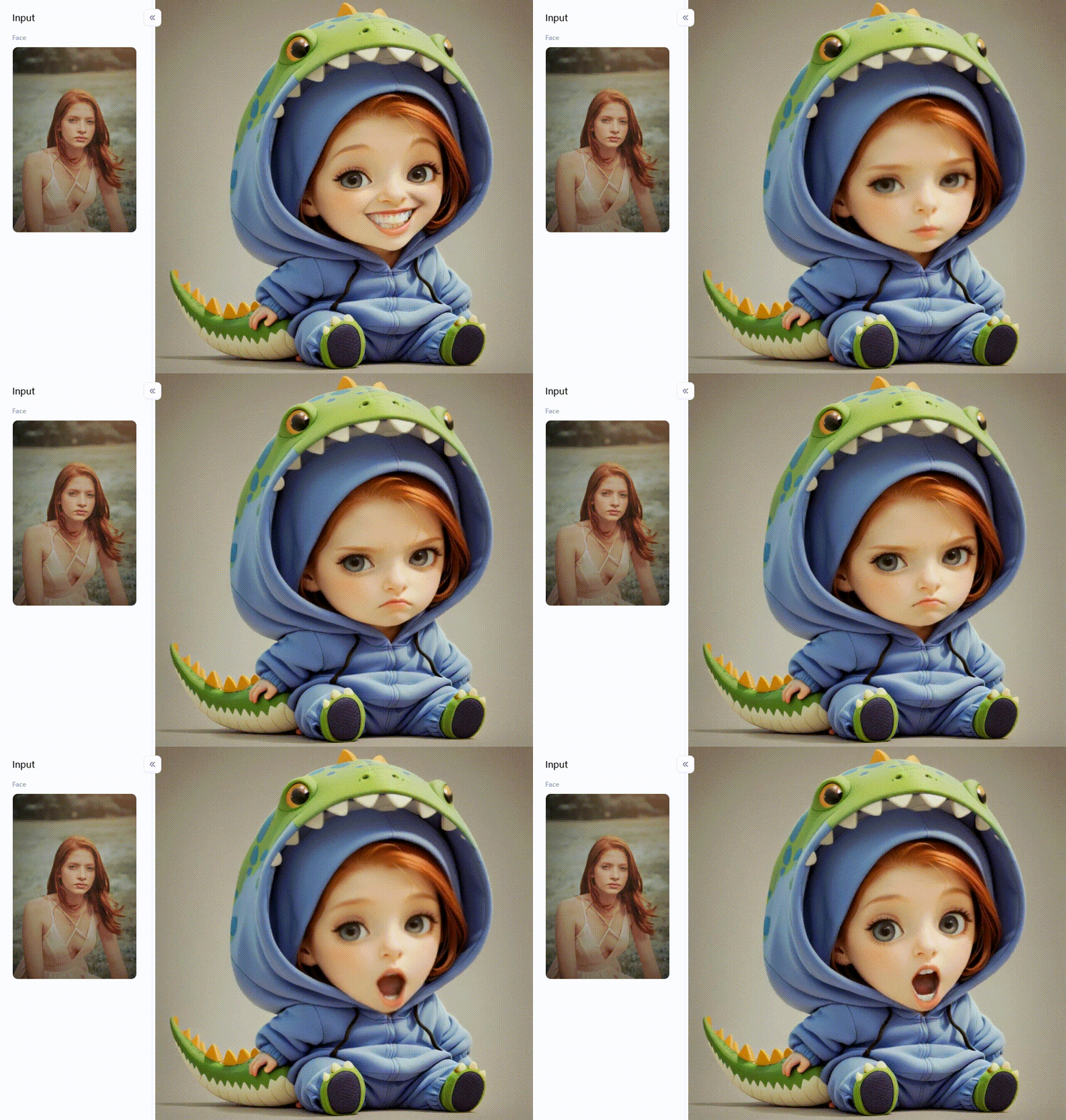
Click the picture to generate your exclusive little dinosaur pajamas with one click👇
Why a1.art is Your Go-To for Transforming Images into Dynamic Videos
Looking for a cool way to turn your pictures into videos? Then you've got to check out a1.art! It's not just another tool that makes your photos move. It's like a magic box that adds fun, art, and a special touch to your pictures with its smart AI filters and effects. If you want to make your photo videos pop, this image-to-video converter is the place to be. It's easy to use and super exciting!
What Makes a1.art So Great?
What makes a1.art stand out from the crowd? It has many special AI filters beyond just making image slideshows. These aren't just boring animations. They're smart AI brains that look at your pictures and change them into cool little videos with a unique artistic feel.
Cool Things You Can Do with a1.art Filters
- Super Creative: You can try out many art styles and fun changes with many different filters.
- Easy to Use: Even if you've never used AI to make videos from pictures, this makes it a breeze to get amazing results.
- Instant "Wow": The changes often make you say "Wow!" immediately. This makes your videos super easy to share.
- No Watermarks (Usually!): Many people want to turn their pictures into videos for free without annoying watermarks, and this image transformation tool often lets you do just that with their free options.
- Makes Your Photos Look Even Better: Besides moving, the image-to-video open-source filters often make your original photo look more artistic with cool textures, lighting, and moods.
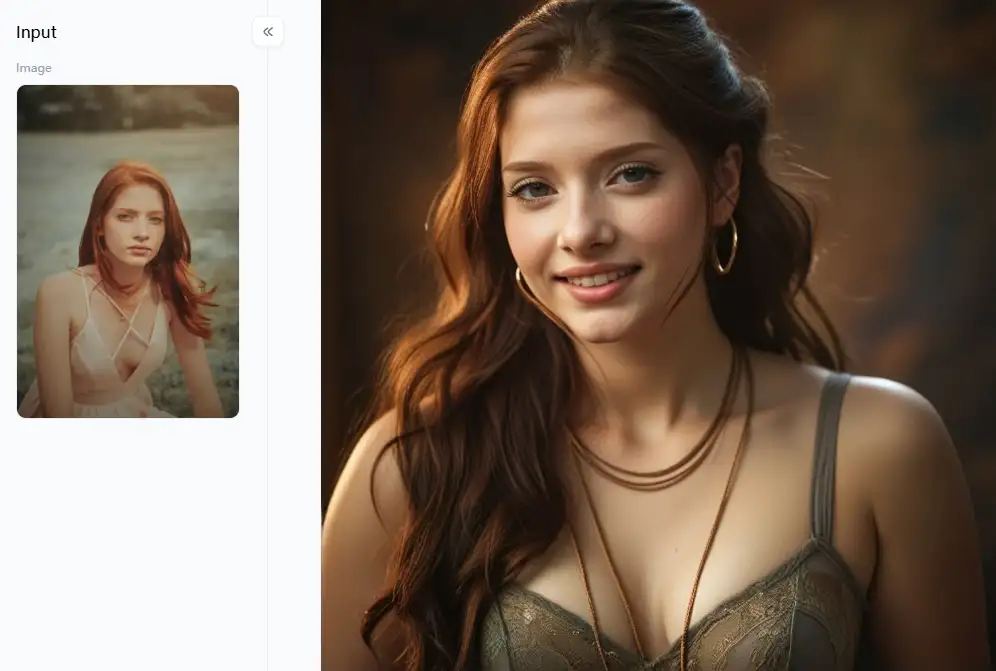
Click the picture to generate your exclusive elegant look with one click👇
Fun Ideas with a1.art Filters
This platform has a ton of different filters. Let's look at some of the fun groups and how you can use them:
Turn Yourself into Characters
- Filters like "Being a Singer," "Face Video" (might make your face move!), "Different Profession Comics Video," "Pirates," or even "Doctor Strange (video)" can turn your face into a cool character.
Make Your Photos into Art
- Change your photos into beautiful artwork with filters like "Healing Style Video," "Paper Art Video," the popular "Comics Style Video," the elegant "Chinese Ink Portrait Video," or the fun "Cartoon Style Video." The "Photo to Claymation (video)" filter can give your photos a cute, handmade look, while "Cute Felt (video)" and "Fairy Fantasy (video)" add a bit of magic.
Add Fun and Silly Animations
- Make funny videos with filters like "Coin Video," "Zodiac Video," the cute "Baby Astronaut Video," or the magical "Moonlight Girl Video." Try "Chicken Beep You" or "I Want U Video" for a good laugh. Celebrate wins with "Big Winner & Suppress Laughter," get cozy with "Little Dinosaur Pajamas," or make a cute pair with "Milk Tea Couple Avatar (video)." Adding a little drama is possible with "Cracked Mirror (video)."
Explore Special Themes and Cool Effects
- Dive into different themes with "Ancient Civilizations Comics Video," get sporty with "Olympic Motor Racer" or "Olympic Racing Driver Video," or look stylish with "Fashion Magazine Video & Music." Show some love with the "Pink Love Avatar Video."
- Make a mini fashion show video using "Fashion Magazine Video & Music" with a picture of your cool outfit.
How to Use It, Just 3 Steps:
Step1:
Open a1.art, choose the App that you are interested in, then click 「Run」
Click on the image to experience the same App👇
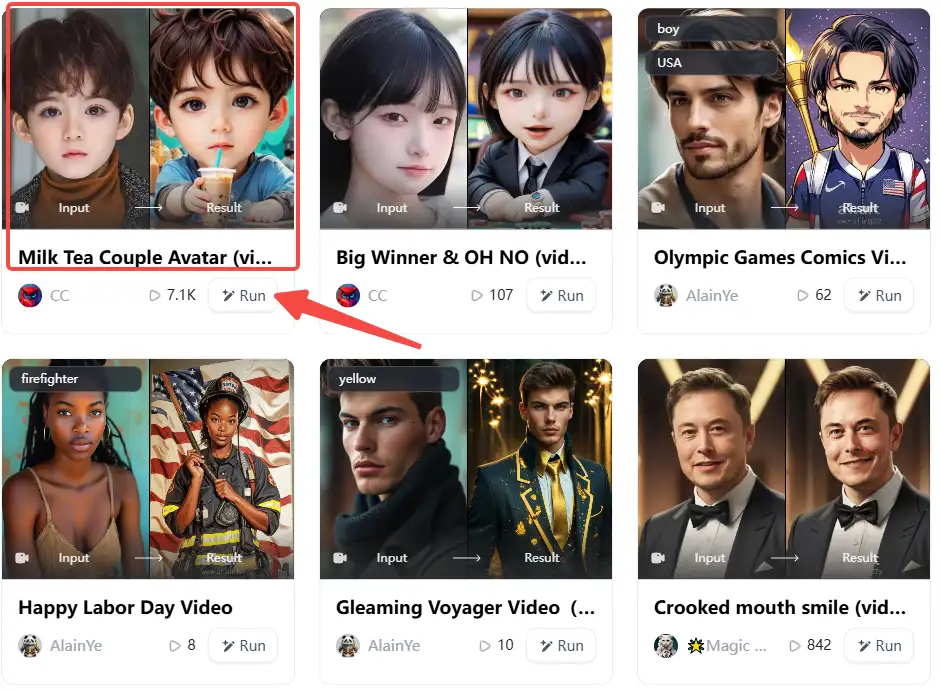
Step2:
Upload a photo/image
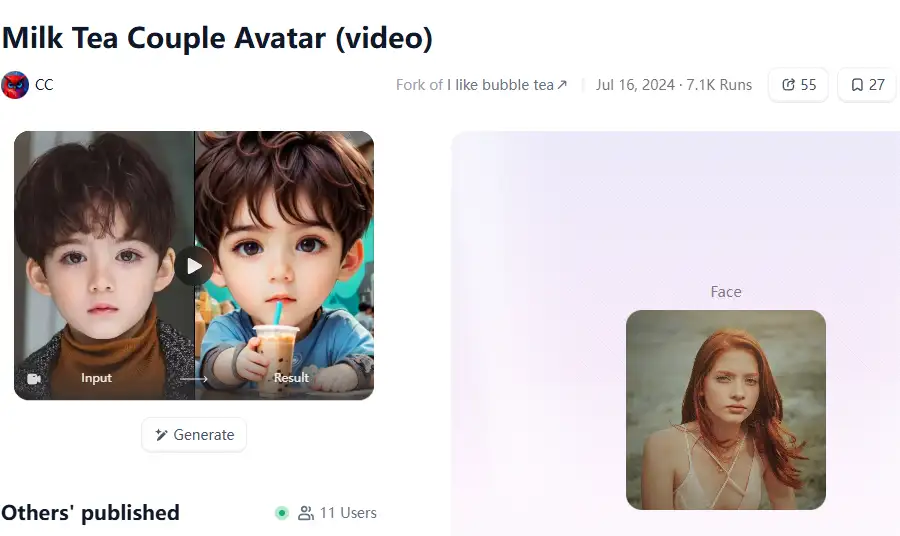
Step3:
Wait 3 seconds, you will get a wonderful result 👇
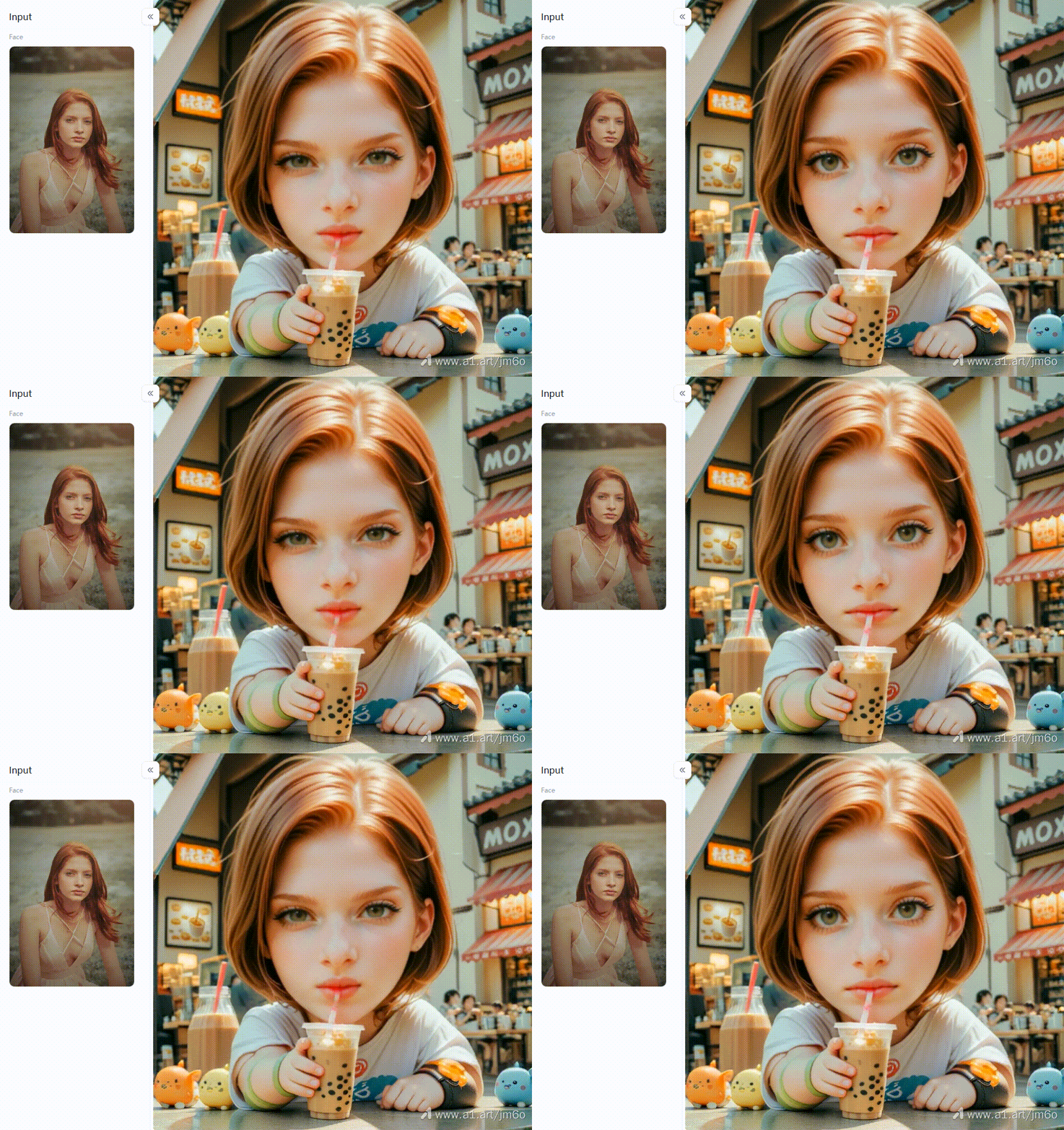
Cool Ways to Use a1.art
- Get Noticed on Social Media: Use really fun filters like "Comics Style Video" or "Face Video" to make people stop scrolling.
- Make Special Gifts and Greetings: Filters like "Zodiac Video," "Pink Love Avatar Video," or a cute "Little Dinosaur Pajamas" video make unique digital cards.
- Show Off Your Products: A quick, stylish video of your product using a simple filter can be more interesting than just a picture.
- Have Fun Being Creative: If you love turning photos into videos for fun, a1.art gives you many styles to play with. You can become a digital artist in no time!
You're not just changing a picture into a video by trying out all the image-to-video online filters on a1.art. You're opening up a whole new world of creative fun. It's an AI tool that helps your photos sing, dance, and tell new stories!
Conclusion: Elevate Your Visuals with a1.art
So, now we know it's a snap to make your photos into neat videos online for free! Now, everyone can make their pictures wiggle and tell fun tales. Easy tools and smart AI mean your photos won't sit still. They could develop into captivating videos that people desire to watch.
Try using AI tools like a1.art. It has many cool AI filters that can add something fun to your pictures. You can create videos from photos with neat effects on them, make them look like art, and even turn them into funny characters. So, don't let your pictures just sit there! Try making them into videos to show your awesome work to everyone. Give a1.art a try and see what cool things you can create!
Read more
- Try to Make Your AI Silver Palace Character Free: Craft Your Dream Persona
- PromeAI vs a1.art: Which is The Suitable AI Art Generator for Your Creative Vision?
- Make Polaroid Image Frames Online Free with a1.art: Your Guide to Instant Charm
- How to Make Summer Season Images with AI for Free?
- How to Make Vesak Day Images with AI for Free: Your Guide to Stunning Visuals
- How to Generate Stunning League Champions Title Image: A Comprehensive Guide with a1.art
- Best Elder Scrolls IV Oblivion Remastered Character AI Generator: Bring Cyrodiil's Heroes to Life
- Make a Wonderful Photo with AI Dating Photo Generator
- How to Become a Soccer Player with AI?
- GoArt VS a1.art: Which is the Suitable AI Art Generator for You?
Written by

a1.art
Published on
May 29, 2025
Share article


