


Have you ever wanted a sun-kissed glow for a new profile picture or wished you had wonderful, fantasy-like skin? Making these enjoyable adjustments was an actual chore for far too long. You were forced to use either free apps that produced clumsy, subpar outcomes or complicated, expensive software. It was sufficient to discourage anyone from pursuing their imaginative dreams.
But thankfully, that's all in the past. A massive shift is happening in the digital world, all powered by AI. This isn't just a slight trend; it's a creative revolution, with the photo editing market set to leap from over $940 million to $1.5 billion by 2030.
You may change skin color online free with breathtaking accuracy thanks to AI, which puts a professional studio in your pocket. It interprets texture and light to provide an incredibly lifelike appearance. This guide serves as your road map to this fascinating new universe, demonstrating to you how to let your creativity run wild.
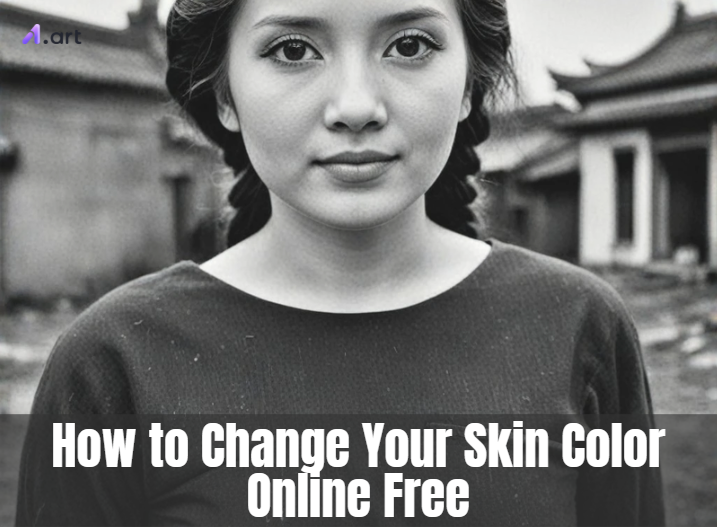
What Are Skin Color Changers?
An AI skin color changer is much more than a simple photo filter. Think of it as an innovative artistic partner that helps you realistically transform skin tones into your images and videos. It's a powerful face changer that uses advanced technology to make precise and believable changes.
How, therefore, does this magic operate?
-
Your hair, clothing, and backdrop are all preserved while the AI carefully examines your photo and isolates just the skin.
-
Instead of just painting an even skin tone on top, it carefully rebuilds the skin's texture. This keeps essential details like freckles and subtle shadows, so the final result looks completely natural.
-
The more advanced pic color changers can even detect the light in your photo and adjust the skin tone to match, regardless of whether you're standing in direct sunshine or indoor lighting.
From digital artists designing fantasy characters to photographers adding a creative touch, these photo quality enhancers are for everyone. Content creators use them to build a unique style, while everyday users can simply have fun experimenting with new looks. This technology is growing fast, giving everyone the power to create freely.
Click the picture to generate your exclusive see myself with dark skin with one click👇
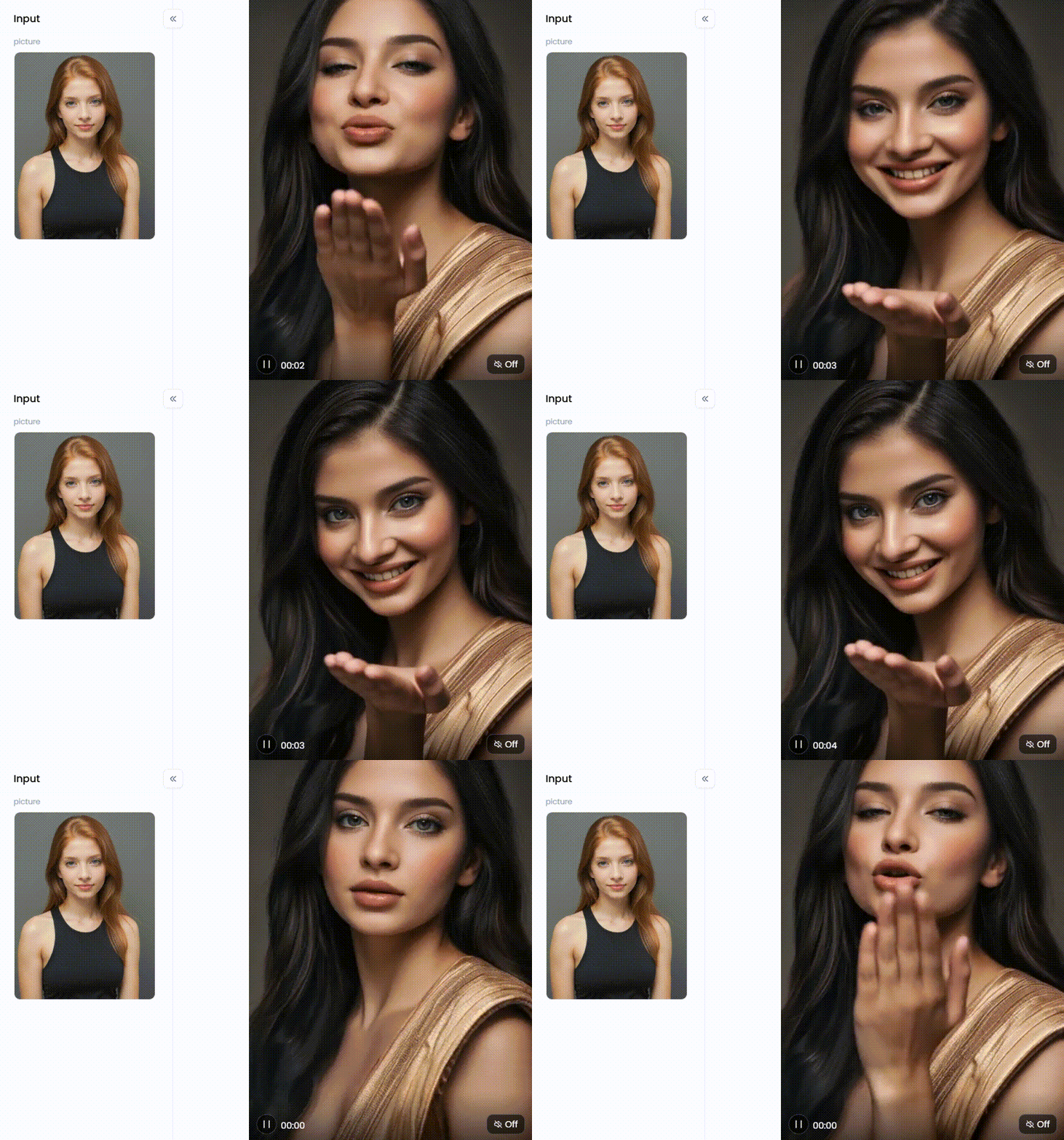
Start your art journey with a1.art.
The Many Applications of AI Skin Color Changers
Online free apps that change skin color are unlocking a whole new world of creativity. They make it easy for anyone to transform images in ways that were once only for professionals. Here's how they are shaking things up:
-
Bring Fantasy to Life: In the art world, creators can now design magical beings with glowing or galaxy-patterned skin in a flash. This turns hours of tedious editing into minutes of fun, letting imagination run wild.
-
Style Your Look: These makeup apps are revolutionary for the fashion and beauty industries. You may examine how different clothing colors stand out on different complexions or virtually try on various makeup tints to discover your ideal match.
-
Make Social Media Pop: On social media, you can create a signature style that colorizes your photos to stand out. It's the perfect way to build a unique brand and grab attention in a crowded feed.
-
Design Future Characters: Game designers and filmmakers also use this technology. They can swiftly test out several character styles thanks to it, which helps the team get on the same page right away.
-
Restore Old Memories: You can't do it for fun! By restoring any faded or worn-out areas and adding realistic Photoshop replace color, these tools can breathe new life into old black-and-white photographs.
Anyone may now more easily be creative and realize their ideas thanks to this technology, which puts the power of a design studio in your pocket.
Click the picture to generate your exclusive golden teal skin beauty with one click👇
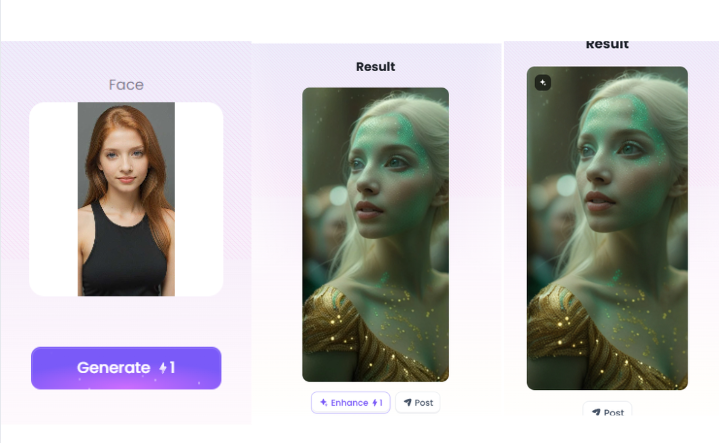
How to Use It, Just 3 Steps:
Step1:
Open a1.art, choose the App that you are interested in, then click 「Run」
Click on the image to experience the same App👇
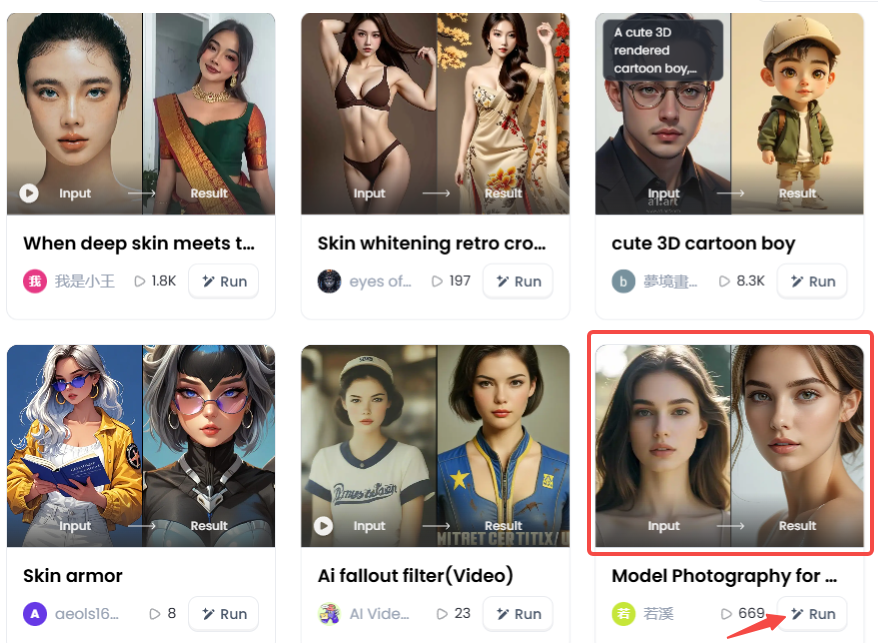
Step2:
Upload a photo/image
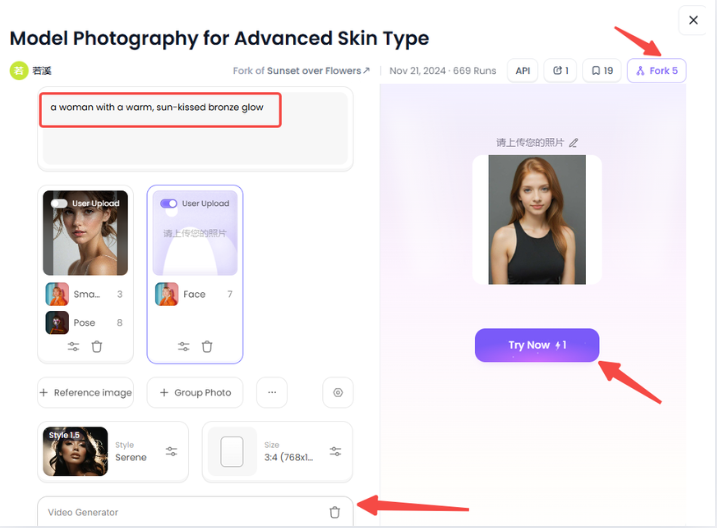
Step3:
Wait 3 seconds, you will get a wonderful result 👇
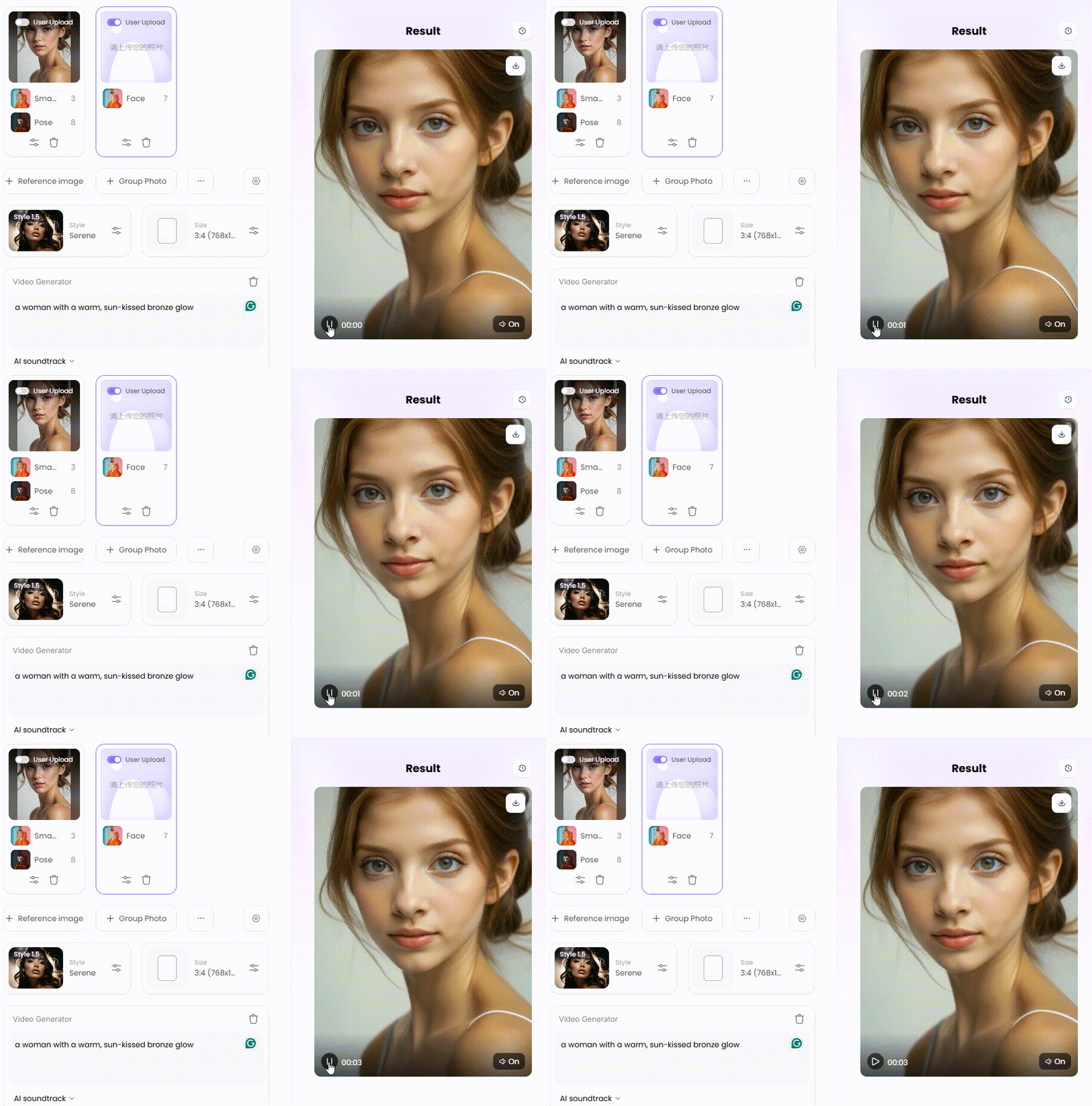
Mastering the Art: 20 Expert Tips to Change Your Skin Color Online Free
Do you want to change the colour of an image to make it look amazing? You can learn how to improve the resolution of a photo. A nice photo is enhanced by your personal touch, even when internet tools are helpful. With these 20 free suggestions, you may create gorgeous new outfits.
Group 1: Setting the Stage
-
Start with a Great Photo: For the best results, always start with a high-quality photo. Just remember the simple rule: garbage in, garbage out. A sharp picture gives the picture enhancer more to work with, so your final image looks crisp and professional, not blurry.
-
Find the Right Light: Soft, even light is your best friend. You can find this perfect light on a cloudy day or during the "golden hour" at sunrise or sunset. It prevents harsh shadows that can mess up editing tools.
-
Say No to Flash and Spotty Light: A direct camera flash can create shiny, bright spots on the skin, which are tough to fix. Also, try to avoid dappled light, like the spotty shadows you see under a tree. These patterns create an uneven canvas and can make the new skin color look blotchy.
-
Keep It Crisp and Clear: Make sure your main subject, especially the AI face swap, is perfectly in focus. A sharp photo helps the tool understand precisely where the skin is. If your picture is a little soft, use a quick sharpening tool before you start changing colors.
-
Use a Clean Backdrop: A simple, uncluttered background is your best friend. Why? Because a busy or brightly colored background can sometimes digitally "bleed" onto the edges of your subject's hair or skin. A plain or blurred background makes it much easier for the photo background change tool to do a clean job.
Click the picture to generate your exclusive kiss the face with one click👇
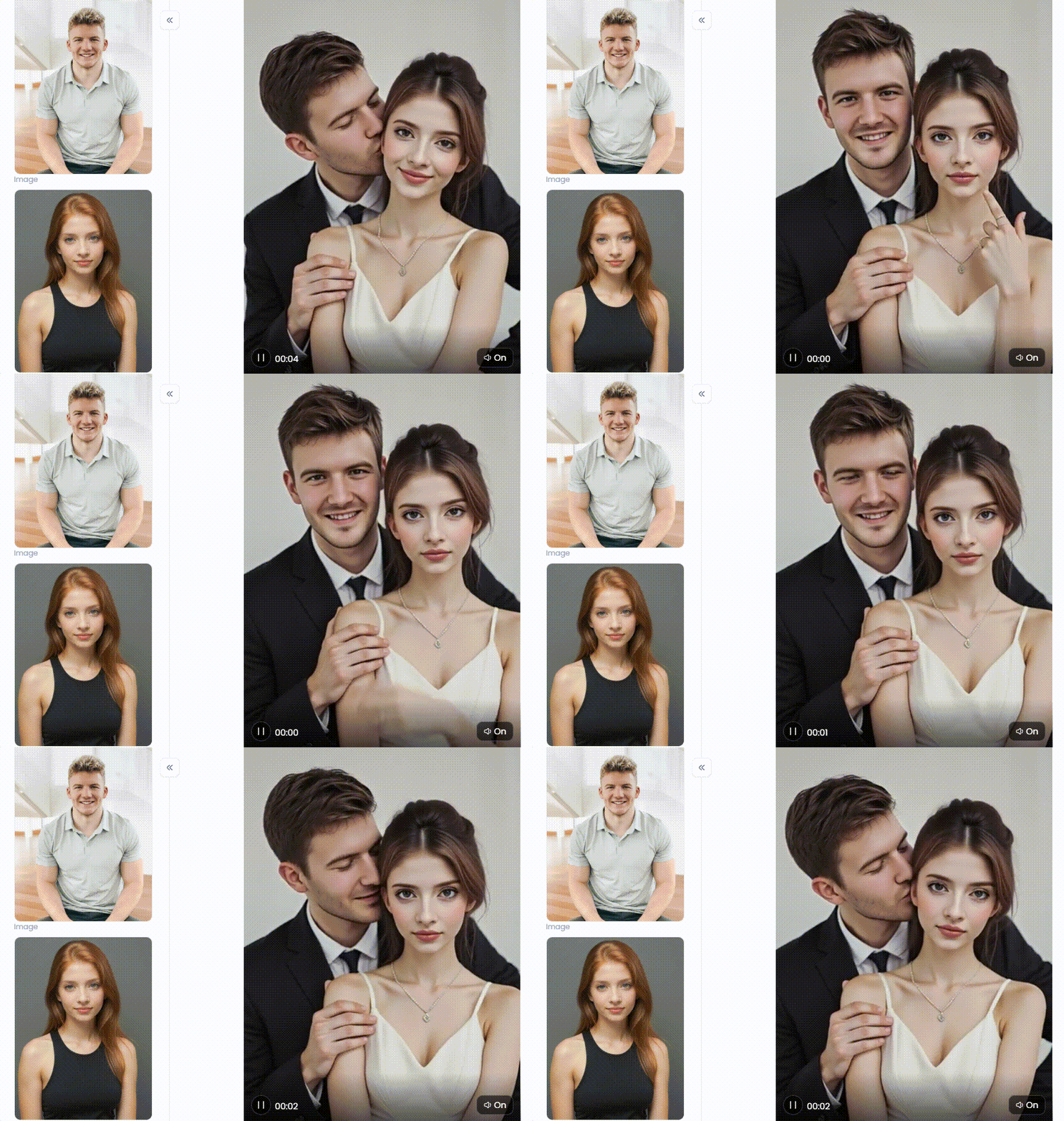
Group 2: The First Brushstrokes
-
Choose the Right Tool: Don't just use a generic color filter that tints the whole picture. Look for a tool specifically designed to change skin color in online videos. These innovative tools know how to identify skin and apply changes much more accurately.
-
Go Slow and Steady: Don't make a huge change all at once. Instead, go slow and steady with minor tweaks. It's like using a dimmer, not a light switch, helping you find that perfect shade without going overboard.
-
Match the Vibe: A new skin tone might not match the hair or eyes. For a natural look, try tweaking those colors too. A small color change in image can help pull the whole look together, so everything fits perfectly.
-
Clean Up the Edges: Some advanced tools have a "masking" feature. Think of it as an eraser for your edits. It lets you clean up the edges and fix any color that spills onto clothes or hair.
-
Tweak the Lighting at the End: Once the skin color looks right, it's time for the final touch. Tweak the photo's brightness and contrast. This last step helps pull the whole look together, making the skin color change in the image seem entirely natural.
Click the picture to generate your exclusive ice queen with one click👇
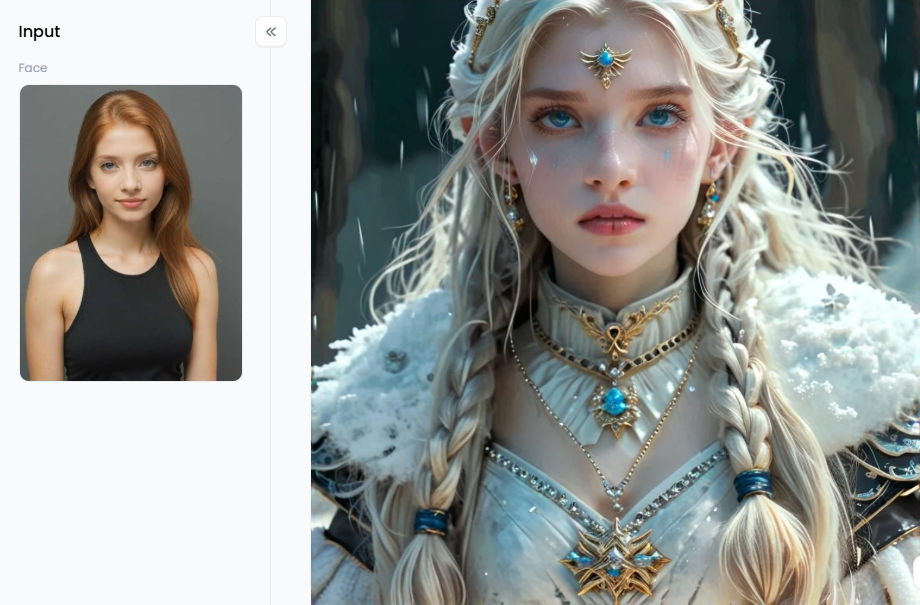
Group 3: Talking to AI
-
Paint a Picture with Words: Avoid typing "tan skin." Provide additional details! Consider selecting "a woman with a warm, sun-kissed bronze glow" rather than "a man with a deep, rich umber skin tone." The AI will approach your vision more closely the more details you provide.
-
Set the Mood: Add words about lighting and atmosphere. For example, you could ask for "skin glowing under soft moonlight" or "a swap face with a subtle golden sheen from a nearby candle." This helps the AI understand the feeling you're going for.
-
Dream Big and Be Bold: Don't be afraid to experiment! This is your chance to create something unique. Try prompts like "a portrait of a woman with skin like polished mahogany" or "a fantasy hero with shimmering, silver-toned skin."
-
Try a Whole New Style: You can even guide the AI to copy a specific art style. For fun, try something like, "A pop art portrait with bright emerald green skin" or "An oil painting of a woman with porcelain doll skin."
-
Tell the AI What You Don't Want: Sometimes, AI can add weird textures or mistakes. If this happens, use a "negative prompt." It's as simple as telling the tool what to avoid, like "no blotches, no weird patterns, not blurry."
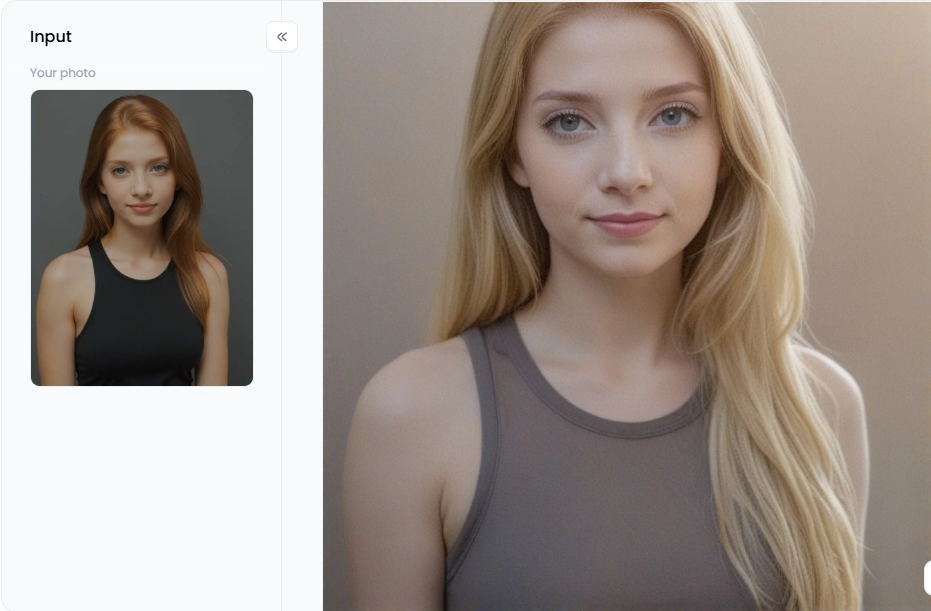
Click the picture to generate your exclusive blonde hair filter with one click👇
Group 4: The Finishing Touches
-
Get That Flawless Finish: After the color is set, you might want to use a skin-smoothing tool. This can help even out the new tone and give the skin a silky, professional finish, if that's the look you desire.
-
Make the Details Pop: Use a sharpening tool to add a tiny bit of extra crispness to the most essential features, like the eyes, lips, or any jewelry. This simple trick draws the viewer's eye right where you want it.
-
Take a Final Look: Step back and look at the entire image. Do the new skin tone, clothes, and background all work together? Sometimes, a slight adjustment to the colour of a shirt can make the whole picture feel more balanced.
-
Give It a Final Boost: When you think you're finished, try a one-click photo enhancer. It's like a magic button that gives your picture a final boost, making the colors pop and all the details look extra sharp.
-
Save Your Masterpiece the Right Way: Don't let all your effort go to waste with a low-quality save. Always save your final creation in the highest quality format available. This keeps your image sharp and vibrant, ready to be shared and admired.
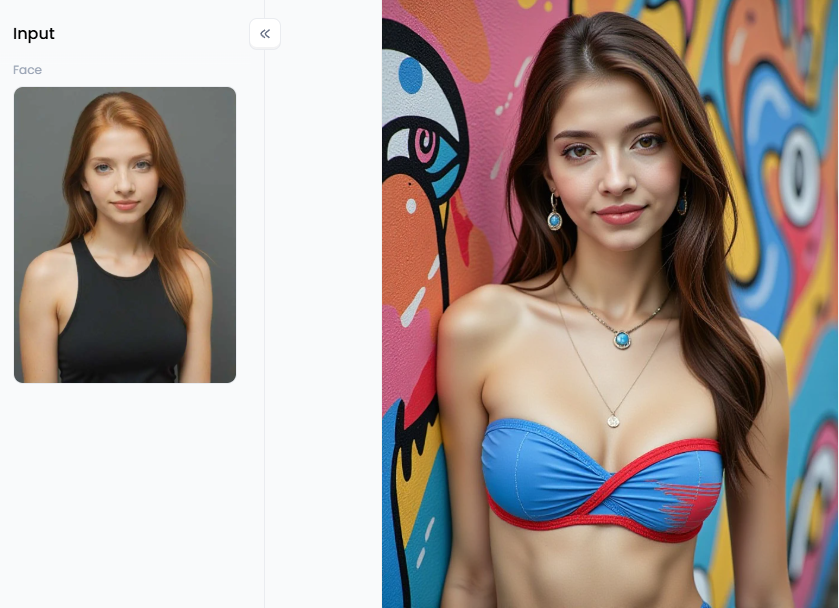
Click the picture to generate your exclusive the wall with one click👇
Customize Your Look for Social or Styling with a1.art
Ready to make images different colors? a1.art is your free and fun studio for photos and videos. Forget difficult software! Instantly change your look with awesome filters, from realistic skin tones to cool fantasy armor, or just type what you want to create.
From Simple Tweaks to Epic Art
With a1.art, you can use fun image sharpeners to give your photos a new look. Or, just type a few words to create brand-new art from scratch. It's that easy!
Want to start with something realistic? You can try on a new look with filters like "Look at Myself with Fair Skin" or "See Myself with Dark Skin." These body editors are perfect for getting a natural-looking portrait with just a click.
Ready to get creative? This is where fun really begins! Use the "Golden Teal Skin Beauty" filter to add a lovely shine to your images, or use the futuristic "Skin Armor" filter to create characters that will stick in your memory. Discover exquisite cultural fashions with "When Deep Skin Meets Traditional Saris." In only a few seconds, the "AI Photography for Advanced Skin Type" filter may give your photos a polished appearance that makes them look like they belong in a magazine.
But that's just the beginning. With a1.art, your entire look is a playground. Instantly "Change Dress Style," or play with the "Change Color of Outfit" filter. Try on a new identity with "Change Your Looks," or give your photo a whole new mood with "Emotions Comics Style Change." You can even perfect a smile, strike a new pose, or change hair color. It's all at your fingertips.
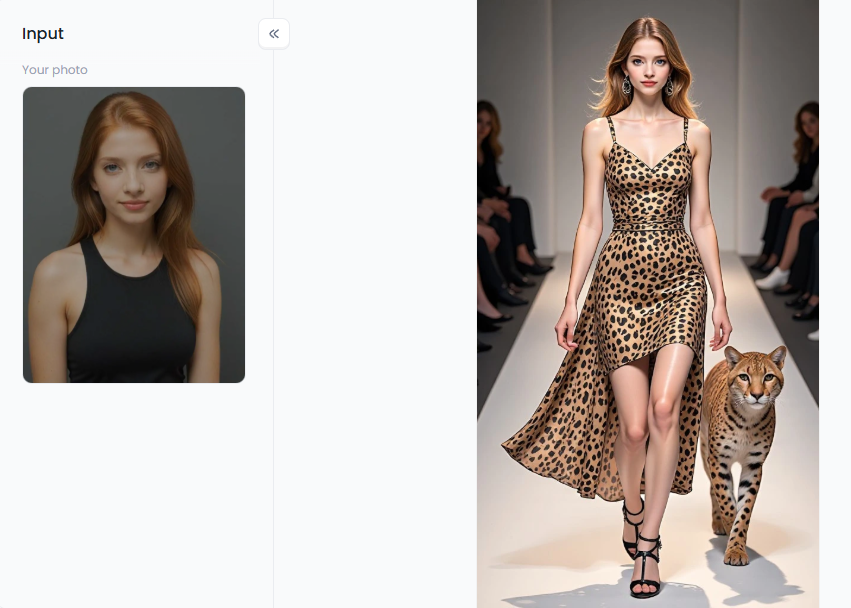
Click the picture to generate your exclusive leopard print fashion with one click👇
Tips to Take Your Creations to the Next Level
Do you want to create content that really stands out? Here's how to realize the full potential of a1.art:
-
Master Your Words: Instead of simple commands, tell a story with your words. The more details you add to your description, the more amazing and unique your final artwork will be.
-
Use the "Enhance" Button: Think of the "Enhance" button as your magic wand. After you create something, just give it one click. The AI will instantly sharpen your art and make the colors pop!
-
"Fork" It to Make It Yours: Like a filter, but want to change it? The "Fork" feature is your best friend. It lets you copy the recipe behind any filter and then add your own special twist!
-
Tell a Story: Use more than one filter! Use a few on the same image to tell a tale. For a truly amazing post, transform a selfie into a stone statue and then a superhero.
From fixing a quick selfie to building an entire fantasy world, a1.art makes it easy. It has all the tools you need to bring your best ideas to life and let your imagination run wild!
The Future of Your Photos is Here
Forget those clunky, difficult photo editors for changing skin color. The future of creativity is here with AI, and it's for everyone! The power to change your appearance in photos and videos is your key to a universe of art. You can design amazing characters, explore new styles, and bring your unique vision to life like never before.
a1.art is your all-in-one playground to make it happen, combining a photo editor, video creator, and art studio for free. Don't just dream up extraordinary ideas—create them! Let your imagination run wild by visiting a1.art today. Waiting for you is your next masterpiece!
Read more
- Best AI Tools to Generate Pregnant Woman Images or Art
- Best Baby Podcast AI Tools – Create Cute & Funny AI Baby Voices
- 10 Top Haiper AI Alternatives Free: Your Ultimate Guide to AI Video Creation
- Best AI Hug Video Generator Free Online: Sending Virtual Hugs with AI Magic
- Murder OC Maker: Create Your Original Killer Character with AI
- Free AI Image Background Changer Online: Transform Your Photos Instantly
- a1.art or Vondy: Which AI Image Generator Is Better for You
- Name into Symbols Generator: Turn Your Name into Cool Icons
- MHA Quirk Creator: Discover Your Unique Superpower
- Celebrate Indonesia Independence Day with AI Image & Video Maker
Written by

a1.art
Published on
Sep 5, 2025
Share article


