


Have you ever had a great idea but been unable to sketch it? It could be a fantastical creature, a breathtaking scene, or a clever character. Finding the perfect stock photo or being unable to realize your fantastic ideas are both quite disappointing.
What if, however, you were able to destroy that wall? Imagine just describing and watching your idea pop into a beautiful, clear picture in seconds. This isn't science fiction; it's the magic of image-to-image AI art tools! This technology has kicked off a creative revolution and is growing like crazy. By 2030, the generative AI market will increase to $100 billion.
Now, in this exciting new world, two names you'll hear a lot are a1.art and Vondy. Both are fantastic AI art generators, but they're built for different jobs. As we examine what makes the free Vondy image generator unique, let this serve as a roadmap to help you locate the ideal creative image-to-image generator.
Decoding the Vondy Image Generator: What's It All About?
You may use Vondy image generator for more than just taking photos; it's your creative Swiss Army knife! Consider it a well-known one-stop store for all AI magic, from prompt engineering to video production. Simply jot down a concept, and its powerful AI will use ingenious technology like Stable Diffusion to turn it into a unique image. It works flawlessly.
Here's a quick look at the cool things Vondy image editor can do, whether you're using the free or paid version:
- Words to Pictures: This is the main event! It lets you turn any idea from your imagination into brand-new art.
- Pick Your Style: You're the director. Pick a style you love, from lifelike photos and cool anime to fantasy art or classic paintings, to bring your unique vision to life.
- Simple Tweaks: It's a snap to tweak basic settings like the picture's shape and size before the AI works magic.
Simply put, Vondy tattoo generator makes digital creation a piece of cake for everyone—no expert skills are needed! The best part? With this one-stop method, you can go from brainstorming ideas for a blog article to creating a tattoo—all in one place. Because of this, it is the ideal, practical companion for all your artistic endeavors.
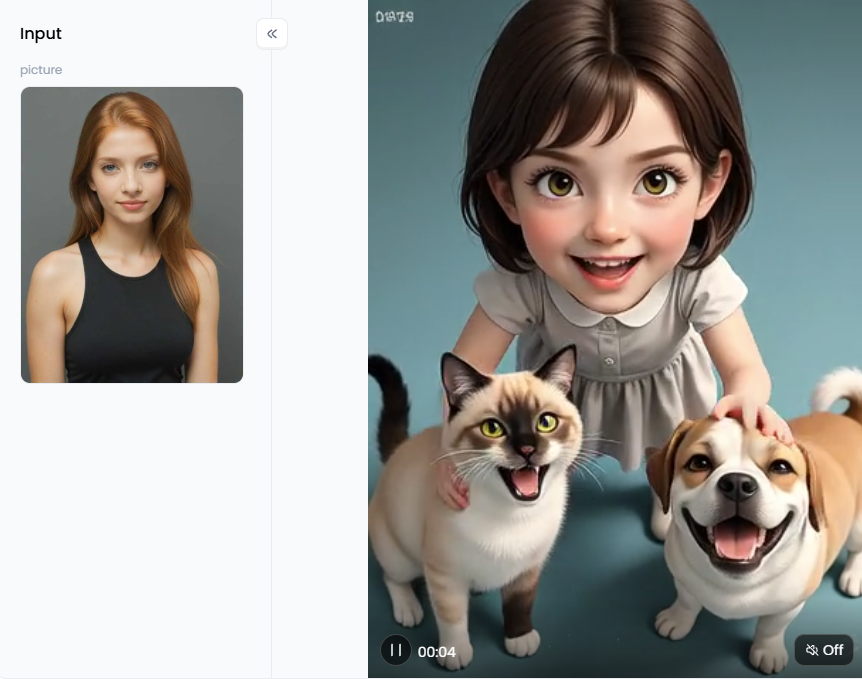
Click the picture to generate your exclusive don't bully my pet with one click👇
Meet a1.art: AI Art Studio of Your Own
Making amazing art is the one thing that a1.art excels in. It's not just an AI art generator; it's a fun, creative hub that makes top-notch art simple for everyone. Then, what's the secret? You may quickly create gorgeous looks with its simple interface and numerous one-click styles.
Here is what makes a1.art shine:
- Awesome Image Magic: Its text-to-image is great, but the image-to-drawing generator is a game-changer. Give any photo a makeover. Turn a selfie into a Ghibli character or a simple snapshot into a movie scene!
- A Giant Style Library: Go beyond just typing. Choose from a huge, constantly expanding selection of styles, ranging from interesting sketches to pictures resembling actual ones.
- Community and Remixing: a1.art has a fun, social vibe. You can share your work and even "fork" others' creations. This lets you copy their recipe and add your twist, helping everyone get better, faster.
- Print-Ready Pictures: Need a high-quality image for a poster? No problem. a1.art creates files sharp enough for professional printing.
In short, a1.art is the ideal image generation AI model for anyone interested in artistic creativity within a nurturing environment.
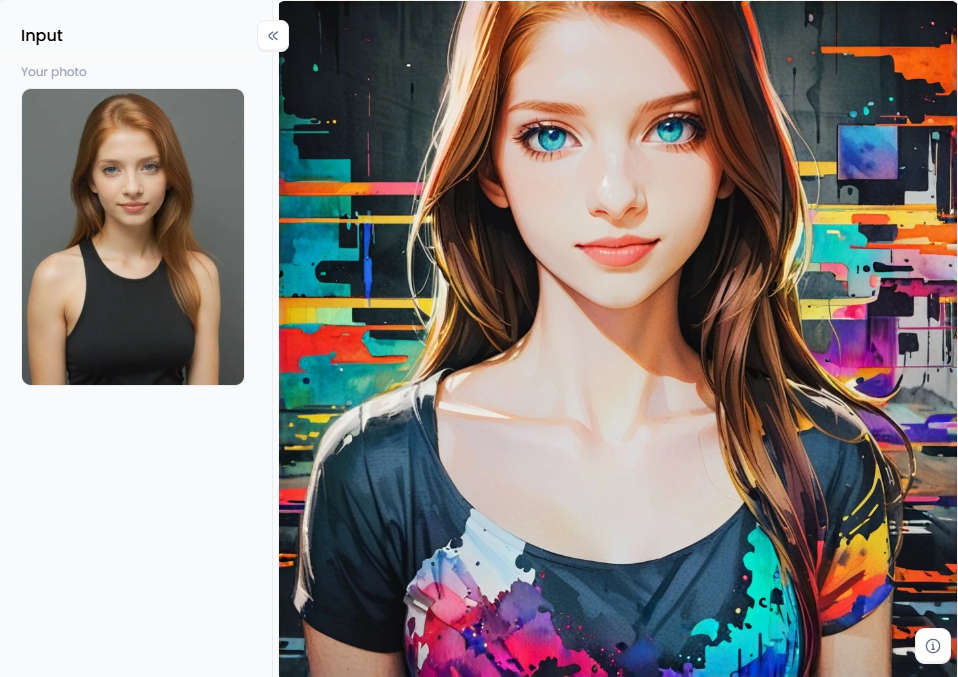
Click the picture to generate your exclusive image to image with one click👇
a1.art vs Vondy: The Ultimate Showdown for Your Creative Needs
The main event will begin: Vondy and a1.art will face off! Because all platforms shine differently, choosing the correct artificial intelligence art tool depends on your creative aim. Let's compare their most notable qualities to determine which online graphic editing software is best for you.
Are you prepared to select the ideal image editor tool? Here's how to choose AI art generators. Pay attention to the following important factors: ease of use, image quality, style variation, editing capabilities, community features, and, of course, cost.
| Feature | Vondy Image Generator | a1.art Image Generator |
| Primary Focus | Often part of a broader suite of AI tools (text, video, etc.). A generalist approach. | Specialized in high-quality, user-friendly image and art generation. A specialist approach. |
| Ease of Use | Generally straightforward, but may require more prompt engineering skill for refined results. | Extremely beginner-friendly due to its vast library of one-click filters and intuitive interface. |
| Key Strength | Versatility across different AI tasks beyond just images. | Superior image to image AI, community features ("Forking"), and a massive, curated style library. |
| Community | Less emphasis on a built-in social or community platform for art sharing. | Strong community focus. You can browse, learn from, and build upon the work of others. |
| Unique Features | Integration with other Vondy tools. | "Forking" prompts, extensive pre-made filters for specific looks, and powerful editor tools. |
| Cost | Typically offers a vondy image generator free tier with limitations, and subscription plans. | Generous free tier with daily credits and affordable premium options for heavy users. |
Why People Choose Vondy: The All-in-One Helper
So, who is Vondy the perfect match for? In a nutshell, Vondy video generator is a fantastic choice for people who love having a multi-purpose AI assistant. Its all-in-one toolbox is a great advantage if you want to discuss story ideas, get help writing a blog post, and make a simple picture in one location. It's a sensible choice for users who need a simple headline image or a quick photo for a concept.
It is incredibly handy to have in your pocket for all sorts of small jobs. For instance, a Dungeons & Dragons player can visit the Vondy image generator DND, enter a description, and receive a suitable image in a matter of seconds if they require a quick visual of their character for game night. Convenience and having various generator clipart tools at your fingertips are key.
Why People Choose a1.art: The Visual Artist's Studio
On the other hand, a1.art is built for creators who care deeply about the final look of their work. Let's say you appreciate outstanding flair, superior quality, and achieving exceptional outcomes quickly. It distinguishes itself as a superior creator in the following ways:
- Endless Creative Control: a1.art is more than just an AI graphic design tool for converting words to images. Its ability to alter your photos and ideas gives it its true power. The random image generator is a game-changer. It's not just about starting from Aorite images, a magical makeover, and collaborating, no matter which tool you pick with the AI to bring your vision to life.
- Get Jaw-Dropping Results: Why spend an hour trying to write the perfect, complicated prompt to get a "Disney style" look? With a1.art, you can simply click the "Become Disney Style Character" filter and get that amazing result in seconds. Because it collects one-click styles, it's one of the most widely used and effective image filter tools for producing beautiful artwork without hassles.
- Inspiration on Demand: That emotion is no longer there when you have art. An endless supply of ideas can be found in the community feed. You can see how to turn an image into something else using AI, what is popular, and what is just plain awesome. Better yet, the "Fork" feature lets you take any creation you love, see the artist's recipe, and add your ingredients. It's like having a team of creative friends showing you their ideas 24/7.
- It Just Looks Better: a1.art is tuned like a fine instrument to create beautiful, artistic images that make sense. The models and filters are designed with an artist's eye, ensuring the final picture matches your prompt and looks incredible.
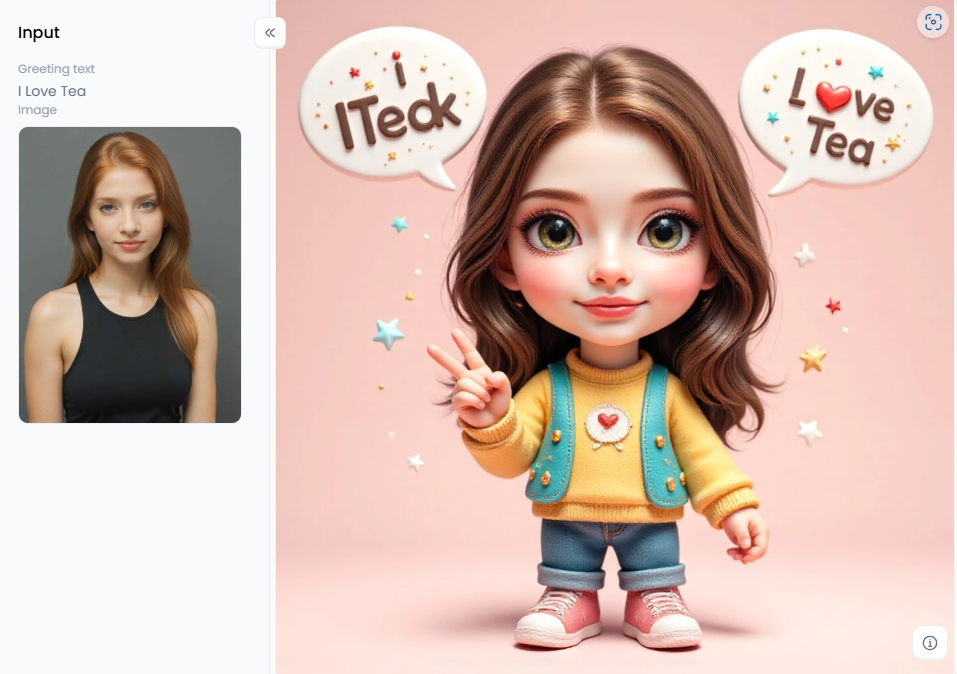
Click the picture to generate your exclusive greeting image with one click👇
Pro Tips to Get the Most Out of Your Choice
No matter which AI photography website you pick, a few tricks can help you get even better results.
- For Vondy Users: Speak Its Language. Vondy's AI is quite familiar with fantasy and character-related words. If you're creating a knight, don't just say "knight." Get specific! Use terms like "paladin in ornate silver armor," "glowing holy sword," or "tattered red cape" to guide the AI toward a more detailed and interesting picture.
- For a1.art Users: The best way to master a1.art is to learn how to use an AI art generator. Start with a simple idea, then see what happens when you apply different style filters. The results might surprise you! Above all, spend time in the community feed and "Fork" anything you see that's amazing to start your masterpiece and learn from the best.
The Final Takeaway: Which One Is for You?
The decision ultimately boils down to your level of ambition.
- Vondy is like a handy top AI image creator. It's perfect for a quick, specific job when you need it.
- However, a1.art is comparable to a comprehensive, expert workshop. It's the location to grow your goals, with all the specialized equipment needed to improve your skills and create truly remarkable work.
For a long-term creative partner who can solve any visual issue, a1.art is the logical choice.
Click the picture to generate your exclusive 3d character design with one click👇
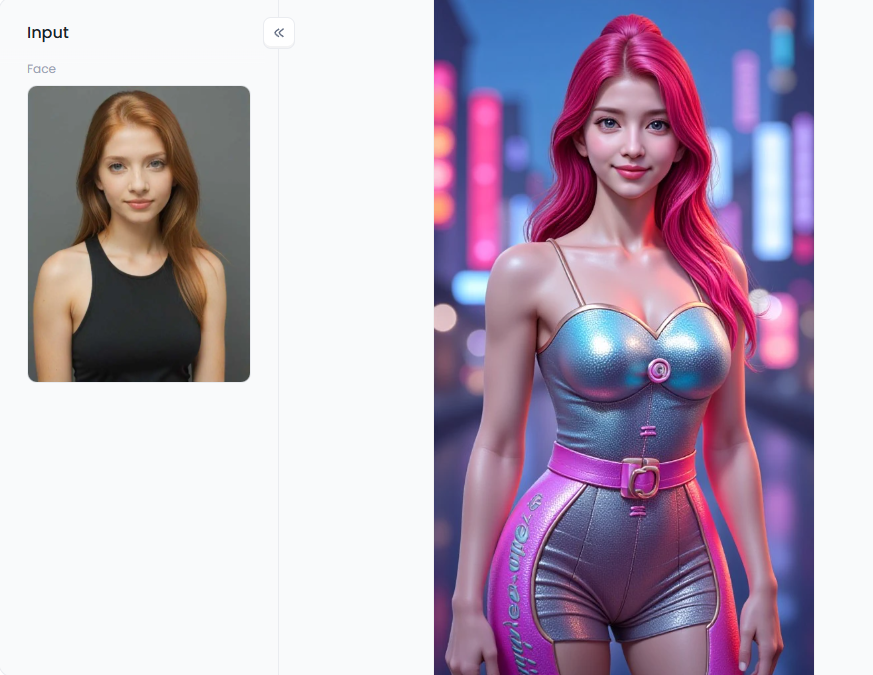
Mastering the Canvas: Pro Strategies for Unforgettable Art with a1.art
Popular AI image tools create stunning artwork. You need to take your skills to the next level! With a1.art, you can work with AI to produce beautiful, one-of-a-kind artwork.
The Power of Creative Filters and Styles
Do you want amazing results quickly? Explore a1.art's extensive collection of one-click styles. These trade secrets instantly give your artwork a gorgeous, professional appearance while saving you time. To see what is feasible, let's examine several well-liked styles:
- For Character and Portrait Lovers: Do you want to be a cartoon hero? Your selfie can be turned into animation art by applying the "Become Disney Style Character" and "Ghibli Filter 2.0" styles. Try the "Comic Portrait" or "Anime Character" effects to get a comic book feel.
- For a Dash of Whimsy and Fun: Make adorable illustrations like "I Like Bubble Tea" or "Snoopy Cute Cartoon Style." The "Customize Your Cute 3D Image" filter makes endearing characters that pop off the screen simple.
- For Picture-Perfect and Movie Moments: Give your favorite memories a timeless, pro touch with the "Wedding Photo P1" filter. Or, turn your vacation photos into blockbuster movie scenes using the "Cinematic Travel Portrait" style.
- For Bold and Artistic Looks: For bold, artistic looks, you can use stylized filters like "AI Sexy Lingerie Image" or "Bikini." Give your art a unique, painted vibe with the "Magical Art" or "Textured Cartoon" styles for a completely different feel.
Learn from the Best: The Power of "Forking"
See a picture in the community feed that you adore? Click "Fork" to immediately duplicate the creator's settings and prompt. This accelerates your learning and development by allowing you to see the magic and apply your touch.
How to Use It, Just 3 Steps:
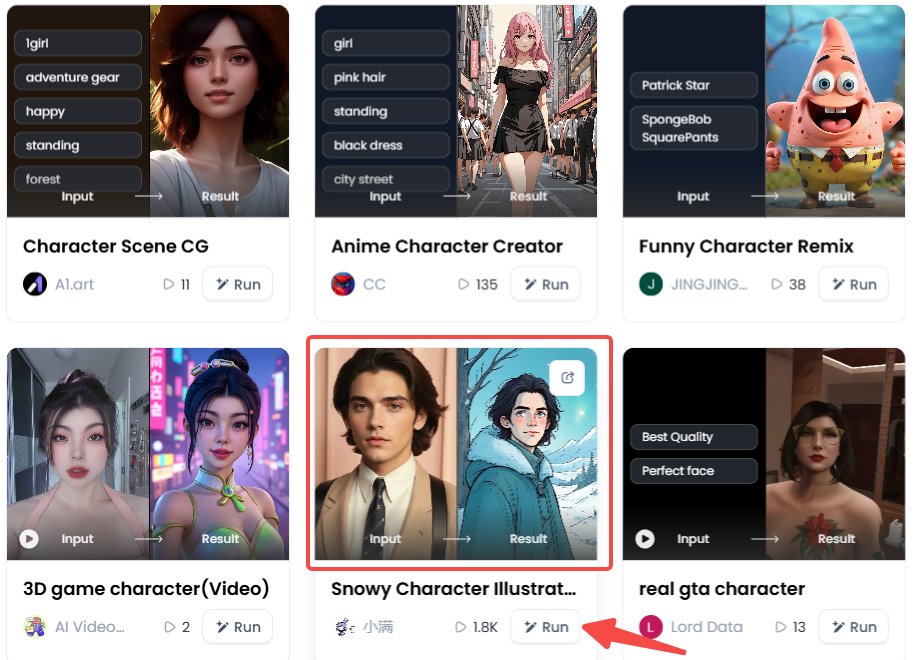
Step1:
Open a1.art, choose the App that you are interested in, then click 「Run」
Click on the image to experience the same App👇
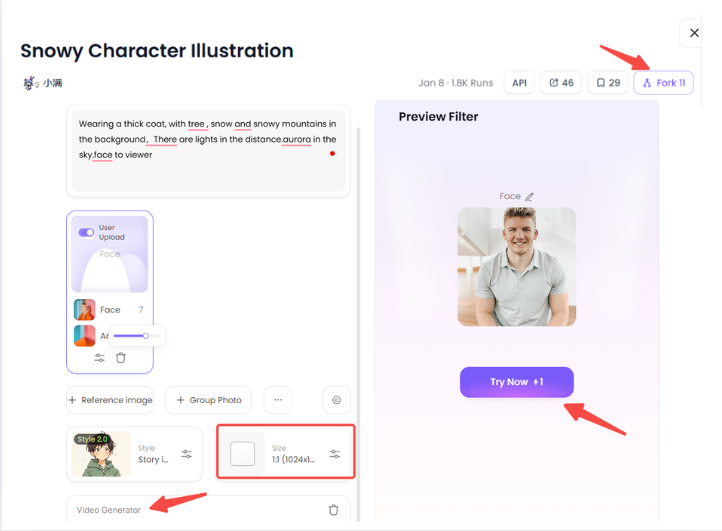
Step2:
Upload a photo/image
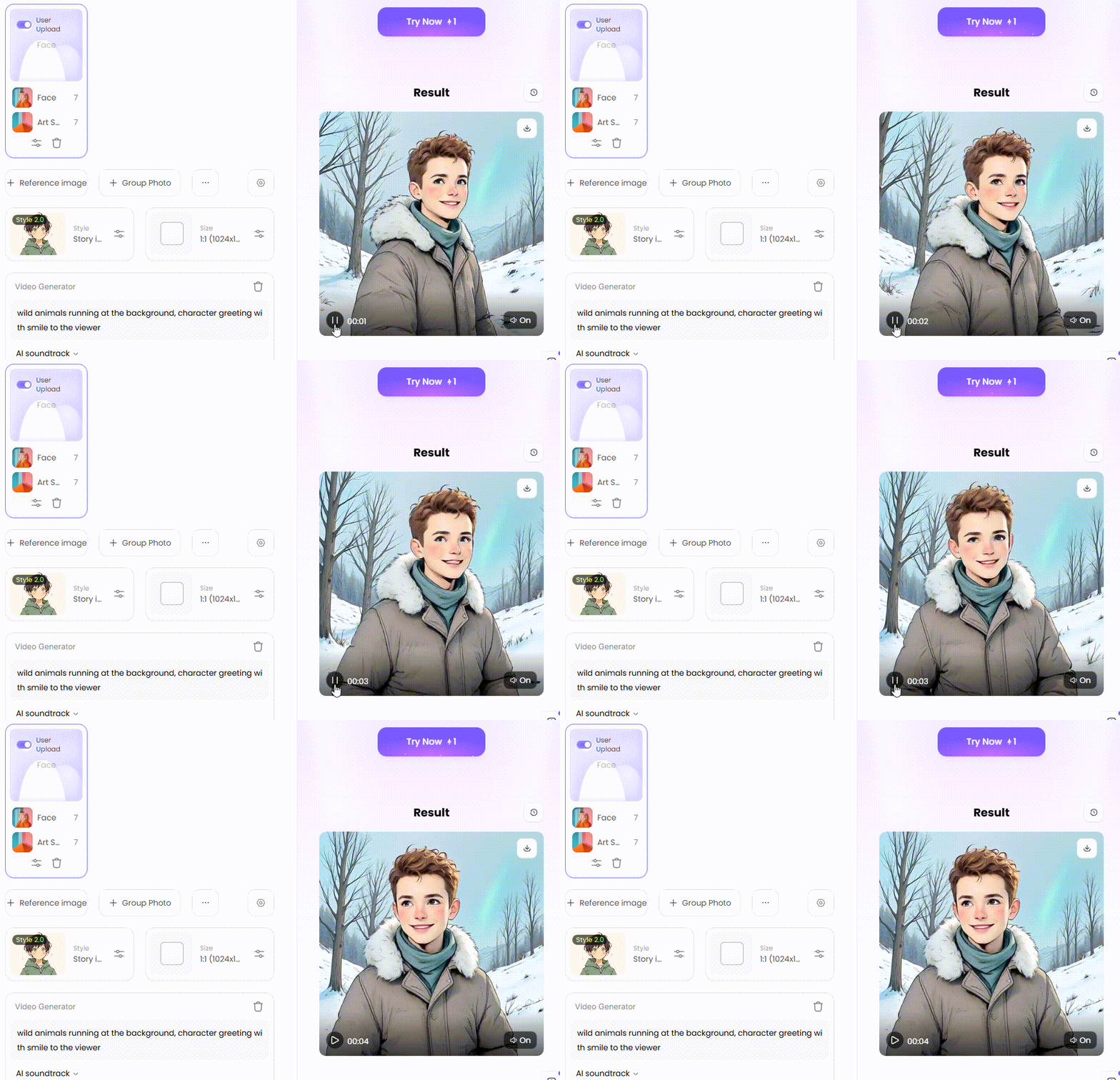
Step3:
Wait 3 seconds, you will get a wonderful result 👇
Becoming a Prompt Pro: The Secret Sauce
You must become an expert at your prompts to gain control and popularity for generating high-resolution images.
Nail the Basics: Don't be vague—paint a picture with your words! Try "a fluffy Corgi puppy with a red bowtie" instead of "a dog." The more details you include, the better!
Add the Secret Sauce:
- Mix and Match: Don't be afraid to mix things up! Get creative by combining styles in one prompt, like "an astronaut in the style of Rembrandt," to create something new.
- Talk Like a Photographer: Talk like a photographer to get a professional look! Add camera terms like "wide-angle shot," "macro detail," or "bokeh background" to your prompt to control the final scene.
- Set the Mood: Guide the AI by using feeling words. Prompts with "serene and peaceful," "joyful and bright," or "dark and mysterious" will create a powerful mood.
- Use Negative Prompts: The negative prompt tells the AI what to leave out. You may add "blurry, deformed, extra limbs, bad anatomy" to a portrait to fix errors before they become problems.
- Edit and Improve: Don't give up after just one attempt! Make color adjustments and enhancements with a single click using the integrated editor. You can even use the AI wallpaper generator to fine-tune all the little details.
That's the magic recipe: mix great prompts with the right filters and some editing to create stunning art. So what are you waiting for? Start creating!
Conclusion: Your Vision, Amplified by a1.art
So, what's the final verdict? Vondy is an excellent AI profile picture generator for certain jobs, such as creating D&D characters, but a1.art is the undisputed leader regarding creative freedom and power.
It's more than just a realistic AI image generator; it's a complete art studio in your pocket. It's magic shines when you transform your photos with its powerful AI cover art generators and giant library of artistic styles. The choice is simple if you're ready to move beyond basic pictures and truly set your imagination free.
Ready to create something amazing? Dive into a1.art and start bringing your ideas to life!
Read more
- Name into Symbols Generator: Turn Your Name into Cool Icons
- MHA Quirk Creator: Discover Your Unique Superpower
- Celebrate Indonesia Independence Day with AI Image & Video Maker
- AI Twerk Video Generator: Turn Your Photos into Dance Videos
- AI Video Extender Free for Enhanced Video Length: Your Ultimate Guide to Unlooping Creativity
- Free AI Muscle Generator: Add Muscles to Your Photos
- AI Kissing Video Generator Online - Free & No Price
- Pollo AI vs a1.art: Which AI Video Generator is Better
- Free AI Pet Diving Video Generator: Make Your Pet a Diving Star
- Transform Your Photo into an AI Squid Game Character: The Ultimate Guide to Going Viral
Written by

a1.art
Published on
Aug 18, 2025
Share article


