


You might have experienced the moment when an untidy backdrop marks a flawless photo. It used to take hours to fix using complex and convoluted editing software, and it was a huge hassle.
But those days are over. Imagine AI image background changing instantly, like magic, and for free! This is the power of AI photo editing, and it's a real game-changer. It's part of a vast, fast-growing market for new AI tools, which is projected to reach USD 7.9 billion by 2033. This awesome technology puts a complete creative studio right in your pocket, ready to use anytime.
This guide will help you master photo editing. We'll show you how to add a background to a photo easily. You'll get 30 new ideas to spark your creativity. Plus, learn to use a1.art to make unpixelated images that really pop.
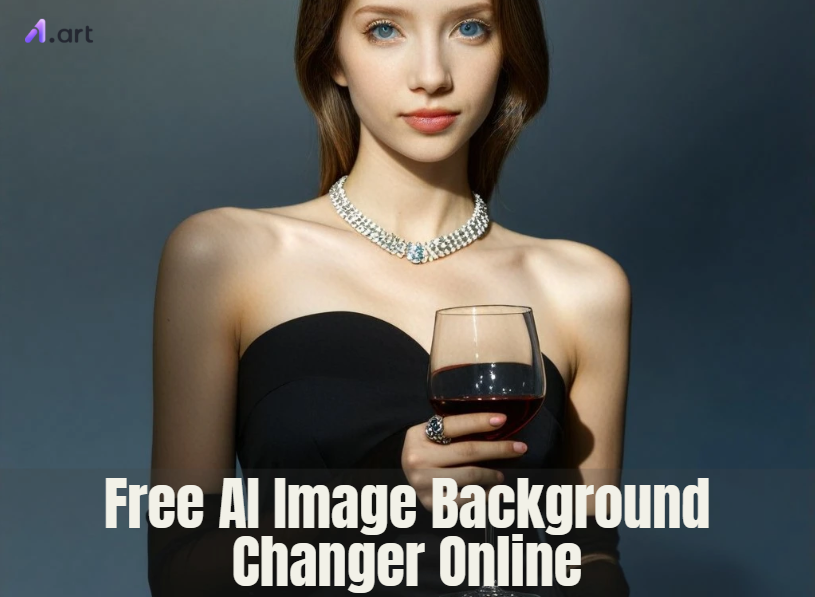
What is AI Image Background Changing?
Simply put, changing the AI image background uses innovative computer programs. Think of it as a super-smart tool that can remove the background from any picture.
Here's a simple breakdown of how this image background-changing AI technology works:
-
Semantic Segmentation: When you upload a photo, the AI doesn't just see a jumble of dots. Instead, it's trained to spot different things, like people, cars, or pets. It then smartly separates the main subject of your photo from everything behind it.
-
Precise Masking: The AI makes an exact digital outline of your subject. It captures tiny details, like strands of hair, which are super hard to select by hand. This is the secret to a great AI background remover.
-
Replacement or Generation: With the old background gone, you have a clean slate. You can then drop your subject onto a new background, like a plain color or a different photo. Even better, you can use AI to create a brand-new, unique background just from your ideas!
This technology is a game-changer. What used to need a professional designer can now be done by anyone, anywhere, using an online background AI photo editor. The trend is even going beyond simple removal. New tools are now letting you not just remove backgrounds from images but also create amazing, even dreamlike, scenes from scratch. This technology is getting smarter and faster every day, showing up everywhere, from phone apps to powerful online AI picture generators.
Click the picture to generate your exclusive my luv with one click👇
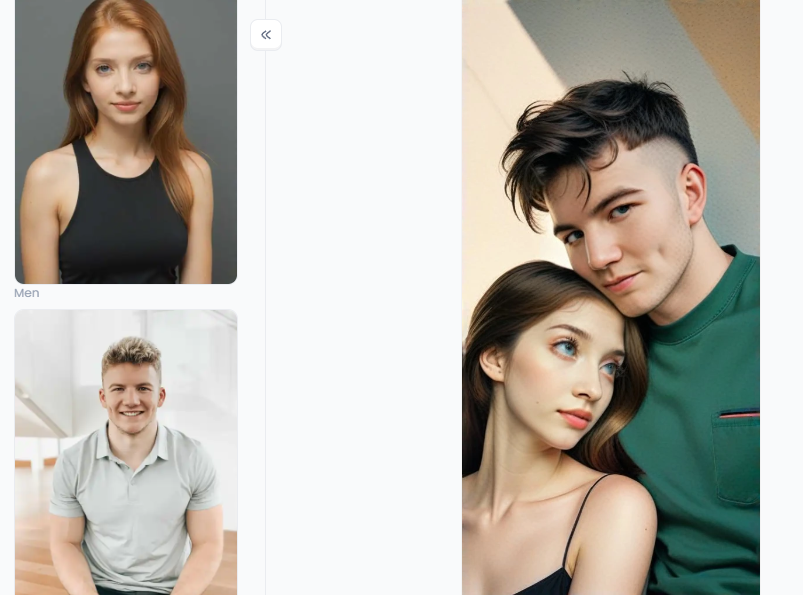
Start your art journey with a1.art.
Where AI Image Background Changers Shine
The power to instantly change photo backgrounds freely opens up tons of new ways to be creative and professional. Let's look at some popular uses and what to think about when picking a free AI background generator online.
-
E-commerce and Product Photography: If you sell things online, clean, uniform backgrounds are a must. An AI tool can quickly swap a cluttered warehouse background for a crisp white one, making your product's AI image background change and building trust with customers.
-
Social Media and Personal Branding: Want your profile picture to stand out truly? With AI, you can add a dramatic black background to a simple selfie or even position yourself in front of a well-known location that you haven't been to yet! It's ideal for creating visually appealing feeds and interesting updates.
-
Marketing and Advertising: Marketing teams can whip up amazing ad images without pricey photoshoots. Imagine showing a product in different settings or designing eye-catching banners. This speed lets them test what visuals work best.
-
Personal and Creative Projects: From making custom birthday cards to unique phone wallpapers, the fun never stops. You can add a special background to a photo of a loved one for a memorable gift.
Ready to give it a try and see how these free online photo color changers can transform your images?
Click the picture to generate your exclusive motorcycle player with one click👇
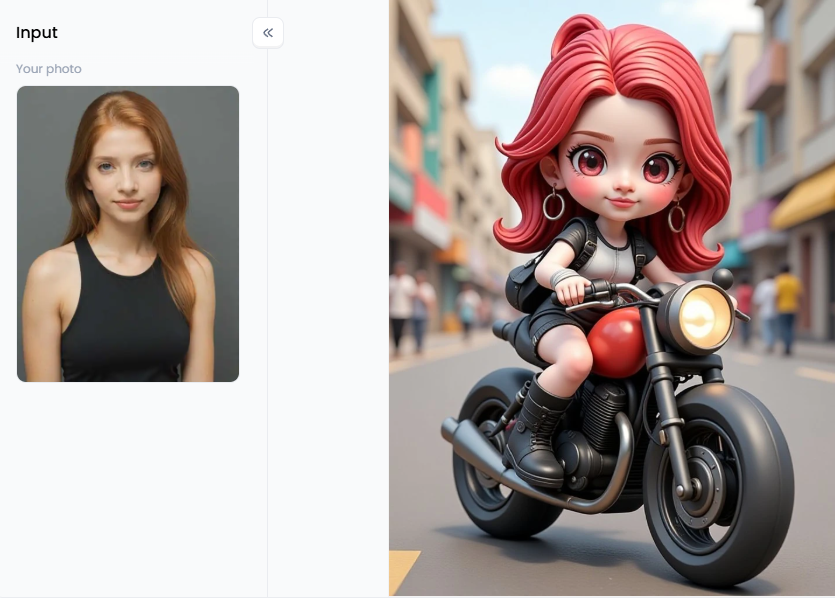
30 Creative Sparks: Ideas for Your Next AI Background Change
Ready to go beyond eliminating the white background in Photoshop? Here are 30 fun and fresh ideas to try with a free background changer online. We've also added some pro tips to help you get the best results!
For Amazing Portraits
-
City Explorer: Picture yourself against a glowing Tokyo street at night. Imagine bright neon lights reflecting around you. This makes your portrait pop with energy!
-
Nature's Embrace: Transform an interior image into a sunny field or a foggy forest. Experience the warmth of the sun on your face or the serenity of tall trees. It's similar to entering a stunning painting of nature.
-
Vintage Vibes: Make use of an antique, sepia-toned library for your background. Imagine antique books, rich timber, and an air of eternal wisdom. This gives it a refined look.
-
Dramatic Black: Change the background to black right away for a powerful, studio-like effect. This minor adjustment highlights your subject and draws all attention to it. It is powerful.
-
Artistic Splash: Use an abstract watercolor or paint spatter pattern in place of the background. This adds a playful and creative touch, making your photo look like a piece of modern art.
-
Fantasy Realm: Imagine yourself in a luminous, enchanted woodland where gentle light bounces off the trees. You feel as though you've entered a fantasy world where everything is possible.
-
Bookworm's Dream: Picture yourself in an extensive library surrounded by tall stacks of books. This gives the picture a warm, cheery vibe and is ideal for anyone who enjoys reading.
-
Minimalist Chic: Use a simple, textured wall like concrete, brick, or wood for a modern feel. These clean backgrounds let your subject shine without distractions.
-
Seasonal Shift: Place a summertime photo inside a picturesque fall scene with falling leaves. Imagine warm colors, soft light, and the gentle beauty of the season.
-
Classical Beauty: To make your photograph appear like a timeless classic, create an elaborate, rich background with baroque embellishments. This adds a touch of grace and history.
Click the picture to generate your exclusive oxford university with one click👇
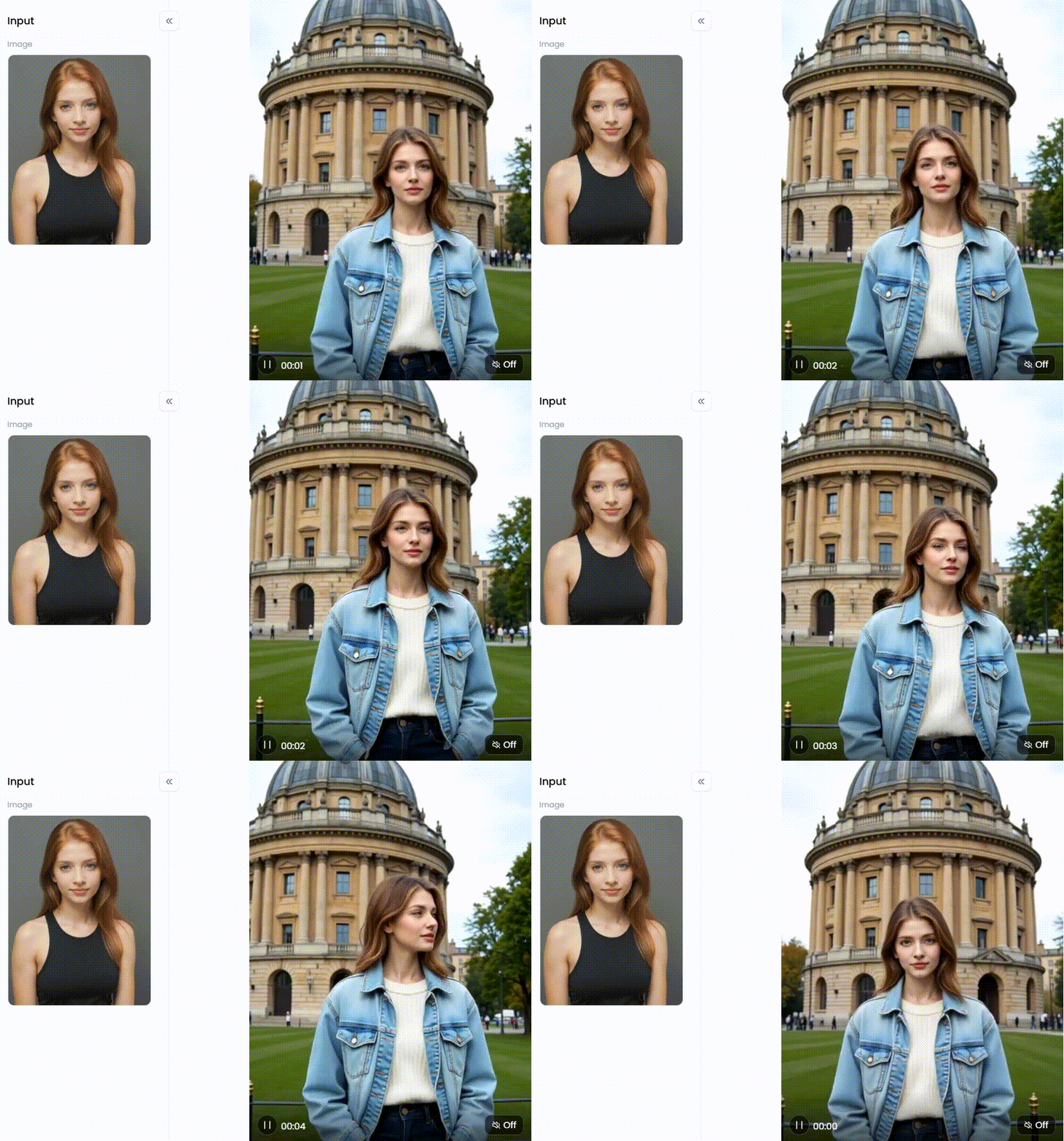
For Products and Everyday Objects
-
Floating in Space: Create the illusion that your product is floating against a galaxy of stars. This creates a sense of wonder and makes your item seem cutting-edge and mysterious.
-
On a Pedestal: In a museum setting, position your object on a sleek marble or old stone pedestal. This gives your product a grand, substantial feel, as if it's a valuable display piece.
-
Luxe Life: Showcase jewelry or cosmetics on a background of flowing silk or rich velvet. Your products appear upscale and appealing because of the delicate, sophisticated texture, which also provides a sense of luxury.
-
Nature's Best: On a rustic wooden table, place a dish and surround it with fresh ingredients. This gives the dish a natural, delectable, and welcoming appearance, as though it were ready to eat.
-
Tech Forward: Create a dynamic background using data streams or circuit board designs. This is ideal for electronics and devices, giving them a sophisticated and brilliant appearance.
-
Geometric Pop: Use bold, colorful geometric shapes for a vibrant, modern ad. These sharp, attention-grabbing designs make your product look trendy and exciting.
-
In-Context Scene: Place a coffee mug on a cozy café table with steam gently rising. Customers will find your product more relatable and appealing when it is placed in a real-life setting.
-
3D Showcase: Turn a basic photograph into an eye-catching 3D rendering style that gives the impression that your product is a blueprint or futuristic model.
-
Water Reflection: Position your product on the surface with a realistic water reflection shimmering below it. This makes the product appear calm and adds a sense of refinement and visual intrigue.
-
Blueprint Style: Place a technology device next to a comprehensive blueprint or schematic. This illustrates the product's clever engineering and elegant design, which makes it perfect for tech enthusiasts.
Click the picture to generate your exclusive background generator with one click👇
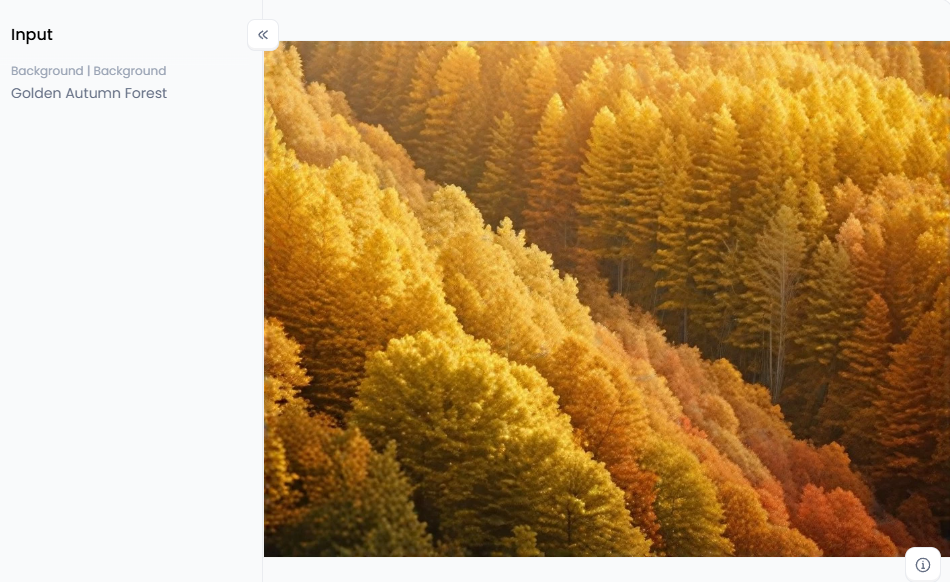
For Fun and Imagination
-
Movie Poster Hero: Imagine yourself as the hero on the poster for your action film. Imagine your name in bold lettering, with dramatic lighting and explosions.
-
Album Cover Art: Create a stylish album cover that features you or your pet as the main subject. Consider bold hues, distinctive typefaces, and an imaginative style that embodies your individuality.
-
Giant in the City: Place a little version of the city skyline at your feet. You appear to be a giant in a tiny world because of this amusing, whimsical sense of scale.
-
Underwater World: Take a picture of a calm underwater environment with vibrant coral reefs and fish. Imagine soft blue light and gentle currents, a truly peaceful escape.
-
Custom Wallpaper: Create a beautiful, custom-illustrated background for your phone or desktop. Editing wallpaper backgrounds perfectly fits your style and brightens your day.
-
Surreal Dreams: Combine your photo with a swirling, dreamlike background of soft, flowing colors. These abstract patterns create a mysterious and artistic feel, like something from a vivid dream.
-
Travel the World: Instantly transport yourself to iconic locations like the Egyptian pyramids or a beautiful Japanese garden with cherry blossoms (sakura). Visit anywhere without leaving home!
-
Yearbook Throwback: Give a modern photo a retro feel with a classic brown yearbook background. This adds a nostalgic, old-school vibe, perfect for a fun trip down memory lane.
-
Holiday Spirit: By including a happy background, you can quickly make a pleasant holiday card. To spread happiness, visualize a setting by a fire, sparkling lights, or shimmering snowflakes.
-
Become a painter: Your portrait ought to be positioned on a canvas with a stunning oil painting in the background. This creates a masterpiece out of your photo and gives it a classic, elegant look.
Click the picture to generate your exclusive special forces with one click👇
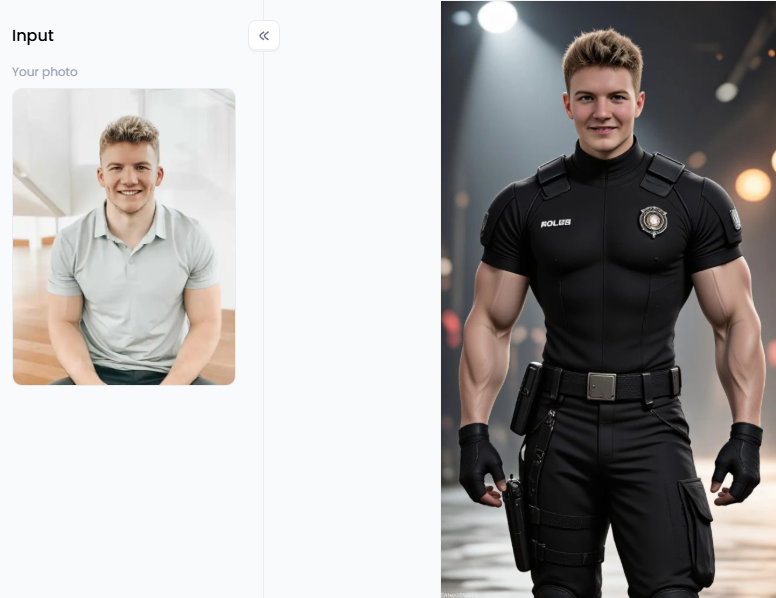
How to Use a1.art for Background Changing
Many tools are available for background removal online. a1.art, however, really shines! It replaces picture backgrounds online by skillfully fusing a strong background remover with an excellent AI tool. It's not just about taking things away; it's about making something new and amazing.
Here is what makes a1.art stand out:
-
All-in-One Workflow: You won't need one program to remove the background and another to change the background to black. With a1.art, you simply upload your photo, zap the old background, and then create a stunning new one just by typing what you want. It all happens smoothly in one spot.
-
Creative Filters & Models: These aren't just simple effects. They are innovative AI programs that truly understand how pictures look and feel. They act like super helpful shortcuts to get excellent results fast.
-
Prompt-Driven Artistry: AI can be guided by your speech. In addition to changing the photo background, you may also adjust the image's style, lighting, and even mood.
Here are some tips for getting started and producing beautiful images:
-
Start Fresh: First, upload your photo. To remove shadows from photo online free, then use the simple one-click button. Your primary subject is now perfectly placed to a new background.
-
Explore Cool Filters: Instead of starting from scratch, check out the filters. For work, you can instantly use options like"Professional Photo with White Background" or "Boy ID Photo White Background." Want something fancy? Try "Suit Photo with Oil Painting Background." Planning a big event? The "Wedding Photo on Red Background" filter sets the perfect scene.
-
Create a Whole New World: The fun really begins with the "Background (Generator)" filter. This is where your words become art! Would you like a striking portrait? You might start by using the "Black Background" or "Blue Background Portrait" filters. You can use phrases like "Muslim Woman in Egyptian Market Background" or "Sakura Background Kimono Girl" to create more unusual settings. Filters like "Flow Background" and "Fantasy Lightning Background" are fantastic starting points if you enjoy abstract painting.
How to Use It, Just 3 Steps:
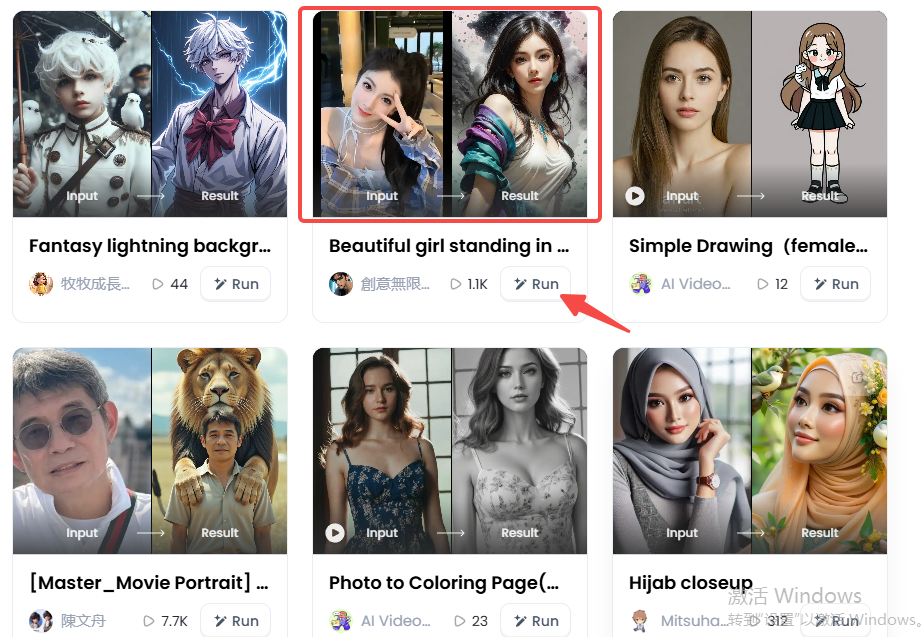
Step1:
Open a1.art, choose the App that you are interested in, then click 「Run」
Click on the image to experience the same App👇
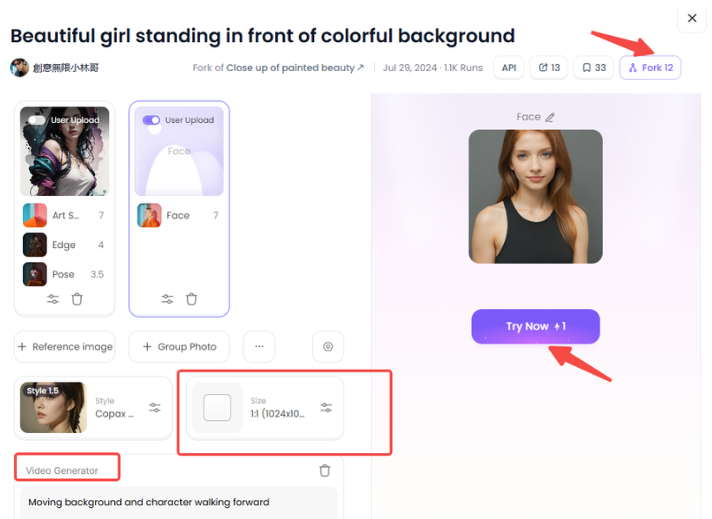
Step2:
Upload a photo/image
Step3:
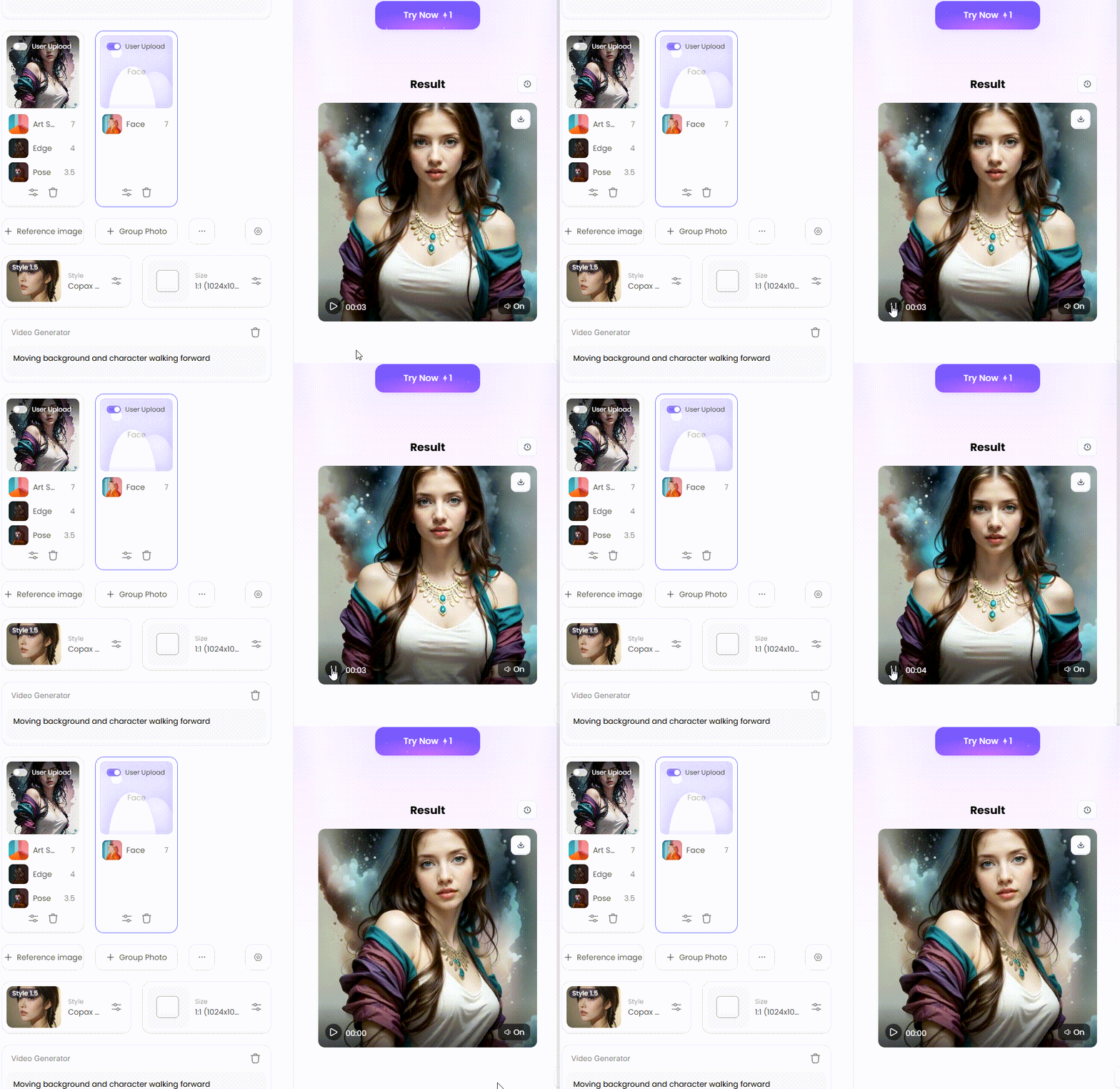
Wait 3 seconds, you will get a wonderful result 👇
Learning how to "talk" to AI is key:
-
Simple Prompts: You can start with easy requests like, "Change background to a sunny beach," or "Add a solid blue background."
-
Smart Ideas: Get detailed! Instead of just "beach," try: "This is a hyperrealistic photograph of a woman standing on a spotless white sand beach at sunset with soft waves and dramatic lighting." You can also add style commands like "in the style of a Ghibli movie," "8k resolution," or "vibrant colors." You can even tell the AI to make the picture better by adding "sharp focus, high detail."
-
Polish and Perfect: Use other a1.art magic erasers to finish your creation. The magic eraser can clean up any tiny leftover spots. Smart crop can reframe your new artwork for Instagram or TikTok. You can even change colors using prompts, like asking for a "monochrome background" to make your colorful subject pop, or choosing to "remove color from image background."
Want your creations to be seen by everyone? Here's how:
-
Show Off Transformations: The best way to impress people is to show them the "before" and "after." Make a quick video or a photo carousel showing your original picture next to the amazing a1.art version.
-
Ride the Trends: Use a1.art to create popular looks, like the 90s yearbook style with "Yearbook Photo Brown Background" or cool, surreal AI art.
-
Tell a Story: The background you choose should help tell the story of your picture's subject. When your photo and the AI-generated background come together, they create a new tale. Share that story with your captions!
You can even "Fork" existing creations on a1.art. If you see an image with a cool effect, just click "Fork" to use the exact words and movements on your image, and remove emojis from pictures online for free.
Conclusion
We've seen how AI can change your image background online, moving past tricky manual editing. Removing a background from an image on an iPhone isn't just a simple task anymore; it's the first step in making amazing art. You can do more with tools like a1.art's free AI background switcher than merely repair photos. You are genuinely producing art as you construct entire new universes and direct scenes. In amazing ways, this platform/app helps realize your vision. So why wait? Make the most of your creativity with your favorite image. Your ideal background design is only a few sentences away. Get started making now for nothing!
Read more
- a1.art or Vondy: Which AI Image Generator Is Better for You
- Name into Symbols Generator: Turn Your Name into Cool Icons
- MHA Quirk Creator: Discover Your Unique Superpower
- Celebrate Indonesia Independence Day with AI Image & Video Maker
- AI Twerk Video Generator: Turn Your Photos into Dance Videos
- AI Video Extender Free for Enhanced Video Length: Your Ultimate Guide to Unlooping Creativity
- Free AI Muscle Generator: Add Muscles to Your Photos
- AI Kissing Video Generator Online - Free & No Price
- Pollo AI vs a1.art: Which AI Video Generator is Better
- Free AI Pet Diving Video Generator: Make Your Pet a Diving Star
Written by

a1.art
Published on
Aug 18, 2025
Share article


