


Feeling like your creative video ideas are stuck behind a wall? New AI tools can help break down that wall. They make it easy and cheap to turn your imagination into incredible videos. This isn't just a temporary fad; it's a huge change in how we create things. Experts predict that AI in the media and entertainment market will skyrocket to over $99.48 billion by 2032.
This guide is your ticket to making amazing videos. We'll look at Haiper AI and other great tools, including some fantastic free video upscalers. You can use these apps as a secret weapon to make short films and interesting social media clips. You don't need much money or special skills to get started. It's time to share your stories and bring your brilliant ideas to the screen for everyone to see.
What is Haiper AI?
Ever wished you could create a video entirely from your ideas? That's the magic of the Haiper AI image-to-video converter! It's similar to carrying around a film director in your pocket. Using this fascinating application doesn't require a lot of money or specialized knowledge; it transforms your ideas into fantastic short films.
How does it, then, turn your ideas into reality? Here is a Haiper AI review with incredible superpowers:
-
Turn Words into Videos: Write a scene description. The AI will use your words to produce short AI videos of nature.
-
Bring Pictures to Life: Got a favorite photo? You can upload it and ask the AI to add 3D motion capture, making your static images magically dance and move.
-
Redesign Your Videos: This cool feature lets you change your videos. You can instantly make a video look like a cartoon, a drawing, or anything else. Just use your imagination to create a brand new style.
Haiper AI helps anyone become a storyteller. Anyone may become a storyteller with the commercial use of Haiper AI. You no longer need to purchase pricey software or acquire challenging abilities. It's similar to holding your film studio.
Click the picture to generate your exclusive you are a star with one click👇
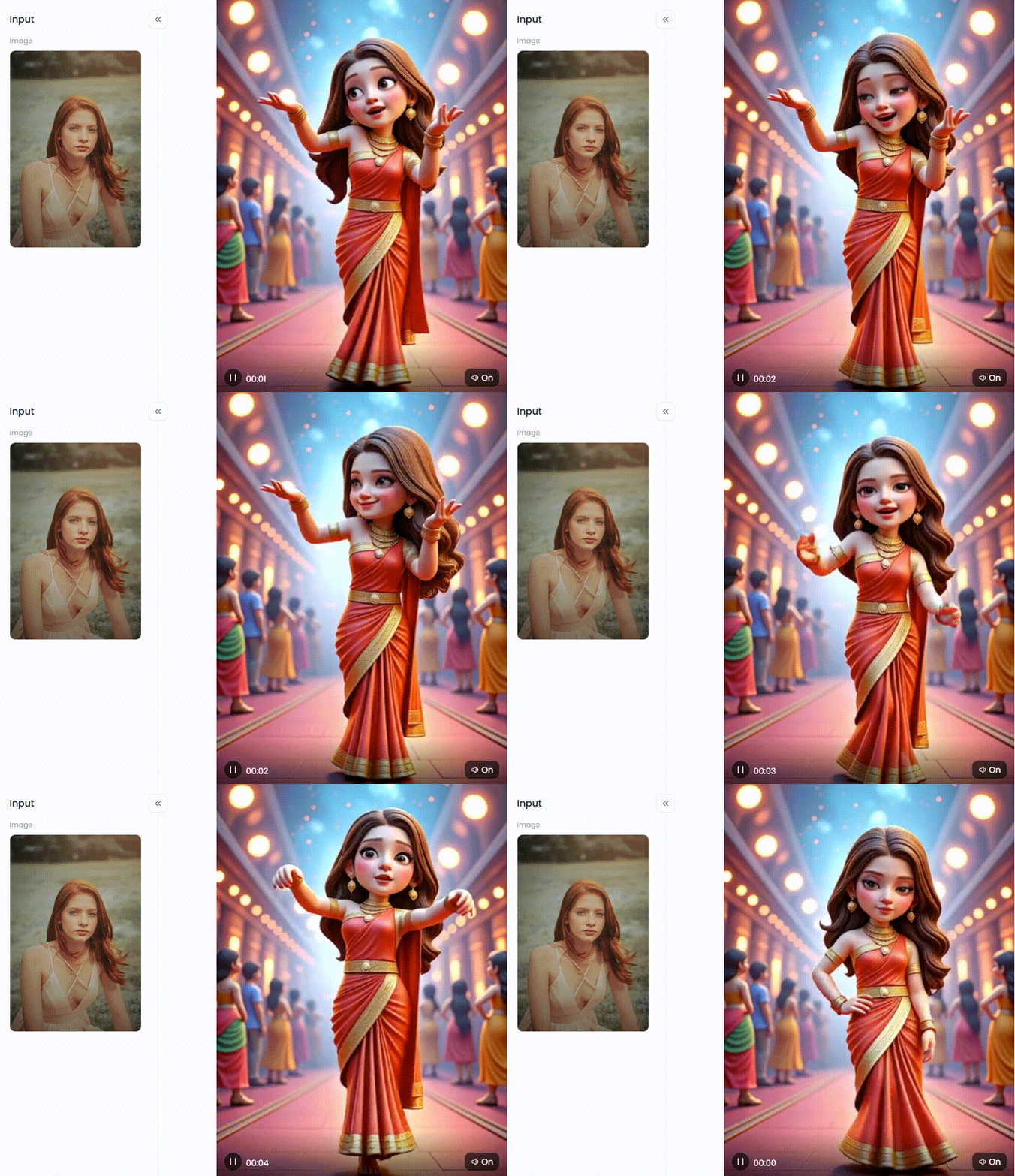
Start your art journey with a1.art.
Why the Search for a Haiper AI Alternative is Critical?
The recent Haiper AI video shutdown has sent wake-up calls to creators everywhere. With the platform's sale to NetMind.AI, many are now searching for a new creative home. This big shift proves that it pays to have a backup plan in the fast-moving world of AI.
Finding the right fit helps to know the lay of the land. Some free video makers are like magic wands, creating amazing animations from scratch (like Pika or Runway). Others, like InVideo, are business workhorses that transform scripts into eye-catching advertisements. Then, some intelligent editor videographers make it like CapCut, which makes videos easy, like Capse, a trustworthy instrument that endures. Keep these important considerations in mind when you assess your choices:
-
Is using it simple?
-
Is your spark matched with the style?
-
Are there annoying watermarks?
-
What's the cost?
-
Can you use it for business?
-
Does it have cool benefits?
Being flexible is a lesson learned from the Haiper AI closure. By knowing what to look for—from ease of use and style to cost and special features—you can find a dependable new platform and avoid being left in the lurch.
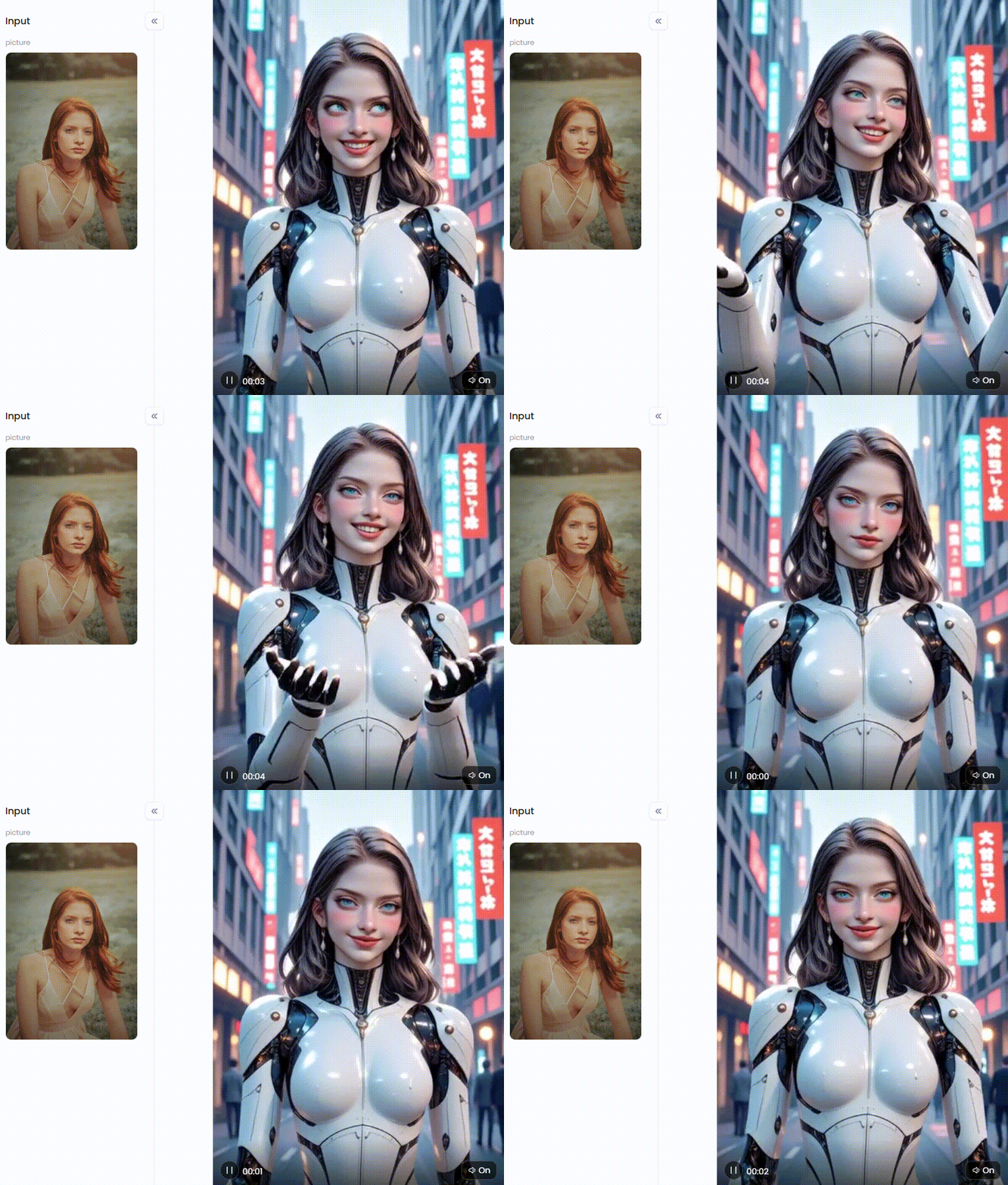
Click the picture to generate your exclusive my ai girlfriend with one click👇
Your New Creative Toolkit: 10 Top Free Haiper AI Alternatives
Do you have any idea about new social media trends this August? You should consider these amazing Haiper AI alternatives, each with special capabilities. The top ten free platforms can let you quickly create visually appealing videos.
No.1 a1.art
Consider a1.art to be the all-star player who is open to everyone. It's a creative playground rather than merely a tool. It masterfully turns your words or pictures into dazzling videos and images. If you're ever stuck on an idea, its huge library of styles will get your creative juices flowing.
-
Impressive Features: You can create videos in a flash, play with a massive collection of artistic filters, and even "Fork" other people's creations.
-
Pros: It's a piece of cake to use, whether you're just starting or you've been creating for years. The free plan is very generous; it's a free video editor without a watermark for pc.
-
Cons: Like most AI tools today, it's one of the best alternatives to Haiper AI for making short, snappy videos that grab attention.
No.2 Pika Labs
It's famous for creating smooth videos that look straight from a movie. Artists love it for crafting short, atmospheric clips that set a mood perfectly.
-
Impressive Features: Pika delivers top-notch video quality. It also lets you control camera movements like panning and zooming, expanding your video's canvas.
-
Pros: The results look incredibly professional. Plus, it has a lively community on Discord where you can get tips and see what's new.
-
Cons: Getting the hang of all its features can take a little time. The free version is also limited and will place a watermark on your videos.
No.3 Runway Gen-2
If you need a tool that does it all, meet Runway. It is comparable to the Swiss Army knife of AI development. At the same time, its Gen-2 model is the star for making videos from text.
-
Impressive Features: It can make social media video editing from text and images, or even change the style of an existing video. It also includes a full-blown online video editor.
-
Pros: Having everything in one place is a huge time-saver. It's so powerful that even the pros use it.
-
Cons: The free plan is a bit tight on credits, and with so many tools, the dashboard can feel like a lot to take in at first.
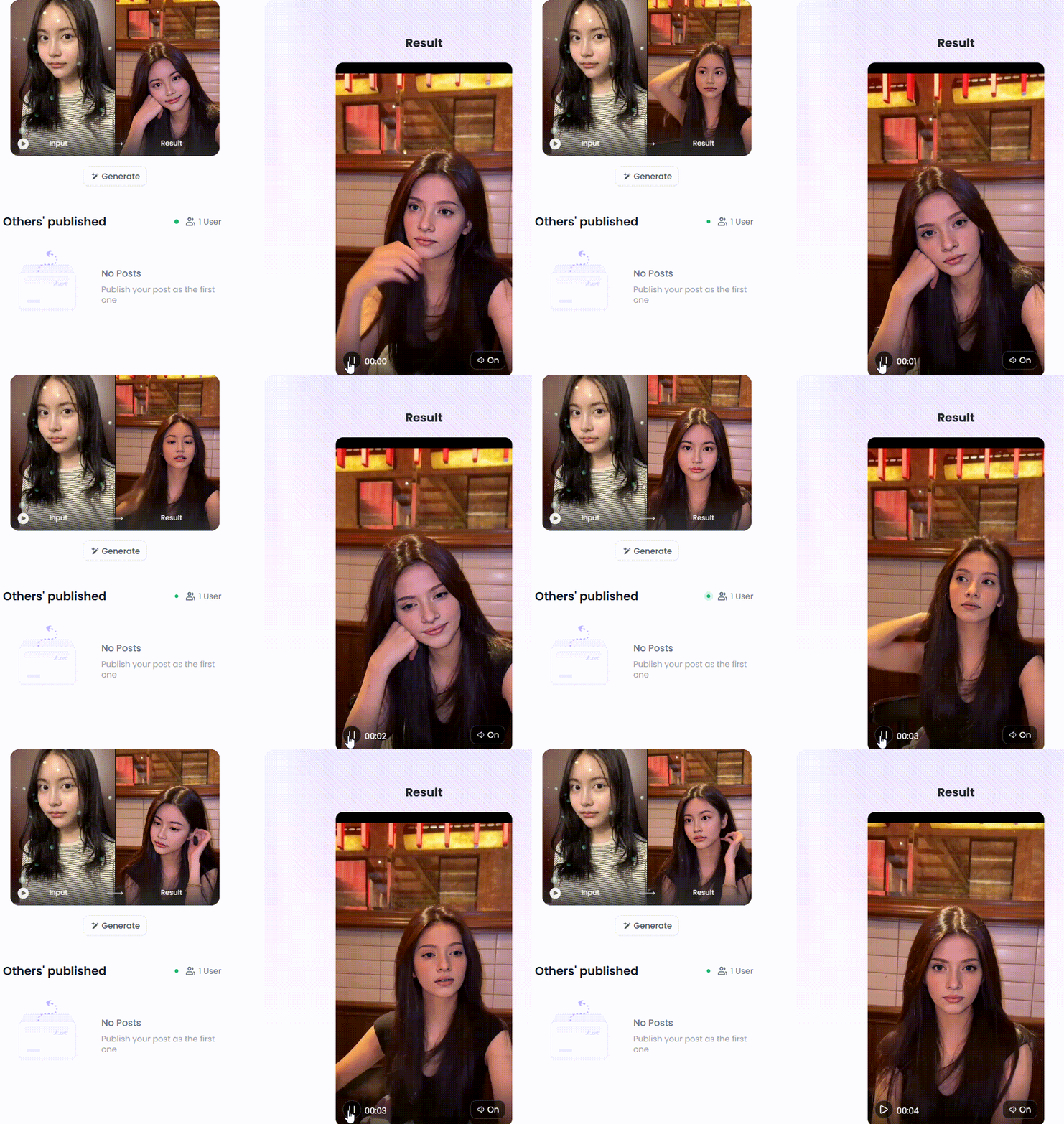
Click the picture to generate your exclusive black haired goddess with one click👇
No.4 Kaiber
This video color changer is known for its mind-bending, artistic, and almost psychedelic animation style. Look no further if you want to make a cool music video or a trippy visualizer.
-
Impressive Features: Strong audio-reactivity (video syncs to music), multiple animation styles, simple workflow.
-
Pros: It creates a unique and recognizable visual style that is easy to use for its specific purpose.
-
Cons: Less versatile for realistic or corporate styles, the free trial is limited.
No.5 Viggle AI
Viggle AI has a fun and specific superpower: it brings characters to life. You give it a picture of a character and a video of someone dancing, and it magically makes your character copy the moves.
-
Impressive Features: Mixamo-style character animation from video, simple drag-and-drop interface.
-
Pros: It does one thing and does it exceptionally well. It's great for viral dance videos and memes.
-
Cons: Highly specialized; not a general-purpose AI video generator.
No.6 Canva Magic Media
Canva has now woven AI video generation right into its platform. This open-source Haiper AI alternative is the perfect addition for social media managers and anyone who loves the Canva workflow.
-
Impressive Features: Seamless integration into the Canva design ecosystem, easy to add generated clips to social media templates.
-
Pros: Incredibly convenient for existing Canva users, part of a larger design toolkit.
-
Cons: The AI video quality is still catching up to more specialized tools.
Click the picture to generate your exclusive boy under the streetlight with one click👇
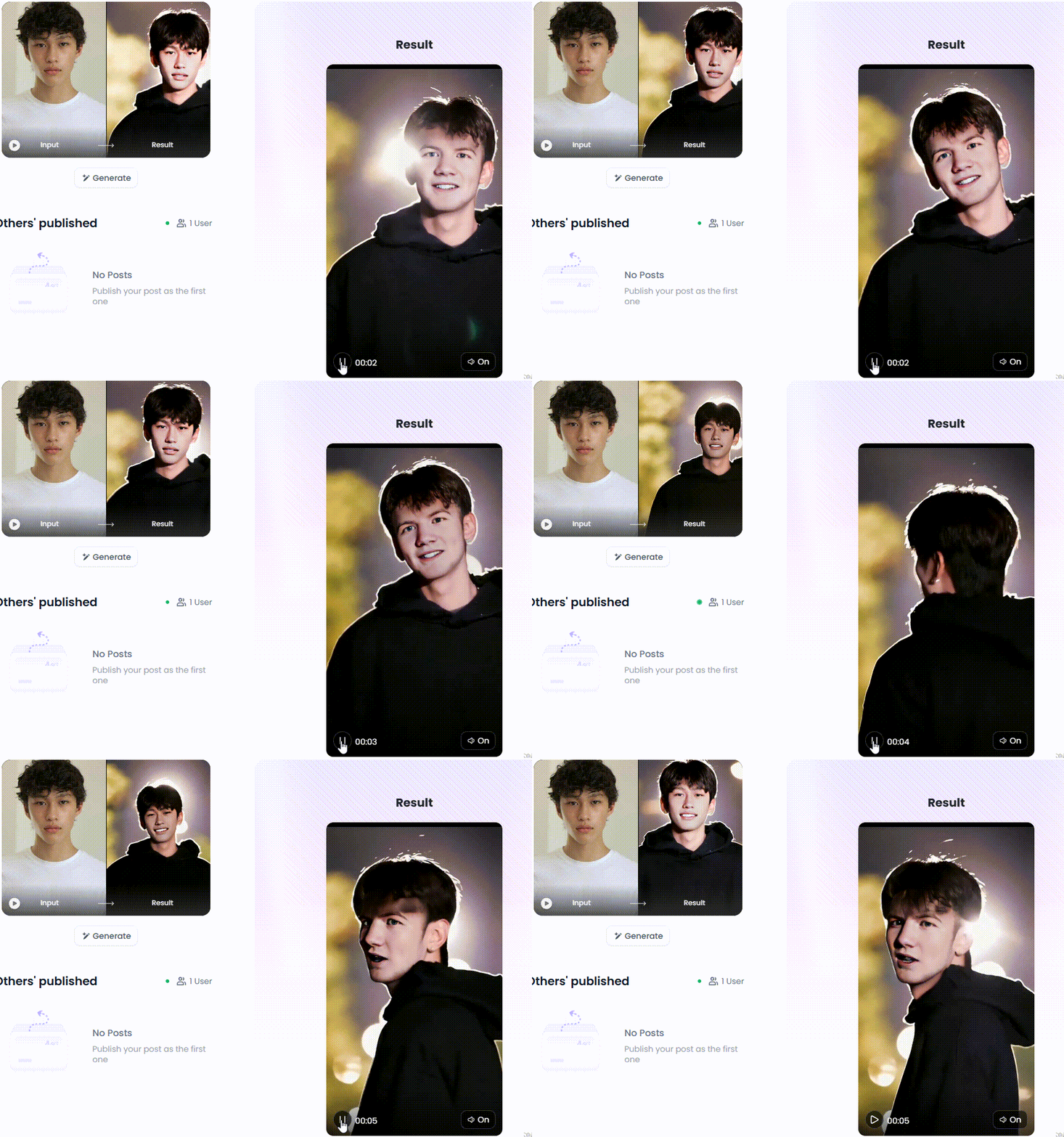
No.7 CapCut Online Video Editor
Millions know CapCut as one of the best AI video upscaling software for phones and computers. Now, it's a powerhouse editor that's learned some cool AI tricks, like turning a script into a video with just one click.
-
Impressive Features: Full editing suite, auto-captions, text-to-speech, and a growing list of tools for converting blurry video to HD.
-
Pros: Excellent all-in-one editor and creator, popular and easy to learn.
-
Cons: Its core strength is still in editing rather than pure generation from scratch.
No.8 InVideo AI
InVideo is a fantastic graphic video maker for quickly turning text-based content into polished videos. Give it a script, an idea, or a blog post, and it will generate a full video with stock media, text, and a voiceover.
-
Impressive Features: Advanced script-to-video workflow, vast stock media library, customizable branding.
-
Pros: Huge time-saver for creating informational or marketing videos.
-
Cons: Relies on stock footage, so it's less "generative" and more "automated assembly."
No.9 Lumen5
It transforms long-form content, like articles and blog posts, into short, snappy videos perfect for sharing on social media.
-
Impressive Features: AI-powered blog-to-video creation and templates optimized for various social platforms.
-
Pros: Great for content repurposing, very fast workflow for marketing teams.
-
Cons: The creative style is template-based and less unique than true generative AI.
No.10 Steve.AI
Steve.AI is your go-to tool if you want to make animated videos without knowing the first thing about animation. It's perfect for creating friendly explainer videos, educational content, or ads.
-
Impressive Features: Large library of animated characters and assets, script-to-animation features.
-
Pros: Excellent for creating animated corporate video content and explainers without animation skills.
-
Cons: The animation style is somewhat generic and less customizable than drawing from scratch.
Click the picture to generate your exclusive dance transformation with one click👇
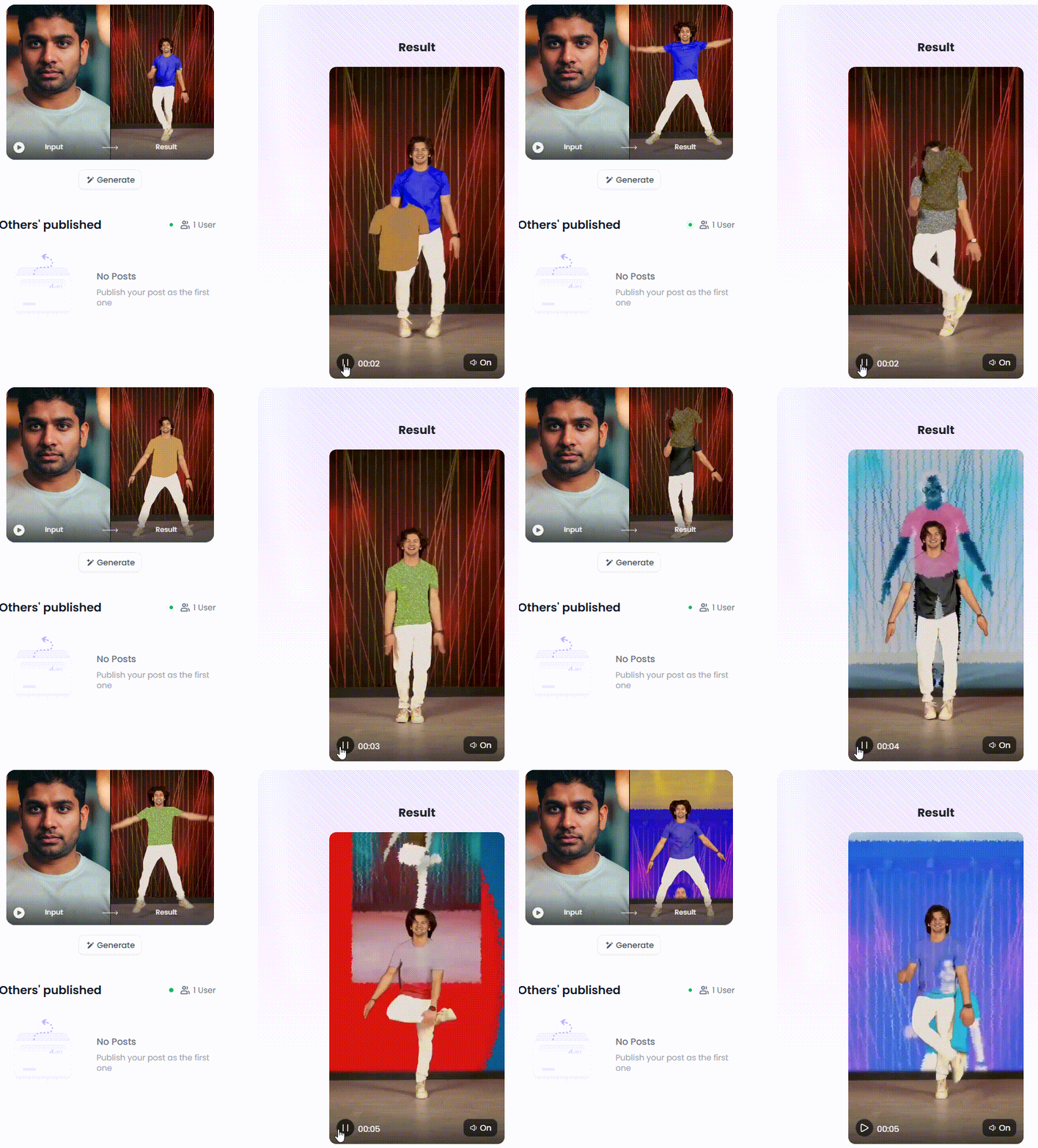
a1.art: Your Ultimate Playground for Viral AI Video and Art
Of all the AI tools, a1.art is in a league for making cool stuff fast. It's a real powerhouse that's still a piece of cake. You can easily make videos cinematic online, making it the perfect playground for your ideas.
The magic of a1.art is that it's all about having fun and exploring. It's more than a tool—it's a creative playground. Its game-changing filters give your ideas a serious glow-up in a snap, delivering pro-level looks that usually take experts' hours.
Are you prepared to create something memorable? Using its characteristics, let's explore how to edit videos to become viral.
Unleash Your Style with Creative Filters
Don't you want to spend too much time developing the ideal prompt? No issue! Immediately, you can get a wide variety of styles with only one click. Just pick a look you love and watch the magic happen.
-
Go Retro & Animated: Want that classic Saturday morning cartoon look? The "1990s Animation Girl" and "Retro Animation Filter" are your best friends. The "Papercut Animation" filter is magic for a crafty, handmade vibe. Or, jump into today's trends with the "3D Animation Character" look.
-
Build Fantasy Worlds: Unleash your inner hero with the "Rampage Girl" filter or create a magical "Forest Guardian." You can even dive deep with the "Mermaid Transformation." These fun tools make bringing your fairytale dreams to life a piece of cake.
-
Set the Perfect Mood: Instantly create a vibe for your video. Set a happy-go-lucky mood with "Sunny," tell a sweet story with the "Love Theme," or capture a simple joy like "Enjoy Eating the Fresh Apple." You can even transport your audience to far-off places like the "In the City of Canals, Venice."
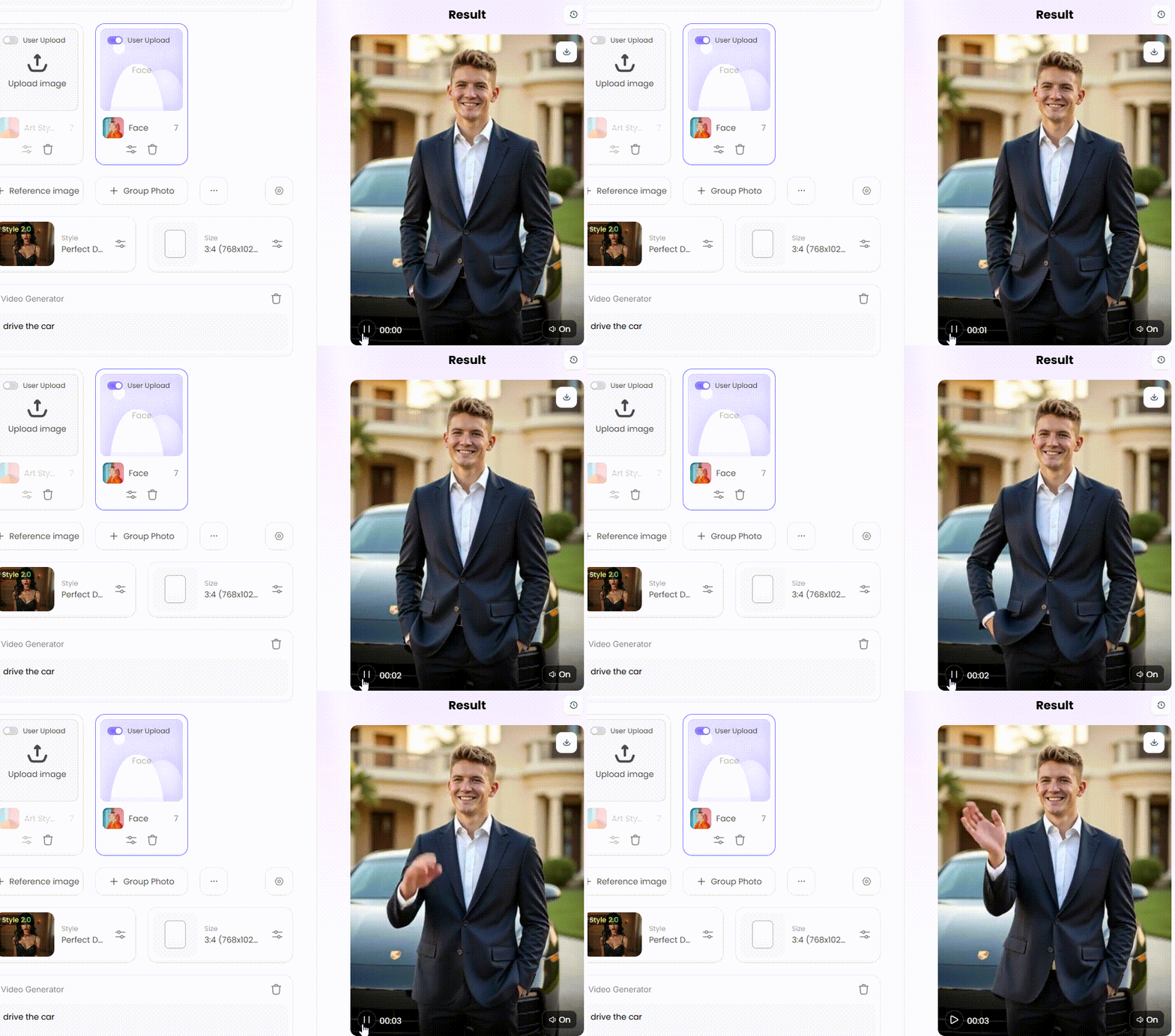
How to Use It, Just 3 Steps:
Step1:
Open a1.art, choose the App that you are interested in, then click 「Run」
Click on the image to experience the same App👇
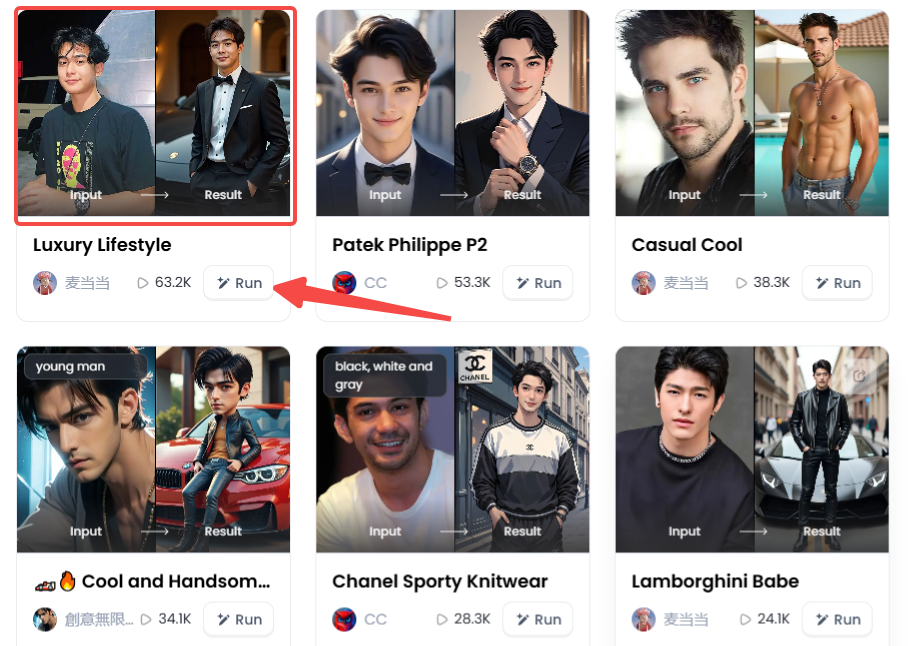
Step2:
Upload a photo/image
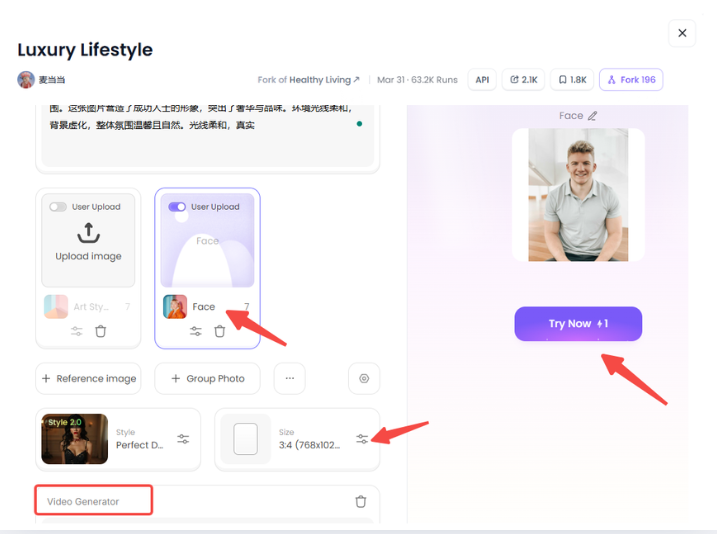
Step3:
Wait 3 seconds, you will get a wonderful result 👇
From Simple Ideas to Masterpieces
Filters are a fantastic starting point, but mastering prompts is the key if you want to take the driver's seat. This resolution enhancer makes this simple.
First, come up with a simple, illustrative idea. That's your base.
-
Cinematic lighting, an astronaut riding horseback on the moon.
-
A nighttime boulevard in a cyberpunk metropolis featuring neon signs reflected in puddles.
To make your artwork genuinely distinctive, let's now add the secret elements:
-
Name a Style: For example, include "in the style of Studio Ghibli," "watercolor painting," or "octane render."
-
Direct the Camera: Add camera cues such as "close-up," "drone footage," or "ultra-wide angle shot" to take charge.
-
Control the Lights: Use lighting instructions such as "golden hour," "dramatic film noir lighting," or "soft morning light" to set the setting.
-
Mix and Match: Go crazy blending concepts! Try this: "A steampunk owl wearing glasses, reading a book in a library, hyper-detailed."
However, the "Fork" button on a1.art is the true game-changer. Have a favorite picture or video in mind? To view the prompt and the options the creator used, click "Fork". After that, you can modify it to suit your needs. It's similar to possessing the platform's secret recipe book for each creation!
The Future of Visual Art is Here
It's easier than you might believe to create art in the future. Thanks to the AI revolution, a dreamy AI advertising video generator is now in your hands. a1.art combines everything into a single, entertaining package, whilst many other tools simply provide bits of the jigsaw. Our AI video enhancers can turn ordinary ideas into stunning, viral art. Share your creative ideas with others. Check out a1.art now! Try out different questions, play with the filters, and "Fork" the works that inspire you. Your next AI-generated viral video could be just one click away—unleash your inner artist!
Read more
- Best AI Hug Video Generator Free Online: Sending Virtual Hugs with AI Magic
- Murder OC Maker: Create Your Original Killer Character with AI
- Free AI Image Background Changer Online: Transform Your Photos Instantly
- a1.art or Vondy: Which AI Image Generator Is Better for You
- Name into Symbols Generator: Turn Your Name into Cool Icons
- MHA Quirk Creator: Discover Your Unique Superpower
- Celebrate Indonesia Independence Day with AI Image & Video Maker
- AI Twerk Video Generator: Turn Your Photos into Dance Videos
- AI Video Extender Free for Enhanced Video Length: Your Ultimate Guide to Unlooping Creativity
- Free AI Muscle Generator: Add Muscles to Your Photos
Written by

a1.art
Published on
Aug 29, 2025
Share article


