


Ever feel like your photos are just… there? You post them, but they become scroll-by material. Want to add epic explosions or superhero shockwaves to your pictures? Professional software is often a major headache to figure out.
That's where the magic of AI comes in, and it's a total game-changer. The business of fun AI creative tools is booming, and it's easy to see why—everyone wants in on the action! Think of the AI explode effect as your secret weapon. It lets you instantly add fiery blasts or colorful energy bursts, turning a plain photo into a real showstopper with just a few clicks.
Want to create pictures that get noticed? This guide will show you how. Learn to use the powerful a1.art tool to add incredible effects. You can make your realistic AI images look amazing and hard to forget. Let's get started and make an exploding GIF image!
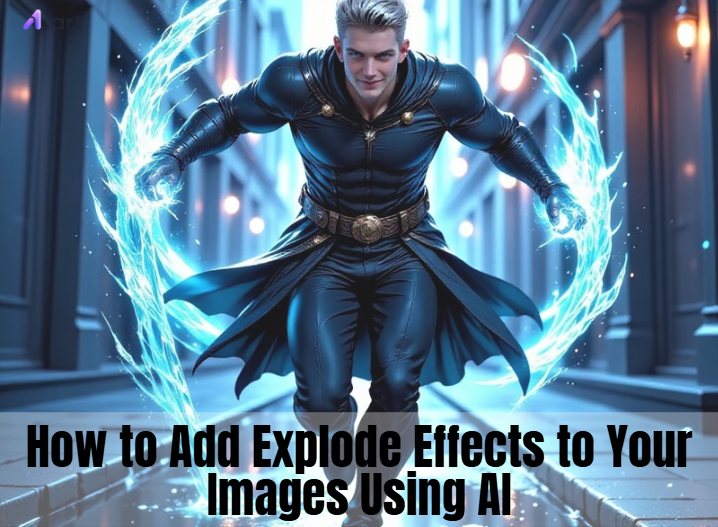
The Power Behind the Boom: Understanding AI Explode Effect Generators
An AI explosion generator is similar to carrying a portable special effects wizard. When it comes to making your photos stand out, it's revolutionary. Just upload a picture to see the magic happen, type a command like "add a cool cartoon explosion behind my friend," and watch.
Then, how does it work? This smart AI image editor with prompt has studied countless images to become an expert on everything that goes boom.
-
It Scans Your Scene: First, the AI carefully looks at your photo to understand the lighting and where everything is.
-
It Crafts the Boom: Next, it follows your command to create the perfect explosion green screen, placing it seamlessly into your picture.
-
It Adds Extra Flair: On top of that, you can change the style, going for a super-realistic movie look or a fun, animated vibe.
And that's not all! You can also build explosion GIFs and videos, turning one photo into an exciting clip. These tools put movie-making magic right at your fingertips. Today, anyone can effortlessly produce breathtaking effects that seem like they were taken from a Hollywood production.
Click the picture to generate your exclusive street fighting energy explosion with one click👇
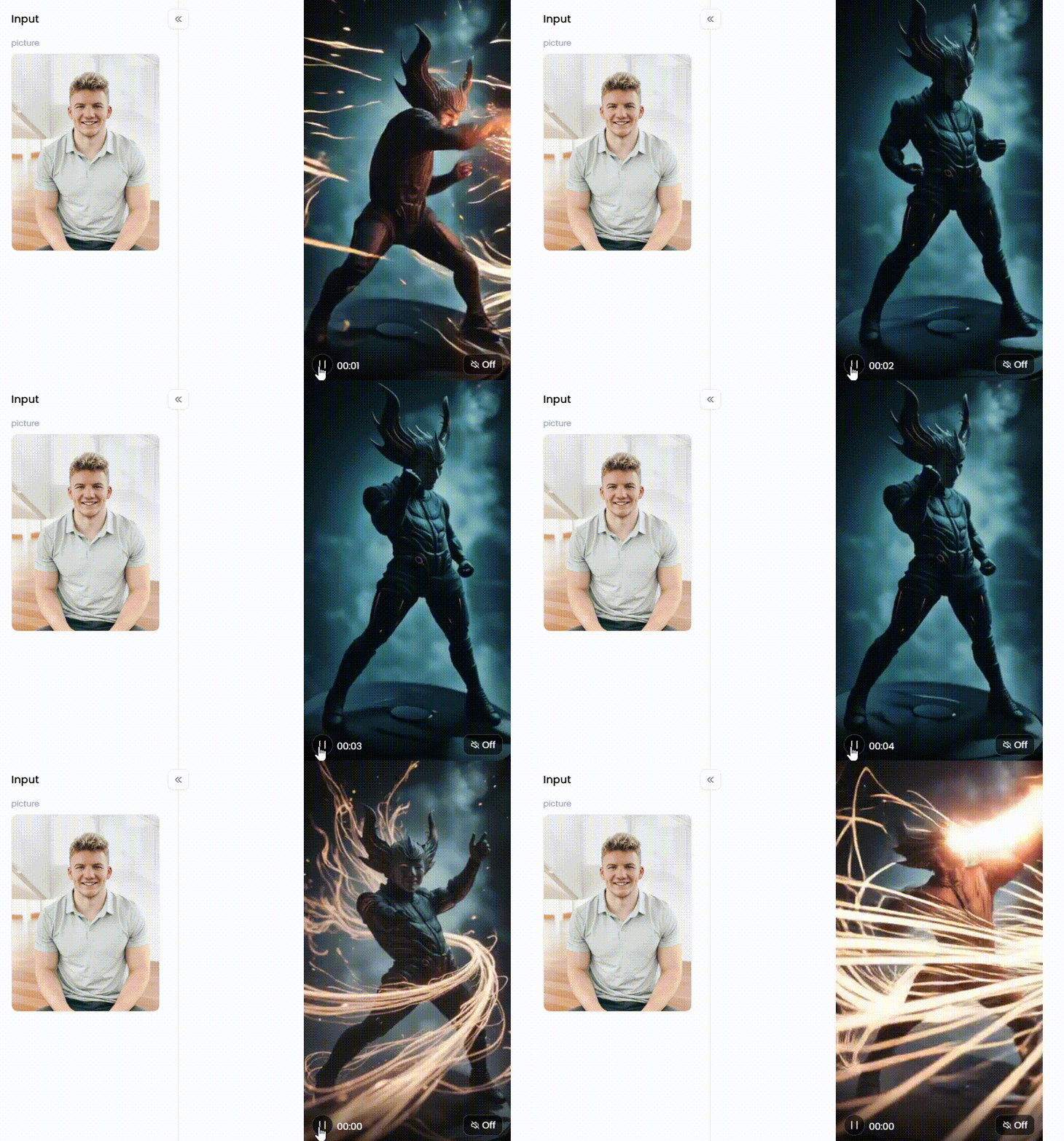
Start your art journey with a1.art.
More Than Just a Bang: Awesome Uses for AI Explode Effects
Action films aren't the only genre that uses explosion effects! You can give practically every project a "bang" and make your ideas stand out with the help of new AI tools. It really changes the game when it comes to getting noticed.
Here's how to make a photo more clear.
-
For Your Social Feed: Want to stop the scroll? Add an exploding background to a photo or a "mind-blowing" effect to a funny video. You can also celebrate a big moment with a surprise burst of digital confetti that will get everyone talking.
-
For Businesses & Brands: Make your ads unforgettable. Announce a huge sale with an exploding price tag! You can even grab everyone's attention with a powerful logo animation that shatters and then reforms, making your brand stick in their minds.
-
For Creative Artists: Let your imagination run wild. Create dream-like art by making a flower burst into colorful light. It's also perfect for quickly designing amazing concept art for games or movies, bringing your vision to life in minutes.
Best of all, you don't need to own costly software or be a pro. These tools are super easy to use, saving time and money. Now you can focus on what matters—bringing your big, creative ideas to life.
Click the picture to generate your exclusive beautiful woman with colorful smoke with one click👇
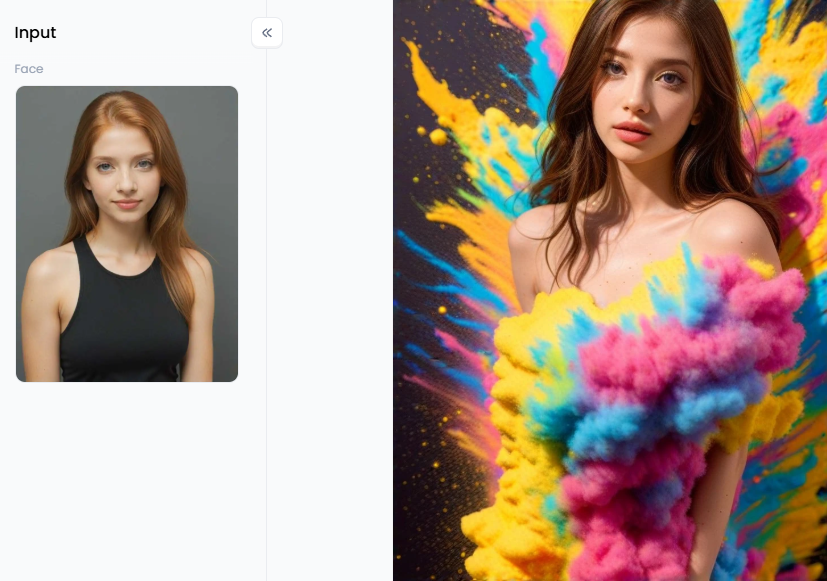
How to Use It, Just 3 Steps:
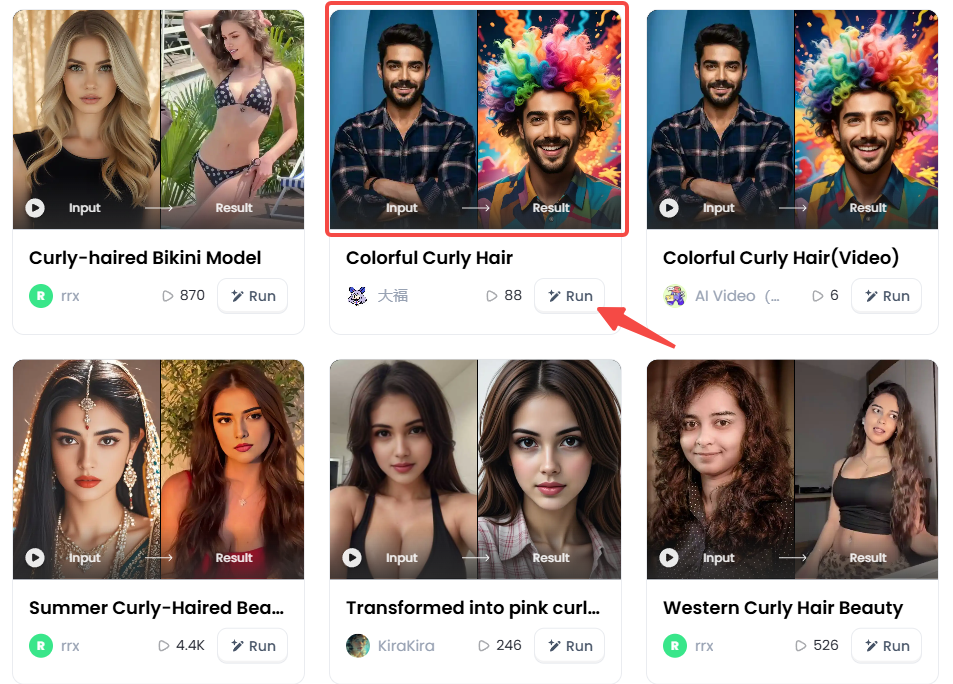
Step1:
Open a1.art, choose the App that you are interested in, then click 「Run」
Click on the image to experience the same App👇
Step2:
Upload a photo/image
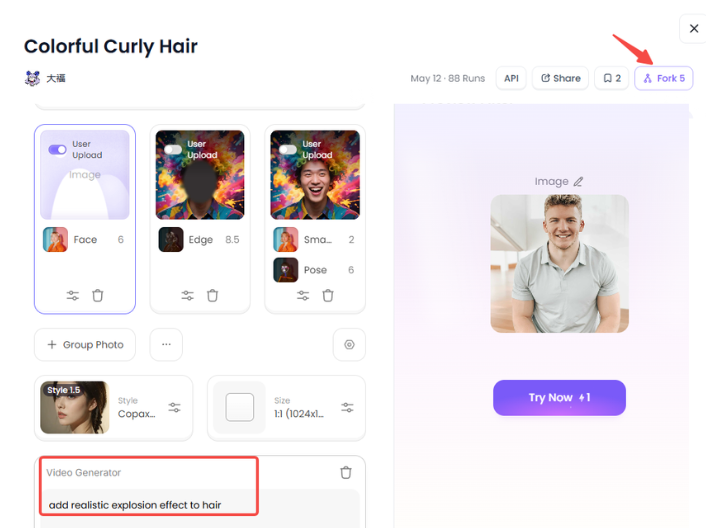
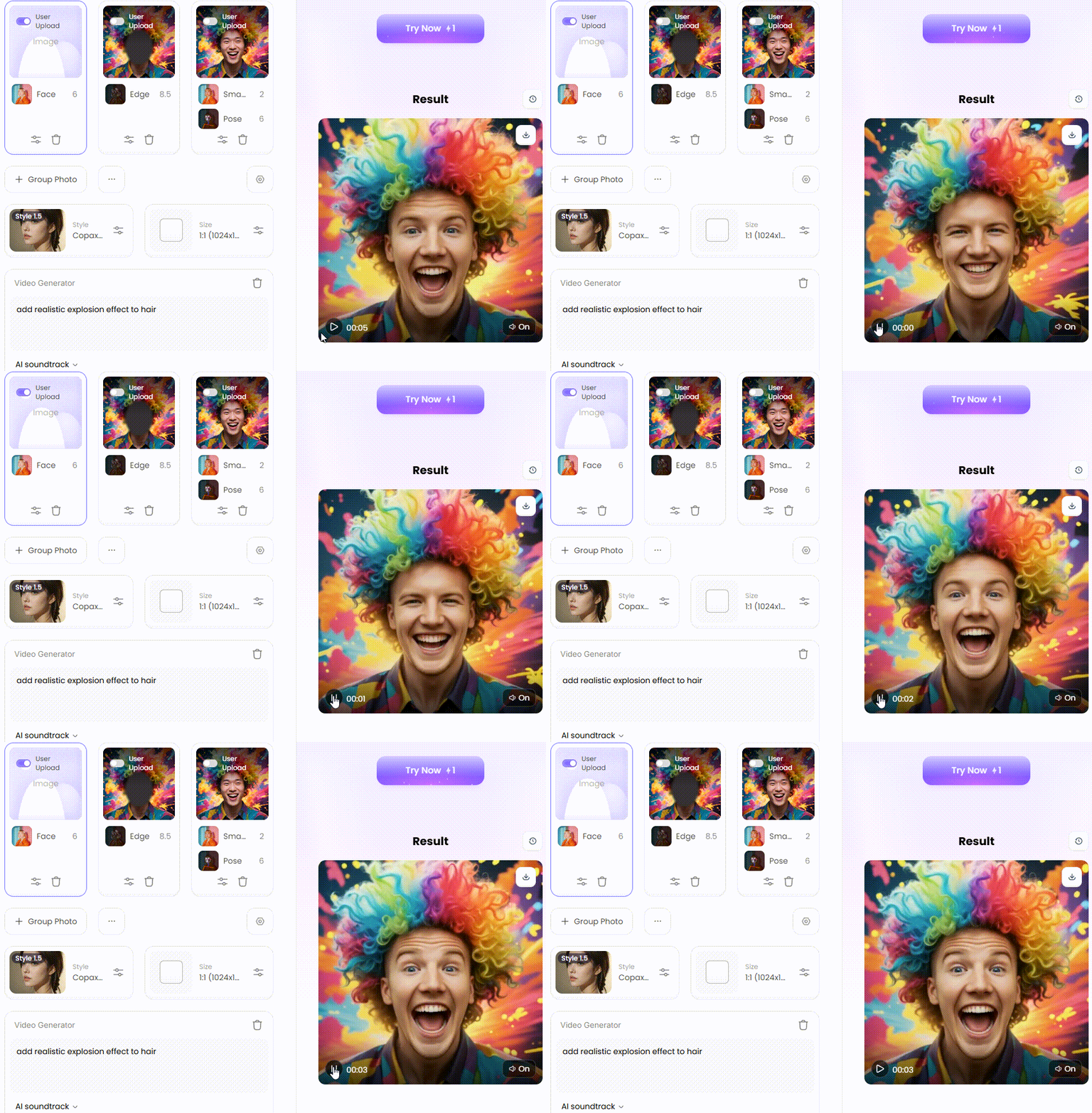
Step3:
Wait 3 seconds, you will get a wonderful result 👇
30 Blazing-Hot Ideas to Spark Your Explosive Creativity
Not sure where to start creating? This list is full of entertaining ways to assist. Select your favorite, instruct the AI on what to make, and then watch the magic happen. Your next masterpiece is finally complete!
Part 1: Action and Cinematic Scenes
-
Superhero Landing: Imagine your favorite hero slamming onto the ground. Picture the pavement cracking and dust exploding outwards. It's a powerful pose that screams, "I've arrived!"
-
Car Chase Finale: Show a wild car chase's final, explosive moment. Picture two cars colliding in a ball of fire, with twisted metal flying through the air—pure Hollywood action.
-
Building Escape: Create a thrilling escape! Show a hero jumping from a window just as the building behind them erupts in flames and glass. It's a classic scene full of suspense.
-
Sci-Fi Battle: Take to the stars! Design a futuristic spaceship battle where laser blasts hit a ship's hull, causing bright, silent explosions in the vacuum of space.Robot Destruction: It's time for some robot mayhem. Imagine a giant robot blowing up, sending a shower of gears, wires, and smoking metal parts in every direction.
-
Volcanic Eruption: Give a beautiful landscape a powerful twist. Add a massive volcano in the background, erupting with a huge cloud of ash, smoke, and red-hot lava.
-
Asteroid Impact: Go for cosmic-level destruction. Show a giant asteroid crashing into a planet, creating a colossal, world-changing explosion that can be seen from space.
-
Action Movie Poster: You are the director! Design a movie poster with the hero coolly walking away from a giant explosion behind them, without looking back.
-
Cannon Blast: Travel back in time. Create a historical scene with old-fashioned cannon firing, with a blast of thick white smoke, fire, and a cannonball flying out.
-
Underwater Explosion: Make a splash with a deep-sea explosion. Picture it sending out a powerful shockwave and a rush of giant bubbles from the bottom of the ocean.
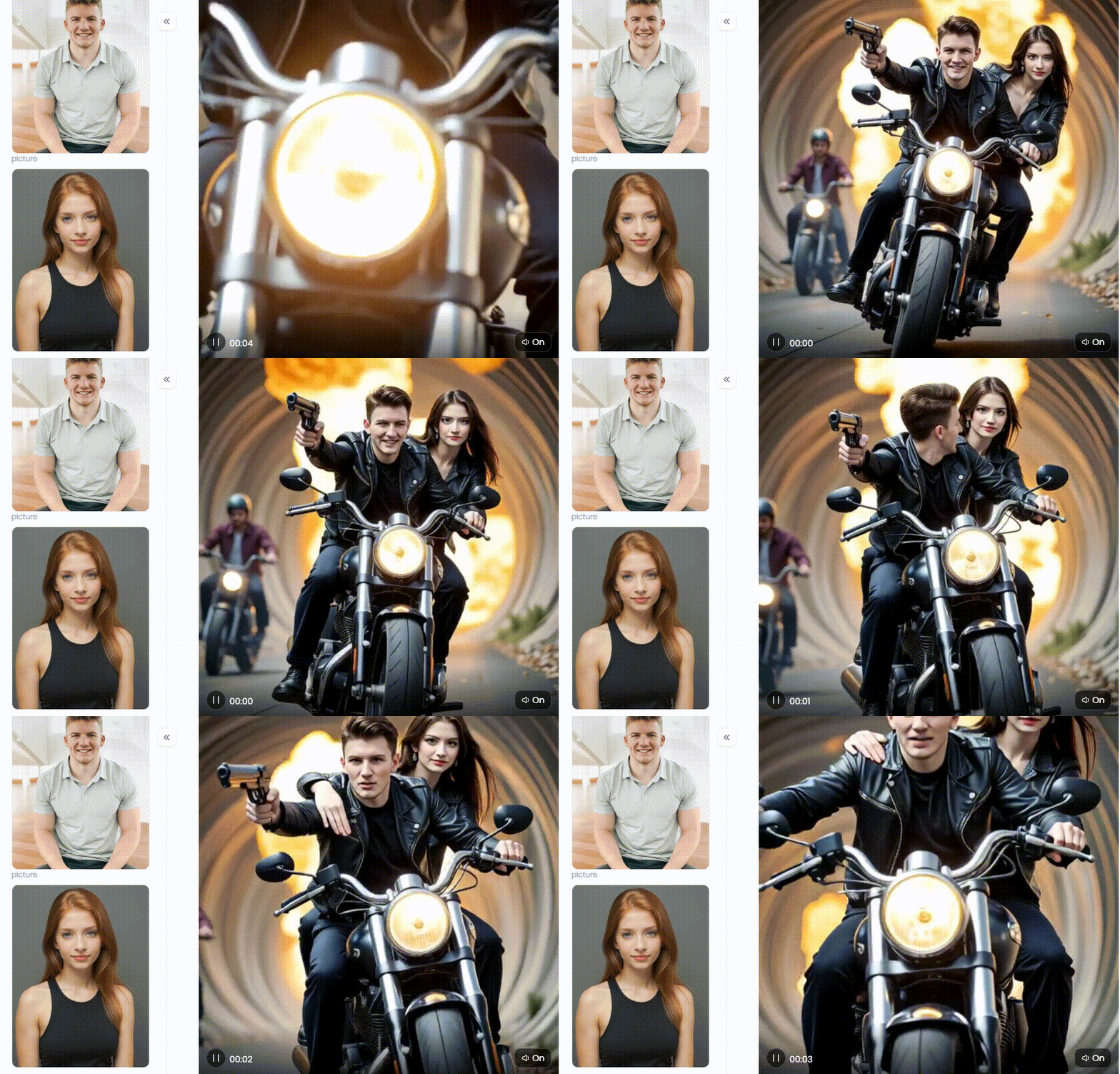
Click the picture to generate your exclusive ai animated version explosive escape with one click👇
Part 2: Conceptual and Artistic Effects
-
Exploding Head Meme: A true classic! Create a funny picture of a head exploding with light or rainbows to show that "mind-blown" feeling after learning something amazing.
-
Shattered Portrait: This one is deep. Take a normal portrait and add a shattered glass effect over it. It can show a feeling of being broken or a powerful breakthrough moment.
-
Exploding Flower: Imagine a rose or a daisy blooming, but bursting open in a slow-motion explosion of petals and golden light. It's a beautiful and magical idea.
-
Musical Explosion: What does music look like? Show a guitar or a piano exploding into a cloud of colorful musical notes, sound waves, and glowing energy.
-
Book of Knowledge: Picture an old book opening up, with an AI expansion of glowing letters, numbers, and famous pictures flying off the pages, representing the power of ideas.
-
Color Bomb: Create a blast photo of pure joy! Show a ball of colorful powder exploding, like at a Holi festival, covering everything in a vibrant and happy cloud.
-
Exploding Clock: Show that time is running out. Imagine a clock exploding, sending numbers, gears, and clock hands flying dramatically.
-
Shattered Glass Effect: This cool effect makes it look like your bomb PNG is behind a sheet of glass, suddenly breaking into a million sharp pieces.
-
Pixel Explosion: Give your explode meme a digital-age twist. Make it look like a part of your photo dissolves and explodes into a cloud of tiny, colorful squares or pixels.
-
Ink in Water Explosion: Imagine a solitary drop of black ink into a body of pure water, but depict it as a massive, artistic, swirling cloudburst in slow motion.
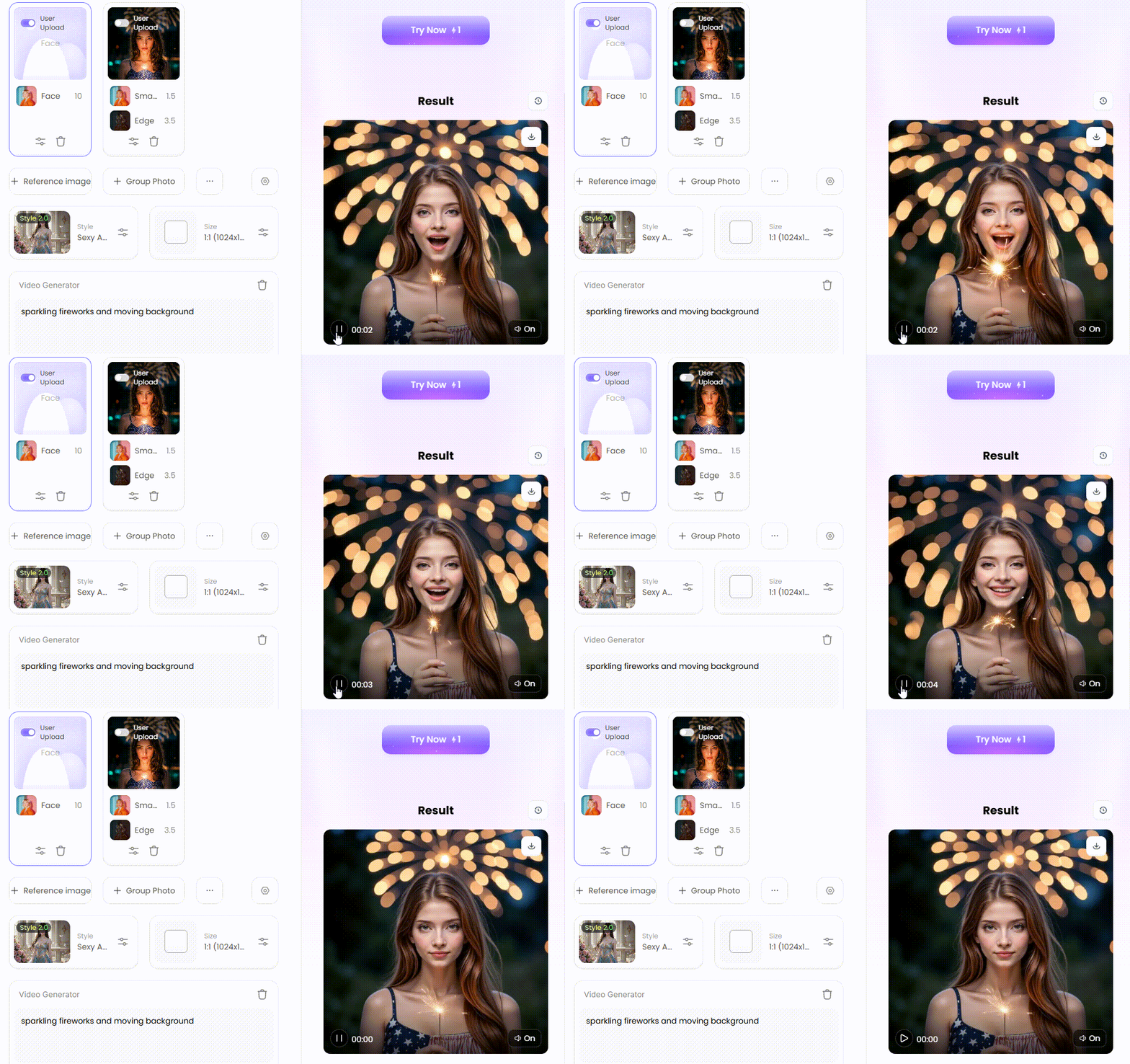
Click the picture to generate your exclusive blooming amidst fireworks and light with one click👇
Part 3: Fun and Whimsical Ideas
-
Confetti Explosion: Turn any picture into a celebration! Add a massive, vibrant confetti explosion to a special occasion or a photo of friends. There is an immediate celebration.
-
Popcorn Explosion: This is purely recreational. Make a fun picture of one enormous bit of popcorn popping into the air! It's an oddball concept that will make people giggle.
-
Cake Explosion: The ideal surprise for a birthday! Display an enticing cake overflowing with frosting, chocolates, and sprinkles. It's a sloppy, sweet masterpiece.
-
Gift Box Surprise: Create anticipation for opening a gift. Show a gift box exploding open, with a bright light and a surprise popping out.
-
Soda Bottle Rocket: Get ready for takeoff! Make a funny picture of a soda bottle launching into the air like a rocket, powered by a fizzy, bubbly explosion.
-
Exploding Paint Cans: Let's make a colorful mess. Picture a row of paint cans exploding simultaneously, splashing rainbows of thick, gooey paint all over the place.
-
Water Balloon Burst: Capture that perfect summer moment. Show a water balloon exploding in super slow-motion, with a beautiful splash of water frozen in mid-air.
-
Pillow Fight Explosion: Show the best part of a pillow fight! Create a bomb PNG where a pillow hits and explodes into a giant, soft cloud of white feathers everywhere.
-
Bubble Gum Pop: Go for a close-up! Create a fun, exaggerated filter image of a big pink bubble gum bubble popping with a sticky, colorful "pop!"
-
Exploding with Laughter: Show what pure joy looks like. Create a picture of someone laughing so hard that they seem exploding with bright, happy light and sparkles.
Use these 30 ideas as a creative spark, but don't stop there! Real magic happens when you mix things up and try fun ideas. What are you holding out for? Make your next spectacular work of art!
Click the picture to generate your exclusive cute exploding head with one click👇
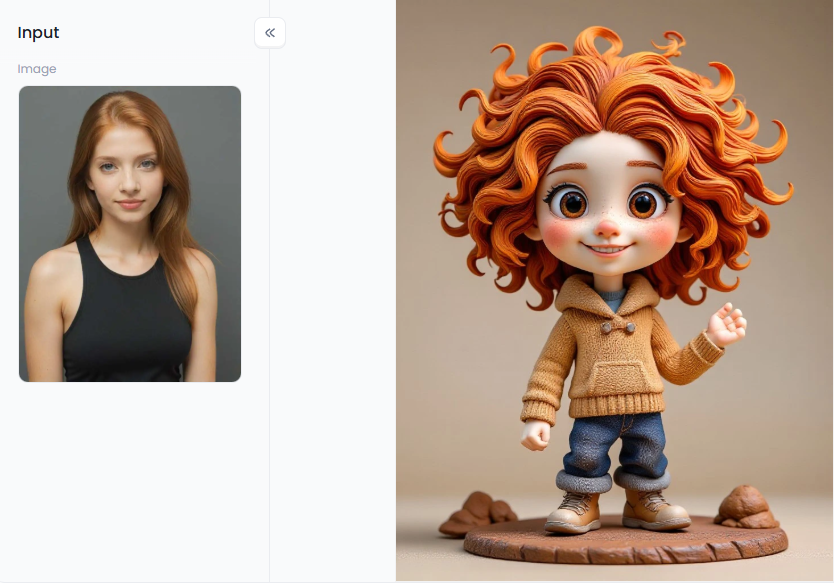
Your Hollywood Studio: Cinematic Explode Effects with a1.art
Are you prepared to bring all those amazing concepts to life? You need a tool that is both enjoyable and powerful, and that is what a1.art is. Consider your computer a Hollywood special effects studio. It's built to help you create amazing movie-quality explosion effects and so much more, without any of the headaches.
What makes a1.art a total game-changer is its library of ready-to-go filters. With just one click, you can get a pro look instantly. To kick things up a notch, try the fiery filters. You can make images explode with AI, create intense scenes with "Fire and Light," add a powerful "Fire Effect," or get dynamic with the "Fire Ninja in Action."
Want something more magical? The "Fire Goddess" or "Halloween Fire" filters can add a fantasy vibe to any picture. And these aren't just for still photos! You can direct an epic clash with the amazing "The Showdown between Ice and Fire (Video)."
But it's not all about fire explosions. You can create stunning art with "Beautiful Woman with Colorful Smoke" or get silly with the "Cute Exploding Head" effect. For a movie-poster feel, check out "Jewel Thief: Double Poster" or the action-packed "Street Fighting: Energy Explosion." You can mix styles like "A Charming Moment Blooming" with explosive elements for a unique look.
The Magic "Fork" Button
Is there ever an explosion video like "The God of Fire Descends to Fight the Devil" that makes you want to know how it was created? Go ahead and click "Fork"! This fantastic feature replicates all of the settings and prompts from that creation. They can then be used to create your own original picture or video. Creating something new while learning the secrets is an amazing experience.
Click the picture to generate your exclusive showdown between ice and fire with one click👇
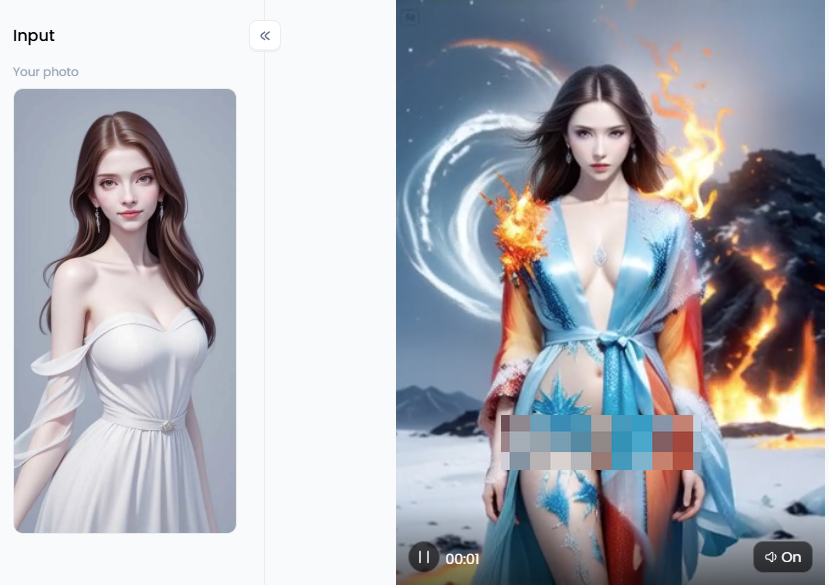
Tips to Make Your Art Go Viral
-
Be the Director: Write Better Prompts. The secret sauce is in the details. Don't just write "car explosion." Instead, try: "a shiny red sports car exploding in slow motion on a desert road at sunset." The more details you give the AI, the cooler your picture will be.
-
Mix It Up: Combine Your Effects. Don't be afraid to experiment! You can layer an explosion with another style to create something totally new. You can also blend images with AI online to make your picture bigger, giving that explosion more room to look epic.
-
Start Sharp: Use a Clear Photo. A blurry starting photo will give you a blurry result. Always use the editing tools to make your photo as clear as possible before adding effects. A sharp explosion GIF transparent image makes everything look more professional.
-
Tell a Good Story. The best pictures and nuclear bomb videos make you feel something. Use an explosion to show a surprise or a big change. People love sharing content that tells a fun or exciting story instantly.
a1.art is your own creative playground. It has simple filters for fast results and cool tools like "Fork" to help you learn. It gives you all the tricks to make amazing art that gets noticed.
Your Next Masterpiece is Just One Click Away
You've seen how AI explosion effects can make your pictures stand out. Adding a little boom effect is the perfect way to get noticed in a world of explosion graphics.
So, what are you waiting for? It's your turn to create something amazing. With a1.art, it's easier than ever. The platform is simple to use, packed with fun filters, and has the cool "Fork" feature to help you learn as you go.
Don't let your great ideas fade away. Jump over to a1.art right now and bring one to life. Create your first masterpiece today and watch everyone love it!
Read more
- AI Mugshot Maker – Create Realistic Mugshots with AI
- How to Make AI Fight Video from Image: Your Guide to Creating Epic Battles
- How to Get Free Online AI Fake Boyfriend Filters?
- AI Fake Girlfriend Generator: Create Sexy GF Photos Online Free
- Mobian AI vs a1.art: Which is the Better AI Generator Online?
- Twin Pics AI: A Fun Game to Match Photos with AI Prompts
- AI Braces Filter – Add Realistic Braces to Your Smile Instantly
- Best Free AI Tools to Create Hybrid Animals Online: Unleash Your Inner Mad Scientist
- AI Bikini Generator: Create Swimsuit Looks from Any Photo
- How to Change Your Skin Color Online Free: A Complete AI-Powered Guide
Written by

a1.art
Published on
Sep 28, 2025
Share article


