


Ever thought of making a hilarious mugshot of a friend? Or maybe you wanted a unique profile picture that pops? It used to be a huge hassle. You had to wrestle with confusing software for hours. Seeing all the fun mugshot memes and creative images online is tough when you feel stuck on the sidelines and unable to join in on the creative fun.
But now, you can create that perfect image in just a few seconds! Welcome to the amazing world of AI mugshot makers. This technology is a total game-changer. It's part of a huge AI market that could be worth over $1.3 trillion, all because people love creating instant, custom art. This guide is your ticket to the fun. We'll show you the best AI headshot generators and focus on an AI business photo generator like a1.art to bring your wildest ideas to life.
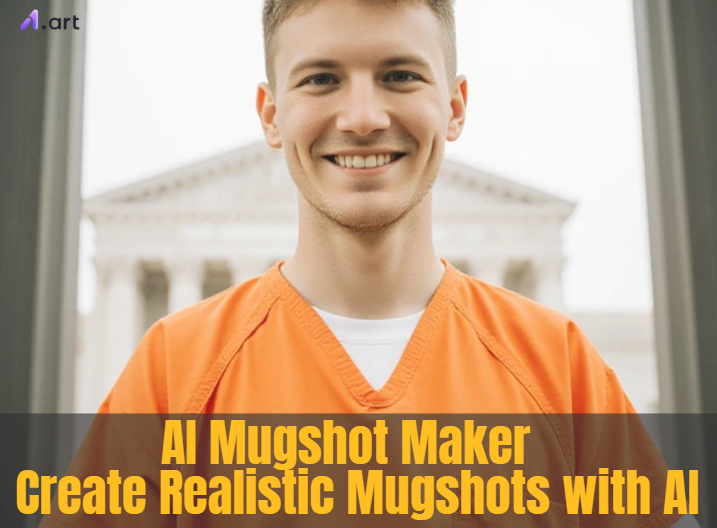
What's the Magic Behind an AI Mugshot Maker?
Think of a free AI mugshot generator as a brilliant digital artist. After analyzing millions of images, this AI has discovered what makes a mugshot appear authentic. It is fully aware of the traditional flat lighting, the simple mugshot background, the side and front views, and even the small features on the mugshot board. It detects every hint that contributes to a genuine appearance, much like a detective for photos.
At its heart, this clever tech, known as generative AI, works coolly. When you give it an idea—either a photo you upload or a few descriptive words—the AI gets to work. It often starts with a screen of random static and, step by step, shapes it into your image. It constantly checks its progress against all the real mugshots it has learned from, molding the picture until it looks just right.
This is a total game-changer, giving you the power of a pro AI LinkedIn photo editor. And technology continues to advance! Still images are no longer relevant. With a small movement, the best mugshot transformation tools can now create brief videos that transform your mugshot from a still image into a living memory.
Click the picture to generate your exclusive capturing the prisoner with one click👇
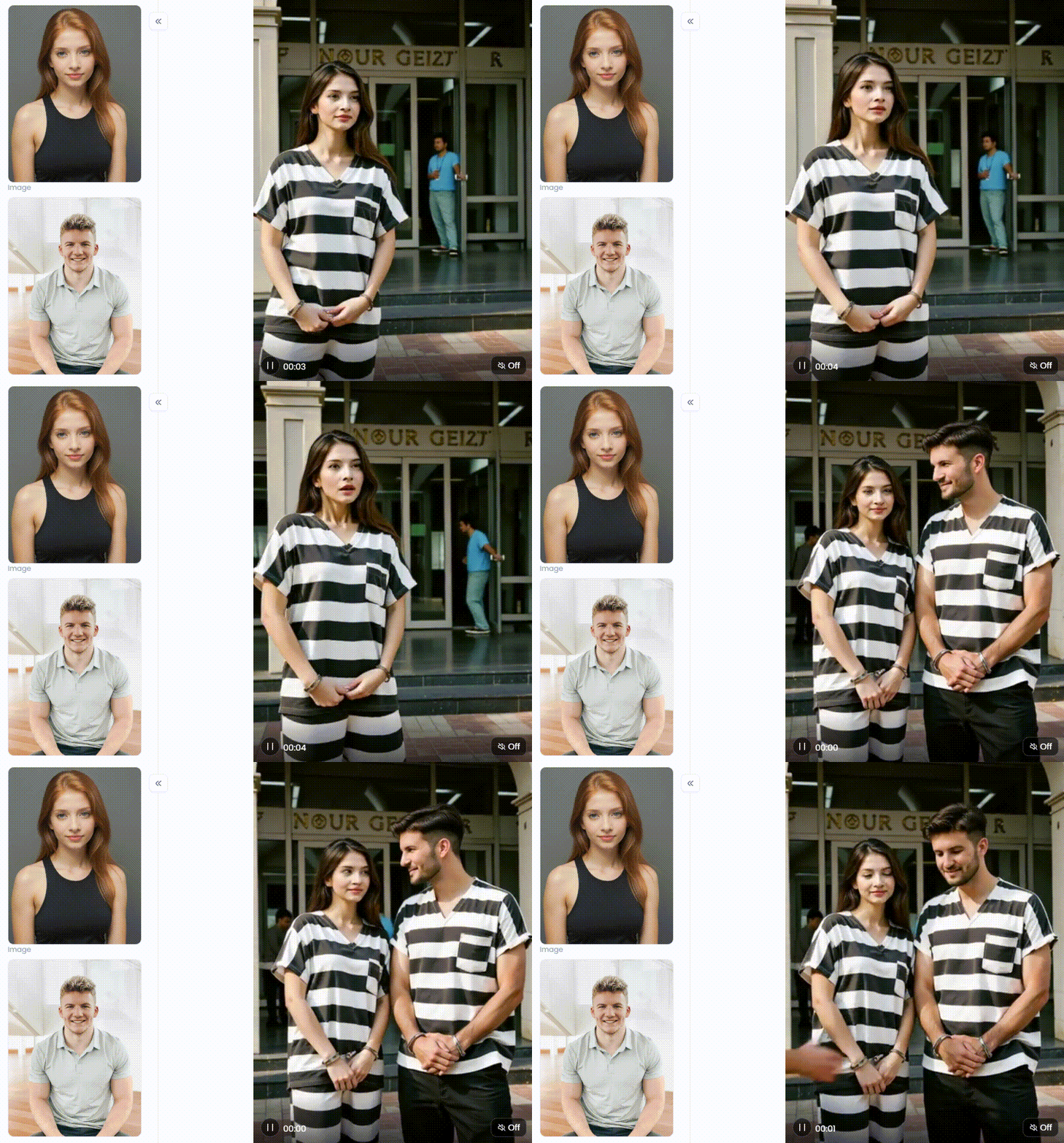
Start your art journey with a1.art.
More Than a Meme: Creative Uses for AI Mugshot Makers
Think free online mugshot makers are just for a quick laugh? Think again! These fun digital mugshot creators offer many creative options beyond amusing memes and are more than simply a one-trick pony.
Here's how you can unlock their full potential:
-
Social Media Gold: Create hilarious mugshots of friends and pets. They're perfect for a unique AI profile picture or a funny birthday roast to get everyone talking!
-
Bring Stories to Life: These tools are game-changers for writers and gamers. Instantly put a face to a name, creating visuals for characters in a novel or a role-playing campaign.
-
Unforgettable Gifts and Events: Design fun "wanted" posters for parties, or print a silly mugshot on a t-shirt. It makes a perfect gag gift and is a piece of cake to create!
-
Jumpstart Your Art: For artists, this is a great starting point. Use an image to add a gritty, storytelling vibe to a bigger digital painting or collage.
-
Flip the Script for Headshots: You won't believe it, but this free AI headshot generator also creates sharp, professional photos. Change your prompt from "mugshot" to "business headshot picture" for a polished look.
These automated mugshot makers are your secret weapon. They demonstrate their versatility by being ideal for serious undertakings and lighthearted pleasure.
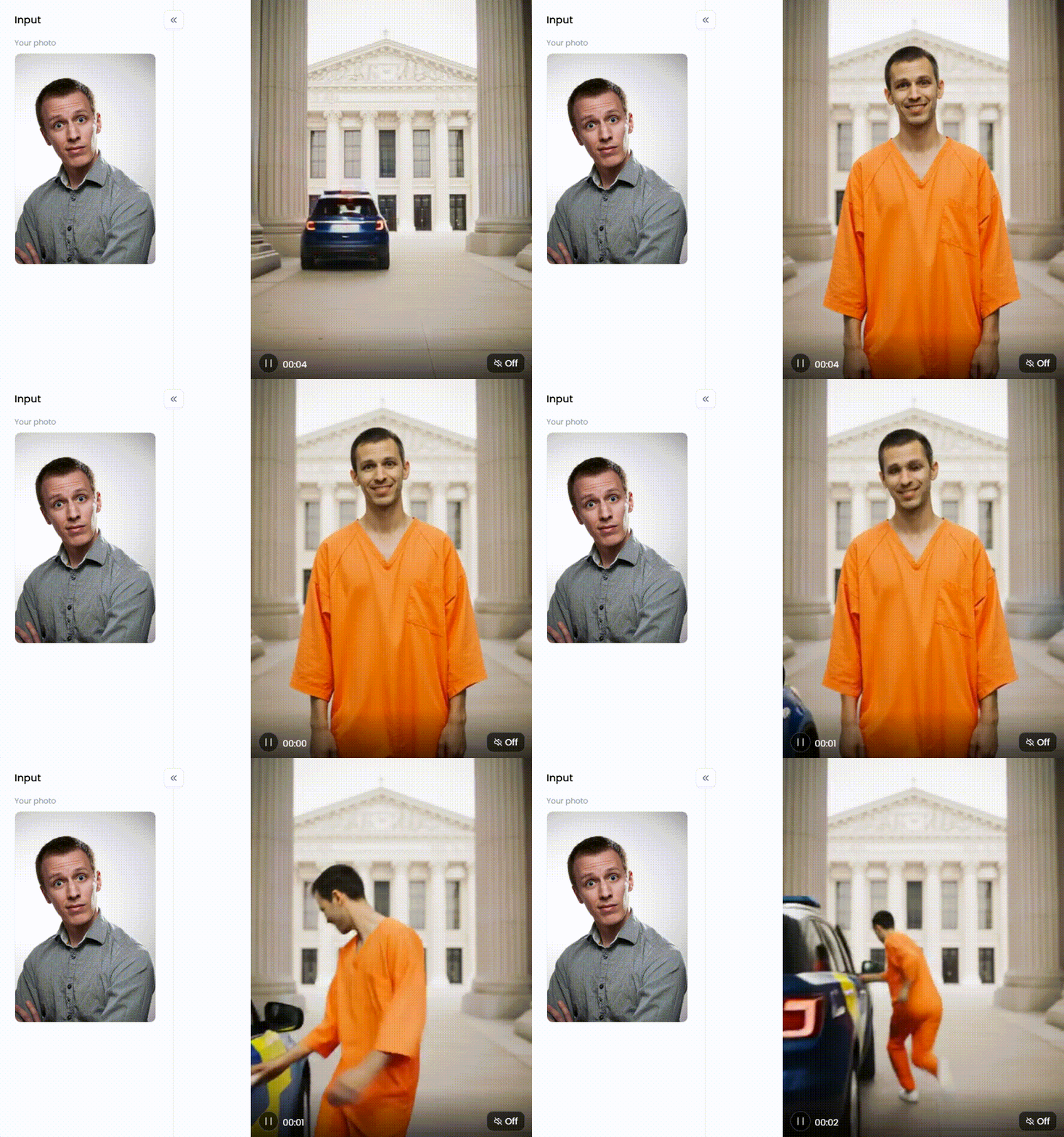
Click the picture to generate your exclusive criminal steals police car with one click👇
Unleash Your Inner Outlaw: 30 Creative Mugshot Ideas
Want to make some incredible art but lack inspiration? No issue! Consider a free website AI art generator as your co-conspirator. These thirty entertaining prompts will help you get your creative juices flowing and begin your next project.
Group 1: Historical & Fictional Felons
-
A 1920s Gangster: Imagine a mob figure such as Al Capone. Use phrases like "pinstripe suit," "black and white mugshot," "fedora hat," and "defiant smirk" to evoke the spirit of the Prohibition era.
-
A Wild West Outlaw: Imagine a dusty, sun-beaten gunslinger. The description of a "dusty cowboy with a leather vest" might be enhanced by adding "sepia tone" or "1880s photograph" to make it appear old.
-
A Clumsy Medieval Thief: Imagine someone who was arrested for stealing food. For the ideal scene, try "bewildered expression," "torch-lit dungeon background," and "man in a tattered medieval tunic."
-
A Victorian-Era Pickpocket: A child with a soot-stained face, trying to look innocent. Prompts like "young boy in ragged clothes," "soot on his face," and "London 1890s" will bring this character to life.
-
A Notorious Pirate: Fresh off the seven seas and into the brig. Don't forget the details! Add "eyepatch," "red bandana," "scar on cheek," and maybe even a "parrot tattoo on his neck."
-
Sherlock Holmes: The great detective, arrested for meddling in police affairs. Include his signature "deerstalker hat" and "magnifying glass in his pocket," but give him an "annoyed expression" for being caught.
-
Darth Vader: Show a mugshot of Anakin Skywalker. He has no helmet on, and his scars are visible. The lighting is harsh, like in a police station.
-
The Joker: In a recent video, Batman's adversary was smiling. For a "Arkham Asylum booking photo," we employ descriptive terms such as "smeared makeup," "chaotic green hair," and "maniacal grin."
Click the picture to generate your exclusive you are my prisoner with one click👇
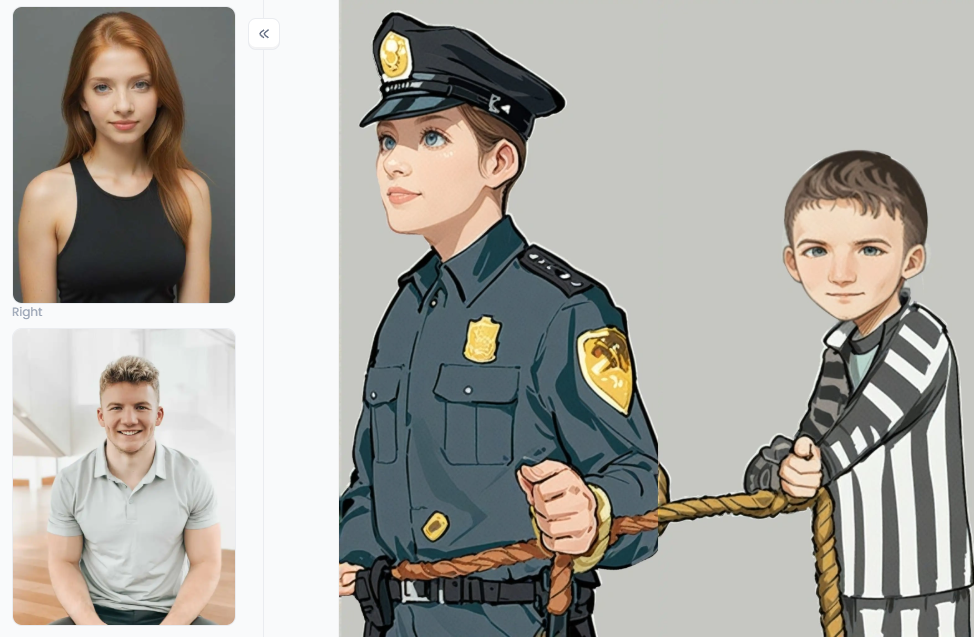
Group 2: Modern & Humorous Hijinks
-
The Office Slacker: Booked for crimes against productivity. Create a character with "messy hair" and a "coffee-stained shirt," holding a sign that says, "Crime: Stole the last red stapler."
-
The Pizza Thief: For that friend who is always guilty of eating the last slice. Show them with a "guilty expression," "a smudge of tomato sauce on their cheek," and a sign reading, "Guilty of finishing the pizza."
-
A Disgruntled Cat: Your feline friend has finally been brought to justice. Take a photo of a grumpy-looking pet and use an AI filter, or prompt "a scowling cat" with a sign that says, "Charged with knocking things off the counter."
-
The New Parent: The picture of pure exhaustion. Describe an "exhausted person with dark circles under their eyes" and "baby spit-up on their shoulder." Their crime? "Disturbing the peace (at 3 AM)."
-
A Celebrity Look-Alike: A mugshot of someone who looks almost famous. This is a fun one to try on your selfie! Or, prompt "mugshot of a man who looks vaguely like a famous actor, with an awkward smile."
-
The Bad Hair Day: When your hair is a crime against style. Create realistic mugshots where the crime is simply having a terrible hair day. Prompt "woman with frizzy, untamed hair" and a "shocked expression."
-
The Dad Joke Offender: His puns are so bad, they're illegal. Picture a "man in a cheesy Hawaiian shirt" with a "goofy grin," holding a sign that says, "Sentenced to life for telling terrible puns."
Click the picture to generate your exclusive gangster with one click👇
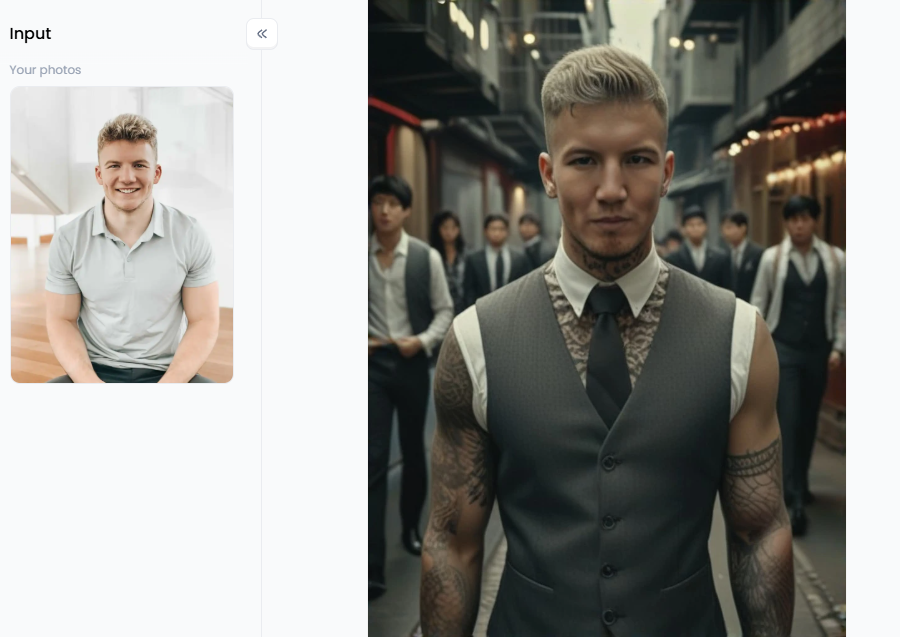
Group 3: Fantasy & Sci-Fi Suspects
-
An Elf Caught with Illegal Potions: Looking magical and maybe a little too proud. Describe an "elegant elf with long pointed ears," a "haughty expression," and "glowing potion bottles sticking out of his bag."
-
A Grumpy Dwarf: Arrested after a classic tavern brawl. Key details include a "long braided beard with beads," a "deep scowl," and "bruised knuckles."
-
A Space Pirate: A futuristic outlaw with high-tech gear. Get creative with "cybernetic eye," "laser scar on the cheek," and a "futuristic mugshot slate with glowing alien text."
-
An Alien Tourist: Confused by Earth's strange laws. Generate a "classic big-eyed gray alien" with a "confused expression," holding a sign written in an alien language.
-
A Superhero Having a Bad Day: Even heroes get arrested sometimes. Describe a hero like Superman with a "torn cape," his "mask slightly askew," looking tired and annoyed.
-
A Rogue AI: A humanoid robot that broke its programming. Prompt a "humanoid robot with glowing red eyes," an "emotionless expression," and "exposed wiring on its arm."
-
A Zombie: The undead have been apprehended. Use words like "decaying skin," "one milky white eye," and "a blank, hungry stare" for a perfectly creepy look.
Click the picture to generate your exclusive caught by eagle with one click👇
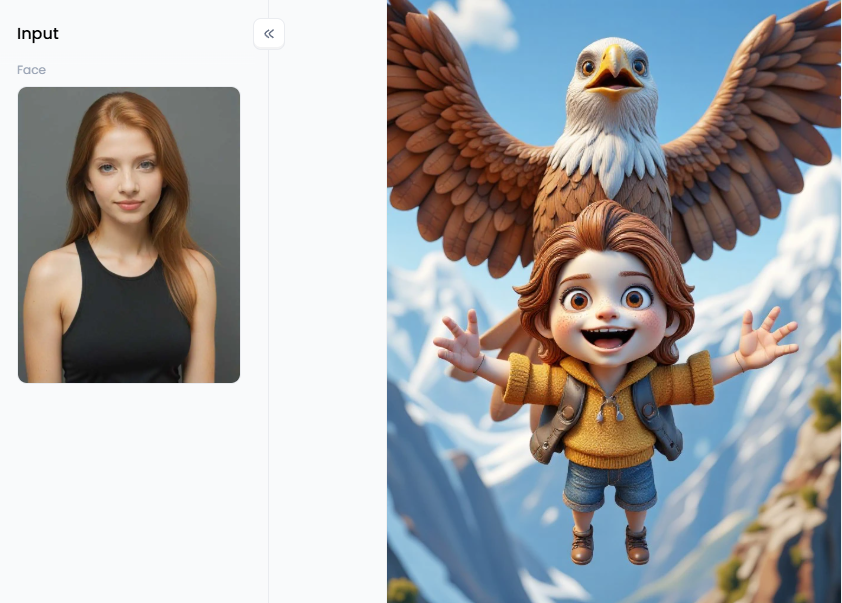
Group 4: Themed & Stylized Shots
-
Vintage Sepia Tone: Give any character an old-timey feel. Simply add "sepia tone photo," "vintage look," or "scratched film effect" to any of your prompts.
-
Neon-Noir Cyberpunk: A dark, futuristic, and moody style. To set the scene, use terms like "dark, futuristic city background," "lit by glowing neon signs," and "cyberpunk."
-
3D Cartoon Style: Make your subject a fun animated character in this style. Use terms like "3D cartoon style," "Pixar movie style," or "charming animated character" to begin your prompt.
-
Comic Book Art: Make your one-click mugshot creation look like it was pulled from a graphic novel. Add "comic book art style," "bold black outlines," and "Ben-Day dots" to get that classic look.
-
Low-Poly Video Game Character: A retro look from a classic game. Use "low-poly 3D model" or "retro PS1 video game graphics" for a cool, nostalgic aesthetic.
-
Double Exposure: A beautifully artistic and symbolic style. This can be tricky, but try prompting "double exposure of a woman's mugshot and a stormy ocean" to blend two ideas.
-
Minimalist Line Art: A simple, clean, and modern look. Use phrases like "minimalist line art," "simple black and white sketch," or "clean, single-line drawing."
-
Wanted Poster Style: The classic final touch for any outlaw. After generating your mugshot, use a simple editing tool to place it on a mugshot template. Or, try prompting "mugshot on a Wild West wanted poster" directly.
Click the picture to generate your exclusive wanted poster with one click👇
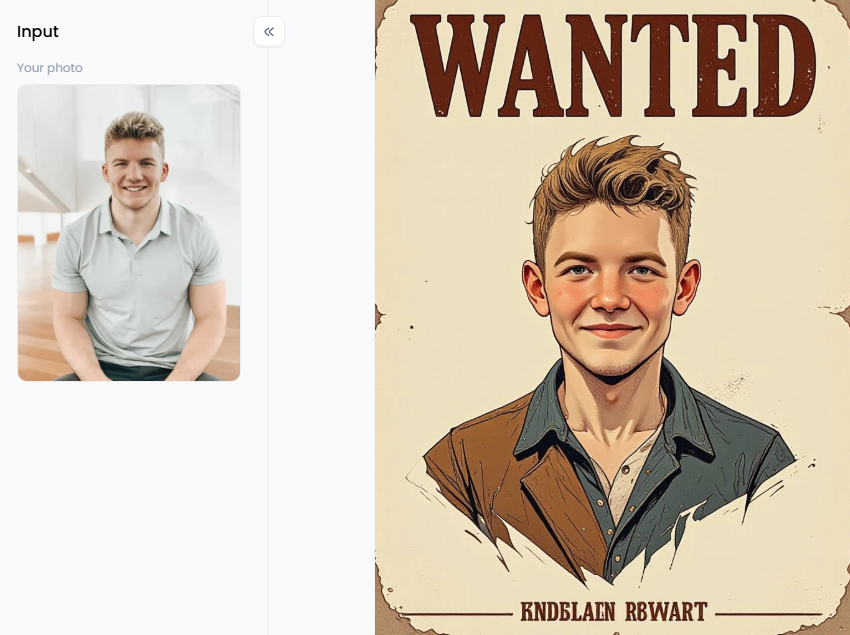
Mastering the Art of the Mugshot: A Deep Dive into a1.art's Creative Suite
While many AI mugshot apps can create images, a1.art is a top-notch photo editor. It's incredibly powerful, easy to use, and packed with unique features that take your ideas to the next level. Think of it as a complete creative studio that makes the entire process fun and simple.
What makes a1.art the best free AI artist generator? It's incredibly easy and gives you two great ways to create. You can upload photos to a mugshot maker with a selfie for a hilarious makeover. Or, you can simply type out your idea and let the AI build it from scratch. Whatever you choose, the results always look amazing—realistic and wonderfully creative.
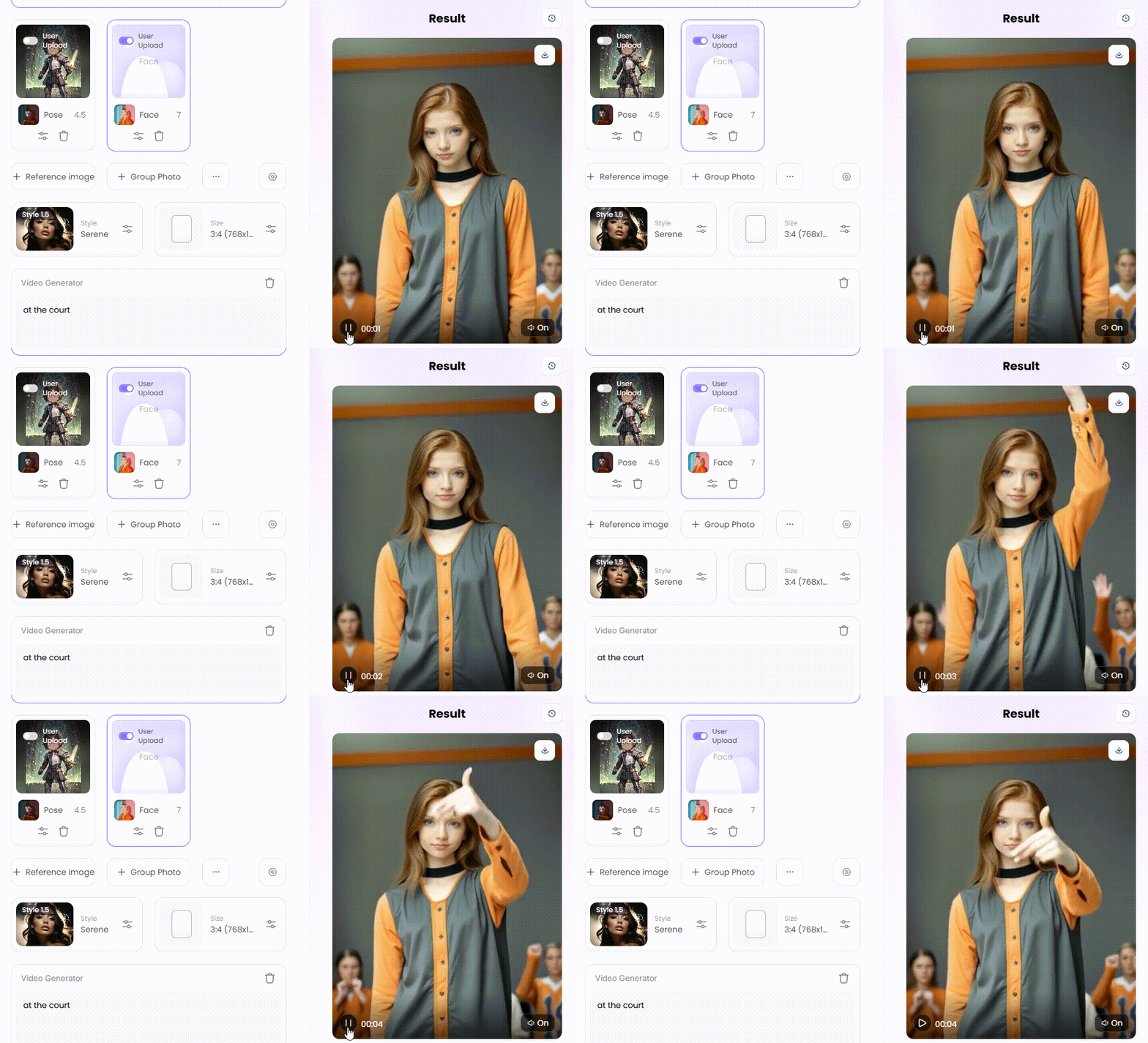
But the video feature is where the real fun begins. a1.art lets you bring your AI portrait to mugshot clips by adding small, realistic movements. For example, you can make a portrait where the person slowly blinks or looks around. This cool trick turns a still photo into a living video, making it more exciting to share online.
Getting started is a breeze thanks to the digital criminal photo maker's huge library of ready-made filters. There's a style for every idea:
-
For Classic Criminal Portraits: Get the perfect look instantly with filters like "Criminal Identification Portrait." You can also jump into the action with scenes like "Criminal Steals Police Car" or "Crime City." Or, tell a story with fun filters like "Police, Don't Chase Me" and "Did You Call the Police?".
-
For Pop Culture Fun: Create a tribute to your favorite TV shows with a filter like "Breaking Bad." You can also design a classic "Wanted Poster" or even an animated "One Piece Wanted Poster (Video)" to see your favorite anime characters in a new way.
-
For Professional Photos: The best thing about a1.art is its flexibility. You can create a professional headshot with the "LinkedIn Headshot in Nature" filter or a classic "Business Headshot." There are even fun AI headshot generators, like the "3D Cartoon Headshot CSYG" filter.
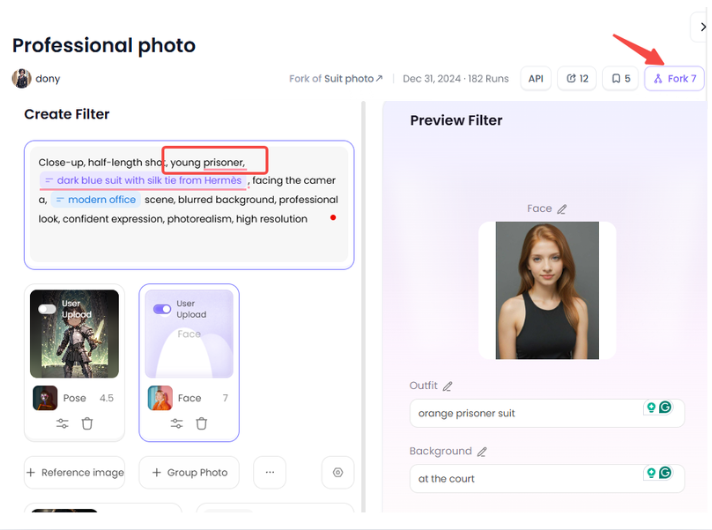
Want to become an a1.art pro? The "Fork" feature is your secret weapon. If you see an image you like, just click "Fork" to see exactly how it was made—every word and setting. It's the fastest way to learn. Then, you can easily change the design or add motion to make it your unique creation.
How to Use It, Just 3 Steps:
Step1:
Open a1.art, choose the App that you are interested in, then click 「Run」
Click on the image to experience the same App👇
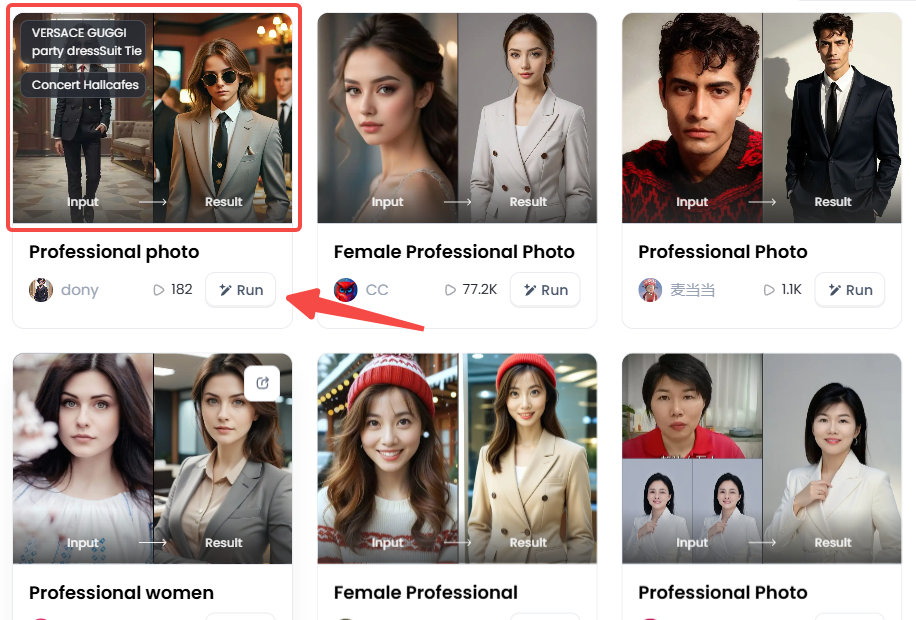
Step2:
Upload a photo/image
Step3:
Wait 3 seconds, you will get a wonderful result 👇
Pro Tips to Make Your Mugshot Go Viral
-
Details Are Your Friend: The more detail you give the AI, the better your image will be.
-
Simple Prompt: "Mugshot of a woman."
-
Pro Prompt: "High-quality mugshot of a grumpy old woman with a blue scarf, arrested for feeding pigeons, holding a mugshot board, 1970s style photo."
-
-
Get Creative: Create a usual suspects lineup with your friends. Or, start a funny series where you post a new fictional character's mugshot daily. Pair your videos with trending sounds on TikTok and Instagram for extra views.
-
Try New Tricks: Use negative prompts to tell the AI what you don't want, e.g., blurry, cartoon, smiling. You can also mix styles to create something unique, like "Mugshot of a robot in the style of a Picasso painting."
From Mugshot to Masterpiece: The Final Verdict
The world of AI art has opened a universe of creative fun. Making friends laugh or designing a unique look is now simpler than ever. Forget needing complicated software; a powerful AI mugshot maker app/platform puts a photo studio at your fingertips.
Among all the choices, a1.art is a real standout. It's super easy to use and has powerful AI criminal photo generators to make your photos look incredible. Best of all, it can create amazing pictures and even cool, moving videos. It is your one-stop shop for making anything from funny mugshots to perfect professional AI headshots.
So, what are you waiting for? Your masterpiece is just a click away. Try a1.art for free today and unleash your inner artist!
Read more
- How to Make AI Fight Video from Image: Your Guide to Creating Epic Battles
- How to Get Free Online AI Fake Boyfriend Filters?
- AI Fake Girlfriend Generator: Create Sexy GF Photos Online Free
- Mobian AI vs a1.art: Which is the Better AI Generator Online?
- Twin Pics AI: A Fun Game to Match Photos with AI Prompts
- AI Braces Filter – Add Realistic Braces to Your Smile Instantly
- Best Free AI Tools to Create Hybrid Animals Online: Unleash Your Inner Mad Scientist
- AI Bikini Generator: Create Swimsuit Looks from Any Photo
- How to Change Your Skin Color Online Free: A Complete AI-Powered Guide
- Best AI Tools to Generate Pregnant Woman Images or Art
Written by

a1.art
Published on
Sep 28, 2025
Share article


