


For creators, designers, marketers, and indie developers, making AI-generated Indian faces is a more and more popular and efficient way to create characters in an authentic way. Modern AI tools provide a bunch of really realistic features for this, and a lot of them are free. You can use them for all sorts of tasks, like designing avatars, creating game characters, making ads, or coming up with visuals for stories.
However, there's still a big challenge. Most AI tools have a problem of creating generic or Western-biased facial structures. So, it's hard to get a believable AI-generated Indian girl, guy, or an accurate South Asian face shape.
This guide is all about the best free tools. We'll focus on filters, style accuracy, and realistic textures. Also, we'll show you how to use a1.art, one of the fastest and most reliable generators for Indian face styles.
Best Tools to Generate AI-Generated Indian Faces (Full Reviews)
NO.1 a1.art
a1.art is currently one of the most powerful and flexible AI image generators for creating highly realistic AI-generated Indian faces, Indian girls, Indian men portraits, and stylized avatars. The platform supports text-to-image, image-to-image and offers a wide collection of style presets. You can precisely describe skin tone, ethnicity, facial features, hair texture, outfits, or even cinematic lighting for creating your own app.
Why it’s great for Indian faces
-
Daily free credits
-
Extremely flexible prompt system
-
Thousands of style filters to refine your Indian face results
-
Supports photorealistic, anime, artistic, 3D, and portrait styles
-
Great for designers, marketers, influencers, and creators
a1.art is ideal if you want customized, high-quality AI Indian face generation with maximum creativity.
Click the following image to generate AI-Generated Indian Faces with a1.art
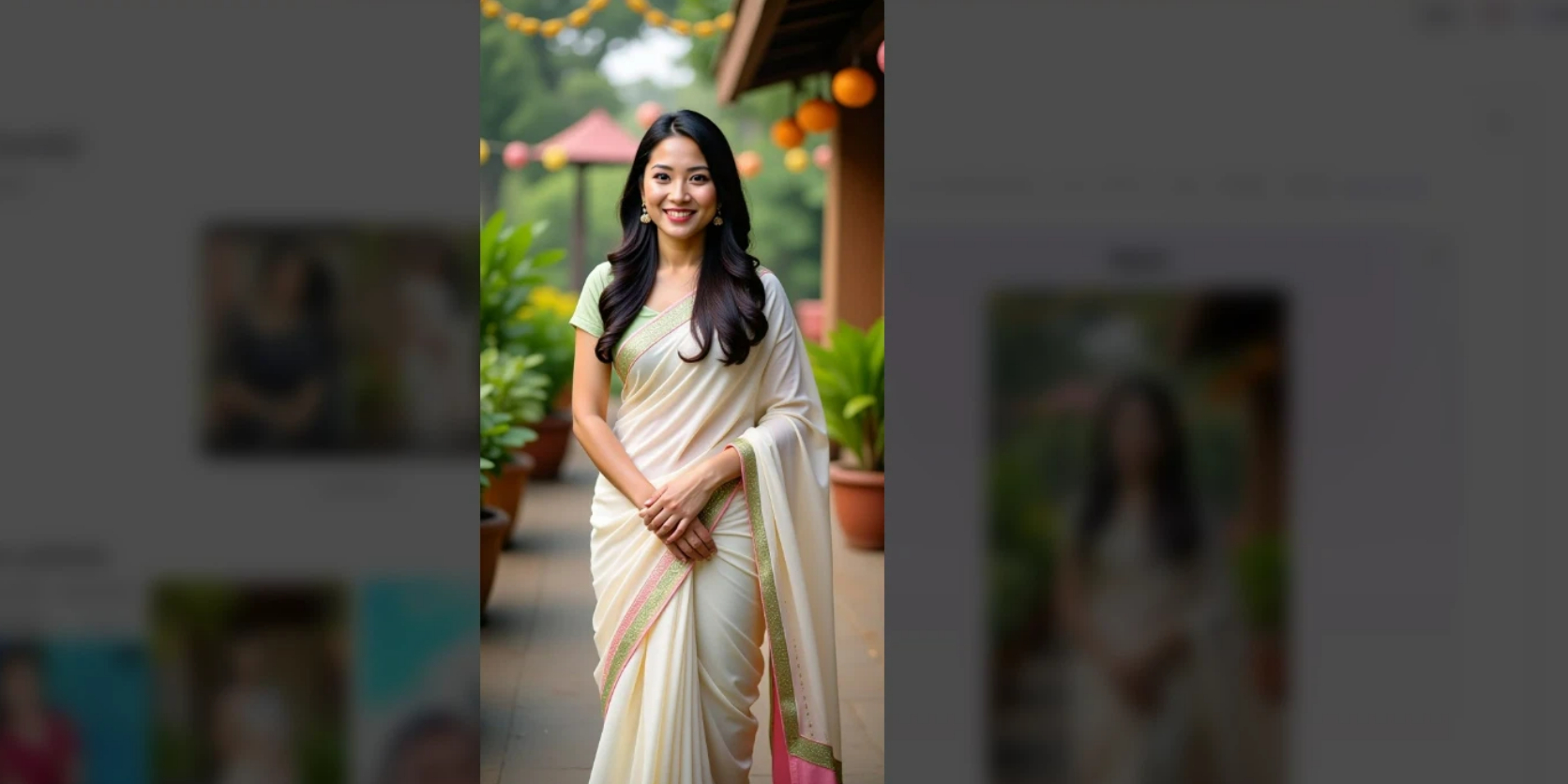
Start your art journey with a1.art.
NO.2 Lucidpic
Lucidpic specializes in generating photorealistic faces that do not correspond to any real person (great for commercial use). It allows users to adjust ethnicity—including a dedicated Indian ethnicity option—and generate professional-grade portraits.
Why it’s great for Indian faces
-
Built-in ethnicity selector (including Indian)
-
Generates ultra-realistic, natural-looking faces
-
Good for corporate profiles, avatars, commercials
-
Produces royalty-free AI characters for business use
If you want Indian faces that look like real photography (but are safe for commercial use), Lucidpic is one of the best options.
NO.3 Freepik
Freepik is not an AI generator, but it provides thousands of Indian face photos, vectors, and character illustrations. For creators who need reference images, supporting visuals, or design elements, Freepik is extremely convenient.
Why is it useful for Indian face generation work
-
Huge resource library
-
Excellent for inspiration and reference
-
Provides authentic Indian male/female face examples
-
Can be used to refine AI prompts more accurately
Use Freepik as a supporting tool when crafting Indian face prompts for any AI model.
NO.4 NightCafe
NightCafe offers multiple AI models (Stable Diffusion, VQGAN, CLIP, etc.) and lets you create highly artistic, stylized, or experimental Indian faces. It has daily free credits and strong community-driven features.
Why it’s great for Indian faces
-
Supports multiple image models
-
Very flexible prompt control (Indian skin tone, features, clothing, culture, etc.)
-
Free credits available daily
-
Great for concept art, stylized portraits, and fantasy characters
If you want creative variations of Indian male or female faces, NightCafe is perfect.
NO.5 Fotor
Fotor’s AI Face Generator and AI Portrait Generator allow users to create realistic portraits or stylized faces using simple prompts. You can easily specify Indian characteristics, such as brown skin, dark wavy hair, face shape, and traditional outfits.
Why it’s great for Indian faces
-
Realistic and stylized portrait generation
-
Simple prompt-based workflow
-
Good for social profile pictures, headshots, avatars
-
Can generate Indian men, women, and children portraits
Fotor is ideal for users who want quick, clean portrait output without complicated settings.
Try to generate Indian faces with a1.art at one click
NO.6 Lumenor AI
Lumenor AI features a curated gallery of AI-generated Indian women's faces, offering inspiration and visual references for artists, marketers, and prompt creators.
Why it’s great for Indian faces
-
Ready-made gallery of Indian female faces
-
Excellent inspiration
-
Useful for studying lighting, features, and beauty styles
-
Helps refine prompts to match desired results
This tool is especially valuable for creators who focus on Indian female portrait styles.
NO.7 Vecteezy
Vecteezy is a massive design resource library with free and premium images. You can find many Indian man face photos for reference, concept development, or prompt crafting.
Why it’s useful
-
Large collection of Indian male portraits
-
Real photography for reference
-
Helps in creating more accurate AI Indian face prompts
-
Good for designers, illustrators, and developers
Vecteezy is not an AI generator, but an essential reference tool for polished creative work.
NO.8 PromeAI
PromeAI provides pre-built “design ideas” with example images and concepts, including Indian girl portrait styles. These designs can be directly used as inspiration for prompt writing.
-
Great for generating ideas
-
Ready-to-use Indian girl concepts
-
Helps improve prompt quality
-
Perfect for creators who want stylistic guidance
A common workflow: Use PromeAI for ideas → Generate the final Indian face on a1.art or NightCafe.
Comparison Table of All Tools (AI-Generated Indian Faces)
| Tool | AI Generation | Free Option | Ethnicity Customization | Best For | Output Style |
| a1.art | Yes | Daily Free Credits | Via prompts & styles | Best overall, creative Indian faces | Any style (photoreal, anime, 3D, art) |
| Lucidpic | Yes | Limited Free | Direct Indian ethnicity setting | Realistic Indian portraits | Photorealistic |
| Freepik | No | Yes | — | Reference images | Real photos & vectors |
| NightCafe | Yes | Free credits | Prompt-based ethnicity | Creative Indian faces | Artistic, stylized |
| Fotor | Yes | Free tier | Prompt-based | Portraits & headshots | Realistic / stylized |
| Lumenor.ai | Yes | Partially free | Indian women gallery | Inspiration | Portrait gallery |
| Vecteezy | No | Yes | — | Male face references | Photography |
| PromeAI | Yes (idea generator) | Free | Style-based | Prompt ideas (Indian girl) | Inspiration imag |
Best a1.art Filters for Creating Realistic AI-Generated Indian Faces
Below are five specially selected filters from a1.aquickly and authentically build charactersrt that consistently deliver strong results for AI Indian face generator output. Each filter enhances realism while keeping the cultural aesthetic intact.
India: Aishwarya-Style Glamour Filter. Create a stunning, photo-realistic Bollywood-inspired look. This filter enhances beauty, lighting, and background to produce a glamorous, cinematic portrait with vibrant colors and a polished, model-like finish.
India version: Indonesia Independence Day Poster Filter. Transform your photo into a vivid festival poster featuring rich colors, elegant traditional fashion, and a grand cultural backdrop. Perfect for creating celebratory, artistic images with bold text and a documentary-style aesthetic.
India: Traditional Saree Outdoor Filter. Turn your picture into a serene outdoor portrait with natural lighting and lush greenery. This filter highlights traditional saree details, bringing out warm tones, delicate patterns, and a peaceful rural-India atmosphere.
How to Generate AI Indian Faces Using a1.art (Step-by-Step Guide)
Step 1 — Open a1.art and select a Face Generator Filter
Visit a1.art and browse the available filters. Choose a filter such as Pride of India, India, or Stand with India, depending on your desired output. The filter selection heavily influences whether the result looks like a natural Indian face or a stylized portrait. And click "run".
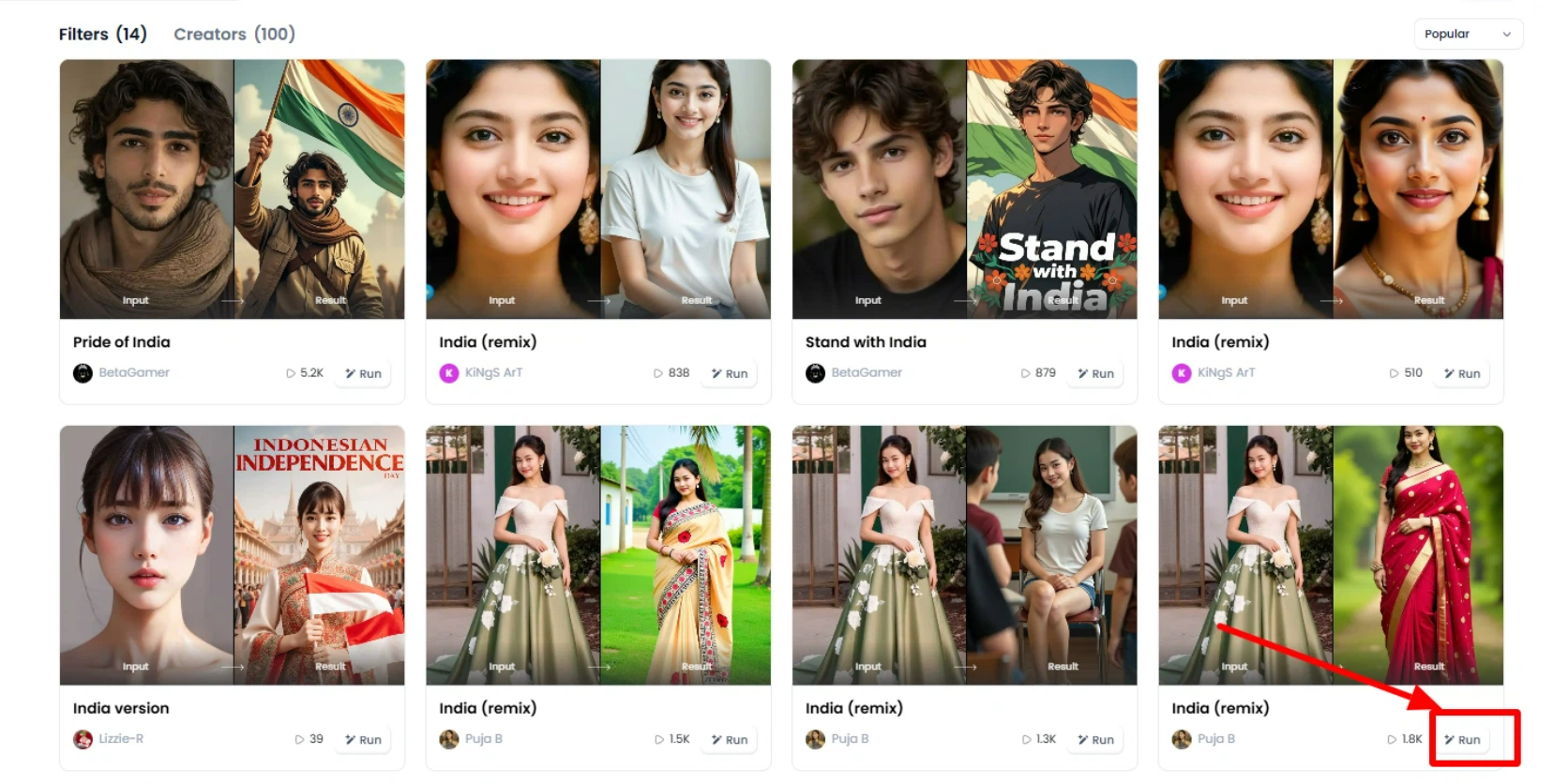
Step 2 — Upload a Reference Image or Start From Text Prompt
You can either:
-
upload a clear face photo (for avatar transformation), or
-
generate from scratch using a prompt.
Prompts help direct style, but filters shape the final look.
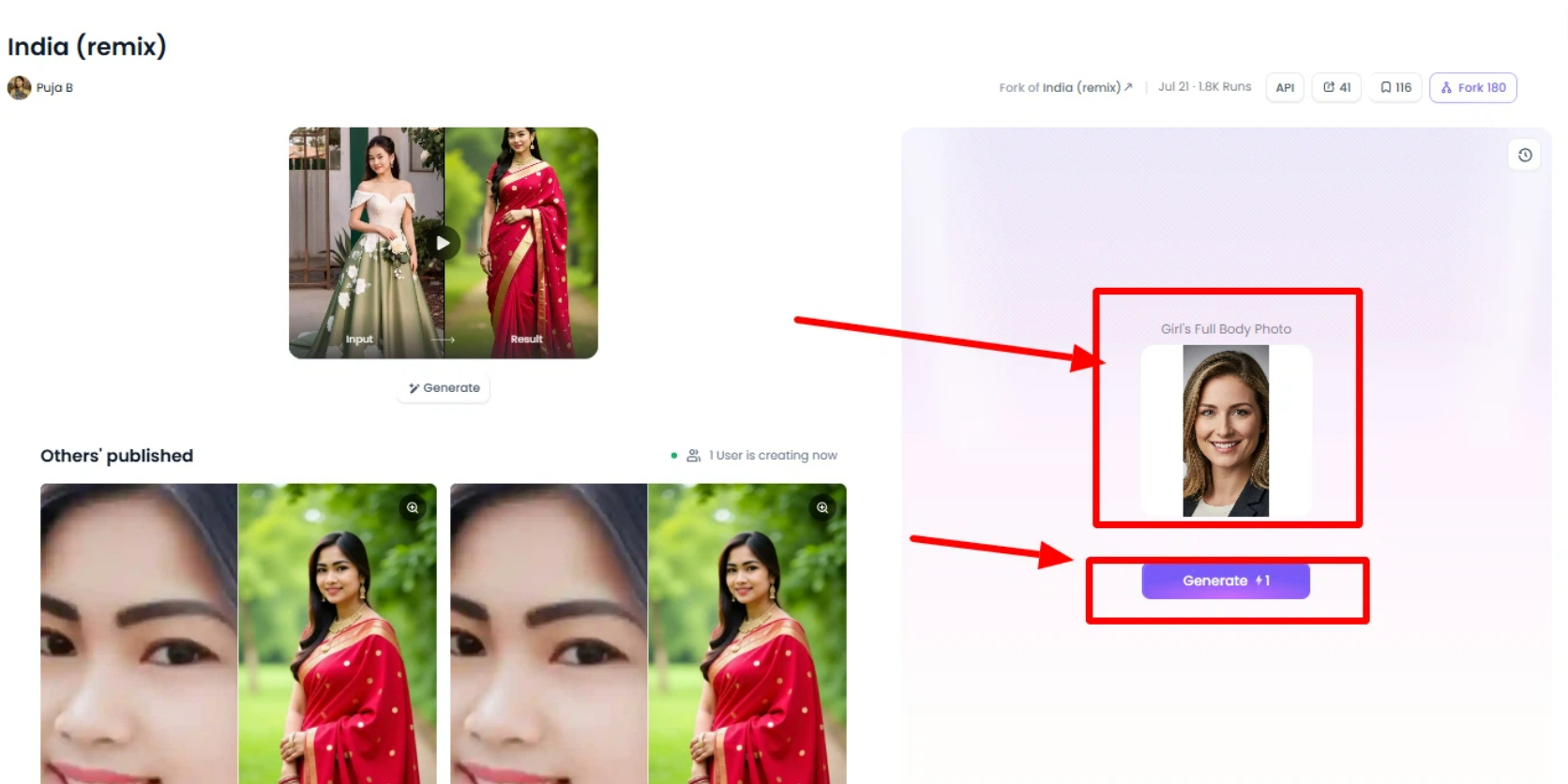
Step 3 — Render the Image (Fast, Usually Under 5 Seconds)
a1.art is extremely fast compared to most AI face generator platforms.
Most images render within 3–5 seconds, allowing you to test different filters rapidly.
Step 4 — Download and Share
Once the image is ready, you can download and share it with friends
FAQ
What is the best free tool to create AI-generated Indian faces?
a1.art is currently the best option because it offers realistic filters, fast rendering, and Daily Free Credits that allow users to generate Indian male/female faces without paying.
Can I create Indian avatars for social media using AI?
Yes. Tools like a1.art provide Indian generator AI filters that create avatars for Instagram, gaming, or YouTube using natural and stylized Indian face details.
Are AI-generated Indian faces realistic enough for professional use?
With the right filters, yes. Many creators use these tools for branding, modeling portfolios, and video thumbnails because the results look professional and photorealistic.
Do these tools support both Indian men's and Indian women's faces?
Absolutely. You can generate AI image Indian outputs for Indian men, women, elderly characters, children, and stylized avatars, depending on your prompt and filter.
Conclusion
Making AI-created Indian faces has gotten quicker, easier to do, and you can customize them more now, all thanks to today's super-powerful free tools. Whether you need realistic portraits, stylized characters, or stuff for creative projects, these platforms have flexible features for every situation. If you want the images to be more consistent and have more control over the filters, then trying a special AI Indian face generator like a1.art is a really good next move.
If you want to try out advanced portrait filters and make your own Indian faces online, you can check out a1.art's tools on our homepage. Or you can look at the pricing page to get free daily credits. It gives high-quality results and generates images fast, so it's one of the easiest ways to start making unique AI portraits right now.
Read more
- 3D AI Porn Playlist with a1.art Video Generator
- 10+ AI Femboy porn Generators Free in 2026
- 5 Best AI Furry porn Art Generators Online Free
- How to Create AI-Generated Indian Wedding Couple Photos Online for Free?
- How to Use Veo 3 AI Model to Create Adult Style Images
- Wan AI Porn: Free AI Image and Video Generator Guide
- Titty Drop AI Porn: Generate NSFW AI Videos Free
- AI Eraser Clothes Tool: Edit Outfits in Photos Online Free 18+
- Red Flag Filter: Make Funny AI Red Flag Videos Online Free
- Free Mewing Filter Online: Try AI Face Enhancement Effect
Written by

a1.art
Published on
Nov 24, 2025
Share article


