


Ever loved a great photo but hated the outfit? A distracting logo or small stain used to mean hours of complex editing, often leaving messy results. Forget that headache. Today, AI-powered photo editors are changing the game. These undress AI removers work like a magic eraser to clean up pictures or even let you swap outfits entirely.
This technology is revolutionizing the fashion and content industries. In fact, the AI fashion market is experiencing explosive growth. GMI Research reports the market is expected to grow by over USD 6 billion by 2032. This guide is your key to eraser clothes. We'll explore these amazing undress AI tools and show you how to create perfect visuals using the AI art and video generator, a1.art.
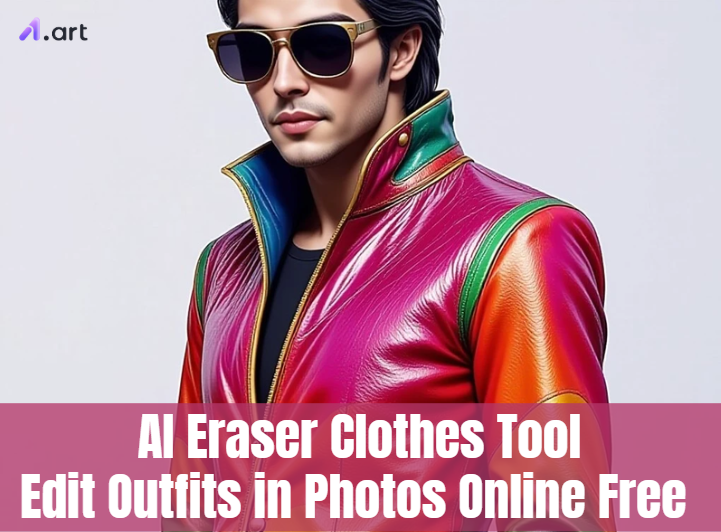
What is an AI Outfit Editing Tool?
Think of a photo-to-outfit editing tool as a brilliant artist for your photos, not just a clumsy eraser. This advanced software surpasses traditional photo programs. It comprehends your full image, from the background to the shirt to the sky, rather than just seeing pixels.
This is where true magic happens. Give a glimpse of its operation:
- It Sees Everything: The AI instantly analyses the photo, recognizing every object just like your own eyes would.
- You Give the Cue: You only indicate what needs to be fixed. You might quickly draw a line over a stain, a trademark, or even someone you wish to remove.
- It Works Its Magic: The AI then takes over. It creates a flawless new background when you request that an object be removed. Want new clothing? It makes clothing that complements their position and appears very natural.
This incredible clothes remover AI tool is no longer just for Hollywood. It's now available to everyone, making high-level photo editing fast, easy, and fun. This opens up a whole new world of creative freedom for anyone who loves sharing great pictures.
Click the picture to generate your exclusive ottoman clothing with one click👇
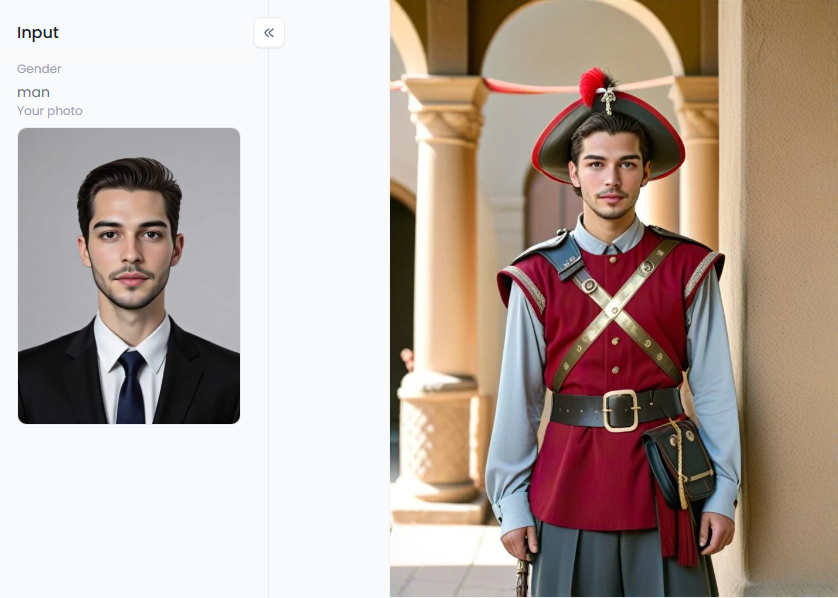
Creative Ways to Use AI Outfit Editors
These AI clothes removers are much more than a simple fix-it button—they are a powerhouse for creation. Fashion designers, social media stars, and business owners are already using them in brilliant new ways. Here's a look at the magic you can make:
- For Fashion Designers and Artists: Designers can skip endless sketches. Using an AI clothes changer, they take one photo and see 50 styles. They can test wild ideas, such as a "Supper Shiny Clothes" jacket, in seconds, thereby speeding up the development of their digital clothing collections.
- For Influencers and Content Creators: Influencers can create a week of outfits from one photoshoot. With clothes swap AI, they can create a whole lookbook without making a single change. They can also host fun, random outfit generator challenges, saving tons of time and money.
- For E-commerce and Marketing: Enhance product photos with AI magic eraser. Store owners can erase objects from photos to remove messy backgrounds. They can also show one shirt in ten colors from a single picture, helping customers click "buy."
- For Personal Photo Polishing: Finally, perfect your favorite memories. That photobomber in your vacation shot is gone. Use tools to remove objects from the image, including a price tag or stain. It's the easiest way to make your pictures look flawless.
How to Use It, Just 3 Steps:
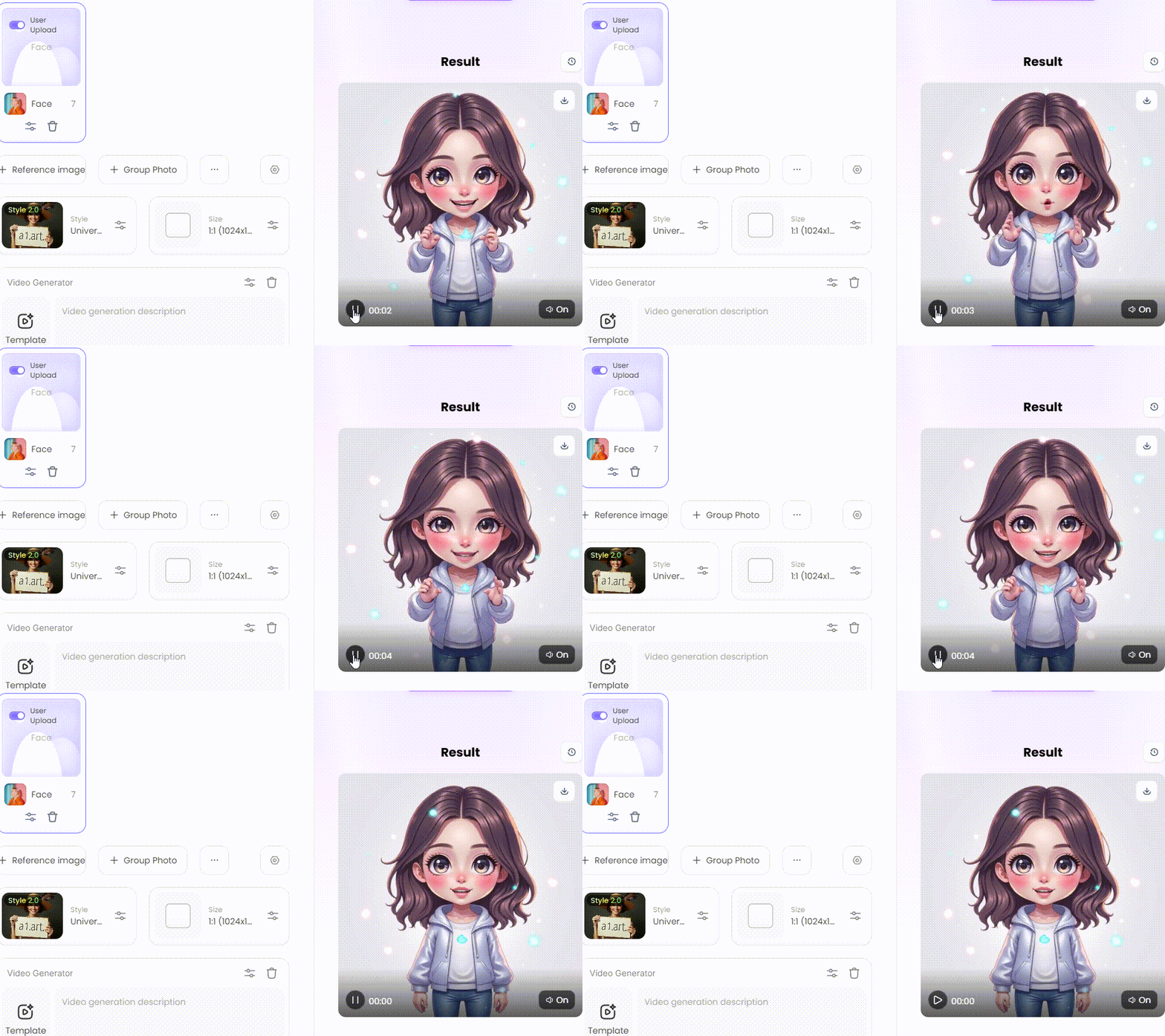
Step1:
Open a1.art, choose the App that you are interested in, then click 「Run」
Click on the image to experience the same App👇
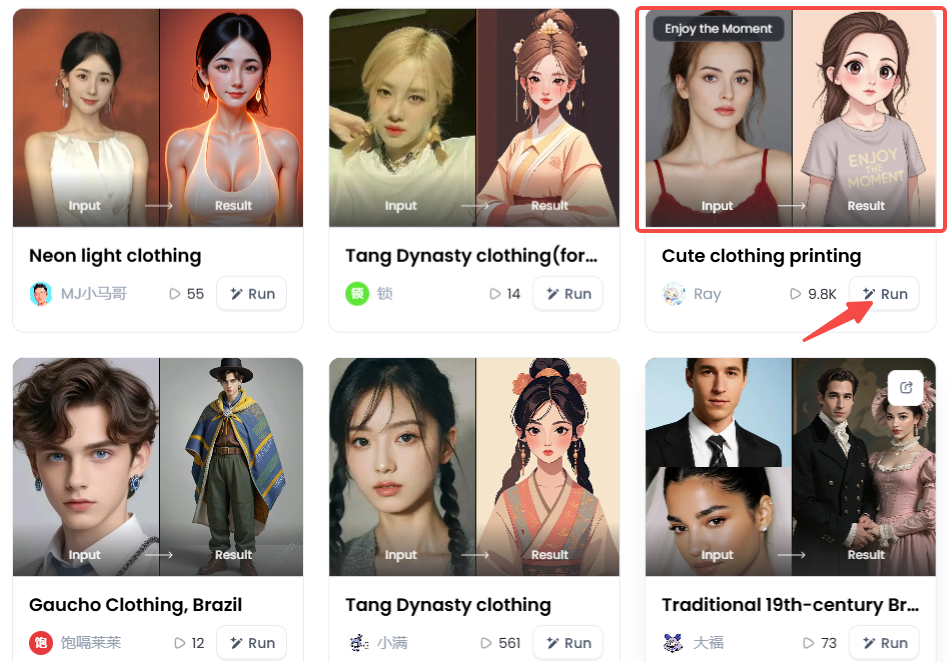
Step2:
Upload a photo/image
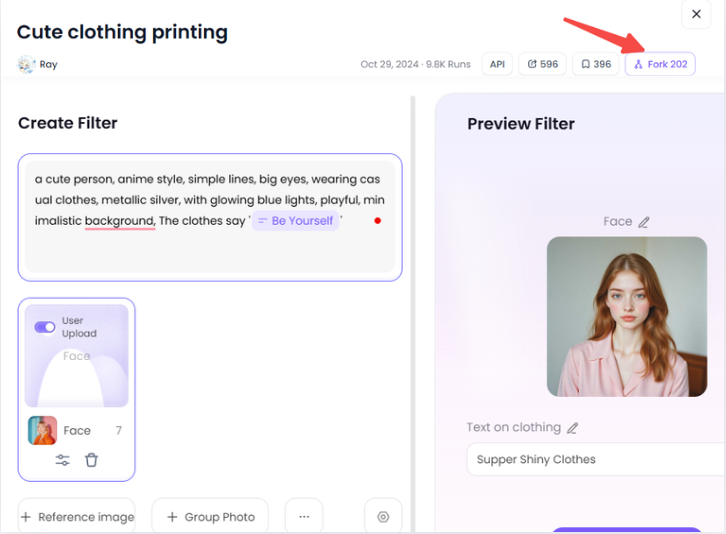
Step3:
Wait 3 seconds, you will get a wonderful result 👇
Top 10 AI Tools to Edit Outfits and Photos
Choosing from all the new AI apps is tricky. Some are for quick fixes, others are creative powerhouses. These 10 top AI clothes changers, each with its unique magic, will help you make informed decisions.
#1 a1.art
This platform/app is a full AI video and art generator, not simply another photo editor. It really shines by transforming your text suggestions into beautiful, dynamic images. Because of this, it is the best undress AI powerhouse for producing dynamic fashion material that makes users stop scrolling.
#2 Adobe Photoshop
The heavyweight champion is here. For good reason, Photoshop is the industry standard, and its "Generative Fill" tool is revolutionary. You have the amazing ability to add or remove clothes from your picture. All you have to do is type a prompt, and the AI responds with amazing realism.
#3 Canva
This is the holy grail for social media managers and marketers. The magic eraser is integrated into the well-liked design tool. It makes it very simple to edit product photos or blog images, enabling you to produce professional-looking posts quickly.
#4 Fotor
If you're looking for a tool that's both fun and easy to use, Fotor is a fantastic choice. It is renowned for being extremely user-friendly, and switching outfits is made easy with its unique "AI Clothes Changer" feature. It's ideal for trying out different styles without experiencing any technological difficulties.
#5 Picsart
As one of the most popular mobile apps worldwide, Picsart puts a creative studio in your pocket. Its AI tools are brilliant for making artistic edits on the go. The "AI Replace" feature, in particular, is great for swapping objects and getting creative right from your phone.
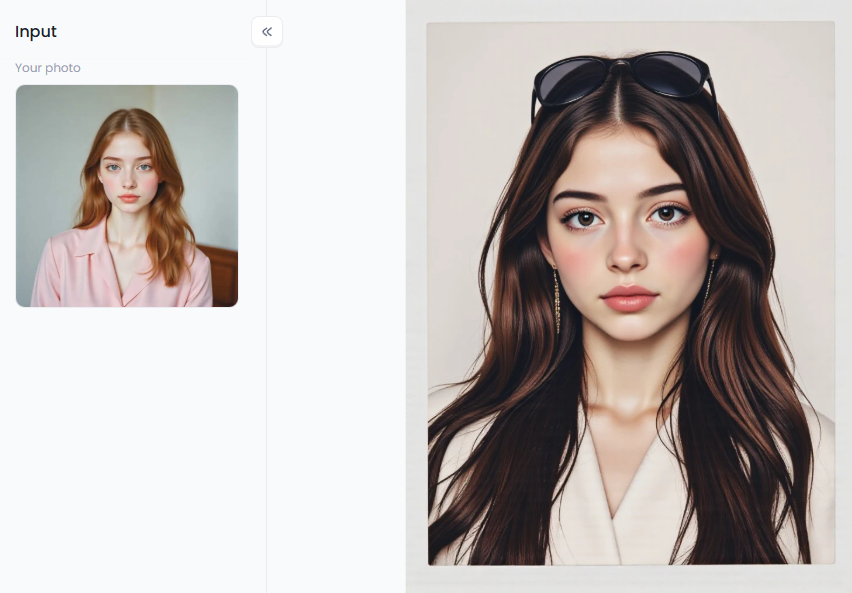
Click the picture to generate your exclusive packfilm with one click👇
#6 Lightricks
This powerful mobile editor gives you the best of both worlds. Photoleap skillfully blends the astounding capabilities of new generative AI features with the accuracy of conventional photo editing. For people who desire creative magic and profound control, it's the perfect option.
#7 YouCam Perfect
This app excels at capturing pictures and selfies. Its AI methods are optimized to improve human appearance. Every selfie appears perfect thanks to the AI object remover's remarkable ability to eliminate tiny imperfections, stray hairs, and other distracting elements.
#8 Luminar Neo
Among photographers, this one is a major favorite. The AI-powered Erase tool from Luminar Neo is intended to produce flawless, clean results. It is designed to perfectly remove distracting elements from landscapes and portraits, leaving no trace behind.
#9 Retouch4me
This is the professional photographer's secret weapon. It's a set of smart AI plugins that do heavy lifting for you. It can automatically clean up backdrops, skin, and even clothes, saving professionals many hours of tiresome labor.
#10 ZMO.AI
This tool is a powerhouse built specifically for e-commerce. It can generate entire AI-powered models wearing different outfits. This allows online stores to create endless, high-quality product photos without the massive cost and hassle of a real photoshoot.
In the end, the best AI clothing remover just depends on your job. Whether you're a marketer, photographer, or creator, you'll find the perfect AI editor for your needs on this list.
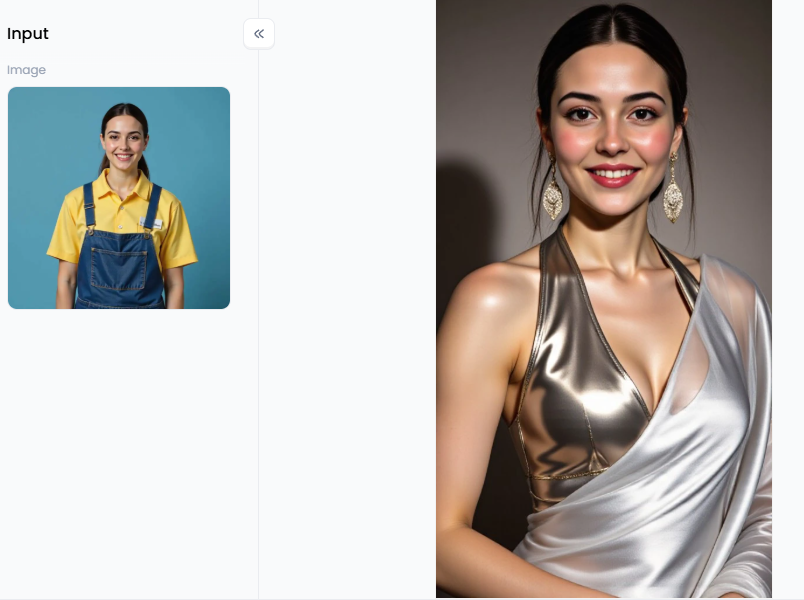
Click the picture to generate your exclusive sexy dress hot dress with one click👇
How to Create Stunning Fashion Art with a1.art
While others just edit photos, a1.art is in a league of its own. It's an AI studio that brings your wildest ideas to life in video and images. You're not just editing clothes; you're inventing them from scratch.
What Makes a1.art Different?
Forget editing frame by frame for your videos. Upload a video of you dancing, add an AI filter or prompt, and these filters change your outfit in every single frame. This creates a jaw-dropping effect on social media.
It gets even better. You can create videos just from text, such as women taking off their clothes. In just a few seconds, the "Mosaic Clothing" filter will automatically create a video for you. This completely changes the game, giving all producers tremendous power.
A Step-by-Step Guide to Editing Outfits in a1.art
Getting started with a1.art is a breeze. Here's how you can make your own AI fashion edit in just a few clicks:
Step 1: Start with Your Visual
First, upload any photo or video clip to the a1.art studio. This will be your canvas.
Step 2: Select Your Target
Next, use the simple brush tool to paint over the area you want to change. This could be just your shirt, your pants, or your entire outfit.
Step 3: Write Your Prompt
Now for the fun part! This is called prompt engineering, which is essentially the art of instructing AI on what you want to see. You can be as simple or as creative as you like:
Simple Prompt: "Change shirt to red."
Detailed Prompt: "A futuristic, 'Supper Shiny Clothes' jacket, metallic silver, with glowing blue lights."
Creative Prompt: "An elegant dress made of water and light."
Step 4: Use Creative Filters
Don't want to type? No problem. This website has amazing one-click filters. Get a retro vibe with "Y2K Butterfly Clothing" or look sharp with a "Professional Photo (Custom Clothing)" filter.
Step 5: Generate and "Fork"
Hit "Generate" and watch it happen. The "Fork" button is a great feature. Suppose you see a creation you love, "Fork" it. This copies their prompts so that you can start there.
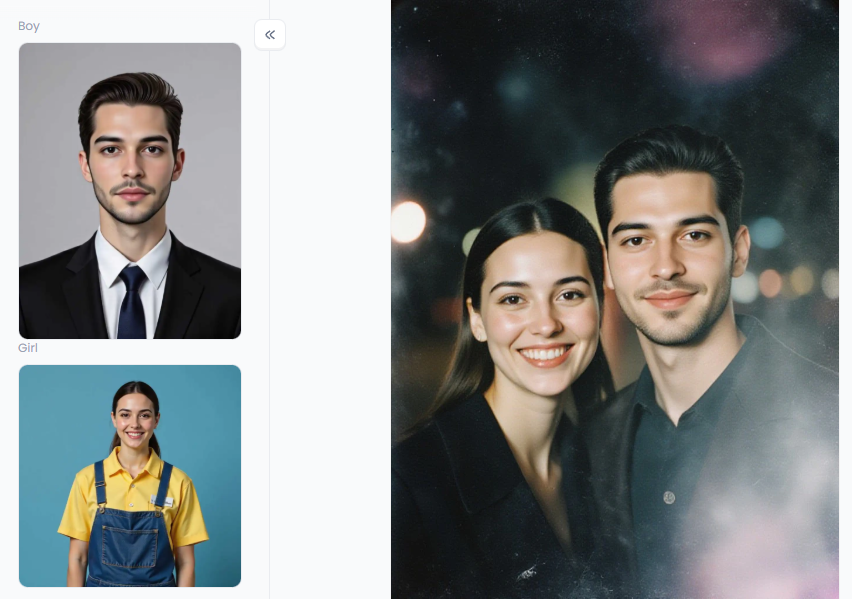
Click the picture to generate your exclusive sweet couple photo with one click👇
Tips for Making Your Visual Art Go Viral
Making amazing art is the first step; getting it seen is the next. Here are a few red-hot ideas to make your creations catch fire online:
- The "Decades" Challenge: Take one video of you dancing. Use AI filters to swap outfits from the 1970s, 1980s, 1990s, and a "Y2K Butterfly Clothing" look. Post the seamless video transformation.
- Audience-Powered Outfits: Ask your followers for random outfit prompts. Record yourself reading their comments, then show the AI instantly making the outfits they described.
- Before-and-After Magic: Show a simple "before" photo or video. Then, show the stunning "after" version. The amazing change will wow your audience.
- Music-Synced Transformations: Use the video tool to make your outfit change in sync with the beat of a trending song. This is pure gold for TikTok and Reels.
The payoff is huge. You skip hours of painful editing and make unique art that pulls people in. This tech hands you the keys, letting you be the director, designer, and artist.
The Future of AI in Fashion and Art
Tools like virtual clothing remover tools are more than just a fix. Nowadays, anyone can create content that goes well beyond simple photo touch-ups. Instead of just removing distractions, this technology allows you to incorporate your creativity into each image.
This movement is being spearheaded by platforms such as a1.art, which enable you to envision new graphics. The tools are in your hands, whether you're making the next popular movie, refining a family snapshot, or establishing a virtual fashion line. AI in fashion and art has a bright future. It is AI-powered, innovative, and quick.
FAQs
Q1: What is an AI clothes eraser tool?
An AI clothes eraser tool, often referred to as an object remover, is a valuable feature in many photo editors. It utilizes AI to intelligently identify and remove objects from photos. In fashion, it's perfect for eliminating logos or stains. Plus, some advanced tools can even swap or change clothing styles.
Q2: Can AI completely change clothes in a photo?
Yes. Modern tools, such as Adobe's Generative Fill or a1.art, utilize powerful generative AI for this purpose. All you have to do is pick a piece of apparel and enter a cue, such as "blue denim jacket." The AI then produces a new jacket that matches the subject's posture and the shadows in the picture, making it appear entirely real.
Q3: What is the best AI tool for editing outfits?
It really depends on your goal. For pro-level photo edits and simple object removal, Adobe Photoshop is the gold standard. But for creating wild, artistic videos from text prompts, a1.art is a top choice. Its video features are incredibly powerful, making it stand out.
Q4: How can I remove an unwanted object from a photo?
It's easy! Most editors have a magic eraser or object remover tool. You just select it and paint over the thing you want gone, like a photobomber. The AI then instantly analyzes the background and fills in the spot perfectly, as if the object was never there.
Q5: How does clothes swap AI work?
Clothes swap AI uses a smart process called diffusion. When you select an outfit and type a prompt, the AI digs into its "knowledge" from millions of images. It understands exactly what you mean, then creates a new image for that spot that perfectly matches your words and blends right in.
Q6: Is it ethical to use AI to edit photos?
It all comes down to how you use it. Using AI for art, fashion, or just fixing your own photos is perfectly fine. But it crosses a line when used to create deceptive "deepfakes," change someone's body without their permission, or make harmful content. Honesty and consent are what matter.
The generation or distribution of any form of illegal content is strictly prohibited.
CSAM: Any sexual content involving minors is considered a severe felony worldwide.
Deepfakes: The creation or dissemination of intimate images of any real person without their explicit consent is strictly forbidden.
User Responsibility: Users are solely responsible for ensuring all generated content complies with copyright, privacy, and all applicable laws.
Read more
- Red Flag Filter: Make Funny AI Red Flag Videos Online Free
- Free Mewing Filter Online: Try AI Face Enhancement Effect
- Turn Yourself into a South Park Character with AI Maker
- Top 10 Lumiere AI Video Generator Alternatives Free
- 8 Best AI Breast Expansion Generator Online Free
- Create Ghibli AI Porn with AI Image & Video Generator Free
- Bondage AI Art Generator: Create Image Online Free Easily
- Best Free Online Unlimited AI SUS Generator - a1.art
- Free Animal Dance Video Generator: Make Video from Photo
- How to Make Kpop AI Nude Dance Online Free – A Safe, Stunning & Legal Guide
Written by

a1.art
Published on
Nov 14, 2025
Share article


